
 简体中文
简体中文 English
KNOWLEDGE ARTICLE
What Is robots.txt?
Crawler access rules
Tells compliant crawlers which paths they may or may not fetch.
At a glance
This root-level file governs crawling, not access authorization. Blocking crawling is not equivalent to preventing indexing.
What is robots.txt?
robots.txt is a plain-text file at a website's root. It tells crawlers that follow the Robots Exclusion Protocol which paths they can fetch. User-agent groups and directives such as Allow, Disallow and Sitemap express site-level crawling rules.
The file manages crawler behavior, not login permissions or confidentiality. Anyone can normally read it, so it is not a suitable place to disclose addresses that should remain secret.
How robots.txt affects crawling
- Before crawling, a bot normally requests /robots.txt at the origin's root and finds the rules applicable to its User-agent.
- Path-matching rules in Allow and Disallow determine permitted fetches. Support for non-standard extensions varies between crawlers.
- Sitemap directives can identify one or more maps to help crawlers discover canonical pages.
- Crawler specifications and platform policies govern handling of inaccessible files, conflicting syntax and cached rules.
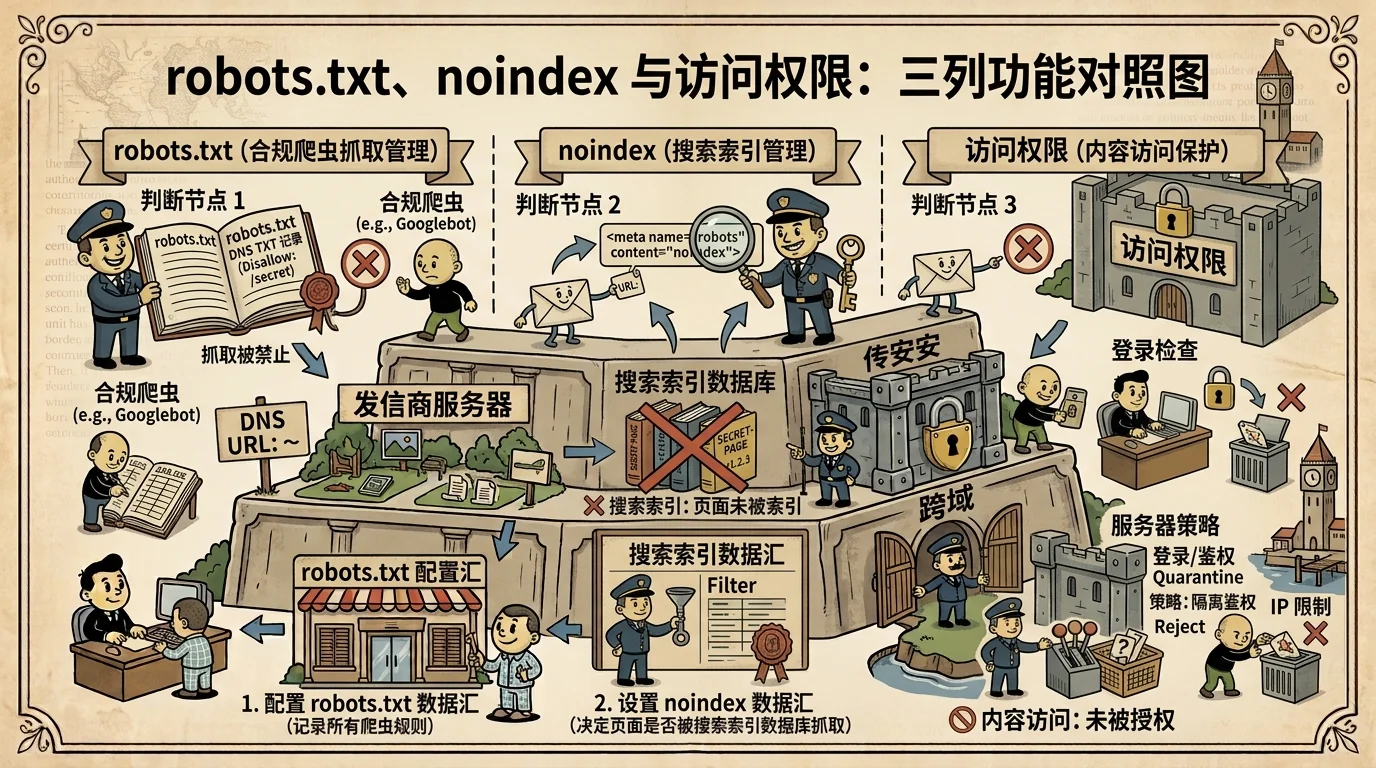
Common uses and rule patterns
Sites often restrict internal search results, endless filter combinations, duplicate resources or technical paths. Important indexable pages and the CSS, JavaScript and images needed to render them should usually remain crawlable.
Large sites may define separate groups for different crawlers, but added complexity increases the chance of accidental blocking. Recheck major User-agent groups and sitemap declarations after template, directory or domain migrations.
Crawling, indexing and access control are different
Crawling is fetching content; indexing is deciding whether to place a page in a searchable database; access control is enforced by authentication and server permissions. robots.txt primarily affects the first step.
A URL discovered through links may still appear in search even if crawling is blocked. To prevent indexing, normally use noindex and allow the crawler to read it. Truly sensitive content requires reliable access control.
Practical use and interpretation
Explicit Allow, Disallow and Sitemap values can be shown as configuration facts. Their effects depend on User-agent, path, HTTP status and page-level indexing directives. Explain which paths may be affected rather than claiming that a page definitely cannot be indexed.
If the file cannot be obtained, its status is unknown. Reliable rule counts and coverage require a successful, complete parse.
Points to consider
Accidentally blocking important resources can hinder crawling. Listing sensitive paths in a public robots file does not protect them.
Frequently asked questions
Can robots.txt keep a page out of search results?
It primarily prevents compliant crawling, not all appearances of a URL in search. Use noindex for indexing control and authentication or server permissions for private content.
Does Disallow protect privacy?
No. robots.txt is normally public, and its instructions do not prevent users or other programs from requesting the URL.
Can robots.txt list several sitemaps?
Yes. Each Sitemap directive can give a complete URL. A sitemap index can also organize multiple sitemap files.