
 dabrushes.com
No paid content found
dabrushes.com
No paid content found
Categories: Design & Creativity
Discover premium digital brushes and creative design assets for Photoshop, Illustrator, and digital artists at DA Brushes.
 Visit website
 Updated: 2026-10-02 16:49
 Language: English (default)
 Access: Normal
 Profile views 3
 Outbound visits 0
Related questions
More questions →How Do Content Creators Combine AI-Generated Assets With Licensed Stock Media in One Project?
Yes, you can combine AI-generated assets with licensed stock media in a single project, but the two categories carry different rights, and that difference is where most problems start. The practical rule: treat AI output and stock media as two separate asset classes with two separate paper trails, then document both before you publish. Below is how the rights differ, where creators get tripped up, and a workflow you can run in any editor.
AI assets vs. licensed stock: the core difference
| AI-generated assets | Licensed stock media | |
|---|---|---|
| Who owns it | Often unclear; depends on the tool's terms and your jurisdiction | The creator or library; you get a license, not ownership |
| What you receive | A generated file, sometimes with commercial-use rights granted by the tool | A defined license (royalty-free, rights-managed, editorial-only) |
| Attribution | Rarely required, sometimes prohibited from claiming authorship | Sometimes required, often restricted from redistribution |
| Main risk | Training-data provenance, platform terms changing, unclear copyrightability | Scope creep — using editorial-only footage in a commercial ad, for example |
The key point: a stock license tells you exactly what you can do. An AI tool's terms tell you what the platform permits, which is not the same as what copyright law allows. When you mix them, both sets of rules apply to the same final video.
Common licensing pitfalls when mixing the two
Editorial-only stock inside a monetized video
Many libraries label certain footage as "editorial use only" — news clips, celebrity shots, branded products. Dropping that into a YouTube video with ads or a client project can breach the license even if the rest of your timeline is clean AI output. Check the license tag on every stock clip, not just the ones you think are risky.
Assuming AI music is automatically "royalty-free"
AI-generated music may be free of royalties to a rights holder, but the tool's terms can still restrict commercial use, require a paid tier, or prohibit redistribution as a standalone track. If you upload your video to a platform that fingerprints audio, an AI track can still trigger a claim if it closely resembles training data.
Voiceover and likeness rights
AI voiceover that mimics a real person, or AI images of recognizable faces, can create publicity-rights issues that no stock license covers. Keep AI voice and likeness generic, or use a tool that explicitly grants commercial rights for the output.
Stacking licenses you didn't read
A single subscription may cover music, SFX, footage, and AI tools — but each category can have its own terms page. One plan does not mean one uniform license.
A practical workflow for one project
-
Create two folders before you edit. Name them
AI_generatedandLicensed_stock. Never let files mix on disk; you will need to prove origin later. -
Log every asset as you import it. A simple spreadsheet works:
File name Source Type License/tier Attribution required? Restrictions intro_music.wav AI tool Music Pro plan No No standalone resale city_broll_04.mp4 Stock library Footage Royalty-free No Not for editorial use -
Tag clips in your editor. Most editors let you add color labels or keywords. Mark AI assets one color, licensed stock another. This makes a final rights check fast.
-
Do a pre-export audit. Walk the timeline and confirm every clip's license permits your intended use — commercial, monetized, client work, or broadcast.
-
Keep the export clean of metadata conflicts. Some stock files carry embedded license metadata; AI files usually don't. Don't strip or fake either one.
How to verify one subscription covers both
Before you rely on a single platform for AI tools and stock media, confirm:
- The pricing page lists both categories under the same plan. If AI tools sit on a separate tier, your "one subscription" assumption is wrong.
- The terms of use have a section for AI output and a separate section for stock assets. One combined clause is a warning sign.
- Commercial use is explicit for both. Look for the words "commercial use" tied to each asset type, not just the plan overall.
- Attribution rules are stated per category. Music often differs from footage.
- There's a clear answer on client work and redistribution. If you can't find it, ask support in writing and save the reply.
Questions to ask before committing to one platform
- Does my plan cover AI music, SFX, footage, and voiceover, or only some of them?
- If I cancel, can I keep using assets downloaded during my subscription in existing videos?
- Are AI-generated assets covered for client and monetized work, or personal projects only?
- What happens if a stock clip is later reclassified as editorial-only?
- Is there a per-project or per-channel limit I might hit?
- Can I get written confirmation of commercial rights for both asset types?
Bottom line
Combining AI-generated and licensed stock assets is workable if you treat them as two licensed streams feeding one project. Separate your files, log every asset's origin and terms, audit before export, and verify that any single platform actually covers both categories in writing. The creative mix is easy; the paperwork is what keeps the project publishable.
Website Overview
Identifiable technologies and additional version or configuration signals make the service easier to fingerprint, which may help targeted scanners narrow their checks. Page metadata, canonical configuration and social previews work together to provide more consistent search and sharing presentation.
Domain and Registration
Transfer-protection status is present, helping reduce the risk of unauthorized domain transfers. The domain has about 5 years of registration history; its current configuration provides more context than age alone. The domain uses the common .com extension, which is not an independent safety signal.
DNS and Email
Nameservers are provided by dnsowl.com, indicating managed DNS hosting. No CNAME was found; the observed records resolve directly to addresses. No MX record was found. A conventional explicit inbound-mail route is not configured. DNSSEC signatures were not detected, so this additional DNS authenticity protection is not confirmed. The lowest observed DNS TTL is 3603 seconds.
TLS and Certificates
The public key uses EC with 256 bits. The server supplied a complete certificate chain. No organization name is present in the certificate; the available fields are consistent with domain validation. The certificate was issued by Let's Encrypt, commonly associated with automated certificate services. The certificate's total validity is about 89 days, consistent with a short renewal cycle.
HTTP and Browser Security
The Server header exposes the software version: nginx/1.24.0 (Ubuntu). This makes version-targeted checks easier, but is not proof of an exploitable vulnerability. The checked browser-security headers were not detected, leaving fewer explicit browser-side safeguards. No X-Powered-By header was found, reducing one common source of backend fingerprinting information. No obvious internal addresses or debug information were found in the headers. Cookie security attributes are unknown.
Technology Stack Analysis
The public page identifies WordPress 7.1.2, jQuery, Bootstrap, Google Analytics, nginx 1.24.0, with exact versions exposed for 2 technologies. These details can narrow vulnerability checks, although exposure alone is not a vulnerability.
Search and Social Sharing
The Generator tag identifies WordPress 7.1.2, making the publishing system easier to fingerprint. Twitter Card metadata is configured. JSON-LD includes Organization data, helping describe the organization as an entity. The title has 52 characters, within a common display range. A meta description is present, with 122 characters.
 Hosting and Email
 Hosting
 DigitalOcean, LLC
 Location
 Clifton, New Jersey, United States
 Pages, Search and Sharing
| Meta description | Discover premium digital brushes and creative design assets for Photoshop, Illustrator, and digital artists at DA Brushes. |
|---|---|
| Canonical URL | https://dabrushes.com/ |
| Language | English (default) |
| Twitter Card | summary_large_image |
Social Sharing Preview
18 fieldsSharing metadata
| og:url | https://dabrushes.com/ |
|---|---|
| og:type | website |
| og:image | https://dabrushes.com/wp-content/uploads/2026/05/banner-dabrush.webp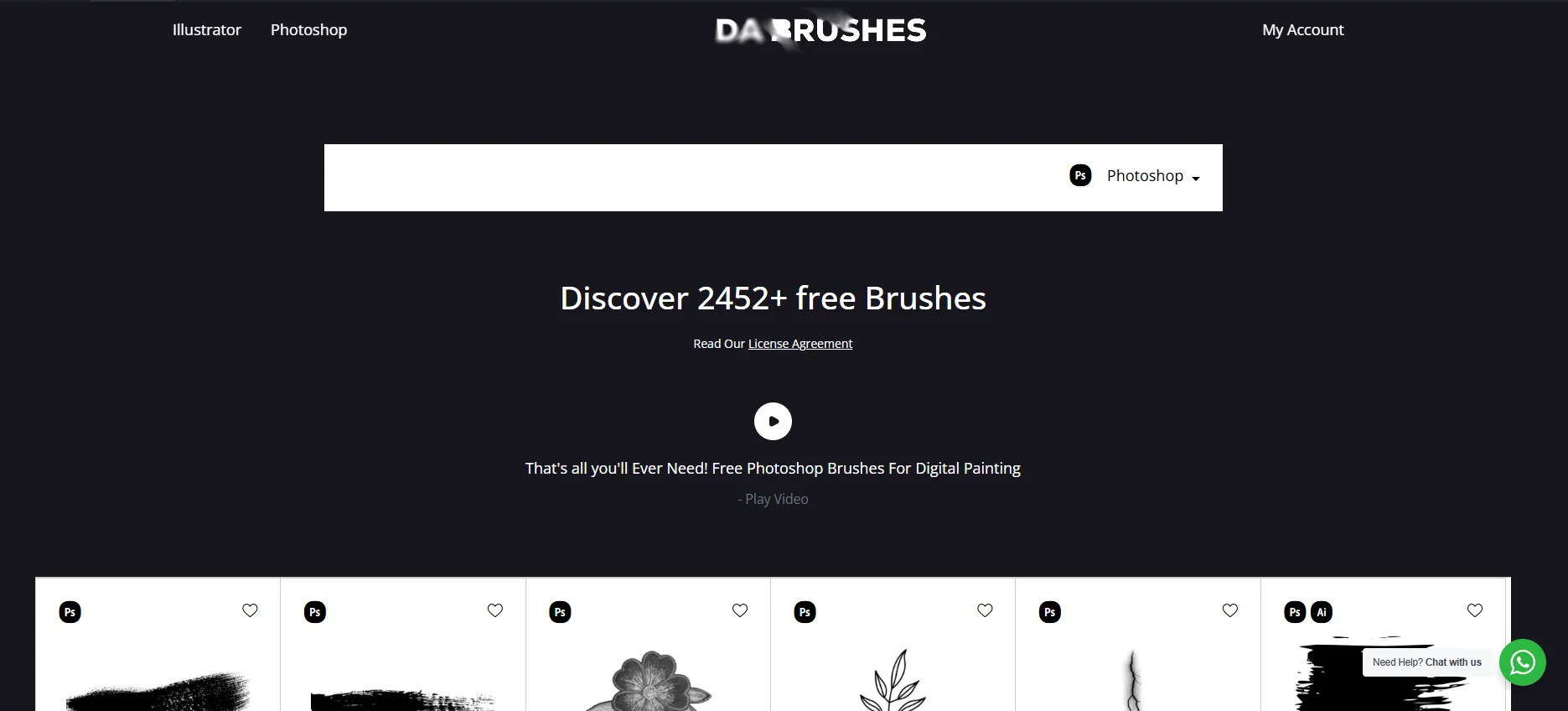 |
| og:title | DA Brushes | Premium Digital Brushes & Design Assets |
| og:locale | en_US |
| og:image:alt | digital brushes |
| og:site_name | da Brushes |
| og:image:type | image/webp |
| og:description | Discover premium digital brushes and creative design assets for Photoshop, Illustrator, and digital artists at DA Brushes. |
| og:image:width | 1871 |
| og:image:height | 848 |
| og:image:secure_url | https://dabrushes.com/wp-content/uploads/2026/05/banner-dabrush.webp |
| twitter:card | summary_large_image |
| twitter:site | @dabrushes |
| twitter:image | https://dabrushes.com/wp-content/uploads/2026/05/banner-dabrush.webp |
| twitter:title | DA Brushes | Premium Digital Brushes & Design Assets |
| twitter:creator | @dabrushes |
| twitter:description | Discover premium digital brushes and creative design assets for Photoshop, Illustrator, and digital artists at DA Brushes. |
robots.txt (opens in a new tab)
1 rulesAll bots 1 allowed · 0 disallowed

 All bots

/
No matching rules.
Sitemaps
49- https://dabrushes.com/sitemap.xml(opens in a new tab)
- https://dabrushes.com/sitemap-334.xml(opens in a new tab)
- https://dabrushes.com/sitemap-755.xml(opens in a new tab)
- https://dabrushes.com/sitemap-352.xml(opens in a new tab)
- https://dabrushes.com/sitemap-470.xml(opens in a new tab)
- https://dabrushes.com/sitemap-108.xml(opens in a new tab)
- https://dabrushes.com/sitemap-345.xml(opens in a new tab)
- https://dabrushes.com/sitemap-568.xml(opens in a new tab)
- https://dabrushes.com/sitemap-916.xml(opens in a new tab)
- https://dabrushes.com/sitemap-951.xml(opens in a new tab)
- https://dabrushes.com/sitemap-365.xml(opens in a new tab)
- https://dabrushes.com/sitemap-812.xml(opens in a new tab)
- https://dabrushes.com/sitemap-642.xml(opens in a new tab)
- https://dabrushes.com/sitemap-340.xml(opens in a new tab)
- https://dabrushes.com/sitemap-974.xml(opens in a new tab)
- https://dabrushes.com/sitemap-73.xml(opens in a new tab)
- https://dabrushes.com/sitemap-164.xml(opens in a new tab)
- https://dabrushes.com/sitemap-970.xml(opens in a new tab)
- https://dabrushes.com/sitemap-800.xml(opens in a new tab)
- https://dabrushes.com/sitemap-469.xml(opens in a new tab)
- https://dabrushes.com/sitemap-93.xml(opens in a new tab)
- https://dabrushes.com/sitemap-230.xml(opens in a new tab)
- https://dabrushes.com/sitemap-889.xml(opens in a new tab)
- https://dabrushes.com/sitemap-77.xml(opens in a new tab)
- https://dabrushes.com/sitemap-102.xml(opens in a new tab)
- https://dabrushes.com/sitemap-278.xml(opens in a new tab)
- https://dabrushes.com/sitemap-887.xml(opens in a new tab)
- https://dabrushes.com/sitemap-914.xml(opens in a new tab)
- https://dabrushes.com/sitemap-126.xml(opens in a new tab)
- https://dabrushes.com/sitemap-83.xml(opens in a new tab)
- https://dabrushes.com/sitemap-374.xml(opens in a new tab)
- https://dabrushes.com/sitemap-922.xml(opens in a new tab)
- https://dabrushes.com/sitemap-712.xml(opens in a new tab)
- https://dabrushes.com/sitemap-820.xml(opens in a new tab)
- https://dabrushes.com/sitemap-879.xml(opens in a new tab)
- https://dabrushes.com/sitemap-256.xml(opens in a new tab)
- https://dabrushes.com/sitemap-579.xml(opens in a new tab)
- https://dabrushes.com/sitemap-434.xml(opens in a new tab)
- https://dabrushes.com/sitemap-505.xml(opens in a new tab)
- https://dabrushes.com/sitemap-242.xml(opens in a new tab)
- https://dabrushes.com/sitemap-775.xml(opens in a new tab)
- https://dabrushes.com/sitemap-2.xml(opens in a new tab)
- https://dabrushes.com/sitemap-354.xml(opens in a new tab)
- https://dabrushes.com/sitemap-753.xml(opens in a new tab)
- https://dabrushes.com/sitemap-518.xml(opens in a new tab)
- https://dabrushes.com/sitemap-517.xml(opens in a new tab)
- https://dabrushes.com/sitemap-246.xml(opens in a new tab)
- https://dabrushes.com/sitemap-688.xml(opens in a new tab)
- https://dabrushes.com/sitemap-942.xml(opens in a new tab)
 Registration details RDAP / WHOIS
| Registrar | NameSilo, LLC |
|---|---|
| Registered | 2021-01-06 |
| Expires | 2028-01-06 |
| Domain status | client transfer prohibited |
| Nameservers | ns1.dnsowl.com、ns2.dnsowl.com、ns3.dnsowl.com |
| DNSSEC | unsigned |
 DNS records
 TLS and certificates
| Assessment | Normal configuration |
|---|---|
| Supported protocols | TLSv1.2、TLSv1.3 |
| Negotiated protocol | TLSv1.3 |
| Certificate subject | dabrushes.com |
| Issuer | Let's Encrypt |
| Valid until | 2026-11-03T10:11 · Remaining when checked: 31 days |
| Verification details | Certificate trust: Passed · Hostname match: Passed |
 HTTP response headers
| Header | Value |
|---|---|
| content-type | text/html; charset=UTF-8 |
| cache-control | no-store, no-cache, must-revalidate |
| server | nginx/1.24.0 (Ubuntu) |
| set-cookie | Redacted |
 Identified technologies
Recent Updates
- Website images
- Screenshots
- Website Technologies
- Pages and Search Information
User reviews (0)