
 简体中文
简体中文 English
Website review
This review may include AI-generated content and is not individually verified. Domain, certificate and other facts come from the observed data on this page.
What is Doot?
Doot is a browser-based party game platform: the host runs a game on a shared screen (TV, projector, bar monitor, classroom display), and players join from their own phones. No app install and no account are needed to play, which makes it practical for drop-in crowds like a bar trivia night, a con panel, or a class poll.
What you can actually run
The game library covers several distinct kinds of play, so it suits different rooms:
- Quiz and knowledge games — trivia formats such as Quiz or Die, Ballpark (closest numeric guess wins), Over / Under, and Fib Finder, where players invent believable lies and then spot the true answer.
- Writing and voting games — Quip Clash (funniest answer to a prompt), Backronym, Open Mic, Mad Libs, and Circuit Cypher, a robot rap battle judged by crowd vote.
- Drawing and guessing — Doodle Chain, a draw-and-describe telephone, and Sketch.
- Social deduction and crowd games — Faker (everyone shares a secret word except one player), Hivemind (match the crowd), Most Likely To, and Categories, a Scattergories-style round where unique answers score.
- Live-format games — Bingo with unique cards per player, Call It for live predictions, and Retro Arcade, which runs ROMs with phones or gamepads as controllers, in the room or remote.
- Pit Party — a split-screen kart racer driven from the phone.
Who it fits, and the trade-offs
Doot is aimed at hosts rather than solo players: bartenders, teachers, panelists, and friends running a room. The strength is low friction — people join from a phone in seconds, so a mixed crowd of regulars and strangers can all take part. The trade-off is that it depends on a host screen plus everyone having a working phone and connection; a room with poor Wi-Fi or a group without phones will struggle. The library is also broad but party-oriented, so it is not the place for deep, long-form competitive play.
A concrete scenario
A teacher wanting a quick check-in could run a live poll or Hivemind round on the classroom projector and have students answer from phones, then follow with Categories for a warmer, lower-stakes activity. A bar host would more likely pick Quiz or Die or Ballpark for a louder, scored format.
If you are deciding whether to use it, start by matching the game type to your room: scored trivia for competitive crowds, writing-and-voting games for talkative groups, and drawing chains for casual mixing. The site also lists a "Build a custom game" option, which is worth checking if the ready-made formats do not match your event.
How do players join a Doot game on the big screen?
Players join a Doot game from their own phones—no app to install and no account needed to play. The host runs the game on a shared screen (a TV, bar monitor, or classroom projector), and each player opens the game on their phone to answer, draw, vote, or submit responses. The page shows this pattern in action: a live quiz prompt where players tap an answer and a running tally appears ("28 voted").
What that means in practice
- Host has the big screen. Trivia questions, drawings, polls, and results display for the room.
- Players use phones as controllers. The page describes phones and gamepads as the input devices for games like Retro Arcade, and phone-based play for drawing, voting, and guessing games.
- Low friction for mixed groups. Because there's no app or account requirement to play, a bartender hosting trivia or a teacher running a poll can get a room of strangers into the game quickly.
Next step
If you're setting up a session, decide first whether players will be in the room or remote—the page notes Retro Arcade supports controllers "in the room or remote," so check each specific game's join flow before you rely on remote play. For a first run, pick a simple format like a live poll or Bingo to confirm everyone can join from their phones before moving to drawing or writing games that need more input.
What party games can I host on Doot for a bar, classroom, or living room?
Doot is built around one setup: a shared screen shows the game, and everyone else joins from a phone in the browser, with no app install and no account needed to play. That fits a bar, a classroom, or a living room equally well, because the host only needs a screen the room can see. The page groups its games into hosted party formats, from trivia and drawing to polls and bluffing games.
Games that suit a bar or a mixed adult crowd
- Quiz or Die — a quiz-show format with a "Cellar" penalty for wrong answers, which gives a rowdy room something to react to.
- Quip Clash — players answer a prompt, then vote for the funniest answer; good for groups who like writing short jokes.
- Fib Finder — invent a believable lie to a trivia question, then spot the true answer.
- Faker — everyone gets a secret word except one player, who has to bluff their way through clues.
- Ballpark and Over / Under — numeric guessing games where the closest estimate wins, useful when you want low-effort participation.
- Bingo — every player gets a unique card while the host calls the game.
Games that suit a classroom
- Call It — live predictions for a room with a screen on; the host calls it, students pick, and correct calls score.
- Categories — a Scattergories-style round where a letter and categories are given and unique answers score.
- Hivemind — answer like everyone else; matching the crowd is the whole point, which works well as a warm-up.
- Most Likely To — vote a player for each prompt and reveal the room's pick.
- Doodle Chain — a draw-and-describe telephone game that produces visibly silly results.
Games that suit a living room
- Retro Arcade — the page describes running any ROM together, with phones and gamepads as controllers, in the room or remote.
- Pit Party — a split-screen kart Grand Prix driven from your phone.
- Mad Libs — fill a story's blanks, then vote for the funniest version.
- Open Mic and Backronym — short writing rounds with voting, easy to run with a small group.
- Circuit Cypher — a robot rap battle where players write rhyming bars and the crowd votes.
How to choose
Pick by how much writing and reading your room can handle. Numeric guessing games (Ballpark, Over / Under) and voting games (Most Likely To, Hivemind) keep things fast and need little typing. Writing games (Quip Clash, Open Mic, Backronym, Mad Libs) are funnier with a group that enjoys wordplay but slower to run. Drawing games (Doodle Chain) and the arcade and kart games need phones used actively, which suits a living room more than a noisy bar.
A practical next step: decide whether you want a quiz-show tone, a writing-and-voting tone, or a controller-based game, then open that game's "Host now" entry and check the join flow works on the phones your guests actually carry.
Can I build a custom game on Doot for my own event?
Yes. Doot offers a "Build a custom game" path alongside its ready-made party games, so you can set up something tailored to your own event rather than picking only from the existing lineup.
What that looks like in practice
The custom route suits hosts who want a game shaped around their occasion—a themed quiz for a company offsite, a tailored drawing round for a birthday, or a set of prompts for a specific audience. The page also lists a wide catalog of ready games (trivia, drawing chains, bluffing games, estimation rounds, bingo, and more) that you can run as-is if building from scratch isn't necessary.
How hosting works
- One screen displays the game; players join from their phones.
- No app install and no account needed to play, which lowers friction for guests who arrive cold.
- The host role is described as fitting bartenders, teachers, panelists, and friends—so the format assumes a live room with a shared screen.
Deciding between custom and ready-made
If your event has a strong theme or specific content (your team, your curriculum, your inside jokes), building a custom game is the better fit. If you want to start fast and the existing formats already match the mood, running a ready game gets you playing sooner. A reasonable first step: sketch the handful of rounds you actually need, then check whether an existing format covers most of them before committing to a full custom build.
What do I need to set up Doot for a room with a screen?
You need a screen everyone can see and a phone for each player. The screen hosts the game; players join from their phones in a browser. No app install and no account are needed to play, according to the site.
Setup checklist
- A big screen connected to a device that can open the Doot website (TV, projector, or laptop on a shared display).
- One phone per player, used to join and submit answers. Phones act as controllers or answer pads.
- A host to start the game and control pacing from the big screen.
- A stable connection for the host device and player phones, since play is live.
What this looks like in practice
For a bar trivia night, the host opens the trivia game on the TV, players scan or enter the join details on their phones, and answers appear on the big screen. The same pattern works for a classroom poll or a con-panel character quiz.
Next step
Pick a game that matches the room: Bingo or Categories for a casual crowd, Fib Finder or Quip Clash for a talkative group, and Pit Party if you want something more active. Then test the join flow with one phone before the room fills up.
Which Doot games work best for a large crowd or panel setting?
For a large crowd or panel setting, Doot's strongest fits are games built around one shared screen with short, phone-based inputs: trivia-style formats (Quiz or Die, Ballpark, Over / Under, Fib Finder), voting and prompt games (Quip Clash, Most Likely To, Hivemind, Call It Live), and Bingo. These keep the room watching one focal point while everyone taps or types brief answers, so a panel can host and commentate without managing many rules.
Matching the game to the room
| Setting | Good choices | Why it suits a crowd |
|---|---|---|
| Bar or stage trivia | Quiz or Die, Ballpark, Over / Under | Fast rounds, clear scoring, host can narrate answers |
| Panel with audience participation | Quip Clash, Fib Finder, Most Likely To | Written answers and votes keep the panel reacting to the room |
| Class or large meeting | Hivemind, Call It Live, Bingo | Low-friction joining, visible group results |
| Creative showcase | Doodle Chain, Backronym, Open Mic | Funny outputs give hosts material to read aloud |
Games like Pit Party (split-screen kart racing) and Retro Arcade work better for smaller groups or parallel play, since they demand more individual attention than a big room can follow at once.
A practical next step: pick one voting game and one trivia game as your two anchors, then test both with a small group before a large event. If you want to compare formats beyond Doot, Kahoot! and Jackbox Games are established alternatives for screen-hosted group play.
 DigitalOcean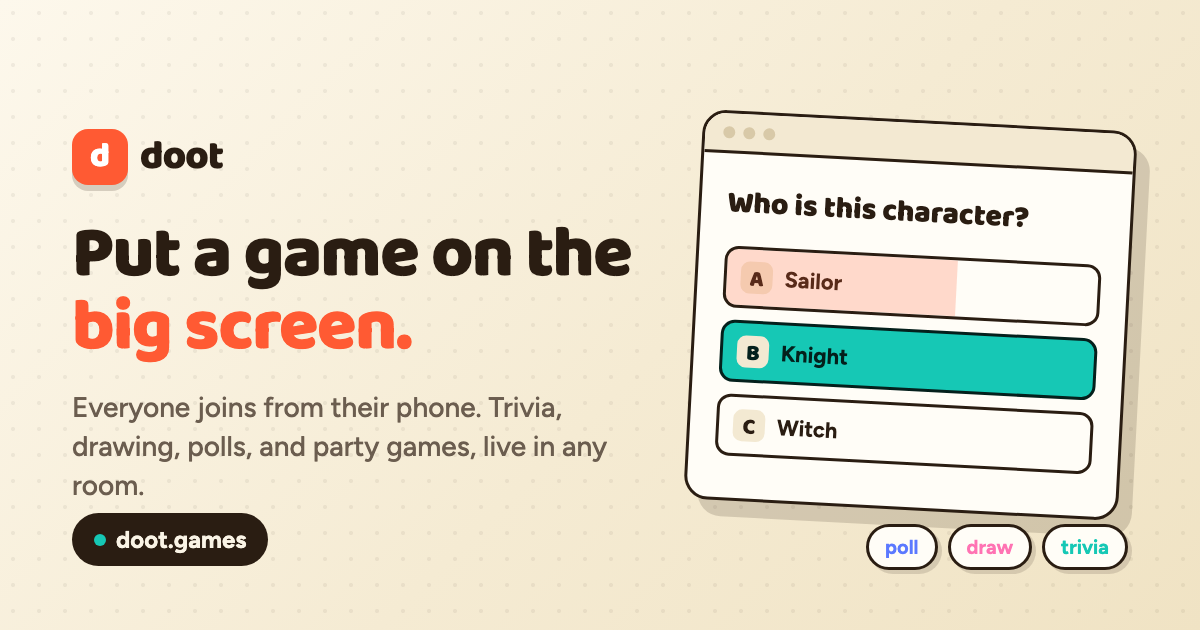

User reviews (0)