
 简体中文
简体中文 English
Website review
This review may include AI-generated content and is not individually verified. Domain, certificate and other facts come from the observed data on this page.
What is searchcode.com?
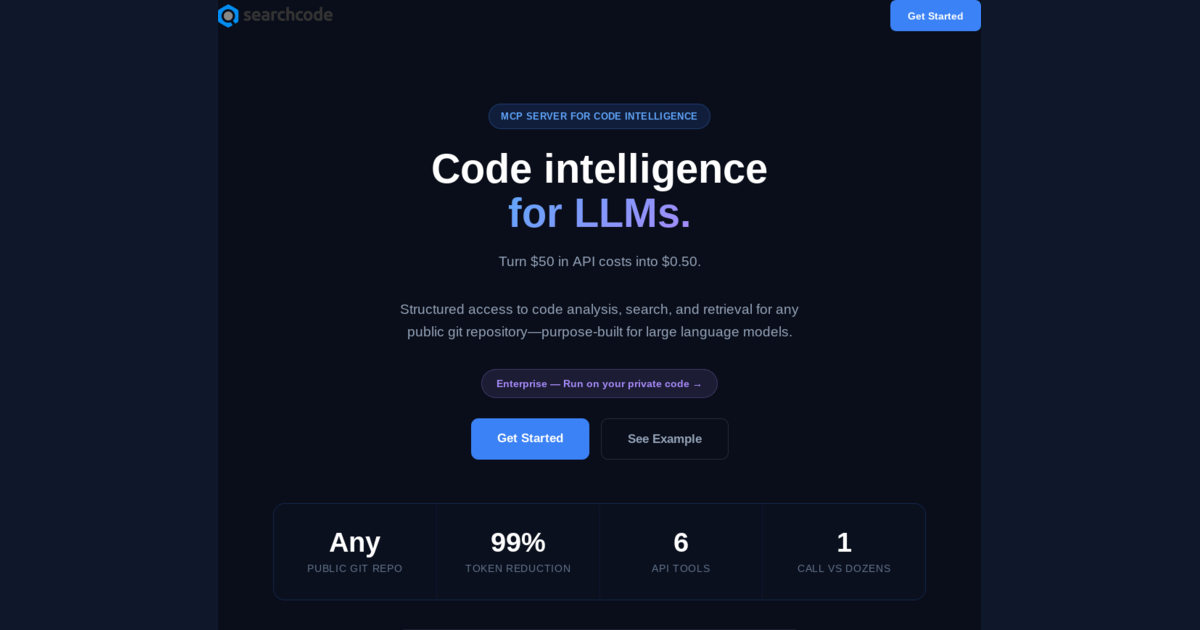
searchcode.com is a code-intelligence service for AI coding assistants. Instead of having an LLM clone a repository and grep through it, you point the service at a public Git repository and it returns a structured summary: languages, complexity, tech stack, code quality and findings. The same capability is exposed as an MCP server, so tools like Claude Code, Cursor, VS Code/Copilot and Claude Desktop can call it directly from the editor.
Its pitch is token economy. The site contrasts a typical investigation done the old way — roughly 30+ tool calls, ~50,000 tokens — with a single structured call of about 500 tokens, claiming a large cost reduction per investigation. Treat those numbers as the vendor's own illustration rather than a guarantee; actual usage depends on the repository size and the question asked.
What it offers
- code_analyze — language breakdown, complexity metrics, tech-stack detection, code-quality signals and secret scanning (API keys, tokens, private keys with file, line and confidence). Can be scoped to a subdirectory for monorepos.
- code_search — full-text search with boolean queries, regex and structural filters such as declarations, usages, strings and comments.
- code_get_file — fetch a full file, a line range or a named symbol, optionally with adjacent declarations for context.
- code_get_files — batch retrieval of up to 10 files in one call for cross-file analysis.
- code_file_tree — directory structure with language, path and depth filters.
Who it suits
- Developers using an AI assistant on unfamiliar code: ask "what is this repo, what's it built with, and where is authentication handled?" and get a compact answer instead of a long exploration loop.
- Reviewers and due-diligence work: a quick dossier on a dependency before adopting it, including a credential-scanning pass.
- Repo comparison: the site supports side-by-side comparisons of two repositories, useful when choosing between similar libraries.
The trade-off is scope: it works on public Git repositories, and the value depends on your assistant actually supporting MCP. If you mainly work in private code or a non-MCP editor, the benefit is smaller.
A practical next step: pick one public repo you already know well, run it through the dossier view, and check whether the language, complexity and tech-stack summary matches your own understanding. If it does, wire the MCP server into your editor and test it on a repo you have never seen.
How do I set up the MCP server for Claude Code or Cursor?
Add searchcode's MCP server by pointing your client at its hosted endpoint, then restart or reload the tool list. The page's own setup examples use one URL for every client: https://api.searchcode.com/v1/mcp. No signup or API key is mentioned for the beta.
Claude Code
Run the command shown on the page:
claude mcp add searchcode --transport http https://api.searchcode.com/v1/mcp
Then confirm the server appears in Claude Code's MCP list and that the six tools load.
Cursor
Create or edit .cursor/mcp.json in your project (or the equivalent user-level config):
{"mcpServers":{"searchcode":{"url":"https://api.searchcode.com/v1/mcp"}}}
Reload Cursor so it picks up the new server.
VS Code / Copilot
The page shows a separate location, .vscode/settings.json:
{"mcp":{"servers":{"searchcode":{"url":"https://api.searchcode.com/v1/mcp"}}}}
Claude Desktop
Desktop uses a local bridge rather than a direct URL:
{"mcpServers":{"searchcode":{"command":"npx","args":["-y","mcp-remote","https://api.searchcode.com/v1/mcp"]}}}
Practical check
After setup, ask your assistant to analyze a small public repo you already know well, such as fastapi/fastapi. If it returns a structured dossier — languages, complexity, tech stack, findings — the connection works. If the tools don't appear, the usual causes are a typo in the URL, a config file in the wrong directory, or not restarting the client.
For other clients (OpenCode, Crush, Codex, Gemini CLI, Amp, LM Studio), the [site:searchcode.com|searchcode.com] page links a full setup guide. If you only need a one-off look at a repo, you can skip installation entirely and paste the GitHub URL on the site for the same dossier.
Can I compare two GitHub repositories side-by-side without cloning them?
Yes. searchcode.com supports a side-by-side comparison of two public repositories without cloning either one. You paste two repos (for example redis versus memcached) and get a comparison view built from pre-computed code intelligence rather than a local checkout.
What you can compare
Based on the page evidence, the dossier and comparison output cover:
- Language breakdown
- Complexity metrics
- Tech stack detection
- Code quality signals
- Findings, including secret scanning (
security_summaryreports API keys, tokens and private keys with file, line and confidence)
Ways to use it
| Approach | Best for | Trade-off |
|---|---|---|
| Paste two repo URLs on the site | A quick one-off comparison, no install | Manual; you read the results yourself |
| Add the MCP server to your editor | Repeated comparisons inside Claude Code, Cursor, VS Code/Copilot, or Claude Desktop | Requires a one-time MCP setup |
For agent-driven work, the MCP server exposes six tools, including code_analyze, code_search, code_get_file and code_get_files (batch up to 10 files), so an assistant can pull structured data about both repos in a single call instead of cloning and grepping.
Practical note: comparisons are limited to public git repositories, and the tool returns structured summaries rather than the full source, so it is well suited to "which of these two should I adopt or study?" decisions, but not to line-by-line diffing of two forks.
Next step: open the site, paste two owner/repo pairs into the comparison field, and check the language and complexity sections first — those usually settle an architecture comparison before you look at code quality. If you plan to repeat this often, add the MCP server so your editor assistant can run the same comparison on demand.
What security scanning does the code_analyze tool perform?
code_analyze includes a credential scanner. In the product's own description, this is surfaced as security_summary, which detects API keys, tokens and private keys, and reports each finding with its file, line and a confidence level.
That is the full extent of the security scanning described: secret/credential detection, not a general vulnerability audit. It does not claim dependency-CVE checks, taint analysis or injection detection. Treat it as a fast first pass that flags likely leaked secrets in a public repository, and confirm anything it reports before acting on it — confidence levels mean some hits will be false positives.
A practical next step: point code_analyze at a repo you already know contains (or deliberately excludes) secrets, such as a test fixture with a dummy key, and check whether the file, line and confidence values line up. That tells you how much to trust it on unfamiliar code.
For broader coverage, pair it with dedicated tooling: GitHub secret scanning and push protection for repositories hosted there, or Snyk if you also need dependency and vulnerability analysis.
How does searchcode reduce token usage for LLM code analysis?
Searchcode reduces token usage by replacing the "clone, cat, grep, hope" loop with a single structured call. Instead of your assistant making dozens of tool calls and pulling raw file contents into context, it queries searchcode's pre-computed code intelligence and receives a compact summary—languages, complexity, tech stack, and findings—rather than the underlying source.
The mechanism
The page frames this as two paths to the same result:
- Without searchcode: roughly 30+ tool calls, ~50,000 tokens, ~$0.50 per investigation.
- With searchcode: 1 call, ~500 tokens, ~$0.005 per investigation.
That is the site's own comparison, not an independent benchmark, so treat the figures as illustrative of the design goal rather than measured guarantees. The claim of "99% token reduction" is consistent with that framing.
Why the savings happen
Three design choices drive it:
- Pre-computed analysis.
code_analyzereturns language breakdowns, complexity metrics, tech-stack detection, code quality signals, and secret scanning (security_summaryflags API keys, tokens and private keys with file, line and confidence). The model reads conclusions, not raw code. - Targeted retrieval.
code_searchsupports boolean queries, regex, and structural filters (declarations, usages, strings, comments), so you fetch matching regions rather than whole files.code_get_filenarrows further to line ranges or named symbols, and can include adjacent declarations for context. - Batching.
code_get_filespulls up to 10 files in one call, andcode_file_treemaps directory structure with language, path and depth filters—avoiding the exploratory calls that normally burn context.
Practical scenario
Say you are evaluating an unfamiliar repository before adopting it. Without a code-intelligence layer, your assistant typically lists the tree, opens the README, greps for entry points, opens several files, then repeats as questions arise—each step re-sending accumulating context. With searchcode, you paste a GitHub URL or owner/repo for a dossier, or point the MCP server at it so Claude Code, Cursor, VS Code/Copilot, or Claude Desktop can call the six tools directly from the editor. Scope to a subdirectory when working in large monorepos.
Trade-offs and decision criteria
Structured summaries trade depth for economy. If you need to reason about exact implementation details—control flow, subtle logic, unusual patterns—you will still retrieve files, and token savings shrink. The approach suits triage, onboarding, comparison (the site supports side-by-side repo comparison), and security scanning. It is less suited to deep line-by-line refactoring where full source in context matters.
Two practical cautions: the tool set covers public git repositories, so private or internal code is out of scope based on the page; and the "free during beta, no signup, no API key" terms are a current-state signal that can change.
Next step
Pick one repository you already know well, run both approaches—your normal assistant workflow and a single searchcode call—and compare the token counts and answer quality yourself. That gives you a real baseline for deciding when structured intelligence beats full-context reading on your own codebase.
For setup details across the supported editors, see searchcode.com.
Is searchcode free to use, and are there any limitations during beta?
Yes—searchcode.com is free to use during its beta, with no signup and no API key required. You can either paste a public GitHub URL or an owner/repo pair into the website for a code intelligence dossier, or add the MCP server to an editor so the assistant can call the same tools.
What's free in beta
- Web dossiers for any public repo: languages, complexity, tech stack, code quality, and secret scanning.
- Side-by-side repo comparison, such as comparing two projects directly.
- MCP access for Claude Code, Cursor, VS Code/Copilot, Claude Desktop, and other compatible clients.
- Six specialized tools, including
code_analyze,code_search,code_get_file,code_get_files, andcode_file_tree.
Limitations to expect
The page does not list hard usage caps, rate limits, or a beta end date. The main practical limits are scope and access: it works on public git repositories, not private ones, and the free tier is explicitly a beta offer, so terms can change. Some tools also have built-in bounds—code_get_files batches up to 10 files per call, and code_analyze can be scoped to a subdirectory for large monorepos.
A concrete way to decide If you are evaluating an unfamiliar open-source project, start with the web dossier rather than cloning it. If you already work inside an editor and repeatedly ask an assistant about a repo, add the MCP server instead—the page claims a single structured call replaces roughly 30 tool calls and about 50,000 tokens, which matters if you pay per token. For private repositories or guaranteed long-term free access, treat this as a beta tool to test rather than a permanent dependency.
 Amazon Route 53
 Hetzner Online GmbH
 Helsinki, Uusimaa, Finland

User reviews (0)