Website profiles · Technology insights · Alternatives

wordlevs.com

Play Wordle with friends in real time. Race up to 3 friends to solve the same word, or team up in co-op. Free, no download, works on any phone or computer.

No paid content found
Visit website
Profile views 4 Outbound visits 10 Normal
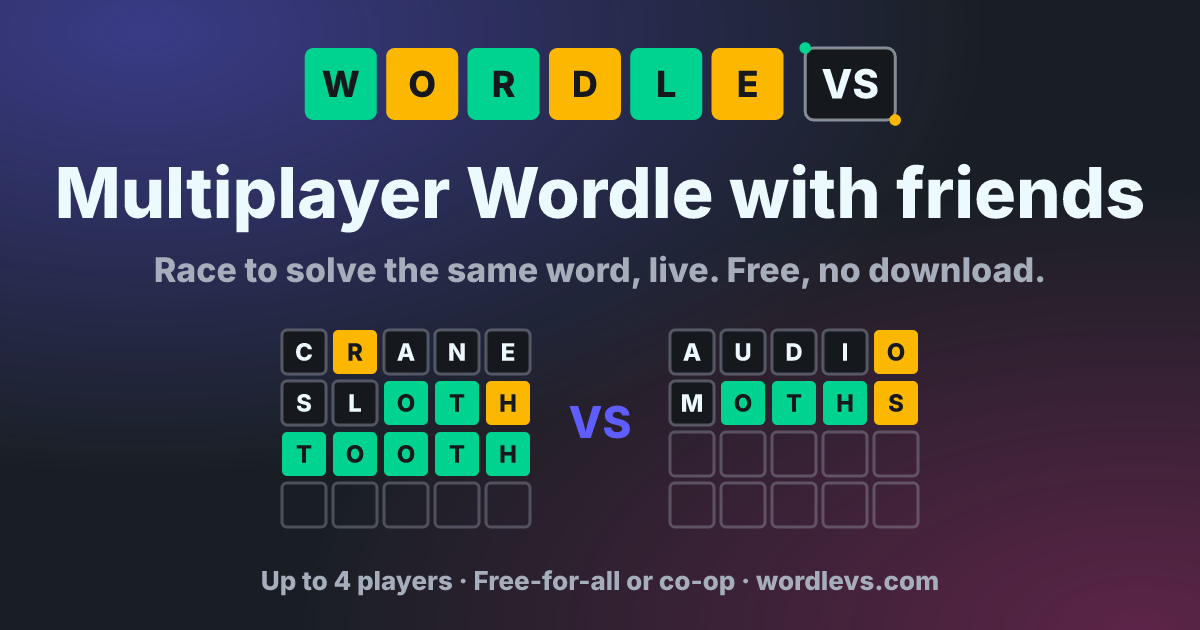
Wordle VS Full homepage screenshot

At a glance

Category
Games & Board Games
Language
English
Paid-content signal
No paid content foundObserved
Registered
2022
Hosting
railway.appInferred
HTTPS certificate trusted
PassedObserved
Last updated

Website review

This review may include AI-generated content and is not individually verified. Domain, certificate and other facts come from the observed data on this page.

What is Wordle VS?

Wordle VS is a free browser-based multiplayer version of Wordle in which two to four players solve the same five-letter word at the same time. You create a room, share a link, and friends join from a phone or computer without downloading an app or creating an account. The core rules are familiar—green means the right letter in the right spot, yellow means the letter is in the word but misplaced—but the social layer changes how a round feels.

Two ways to play

Mode Players How it works Best for
Free-for-all 2–4 Each player has a separate board and six guesses; the first to solve the word wins the round, and the most round wins takes the game Friends of similar skill who want pace and rivalry
Co-op 2–4 The team shares one board and takes turns guessing, with chat to discuss Families, classrooms, or mixed-skill groups where one strong solver would otherwise dominate

The host sets the number of rounds (1 to 10) and a per-word clock of 30 seconds to 5 minutes, which lets you tune a quick lunchtime duel or a slower, more thoughtful session. There is also a Quick Match option for a 1v1 against a stranger when no friends are online, plus a solo practice mode. Wins and games played are saved to an account, and a weekly top-20 leaderboard resets each Monday.

Who it suits, and the trade-offs

The obvious audience is a group chat that already shares Wordle results each morning—Wordle VS turns that ritual into a live race. Co-op mode is the more distinctive draw: because everyone sees one shared board, a weaker speller can still contribute by suggesting letters while a stronger player reasons about placement. The trade-off is that free-for-all rewards speed as much as deduction; a fast but lucky guesser can beat a careful solver, and the visible progress bars add pressure that some players will enjoy and others won't. Co-op removes that pressure but also removes the individual win.

As a next step, decide which mode fits your group before creating a room: choose free-for-all for a competitive friend group and co-op for family or a mixed-ability team, then set a short clock (30–60 seconds) for free-for-all and a longer one for co-op so discussion has room.

How do I invite friends to a Wordle VS game?

To invite friends, create a room in Wordle VS and share the room link in any chat app. Friends open the link in a browser and land directly in your lobby, with no app install or sign-up required. The host sets the rules (1–10 rounds, a 30-second to 5-minute clock per word) and picks free-for-all or co-op before the game starts.

Step by step

  1. Open Wordle VS and choose Play as Guest (one click) or create a free account if you want stats saved.
  2. Create a room and select the mode: Free-for-all (2–4 players, each with their own board) or Co-op (2–4 players sharing one board and taking turns).
  3. Set rounds and the per-word timer.
  4. Copy the room link and paste it into your group chat.
  5. Friends tap the link, join the lobby, and the host starts the round.

Practical notes

  • Guest vs. account: Guests can join instantly, but only account holders keep wins and games played and appear on the weekly top 20 (reset each Monday). If your group plays regularly, having everyone sign up makes the leaderboard meaningful.
  • Co-op suits mixed groups: Because the team shares one board and can talk it through in chat, it works well for families or friends of different skill levels—nobody gets knocked out early.
  • Free-for-all suits quick competition: Everyone sees rivals' rows fill in live, so it's the better fit for a 1v1 or a four-player showdown.
  • No friends online? Quick Match pairs you with a 1v1 opponent, and practice mode lets you warm up alone.

Next step: Decide the mode before you send the link—co-op for a relaxed group session, free-for-all for a race—and tell friends the round count and timer so they know how long the session runs.

What is the difference between free-for-all and co-op mode in Wordle VS?

Free-for-all is a race: each player in a 2–4 player room gets their own board and six guesses for the same word, and the first to solve it wins the round. Whoever wins the most rounds wins the game, so you're playing against each other while watching rivals' rows fill in live. Co-op is a shared puzzle: the team of 2–4 players uses one board and takes turns guessing, with chat to discuss options, and everyone wins or loses together within the same six-guess limit.

Free-for-all Co-op
Board One per player One shared board
Turns Simultaneous Alternating
Goal Solve before your rivals Solve together before six guesses run out
Best for 1v1 duels, competitive groups Families, mixed skill levels

The practical trade-off is speed versus discussion. Free-for-all rewards quick pattern recognition and carries some pressure, since a fast opponent can end the round while you're still on your second guess. Co-op removes that clock-based rivalry and turns each guess into a small group decision, which suits players of different experience levels but can slow the pace if the chat gets lively.

Choose free-for-all if your group enjoys head-to-head tension; choose co-op if you want a relaxed, collaborative session. Either way, the host sets the round count and per-word timer before the game starts, so agree on those first—for co-op, a longer clock leaves room to talk through guesses. Rooms are created at Wordle VS and joined by sharing the invite link.

Can I play Wordle VS without creating an account?

Yes. Wordle VS lets you play as a guest in one click, so you can create a room and start a round without signing up. The page describes guest play as the fastest route from link to first guess, and says friends who join through your room link don't need an app or an account either.

The trade-off is what persists. Wins, games played and your place on the weekly top-20 leaderboard are saved to an account, so a guest session won't carry those over. If you only want a quick 1v1 or a co-op round with family, guest play is enough. If you're chasing the weekly leaderboard or want a record of your results, create the free account before you start playing.

A practical setup: the host creates the room, sets the round count (1 to 10) and the per-word clock (30 seconds to 5 minutes), then shares the invite link in a group chat. Everyone opens it in a browser on phone, tablet or computer and joins the lobby. For a first session with friends who are new to the format, choose co-op with a longer clock so the team can talk through guesses on the shared board; switch to free-for-all once everyone knows the green and yellow conventions.

How does the weekly leaderboard work in Wordle VS?

Wordle VS keeps a weekly leaderboard that ranks players by wins, and it resets every Monday, so each week starts fresh. Wins and games played are saved to your free account, which is what feeds your place on that board. Playing as a guest lets you jump into rooms, but a guest session won't carry saved stats, so the leaderboard is really an account feature.

What this means in practice

  • It rewards activity, not just skill. Because it tracks wins, someone who plays many rounds in a week can climb higher than a stronger player who plays a few. If ranking matters to you, plan a handful of sessions across the week rather than one long night.
  • The reset is a natural checkpoint. Monday wipes the slate, so a slow start doesn't sink you—you can treat each week as a short season and aim for the top 20.
  • Co-op wins count toward a shared result. In co-op, the team wins or loses together, so if you mostly play that mode, your leaderboard progress reflects team play rather than individual racing.

A useful next step

If you want to compete for a weekly spot, create a free account before your first game so every win is recorded from the start, then check the board early in the week to see the pace you need to match. Casual players who just want to race friends can stay on guest play and ignore the board entirely.

For a different take on daily and competitive word puzzles, The New York Times runs the original Wordle, though it is built around a single daily word rather than live multiplayer rooms.

What happens if none of my friends are online—can I still play?

Yes. Wordle VS does not require friends to be online for you to play. According to the site, the room screen includes a Quick Match option that pairs you with a 1v1 opponent, and a practice mode for warming up alone. You can also start a room as a guest in one click, so nothing blocks you from playing the moment you arrive.

Which option fits your situation

Situation Best fit What you get
You want a real opponent now Quick Match A 1v1 race on the same word
You want to learn the ropes Practice mode Solo guessing, no pressure
Friends may join later Create a room and share the link They open the link straight into your lobby

A practical next step: use practice mode for a round or two to get comfortable with the green/yellow tile feedback, then try Quick Match when you want the head-to-head feel. If you'd rather play with people you know, create the room first and send the invite link in a group chat—friends can join from any browser without downloading an app or signing up. Note that saved wins and stats are tied to a free account, so guest play works for casual rounds but won't build your leaderboard record.

For a broader set of daily word puzzles beyond this multiplayer format, The New York Times publishes the original Wordle, which is a solo daily game rather than a live race.

Related questions

More questions →
Can You Play Wordle VS Without Friends, and How Are Stats Tracked?

Yes. Wordle VS does not require you to bring a friend. If no one on your friends list is online, Quick Match pairs you with a 1v1 opponent, and practice mode lets you play alone to warm up. Your wins and games played are saved to a free account, and those results feed a weekly leaderboard of the top 20 that resets every Monday. The one condition to keep in mind: stats and leaderboard standing are tied to creating a free account, so guest play is for jumping in quickly rather than building a record.

Playing Without Friends

Wordle VS is built around live multiplayer, but the site offers two solo-friendly routes when your friends are unavailable.

Quick Match

Quick Match pairs you with a 1v1 opponent. You still get the live head-to-head experience — the same five-letter word, the same green and yellow tiles, and visible progress as both sides guess — without needing to organize anyone yourself. This is the option to use when you want a real match but have no one to invite.

Practice Mode

Practice mode lets you warm up alone. It is the right choice if you are new to the format, want to test how the color feedback works, or simply prefer to solve a word without a clock or a rival. Use it before a Quick Match or a room game if you want to get a feel for the pace first.

When You Do Have Friends

The main multiplayer flow is unchanged: create a room, share the invite link in any chat, and friends join straight into the lobby from a browser on phone or computer. No app or sign-up is needed to join. The host sets the rules before the game starts — 1 to 10 rounds and a clock of 30 seconds to 5 minutes per word — and chooses between two modes:

Mode Players How it works Best for
Free-for-all 2 to 4 Each player has their own board and six guesses; first to solve wins the round, most rounds won takes the game 1v1 matches or a 4-player showdown
Co-op 2 to 4 The team shares one board and takes turns guessing, with chat to talk it through Families and mixed skill levels

How Stats Are Tracked

Stats tracking is straightforward but has a clear boundary.

  • What is saved: wins and games played are saved to your account.
  • What it feeds: your results count toward the weekly leaderboard, which ranks the top 20 and resets every Monday.
  • What you need: a free account. The site describes creating a free account as the way to keep your stats; playing as a guest is a one-click entry point and is not described as preserving a record.

So if the leaderboard matters to you, sign in before you play rather than starting as a guest. If you only want a quick round with a friend or a stranger, guest play gets you into a room in under a minute.

A Practical Way to Decide

  • No friends online, want a real match: use Quick Match for a 1v1.
  • New to the game or want to warm up: use practice mode alone.
  • Want your results to count: create a free account first, then play — this is what puts you in line for the weekly top 20.
  • Playing with a group: create a room, share the link, and pick free-for-all or co-op in the room settings before the first word.

The site states the game is free to play, needs no download, and works on phone, tablet, or computer, with up to 4 players in a room.

How to Start a Multiplayer Wordle Game with Friends on Wordle VS

To start a multiplayer Wordle game on Wordle VS, open wordlevs.com, choose Play as Guest or sign in with a free account, create a room, and share the invite link in any chat. Friends who open the link land directly in your lobby from a browser — no app or sign-up required. The host then sets the number of rounds and the per-word clock, and everyone races to solve the same five-letter word.

Step by step: from link to first guess

Wordle VS describes the setup as taking "under a minute" from link to first guess. Here is the sequence:

  1. Enter the site and pick a play mode. Tap Play as Guest for a one-click start, or create a free account if you want your wins and games played saved. Guest play works, but stats and the weekly leaderboard are tied to an account.
  2. Create a room. This makes you the host, which means you control the settings in the next step.
  3. Share the room link. Send it through any chat app. The link opens straight into the lobby, including on phones, so friends don't need to download anything or register.
  4. Set the rules before the game starts. In the room settings, the host chooses:
    • Rounds: 1 to 10
    • Clock per word: 30 seconds to 5 minutes
    • Mode: Free-for-all or Co-op (see below)
  5. Start guessing. Everyone receives the same five-letter word at the same time. Green means the right letter in the right spot, yellow means the letter is in the word but in the wrong spot, and grey means the letter isn't in the word at all.

A practical tip: decide the round count and clock before you send the link, since settings are chosen in the room before the game begins. A 30-second clock suits fast 1v1 races; longer clocks and more rounds work better for casual groups.

Choose the mode that fits your group

Wordle VS offers two ways to play, and the right choice depends on whether you want a race or a shared puzzle.

Free-for-all Co-op
Players 2 to 4 2 to 4
Board Each player has their own board and six guesses One shared board; players take turns guessing
How you win First to solve the word wins the round; most round wins takes the game The team solves the word together within six guesses
Live visibility You watch rivals' rows fill in as they guess You talk it through in chat and build one solution
Best for 1v1 Wordle duels or a 4-player showdown Families and mixed skill levels, since everyone wins or loses together

If your friends aren't online, Quick Match pairs you with a 1v1 opponent, and practice mode lets you warm up alone.

What to check before you invite people

  • Player cap: rooms support up to 4 players, so split larger groups into separate rooms.
  • Device: the game runs on phone, tablet, or computer in a browser, so the invite link works across devices without coordination.
  • Accounts: guests can play immediately, but only signed-in players keep stats and compete on the weekly top 20, which resets every Monday.
  • Host role: only the host sets rounds, clock, and mode, so agree on the format in chat before the room is configured.

Common snags

  • Friends can't find the room: send the room link itself rather than the site address — the link is what drops them into your specific lobby.
  • Game feels rushed or slow: adjust the per-word clock in room settings; the range runs from 30 seconds to 5 minutes.
  • Stats missing after playing: guest sessions don't save progress, so create a free account before your first serious match if the leaderboard matters to you.
What Is the Difference Between Free-for-All and Co-Op in Wordle VS?

Wordle VS offers two multiplayer modes, and the choice comes down to one question: do you want to beat your friends or solve the word with them? In Free-for-All, 2 to 4 players each get their own board and six guesses, and the first to solve the word wins the round. In Co-Op, 2 to 4 players share a single board and take turns guessing, talking it through in chat to crack the word together. You pick the mode in the room settings before the game starts, so the host decides for the group.

Side-by-side comparison

Free-for-All Co-Op
Players 2 to 4 2 to 4
Boards One per player One shared board
Guesses Six per player Six for the whole team
Turn order Everyone guesses at once Players take turns
How a round ends First to solve wins the round Team solves it or runs out of guesses
Who wins Player with the most round wins Everyone wins or loses together
Best for 1v1 matches or a competitive 4-player showdown Families and mixed skill levels

Both modes use the same five-letter word and the same green/yellow tile rules you already know from Wordle: green means the right letter in the right spot, yellow means the letter is in the word but in the wrong place, and grey means it isn't in the word at all.

How Free-for-All works

Every player gets the same word at the same time and their own board with six guesses. You can watch your rivals' rows fill in live as they guess, so you always know how close they are. The first person to solve the word takes the round, and whoever wins the most rounds wins the game.

This is the mode to pick when you want a real race. It suits a straight 1v1 Wordle duel, or a four-player showdown where everyone is trying to finish first. Because each player has independent guesses, one person's strong start doesn't help or hurt anyone else — it's purely about who gets there first.

How Co-Op works

The team shares one board and six guesses total, and players take turns making guesses. Between turns you can talk it through in chat, which turns each guess into a group decision. If the team solves the word within six guesses, everyone wins; if not, everyone loses.

Co-Op is the better fit when skill levels are mixed, since a stronger player can steer the group rather than simply beating everyone. It's also the natural choice for families playing together, where the goal is a shared win rather than a competition.

Shared settings and what to check before you start

A few things apply to both modes:

  • Rounds: the host picks 1 to 10 rounds per game, so a session can be a quick single word or a longer series.
  • Clock: the host sets a timer of 30 seconds to 5 minutes for each word.
  • Invites: the host creates a room and shares the link; friends join from any browser on phone, tablet, or computer, with no app or sign-up required.
  • Stats: wins and games played are saved to your account, and there's a weekly top-20 leaderboard that resets every Monday.

Because the mode is locked in through room settings before the game begins, agree on Free-for-All versus Co-Op with your group before the host creates the room — switching mid-game isn't part of the flow described on the site.

Which should you choose?

  • Choose Free-for-All if you want a head-to-head race, have a group of similar skill, or want a clear winner at the end.
  • Choose Co-Op if you're playing with family, have a wide gap in experience, or simply prefer a shared puzzle over a contest.

If you don't have friends online, Quick Match pairs you with a 1v1 opponent, and practice mode lets you warm up alone before inviting anyone.

What Is Wordle VS and What Can You Do on It?

Wordle VS (wordlevs.com) is a free browser-based multiplayer version of Wordle where you and up to three friends solve the same five-letter word at the same time. You can race to finish first in free-for-all mode or take turns on one shared board in co-op mode. It runs on phones, tablets, and computers with no download, and you can start as a guest without signing up.

How a Game Works

The flow is designed to get you from a shared link to a first guess in under a minute:

  1. Start a room. Play as a guest in one click, or create a free account if you want your stats saved. Then create a room.
  2. Invite your friends. Share the room link in any chat. It opens straight into the lobby, including on phones.
  3. Race to the word. Everyone guesses the same five-letter word using the familiar green/yellow/gray feedback: green means the right letter in the right spot, yellow means the letter is in the word but in the wrong spot, and gray means it isn't in the word.

Two Ways to Play

You pick the mode in the room settings before the game starts.

Mode Players How it works Best for
Free-for-all 2–4 Each player gets their own board and six guesses. The first to solve the word wins the round; whoever wins the most rounds wins the game. You can watch everyone's rows fill in live. 1v1 Wordle or a four-player showdown
Co-op 2–4 The team shares one board and takes turns guessing. You can talk it through in chat and must crack the word within six guesses. Everyone wins or loses together. Families and mixed skill levels

What Else You Can Do

  • Set your own rules. The host chooses 1 to 10 rounds and a clock of 30 seconds to 5 minutes per word.
  • Track progress. Wins and games played are saved to your account, and there's a weekly top-20 leaderboard that resets every Monday.
  • Play without friends online. Quick Match pairs you with a 1v1 opponent, and practice mode lets you warm up alone.
  • Play anywhere. It works in any browser on phone, tablet, or computer — no app or sign-up required to join a room.

Guest vs. Free Account

Both options let you create and join rooms. The difference is persistence: as a guest you can play immediately with one click, but a free account is what keeps your wins, games played, and leaderboard standing. If you just want a quick round with friends, guest mode is enough; if you care about stats or the weekly leaderboard, create an account.

Common Questions

Do my friends need to download anything or sign up? No. They open the invite link in any browser and join the lobby directly.

How many people can play? Up to 4 players per room, in either mode.

What if no one is online? Use Quick Match for a 1v1 opponent or practice mode to play solo.

Can I control game length? Yes — the host sets the number of rounds (1–10) and the per-word timer (30 seconds to 5 minutes) before starting.

Website Overview

Page metadata, canonical configuration and social previews work together to provide more consistent search and sharing presentation. An active inbound-mail setup with incomplete authentication may leave the domain more open to impersonation. Provider hosting alone does not close that gap.

Domain and Registration

Transfer-protection status is present, helping reduce the risk of unauthorized domain transfers. The domain has about 4 years of registration history; its current configuration provides more context than age alone. The registrar is NameCheap, Inc., a widely used domain service provider. The domain uses the common .com extension, which is not an independent safety signal.

DNS and Email

The observed email authentication setup is incomplete: SPF is missing. The lowest TTL is 60 seconds, supporting rapid record changes at the cost of more frequent lookups. Nameservers are provided by Namecheap, indicating managed DNS hosting. MX records point to the registrar-servers.com email service. DNSSEC signatures were not detected, so this additional DNS authenticity protection is not confirmed.

TLS and Certificates

The public key uses EC with 256 bits. The server supplied a complete certificate chain. No organization name is present in the certificate; the available fields are consistent with domain validation. The certificate was issued by Let's Encrypt, commonly associated with automated certificate services. The certificate's total validity is about 89 days, consistent with a short renewal cycle.

HTTP and Browser Security

X-Powered-By exposes backend information: Express. The checked browser-security headers were not detected, leaving fewer explicit browser-side safeguards. The x-cache response header indicates a CDN or caching proxy in the delivery path. CORS permits the specified origin http://localhost:5173. No obvious internal addresses or debug information were found in the headers.

Technology Stack Analysis

The public page identifies SvelteKit, Google Analytics, Express without precise versions, leaving fewer clues for version-specific scanning.

Search and Social Sharing

Twitter Card metadata is configured. JSON-LD includes Organization data, helping describe the organization as an entity. The title has 55 characters, within a common display range. A meta description is present, with 155 characters. The observed directives allow indexing and link following.

Hosting and Email

DNSNamecheap
Hostingrailway.app
Emailregistrar-servers.com
Approximate IP geolocation (inferred; a CDN or proxy may differ from the origin server) United States flagSeattle, Washington, United States Inferred 69.46.46.75

Registration details

RDAP / WHOIS

RegistrarNameCheap, Inc.
Registered2022-02-10
Expires2027-02-10
Domain statusclient transfer prohibited
Nameserversdns1.registrar-servers.com、dns2.registrar-servers.com
DNSSECunsigned

DNS records

DNS

TypeNameValueTTLPriority
Ataqp4yte.up.railway.app69.46.46.7560—
MXwordlevs.comeforward1.registrar-servers.com180010
MXwordlevs.comeforward2.registrar-servers.com180010
MXwordlevs.comeforward3.registrar-servers.com180010
MXwordlevs.comeforward4.registrar-servers.com180015
MXwordlevs.comeforward5.registrar-servers.com180020
NSwordlevs.comdns1.registrar-servers.com1800—
NSwordlevs.comdns2.registrar-servers.com1800—
CNAMEwordlevs.comtaqp4yte.up.railway.app1799—
DMARC_dmarc.wordlevs.comv=DMARC1; p=none;1799—

TLS and certificates

TLS / SSL

AssessmentNormal configuration
Supported protocolsTLSv1.2、TLSv1.3
Negotiated protocolTLSv1.3
Certificate subjectwordlevs.com
IssuerLet's Encrypt
Valid until2027-01-15T16:33 · Remaining when checked: 80 days
Verification detailsCertificate trust: Passed · Hostname match: Passed

HTTP response headers

HTTP

HeaderValue
content-typetext/html
serverrailway-hikari
access-control-allow-originhttp://localhost:5173

Identified technologies

SvelteKitGoogle AnalyticsExpress

Pages, Search and Sharing

Meta descriptionPlay Wordle with friends in real time. Race up to 3 friends to solve the same word, or team up in co-op. Free, no download, works on any phone or computer.
Canonical URLhttps://wordlevs.com/
LanguageEnglish (default)
Twitter Cardsummary_large_image
All bots 1 allowed · 2 disallowed
  • Allow/
  • Disallow/api/
  • Disallow/colyseus/

User reviews (0)

  • No reviews yet.