
 简体中文
简体中文 English
Website review
This review may include AI-generated content and is not individually verified. Domain, certificate and other facts come from the observed data on this page.
What is BigDevSoon?
BigDevSoon is a browser-based learning platform for frontend developers who want to get better by building real projects instead of watching tutorials. Its own framing is blunt: "Skip the tutorial trap. Vibe code for real." The core offer is a library of 21+ projects with Figma designs, 100 daily challenges, and 40+ practice problems, paired with an in-browser code editor and an AI assistant called Merlin. A free trial is advertised.
Who it's for
- Developers who know some syntax but freeze when starting from a blank file.
- Self-taught learners stuck in "tutorial hell" who want finished, portfolio-shaped work.
- Anyone practicing a new framework or component library who needs something concrete to build.
What you actually do
Projects are split into logical tasks rather than handed over as one giant brief, which is the detail users tend to mention first — one reviewer notes the appeal of designs "already split into logical tasks" so you don't get overwhelmed. You work in a live editor in the browser (the page shows React, Vue, TypeScript, CSS animations and vanilla examples), with AI assistance available while you code. The stated aim is teaching you to use AI without shipping code you can't read or defend — a real risk for anyone leaning on generated code.
Where it differs from alternatives
| Approach | Strength | Trade-off |
|---|---|---|
| Video courses | Structured explanation of concepts | Passive; little finished output |
| LeetCode-style practice | Sharpens algorithms for interviews | Weak on turning a design into an app |
| BigDevSoon | Design-to-code projects, AI in the loop | Less depth on CS fundamentals and theory |
Practical next step
If you're deciding, pick one project in a framework you already half-know and try to finish it end to end before judging the platform. If you can't get past the setup or the design feels ambiguous, that's a signal about fit. If you finish and can explain every line — including the AI-suggested ones — it's doing its job.
The site also bundles career tooling, including an ATS-oriented CV builder, so it's positioned as learning-to-hiring rather than pure practice. For a broader mix of project ideas, Frontend Mentor and The Odin Project cover similar ground with different structures.
How does BigDevSoon help me learn frontend development by building real projects?
BigDevSoon is built around project-based frontend practice rather than passive tutorial-watching. Its own framing is blunt about the problem: tutorials teach syntax, but not shipping. The site offers 21+ real projects with Figma designs, 100 daily challenges, 40+ practice problems, an AI editor called Merlin, support for 4 frameworks, and a CV builder — all in one app.
H3 How the learning actually works
- Real projects with Figma designs. You start from a design file and turn it into a working interface, which is closer to real frontend work than following along with an instructor.
- Projects split into logical tasks. User @AsadullahSamo notes this is the best part: instead of facing one overwhelming build, you get discrete steps, which helps you finish rather than abandon projects.
- Daily challenges and practice problems. User @yungProg describes using the challenges to practice what they've learned and noticing problem-solving skills improve over time. That's the repetition layer on top of the bigger builds.
- AI editor (Merlin). The stated goal is teaching you to use AI properly, not to generate code you can't read or review. The founder's own critique — that many developers now "ship slop they can't read, review, or own" — is the trade-off the tool is trying to address.
- Framework variety. React, Vue, TypeScript and CSS work appear in the live editor examples, so you can practice across more than one stack.
- Career tools. An ATS-optimized CV builder connects the practice to job hunting.
H3 Who gets the most out of it
| If you are... | BigDevSoon fits if... | Watch out for... |
|---|---|---|
| A beginner who finished a course | You know syntax but freeze when starting from a blank file | You still need fundamentals; projects assume basic HTML/CSS/JS |
| An intermediate dev in tutorial loops | You want finished portfolio pieces, not more videos | You must actually read the AI output, or you learn less |
| Someone prepping for job applications | You want projects plus a CV builder in one place | Portfolio quality still depends on your own polish |
H3 A practical next step
Pick one project that uses a framework you already know, and build it without touching the AI editor first. When you get stuck, use Merlin to explain the blocker rather than write the whole component. That sequence forces you to own the code while still getting help — which is the difference between learning and copying.
For a broader comparison, free project collections exist at Frontend Mentor and The Odin Project; BigDevSoon's distinguishing angle is the integrated AI editor and task-splitting, not the existence of projects themselves.
What AI-powered tools and features does BigDevSoon offer for coding practice?
BigDevSoon is a learn-by-building platform for frontend developers, and its AI features are aimed at the moment you'd normally get stuck: turning a design into working code and understanding what the AI produced. The core draw is Merlin AI, which the site describes as teaching you to use AI properly rather than just generating code for you. It sits inside a live in-browser editor, so you write and run code against real project files instead of isolated snippets.
H3 AI-powered pieces, as described on the page
- Merlin AI — an AI assistant woven into the editor, positioned as a coding partner that helps you build and reason about your code.
- AI code editor — a live editor with AI generation built in; the page shows sample starting points like a React counter, Vue todo, TypeScript quiz, CSS animations and a vanilla landing page.
- AI-powered project workflow — the "Build with AI-powered tools" and "Code editor vibing with AI" sections frame AI as part of shipping real projects, not a separate tutorial layer.
H3 What you practice with
The AI is attached to a structured curriculum rather than a blank canvas:
- 21+ real projects with Figma designs, split into logical tasks.
- 100 daily challenges and 40+ practice problems.
- 4 frameworks covered, so you can practice in the stack you actually use.
- An ATS-optimized CV builder and career tools, which matter if your goal is a job rather than just skill-building.
H3 Whose observations these are
The page quotes a user, @AsadullahSamo, who values that the Figma projects are already broken into tasks — useful if you tend to abandon projects because the scope feels overwhelming. Another user, @yungProg, says the challenges build problem-solving over time. The founder, Adrian Bigaj, frames the product as a reaction to "tutorial hell" and to AI-generated code that developers can't read or review. Treat those as the platform's own framing; the practical takeaway is that the AI is meant to be a scaffold for finishing work, not a replacement for understanding it.
H3 A concrete way to use it
Pick one project in a framework you already know, do the first task without AI, then use Merlin on the second task and compare: can you explain every line it produced? If not, that gap is your next study target. This is the trade-off to watch — AI assistance accelerates output, but the platform's stated goal is that you can still read, review and own the result.
If you want to compare approaches before committing, look at Frontend Mentor for design-to-code challenges, Scrimba for interactive screencasts, and BigDevSoon itself to try the editor first.
Is BigDevSoon free or does it require a paid subscription?
BigDevSoon is not free to use in full. Its own site advertises a free trial, and the pricing page sits behind a paid plan, so you can evaluate it before committing but should expect a subscription for continued access. The homepage also promotes a discount offer, which implies standard paid tiers rather than a permanently free product.
What to check before paying
- Trial limits: confirm how many projects, challenges or AI prompts the trial allows, since the platform bundles 21+ projects, 100 challenges, 40+ practice problems and the Merlin AI assistant into one app.
- What you actually need: if you only want practice problems and Figma-based builds, a short trial may be enough to judge fit. If you want the AI editor, CV Builder and career tools, you are buying the full subscription.
- Alternatives: free options exist if budget is the deciding factor — Frontend Mentor for design-to-code challenges, LeetCode for algorithm practice, and The Odin Project for a structured free curriculum.
A sensible next step: open the pricing page, note the trial length and cancellation terms, then run one real project end to end during the trial. If the AI editor and task breakdowns measurably speed up how you ship, the subscription is easier to justify; if you mostly need raw practice volume, the free alternatives above cover that ground.
Can BigDevSoon help me prepare for a frontend developer job or improve my CV?
Yes. BigDevSoon is built around exactly that gap: it gives you finished, portfolio-shaped frontend work plus career tooling, rather than another tutorial to watch. Its own pitch is aimed at developers who "learn by shipping," and the page lists an ATS-optimized CV Builder alongside 21+ projects, 100 challenges, 40+ practice problems, four frameworks and Merlin AI.
What it actually gives you for job prep
- Portfolio material. Projects come with Figma designs and are broken into logical tasks, so each one ends as a real, presentable build rather than a half-finished experiment. One user, @AsadullahSamo, specifically calls out that the projects are pre-split into tasks — useful if you tend to get overwhelmed by a blank canvas.
- Repetition under pressure. Daily challenges and practice problems are the part that builds the problem-solving fluency interviewers probe for. Another user, @yungProg, describes exactly that effect over time.
- CV output. The CV Builder is positioned as ATS-optimized, which matters because many applications are filtered before a human reads them.
- AI literacy. Merlin AI is framed as teaching you to use AI properly — the founder's stated worry is candidates who "ship slop they can't read, review, or own." Being able to explain your own code is what survives a technical interview.
The trade-off to weigh
A curated project set is efficient, but it is also shared. If hundreds of applicants submit the same Figma-derived build, it stops differentiating you. Treat BigDevSoon projects as a starting skeleton: change the data model, add auth, swap the state approach, write tests, deploy it, and be ready to defend every decision. The CV Builder helps you get past filters; it cannot substitute for a story about something you built and broke yourself.
A practical next step
Pick one project, ship it end to end, then write three CV bullets in the form "Built X using Y, which solved Z" with a live link and repo. Repeat with a second project in a different framework — the four-framework coverage is the fastest way to show range.
For comparison, free project libraries exist at Frontend Mentor, and structured interview drilling at LeetCode. If you want the fuller picture on this platform, start at BigDevSoon and check the pricing page before committing, since the trial is time-limited.
What types of projects and challenges are available on BigDevSoon?
BigDevSoon centres on front-end practice through real builds rather than isolated syntax drills. Its own summary lists 21+ projects, 100 challenges, 40+ practice problems, and support for 4 frameworks, with projects supplied as Figma designs and broken into logical tasks. The editor preview shows the flavour of that catalogue: a React counter, a Vue todo app, a TypeScript quiz, CSS animations, and a vanilla landing page.
H3 Projects vs. challenges vs. practice problems
| Type | What it looks like | Best for |
|---|---|---|
| Projects | Larger builds based on Figma designs, split into tasks | Finishing something portfolio-shaped instead of abandoning a half-built app |
| Challenges | Shorter daily exercises across frameworks and topics | Building a regular practice habit |
| Practice problems | Small, focused tasks | Drilling a specific concept without committing to a full project |
A concrete example: if you know React basics but freeze when handed a design, a Figma-based project is the useful starting point because the task breakdown removes the "where do I begin" problem. If you only have 30 minutes, a challenge or practice problem fits better.
The catalogue also spans multiple frameworks, so you can either deepen one stack or try a new component library inside a guided build. User @AsadullahSamo specifically notes that the projects are already split into logical tasks, which is the main practical difference from copying a tutorial.
Next step: open the free editor preview and filter by framework and difficulty, then pick one project whose Figma design you would actually want in a portfolio. Compare that with free alternatives such as Frontend Mentor if you mainly want design-to-code practice without AI assistance.
 vercel-dns.com
 Amazon SES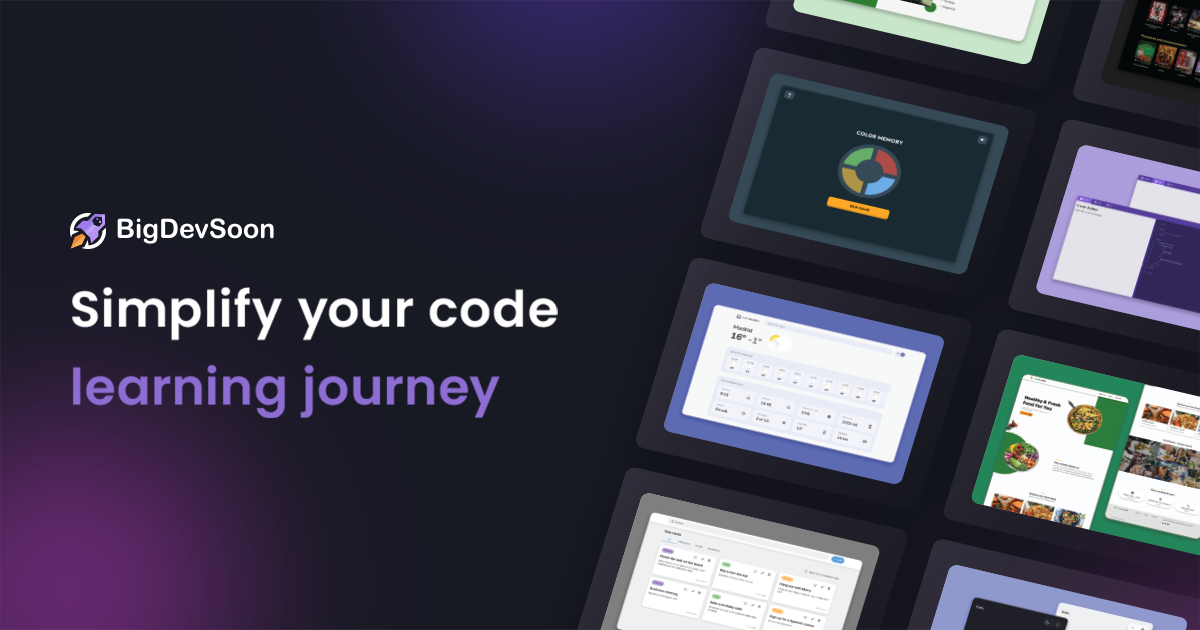

User reviews (0)