
 简体中文
简体中文 English
Website review
This review may include AI-generated content and is not individually verified. Domain, certificate and other facts come from the observed data on this page.
What is Free Online Billiards, Pool & Snooker Game?
Free Online Billiards, Pool & Snooker Game is a browser-based cue-sports simulator that runs in 3D with realistic physics and needs no download or account. You can pick from several disciplines—8-ball and 9-ball pool, snooker, and three-cushion carom—plus practice challenges, and it also lists online multiplayer and guides/research sections.
What you can do with it
- Play pool: 8-ball and 9-ball are the familiar formats for casual matches or learning positioning.
- Try snooker: a larger table and different scoring suit players who want a slower, more tactical game.
- Play carom: three-cushion billiards focuses on angles and cushion play rather than pockets.
- Practice: dedicated challenges let you repeat shots without match pressure.
- Play with others: the page advertises online multiplayer, so check the in-game lobby for how matches are arranged.
Who it suits
It fits someone who wants a quick cue-sports session on a laptop without installing software, and players curious about snooker or carom who don't have access to a physical table. Because the physics aim for realism, it can also serve as light practice for aiming and cue-ball control, though it won't replace time on a real cloth.
Practical next step
Start with 8-ball or 9-ball practice to get a feel for the aiming and shot controls, then switch to three-cushion carom if you want to work on angles. If you later want to compare formats or rules, official governing bodies such as WPBSA for snooker and UMB for carom publish rule references.
How does the 3D physics engine in this online billiards game compare to real table play?
The 3D physics engine aims for convincing ball behaviour rather than a strict simulation of a physical table. The site advertises "realistic billiards physics," but the page gives no detail on how it models friction, spin, cushion rebound or cue-ball control, so treat the realism claim as marketing until you test it yourself.
What to expect in practice
- Shot feel: A browser engine can reproduce straight-line roll, cut angles and basic cushion bounces well enough to learn aiming and positional ideas.
- Spin and swerve: Draw, follow and side spin are the hardest parts to model. If the game supports them, expect simplified results compared with a real cue ball.
- Speed and cloth: Real cloth speed, humidity and cue tip grip vary table to table; a fixed engine cannot match that variability.
- Table size and pockets: Real 9-foot tables and tight snooker pockets demand far more precision than most digital versions.
How to judge it
Play a few shots you know well on a real table — a stun shot, a thin cut, a two-cushion escape — and compare the outcomes. If the ball paths match your expectations, the engine is useful for practising patterns and rules; if spin behaves oddly, use it for fun and rules familiarity rather than stroke training.
For a second reference point on physics quality, compare with Miniclip's 8 Ball Pool or SharkPool if you want to see how other browser titles handle cue control.
Can I play pool or snooker against other people online without creating an account?
Yes. The site offers online multiplayer pool and billiards, and it states that no download or account is required, so you can play against other people in your browser without signing up.
What that means in practice
- Pick your game: 8-ball and 9-ball are the head-to-head pool options; three-cushion carom is also listed for competitive play.
- Expect browser-based play: matches run in the page with 3D physics, so a desktop or laptop with a stable connection gives the smoothest experience.
- Solo practice is separate: the practice and challenge modes are for drilling shots alone, while the multiplayer heading covers playing other people.
A useful next step
Open the multiplayer section, choose 8-ball or 9-ball, and play one short match to check how cue aiming and shot strength feel to you. If you prefer a slower, tactical game, try three-cushion carom instead; if you mainly want to improve, use the practice challenges between matches.
For comparison, dedicated competitive communities exist at GameColony and Miniclip, but those typically involve registration, which this site avoids.
What is the difference between 8-ball, 9-ball, three-cushion carom, and snooker in this game?
The four modes differ mainly in what you must pot, how the table is set up, and how turns are won or lost. In this browser game, all four run on the same 3D physics, so the choice is about rules and pace rather than a different engine.
Quick comparison
| Mode | Objective | Table and balls | Typical feel |
|---|---|---|---|
| 8-ball | Pot all your group (solids or stripes), then the 8-ball | Six pockets, full rack | Tactical; position and choosing your group matter |
| 9-ball | Pot balls in ascending order; the 9 wins | Six pockets, diamond rack | Fast, fewer balls, frequent turn changes |
| Three-cushion carom | Hit both object balls after at least three cushion contacts | No pockets | Precision and angles; no potting |
| Snooker | Pot reds and colours in sequence, then colours in order | Six pockets, larger table, more balls | Long, score-based frames with safety play |
What each mode asks of you
8-ball is the most familiar starting point. You commit to a group once a ball is legally potted, so early shots decide your route through the rack. It rewards planning two or three shots ahead.
9-ball is quicker and more forgiving of a single miss because the lowest ball on the table is always the target. A reader who wants short, punchy games will prefer it; someone learning cue-ball control may find the constant low-ball target limiting.
Three-cushion carom removes pockets entirely. You score by contacting both object balls after three or more cushions, which makes it a pure test of angle judgment and speed control. It is the best mode here for practising thin hits and rebound lines.
Snooker is the longest and most rule-heavy. Potting reds and colours in sequence, then clearing colours in order, means score management and safety shots matter as much as potting. Expect slower frames.
Choosing a mode
- New to cue sports: start with 8-ball for clear goals, or 9-ball for short games.
- Working on angles and touch: three-cushion carom.
- Want a longer, score-driven session: snooker.
The page also lists practice and multiplayer sections, so you can rehearse a mode solo before playing others. A useful next step is to spend ten minutes in practice on the mode you intend to play, focusing on cue-ball placement rather than potting alone.
Which practice drills or challenges should I use to improve my aiming and cue ball control?
Use the practice area for repeatable aiming and cue-ball drills, and use the game modes as a test of whether those skills hold up under match conditions. The site's practice section Free Online Billiards, Pool & Snooker Game is the right place to start; its 8-ball, 9-ball and three-cushion modes and multiplayer play are better used afterward to check your progress.
Drills that build aiming first
- Straight-in shots from five positions. Place the cue ball and object ball in a straight line at increasing distances and pocket the ball. This isolates alignment from angle judgment. Repeat until you can name which shots you miss and why.
- Cut-shot ladder. Start with a nearly straight shot, then increase the cut angle in small steps. Note the contact point on the object ball each time. Aiming improves fastest when you can see the contact point rather than just the pocket.
- Ghost-ball rehearsal. Before each shot, picture where the cue ball must contact the object ball to send it to the pocket, then check whether your cue line matches that picture. This is the single habit that transfers most directly to real tables.
Drills that build cue-ball control
- Stop, follow, draw. Hit the same straight shot three ways: stun the cue ball, follow it one ball-width, draw it back one ball-width. Control comes from repeatable speed and tip placement, not from hitting harder.
- Position zones, not exact spots. Pick a target zone for the next shot rather than a precise point. Score a drill as successful if the cue ball lands in the zone. This mirrors how you actually play.
- Rail and three-cushion patterns. Three-cushion carom is the most demanding cue-ball control discipline on the site. Even short rail-first patterns teach you how speed and spin interact with cushions, which improves position play in pool.
Using the site's modes as a progress test
| Mode | Best use for improvement | What it tests |
|---|---|---|
| Practice challenges | Isolated aiming and cue-ball drills | Repeatability of a single skill |
| 8-ball | Planning and position under rules pressure | Choosing the right shot and leaving a makeable next ball |
| 9-ball | Shot-making and cue-ball speed | Keeping position on a specific next ball |
| Three-cushion carom | Cushion and spin control | Precision of speed and English |
| Multiplayer | Pressure testing | Whether drills hold up when it counts |
A practical next step: spend ten minutes on the cut-shot ladder, then play one 9-ball rack and note every position error. If the errors cluster around speed, return to the stop-follow-draw drill; if they cluster around aim, return to straight-in shots. For structured reference material beyond the game itself, the American Poolplayers Association at APA and the World Pool-Billiard Association at WPA publish rules and format guidance that help you practice to a defined standard.
Does this browser billiards game work on mobile devices or tablets?
Yes—it is built to run in a browser, so a modern phone or tablet should load it without an app install or account. The page presents it as a free in-browser game with 3D physics and modes including 8-ball, 9-ball, three-cushion carom and practice challenges. That makes it a reasonable option for a tablet propped on a stand or a phone used casually.
Practical caveats for touch play:
- Aiming precision: Billiards depends on fine cue control. On a small phone screen, your finger covers part of the table, so shot placement is harder than with a mouse. A tablet gives noticeably more room.
- Orientation and layout: A wide table suits landscape orientation. Expect the on-screen controls to take up more of a phone display, leaving less visible table.
- Performance: Realistic 3D physics is more demanding than a 2D game. An older budget phone may feel less smooth than a recent tablet or laptop.
- Input style: The page shows icon-style controls (view, sound, fullscreen and similar), suggesting touch-friendly buttons. Whether drag-to-aim or tap-to-shoot feels natural is best judged by trying a practice mode first.
A sensible next step: open it on your device, rotate to landscape, and spend a few minutes in practice before trying 8-ball or carom. If aiming feels cramped on a phone, switch to a tablet or desktop rather than fighting the controls. For comparison, dedicated pool sites such as Miniclip offer their own browser pool games with different control schemes, which can help you judge which touch layout suits you.
 Cloudflare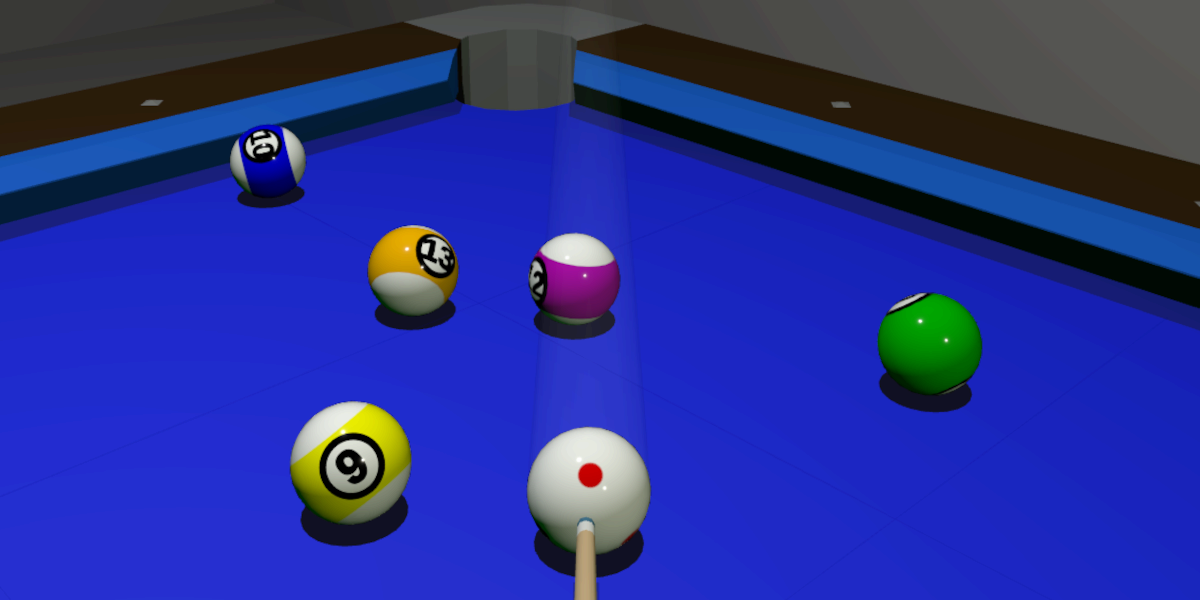

User reviews (0)