Website profiles · Technology insights · Alternatives

chessblunders.org

Analyze your chess games with Stockfish 16 to find blunders, then practice them as puzzles. Turn your mistakes into improvement.

No paid content found
Visit website
Profile views 7 Outbound visits 0 Normal
ChessBlunders.org Full homepage screenshot

At a glance

Category
Games & Board Games
Language
English
Paid-content signal
No paid content foundObserved
Registered
2026
Hosting
VercelInferred
HTTPS certificate trusted
PassedObserved
Last updated

Website review

This review may include AI-generated content and is not individually verified. Domain, certificate and other facts come from the observed data on this page.

What is ChessBlunders.org?

ChessBlunders.org is a chess improvement site that turns your own mistakes into training material. You run your games through Stockfish 16 analysis to locate blunders, then replay those positions as puzzles instead of solving generic tactics sets.

What that means in practice

  • Blunder detection: The engine flags the moves that cost you the most, so you see the actual errors you make rather than a random puzzle mix.
  • Puzzle conversion: Those flagged positions become exercises, letting you retry the exact decision you got wrong.
  • Feedback loop: Analysis and practice sit in one workflow — find the error, drill it, then check whether the pattern recurs in later games.

Who it suits

Player type Fit
Club player with a backlog of own games Strong — the value comes from your games, not a shared puzzle database
Beginner learning basic tactics Weaker — a structured tactics course covers more ground faster
Coach or student reviewing together Useful — concrete positions from real games are easier to discuss than abstract themes

A realistic scenario

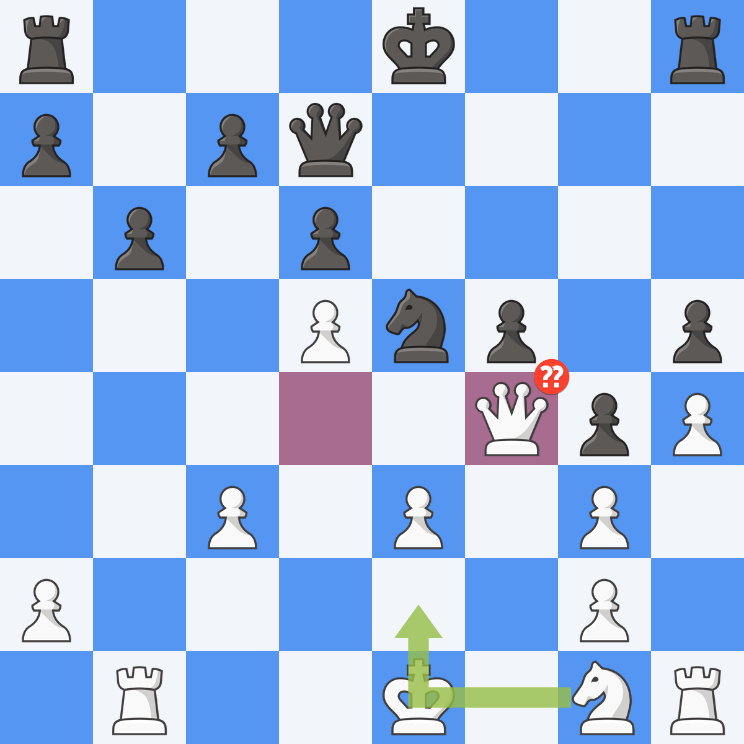
You finish a league game, paste the moves in, and the analysis highlights a moment where you grabbed a pawn and dropped a piece. Instead of noting "be more careful," you get that position back as a puzzle and solve it until the correct move is automatic. Next time a similar capture temptation appears, you have already rehearsed the response.

Next step

Gather three to five of your recent losses and run them through. If the same mistake type keeps appearing — back-rank weakness, overloading a defender, rushing a pawn break — that repetition is your training plan, and you can compare your progress against general resources like Lichess or Chess.com for extra practice games.

How does ChessBlunders.org use Stockfish 16 to analyze my chess games?

ChessBlunders.org uses Stockfish 16 as its analysis engine to scan your finished games for mistakes, then converts those mistakes into puzzles you can drill.

In practice, the workflow is:

  1. You supply a game (typically by importing a PGN or pasting moves).
  2. Stockfish 16 evaluates the positions and flags the moves that lose significant advantage — the blunders.
  3. The site turns each flagged position into a puzzle, so you replay the critical moment and try to find the better move yourself.

The key design choice is that Stockfish does the detection, but the training is yours. Instead of just showing an engine line you skim and forget, the position becomes a repeatable exercise. This suits club players who keep losing the same types of games and want a feedback loop tighter than "run full-game analysis, nod, move on."

A practical next step: after your next lost game, don't just read the engine's top line. Note the two or three positions the analysis marks as blunders, then work them as puzzles a day later, without the engine visible. If you still can't find the right move cold, that position — not the opening you were blaming — is your study material.

To compare how other sites handle post-game analysis and puzzle training, you can look at Lichess and Chess.com. Lichess is free and open, with built-in Stockfish analysis and puzzle sets; Chess.com bundles analysis and puzzles into a broader paid ecosystem. ChessBlunders.org's narrower focus — only your own blunders, turned into your own puzzles — is its main trade-off: less breadth, but tighter relevance to the mistakes you actually make.

Can I practice my own blunders as puzzles on ChessBlunders.org?

Yes. ChessBlunders.org is built around exactly that loop: you analyze your games with Stockfish 16, it identifies your blunders, and you then practice those positions as puzzles. The site's own description frames this as turning your mistakes into improvement, so practicing your own blunders is the core purpose rather than a side feature.

H3 How the workflow typically fits together

  1. You bring in a game you played (usually by pasting or importing the PGN).
  2. The engine analysis flags the moments where your move lost significant advantage.
  3. Those flagged positions are converted into puzzle form, so you re-solve the position you actually got wrong instead of a random tactics set.

H3 Why this differs from generic puzzle sites

Approach What you practice Main trade-off
Random tactics trainer Common patterns and motifs Broad coverage, but may not touch your recurring weaknesses
Your own blunders as puzzles Positions from your real games Highly personal and memorable, but narrower and dependent on how many games you analyze

H3 A practical reader scenario

Suppose you keep dropping material in the middlegame after a queen trade. On a generic trainer you might grind hundreds of unrelated puzzles before meeting that exact pattern. Using your own blunders, the same mistake reappears as a puzzle within minutes of analysis, which makes the correction much more likely to stick because the position already feels familiar.

H3 Trade-offs to weigh

  • Personal blunder puzzles are only as good as the games you feed in; analyze regularly to keep the pool fresh.
  • Re-solving your own errors can feel repetitive, and the puzzle set is limited by how many blunders you actually made.
  • A mixed routine often works best: use your own blunders for targeted repair, and broader trainers for pattern volume.

H3 Next step

Play or import one recent game, run the analysis, and pick the single worst blunder to solve first. If you want to complement this with general pattern training, established options include Lichess and Chess.com, both of which offer their own puzzle and analysis tools.

Is ChessBlunders.org free to use?

ChessBlunders.org does not present any pricing information on its site, and nothing in the available page content indicates paid tiers, subscriptions or payment platforms. Treat it as a free-to-use tool based on what the site itself shows.

That fits its stated purpose: you upload or analyze your games with Stockfish 16, the site flags your blunders, and you can then drill those positions as puzzles. There is no visible paywall between those steps.

What to check before relying on it

  • Whether analysis limits exist (games per day, depth of Stockfish 16 analysis, or puzzle storage).
  • Whether an account is required to save your blunder history.
  • Whether the service depends on donations or ads, which can change over time.

A practical way to decide If you mainly want to review a handful of your own games and turn recurring mistakes into repeatable puzzles, a free tool like this covers the core need. If you need long-term progress tracking, coach dashboards or opening repertoires, compare it with a broader training platform before committing your study time.

For a second opinion on free analysis, you can also check Lichess, which offers built-in game analysis and puzzle practice, and Chess.com, which has both free and paid training features. Running your game through two engines is a quick way to see whether the blunders ChessBlunders.org surfaces match what other tools report.

How does practicing blunders on ChessBlunders.org help me improve at chess?

Practicing your own blunders as puzzles on ChessBlunders.org helps because it turns passive review into active recall. Instead of reading an engine line once and nodding, you re-solve the exact position where you went wrong, so the correction is tied to a move you actually made under real conditions.

What the site does with your game

According to the site's own description, it analyzes your games with Stockfish 16 to find blunders, then converts those positions into puzzles you practice. That two-step loop matters: detection gives you the list, and re-solving builds the memory.

Why your own mistakes beat generic puzzles

Generic tactics trainers teach patterns, but they rarely match your habits. Your blunder set is a personalized diagnostic — it shows whether you keep dropping pieces to the same knight fork, missing back-rank mates, or rushing in time trouble.

Approach What it trains Main trade-off
Generic puzzle sets Broad pattern recognition Not tailored to your weaknesses
Your blunders as puzzles Your specific recurring errors Narrower; depends on how many games you've analyzed

A practical routine

  1. Play a few serious games and let the analysis run.
  2. Work the resulting blunder puzzles without moving pieces first — commit to an answer.
  3. When you fail one, write one sentence on why you missed it.
  4. Revisit the same set a week later; if you now solve it instantly, the lesson stuck.

The trade-off is honesty: the puzzles only help if you treat them as a test, not a walkthrough. Pair this with a broader trainer for general tactics — for example Lichess offers free puzzles and analysis if you want volume alongside your personal set.

Next step: after your next batch of games, sort your blunder puzzles by theme and pick the single most common one to focus on for the week.

What are the best ways to use ChessBlunders.org for chess training?

Use ChessBlunders.org as a mistake-review loop rather than a place to browse random puzzles. Its stated purpose is to run your own games through Stockfish 16, surface blunders, and convert those mistakes into puzzles you can practice. That makes it strongest for players who already have games to review and want their training to target recurring weaknesses.

A practical training routine

  1. Play and save your games in whatever app or site you normally use, then import the ones you lost or drew.
  2. Run the analysis and read the blunder list in context. Don't just note the engine's best move; try to name what you missed — an undefended piece, a loose back rank, a tactic you didn't calculate.
  3. Practice the generated puzzles a few days later, not immediately. Delayed recall tests whether you actually learned the pattern.
  4. Tag the cause in a notebook: "missed knight fork," "traded into a lost endgame," "rushed move in time trouble." After ten games, the tags tell you what to study.
  5. Re-test the same puzzle set a week or two later. If you still fail the same positions, that's your real training priority.

Who gets the most from it

  • Club players with a backlog of games who want review to lead somewhere instead of ending at "I blundered on move 23."
  • Players preparing for a specific opponent or tournament, who can feed recent games in and see which errors repeat under pressure.
  • Self-directed learners who prefer their own mistakes over generic puzzle sets.

It's a weaker fit if you have no games to import, or if you want structured lessons, opening theory or coached feedback — those need different tools.

Trade-offs to weigh

Approach Strength Limitation
Your own blunders as puzzles Directly relevant; high recall value Narrow — you only rehearse positions you already reached
Generic tactical puzzle sets Broad pattern coverage Less personal; easy to solve without fixing your habits
Full engine review alone Complete and objective Passive; insight often fades without practice

The best combination is usually both: use your own blunders for targeted repair, and a broader puzzle source for patterns you haven't yet encountered.

A concrete next step

Pick your three most recent losses, run them through ChessBlunders.org, and write one sentence per blunder explaining the cause. If the same cause appears twice, build a small study plan around it — for example, ten back-rank puzzles or a session on counting attackers and defenders — before your next event.

Related questions

More questions →
Is Practicing Blunders as Puzzles on ChessBlunders.org Better Than Regular Game Review?

Neither approach replaces the other, but they train different things. ChessBlunders.org turns your own mistakes into repeatable puzzles: it analyzes your games with Stockfish 16 to find blunders, then lets you practice those positions as puzzles. Regular game review is better for understanding a whole game — opening choices, plans, and how the position evolved. Blunder-puzzle training is better for making a specific mistake feel familiar so you stop repeating it. If your goal is "stop hanging the same tactic," the puzzle approach is usually more effective; if your goal is "understand why I lost this game," review is the right tool.

What each method actually trains

Dimension Regular game review Blunder puzzles on ChessBlunders.org
Unit of work A full game, move by move A single critical position
Main question "What was the plan, and where did it go wrong?" "What is the correct move here, and can I find it again?"
Feedback source Your own analysis, engine, coach, or annotations Stockfish 16 analysis of your games
Repetition Usually once per game The same position can be re-solved until it sticks
Skill targeted Understanding, planning, opening/endgame knowledge Pattern recognition and calculation in positions you actually misjudged
Weakness Easy to nod along and never revisit the mistake Narrow — it does not teach you how to avoid reaching bad positions

The key difference is repetition. A review tells you a move was a blunder; a puzzle built from that blunder makes you produce the right move yourself, which is what transfers to a real game.

Why "your own blunders" matters

Generic tactics trainers give you puzzles from other people's games. They build general pattern recognition, which is valuable, but the positions may not resemble the ones you actually get wrong. Practicing your own blunders targets the specific patterns your games produce — for example, if you keep missing a back-rank tactic after trading into an endgame, your own puzzle set will keep showing you that shape.

This is the main argument for the puzzle approach over generic tactics: relevance. It is also why it pairs well with review — review tells you that you blundered and in what kind of position; the puzzle makes you fix it.

When blunder-puzzle training is the better choice

  • You lose games to the same type of mistake (hanging pieces, missing forks, walking into pins).
  • You already review your games but rarely change your habits.
  • You want short, focused practice sessions built from material you care about.
  • You are comfortable letting an engine flag your mistakes and want to drill them.

When regular review is the better choice

  • You do not yet understand why a move was bad, only that the engine disliked it.
  • Your losses come from opening preparation, pawn structures, or endgame technique rather than tactical slips.
  • You are preparing for a specific opponent or opening and need whole-game context.
  • You want to improve decision-making under a plan, not just spot tactics.

What blunder puzzles do not cover

This is the honest limit of the method. Turning mistakes into puzzles does not:

  • Teach opening theory or repertoire building.
  • Build endgame technique (though it can catch endgame blunders).
  • Replace studying complete model games.
  • Explain strategic plans — an engine marks a move as a blunder, but the reasoning behind the better move may still need a human explanation.

So the practical answer: use ChessBlunders.org as a complement to review, not a replacement. Review to diagnose, puzzle to drill. If you only have time for one, pick based on whether your problem is understanding (review) or repetition (puzzles).

A simple combined routine

  1. Play your games as usual.
  2. Run them through ChessBlunders.org so Stockfish 16 flags your blunders.
  3. Do a normal review of the game to understand the flow and the plan.
  4. Practice the flagged positions as puzzles until you find the right move without hesitation.
  5. Re-check after a few weeks whether the same mistake type still appears.

If step 5 shows the same errors returning, the puzzle set is not covering the root cause — go back to review and look at the positions before the blunder, not just the blunder itself.

What is ChessBlunders.org?

ChessBlunders.org is a chess training site that analyzes your games with Stockfish 16 to identify your blunders, then turns those specific mistakes into puzzles you can practice. It is aimed at players who want to improve by fixing the exact errors they make in their own games, rather than drilling generic tactics. The site describes its purpose as turning your mistakes into improvement.

How it works

The workflow follows a simple loop: analyze, identify, practice.

  1. Analyze your games — You submit your games, and the site runs them through Stockfish 16 to evaluate the positions.
  2. Find the blunders — The engine flags the moves where your evaluation dropped significantly, isolating the moments you went wrong.
  3. Practice them as puzzles — Those blunder positions become puzzles. You replay the critical moment and try to find the correct move, so the lesson is tied to a position you actually created.

The expected result is that you repeatedly face your own recurring mistakes until the correct response becomes familiar.

What problem it solves

Most improvement tools fall into two categories, and ChessBlunders.org sits between them:

Approach What it does Limitation it addresses
Plain game review Shows you where you went wrong You see the error once and may forget it
Generic puzzle sets Trains tactics from other people's games The positions may never occur in your play
ChessBlunders.org Extracts your own blunders and makes them puzzles Combines personal relevance with repeatable practice

The core idea is that a blunder you actually committed is more memorable and more useful to drill than an abstract puzzle, because it reflects a pattern in your own thinking.

Who it is for

It fits players who:

  • Already play games (online or over the board) and want a structured way to review them.
  • Notice they keep making similar mistakes but struggle to stop.
  • Want puzzle practice that is personalized rather than random.

It is less useful if you are looking for opening theory, a playing platform, or human coaching. The site's focus is narrow: engine analysis of your games plus puzzle practice built from your blunders.

What to keep in mind

  • The analysis depends on Stockfish 16, so the quality of the blunder detection is tied to that engine's evaluation.
  • The value comes from the loop, not a single session — you need to feed it your games and return to the puzzles to see benefit.
  • The site's public description does not state pricing or account requirements, so check the site directly before assuming how access works.
How ChessBlunders.org Identifies Blunders in Your Games

ChessBlunders.org finds blunders by running your games through Stockfish 16 and flagging moves where the engine evaluation drops sharply. The site then turns those flagged positions into puzzles so you can practice the exact mistakes you made. This works best if you have complete game records (PGN) and want feedback tied to your own play rather than generic tactics.

The identification process

The site's stated workflow is: analyze your games with Stockfish 16 to find blunders, then practice them as puzzles.

In practice, that means:

  1. You provide a game — typically a PGN of a game you played.
  2. Stockfish 16 evaluates the positions — the engine assigns a numerical assessment to each position, reflecting who stands better and by how much.
  3. The site compares evaluations across moves — when the evaluation swings heavily against the player who just moved, that move is a candidate blunder.
  4. Flagged positions become puzzles — you replay the critical moment and try to find the better move.

The key mechanism is the evaluation drop. A move that turns a roughly equal position into a clearly losing one is the classic blunder pattern. A move that only slightly worsens your standing is usually classified as an inaccuracy rather than a blunder.

What counts as a blunder vs. an inaccuracy

ChessBlunders.org does not publish a fixed centipawn threshold in the material available, so treat the distinction as directional rather than exact:

Category Typical signal Practical meaning
Blunder Large evaluation drop The move likely decides the game or throws away a decisive advantage
Inaccuracy Smaller evaluation drop The move is suboptimal but not immediately punishing
Good/accurate move Little or no drop The engine broadly agrees with your choice

Because the cutoff isn't documented, the most reliable way to understand the site's judgment is to look at which of your moves it converts into puzzles. Those are the ones it considers worth retraining.

Why the engine choice matters

Stockfish 16 is a strong, current engine, so its evaluations are a reasonable benchmark for tactical and positional mistakes. Two caveats are worth keeping in mind:

  • Engine evaluation is not the same as human difficulty. A move Stockfish calls a blunder may have been hard to see under time pressure.
  • Evaluation swings depend on depth and settings. Different analysis depths can shift borderline cases between "inaccuracy" and "blunder."

How the identification feeds training

The point of flagging blunders is not just to label them — it's to convert them into practice material. By turning your own losing moments into puzzles, the site targets the specific patterns you actually get wrong, rather than random tactics. If you repeatedly blunder in similar structures (for example, missing a back-rank tactic or a fork), those positions will keep surfacing in your puzzle set.

To get useful output, make sure your input games are complete and correctly recorded; an incomplete PGN can distort the evaluation sequence and mislabel moves.

How to Analyze Your Chess Games and Practice Blunders on ChessBlunders.org

ChessBlunders.org is a web tool that runs your games through Stockfish 16 to flag your blunders, then converts those mistakes into puzzles you can drill. The workflow is: get your game into the site, let the engine analysis mark the blunders, practice the resulting puzzles, and carry the lesson back to your real games. This guide covers each step and the points where people usually get stuck.

What the site does

The core loop has three parts:

  1. Analysis — Stockfish 16 reviews your game and identifies blunders.
  2. Conversion — each flagged blunder becomes a practice puzzle.
  3. Practice — you solve the positions repeatedly until the correct move sticks.

The point is that you are not studying generic tactics. You are studying the exact positions where you went wrong, which makes the repetition more relevant than a random puzzle set.

Step 1: Get your game into the site

You need the moves of a game you actually played. The standard format for this is PGN (Portable Game Notation), the plain-text format most chess sites and apps export.

To get a PGN:

  • Online (Lichess, Chess.com, etc.): open the game in your archive and look for an export, download, or "copy PGN" option.
  • Over the board or in an app: if the app stores your games, export from its game list. If you played offline, you'll need to enter the moves manually into any PGN editor first.

Once you have the PGN text, paste or upload it into ChessBlunders.org to submit the game for analysis. The site's own description states it analyzes games with Stockfish 16, so expect the engine to run on the position after each move.

Expected result: the game appears in your list with an analysis status. When analysis finishes, blunders are marked.

Common snag: a PGN that is missing headers, has illegal moves, or is truncated will fail to import. If a game won't load, re-export it from the source rather than editing it by hand.

Step 2: Understand how blunders are flagged

Stockfish 16 evaluates every position and assigns a score. When your move causes the evaluation to swing sharply against you, that move is a candidate blunder. In practice:

  • A move that turns a roughly equal position into a clearly losing one is the classic blunder.
  • Smaller swings are usually labeled as mistakes or inaccuracies rather than blunders.

The exact thresholds are set by the site, so treat the labels as a guide to where to look, not as a verdict on your chess. A move the engine calls a blunder may have been a reasonable practical try in a lost position — the value is in seeing what the engine preferred and why.

What to check on each flagged move:

Question Why it matters
What was the engine's suggested move? Shows the idea you missed.
What tactic or threat did I overlook? Identifies the pattern to drill.
Was it a calculation error or a positional misjudgment? Tells you whether to practice tactics or study plans.

Step 3: Turn blunders into puzzles

This is the part that separates ChessBlunders.org from a plain analysis board. Each blunder you made is converted into a puzzle: you are shown the position and asked to find the better move. Because the position comes from your own game, you already have the context — you know what you were thinking, which makes the correction more memorable.

Work through them like this:

  1. Solve without hints first. Try to find the move yourself before revealing the answer.
  2. Compare with what you played. The gap between your move and the correct one is the lesson.
  3. Repeat the set. Spaced repetition is what moves a pattern from "I know it" to "I play it."

Common snag: treating the puzzles as a score to maximize. The goal is recognition, not a high solve rate on the first pass. Missing the same puzzle twice is useful information — it means that pattern hasn't stuck yet.

Step 4: Take it back to your games

Analysis and puzzles only pay off if they change what you do at the board. A simple routine:

  • After each serious game, submit it and review the flagged blunders the same day, while you still remember your thinking.
  • Note the type of error — a missed fork, a back-rank weakness, a premature pawn push — rather than the specific move.
  • Before your next game, review your recent puzzle set as a warm-up.

If the same category of blunder keeps appearing, that is your study priority, not the individual moves.

Quick reference

Stage Input Action Result
Import PGN of your game Paste/upload to the site Game queued for analysis
Analyze Game moves Stockfish 16 evaluates each position Blunders flagged
Practice Flagged blunder Solve as a puzzle Pattern reinforced
Apply Your next games Review recurring error types Fewer repeats

FAQ

Do I need an account? The site is built around submitting and storing your games, so expect to need an account to keep a history of analyzed games and puzzles. The available information doesn't specify login requirements, so check the site directly.

Is it free? The source material doesn't state pricing. Don't assume it's free — verify on the site before relying on it.

What engine does it use? Stockfish 16, per the site's own description.

Can I use it for games I didn't play? The value is in analyzing your own games, since the puzzles are generated from your mistakes. Analyzing someone else's game gives you puzzles that don't target your weaknesses.

How many games should I submit? Start with your most recent loss or a game where you felt you threw away a good position. One well-reviewed game beats ten unreviewed ones.

Website Overview

Page metadata, canonical configuration and social previews work together to provide more consistent search and sharing presentation.

Domain and Registration

The domain was registered less than a year ago and has limited historical evidence to assess. Transfer-protection status is present, helping reduce the risk of unauthorized domain transfers. The domain uses the common .org extension, which is not an independent safety signal.

DNS and Email

The lowest TTL is 60 seconds, supporting rapid record changes at the cost of more frequent lookups. Nameservers are provided by vercel-dns.com, indicating managed DNS hosting. CAA records restrict which certificate authorities are authorized to issue certificates. No CNAME was found; the observed records resolve directly to addresses. No MX record was found. A conventional explicit inbound-mail route is not configured.

TLS and Certificates

The certificate uses an RSA 2048-bit public key, offering broad client compatibility. The server supplied a complete certificate chain. No organization name is present in the certificate; the available fields are consistent with domain validation. The certificate was issued by Let's Encrypt, commonly associated with automated certificate services. The certificate's total validity is about 89 days, consistent with a short renewal cycle.

HTTP and Browser Security

The response lacks these common security headers: CSP, clickjacking protection. CORS permits any origin to read this response. This is common for public resources; sensitive responses need narrower handling. No X-Powered-By header was found, reducing one common source of backend fingerprinting information. No obvious internal addresses or debug information were found in the headers. The Server header contains the custom value Vercel.

Technology Stack Analysis

The public page identifies Next.js, Vercel without precise versions, leaving fewer clues for version-specific scanning.

Search and Social Sharing

Twitter Card metadata is configured. JSON-LD includes Organization data, helping describe the organization as an entity. The title has 50 characters, within a common display range. A meta description is present, with 128 characters. The observed directives allow indexing and link following.

Hosting and Email

DNSvercel-dns.com
HostingVercel
EmailUnknown
Approximate IP geolocation (inferred; a CDN or proxy may differ from the origin server) United States flagUnited States Inferred 216.150.1.129

Registration details

RDAP / WHOIS

RegistrarName.com, Inc.
Registered2026-01-25
Expires2027-01-25
Domain statusclient transfer prohibited
Nameserversns1.vercel-dns.com、ns2.vercel-dns.com
DNSSECunsigned

DNS records

DNS

TypeNameValueTTLPriority
Achessblunders.org216.150.1.1291800—
Achessblunders.org216.150.16.1931800—
NSchessblunders.orgns1.vercel-dns.com86400—
NSchessblunders.orgns2.vercel-dns.com86400—
TXTchessblunders.orggoogle-site-verification=HP0ncpK78XvtCrFY5Vgx9oBb4gCJJbbTwlV_INQCHvQ60—
CAAchessblunders.org0 issue "letsencrypt.org"60—
CAAchessblunders.org0 issue "pki.goog"60—
CAAchessblunders.org0 issue "sectigo.com"60—

TLS and certificates

TLS / SSL

AssessmentNormal configuration
Supported protocolsTLSv1.2、TLSv1.3
Negotiated protocolTLSv1.3
Certificate subjectchessblunders.org
IssuerLet's Encrypt
Valid until2026-12-26T21:40 · Remaining when checked: 86 days
Verification detailsCertificate trust: Passed · Hostname match: Passed

HTTP response headers

HTTP

HeaderValue
content-typetext/html; charset=utf-8
cache-controlpublic, max-age=0, must-revalidate
serverVercel
strict-transport-securitymax-age=63072000
x-content-type-optionsnosniff
referrer-policystrict-origin-when-cross-origin
permissions-policycamera=(), microphone=(), geolocation=()
access-control-allow-origin*

Identified technologies

Next.jsVercel

Pages, Search and Sharing

Meta descriptionAnalyze your chess games with Stockfish 16 to find blunders, then practice them as puzzles. Turn your mistakes into improvement.
Canonical URLhttps://chessblunders.org
LanguageEnglish (default)
Twitter Cardsummary_large_image
All bots 3 allowed · 7 disallowed
  • Allow/
  • Allow/auth/signin
  • Allow/feedback
  • Disallow/api/
  • Disallow/auth/callback
  • Disallow/games
  • Disallow/analysis
  • Disallow/practice
  • Disallow/progress
  • Disallow/account

User reviews (0)

  • No reviews yet.