Website profiles · Technology insights · Alternatives

distro.fedesito.me

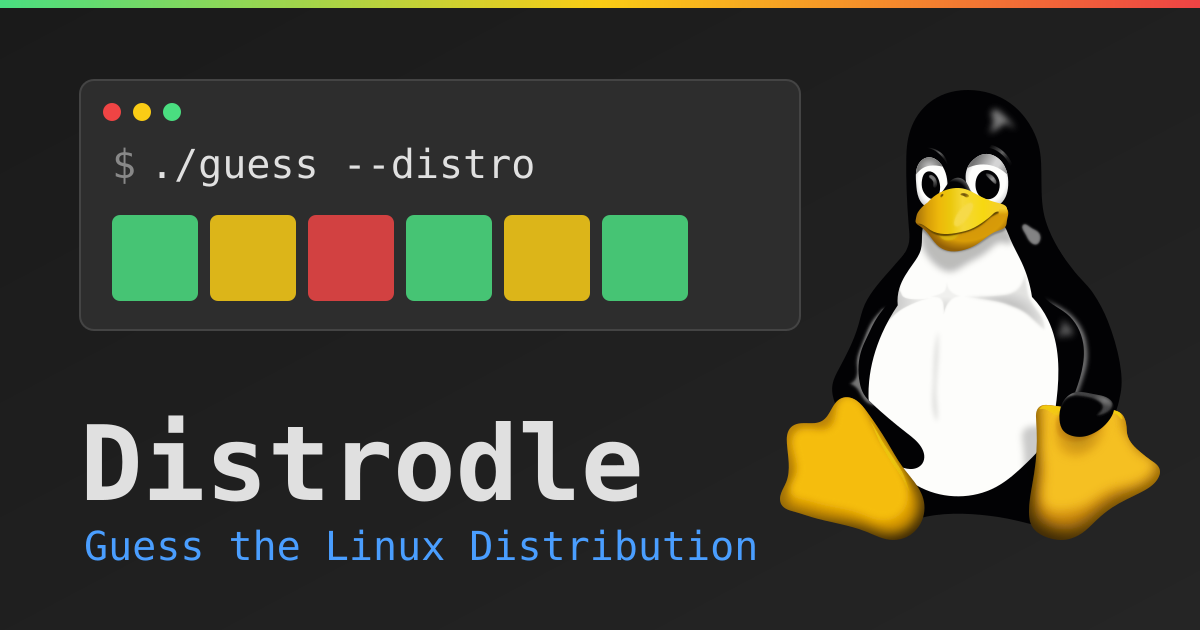
Distrodle — guess the Linux distribution in as few tries as you can. A terminal-styled Linux distro guessing game inspired by Pokedle/Loldle.

No paid content found
Visit website
Profile views 0 Outbound visits 0 Normal
Distrodle Full homepage screenshot

At a glance

Category
Games & Board Games
Language
English
Paid-content signal
No paid content foundObserved
Registered
Unknown
Hosting
Greencloud LLCInferred
HTTPS certificate trusted
PassedObserved
Last updated

Website review

This review may include AI-generated content and is not individually verified. Domain, certificate and other facts come from the observed data on this page.

What is Distrodle?

Distrodle is a browser-based guessing game built around Linux distributions, styled as a terminal session. Each round hides one distro, and you type guesses until you match it. Every guess is graded across 12 attributes: name, paid status, init system, release model, parent distro, package manager, difficulty, year released, desktop, popularity, architecture and category.

How a round plays out

Green cells are exact matches, yellow means partial overlap (a shared category or family, for example), and red means no match. The Year column is the most useful signal: it shows an arrow pointing up or down, telling you whether the hidden distro came out later or earlier than your guess, so you can close in on the right era.

Difficulty controls how large the pool is, mostly by minimum popularity:

Difficulty Pool
Very Easy High and Very High popularity only — a handful of famous distros
Easy Adds Medium popularity
Medium Adds Low popularity
Hard (default) Weighted toward less common distros
Extreme Full catalog, including very low popularity, router OSes and obscure entries

Two toggles widen the game further: "Discontinued" adds retired distros, and "Beyond Linux" brings in BSD and UNIX systems such as FreeBSD, OpenBSD, Solaris and AIX. Every five wrong guesses, a toast reveals one attribute of the target. "New Game" skips the round and shows the previous answer, which counts as a loss if you had already guessed.

Who it suits

It is aimed at people who already know their way around Linux families and package managers — knowing that Debian and Ubuntu share a lineage, or that some distros are rolling-release, turns guesses into deductions rather than shots in the dark. Newcomers can still play on Very Easy and learn the landscape as they go.

A companion catalog called Distrodex, available from the options panel, is a searchable family tree and card view of every distro in the game, filterable by category such as desktop, server, gaming, security/forensics, enterprise, router/firewall, minimal/embedded, privacy, container, source-based, mobile and live/recovery. It doubles as a reference tool if you want to study the tree before a Hard or Extreme round.

A practical next step: start on Easy, watch how the Parent and Package manager columns behave, then open Distrodex and trace a family you know well — that mapping makes the yellow partial matches much easier to read when you move up to Hard.

How do I read the color-coded cells and year arrows to narrow down the hidden Linux distro?

Treat each guess as a 12-column comparison table rather than a single right/wrong answer. Your aim is to turn every cell green by matching all 12 attributes.

Reading the cells

  • Green — exact match. That attribute is settled; stop varying it in later guesses.
  • Yellow — partial match. The values overlap, for example a shared category or family. Useful signal, but not confirmation.
  • Red — no match. Rule that value out for the target.

The Year column works differently: the number carries an arrow. ↑ means the target was released later than your guess; ↓ means earlier. Use it as a direction finder, not a match. Each arrow halves the era you need to search, so a few year-aware guesses can pin the release window before anything else is green.

A practical sequence

  1. Start with a broadly popular distro to anchor several columns at once.
  2. Use the Year arrow to bracket the era, then pick a guess inside that bracket.
  3. Lock in green cells and vary only the unresolved ones — parent distro, package manager and init system tend to cluster, so one guess can resolve several.
  4. Turn yellow cells green by testing a distro in the same family or category.
  5. When you stall, remember every five wrong guesses reveals one attribute of the target, so a run of near-misses still pays out.

Choosing a difficulty

Difficulty controls how deep the pool goes by minimum popularity. Very Easy keeps to famous distros; Easy adds Medium; Medium adds Low; Hard is the default and weights toward less common distros; Extreme opens the full catalog, including router OSes and obscure entries. The Beyond Linux toggle adds BSD and UNIX distributions, and Discontinued adds retired distros on top of whichever pool you chose. A newcomer should stay at Very Easy or Easy until the attribute reading feels automatic; anyone who knows the catalog well will find Hard or Extreme more interesting.

If a distro name is unfamiliar, the searchable family tree in the options panel is the place to check its parent and category before spending a guess.

What is the difference between the difficulty levels and the Discontinued and Beyond Linux toggles?

Difficulty controls how large the guessing pool is, while the two toggles add extra kinds of distributions on top of whatever difficulty you picked. They answer different questions: difficulty asks "how famous must a distro be to appear?", the toggles ask "should retired distros or non-Linux systems appear at all?"

Difficulty levels

Difficulty is set by minimum popularity. Higher difficulty means a bigger, more obscure pool.

Level What it adds to the pool Who it suits
Very Easy High and Very High popularity only — a handful of famous distros Newcomers, quick rounds
Easy Adds Medium popularity People who know the big names but not the niche ones
Medium Adds Low popularity — a noticeably bigger pool Casual Linux users wanting a real puzzle
Hard Also includes Low popularity, weighted toward less common distros (the default) Players who know the ecosystem well
Extreme The complete Linux catalog, including Very Low popularity, router OSes and obscure distros Experts hunting for the hardest rounds

The Discontinued toggle

This is a separate switch layered on top of your chosen difficulty. It adds retired distributions to whichever pool you already selected. It does not make the game harder in the "more obscure" sense — it widens the time range, so you may need to think about distros that no longer exist.

The Beyond Linux toggle

This adds BSD and UNIX systems — FreeBSD, OpenBSD, Solaris, Illumos, AIX and similar — into the pool. It changes the subject matter rather than the obscurity level, so it is the toggle to flip if you want to test knowledge outside Linux.

How the two toggles interact with difficulty

Think of difficulty as the base filter and the toggles as additions applied after it. Choosing Extreme with Beyond Linux on gives the widest possible pool; choosing Very Easy with Discontinued off keeps things to famous, still-active Linux distros.

A practical way to decide

  • Learning Linux names: start at Very Easy or Easy, both toggles off.
  • Testing your knowledge properly: stay at Hard (the default) and leave the toggles off.
  • Wanting a genuine challenge: Extreme plus Beyond Linux.
  • Interested in computing history: leave difficulty where you like and switch on Discontinued.

One thing to keep in mind: every guess is graded across 12 attributes (including init system, release model, parent distro, package manager, year, desktop, architecture and category), and the Year column uses arrows to show whether the target came earlier or later. Adding toggles widens the range of possible values in those columns, so rounds with Discontinued or Beyond Linux on tend to need more guesses before every cell turns green. The in-game Distrodex catalog is a useful reference if you want to see which distros a given setting can actually draw from.

How do the hint reveals work, and when should I use them during a round?

Hints unlock automatically: every 5 wrong guesses, Distrodle reveals one attribute of the hidden distro as a toast. You don't spend, buy or activate them—they arrive as a side effect of misses, so there's nothing to save for later and no reason to hold back guesses to "bank" hints.

When hints are most useful

  • Early, when the pool is wide. On Extreme or with the Beyond Linux and Discontinued toggles on, the catalog is large enough that a single revealed attribute (say, package manager or release model) can cut the field sharply. A hint at guess 5 is worth more than the same hint at guess 15.
  • When you're stuck on a near-solve. If most cells are green and one or two are red, a revealed attribute tells you exactly which direction to move—for example, confirming the parent distro family before you burn guesses cycling through cousins.
  • To break a tie between two candidates. If you've narrowed it to a pair, the hint often names an attribute that separates them outright.

When to ignore them

  • When the Year arrow is already doing the work. The ↑/↓ indicator on the Year column narrows the era with every guess, so a hint that reveals year or release model may add little.
  • When you're close and guessing is cheap. Each guess also grades all 12 attributes, so a deliberate wrong guess can teach you as much as a hint—without waiting for the five-miss threshold.

A practical pattern

Play normally until the hint fires, read it, then make your next guess target that attribute specifically rather than a random famous distro. Treat the hint as a constraint to satisfy, not trivia.

One caution: skipping with New Game counts as a loss if you've already guessed, so if you're near the hint threshold, a few more guesses may be better than restarting. If you want to study the attribute space between rounds, the built-in Distrodex catalog and family tree in the options panel lets you browse distros by category and lineage.

What can I look up in Distrodex, and how does its family tree help me guess?

Distrodex is a searchable catalog and family tree of every distribution in Distrodle's pool, including the BSD and UNIX entries that appear when you enable the Beyond Linux toggle. You can look up each distro's recorded attributes — the same twelve the game grades on: paid status, init system, release model, parent distro, package manager, difficulty, year released, desktop, popularity, architecture and category. It also carries filters, including a category filter with options such as Desktop, Server, Gaming, Security/Forensics, Enterprise, Router/Firewall, Minimal/Embedded, Privacy, Container, Source-based, Mobile and Live/Recovery, plus a tree view and a card view you can switch between.

How the tree helps you guess

The family tree shows lineage, which is the most useful thing to study before a round. Parent distro is one of the twelve graded columns, so a tree tells you which guesses will score green or yellow on that attribute. If your first guess is a Debian derivative, the tree shows you the other Debian derivatives in the pool — those are your strongest follow-ups, because they share a parent and often a package manager too. The reverse also holds: if a guess comes back red on parent and package manager, the tree helps you jump to a different branch instead of nudging around inside the same family.

Category and desktop are the other attributes where the tree pays off. Distros that sit under the same parent tend to cluster on desktop environment and category, so a yellow cell in either column narrows your next guess to a visible neighbourhood rather than the whole catalog.

A practical routine

  1. Pick your difficulty, then open Distrodex and skim the tree for the branch you plan to start in.
  2. Make a first guess from a well-known family, and read the parent, package manager and year arrows together.
  3. When a cell goes yellow, use the tree to list the siblings and cousins of your guess that plausibly match.
  4. Save the catalog for the endgame: with several green columns, the tree lets you check remaining candidates against desktop and category before spending a guess.

One trade-off: browsing the full catalog can make Extreme rounds feel like lookup rather than recall, so some players will prefer to consult the tree only after the first hint appears (every five wrong guesses). Also note that the catalog reflects the game's own recorded values, so it is a reference for playing, not an independent source on how any distribution actually works.

How does the scoring and sharing work, and does skipping a round count as a loss?

Scoring is attribute-by-attribute rather than point-based. Each guess is graded across 12 attributes (name, paid status, init system, release model, parent distro, package manager, difficulty, year, desktop, popularity, architecture, category), and you win by turning every cell green — meaning your guess matches the hidden distro on all 12. Green is an exact match, yellow a partial match (values overlap, such as a shared category or family), and red no match. The Year column is the exception worth learning: it shows an arrow, with ↑ meaning the target was released later and ↓ earlier, so you narrow the era instead of guessing blindly. Every five wrong guesses, the game reveals one attribute of the target as a toast.

Sharing happens after a solve: the "Solved!" screen reports how many tries it took and offers a "Share Results" button, which is the usual way players post a grid of colored cells without revealing the answer.

On skipping: yes, it counts as a loss. "New Game" skips the round and reveals the previous answer, but the page states that skipping after guessing counts as a loss — so use it to escape a dead end, not to protect a streak.

A practical next step: pick a difficulty that matches your knowledge before you start guessing, since the pool depth changes the game more than any single guess does. Very Easy and Easy keep to famous distros; Medium and Hard widen into low-popularity entries; Extreme includes the full catalog with very low popularity, router OSes and obscure distros, and the Beyond Linux toggle adds BSD and UNIX systems. For a first session, Easy with Discontinued off is a fair calibration; move to Hard once the year arrows and package-manager cells start reading as hints rather than noise. If a round stalls, the Distrodex family tree in the options panel lets you check parent distros and relatives instead of burning guesses on names you half-remember.

Related questions

More questions →
How Distrodle's Difficulty Levels and Toggles Change the Distro Pool

Distrodle narrows the answer pool in two ways: a difficulty setting that filters by minimum popularity, and two independent toggles (Beyond Linux and Discontinued) that add extra families of distributions on top of whatever difficulty you picked. Difficulty is the main dial; the toggles are add-ons. If you want a fast, famous-distro round, stay on Very Easy with both toggles off. If you want the widest possible pool, pick Extreme and turn both toggles on.

Difficulty levels: a minimum-popularity filter

Each difficulty sets a floor on how popular a distro must be to appear as the hidden answer. The site describes them as follows:

Difficulty Popularity included What it feels like
Very Easy High and Very High only A handful of the most famous distros
Easy Adds Medium Still recognizable names
Medium Adds Low A noticeably bigger pool
Hard Low popularity, weighted toward less common distros The default setting
Extreme Complete Linux catalog, including Very Low popularity, router OSes, and obscure distros Everything Linux

Two things are worth noting. First, Hard is the default, so a new player who never touches the setting is already on a fairly deep pool. Second, Extreme is not just "Hard plus a bit more" — it explicitly pulls in router operating systems and very obscure entries, which changes the character of the game from "name a distro you've heard of" to "reason from attribute clues about something you may never have seen."

The practical consequence: difficulty doesn't change the rules or the 12 attributes you're graded on. It only changes how likely the target is to be a household name. Lower difficulty means your prior knowledge does more of the work; higher difficulty means you lean more on the green/yellow/red feedback and the year arrows.

The Beyond Linux toggle

Beyond Linux is a separate switch that adds BSD and UNIX distributions to the pool — the site names FreeBSD, OpenBSD, Solaris, Illumos, and AIX as examples. It works on top of whichever difficulty you selected, so it expands the pool rather than replacing it.

Turn it on when you're comfortable with the Linux catalog and want the extra challenge of distinguishing, say, a BSD from a Linux distro on attributes like init system, package manager, or parent. Leave it off if BSD and UNIX are unfamiliar territory, since those answers will otherwise feel like guesses with no anchor.

The Discontinued toggle

Discontinued is described as a separate toggle on top of difficulty that adds retired distros to whichever pool you picked. It is independent of Beyond Linux, so the two can be combined.

This toggle matters because a retired distro can be famous yet absent from a modern pool — turning it on reintroduces names you might know from history but wouldn't expect in a current-distro game. If your guesses keep coming back red on release year or category, a discontinued target is one explanation worth testing by enabling the toggle in a fresh round.

How the settings combine

The three controls stack, and the pool is the result of all of them:

  • Difficulty sets the popularity floor for Linux distros.
  • Beyond Linux adds BSD/UNIX entries to that pool.
  • Discontinued adds retired entries to that pool.

So "Extreme + Beyond Linux + Discontinued" is the largest possible pool, and "Very Easy with both toggles off" is the smallest. There's no indication that the toggles override difficulty — they extend it.

A concrete example

Suppose you're on the default Hard setting and keep guessing well-known Debian-family distros, but the feedback stays mostly red and the year arrow points to an earlier era. Two adjustments are worth trying: raise difficulty to Extreme to admit very-low-popularity entries, and switch on Discontinued in case the target is a retired distro. If instead your guesses fail on attributes like init system or package manager in ways that don't fit Linux conventions, enabling Beyond Linux is the better test.

Choosing a setting for your goal

  • Learning the Linux landscape: Very Easy or Easy, toggles off. You'll see names you can actually place.
  • A standard challenge: Medium or Hard (the default), toggles off.
  • Maximum difficulty: Extreme with Beyond Linux and Discontinued on.
  • Stuck on a round: rather than changing settings mid-round, note that every 5 wrong guesses the game reveals one attribute of the target as a toast, and New Game skips the round and shows the previous answer (skipping after guessing counts as a loss).

If you want to study the pool before committing, the Distrodex in the options panel is a searchable family tree of every distro in the game, with category filters — useful for seeing what a given difficulty and toggle combination can actually produce.

What Are the 12 Attributes Distrodle Compares in Each Guess?

Distrodle grades every guess across 12 attributes, and you solve a round by turning all 12 cells green — meaning your guess matches the hidden distro on every one. The attributes are: distro name, paid status, init system, release model, parent distro, package manager, difficulty, year released, desktop, popularity, architecture, and category. Each cell is colored green (exact match), yellow (partial match), or red (no match), so the grid works as a process of elimination rather than a single yes/no answer.

The 12 attributes at a glance

Attribute What it describes How to read a partial (yellow) match
Distro name The distribution itself Exact identity only — green or red
Paid Whether the distro is commercial/paid Overlapping commercial status
Init system e.g. systemd vs. alternatives Shared init family
Release model Fixed vs. rolling-style release Overlapping model
Parent distro The upstream it derives from Shared family/lineage
Package manager e.g. apt, pacman, rpm-based Overlapping package tooling
Difficulty The game's own difficulty tier Adjacent tiers
Year released When the target first appeared Shown with an arrow, not a color alone
Desktop Default desktop environment Shared desktop family
Popularity How well-known the distro is Neighboring popularity bands
Architecture Supported CPU architectures Overlapping architecture sets
Category e.g. desktop, server, router, security Shared category

How the comparison actually works

Each row compares your guess to the hidden target attribute by attribute. Green means the values are identical. Red means they don't match at all. Yellow is the interesting case: it signals that the two values overlap rather than being equal — for example, a shared category or a shared family/lineage. The site's own help text gives "a shared category or family" as the example, so treat yellow as "you're in the right neighborhood, narrow it down."

The Year column is different

Year released doesn't just go green or red. The number is followed by an arrow: ↑ means the target was released later than your guess, and ↓ means it was released earlier. Use the arrow to bracket the era before you worry about the exact year.

Hints fill in attributes for you

Every 5 wrong guesses, the game reveals one attribute of the target as a toast. That revealed attribute is effectively a free green cell — spend hints when a particular column (often parent distro or package manager) is stalling you.

A quick worked example

Suppose your guess shows green on Category: Desktop and Package manager, yellow on Parent distro, and a ↓ on Year. Read it as: you're in the right desktop/package family, the lineage is close but not exact, and the target is older than what you typed. Your next guess should keep the green columns fixed and pick an older distro from the same family — not a random new one.

Practical tips for reading the grid

  • Lock in greens first. Once a column is green, only guess distros that preserve it.
  • Use yellow as a family signal. A yellow parent distro or category tells you the answer shares lineage or purpose with your guess.
  • Bracket the year early. The ↑/↓ arrows are the fastest way to shrink the pool before you burn guesses.
  • Check the Distrodex. The searchable family tree in the options panel lists every distro in the game, so you can look up parents, categories, and release years instead of guessing blind.
  • Remember the pool depends on your settings. Difficulty and the Discontinued / Beyond Linux toggles change which distros can be the target, so the same clue can point to different answers across modes.
What Is Distrodle and What Can You Do on the Site?

Distrodle is a browser-based Linux distribution guessing game with a terminal look, inspired by Pokedle and Loldle. You pick a difficulty, type a distro name, and each guess is graded across 12 attributes until every cell turns green. The same site also hosts Distrodex, a searchable catalog and family tree of the Linux and BSD distros used in the game, so it works as both a game and a reference lookup. You play in the browser with no account or download mentioned on the page.

How a Round Works

  1. Choose a difficulty in the filters panel. The default is Hard.
  2. Type a distribution name into the guess field and submit it.
  3. Read the color-coded result for each of the 12 attributes.
  4. Repeat until all cells are green, or use New Game to skip and reveal the answer.

The 12 graded attributes are: Distro name, Paid, Init system, Release model, Parent distro, Package manager, Difficulty, Year released, Desktop, Popularity, Architecture, and Category.

Reading the Feedback

Color Meaning
Green Exact match
Yellow Partial match — values overlap, such as a shared category or family
Red No match

The Year column works differently from the rest. The number is followed by an arrow: ↑ means the target distro was released later than your guess, ↓ means it was released earlier. Use it to narrow down the era rather than expecting a plain match.

Difficulty Levels and Toggles

Difficulty controls how deep the pool goes, based on minimum popularity:

Level Pool
Very Easy High and Very High popularity only — a handful of the most famous distros
Easy Adds Medium popularity
Medium Adds Low popularity — a noticeably bigger pool
Hard Also includes Low popularity, weighted toward less common distros (default)
Extreme The complete Linux catalog, including Very Low popularity, router OSes, and obscure distros

Two separate toggles sit on top of difficulty:

  • Beyond Linux adds BSD and UNIX distributions to the pool, such as FreeBSD, OpenBSD, Solaris, Illumos, and AIX.
  • Discontinued adds retired distros to whichever pool you selected.

Hints and Skipping

Every 5 wrong guesses, the game reveals one attribute of the target distro as a toast notification. These are useful when you are stuck between a few similar candidates.

New Game skips the current round and shows the previous answer. Skipping after you have already guessed counts as a loss, so treat it as a reset rather than a free pass.

Distrodex: The Reference Side

Distrodex, found in the options panel, is a searchable family tree of every distro in the game. It offers a tree view and a card view, plus filters by category. The categories listed include Desktop, Server, Gaming, Security / Forensics, Enterprise, Router / Firewall, Minimal / Embedded, Privacy, Container, Source-based, Mobile, and Live / Recovery.

This is the part of the site to use when you want to look up a distro's parent, package manager, or release model outside of a round — for example, when you need to confirm whether a distro belongs to the Debian family before your next guess.

Who It Suits

  • Linux newcomers can start at Very Easy and use Distrodex to learn families and package managers as they play.
  • Experienced users can pick Extreme with Beyond Linux and Discontinued enabled for a much wider pool.
  • Anyone needing a quick lookup can skip the game and search Distrodex directly.

The page does not state pricing or login requirements, so treat access details as unconfirmed beyond what is described here.

What Is Distrodex on Distrodle and How Can You Use It?

Distrodex is Distrodle's searchable Linux and BSD catalog and family tree, opened from the options panel. It lists every distro in the game and shows parent relationships, so you can look up a distribution's details or trace its lineage before or during a round. It is a reference tool, not a separate game mode: using it does not change your score, and the page does not describe any limit on when you can open it.

What Distrodex contains

Distrodex is described on the site as "a searchable family tree of every distro in the game." Two things follow from that:

  • Coverage matches the game's catalog. The same pool that feeds rounds — including the obscure entries unlocked at higher difficulties and the BSD/UNIX additions behind the Beyond Linux toggle — is what Distrodex indexes.
  • Parent relationships are visible. Because it is presented as a family tree, you can see which distro a given one derives from, which is exactly the kind of information the Parent distro attribute tests.

The catalog also carries category labels. The filter panel lists these categories: Desktop, Server, Gaming, Security / Forensics, Enterprise, Router / Firewall, Minimal / Embedded, Privacy, Container, Source-based, Mobile, and Live / Recovery.

How to open and navigate it

  1. Open the options panel on the Distrodle page.
  2. Select Distrodex. A panel titled "Distrodex — Linux & BSD Catalog & Family Tree" loads.
  3. Choose a view: Tree for the hierarchical family layout, or Cards for a flat, browsable list.
  4. Use the search field to find a distro by name.
  5. Narrow the list with Filters by category, and use Reset to clear them.

The panel also shows a count of the entries currently displayed, so you can tell how much a filter has narrowed things down.

When it actually helps

Distrodex pays off in two situations.

Before a round, when you want to learn the landscape. If you can name the big families but not their members, browsing the tree shows you, for example, that a long list of desktop distros descends from a small number of roots. That is the mental model the Parent distro column rewards.

Mid-round, when a guess comes back yellow. A yellow cell means partial overlap — a shared category or family. Opening Distrodex and filtering to that category gives you a shortlist of candidates that share the trait, which is faster than guessing blind. The same applies to the Category column: if your guess matches on category but nothing else, the category filter is the natural next step.

One caution: Distrodex tells you about distros, not about the hidden answer. It cannot confirm which distro the round picked, so treat it as a map rather than an oracle. The in-game hints — one attribute revealed every five wrong guesses — remain the only direct information about the target.

Where it fits alongside the rest of the game

Distrodle grades each guess across 12 attributes: distro name, Paid, Init system, Release model, Parent distro, Package manager, Difficulty, Year released, Desktop, Popularity, Architecture, and Category. Distrodex is most useful for the attributes that describe lineage and classification — Parent distro, Category, and Desktop — because those are the ones a catalog organizes naturally. For Year released, the game's own arrow indicators (↑ for later, ↓ for earlier) do the work more directly.

If you are new to the game, the practical order is: read the how-to-play help, pick a difficulty, and keep Distrodex open in a second pass once your first few guesses have told you which attributes you are close on.

How to Play Distrodle and Read the Green, Yellow, and Red Cells

Type a Linux distribution name into the guess box and click Guess. Each guess is graded across 12 attributes, and your goal is to turn every cell green — meaning your guess matches the hidden distro on all 12. Green is an exact match, yellow is a partial match (the values overlap, such as a shared category or family), and red is no match. The Year column works differently: it shows an arrow, where ↑ means the target was released later and ↓ means it was released earlier.

Setting Up a Round

Before your first guess, choose how deep the pool goes. Difficulty is set by minimum popularity:

Difficulty Pool
Very Easy High and Very High popularity only — a handful of the most famous distros
Easy Adds Medium popularity
Medium Adds Low popularity — a noticeably bigger pool
Hard Also includes Low popularity, weighted toward less common distros (the default)
Extreme The complete Linux catalog, including Very Low popularity, router OSes, and obscure distros

Two toggles sit on top of difficulty:

  • Beyond Linux adds BSD and UNIX distributions (FreeBSD, OpenBSD, Solaris, Illumos, AIX, and others) to the pool.
  • Discontinued adds retired distros to whichever pool you picked.

Pick the difficulty that matches how much you know. If you can name the famous distros but not the obscure ones, start at Easy or Medium rather than Hard.

The 12 Attributes You're Grading

Every guess is compared on these columns: Distro name, Paid, Init system, Release model, Parent distro, Package manager, Difficulty, Year released, Desktop, Popularity, Architecture, and Category.

Read them as a process of elimination. A green cell locks that attribute in — you can stop thinking about it. A yellow cell tells you the two values share something (a category, a family) without being identical, so the target is nearby but not the same. A red cell rules the value out entirely.

Using the Year Arrows

The Year column is the one place where the number alone doesn't tell you everything. The number is followed by an arrow:

  • ↑ — the target was released later than your guess.
  • ↓ — the target was released earlier than your guess.

Use it to bracket the era. If you guess a 2004 distro and see ↑, every future guess should be newer than 2004. Keep halving the gap and the release year narrows quickly.

Hints and Ending a Round

Every 5 wrong guesses, the game reveals one attribute of the target as a toast. Save them for when you're stuck rather than spending guesses randomly — a revealed attribute can eliminate a whole branch of candidates.

New Game skips the round at any time and shows the previous answer. Note that skipping after you've already guessed counts as a loss, so use it to move on, not to dodge a bad start.

Checking Candidates in Distrodex

The options panel includes Distrodex, a searchable family tree and catalog of every distro in the game, with filters by category (Desktop, Server, Gaming, Security/Forensics, Enterprise, Router/Firewall, Minimal/Embedded, Privacy, Container, Source-based, Mobile, Live/Recovery, and more). When a yellow Parent distro or Category cell narrows the field, look up the family there to see which distros share it before spending another guess.

A Quick Example

Suppose you guess a distro and see: Init system green, Package manager green, Year 2004 with ↑, Category yellow, everything else red. You now know the init system and package manager exactly, that the target came out after 2004, and that its category overlaps your guess without matching. Open Distrodex, filter by the shared category, and sort mentally by release year — then guess the oldest candidate after 2004 first, since the arrow will tell you whether to move forward or back from there.

Website Overview

The available information shows a mix of normal operation and configuration gaps. Depending on how the website is used, these gaps may affect secure access or the consistency of its public presentation.

Domain and Registration

Unknown

DNS and Email

Nameservers are provided by spaceship.net, indicating managed DNS hosting. No CNAME was found; the observed records resolve directly to addresses. No MX record was found. A conventional explicit inbound-mail route is not configured. The lowest observed DNS TTL is 1800 seconds. No CAA record was found; there is no additional DNS-based restriction on certificate issuers.

TLS and Certificates

The public key uses EC with 256 bits. The server supplied a complete certificate chain. No organization name is present in the certificate; the available fields are consistent with domain validation. The certificate was issued by Let's Encrypt, commonly associated with automated certificate services. The certificate's total validity is about 89 days, consistent with a short renewal cycle.

HTTP and Browser Security

X-Powered-By exposes backend information: Express. The checked browser-security headers were not detected, leaving fewer explicit browser-side safeguards. No obvious internal addresses or debug information were found in the headers. The Server header contains the custom value Caddy. No explicit CDN or WAF marker was found in the response headers.

Technology Stack Analysis

The public page identifies Express without precise versions, leaving fewer clues for version-specific scanning.

Search and Social Sharing

No homepage canonical URL was detected. If duplicate URLs exist, consolidation may be less explicit. Twitter Card metadata is configured. The title has 38 characters, within a common display range. A meta description is present, with 141 characters. The observed directives allow indexing and link following.

Hosting and Email

DNSspaceship.net
HostingGreencloud LLC
EmailUnknown
Approximate IP geolocation (inferred; a CDN or proxy may differ from the origin server) The Netherlands flagThe Netherlands Inferred 188.215.229.234

Registration details

RDAP / WHOIS

Unknown

DNS records

DNS

TypeNameValueTTLPriority
Adistro.fedesito.me188.215.229.2341800—
NSfedesito.melaunch1.spaceship.net1800—
NSfedesito.melaunch2.spaceship.net1800—
DSfedesito.me39000 13 2 193be881dc311610d542de69e3996f0353b109099b0f01b5918a9d2d95c4148f3600—

TLS and certificates

TLS / SSL

AssessmentNormal configuration
Supported protocolsTLSv1.2、TLSv1.3
Negotiated protocolTLSv1.3
Certificate subjectdistro.fedesito.me
IssuerLet's Encrypt
Valid until2026-12-04T09:07 · Remaining when checked: 44 days
Verification detailsCertificate trust: Passed · Hostname match: Passed

HTTP response headers

HTTP

HeaderValue
content-typetext/html; charset=UTF-8
cache-controlpublic, max-age=0
serverCaddy

Identified technologies

Express

Pages, Search and Sharing

Meta descriptionDistrodle — guess the Linux distribution in as few tries as you can. A terminal-styled Linux distro guessing game inspired by Pokedle/Loldle.
Canonical URLNot detected
LanguageEnglish (default)
Twitter Cardsummary_large_image

No robots.txt found

No sitemaps found

User reviews (0)

  • No reviews yet.