Website profiles · Technology insights · Alternatives

fandangoseo.com

See what Google and AI bots actually get from your site. FandangoSEO crawls millions of URLs, reads your server logs and shows you what to fix first.

Paid content Multilingual
Visit website
Profile views 3 Outbound visits 1 Normal
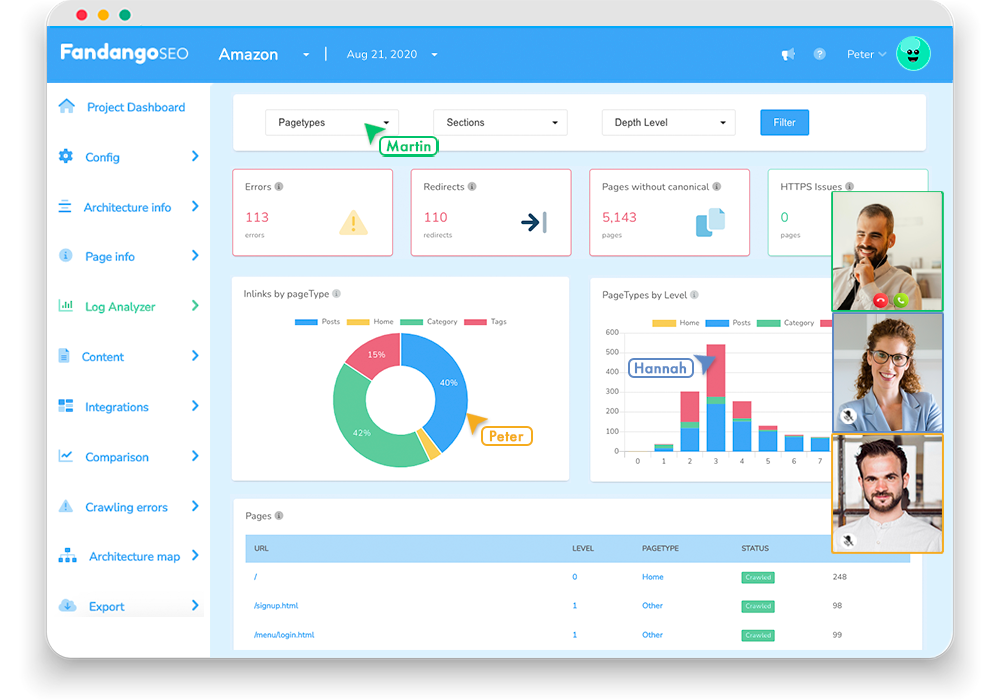
FandangoSEO Full homepage screenshot

At a glance

Category
Marketing
Language
English
Paid-content signal
Paid contentObserved
Registered
2014
Hosting
Amazon.com, Inc.Inferred
HTTPS certificate trusted
PassedObserved
Last updated

Website review

This review may include AI-generated content and is not individually verified. Domain, certificate and other facts come from the observed data on this page.

What is FandangoSEO?

FandangoSEO is an all-in-one SEO platform built for the AI-search era, combining a large-scale website crawler, a server log analyzer and rank tracking. Its pitch is that traditional rank tracking no longer tells the whole story: AI answers, AI Overviews and competitors bidding on your keywords can absorb demand even when your Google position looks healthy. The product's central claim is that it shows you what Googlebot and AI crawlers each actually receive from your pages, and then ranks the problems by how much traffic is at stake.

What it does

  • Crawling at scale. The site describes crawling millions of URLs, aimed at enterprise-sized sites rather than small blogs.
  • Log analysis. It reads server logs to show real crawl activity, separating search-engine bots from generative-AI bots, and flags crawl budget wasted on redirects and 404s.
  • Rendering comparison. It crosses server logs with rendering analysis to show which pages Google can render but AI bots cannot, because those bots typically do not execute JavaScript.
  • Rank tracking with SERP context. Position tracking sits alongside visibility into what now occupies the results page above and around you.
  • AI-oriented monitoring. Prompt monitoring, AI intelligence and generative-AI traffic views sit in the same dashboard as classic crawl and log data.

Who it suits

The page names eCommerce, marketplaces, publishers, real estate, travel, agencies and enterprises, and shows logos from large consumer brands. In practice, the value scales with complexity: a site with client-side rendering, millions of URLs or a large JavaScript-dependent catalogue has the most to gain. A small brochure site with server-rendered HTML will find most of the diagnosis already answered by a basic crawl.

The trade-off to weigh

The rendering gap is a real and under-discussed issue: if product names, prices and reviews only appear after JavaScript runs, an AI crawler may see an almost empty page and have nothing to cite. FandangoSEO's differentiator is quantifying that gap per URL and prioritising by traffic at stake, rather than leaving you with a generic "enable SSR" recommendation. The cost is scope — log analysis needs server access and clean log data, and the platform is positioned at teams that can act on that. If you only need on-page auditing, a simpler crawler such as Screaming Frog or a rendering-focused check via Google Search Central documentation may be enough.

Next step

Before committing, test the diagnosis on one high-value template. Take a product or article URL, compare its rendered DOM against its raw HTML, and check whether an AI crawler would find the key facts. If the raw version is missing prices, titles or reviews, that single page tells you whether rendering-aware log analysis is worth adopting across the site.

How does FandangoSEO show what AI bots see versus what Google sees on my site?

FandangoSEO approaches this as a rendering comparison rather than a simple crawl report. Its core claim in the page evidence is that Google renders JavaScript while major AI bots do not, so the same URL can look complete to Googlebot and nearly empty to a bot like GPTBot. The platform crosses your server logs with rendering analysis to show which pages fail that test, ordered by how much traffic is at stake.

What the comparison actually looks like

The page contrasts two views of the same product URL:

  • What Google sees — the rendered DOM: product title, price, star rating and review count, add-to-cart, shipping promise, and structured data.
  • What GPTBot sees — the raw HTML: an empty title, missing prices, and nothing quotable to cite.

That gap is the thing FandangoSEO surfaces. The page states that across 500M+ GPTBot requests analyzed industry-wide, there were zero JavaScript executions, which is the mechanism behind the empty-shell result.

The log side of the picture

The dashboard shown in the page evidence tracks search and AI crawlers separately over a date range:

Signal What it counts
Googlebot hits Total hits, plus an OK/error split
Total AI hits Combined LLM crawler hits
Top AI consumers Per-bot hit counts (Applebot, OAI-SearchBot, ClaudeBot, ChatGPT-User, GoogleOther, Meta-ExternalAgent)
Crawl budget waste Share of hits landing on 301s and 404s

So the answer to "what do AI bots see" is not a single screenshot. It is a per-URL rendering verdict joined to per-bot crawl volume, so you can rank the broken pages by the crawler traffic they are losing.

Who this suits

This is aimed at sites where rendering is a real variable — JavaScript-heavy storefronts, marketplaces, publishers, and enterprise properties with millions of URLs. If your pages are server-rendered static HTML, the rendering gap will be small and the log analysis matters more. If you run client-side rendering or heavy hydration, this is exactly the failure mode worth checking first.

A practical next step

Pick your ten highest-revenue or highest-traffic URLs and compare the rendered DOM against the raw HTML for each. If the title, price, or primary body copy only exists after JavaScript runs, those pages are the ones to fix first — server-render or pre-render the critical content so a non-executing bot still gets something citable. For a broader crawl-and-log workflow to pair with this, Screaming Frog covers the crawling side, though it does not join results to bot-specific log hits the way FandangoSEO describes.

Can FandangoSEO identify which pages are losing traffic to AI Overviews or AI answers?

FandangoSEO is built to surface exactly that kind of page-level loss, but it does so indirectly. It does not read AI Overviews or ChatGPT answers and tell you "this page lost X clicks to an AI answer." Instead, it combines server-log analysis with rendering checks so you can see which of your pages AI crawlers and search engines actually receive, and where that differs from what a browser sees.

What it can show you

  • Which pages AI bots fail to read. The platform crosses your server logs with rendering analysis, comparing the rendered DOM (what Google sees) against raw HTML (what bots like GPTBot receive). Pages that depend on client-side JavaScript can rank in Google yet look like an empty shell to AI crawlers.
  • Crawl activity by bot. Log Intelligence breaks hits down by search engine and generative-AI bot, so you can see how often OpenAI, Anthropic, Applebot, Perplexity and similar agents visit, and which URLs they favor.
  • Where crawl budget is wasted. It flags the share of hits landing on 301s and 404s, which tells you whether bots are spending their visits on dead ends instead of your money pages.
  • Traffic at stake, ranked. Because the rendering gap is tied to your log data, the tool can order failing pages by the traffic they represent rather than dumping a flat list.

What it does not do

There is no direct attribution of a specific click loss to a specific AI Overview. Ranking position and AI-answer presence are not the same measurement, and FandangoSEO's evidence is crawl and rendering behavior, plus rank tracking, not a readout of what Google's AI surfaces displayed. Treat it as a diagnostic for why a page is invisible to AI systems, not a ledger of clicks taken.

How to use it in practice

If you run an e-commerce or marketplace site where prices, reviews and availability load via JavaScript, start with the rendering comparison for your top revenue URLs. Any page that renders fully for Google but arrives as bare HTML to GPTBot is a candidate for server-side rendering or prerendering. Then check log data to confirm AI bots are actually visiting those URLs — a page no AI crawler requests is a different problem from one it requests and cannot read.

For a quick sense of how a page looks to a non-JavaScript agent, compare a rendered snapshot against the raw source. For broader crawl diagnostics alongside this, Google Search Central documents how Googlebot handles JavaScript, which is the baseline the tool measures against.

How does FandangoSEO combine server log analysis with crawling to find crawl budget waste?

FandangoSEO pairs two data sources that most tools keep separate: its own crawler and your raw server logs. The crawler tells you what should be fetchable on each URL; the log analyzer tells you what bots actually requested. Comparing the two reveals crawl budget waste — requests that consume bot budget without returning useful content.

What the combination exposes

  • Wasted hits on dead ends. The page evidence highlights "crawl budget wasted on 301/404s" as a tracked metric, so the platform attributes a share of total bot hits to redirects and missing pages. Your crawler confirms which URLs genuinely resolve; the logs show how often bots keep hitting the ones that don't.
  • The rendering gap. The site's central claim is that Google renders JavaScript while AI crawlers largely do not. Crawling gives you the rendered DOM; logs show which bots (GPTBot, ClaudeBot, Applebot, OAI-SearchBot and similar) requested those URLs. A page that looks complete in a rendered crawl can be an empty shell to a non-rendering bot, and the log volume tells you how much budget is being spent on those shells.
  • Bot-by-bot budget allocation. The dashboard evidence shows hit counts split by crawler — Applebot, OAI-SearchBot, ClaudeBot, ChatGPT-User, GoogleOther — plus a search-versus-AI crawl velocity comparison. That lets you see whether AI bots are out-crawling Googlebot on your site and where each one is spending its requests.
  • Prioritisation by stakes. The rendering check is described as ranking failing pages "by traffic at stake," which is the practical payoff: waste is not just counted, it is ordered by what fixing it would recover.

Why log-only or crawl-only tools miss this

A crawler alone cannot tell you which URLs bots actually request or how often. Log analysis alone cannot tell you whether a fetched URL had real content behind it, or whether that content required JavaScript. You need the join between the two to distinguish "bot fetched a good page" from "bot burned budget on a redirect, a 404, or a JavaScript-dependent page it could not read."

Practical next step

If you want to check whether this matters for your site, start with one question: of your highest-traffic commercial URLs, how many return meaningful content in raw HTML with JavaScript disabled? Any that fail are candidates for the rendering gap, and their log hit counts tell you how much crawl budget is currently going to pages that AI systems cannot cite. FandangoSEO's pricing and plan tiers are listed at FandangoSEO if you want to weigh the cost against your URL volume.

What pricing plans does FandangoSEO offer for small teams versus enterprises?

FandangoSEO's public pages point to a single pricing page rather than a published breakdown of named tiers, so the small-team versus enterprise split is best understood as a self-serve platform versus a sales-led enterprise motion. The site presents an all-in-one SEO platform covering crawl, log analysis, rank tracking and AI-bot intelligence, with a "Book an enterprise demo" call to action and a live demo project for evaluation; a Pricing link exists but the extracted content does not list plan names, seat counts or limits.

What that means in practice

  • Small teams: expect a self-serve path where you explore a live project or sign up, then connect your crawls and server logs. The value shows up fastest if you have one site and a modest URL count — you can crawl it, pull logs, and see which pages Google renders but AI bots do not.
  • Enterprises: the demo-led route suggests pricing is scoped around crawl volume, log volume, seats and integrations. The page's own framing — enterprise sites where AI bots out-crawl Googlebot, with hundreds of thousands of hits per bot — is a signal that cost scales with traffic and log size, not just user count.

How to decide which conversation to have

Situation Likely fit What to verify
One site, small team, limited log history Self-serve signup URL and crawl limits, log retention, seats
Multiple domains, large log files, several stakeholders Enterprise demo Volume tiers, SSO, integrations, support terms
Agency managing client sites Either, depending on client count Per-project pricing vs. seat-based pricing

Next step

Before contacting sales, quantify two numbers: monthly URLs crawled and monthly log lines or bot hits. Those two figures drive most enterprise SEO platform pricing, and having them ready turns a vague demo into a concrete quote. If you are comparing options, it also helps to check how a general-purpose crawler like Screaming Frog or a log-focused tool fits alongside, since FandangoSEO's differentiator is crossing logs with rendering analysis rather than crawling alone.

How do I set up FandangoSEO to monitor AI bot crawling on my eCommerce or publisher site?

Start by connecting the two data sources FandangoSEO is built around: a crawl of your site and your raw server logs. AI bot monitoring depends on the logs, because that is where requests from GPTBot, ClaudeBot, OAI-SearchBot, Applebot and similar agents actually appear. The crawl supplies the page-level rendering picture you compare those hits against.

A practical setup sequence

  1. Confirm log access first. You need raw access logs with user-agent and requested URL. On eCommerce, check whether a CDN or WAF sits in front of the origin; if it does, export logs from there rather than the web server, or bot traffic may be filtered before you ever see it.
  2. Add the site and verify the property. Ownership verification matters on multi-domain eCommerce estates, where product pages, category pages and blog content may live on different hosts.
  3. Point the Log Analyzer at your log files. Upload or connect the log source, then map which hostnames belong to the site you are analysing.
  4. Run a crawl of the same URL set. The crawl gives you the rendered DOM and the raw HTML for each URL, which is the comparison that makes the rendering gap visible.
  5. Use the Crawl Explorer to cross logs against rendering. This is where you see which pages AI bots fetch but cannot read — the raw HTML arrives with an empty title or missing price, while Google's rendered version is complete.
  6. Sort by traffic at stake, not by error count. A broken page nobody links to is noise. A high-revenue product page that AI crawlers see as an empty shell is the priority.
  7. Set alerts on the AI Intelligence and Log Intelligence views. Watch crawl velocity for search versus AI bots, and watch the share of hits landing on 301s and 404s, which the dashboard reports as wasted crawl budget.

What each role should watch

Role Primary view Decision it drives
Technical SEO Crawl Explorer plus Log Analyzer Which templates need server-side rendering or prerendering
Content or editorial lead AI Intelligence, prompt monitoring Whether answer engines can quote your pages at all
Ecommerce merchandiser Rendering check on product templates Whether price, stock and review data reach AI crawlers
Publisher analyst Log Intelligence by bot Which sections AI agents actually consume

The eCommerce and publisher differences

For eCommerce, the failure mode is concentrated in templates. If your product detail page builds price, availability and reviews client-side, one fix to the template covers thousands of URLs. Audit a representative sample first, then apply the fix at template level rather than page by page.

For publishers, the failure mode is more about volume and structure. Article bodies are usually server-rendered already, so the more useful signal is which bots crawl which sections and how often, plus whether paywall or consent logic blocks the content an AI crawler would otherwise cite.

Practical decision criteria

Treat a page as urgent when all three are true: it carries commercial or editorial value, AI bots request it regularly in your logs, and its raw HTML lacks the substance the rendered version shows. Pages failing only the first test can wait.

If you want a second opinion on whether your pages render for non-JavaScript clients, Google Search Central documents how Google handles JavaScript rendering, and Google Developers covers crawling and indexing behaviour generally. Both describe search crawlers, not AI agents, so treat them as background rather than a substitute for your own log evidence.

Related questions

More questions →
Why AI Bots See a Different Version of Your Site Than Google Does

Google renders JavaScript before indexing. Most AI crawlers do not. That single difference means a page that looks complete to Google can be an empty shell to GPTBot, ClaudeBot, or Perplexity — no prices, no reviews, no text worth citing. FandangoSEO addresses this by crossing your server logs with rendering analysis to show which pages fail and rank them by traffic at stake. This matters most if your site depends on client-side rendering (CSR) for content that AI answers would otherwise quote.

The core mechanism: rendering vs. raw fetch

When Googlebot fetches a URL, it can execute JavaScript and index the resulting DOM — the fully assembled page. AI crawlers generally request the URL and read the raw HTML response only.

FandangoSEO states it analyzed 500M+ GPTBot requests industry-wide and found zero JavaScript executions. So the gap is not occasional; it is the default behavior.

What Google sees (rendered DOM) What GPTBot sees (raw HTML)
Title, prices, reviews, structured data Title empty, prices missing, nothing to cite
Product name, rating, shipping info Empty shell

A page can rank #2 in Google and still be unciteable by ChatGPT, because the two systems never saw the same document.

Why this is happening more, not less

FandangoSEO's positioning points to three pressures acting at once:

  • AI answers that never send a click
  • AI Overviews sitting above your #1 result
  • Ads bidding on your own keywords

On the enterprise sites FandangoSEO monitors, AI bots already out-crawl Googlebot. In its own dashboard example, total AI hits (497,938 across OpenAI, Anthropic, Applebot, Perplexity) exceeded Googlebot hits (296,937) in a one-month window. Applebot alone accounted for 194,088 hits.

If AI crawlers are reading more of your site than Google is, the raw-HTML version of your pages is now a primary surface — not an edge case.

How to find which of your pages are affected

The diagnostic logic FandangoSEO uses is worth understanding even if you build your own check:

  1. Collect server logs — every request from Googlebot, GPTBot, OAI-SearchBot, ClaudeBot, PerplexityBot, Applebot, and others.
  2. Cross-reference with rendering analysis — determine, per URL, what the rendered DOM contains versus what the raw HTML response contains.
  3. Rank failures by traffic at stake — not by count of broken pages, but by how much traffic each affected URL currently earns.
  4. Fix in that order — the highest-traffic empty shells first.

FandangoSEO describes itself as "the only SEO platform that shows exactly which pages fail, ranked by traffic at stake." Whether or not that exclusivity claim holds, the prioritization method is the useful part: a broken page nobody visits is not your problem.

What to actually fix

The failure mode is CSR-dependent content. If your product name, price, reviews, or key copy only appears after JavaScript runs, AI crawlers never see it. Practical directions:

  • Server-side render or pre-render the content AI answers would want to quote — titles, prices, ratings, descriptions, structured data.
  • Verify the raw response, not the browser view. Fetch the URL the way a crawler does and check whether the text is present in the HTML source.
  • Watch crawl budget waste — FandangoSEO's example flags 4.2% of crawl budget wasted on 301/404s, which competes with the budget available for pages you actually want indexed.

When this applies to you

This is a real risk if your site is a store, marketplace, publisher, or any property where AI answers might cite your content — and your pages rely on client-side rendering. It is a lower priority if your content is already server-rendered and present in raw HTML.

FandangoSEO offers a live project demo and an enterprise demo path, with a pricing page linked from the site. For teams that need to know which pages are failing rather than whether the problem exists, the log-plus-rendering cross-analysis is the part worth evaluating.

How FandangoSEO Measures What a #1 Ranking Actually Gets You

FandangoSEO's answer to this is to stop treating rank position as the outcome and start treating it as one input among several. Its Rank Tracker logs where you rank in traditional search, while the platform's log and AI-crawl data show how much of the traffic that ranking used to deliver is now being intercepted — by AI Overviews sitting above your #1 result, by AI answers that never send a click, and by ads bidding on your own keywords. The practical value is diagnostic: when traffic falls, you can tell whether you lost rank or kept rank and lost the click.

What the Rank Tracker records, and what it adds

According to the site, the Rank Tracker "logs your position and measures wh—" (the excerpt cuts off there), so the confirmed behavior is that it records position over time. The differentiator claimed elsewhere on the page is that ranking data is not stored in isolation: it sits alongside crawl data and log data in the same platform.

That matters because a rank number alone can't distinguish between two very different situations:

Situation Rank Tracker shows What you'd wrongly conclude
You dropped from #1 to #4 Position change Ranking problem — fix content
You held #1, AI Overview now sits above it Position unchanged Nothing is wrong
You held #1, AI answer absorbs the click Position unchanged Nothing is wrong

Only the first row is visible from rank tracking alone. The other two require the log and AI-crawl layers.

The mechanism: crossing logs with rendering

The page's central claim is that "Google renders your JavaScript. AI bots don't. Ever." It cites an analysis of 500M+ GPTBot requests industry-wide showing zero JavaScript executions. The illustration on the page contrasts what each bot sees for the same product URL:

  • What Google sees (rendered DOM): title, price, reviews, structured data, full page content.
  • What GPTBot sees (raw HTML): empty title, missing prices, "nothing to cite."

FandangoSEO's stated method is to cross server logs with rendering analysis, so you can see which specific pages fail for AI crawlers, ranked by the traffic at stake. That ranking-by-stakes is the part that connects back to the #1 question: a page ranking first that renders to an empty shell for AI bots is a page whose ranking is worth less than the position suggests.

Reading the dashboard signals

The live project view on the page shows the kind of numbers the platform surfaces, for a date range of 06/11/2026 to 07/10/2026:

  • Googlebot hits: 296,937 — 97.2% OK, 2.8% error
  • Total AI hits (LLMs): 497,938 across OpenAI, Anthropic, Applebot, Perplexity
  • Budget waste (all): 4.2% of crawl budget spent on 301/404s
  • Top AI consumers: Applebot 194,088; OAI-SearchBot 104,269; ClaudeBot 59,827; ChatGPT-User 50,657; GoogleOther 34,878; Meta-ExternalAgent 14,628

Two things are worth noting in that set. First, AI hits exceed Googlebot hits on this monitored site — the page states that on the enterprise sites it monitors, "AI bots already out-crawl Googlebot." Second, the crawl-velocity view splits search versus AI, so you can see the two crawl populations moving independently rather than as one blended total.

How to use this to diagnose a traffic drop

The workflow the product implies, in order:

  1. Check position first. If the Rank Tracker shows a real drop, the problem is conventional ranking and the fix is conventional.
  2. If position held, check AI crawl coverage. Cross logs against rendering to find pages where AI bots received raw HTML with missing content. Those pages can rank #1 and still be invisible to AI answers.
  3. Check crawl budget waste. The 4.2% figure in the example is budget spent on 301/404s — crawl requests that returned nothing useful. High waste means bots are spending their allowance on dead ends instead of your content.
  4. Check who is actually crawling. If a bot you care about (OAI-SearchBot, ClaudeBot, Perplexity) is absent or far behind Applebot in the hit list, that's a coverage gap, not a ranking gap.

What this approach does not tell you

The page frames the problem as traffic being taken by "AI answers that never send a click, AI Overviews sitting above your #1, and ads bidding on your own keywords." Crawl and log data can show you that AI bots are reading your pages and what they receive. It cannot directly attribute a specific click loss to a specific AI Overview, because that click never arrives as a referrer. Treat the AI-crawl layer as evidence of exposure and readiness, not as a click-attribution model.

Who this fits

This is aimed at sites large enough that crawl budget and rendering failures are real line items — the page lists enterprise references including Adidas, Volkswagen, Audi, Desigual, Emirates, and Massimo Dutti, and offers an enterprise demo alongside a live project to explore. If your site is small enough that every page renders server-side and you have no crawl-budget concerns, the rendering-gap half of the product has little to find. If you run a JavaScript-heavy storefront or marketplace where the rendered DOM and raw HTML diverge, that gap is the thing worth checking first.

What is FandangoSEO and what does it do?

FandangoSEO is an all-in-one SEO platform built for the AI era that combines a website crawler with a server log analyzer. Its core job is to show you what Google and AI bots actually get from your site, then tell you what to fix first. It is aimed at enterprise SEO teams, agencies, and large sites in eCommerce, marketplaces, publishing, real estate, travel, and similar categories where crawl behavior and rendering matter at scale.

The problem it addresses

The platform's own framing is blunt: "Your traffic didn't disappear. It's being taken." The stated causes are AI answers that never send a click, AI Overviews sitting above your #1 result, and ads bidding on your own keywords. FandangoSEO's answer is visibility into how traditional search engines and new AI bots crawl your site, so you can see what each one sees.

Core capabilities

Crawl and log analysis in one place

FandangoSEO crawls millions of URLs and reads your server logs. The dashboard surfaces metrics such as:

  • Googlebot hits — with an OK/error split (the sample shown: 296,937 hits, 97.2% OK, 2.8% error)
  • Total AI hits (LLMs) — covering OpenAI, Anthropic, Applebot, and Perplexity
  • Crawl budget waste — the share wasted on 301/404s (sample: 4.2%)
  • Top AI consumers — a ranked list by hit volume (sample: Applebot 194,088; OAI-SearchBot 104,269; ClaudeBot 59,827; ChatGPT-User 50,657; GoogleOther 34,878; Meta-ExternalAgent 14,628)
  • Crawl velocity — search engines vs. AI bots over a date range

Rendering check: CSR vs SSR

This is the platform's headline differentiator. Its claim: Google renders your JavaScript, but AI bots don't — ever. FandangoSEO says it analyzed 500M+ GPTBot requests industry-wide and found zero JavaScript executions. The practical consequence it describes is that a page ranking #2 in Google can be an empty shell to ChatGPT.

The platform crosses server logs with rendering analysis to show which pages fail, ranked by traffic at stake. Its own illustration contrasts:

What Google sees (rendered DOM) What GPTBot sees (raw HTML)
Title, prices, reviews, structured data, full page content Title empty, prices missing, nothing to cite

Rank tracking and SERP real estate

A rank tracker logs your position and measures what ranking #1 actually gets you now — reflecting that a top organic position no longer guarantees the click it once did.

AI intelligence and prompt monitoring

The dashboard includes AI Intelligence, Insights, Prompt Monitoring, Log Intelligence, and Generative AI Traffic sections, plus a Log Analyzer and Crawl Explorer under Site Intelligence.

Who it's for

FandangoSEO names these solution categories: eCommerce, Marketplace, Publishers, Real Estate, Small Business, Travel, Bloggers, SEO Freelancer, Agencies, and Enterprises. The page states it is "trusted by enterprise SEO teams at" Adidas, Volkswagen, Audi, Desigual, Emirates, and Massimo Dutti. The combination of log analysis, rendering checks, and AI-bot monitoring is most relevant to large sites where crawl budget and JavaScript rendering affect many URLs at once.

How to evaluate it

  • Start with a live project. The site offers "Explore a live project" using an Amazon example, which lets you see the dashboard structure before committing.
  • For enterprise use, book a demo. The primary enterprise call to action is "Book an enterprise demo."
  • Check pricing directly. A pricing page exists at fandangoseo.com/pricing/, but the available material does not state plan tiers, costs, or whether a free tier or login-free trial is offered — verify those details on the pricing page itself.
  • Confirm your specific need. If your concern is AI crawlers seeing empty JavaScript-rendered pages, the rendering check is the feature to test first. If your concern is crawl budget waste or bot hit distribution, the log analyzer is the starting point.
What FandangoSEO's Log Analyzer Tells You About Search Engine and AI Bot Crawling

FandangoSEO's Log Analyzer reads your server logs and reports how search engines and AI bots actually crawl your site: hit counts per bot, crawl budget wasted on 301/404 responses, and crawl velocity split between traditional search engines and AI crawlers. It's built for site owners and SEO teams who need to know whether AI bots are reaching their content — and whether those bots are getting anything usable. The most useful output is a per-bot breakdown that lets you compare Googlebot's activity against named AI consumers like Applebot, OAI-SearchBot, ClaudeBot, ChatGPT-User, GoogleOther, and Meta-ExternalAgent.

What the Log Analyzer reports

The dashboard view in the product's own example project shows four categories of data:

Metric What it shows Example from the product's sample project
Search engine hits Googlebot requests, split into OK and error rates 296,937 hits, 97.2% OK, 2.8% error
AI bot hits Combined LLM crawler traffic 497,938 hits (OpenAI, Anthropic, Applebot, Perplexity)
Crawl budget waste Share of crawl spent on 301/404 responses 4.2%
Top AI consumers Ranked list of individual AI bots by hit volume Applebot 194,088; OAI-SearchBot 104,269; ClaudeBot 59,827; ChatGPT-User 50,657; GoogleOther 34,878; Meta-ExternalAgent 14,628

The date range in that sample runs 06/11/2026 to 07/10/2026, so the numbers are a snapshot of one monitored property, not a benchmark for your site. Treat them as an illustration of the report's shape.

Crawl velocity: search vs. AI

The analyzer separates crawl velocity into two series — Googlebot and AI bots — so you can see whether AI crawlers are speeding up or slowing down relative to Google. In the sample project, total AI hits (497,938) exceed Googlebot hits (296,937), which is the pattern FandangoSEO highlights on its homepage: "On the enterprise sites we monitor, AI bots already out-crawl Googlebot." That claim is scoped to the sites they monitor, so verify it against your own logs rather than assuming it applies to you.

Budget waste

The 4.2% figure in the sample measures crawl budget spent on 301 and 404 responses. This is the part of the report most directly actionable: those requests consume crawl capacity without returning content. The analyzer surfaces the percentage so you can decide whether redirect chains or dead links are worth cleaning up first.

Why the log data matters: rendering gaps

Log analysis alone tells you a bot requested a URL. It doesn't tell you what the bot received. FandangoSEO pairs log data with rendering analysis to close that gap, and the product makes a specific claim about why it matters: "We analyzed 500M+ GPTBot requests industry-wide. Zero JavaScript executions."

The implication is that a page which renders fully for Googlebot — title, prices, reviews, structured data — can arrive at GPTBot as raw HTML with an empty title and missing prices. The product's own side-by-side example shows a product page where Google sees the rendered DOM and GPTBot sees raw HTML with "nothing to cite." FandangoSEO says it crosses server logs with rendering analysis to show which pages fail this way, ranked by traffic at stake.

If your site relies on client-side rendering for key content, this is the report to check first: it connects "which bot crawled this URL" to "what that bot could actually read."

How to use the output

  1. Start with the per-bot hit table. Identify which AI crawlers are active on your site and at what volume. If a bot you care about (for example, the crawler behind a search product you want citations in) shows zero or near-zero hits, that's a visibility problem worth investigating.
  2. Check the error rate on Googlebot hits. A 2.8% error rate in the sample is small; a high error rate on your own site means Googlebot is hitting URLs that don't resolve.
  3. Look at budget waste. If a meaningful share of crawl goes to 301/404 responses, fix the redirects and remove the dead links before optimizing anything else.
  4. Cross-reference with rendering. For the URLs with the highest traffic at stake, confirm whether AI bots receive rendered content or raw HTML. Pages that fail here are the ones where ranking well in Google doesn't translate into being cited by AI answers.
  5. Re-run after changes. Crawl behavior shifts as you fix redirects and rendering, so compare periods rather than reading a single snapshot.

What it won't tell you

The Log Analyzer reports crawl behavior, not rankings or conversions. It won't tell you why a bot stopped crawling, whether an AI answer cited you, or how much traffic a given crawl pattern produced. FandangoSEO positions it as one component of a broader platform — the site also lists a Crawl Explorer, Rank Tracker, Prompt Monitoring, and Competitive Analysis — so the log data is most useful when paired with what those tools show about rankings and AI answers.

Pricing and plan limits aren't specified in the material available here; the site links to a pricing page and offers an enterprise demo, so check those directly if cost or seat limits affect your decision.

What Features and Integrations Does FandangoSEO Offer?

FandangoSEO is an all-in-one SEO platform built for what its site calls "the AI era." Its core pitch is that it shows you what Google and AI bots actually get from your site by combining crawling, server log analysis, and rendering checks in one place. If you run a site where AI-driven answers and AI crawlers are eating into organic traffic, or you manage SEO across many URLs and want crawl, log, and ranking data in a single tool, it's aimed at you. Pricing isn't published in the material here, so check the pricing page for current plans.

Core modules

The platform groups its capabilities into a few areas, based on the site's own navigation and dashboard:

  • SEO Crawler — crawls sites at scale. The site claims it "crawls millions of URLs."
  • SEO Log Analyzer / Log Intelligence — reads your server logs to show how search engines and AI bots crawl your site.
  • Rank Tracker — logs your ranking positions and, per the site, measures what a #1 ranking actually gets you now.
  • AI Intelligence — includes Insights, Prompt Monitoring, and Generative AI Traffic views.
  • Competitive Analysis — compares your position against competitors.
  • Integrations — connects data from tools that otherwise don't talk to each other.

The dashboard surfaces metrics like Googlebot hits, total AI hits (OpenAI, Anthropic, Applebot, Perplexity), crawl budget wasted on 301/404s, and top AI consumers (e.g., Applebot, OAI-SearchBot, ClaudeBot, ChatGPT-User).

The rendering check: Google vs. AI bots

This is the module the site leads with, and it's the clearest example of what the tool does.

The claim: Google renders your JavaScript, but AI bots don't — "ever." FandangoSEO says it analyzed 500M+ GPTBot requests industry-wide and found zero JavaScript executions. So a page that ranks #2 in Google can look like an empty shell to ChatGPT.

The tool crosses your server logs with rendering analysis to show which pages fail and ranks them by traffic at stake. The site's own example:

What Google sees (rendered DOM) What GPTBot sees (raw HTML)
Title, prices, reviews, structured data Title empty, prices missing, nothing to cite

If your product pages, listings, or articles depend on client-side rendering, this is the module that tells you which URLs are effectively invisible to AI crawlers.

What the log analyzer tells you

The Log Analyzer focuses on how traditional search engines and AI bots crawl your site over a date range. From the dashboard example, it reports:

  • Googlebot hits and their OK/error split
  • Total AI hits across OpenAI, Anthropic, Applebot, and Perplexity
  • Crawl budget wasted on 301/404s
  • Top AI consumers by hit count
  • Crawl velocity compared between search engines and AI bots

The site notes that on the enterprise sites it monitors, AI bots already out-crawl Googlebot — which is the signal this module is built to surface.

Integrations

FandangoSEO's positioning on integrations is that "your tools don't talk to each other. Ours do." The site lists Integrations as a top-level section, but the specific integration partners aren't detailed in the material available here — check the Integrations page for the current list.

Who it's for

The site lists these solution categories:

  • eCommerce
  • Marketplace
  • Publishers
  • Real Estate
  • Small Business
  • Travel
  • Bloggers
  • SEO Freelancer
  • Agencies
  • Enterprises

The dashboard example is an Amazon project, and the site names Adidas, Volkswagen, Audi, Desigual, Emirates, and Massimo Dutti as enterprise users.

How to evaluate it

  • Pricing page — https://www.fandangoseo.com/pricing/ for current plans and costs.
  • Live project — the site offers an "Explore a live project" demo.
  • Enterprise demo — a "Book an enterprise demo" link is available for larger teams.

If your main concern is whether AI bots can read your rendered pages, start with the rendering check. If you want to understand crawl behavior across Google and AI bots, start with the Log Analyzer.

Website Overview

An established domain and managed infrastructure suggest continuity of operations and may support dependable delivery, although neither guarantees service quality. Page metadata, canonical configuration and social previews work together to provide more consistent search and sharing presentation.

Domain and Registration

Registered in 2014, this domain has about 12 years of history. That suggests continuity, although ownership and purpose may have changed. Transfer-protection status is present, helping reduce the risk of unauthorized domain transfers. The registrar is GoDaddy.com, LLC, a widely used domain service provider. The domain uses the common .com extension, which is not an independent safety signal.

DNS and Email

Nameservers are provided by Amazon Route 53, indicating managed DNS hosting. MX records point to the Google Workspace email service. No CNAME was found; the observed records resolve directly to addresses. SPF and DMARC are configured. DKIM status is unknown. TXT records include verification markers for Google. Such markers may also remain after a service stops being used.

TLS and Certificates

The public key uses EC with 256 bits. The server supplied a complete certificate chain. No organization name is present in the certificate; the available fields are consistent with domain validation. The certificate was issued by Let's Encrypt, commonly associated with automated certificate services. The certificate's total validity is about 89 days, consistent with a short renewal cycle.

HTTP and Browser Security

The checked browser-security headers were not detected, leaving fewer explicit browser-side safeguards. No X-Powered-By header was found, reducing one common source of backend fingerprinting information. The x-cache, via response header indicates a CDN or caching proxy in the delivery path. No obvious internal addresses or debug information were found in the headers. The Server header identifies Apache without an exact version.

Technology Stack Analysis

The public page identifies Elementor 4.2.3; features: additional_custom_breakpoints; settings: css_print_method-external, google_font-enabled, font_display-auto, WordPress, jQuery, Google Tag Manager, Apache without precise versions, leaving fewer clues for version-specific scanning.

Search and Social Sharing

The Generator tag identifies Elementor 4.2.3; features: additional_custom_breakpoints; settings: css_print_method-external, google_font-enabled, font_display-auto, making the publishing system easier to fingerprint. Twitter Card metadata is configured. JSON-LD includes Organization data, helping describe the organization as an entity. The page declares 5 language or regional alternatives using hreflang. The title has 48 characters, within a common display range.

Hosting and Email

DNSAmazon Route 53
HostingAmazon.com, Inc.
EmailGoogle Workspace
Approximate IP geolocation (inferred; a CDN or proxy may differ from the origin server) Ireland flagDublin, Leinster, Ireland Inferred 52.215.246.124

Registration details

RDAP / WHOIS

RegistrarGoDaddy.com, LLC
Registered2014-05-23
Expires2027-05-23
Domain statusclient delete prohibited、client renew prohibited、client transfer prohibited、client update prohibited
Nameserversns-1462.awsdns-54.org、ns-1901.awsdns-45.co.uk、ns-41.awsdns-05.com、ns-951.awsdns-54.net
DNSSECunsigned

DNS records

DNS

TypeNameValueTTLPriority
Awww.fandangoseo.com52.215.246.124600—
MXfandangoseo.comaspmx.l.google.com36001
MXfandangoseo.comalt1.aspmx.l.google.com36005
MXfandangoseo.comalt2.aspmx.l.google.com36005
MXfandangoseo.comaspmx2.googlemail.com360010
MXfandangoseo.comaspmx3.googlemail.com360010
NSfandangoseo.comns-1462.awsdns-54.org3600—
NSfandangoseo.comns-1901.awsdns-45.co.uk3600—
NSfandangoseo.comns-41.awsdns-05.com3600—
NSfandangoseo.comns-951.awsdns-54.net3600—
TXTfandangoseo.combrevo-code:5900e32376afe3fb1efdf1102046fcf13600—
TXTfandangoseo.comgoogle-site-verification=UDnrIxyK5mvREr4-gKK3LwXG4ZsSNFUwt_aia8Kxwuk3600—
TXTfandangoseo.comv=spf1 include:_spf.google.com include:spf.tapfiliate.com ~all3600—
DMARC_dmarc.fandangoseo.comv=DMARC1; p=quarantine; rua=mailto:[email protected]; ruf=mailto:[email protected]; fo=1; sp=quarantine; adkim=r; aspf=r300—

TLS and certificates

TLS / SSL

AssessmentNormal configuration
Supported protocolsTLSv1.2、TLSv1.3
Negotiated protocolTLSv1.3
Certificate subjectfandangoseo.com
IssuerLet's Encrypt
Valid until2026-12-02T08:52 · Remaining when checked: 50 days
Verification detailsCertificate trust: Passed · Hostname match: Passed

HTTP response headers

HTTP

HeaderValue
content-typetext/html; charset=UTF-8
serverApache

Identified technologies

Elementor 4.2.3; features: additional_custom_breakpoints; settings: css_print_method-external, google_font-enabled, font_display-autoWordPressjQueryGoogle Tag ManagerApache

Pages, Search and Sharing

Meta descriptionSee what Google and AI bots actually get from your site. FandangoSEO crawls millions of URLs, reads your server logs and shows you what to fix first.
Canonical URLhttps://www.fandangoseo.com/
LanguageEnglish (default) · Multilingual
Twitter Cardsummary_large_image
All bots 0 allowed · 0 disallowed

User reviews (0)

  • No reviews yet.