Website profiles · Technology insights · Alternatives

frontendchecklist.io

No paid content found

Categories: Development

Trusted front-end quality rules for humans and AI agents. Browse hundreds of rules, run curated workflows, and use MCP for structured AI reviews.

Visit website

Updated: 2026-10-08 15:10 Language: English (default) Access: Normal

Profile views 7 Outbound visits 0
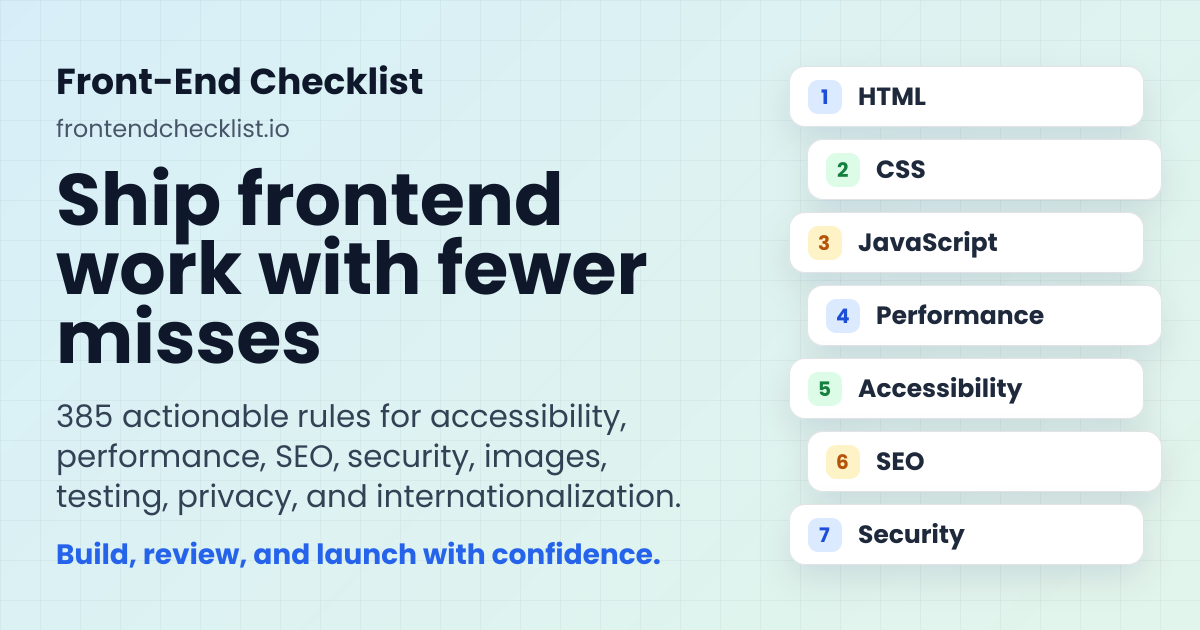
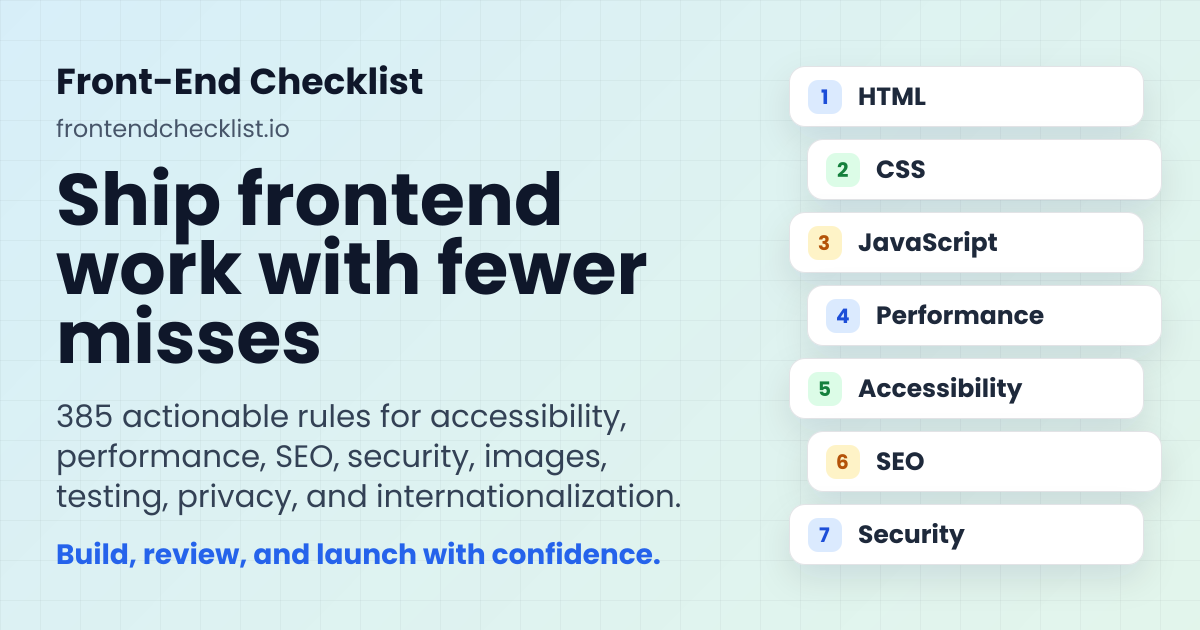
Front-End Checklist Full homepage screenshot
Editorial Review

Website Review

What is Front-End Checklist?

Front-End Checklist is a reference site that collects front-end quality rules and organizes them into checklists you can work through. Its own summary describes 350+ rules spread across 11 categories, with the same standards offered to both people and AI tools.

What it covers

The categories map closely to the work that tends to get skipped or half-finished before a release:

  • Accessibility — WCAG compliance and inclusive design
  • SEO — meta tags and search optimization
  • Performance — Core Web Vitals and rendering strategies
  • HTML, CSS, JavaScript — semantic markup, responsive styling, modern patterns
  • Security and Privacy — security practices, consent, tracking, user data rights
  • Images, I18n, Testing — responsive images, localization, QA

The largest sections are accessibility and SEO, which is a reasonable signal of where the maintainers see the most common gaps.

Two ways to use it

Approach Best for Trade-off
Curated checklists Guided, time-boxed passes Narrower scope than the full corpus
Browse all rules Reviewers who know the area they need No guidance on ordering or priority

The curated workflows are the more practical entry point. Examples from the page include a Launch Checklist (16 rules, roughly 45 minutes) aimed at pre-deployment checks, a SEO Audit (12 rules, about 30 minutes) for traffic and indexing concerns, and Performance Quick Wins (8 rules) for high-impact, low-effort gains. The site frames these for junior developers, senior reviewers, and launch teams.

The AI angle

Beyond the browser-based checklists, the site offers an MCP server so the same rule set can feed structured AI reviews. That matters if your team already uses AI assistants for code review: instead of each person inventing their own prompt, the review draws on a shared, versioned standard. It is not a substitute for human judgment on product-specific risks, but it reduces the "what should we even check?" problem.

A practical next step

If you are preparing a release, start with the Launch Checklist rather than the full corpus — it is scoped to finish in one sitting. Use the category browse afterward to target whichever area your launch pass flagged as weakest. For a broader industry-standard comparison point, web.dev covers Core Web Vitals guidance in more depth than a checklist format allows.

How do I use the Front-End Checklist for a pre-launch review?

Use the Front-End Checklist as a guided pre-launch pass: start with its curated Launch Checklist, work through the items in order, and use the full rule corpus to resolve anything that needs more depth.

A practical pre-launch sequence

  1. Run the Launch Checklist first. It is designed as a production-readiness workflow covering HTML, SEO, security and performance, so it gives you a fast baseline before you dig into individual categories.
  2. Then check the high-risk categories. For most sites, that means accessibility, performance, security and SEO. The site separates these into distinct categories with their own rule counts, so you can assign them to different reviewers.
  3. Use Performance Quick Wins when time is short. If you are close to launch and cannot do a full audit, this workflow targets improvements that are relatively easy to implement with high impact.
  4. Use the SEO Audit when discoverability matters. It fits sites where indexing, metadata quality or organic traffic are active concerns.
  5. Bring the same rules into an AI-assisted review. The site supports MCP, which lets you connect the checklist standards to AI tools for structured reviews rather than relying on ad-hoc prompts.

Who should do what

Role Useful starting point Why
Junior developer Launch Checklist Clear, ordered production checks
Senior reviewer SEO Audit or full category browse Deeper, category-specific verification
Launch team Launch Checklist plus Performance Quick Wins Balances completeness with time pressure
AI-assisted audit MCP-connected review Consistent, rule-based output

A concrete scenario

A small team is two days from a redesign launch. They run the Launch Checklist together, then split the remaining work: one person takes accessibility, another takes performance and images, and a third takes SEO and security. Any item that needs explanation is looked up in the full rule set under its category. If the schedule slips, they fall back to the Performance Quick Wins list and defer the rest to a post-launch pass.

Decision criterion

Choose the curated workflow when you need a guided path and a clear stopping point. Browse the full categories when you already know the weak area and want exhaustive coverage. The trade-off is time versus depth: curated checklists are faster and easier to coordinate, while the full corpus catches more but requires more reviewer judgment.

For a broader view of web quality standards alongside this, web.dev and MDN Web Docs are useful references when a checklist item needs technical detail.

What are the best practices for accessibility in the Front-End Checklist?

The Front-End Checklist treats accessibility as its largest single category, with 95 rules covering WCAG compliance and inclusive design. That weighting reflects a practical reality: accessibility touches markup, styling, interaction and content, so it rarely fits into one pass.

What the accessibility category covers

Because the rules sit alongside HTML, CSS, JavaScript, images and SEO categories, the checklist encourages you to fix issues at the layer where they originate rather than patching them at the end. A missing form label is an HTML problem; a focus outline removed for aesthetics is a CSS problem; a custom widget that traps keyboard focus is a JavaScript problem. Working through the accessibility list alongside those categories catches more than an accessibility-only sweep.

Curated checklists that include accessibility

The site's ready-made workflows are shorter and role-targeted:

Checklist Audience Focus
Launch Checklist Junior dev / launch teams Critical HTML, SEO, security and performance items before production
SEO Audit Senior reviewer Indexing, metadata, discoverability
Performance Quick Wins Junior dev High-impact, low-effort speed fixes

Accessibility rules surface inside these workflows rather than as a separate gate, so a launch review naturally pulls in the items most likely to block real users.

A concrete scenario

An e-commerce team prepares a redesign for release. Using the Launch Checklist, they hit the accessibility items early: alt text on product images, visible focus states on the add-to-cart button, contrast on sale badges, and correct heading order on category pages. Fixing these during design review costs hours; fixing them after launch costs a sprint and generates support tickets.

Practical criteria for prioritising

  • Start with keyboard and screen-reader paths. If a user cannot complete the primary task without a mouse, nothing else matters yet.
  • Contrast and text sizing are cheap to audit and affect the widest audience.
  • Forms and errors are where accessibility failures most often block conversions.
  • Semantics before ARIA. Correct HTML elements solve more problems than added attributes.

Bringing the rules into an AI workflow

The site supports an MCP server so the same standards can drive structured AI reviews. The value here is consistency: an agent checking against 350+ fixed rules produces more repeatable results than ad-hoc prompting. Treat its output as a first pass, not a substitute for testing with real assistive technology.

For a complementary, standards-focused reference, see W3C and its Web Accessibility Initiative guidance.

Next step: open the accessibility category, run the Launch Checklist against your current staging build, and log every keyboard trap or missing label as a release blocker rather than a backlog item.

How can I improve Core Web Vitals using the performance rules?

Start with the Performance category and its 44 rules, then apply the curated "Performance Quick Wins" checklist if you want the highest-impact fixes first. Front-End Checklist frames Core Web Vitals work as a prioritized pass rather than a full audit: the quick-wins path is described as the fastest route to meaningful gains, while the Launch Checklist folds performance into a broader pre-deployment review.

A practical order of attack

  1. Run the quick-wins checklist before deeper investigation. It is the shortest guided path and is aimed at developers who want improvement without a full performance project.
  2. Move to the full Performance category for anything the quick pass leaves unresolved — rendering strategy, asset delivery, and measurement details live there.
  3. Re-check the Launch Checklist before a redesign or high-risk release, since it bundles performance with HTML, SEO, and security items that can regress together.

Matching the tool to your situation

Situation Where to start Why
New site or redesign about to ship Launch Checklist Catches performance regressions alongside other launch risks
Existing site with slow pages, no clear cause Performance Quick Wins Cheapest path to visible improvement before a deep audit
Metrics already tracked, need systematic coverage Performance category (44 rules) Full rule set for rendering, assets, and measurement
Team wants rules inside an AI review MCP server Same standards applied through AI-assisted audits

What to watch for

Core Web Vitals combine loading, interactivity, and visual stability, so a checklist that only covers images or only covers JavaScript will leave gaps. Treat the categories as connected: Images (25 rules) and CSS (32 rules) both feed rendering performance, and JavaScript (26 rules) affects interactivity. The accessibility category is the largest at 95 rules, which is a reminder that performance work should not crowd out inclusive design — a fast page that fails WCAG is still a failed launch.

A useful next step: open the quick-wins checklist, complete it, measure your vitals again, and only then decide whether the full Performance category is worth the extra time. If your team already reviews code with AI assistance, connecting the same rule set through MCP keeps human and machine reviews aligned.

What security checks should I perform before deploying a website?

Start with the security subset of any pre-launch review, then treat the rest as launch hygiene. Front-End Checklist groups security into its own category and also folds critical security items into its Launch Checklist, so a practical approach is to work the security category in full and confirm the launch items that overlap with it.

Security checks worth completing before deploy

  • Transport and headers: enforce HTTPS, avoid mixed content, and set headers that restrict what the browser will load or execute, such as a Content Security Policy, HSTS, and sensible Referrer-Policy. The Security category covers security best practices across 22 rules.
  • Secrets and configuration: keep API keys, tokens, and credentials out of client-side bundles and version control. Verify environment variables are scoped to the right deployment target and that debug or staging flags are off.
  • Input and output handling: validate and sanitize anything user-supplied, and escape output so injected markup cannot run. This matters most on forms, search, comments, and URL parameters.
  • Dependencies: check for known-vulnerable packages, remove unused libraries, and confirm third-party scripts are loaded from trusted origins with integrity attributes where available.
  • Authentication and session behavior: confirm cookies are marked Secure and HttpOnly where appropriate, sessions expire, and protected routes cannot be reached by direct URL.
  • Data exposure: make sure error pages do not leak stack traces or internal paths, and that source maps and directory listings are not publicly served in production.
  • Privacy-adjacent items: consent banners, tracking scripts, and data collection are handled in the Privacy category (5 rules) rather than Security, but they belong in the same pre-launch pass.

A realistic sequence

Run the Launch Checklist first if you are days from release: it is framed as 16 rules and roughly 45 minutes, aimed at juniors and launch teams before a new site, major redesign, or high-risk release. Then work the Security category for depth. If performance or indexing is an active worry, the Performance Quick Wins checklist (8 rules) and SEO Audit checklist (12 rules, about 30 minutes) cover adjacent ground without turning the review into a full audit.

Deciding how deep to go

Situation Reasonable scope
Static marketing page, no user input Headers, HTTPS, dependency check, no exposed secrets
Site with forms, accounts, or payments All of the above plus input handling, session and cookie review, error handling
High-traffic or regulated site Full Security category, plus Privacy and SEO, with a second reviewer

The checklist is available as browsable rules and as curated workflows, with an MCP server for connecting the same standards to AI-assisted reviews. For a first pass, open the Security category, mark items you have genuinely verified rather than assumed, and record anything you deliberately deferred so it does not disappear after deploy.

How do I integrate the Front-End Checklist with AI tools like MCP?

The Front-End Checklist provides an MCP (Model Context Protocol) server so the same 350+ rule corpus it presents to human reviewers can be queried by AI agents. Instead of pasting checklist items into a chat prompt, you connect the MCP server to an AI client, and the agent can pull the relevant rules and structured review criteria directly during a code review or audit. The site frames this as connecting "the same standards to AI tools with MCP," alongside its browsable rules and curated checklists.

What the MCP integration is for

  • AI-assisted audits — the curated "AI-assisted audit" checklist is aimed at senior reviewers dealing with traffic, indexing, metadata quality, or editorial discoverability. An MCP-connected agent can fetch the matching rules rather than relying on a generic prompt.
  • Consistent standards between humans and agents — the same rules a developer checks manually become the rules an agent evaluates against, which reduces drift between a human review and an automated pass.
  • Category-scoped retrieval — with 11 categories (Accessibility, CSS, HTML, I18n, Images, JavaScript, Performance, Privacy, Security, SEO, Testing), an agent can be pointed at the area under review instead of the whole corpus.

A practical integration path

  1. Decide what the agent should do: a pre-launch gate, a performance pass, or a full accessibility/SEO review. The curated checklists map to these intents.
  2. Connect the MCP server to your AI client (the site lists an MCP Server entry alongside its GitHub presence). Exact client configuration depends on your tool.
  3. Give the agent the code or URL plus the target category or checklist, and ask it to report rule-by-rule findings.
  4. Treat the output as a first pass. An agent can flag missing alt text, absent meta tags, or unlabelled form controls quickly, but judgement calls — whether a contrast ratio is acceptable in context, whether a tracking script is proportionate — still need a person.

When this is worth it, and when it isn't

Situation MCP-assisted review Manual review
Large codebase, repeated PRs Good fit — rules retrieved per change Slow to repeat by hand
One-off small site Probably overkill Faster to just walk the checklist
Accessibility (95 rules) Useful for catching mechanical gaps Still needed for real assistive-tech testing
SEO (94 rules) Good for metadata and indexing checks Needed for content and editorial judgement

A concrete scenario: a two-person team shipping a marketing site runs the agent over each pull request against the Launch Checklist categories, fixes the flagged HTML, SEO and security items, then does a manual keyboard-and-screen-reader pass before release. The agent handles breadth; the humans handle anything requiring context.

For background on the protocol itself, see Model Context Protocol.

Related questions

More questions →
What Does Front-End Development Involve and How Do You Know It's Ready to Ship?

Front-end development is the work of turning a design into an interactive web interface: HTML for structure, CSS for presentation, and JavaScript for behavior. Knowing whether it's "ready to ship" is a separate skill — it means checking that work against defined quality dimensions (accessibility, performance, security, privacy, SEO, and more) rather than relying on a feeling that the page "looks done." A structured checklist is the practical way to do that check, because launch problems usually come from categories nobody remembered to review.

The core responsibilities

Front-end work splits into three layers, and each has its own quality concerns:

  • HTML — semantic markup and document structure. Bad structure hurts accessibility and SEO before any styling is applied.
  • CSS — styling, responsive design, and optimization. This is where layout breaks across viewports and where unused or duplicated rules accumulate.
  • JavaScript — modern patterns and code organization. This is where behavior, state, and third-party dependencies live.

Around those three layers sit supporting concerns that are still front-end work: image optimization and responsive images, internationalization (localization, language, and translation workflows), and testing strategy.

The quality dimensions that decide "ready to ship"

A page can look finished and still fail on any of these. The Front-End Checklist organizes its corpus into 11 categories with 350+ rules, and the distribution is a useful signal of where review effort actually goes:

Category What it covers Rules
Accessibility WCAG compliance and inclusive design 95
SEO Meta tags and search optimization 94
Performance Core Web Vitals and rendering strategies 44
CSS Styling, responsive design, optimization 32
JavaScript Modern patterns and code organization 26
HTML Semantic markup and document structure 25
Images Optimization and responsive images 25
Security Security best practices 22
Testing Testing strategies and QA 13
I18n Localization, language, and translation 5
Privacy Consent, tracking, and user data rights 5

Two things stand out. First, accessibility and SEO carry the largest rule counts — they're broad, easy to get partially right, and easy to skip entirely. Second, the small categories (I18n, Privacy) are small in rule count but high in consequence: missing consent handling or a broken translation workflow is a launch blocker, not a polish item.

Why "it looks done" fails as a readiness test

The common failure points are consistent across projects:

  • Accessibility treated as optional. Keyboard navigation, focus states, and contrast get deferred because they aren't visible in a screenshot.
  • No performance budget. Pages pass on a fast local machine and fail Core Web Vitals on real devices and networks.
  • Missing metadata. Title tags, descriptions, canonical URLs, and structured data are absent or inconsistent, so search visibility suffers silently.
  • No cross-category review before release. Each developer checks their own area; nobody runs a single pass across HTML, SEO, security, and performance together.

The fix is procedural: review by category, item by item, instead of by intuition.

Using curated checklists instead of the full corpus

350+ rules is too much to apply uniformly to every release. The site provides curated, guided workflows aimed at different roles and moments:

  • Launch Checklist — essential pre-deployment checks across HTML, SEO, security, and performance. 16 rules, roughly 45 minutes, marked for junior devs and launch workflows. Use it before a new site, a major redesign, or a high-risk release.
  • SEO Audit — a search-visibility pass, 12 rules, roughly 30 minutes, for senior reviewers and AI-assisted audits. Use it when traffic, indexing, metadata quality, or editorial discoverability are active concerns.
  • Performance Quick Wins — 8 high-impact optimizations that are relatively easy to implement. Use it when you want the biggest performance gains without a deep performance investigation.

The logic is to match the checklist to the situation: a routine deploy needs the launch set; a traffic drop needs the SEO audit; a slow site needs the performance set. Running all 350+ rules on every change is how checklists get abandoned.

Bringing the same standards into an AI workflow

The site exposes its rule corpus through an MCP server, so the same standards can be applied by AI tools rather than only by humans reading a list. If your team already uses AI-assisted code review, this lets the review reference the same structured rules instead of ad-hoc prompting. The practical benefit is consistency: the human checklist and the AI review draw on one corpus.

A workable readiness routine

  1. Pick the checklist that matches the release type (launch, SEO, performance).
  2. Work through it by category, not by file — finish accessibility before moving to performance.
  3. For each rule, record pass/fail rather than "looks fine." The site tracks progress per category (for example, 0 / 95 for accessibility), which makes gaps visible.
  4. Treat the small categories — Privacy and I18n — as blockers if your product collects user data or serves multiple locales.
  5. Re-run the relevant checklist after any significant change, not just at first launch.

If you want to go deeper on the individual technologies, the checklist's category pages break down each area; for the broader context of what web development covers end to end, that's a separate question from whether a specific front end is ready to ship.

What Is CSS and What Is It Used For?

CSS (Cascading Style Sheets) is the language that controls how a web page looks and how its content is laid out. HTML defines what the content is (headings, paragraphs, links, images), while CSS defines how that content appears — colors, fonts, spacing, sizing, and where each element sits on the screen. You use CSS any time you want a page to look intentional rather than like a plain document of stacked text.

The three roles: structure, presentation, behavior

A useful way to keep web technologies straight is to separate them by job:

Technology Role Example responsibility
HTML Structure / content "This is a heading, this is a paragraph, this is a link"
CSS Presentation / layout "Headings are dark blue, paragraphs have 16px spacing, the sidebar sits on the right"
JavaScript Behavior / interactivity "Clicking this button opens a menu, this form validates before submitting"

CSS is not a programming language in the sense of loops and logic — it is a declarative style language. You describe the result you want, and the browser figures out how to apply it.

How a CSS rule is written

A CSS rule has two parts: a selector that picks which elements to style, and a declaration block that lists the styles to apply.

/* selector: p  |  declarations inside { } */
p {
  color: #333333;
  font-size: 16px;
  line-height: 1.5;
  margin-bottom: 1em;
}
  • p is the selector — it targets every <p> element.
  • color, font-size, line-height, margin-bottom are properties.
  • #333333, 16px, 1.5, 1em are the values.
  • Each property–value pair ends with a semicolon; the whole block is wrapped in { }.

The word cascading in the name refers to how the browser resolves conflicts: when multiple rules target the same element, it follows priority rules (origin, specificity, and source order) to decide which one wins. That is why a later rule or a more specific selector can override an earlier one.

What CSS is commonly used for

  • Color and typography — text color, background color, font family, size, weight, and line spacing.
  • Spacing and sizing — margins, padding, width, height, and gaps between elements.
  • Layout — arranging elements in rows, columns, grids, or flexible containers (Flexbox and Grid are the modern layout systems).
  • Responsive design — changing the layout based on screen size using media queries, so a page works on both phones and desktops.
  • Visual states — hover, focus, and active styles for links and buttons.
  • Borders, shadows, and rounded corners — the decorative details that shape a page's look.

Three ways to attach CSS to HTML

  1. External stylesheet (most common) — a separate .css file linked from the HTML <head>:

    <link rel="stylesheet" href="styles.css">
    

    This is preferred because one file can style an entire site, and the browser can cache it.

  2. Internal stylesheet — a <style> block inside the HTML <head>. Useful for a single page or quick testing.

  3. Inline styles — a style attribute directly on an element, such as <p style="color: red;">. It applies to that one element only and is hard to maintain at scale, so it is generally reserved for one-off cases.

How CSS fits with the rest of a page

When a browser loads a page, it reads the HTML to build the document structure, then applies the CSS to compute how each element should be displayed, and finally paints the result. JavaScript can run alongside this to change styles dynamically — for example, adding a class that CSS has already defined. This separation is why the same HTML can be restyled completely by swapping stylesheets, and why CSS is one of the three core technologies of the web alongside HTML and JavaScript.

What Are Front-End Best Practices and How Do You Check Them Before Launch?

Front-end best practices are the specific, checkable quality rules a site should pass before it ships — not abstract principles. The Front-End Checklist organizes 350+ such rules into 11 categories (HTML, CSS, JavaScript, performance, accessibility, security, privacy, SEO, images, i18n, testing), so you can either follow a guided workflow or jump straight to the area you already know is weak. Use it when you want a repeatable pre-launch pass rather than a one-off review.

What the checklist actually covers

Each category maps to a concrete concern, and the rule count tells you how deep the coverage goes:

Category Focus Rules
Accessibility WCAG compliance and inclusive design 95
SEO Meta tags and search optimization 94
Performance Core Web Vitals and rendering strategies 44
CSS Styling, responsive design, optimization 32
JavaScript Modern patterns and code organization 26
HTML Semantic markup and document structure 25
Images Optimization and responsive images 25
Security Security best practices 22
Testing Testing strategies and QA 13
I18n Localization, language, translation 5
Privacy Consent, tracking, user data rights 5

The uneven counts are informative: accessibility and SEO carry the most rules because they have the most failure modes that are easy to miss by eye. If you only have time for one pass, those two plus performance cover the highest-risk ground.

Start from a curated workflow, not the full list

Browsing 350+ rules cold is a good way to stall. The site offers ready-made checklists scoped to a role and a moment:

  • Launch Checklist — 16 rules, ~45 minutes, rated Beginner. Essential checks before deploying to production, spanning HTML, SEO, security, and performance. Aimed at junior devs and launch teams; use it before a new site, a major redesign, or a high-risk release.
  • SEO Audit — 12 rules, ~30 minutes, Intermediate. For senior reviewers or AI-assisted audits when traffic, indexing, metadata quality, or editorial discoverability are active concerns.
  • Performance Quick Wins — 8 rules, rated for fast wins. For when you want the highest-impact performance improvements without a deep investigation.

Pick the workflow that matches your situation, then expand into the full category list only where the workflow flags a gap.

How to run a check and track progress

The mechanism is simple and worth stating plainly, because the value is in the tracking, not the reading:

  1. Choose a starting point — a curated checklist if you want a guided path, or a single category if you already know the problem area.
  2. Work rule by rule. Each rule is a specific condition your page either meets or doesn't. The category view shows progress as a fraction (for example, "0 / 95" for Accessibility), so you can see how much of an area is verified.
  3. Mark items complete as you confirm them. The running count is what prevents the classic failure of re-checking the same things and skipping the ones you keep forgetting.
  4. Re-run the relevant checklist after fixes. A rule marked done on a broken build is worse than an unchecked one.

The expected result is a page that has passed a defined set of conditions, with a visible record of what was verified — not a vague sense that "it looks fine."

Bring the same standards into AI-assisted review

The checklist exposes the same rule corpus to AI tools through an MCP server, so automated reviews and human reviews share one quality baseline. This matters because the usual failure with AI code review is that it invents its own criteria. Here the criteria are fixed: the agent checks against the same rules you would.

Practical use: run the AI pass first to catch mechanical issues (missing meta tags, unoptimized images, absent alt text), then spend human review time on judgment calls the rules can't settle. The site also references Vercel and Skills.sh integrations alongside the MCP server.

Choosing your entry point

  • Shipping a new site or redesign soon? Start with the Launch Checklist.
  • Traffic or indexing dropped? Start with the SEO Audit.
  • Site feels slow but you don't know why? Start with Performance Quick Wins.
  • Known weak area (e.g., accessibility debt)? Go straight to that category.
  • Want AI to help triage? Connect via MCP and let it run the mechanical rules first.

One caveat worth noting: the page shows a "Pro features for teams and power users" section but does not state pricing or what those features include, so treat team-level capabilities as unconfirmed until you check the site directly.

How Do Enterprise Teams Adopt Specialist AI Agents Without Disrupting Existing Workflows?

Enterprise teams can adopt specialist AI agents without disruption by starting with one narrow, high-volume workflow, running it as a bounded pilot with human review, measuring against a baseline, and only then expanding. The key is to treat agents as new team members with defined scopes rather than as a replacement for existing tools or a sweeping platform migration. This article explains what specialist agents are, where they fit across common team functions, and a phased approach you can follow.

What Makes an Agent "Specialist" Rather Than General-Purpose

A general-purpose assistant responds to open-ended prompts across many topics. A specialist agent is scoped to one job: it has a defined goal, a limited set of tools and data sources, and a clear definition of "done."

That scoping matters for enterprise teams for three practical reasons:

  • Predictability. A narrow agent produces more consistent outputs, which makes it easier to review and trust.
  • Permission control. You can grant access only to the systems that specific task needs, rather than broad data access.
  • Measurable value. When an agent owns one workflow, you can compare its output against a manual baseline.

A useful rule of thumb: if you cannot describe the agent's job in one sentence with a clear input and output, it is still too broad to deploy safely.

Mapping Team Functions to Agent Use Cases

Most enterprise teams have a handful of repetitive, rules-plus-judgment tasks that are good first candidates. The table below shows typical starting points.

Team Candidate agent task Why it fits
Sales Research and enrich inbound leads before handoff High volume, structured output, easy to verify
Customer success Draft responses to common account questions Repetitive, benefits from consistency
Marketing Repurpose long-form content into channel variants Clear brief, reviewable drafts
HR Screen and summarize applications against criteria High volume, needs audit trail
Operations Triage and route incoming requests Rule-based with clear routing logic

Notice that none of these replace a person's judgment. They compress the repetitive portion so the human spends time on exceptions and decisions.

A Phased Adoption Approach: Pilot, Measure, Expand

Phase 1: Pick one workflow and define success

Choose a task that is high-volume, low-risk, and currently a bottleneck. Write down:

  • The current process, step by step
  • The baseline metric (time per task, volume per week, error rate)
  • What "good output" looks like, with two or three examples
  • Who reviews the agent's work

Phase 2: Run a bounded pilot

Keep the agent inside the existing workflow rather than beside it. For example, the agent drafts; the human sends. Set a review gate so nothing leaves the team unreviewed. Run for a fixed period, such as four to six weeks, with a small group.

Phase 3: Measure against the baseline

Compare the same metrics you recorded in Phase 1. Look for time saved, consistency gained, and — importantly — where the agent failed. Failures tell you whether the scope was right.

Phase 4: Expand deliberately

Only widen scope after the pilot shows a clear, repeatable gain. Expand in one of two directions: more volume of the same task, or an adjacent task with the same data and review pattern. Avoid expanding into a new function and a new data source at the same time.

Handling Workflow Integration Concerns

Data access

Give each agent the minimum access its task requires. Prefer read access plus a single write action over broad permissions. Document which systems it touches so security and IT can review.

Handoffs

Define exactly where the agent stops and a human begins. A simple handoff rule works well: the agent completes the task and flags anything outside its defined scope for a person. Ambiguous handoffs are the most common source of friction.

Human oversight

Decide the review level up front:

  • Full review for anything customer-facing or high-stakes
  • Spot check for internal, low-risk outputs
  • Exception-only review once the agent has a track record

Start stricter than you think you need, then relax as evidence accumulates.

How Roles and Responsibilities Shift

Adopting agents rarely removes roles; it redistributes effort. Expect these shifts:

  • Reviewers become editors. People spend less time producing first drafts and more time improving and approving them.
  • Process owners become agent owners. Someone needs to maintain the agent's instructions, examples, and scope as the business changes.
  • New quality checks appear. Teams need a lightweight way to catch drift — for example, a weekly sample review.

Be explicit about who owns the agent after launch. An unowned agent degrades quietly.

Practical Criteria for Choosing Where to Start

Score candidate workflows against these questions:

  1. Volume: Does it happen often enough to matter?
  2. Risk: What is the cost of a wrong output, and can a human catch it?
  3. Structure: Is the input and output reasonably consistent?
  4. Baseline: Can you measure the current state today?
  5. Ownership: Is there a person who will own the agent after launch?

A workflow that scores well on all five is a strong first pilot. A high-volume task with no clear owner is a poor start, no matter how repetitive it is.

A Simple Pilot Template

You can copy this structure to scope your first agent:

  • Task: [one sentence]
  • Current baseline: [time/volume/error rate]
  • Agent scope: [what it does, what it does not do]
  • Data access: [systems, read/write]
  • Handoff rule: [when it escalates to a human]
  • Review level: [full / spot / exception]
  • Owner: [name]
  • Pilot length: [weeks]
  • Success metric: [target]

Bottom Line

Disruption comes from adopting too much at once, not from agents themselves. Start with one scoped task, keep humans in the loop, measure against a real baseline, and expand only when the evidence supports it. Platforms built around specialist agents — such as Relevance AI, which offers agents for sales, customer success, marketing, and HR — are designed for exactly this kind of task-by-task rollout, so you can add capability without rebuilding your team's existing processes.

What Is a Front-End Checklist and What Should It Cover Before Launch?

A front-end checklist is a structured set of quality rules you run through before shipping a website, covering markup, styling, performance, accessibility, SEO, security, and more. Use one when you're about to deploy a new site, push a major redesign, or cut a high-risk release — it turns "I think it's ready" into a repeatable pass with a defined scope. The Front-End Checklist (frontendchecklist.io) organizes this as 350+ rules across 11 categories, plus curated workflows for common situations.

What a front-end checklist actually is

It's not a single document but a corpus of rules grouped by concern. Each rule is a discrete check you either pass or don't, which is what makes the format useful: you can track progress (the site shows counts like "0 / 95" per category), hand it to a reviewer, or run it as a pre-launch gate.

The scope is deliberately broad because front-end quality is broad. A site can have clean HTML and still fail on Core Web Vitals, or pass performance and fail WCAG.

The 11 categories and what each covers

Category Rules What it checks
Accessibility 95 WCAG compliance and inclusive design
SEO 94 Meta tags and search optimization
Performance 44 Core Web Vitals and rendering strategies
CSS 32 Styling, responsive design, optimization
JavaScript 26 Modern patterns and code organization
HTML 25 Semantic markup and document structure
Images 25 Optimization and responsive images
Security 22 Security best practices
Testing 13 Testing strategies and QA
I18n 5 Localization, language, translation workflows
Privacy 5 Consent, tracking, user data rights

Two things stand out from the counts. First, accessibility and SEO together account for over half the rules — they're where most real-world defects hide. Second, the small categories (I18n, Privacy) aren't less important; they're narrower in scope, which is why they have fewer discrete checks.

Curated workflows vs. browsing all rules

You have two entry points, and the right one depends on whether you know what you're looking for.

Browse by category when you already know the area that needs work — say, you're auditing images or tightening security. You go straight to those rules.

Start a curated checklist when you want a guided path. Three examples from the site:

  • Launch Checklist — essential checks before deploying to production, spanning HTML, SEO, security, and performance. 16 rules, ~45 minutes, rated beginner. Intended for a new site, major redesign, or high-risk release.
  • SEO Audit — comprehensive search optimization pass. 12 rules, ~30 minutes, intermediate. Use when traffic, indexing, metadata quality, or editorial discoverability are active concerns.
  • Performance Quick Wins — high-impact optimizations that are relatively easy to implement. 8 rules. Use when you want the biggest gains without a deep performance investigation.

The time and skill ratings matter for planning: a 45-minute beginner pass and a 30-minute intermediate pass are different commitments, and you can assign them to different people.

How to run a checklist as a review pass

  1. Pick the workflow that matches your situation. Pre-launch → Launch Checklist. Traffic or indexing problems → SEO Audit. Slow site, limited time → Performance Quick Wins.
  2. Work through the rules and mark pass/fail. The site tracks progress per category, so you can see what's outstanding rather than relying on memory.
  3. Treat failures as a fix list, not a verdict. A failed rule is a specific, actionable item — that's the point of the format.
  4. Re-run after fixes. Because rules are discrete, you can verify only what changed.

The common failure mode is treating the checklist as a one-time read rather than a pass you actually execute. Reading 95 accessibility rules teaches you something; running them against your site finds the defects.

Humans and AI agents, same standards

The site positions the same rule corpus for both human reviewers and AI-assisted audits, with an MCP server to connect the standards to AI tools. Practically, this means a junior developer, a senior reviewer, and an AI-assisted audit can work from identical criteria — useful when you want consistency across a team or a second pass that doesn't depend on reviewer memory.

If your goal is simply to know whether a site is ready to ship, start with the Launch Checklist and expand into category-level rules only where it flags problems.

Website Overview

An established domain and managed infrastructure suggest continuity of operations and may support dependable delivery, although neither guarantees service quality.

Domain and Registration

Registered in 2017, this domain has about 8 years of history. That suggests continuity, although ownership and purpose may have changed. Transfer-protection status is present, helping reduce the risk of unauthorized domain transfers. The registrar is NameCheap, Inc., a widely used domain service provider. The domain uses the common .io extension, which is not an independent safety signal.

DNS and Email

Nameservers are provided by Namecheap, indicating managed DNS hosting. No CNAME was found; the observed records resolve directly to addresses. No MX record was found. A conventional explicit inbound-mail route is not configured. TXT records include verification markers for Google. Such markers may also remain after a service stops being used. DNSSEC signatures were not detected, so this additional DNS authenticity protection is not confirmed.

TLS and Certificates

The certificate uses an RSA 2048-bit public key, offering broad client compatibility. The server supplied a complete certificate chain. No organization name is present in the certificate; the available fields are consistent with domain validation. The certificate was issued by Let's Encrypt, commonly associated with automated certificate services. The certificate's total validity is about 89 days, consistent with a short renewal cycle.

HTTP and Browser Security

CORS permits any origin to read this response. This is common for public resources; sensitive responses need narrower handling. No X-Powered-By header was found, reducing one common source of backend fingerprinting information. All six checked browser-security headers are present. Their effectiveness still depends on the policy values and application behavior. No obvious internal addresses or debug information were found in the headers. The Server header contains the custom value Vercel.

Technology Stack Analysis

The public page identifies WordPress, Next.js, Vercel without precise versions, leaving fewer clues for version-specific scanning.

Search and Social Sharing

The title has 74 characters and may be truncated in search results. Twitter Card metadata is configured. JSON-LD includes Organization data, helping describe the organization as an entity. The page declares 1 language or regional alternatives using hreflang. A meta description is present, with 145 characters.

Hosting and Email

DNSNamecheap
HostingVercel
EmailUnknown
Location United States flagUnited States 216.150.1.1

User reviews (0)

  • No reviews yet.

Pages, Search and Sharing

Meta descriptionTrusted front-end quality rules for humans and AI agents. Browse hundreds of rules, run curated workflows, and use MCP for structured AI reviews.
Canonical URLhttps://frontendchecklist.io
LanguageEnglish (default)
Twitter Cardsummary_large_image
All bots 1 allowed · 3 disallowed
  • Allow/
  • Disallow/api/
  • Disallow/_next/
  • Disallow/static/

Registration details RDAP / WHOIS

RegistrarNameCheap, Inc.
Registered2017-11-20
Expires2026-11-20
Domain statusclientTransferProhibited https://icann.org/epp#clientTransferProhibited
Nameserversdns1.registrar-servers.com、dns2.registrar-servers.com
DNSSECunsigned

DNS records

TypeNameValueTTLPriority
Afrontendchecklist.io216.150.1.1300—
NSfrontendchecklist.iodns1.registrar-servers.com1800—
NSfrontendchecklist.iodns2.registrar-servers.com1800—
TXTfrontendchecklist.iogoogle-site-verification=rf354Ai6Gq3Kdx2aXch7axtSQWUUEV5vU7V9ZDr4qU41799—
DMARC_dmarc.frontendchecklist.iov=DMARC1; p=none;1799—

TLS and certificates

AssessmentNormal configuration
Supported protocolsTLSv1.2、TLSv1.3
Negotiated protocolTLSv1.3
Certificate subjectfrontendchecklist.io
IssuerLet's Encrypt
Valid until2026-12-28T08:48 · Remaining when checked: 80 days
Verification detailsCertificate trust: Passed · Hostname match: Passed

HTTP response headers

HeaderValue
content-typetext/html; charset=utf-8
cache-controlpublic, max-age=0, must-revalidate
serverVercel
strict-transport-securitymax-age=63072000
content-security-policydefault-src 'self'; base-uri 'self'; form-action 'self'; frame-ancestors 'none'; object-src 'none'; img-src 'self' data: blob: https:; font-src 'self' data:; style-src 'self' 'unsafe-inline'; script-src 'self' 'unsafe-inline'; connect-src 'self'; frame-src 'self'; upgrade-insecure-requests
x-frame-optionsDENY
x-content-type-optionsnosniff
referrer-policystrict-origin-when-cross-origin
permissions-policycamera=(), microphone=(), geolocation=(), payment=(), usb=(), interest-cohort=(), browsing-topics=()
access-control-allow-origin*

Identified technologies

WordPressNext.jsVercel

Recent Updates

  • Website images
  • Screenshots