Website profiles · Technology insights · Alternatives

getlago.com

Open-source billing for usage, subscriptions and hybrid pricing. Lago customers include CoreWeave, Mistral AI and PayPal.

Paid content
Visit website
Profile views 10 Outbound visits 12 Normal
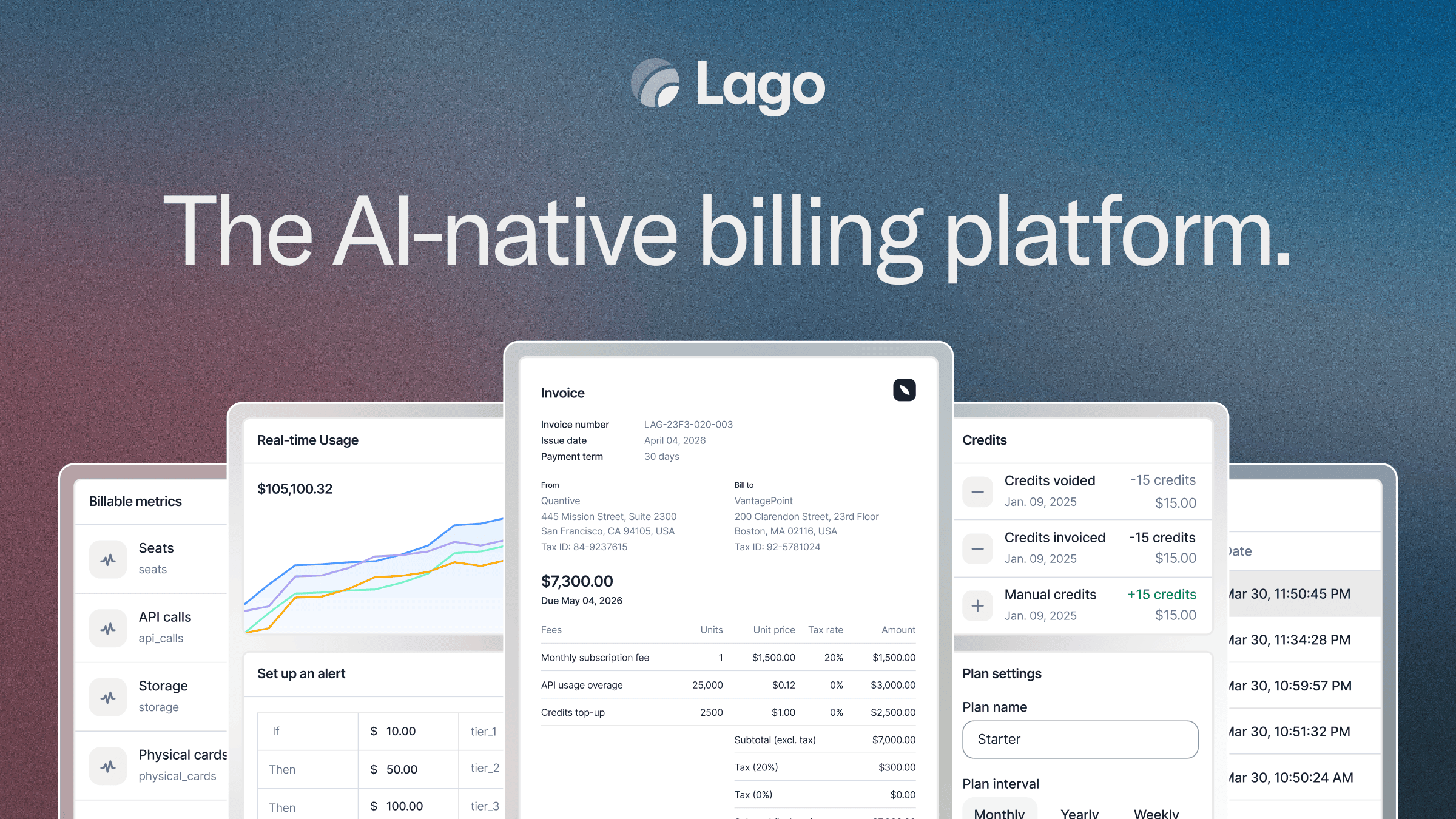
Lago | Open-Source Billing Infrastructure Full homepage screenshot

At a glance

Category
Artificial Intelligence
Language
English
Paid-content signal
Paid contentObserved
Registered
2020
Hosting
Amazon CloudFrontInferred
HTTPS certificate trusted
PassedObserved
Last updated

Website review

This review may include AI-generated content and is not individually verified. Domain, certificate and other facts come from the observed data on this page.

What is Lago used for?

Lago is used to run billing and revenue operations for software and AI companies. It handles usage-based, subscription and hybrid pricing — metering what customers consume, turning that usage into invoices, and managing credits, coupons and revenue reporting in one place.

Main jobs it covers

  • Usage metering: Tracks billable events such as AI input, output and cached tokens, then aggregates them into charges. The page shows a token-metering example with separate rates per token type.
  • Invoicing: Produces invoices from metered usage and subscription fees, applies credits, and shows the remaining balance due.
  • Subscriptions and hybrid plans: Combines recurring fees with consumption charges, so a plan can have a flat base plus overage or per-unit pricing.
  • Prepaid credits and spend alerts: Tracks credit balances and triggers alerts when usage crosses a threshold.
  • Revenue reporting: Builds reports such as MRR, with new, expansion and lost MRR broken out, and can answer ad-hoc questions like quarterly MRR by customer.

Who it is for

Engineering teams get granular usage data and an API-driven billing model; finance teams get a clear path from consumption to recognized revenue. It suits AI scaleups and larger enterprises that change pricing often or bill on tokens, seats, API calls or storage. The page names CoreWeave, Mistral AI and PayPal as customers.

Why teams pick it

The trade-off is control versus convenience. Lago is open source, so you can self-host and inspect how billing logic works — useful when pricing is unusual or data residency matters. A hosted option reduces operational work. Either way, you take on more configuration than a simple flat-rate tool, which only pays off if your pricing is genuinely usage-driven or changes frequently.

Next step: List your current price components — recurring fees, metered units, credits and discounts — and check each one against Lago's billing and invoicing capabilities at Lago. If most of your revenue is a single flat subscription, a simpler tool may be enough.

How does Lago meter and bill AI token usage across input, output, and cached tokens?

Lago meters AI token usage by token type, then applies your pricing rules to turn that consumption into invoice lines. Its page shows input, output, and cached tokens tracked separately, each with its own quantity and amount, so a single billing period can reflect different rates or models per token category. The same page also shows prepaid credits applied against the invoice total, with a remaining balance due.

Lago

What the page demonstrates

  • Token types are metered independently: input, output, and cached counts appear as separate line items rather than one blended number.
  • Each token type can carry its own pricing. In the example, output tokens are billed at a higher effective rate than input or cached tokens.
  • Usage can be attributed across multiple models (for example, different model shares within one token category), which supports per-model pricing.
  • Invoicing follows metering: metered usage becomes invoice lines, subtotals are calculated, credits are deducted, and a total due remains.
  • Spend alerts and prepaid credit balances sit alongside usage, so finance can see consumption and remaining credit in one view.

How the flow fits together

  1. Usage is captured and split by token category (input, output, cached).
  2. Your pricing rules assign a rate to each category, and optionally to each model within it.
  3. Metered quantities convert into invoice line amounts.
  4. Credits, adjustments, or promotions are applied to reach the amount due.
  5. Reporting layers (such as MRR views or custom reports) sit on top of the same data.

Practical scenario

A team selling an AI feature might charge one rate for input tokens, a higher rate for output tokens, and a discounted rate for cached tokens, with different model weights inside each. At month end, Lago produces an invoice showing each category's quantity and amount, applies any prepaid credits the customer bought, and leaves a balance due. A finance lead can then pull a revenue report from the same metering data instead of reconciling a separate spreadsheet.

Decision criteria

  • If your pricing varies by token type or model, separate metering matters more than a single usage counter.
  • If customers prepay, confirm how credits are applied and displayed against invoices.
  • If finance needs recurring revenue reporting, check whether reporting draws on the same metered data or requires export.

Next step: list your token categories and the rate for each, then map them to invoice line items before configuring anything.

What pricing models does Lago support for subscriptions, usage-based, and hybrid billing?

Lago supports subscription, usage-based and hybrid pricing models on one billing platform, so you can mix a recurring fee with metered consumption on the same customer account. The page's own examples show how that plays out: a recurring plan alongside metered AI token usage, and prepaid credits applied against an invoice total.

What each model looks like in practice

  • Subscription billing: Recurring charges on a fixed cycle, with invoices generated automatically. This is the baseline for SaaS-style plans and seats.
  • Usage-based billing: Charges derived from metered events rather than a flat rate. Lago's page highlights metering of input, output and cached AI tokens, tracked separately and priced per unit, so each token type can carry its own rate.
  • Hybrid billing: A subscription component plus usage overage or consumption charges. The page's invoice example combines metered token charges with credits and a spend alert, which is the typical shape of a hybrid arrangement.
  • Prepaid credits and spend alerts: Credits are drawn down against usage, and alerts fire when a usage threshold is crossed. Useful when you want customers to fund usage upfront or cap exposure.

Where the models diverge

Model Billing trigger Best suited to Main trade-off
Subscription Calendar or contract cycle Predictable per-seat or per-plan revenue Revenue does not track actual consumption
Usage-based Metered events AI, API, infrastructure and other consumption products Revenue varies; needs reliable metering and clear customer visibility
Hybrid Both Products with a platform fee plus variable consumption More complex invoicing, but closer alignment between cost and price

Choosing between them

Start from how your costs behave, not from what competitors charge. If your cost per customer is roughly flat, a subscription keeps invoicing simple. If cost scales with consumption, usage-based pricing protects margin but requires trustworthy metering and a customer-facing usage view. If both are true — a platform fee plus variable consumption — hybrid is the honest answer, at the price of a more involved billing setup.

A practical next step is to sketch one real customer's month: what they pay as a base, what they consume, and what credits or discounts apply. If that sketch needs more than one line item type, hybrid is likely your model. Lago's billing and invoicing page walks through the invoice side of that flow: Lago Billing & Invoicing.

For teams weighing build versus buy, the open-source option matters: it lets engineering self-host and inspect the metering and invoicing logic, while a hosted plan removes operational work. Compare that against dedicated alternatives such as Stripe Billing or Chargebee if you want a broader payments ecosystem, and against Metronome if usage metering is the dominant requirement.

How does Lago compare to other billing platforms like Stripe Billing or Chargebee?

Lago is an open-source, usage-based billing platform, so its main difference from Stripe Billing and Chargebee is not just features but who owns the billing logic and where it runs. Lago is built around metering events (including AI tokens, API calls, storage, seats) and turning them into invoices, credits, and revenue reports. Stripe Billing and Chargebee are mature, hosted subscription-billing systems; Stripe is strongest when payments and billing live together, and Chargebee is strongest as a dedicated subscription-management layer across many payment gateways.

Where the differences show up

Dimension Lago Stripe Billing Chargebee
Model Open-source, self-hostable or cloud Proprietary, hosted by Stripe Proprietary, hosted SaaS
Pricing focus Usage, subscriptions, hybrid; AI token metering Subscriptions with usage components Subscriptions, usage, quotes, revenue ops
Payments Billing layer; payment platforms vary Native Stripe payments Multi-gateway support
Data control You can run and inspect the billing stack Data inside Stripe Data inside Chargebee
Best fit Engineering-led teams with complex metering Teams already on Stripe payments Teams needing subscription ops at scale

The page evidence shows Lago metering input, output, and cached tokens separately, applying prepaid credits, issuing invoices, and generating MRR reports. That is the concrete scenario where Lago differentiates: an AI company that bills per token or per model, with credits and spend alerts, rather than a flat monthly plan.

A practical decision path

  1. If your revenue is mostly flat subscriptions and you already use Stripe, Stripe Billing keeps payments, invoices, and dunning in one place. Adding Lago would mean running a separate billing layer.
  2. If you sell across multiple payment gateways and need quotes, entitlements, and revenue recognition, Chargebee is the more established subscription-operations choice.
  3. If your pricing depends on high-volume, custom meters — tokens, compute, API calls — and you want to self-host or audit the billing logic, Lago is the natural comparison. Its open-source nature matters most when data residency, customization, or avoiding vendor lock-in are real constraints.

The trade-off is operational: hosted platforms reduce maintenance but constrain customization; open-source gives control but puts deployment, upgrades, and metering reliability on your team. Lago's page names CoreWeave, Mistral AI, and PayPal as customers, which suggests it is used in AI and large-scale contexts, though you should validate fit against your own volume and finance workflows.

As a next step, list your three hardest billing cases — for example, proration on plan changes, credit expiry, or per-model token rates — then test each platform against them. You can review Lago's billing and invoicing details at Lago, compare Stripe's subscription billing at Stripe Billing, and check Chargebee's subscription management at Chargebee.

Can Lago handle prepaid credits, spend alerts, and custom revenue reports for finance teams?

Yes. Lago is built around exactly these three workflows, and they are shown working together on the product page: usage is metered by token type, a spend alert fires at a threshold, prepaid credits are applied to the invoice, and a finance-oriented assistant turns a plain-language request into an MRR report.

How the three capabilities fit together

  • Prepaid credits: The page shows a customer balance with a prepaid credit amount and an expiration field (shown as "no expiration date" in the example). Credits are applied as a line item on the invoice, reducing the total due.
  • Spend alerts: A usage threshold triggers a notification — the example uses a $1,500 alert on metered consumption.
  • Custom revenue reports: A "Finance Assistant" converts a request like "get the MRR for the past quarter, segmented per customer" into a revenue chart and report. The page also shows an MRR breakout by new, expansion, and lost MRR.

The concrete example on the page

Step What happens
Usage metered 1.2M tokens split across input, output, and cached
Alert Spend alert at $1,500
Credits $500 in prepaid credits applied
Invoice $1,560 total, $1,060 due after credits
Reporting Quarterly MRR chart, segmented by customer

Who this suits

Finance and billing operations teams at usage-based or hybrid-pricing companies — particularly AI businesses metering tokens across multiple models, where input, output, and cached usage carry different rates. Engineering gets granular consumption data; finance gets a path from usage to revenue without rebuilding spreadsheets each month.

Trade-offs to weigh

  • Prepaid credits and alerts are only as clean as your metering setup. If your pricing has unusual rules, expect configuration work up front.
  • The reporting assistant is useful for standard revenue questions; teams with highly bespoke board reporting may still export to a BI tool.
  • As an open-source product, you can self-host, but that shifts operational responsibility to your team.

Next step: Bring one real invoice — ideally a month with credits applied and a mid-cycle alert — and trace it through a demo. Ask specifically how credit expiration and partial credit consumption appear on the customer-facing invoice, since that is where finance teams most often get surprised.

For comparison, check how Stripe handles prepaid credit balances and Chargebee handles revenue reporting if you are evaluating alternatives.

What security and compliance measures does Lago offer for enterprise billing?

Lago's own page highlights "Enterprise-grade security and privacy" as a core pillar, but it does not spell out specific certifications, audit reports or data-residency options in the material provided. What it does show is the operational side of trust for enterprise billing: every token type (input, output, cached) is metered separately, spend alerts fire at defined thresholds, prepaid credits are tracked with balances and expiry dates, and invoices reconcile metered usage against credits applied. For a finance or platform team, that auditability is often as important as a certificate, because it is what lets you defend a bill to a customer.

What to verify before committing

Because security and compliance claims are procurement-critical, treat the page's framing as a starting point and confirm the specifics directly:

  • Certifications and reports — ask for current SOC 2 Type II, ISO 27001 or equivalent documentation, and whether penetration test summaries are shareable under NDA.
  • Data handling — where metering and invoice data is stored, whether regional residency is available, and how long usage events are retained.
  • Access control — SSO/SAML, role-based permissions for finance versus engineering users, and audit logs of who changed a pricing plan or issued a credit.
  • Self-hosted option — Lago is open source, so you can evaluate deploying it inside your own infrastructure, which shifts the compliance burden to your existing controls. That trade-off is real: you gain control over data location, but you take on upgrades, scaling and patching.

A practical next step

If you are evaluating this for an AI product with usage-based pricing, run a short proof of concept: meter a sample of real token traffic, generate an invoice, and have your security team review the data flow at the same time. That single exercise surfaces both the billing accuracy questions and the compliance questions in one pass. For broader context on how vendors in this space document their controls, you can compare against Stripe and Metronome, which publish their own compliance and security pages.

Related questions

More questions →
What Are Open-Source UI Element Libraries and How Do They Differ From UI Frameworks?

An open-source UI element library is a collection of individual, ready-made interface pieces—buttons, cards, inputs, toggles, loaders—that you copy into your own project and adapt. A UI framework, by contrast, is a structured system of components, conventions, and often a theming layer that governs how your whole interface is built. The practical difference: an element library gives you a snippet; a framework gives you a way of working. If you need a polished button in ten minutes, reach for the element library. If you're building a 40-screen product with a team, you probably want the framework.

What "open-source UI element library" actually means

The term gets used loosely, so it helps to separate the parts:

  • Open-source: the code is publicly available, and the license tells you what you may do with it—copy, modify, redistribute, or use commercially.
  • UI element: a single, self-contained piece of interface, usually small enough to read in one sitting. A button with hover states, a pricing card, a search field.
  • Library: a browsable, searchable collection of those elements, typically contributed by many different people.

On a site like Uiverse, elements are shared by a community and written in plain CSS or Tailwind. You find one you like, copy the markup and styles, paste them into your project, and adjust colors, spacing, and text to fit. There's no package to install and no build step required—which is exactly the appeal, and also the source of most of the confusion.

Element library vs. UI framework: the core differences

Dimension Open-source UI element library UI framework / design system
Unit of reuse A single snippet you copy A component you import or call
Installation None; paste into your code Package install, config, sometimes a provider
Consistency Depends on you; each element may look different Enforced by shared tokens and APIs
Theming Manual edits per element Central theme/config file
Updates You own the copy; no upstream updates Version bumps bring fixes and changes
Accessibility Varies per contributor; must be checked Usually tested and documented
Best for Prototypes, landing pages, small sites, one-off needs Multi-page apps, teams, long-lived products
Learning curve Low—read the CSS Higher—learn the API and conventions

The table isn't a verdict. It's a map of trade-offs. Element libraries win on speed and freedom; frameworks win on consistency and maintenance.

Licensing and attribution: what to check before you paste

This is where people get into trouble, and it's worth slowing down for.

  1. Find the license. Every element or collection should state one. Common open-source licenses include MIT, Apache-2.0, and BSD. Some projects use copyleft licenses like GPL, which can impose obligations if you redistribute your code.
  2. Understand what the license permits. MIT and Apache-2.0 are permissive: you can typically use the code in commercial and closed-source projects. Copyleft licenses may require you to release derivative source under the same terms.
  3. Check attribution requirements. Permissive licenses usually require you to keep the copyright notice and license text somewhere in your project. That's a real obligation, not a formality.
  4. Look for per-element terms. On community sites, the site's overall terms and the individual contributor's stated wishes may differ. If a contributor asks for credit, honor it.
  5. When in doubt, ask or avoid. If a snippet has no license at all, you don't have clear permission to reuse it. Treat "no license" as "not open source," even if the code is publicly visible.

This article is general information, not legal advice. For commercial products with real exposure, have someone qualified review the licenses you're relying on.

How to use a community element in your project: a practical workflow

Here's a repeatable process that avoids most of the usual mess.

1. Start from a real need, not a browsing session

Decide what you need first—"a compact primary button with a loading state"—then search. Browsing aimlessly produces a pile of pretty snippets that don't fit together.

2. Copy the smallest version that works

Take the markup and the styles. Strip anything you don't need: demo wrappers, extra animations, decorative layers. Less code means fewer surprises.

3. Convert it to your conventions

If your project uses design tokens or CSS variables, replace hard-coded values:

/* Before: hard-coded */
.button { background: #4f46e5; border-radius: 8px; }

/* After: token-based */
.button { background: var(--color-primary); border-radius: var(--radius-md); }

This one step is what keeps a copied element from looking like a foreign object in your UI.

4. Check accessibility before you ship

Community elements vary widely here. Verify at minimum:

  • Keyboard focus is visible and the element is reachable by Tab.
  • Color contrast meets WCAG AA (4.5:1 for normal text).
  • Interactive elements use semantic HTML (<button>, not a clickable <div>).
  • Form inputs have associated labels.
  • Motion respects prefers-reduced-motion.

5. Test in context

Paste it into a real page with real content. Long labels, small screens, and dark mode break more copied elements than anything else.

6. Note where it came from

Keep a short comment or an internal credits file: source, license, date. Future you—and your legal reviewer—will be grateful.

Where element libraries genuinely shine

  • Prototypes and demos: you need something clickable today, not a design system.
  • Landing pages and marketing sites: a handful of distinctive elements, each custom.
  • Filling gaps: your framework lacks one specific component, and you don't want to build it from scratch.
  • Learning: reading well-made CSS is one of the fastest ways to improve.
  • Small projects: a personal site doesn't need a theming architecture.

Where they fall short

  • Consistency at scale: ten elements from ten contributors rarely look like one product.
  • Maintenance: you own every copy. When your design changes, you edit each one.
  • Accessibility debt: you inherit whatever the contributor did or didn't do.
  • No upstream fixes: a bug fixed in the original won't reach your copy.
  • Integration friction: different naming conventions, different units, different assumptions about resets.

When to choose which

Choose an element library when the scope is small, the timeline is short, or you need a few distinctive pieces rather than a whole system.

Choose a framework or design system when multiple people build multiple screens over months, when consistency is a product requirement, or when accessibility and theming need to be guaranteed rather than checked.

A hybrid works well for many teams: adopt a framework for the structural components—forms, navigation, layout—and borrow individual elements for the places where you want personality. Just route every borrowed element through the same token and accessibility checks, so it lands as part of your system rather than beside it.

The short version: open-source UI element libraries are a fast, flexible way to get good-looking interface pieces into a project. They are not a substitute for a design system, and the license and accessibility details are the part worth reading carefully.

Open-Source vs. Closed-Source Billing: What Lago Changes

Lago is an open-source billing platform for usage-based, subscription, and hybrid pricing, and it is the stronger choice when you need to audit how every invoice line is calculated, keep billing data inside your own infrastructure, or avoid a pricing model that a closed SaaS tool refuses to support. It is the weaker choice if you have no engineering capacity to run or integrate a billing system and just want a vendor to own the whole pipeline. The rest of this page covers where that trade-off actually bites.

What Lago is

Lago describes itself as "the AI-native billing platform" and "open-source billing for usage, subscriptions and hybrid pricing." Its customers listed on the site include CoreWeave, Mistral AI, and PayPal.

The product covers the full revenue path the site summarizes as "From the first quote to the final invoice," with named surfaces including:

  • Billing & Invoicing
  • Usage metering
  • Customer management
  • Pricing & packages
  • Promotions & adjustments
  • Revenue & insights (reporting, including a Finance Assistant that builds reports such as quarterly MRR)

Because the source is open, the calculation logic behind a metered line item is something your team can read and verify rather than treat as a vendor black box.

How Lago handles usage, subscriptions, and hybrid pricing

The site's central claim is that Lago lets you "manage and scale any pricing model." The concrete example it gives is AI token metering, which is a useful stress test because it mixes three unit types in one bill.

In the illustrated example, Lago meters input, output, and cached tokens separately:

Token type Units metered Amount
Input tokens 654.00K $654.00
Output tokens 236.00K $708.00
Cached tokens 295.00K $73.75
Invoice total 1.19M tokens $935.75

A second example shows the same mechanics with credits and alerts applied: 1.2M tokens metered, a spend alert triggered at $1,500, and $500 in prepaid credits applied against a $1,560 invoice, leaving $1,060 due.

Two things are worth noting for anyone comparing this to a closed-source tool:

  1. Per-model attribution is part of the meter. The example breaks each token type across GPT-4.1, Sonnet 4, and Gemini Flash by percentage, so a single invoice can reflect different rates for different models.
  2. Credits and spend alerts sit in the same flow. Prepaid credit balances and usage thresholds are applied before the final amount due, rather than being bolted on in a separate system.

If your pricing is "subscription base fee plus metered overage plus prepaid credits," that is the hybrid case Lago is built around. A closed-source tool may support it, but you generally cannot inspect or modify how the metering and proration rules are implemented.

Where open source changes the decision

Transparency and auditability

With a closed-source billing tool, when a customer disputes a line item, you ask the vendor to explain it. With Lago, the metering and aggregation logic is code your team can read. For finance teams that need to reconcile consumption to revenue, and for engineering teams that need to confirm a token was counted once and at the right rate, this is the main structural difference.

Vendor lock-in and pricing-model flexibility

Closed-source billing tools tend to support the pricing models their roadmap prioritizes. If you launch a new unit (a new model, a new dimension of usage) and the vendor does not support it, you wait. With an open-source platform, the ceiling on supported models is your own engineering capacity, not a vendor's backlog.

Data control and deployment

Self-hosting keeps billing data — customer records, usage events, invoices — inside infrastructure you control, which matters if you have data residency or compliance constraints that a third-party SaaS cannot satisfy. The trade-off is that you also own the availability, backups, and upgrades of that system.

Operational responsibility

This is the cost side of the ledger, and it is real:

  • You run it. Self-hosting means deployment, monitoring, scaling, and upgrade work.
  • You integrate it. Metering requires getting usage events from your application into the billing system reliably; that pipeline is yours to build and maintain.
  • You own correctness. Open code is auditable, but auditing is work you have to actually do.

A closed-source tool absorbs all of this in exchange for less control and less visibility.

Choosing between them

Dimension Lago (open source) Closed-source billing SaaS
Calculation logic Readable and auditable Vendor-controlled
Pricing model ceiling Your engineering capacity Vendor roadmap
Data location Your infrastructure (self-hosted) Vendor infrastructure
Ops burden Yours Vendor's
Time to first invoice Depends on your integration work Typically faster
Best fit Teams with engineering capacity and non-standard or fast-changing pricing Teams that want the pipeline owned end to end

Choose Lago if at least one of these is true: your pricing model is unusual or changes often, you need to prove how a charge was computed, or you must keep billing data in your own environment. Choose a closed-source tool if billing is not a differentiator for you and you would rather not staff it.

What to verify before deciding

The site offers a demo and an open-source path ("Book demo," "Explore open source"), so the practical next step is to test your own hardest pricing case rather than a generic one. Specifically:

  1. Take your most complex real plan — for example, a subscription with a metered overage, a prepaid credit balance, and a mid-cycle upgrade.
  2. Confirm the meter can separate every unit type you bill on, the way the token example separates input, output, and cached tokens.
  3. Confirm credits, spend alerts, and proration apply in the order your finance team expects.
  4. Check what your team would need to run and integrate it, and whether that capacity exists.

If those four checks pass, the open-source trade-off is likely worth it. If step 4 fails, the operational cost usually outweighs the control you gain.

What pricing models and revenue workflows can Lago support?

Lago supports usage-based, subscription, and hybrid pricing, and covers the revenue workflow from quote to final invoice. It is an open-source billing platform aimed at companies that need to meter consumption (including AI tokens), apply credits and adjustments, and report on revenue. If your pricing is purely flat-rate with no metering, credit, or reporting needs, Lago's metering and usage features may be more than you need; if you bill on consumption, subscriptions, or a mix of both, its feature set maps directly to that work.

Pricing models Lago covers

Lago is described as supporting "any pricing model," with three patterns shown explicitly on the site:

  • Usage-based billing — charges derived from metered consumption. The site's AI example meters input, output, and cached tokens separately and prices each.
  • Subscription billing — recurring plans, listed alongside usage and hybrid pricing in the site's description.
  • Hybrid pricing — combining subscription and usage in one bill, which the site names as a supported model.

The AI metering example makes the usage model concrete. In one illustration, 1.2M tokens are metered and billed as:

Token type Units Amount
Input 800K $800.00
Output 240K $720.00
Cached 160K $40.00
Subtotal $1,560.00
Credits applied $0.00
Total due $1,560.00

A second illustration shows the same mechanics at finer grain: 1,185,000 tokens metered over 18 days (input 654.00K, output 236.00K, cached 295.00K), with each token type priced and attributed across models — for example, input tokens split 50% GPT-4.1, 30% Sonnet 4, 20% Gemini Flash. That model-level attribution is what lets you bill different rates per model within one usage stream.

The end-to-end revenue workflow

Lago positions itself as "one platform for every revenue workflow. From the first quote to the final invoice." The capabilities named on the page include:

  • Billing & invoicing — generating invoices from metered and subscribed charges.
  • Customer management — maintaining customer records and balances.
  • Pricing & packages — configuring the plans and rates customers are billed on.
  • Promotions & adjustments — modifying amounts before they reach the final invoice.
  • Prepaid credits — drawing down a customer's credit balance against charges.
  • Spend alerts — triggering when usage crosses a threshold.
  • Revenue & insights — reporting on top of billing data.

How credits and alerts work in practice

The site's example ties several of these together in one flow: usage reaches a $1,500 spend alert, $500 in prepaid credits is applied to a $1,560 invoice, leaving $1,060 due. A separate panel shows a customer's credit balance with an expiration field ("No expiration date" in the example), so credit expiry is a configurable attribute rather than a fixed rule.

Reporting and revenue insights

Lago exposes billing data for custom reporting. The page shows a Finance Assistant that turns a request — "Get the MRR for the past quarter. Segment it per customer." — into a revenue chart and report. The sample MRR report breaks the past quarter into:

  • New MRR (rising from $10,000 to $25,000 across Dec 2023–Mar 2024)
  • Expansion MRR ($20,000 to $35,000)
  • Lost MRR (−$10,000 to −$15,000)
  • MRR growth rate (10% to 15%)

Total shown: $500,100.00, with a 100.54% change in the selected period. Because the platform is open source, reports can be built on top of Lago rather than only inside it.

Who this fits

The page names CoreWeave, Mistral AI, and PayPal as customers and frames the product for "fast-growing AI scaleups. And global enterprises." Two signals matter for fit:

  • AI and token-based businesses — the metering model is built around input, output, and cached tokens, with per-model attribution, which suits products whose cost basis is model inference.
  • Teams that need finance-grade output — the workflow runs through to invoices, credits, and MRR reporting, so it targets finance and revenue operations, not just engineering metering.

Enterprise-grade security and privacy is listed as a platform attribute; the page does not detail specific certifications, so verify those against your own requirements before committing.

What to check before deciding

  • Your pricing shape — if it is usage, subscription, or hybrid, Lago's named models apply. If it is something outside those, confirm against the open-source codebase or a demo.
  • Credit and promotion rules — the examples show prepaid credits and adjustments; check whether your specific expiry, rollover, or proration rules are configurable.
  • Reporting depth — MRR segmentation is demonstrated; if you need other revenue metrics, confirm they can be built on the platform's data.
  • Pricing and deployment terms — the site links to a pricing page and a "Book demo" call to action, but the provided material does not state plan costs or access conditions. Treat pricing and any login or self-host requirements as unconfirmed until you check those pages directly.
What is Lago and what does its open-source billing infrastructure do?

Lago is an open-source billing platform for usage-based, subscription, and hybrid pricing. It meters consumption (including AI tokens), turns that usage into invoices, and manages subscriptions, credits, and revenue reporting. It fits teams that need transparent, controllable billing they can inspect and extend rather than a closed black box — from fast-growing AI scaleups to global enterprises.

What Lago actually does

Lago sits between your product's usage data and your finance workflow. The core loop is: meter usage → price it → invoice it → report on it.

The platform covers several connected jobs:

  • Usage metering — tracks consumption events and aggregates them into billable quantities.
  • Billing & invoicing — converts metered usage and subscriptions into invoices.
  • Subscription management — handles recurring and hybrid (subscription + usage) plans.
  • Credits and prepaid balances — applies customer credit against amounts due.
  • Revenue reporting — builds reports such as MRR breakdowns on top of billing data.

How AI token metering works

The clearest example on the site is AI token billing. Lago meters input, output, and cached tokens separately, because each is priced differently.

In the illustrated example, 1.19M tokens are metered and broken down by token type and by model:

Token type Units Amount Model split
Input tokens 654.00K $654.00 GPT-4.1 50%, Sonnet 4 30%, Gemini Flash 20%
Output tokens 236.00K $708.00 GPT-4.1 40%, Sonnet 4 35%, Gemini Flash 25%
Cached tokens 295.00K $73.75 GPT-4.1 60%, Sonnet 4 25%, Gemini Flash 15%

A second example shows the full path from usage to money: 1.2M tokens metered, a spend alert triggered at $1,500, and $500 in prepaid credits applied to a $1,560 invoice — leaving $1,060 due. That sequence (meter → alert → apply credits → invoice) is the practical value: engineering gets granular usage data, and finance gets a clear line from consumption to revenue.

From usage to revenue reporting

Billing data is only useful if it feeds decisions. Lago's reporting layer builds on the same metered data. A shown example turns a request for "the MRR for the past quarter, segmented per customer" into a revenue chart and report, with a quarterly MRR figure of $500,100.00 and a breakout of New, Expansion, and Lost MRR across months.

This matters for teams that want one system to answer both "how much did this customer consume?" and "how is our recurring revenue trending?" without stitching together separate tools.

Who it's for

Lago states it is trusted by companies including CoreWeave, Mistral AI, and PayPal, and positions itself for both fast-growing AI scaleups and global enterprises. It also emphasizes enterprise-grade security and privacy.

You're likely a good fit if:

  • Your pricing is usage-based, subscription-based, or a mix of both.
  • You bill for AI tokens or similar metered consumption where different units have different prices.
  • You want open-source transparency and control over your billing logic.
  • You need credits, spend alerts, and revenue reporting alongside invoicing.

You may not need it if your billing is a single flat recurring charge with no metering and no reporting requirements.

The open-source angle

The key distinction is that Lago is open-source billing infrastructure, not just a hosted billing service. That means the billing logic is inspectable and controllable — relevant when pricing models change often or when finance and engineering need to agree on exactly how a number was produced. The site frames this as "full transparency, control and flexibility," and offers both a hosted path (book a demo) and an open-source path (explore open source).

If you want to see how the metering and invoicing pieces fit together before committing, the billing & invoicing and pricing pages are the natural next stops.

How does Lago meter AI token usage and turn it into invoices?

Lago meters AI token usage by counting input, output, and cached tokens separately, then maps each metered quantity to a price and rolls the results into invoice line items. The platform is built for usage, subscription, and hybrid pricing, and its own materials frame it as an "AI-native billing platform" used by companies including CoreWeave, Mistral AI, and PayPal. If your product bills on tokens — or on tokens plus a subscription — this is the mechanism you'd be evaluating.

Separating token types at the meter

The first step is not "count tokens" but "count tokens by kind," because input, output, and cached tokens usually carry different prices. Lago's published example meters three streams independently:

Token type Metered volume Amount Illustrative model mix
Input tokens 654.00K $654.00 GPT-4.1 50%, Sonnet 4 30%, Gemini Flash 20%
Output tokens 236.00K $708.00 GPT-4.1 40%, Sonnet 4 35%, Gemini Flash 25%
Cached tokens 295.00K $73.75 GPT-4.1 60%, Sonnet 4 25%, Gemini Flash 15%

Total: 1.19M tokens metered, invoice total $935.75. Notice that output tokens cost more than input tokens at a smaller volume, and cached tokens are cheapest per unit — which is exactly why the meter has to keep them apart rather than summing to a single "tokens" number. The same page also shows an 18-day stacked bar chart where daily usage grows from 24,000 to 135,000 tokens, with each token type plotted as its own band.

The model mix column is worth pausing on. It implies usage can be attributed not just to a token type but to the underlying model, so a single invoice line can reflect that 50% of input tokens ran through one model and 30% through another.

From metered usage to invoice line items

Once usage is metered, the path to an invoice is: quantity × price per unit → line item → subtotal → credits → total due. Lago's example invoice (INV-2026-0042, "AI usage · June") shows this directly:

  • Input: 800K tokens → $800.00
  • Output: 240K tokens → $720.00
  • Cached: 160K tokens → $40.00
  • Subtotal: $1,560.00
  • Credits applied: $0.00
  • Total due: $1,560.00

A second example on the same page runs the same structure with a credit balance in play: 1.2M tokens metered, a spend alert at $1,500, $500 in prepaid credits applied against a $1,560 invoice, leaving $1,060 due. So the invoice isn't just a sum of usage — it's usage minus whatever credit the customer has already paid for.

Controls that sit between usage and revenue

Two mechanisms in the published material act as guardrails rather than billing math:

Prepaid credits. A customer balance is tracked (the example shows a balance of $0.00 credits with "No expiration date"), and credits are applied to the invoice before the amount due is calculated. This is how you'd let customers pre-fund usage instead of invoicing after the fact.

Spend alerts. The example fires an alert when usage reaches $1,500. That's a threshold notification, not a hard cap — the invoice still totals $1,560. If you need to stop usage rather than warn about it, that's a separate design decision you'd have to make on your side.

The engineering-to-finance path

Lago describes the split of concerns as: "Engineering gets granular usage data. Finance gets a clear path from consumption to revenue." Concretely, the same metered data feeds two audiences — a usage view (tokens over time, by type) and a revenue view. The page shows a Finance Assistant turning a plain request ("Get the MRR for the past quarter. Segment it per customer.") into a revenue chart and report, with a quarterly MRR figure of $500,100.00 and a breakout across new, expansion, and lost MRR.

That matters for evaluation: if your token metering lives in one system and your revenue reporting lives in another, you're reconciling by hand. Here the claim is that both read from the same metered source.

What to check before adopting it

  • Does your pricing vary by model, not just token type? The example attributes tokens to specific models, so confirm your model mix can be represented.
  • Do you need hard usage caps? The published controls are credits and spend alerts; a hard stop isn't shown.
  • Is your pricing hybrid? Lago states it handles usage, subscription, and hybrid pricing, which is the common shape for AI products with a base fee plus overage.
  • Where does the invoice land? The material covers billing and invoicing; it doesn't list payment platforms, so confirm your payment flow separately.

For the underlying question of what the platform is and how the open-source model works, see the related explainer on Lago's open-source billing infrastructure.

Website Overview

Page metadata, canonical configuration and social previews work together to provide more consistent search and sharing presentation.

Domain and Registration

Transfer-protection status is present, helping reduce the risk of unauthorized domain transfers. The domain has about 5 years of registration history; its current configuration provides more context than age alone. The registrar is Gandi SAS, a widely used domain service provider. The domain uses the common .com extension, which is not an independent safety signal.

DNS and Email

The lowest TTL is 60 seconds, supporting rapid record changes at the cost of more frequent lookups. Nameservers are provided by Amazon Route 53, indicating managed DNS hosting. MX records point to the Google Workspace email service. No CNAME was found; the observed records resolve directly to addresses. SPF and DMARC are configured. DKIM status is unknown.

TLS and Certificates

The certificate uses an RSA 2048-bit public key, offering broad client compatibility. The server supplied a complete certificate chain. No organization name is present in the certificate; the available fields are consistent with domain validation. The certificate was issued within the Amazon cloud or CDN ecosystem. The certificate is valid for about 394 days in total, with 131 days remaining.

HTTP and Browser Security

X-Powered-By exposes backend information: Next.js. The checked browser-security headers were not detected, leaving fewer explicit browser-side safeguards. The x-cache, via response header indicates a CDN or caching proxy in the delivery path. No obvious internal addresses or debug information were found in the headers. No CORS permission header was found, so browsers normally restrict cross-origin script access.

Technology Stack Analysis

The public page identifies Next.js, Amazon CloudFront without precise versions, leaving fewer clues for version-specific scanning.

Search and Social Sharing

Twitter Card metadata is configured. JSON-LD includes Organization data, helping describe the organization as an entity. The title has 41 characters, within a common display range. A meta description is present, with 121 characters. The observed directives allow indexing and link following.

Hosting and Email

DNSAmazon Route 53
HostingAmazon CloudFront
EmailGoogle Workspace
Approximate IP geolocation (inferred; a CDN or proxy may differ from the origin server) United States flagUnited States Inferred 3.171.76.19

Registration details

RDAP / WHOIS

RegistrarGandi SAS
Registered2020-11-27
Expires2030-11-27
Domain statusclient transfer prohibited
Nameserversns-1377.awsdns-44.org、ns-1885.awsdns-43.co.uk、ns-367.awsdns-45.com、ns-694.awsdns-22.net
DNSSECunsigned

DNS records

DNS

TypeNameValueTTLPriority
Agetlago.com3.171.76.1960—
Agetlago.com3.171.76.3560—
Agetlago.com3.171.76.4260—
Agetlago.com3.171.76.8460—
MXgetlago.comaspmx.l.google.com108001
MXgetlago.comalt1.aspmx.l.google.com108005
MXgetlago.comalt2.aspmx.l.google.com108005
MXgetlago.comalt3.aspmx.l.google.com1080010
MXgetlago.comalt4.aspmx.l.google.com1080010
NSgetlago.comns-1377.awsdns-44.org172800—
NSgetlago.comns-1885.awsdns-43.co.uk172800—
NSgetlago.comns-367.awsdns-45.com172800—
NSgetlago.comns-694.awsdns-22.net172800—
TXTgetlago.comOSSRH-97336300—
TXTgetlago.comgoogle-site-verification=FJyEzd0rmIE1HI6N5uhca8fIWe2p6IK3bid0ujtrlyI300—
TXTgetlago.comgoogle-site-verification=X4O_DgnMTQalArTGWAQ0IufjNgMBngbBpeoWxdKFdFk300—
TXTgetlago.comhubspot-developer-verification=OTU5NTQ3NDMtYmI4OS00MDdhLWFhYWYtZTJjM2RmNTViNmE1300—
TXTgetlago.comv=spf1 include:_spf.google.com ~all300—
DMARC_dmarc.getlago.comv=DMARC1; p=none; pct=90; sp=none300—

TLS and certificates

TLS / SSL

AssessmentNormal configuration
Supported protocolsTLSv1.2、TLSv1.3
Negotiated protocolTLSv1.3
Certificate subject*.getlago.com
IssuerAmazon
Valid until2027-02-05T23:59 · Remaining when checked: 131 days
Verification detailsCertificate trust: Passed · Hostname match: Passed

HTTP response headers

HTTP

HeaderValue
content-typetext/html; charset=utf-8
cache-controls-maxage=300, stale-while-revalidate=31535700

Identified technologies

Next.jsAmazon CloudFront

Pages, Search and Sharing

Meta descriptionOpen-source billing for usage, subscriptions and hybrid pricing. Lago customers include CoreWeave, Mistral AI and PayPal.
Canonical URLhttps://getlago.com
LanguageEnglish (default)
Twitter Cardsummary_large_image
gptbot 1 allowed · 1 disallowed
  • Allow/
  • Disallow/resources/go-live-questionnaire
claudebot 1 allowed · 1 disallowed
  • Allow/
  • Disallow/resources/go-live-questionnaire
chatgpt-user 1 allowed · 1 disallowed
  • Allow/
  • Disallow/resources/go-live-questionnaire
perplexitybot 1 allowed · 1 disallowed
  • Allow/
  • Disallow/resources/go-live-questionnaire
google-extended 1 allowed · 1 disallowed
  • Allow/
  • Disallow/resources/go-live-questionnaire
applebot-extended 1 allowed · 1 disallowed
  • Allow/
  • Disallow/resources/go-live-questionnaire
amazonbot 1 allowed · 1 disallowed
  • Allow/
  • Disallow/resources/go-live-questionnaire
facebookbot 1 allowed · 1 disallowed
  • Allow/
  • Disallow/resources/go-live-questionnaire
youbot 1 allowed · 1 disallowed
  • Allow/
  • Disallow/resources/go-live-questionnaire
ora-agent 1 allowed · 1 disallowed
  • Allow/
  • Disallow/resources/go-live-questionnaire
deepseekbot 1 allowed · 1 disallowed
  • Allow/
  • Disallow/resources/go-live-questionnaire
ccbot 0 allowed · 1 disallowed
  • Disallow/
bytespider 0 allowed · 1 disallowed
  • Disallow/
All bots 0 allowed · 1 disallowed
  • Disallow/resources/go-live-questionnaire

User reviews (0)

  • No reviews yet.