
 简体中文
简体中文 English
Website review
This review may include AI-generated content and is not individually verified. Domain, certificate and other facts come from the observed data on this page.
What is Get Symbol?
Get Symbol is a browsable symbol dictionary at getsymbol.net. It gathers characters and text-based emoticons into themed sections so you can find a symbol, copy it, and paste it into a message, document, formula or design. The page evidence shows categories including heart emoticons, infinity symbols, chemistry element symbols, physics symbols, world currency signs, punctuation marks and decorative characters, with a built-in copy action beside entries and an interface offered in English, Spanish, Simplified Chinese and Japanese.
What you can actually use it for
- Messages and social posts: heart faces such as
(♥ω♥ ) ~♪orʕ♡ ̇ᴥ ̇♡ʔsuit chat apps and captions where plain words feel flat. - Study and reference: chemistry entries list element symbols with names (Zr for Zirconium, Xe for Xenon); physics entries cover units and notation such as Ω, Hz, J, ⟨ψ| and |ψ⟩.
- Documents and spreadsheets: currency signs (₦, ₩, ₪, ₱) and punctuation marks are handy when a keyboard layout lacks a character.
- Design and decoration: infinity variants, geometric shapes and decorative marks work as accents in headings or profiles.
Where it fits and where it doesn't
| Need | Get Symbol's fit | Better alternative |
|---|---|---|
| Copying a symbol quickly by theme | Strong: grouped lists with copy buttons | — |
| Understanding what a symbol means | Limited: names are given, explanations are not | A textbook or reference site |
| Building formulas or equations | Partial: individual symbols, not structured equations | A formula editor or LaTeX tool |
| Finding a rare script or specialist notation | Uncertain: coverage depends on the category | Unicode charts at Unicode |
A practical example: a student writing a lab report can copy Ω and J from the physics list, while a teacher preparing a worksheet on elements can pull symbols like Fe and Na from the chemistry list. Neither needs an account, based on the evidence shown.
How to decide
Use Get Symbol as a fast lookup-and-copy layer when you already know roughly what you want and just need the character. If you need definitions, usage rules or mathematical context, treat it as a starting point and verify elsewhere. As a next step, open the category closest to your task, copy the symbol, and check how it renders in your final app, since some decorative characters display inconsistently across fonts and platforms.
How can I copy a heart symbol to use in a text message or social media post?
Open the heart section on Get Symbol, choose the style that matches your message, and use its Copy button to place the character on your clipboard; then paste it into your text or post. The page groups options by tone—plain hearts such as ♥ and ❤️, decorative faces like (◕‿◕)♡, and combos such as ☮❤☯—so scan for the mood you want rather than hunting character by character.
Matching the heart to the context
- Quick reactions and short messages: a single ♥ or ❤️ pastes cleanly into most chat apps and reads instantly.
- Warm, playful replies: kaomoji-style hearts like (づ ̄ 3 ̄)づ♡ or (✿ ♥‿♥) add personality, but they take up more space and can wrap awkwardly on narrow screens.
- Captions and bios: decorative strings such as ∞∞∞∞ or ♥╣[-_-]╠♥ work as visual accents; check how they render on both phone and desktop before posting.
- Professional or formal contexts: stick to the plain heart, if any—elaborate face symbols can read as too casual.
Practical next step
Paste your chosen heart into the actual app you plan to use, not just a notes file. Some platforms substitute their own emoji style, and older devices may show a blank box for less common characters. If a symbol looks wrong, return to the page and try a more standard option like ❤️.
For variety beyond hearts—currency signs, math or science notation—the same site organizes symbols by category, so the copy-and-paste habit carries over.
Where can I find a list of currency symbols like the yen, won, or rupee sign?
You can find yen, won, and rupee signs in the currency section of Get Symbol, which lists them alongside other currency marks with a copy button for each. Its currency list includes the fullwidth yen sign (¥), the won sign (₩), the rupee sign (₨), plus the pound, euro-area, and many other national currency signs, and it also carries punctuation, heart, infinity, chemistry, and physics symbol sets on the same site.
What to expect from a symbol list like this
A dictionary-style page is best for grabbing a character quickly, not for looking up exchange rates or ISO codes. The entries are characters and short names, so you copy the glyph and paste it where you need it.
| Need | Best fit | Trade-off |
|---|---|---|
| Copy a single sign into a document or chat | Symbol dictionary with copy buttons, such as Get Symbol | No context on which countries use the sign or how it is formatted |
| Confirm the official three-letter currency code (JPY, KRW, INR) | ISO 4217 reference | Codes are text, not the visual glyph |
| Check how a symbol renders across fonts and systems | Unicode character charts | More technical, less friendly for quick copying |
A practical next step
If you are building a price list or a form, copy the sign you need, then check that it displays correctly in the fonts and platforms your audience uses. Some signs, like the rupee sign, have multiple Unicode variants, and older fonts may show a box instead. For anything involving money amounts, pair the symbol with the ISO code so readers cannot confuse, say, the dollar sign used by several countries.
A concrete example: a travel blog quoting hotel prices in Japan, Korea, and India can copy ¥, ₩, and ₹ from the list, then write "¥12,000 (JPY)" so the amount stays unambiguous even if the glyph fails to render.
How do I look up a chemical element symbol such as Zr or Xe?
Use the Chemistry Symbols section on Get Symbol, which lists element symbols alphabetically with their element names (for example, Zr = Zirconium, Xe = Xenon), and copy the symbol directly from its entry. The list is a quick reference for symbol-to-name lookup and for pasting a symbol into text, not a periodic table: it does not present atomic numbers, groups or periods, so it won't help you compare elements by position or properties.
Practical ways to use it
- Writing or labelling: find the symbol for a named element and copy it into a document, slide or label without hunting through a full table.
- Checking an unfamiliar symbol: scan the alphabetical list to confirm which element a symbol such as Yb or Ts stands for.
- Mixed notation: the Physics Symbols section on the same site covers related notation like Z (atomic number) and NA (Avogadro constant), useful if you are assembling a formula or a set of definitions.
When another source is better
If you need atomic mass, electron configuration, isotope data or periodic trends, use a proper periodic table reference instead. A good next step is to keep a periodic table open for structured data and use Get Symbol for the quick copy-and-check step; for the underlying chemistry, IUPAC publishes authoritative element names and symbols.
One caveat: copy the character itself rather than retyping it, since some symbols (such as those with unusual letterforms) are easy to mistype.
What physics symbols like ohm, joule, or magnetic flux are available to copy?
Get Symbol lists physics symbols with a one-click Copy button, so you can paste them straight into notes, slides, equations or code comments. From the site's Physics Symbols section, the copyable entries include:
- Units and quantities: Ω (Ohm), J (Joule), Wb (Weber), Hz (Hertz), Φ (magnetic flux), L (inductance), R (resistance), q (electric charge)
- Constants: NA (Avogadro constant), μ0 (vacuum permeability), ε0 (vacuum permittivity)
- Quantum and math notation: Ĥ (Hamiltonian operator), ⟨ψ| (bra vector), |ψ⟩ (ket vector), ⊗ (tensor product)
- Other: Z (atomic number), f (frequency), t1⁄2 (half-life), CV and CP (heat capacities at constant volume and pressure)
Each item is shown with its name, so you can confirm you have the right character before copying. If you need a plain ohm sign rather than the Greek omega, or a subscripted version like ε₀, check how it renders in your target app after pasting — some editors substitute fonts that change the look.
Choosing what to copy
For a quick label in a report or slide, copy the single character (Ω, J, Wb). For teaching material or a formula sheet, the bra–ket and operator symbols are the more useful entries, since they are hard to type by hand.
Next step: if you need a symbol not listed here, such as the micro sign or degree symbol, try the same site's punctuation and currency sections, or compare with a broader reference like Unicode Table to find the exact character and its code point.
Can I find decorative punctuation marks like ellipsis, braces, or quotation marks to copy?
Yes. Get Symbol lists punctuation marks in a dedicated category with a copy button beside each entry, and the page evidence names exactly the ones you asked about: ellipsis, braces, parentheses, brackets, quotation marks, exclamation point, question mark, apostrophe, hyphen, dash, semicolon, colon, comma and period.
What this is good for
- Typing on a phone or keyboard without the key. Pasting “ ” or … is faster than hunting through a character picker.
- Consistent typography in drafts. If you write in a plain editor, copying an en dash or curly apostrophe keeps a document looking deliberate.
- One-off design or caption work. Decorative marks sit in a separate category, so you can grab a flourish without leaving the punctuation page.
What to watch
- The copy button gives you the character, not formatting advice. Braces, brackets and quotation marks are listed as single characters, so you still need to know which style your document expects.
- Curly versus straight quotation marks and apostrophes behave differently in code, spreadsheets and URLs. Copy from the page into a plain-text field first if a straight mark is required.
- Some entries are described by name rather than shown as a distinct glyph in the excerpt, so check the character that actually lands in your document.
A practical next step
Decide by destination: for prose and social posts, copy the typographic marks (curly quotes, ellipsis, en dash); for code, config files or form fields, type the ASCII equivalents instead. If you need a symbol beyond punctuation, Get Symbol's other categories — currency, mathematical, chemistry and physics — follow the same copy-and-paste pattern. For a second reference on punctuation usage rather than just characters, Unicode Consortium documents the official names and code points.
 Cloudflare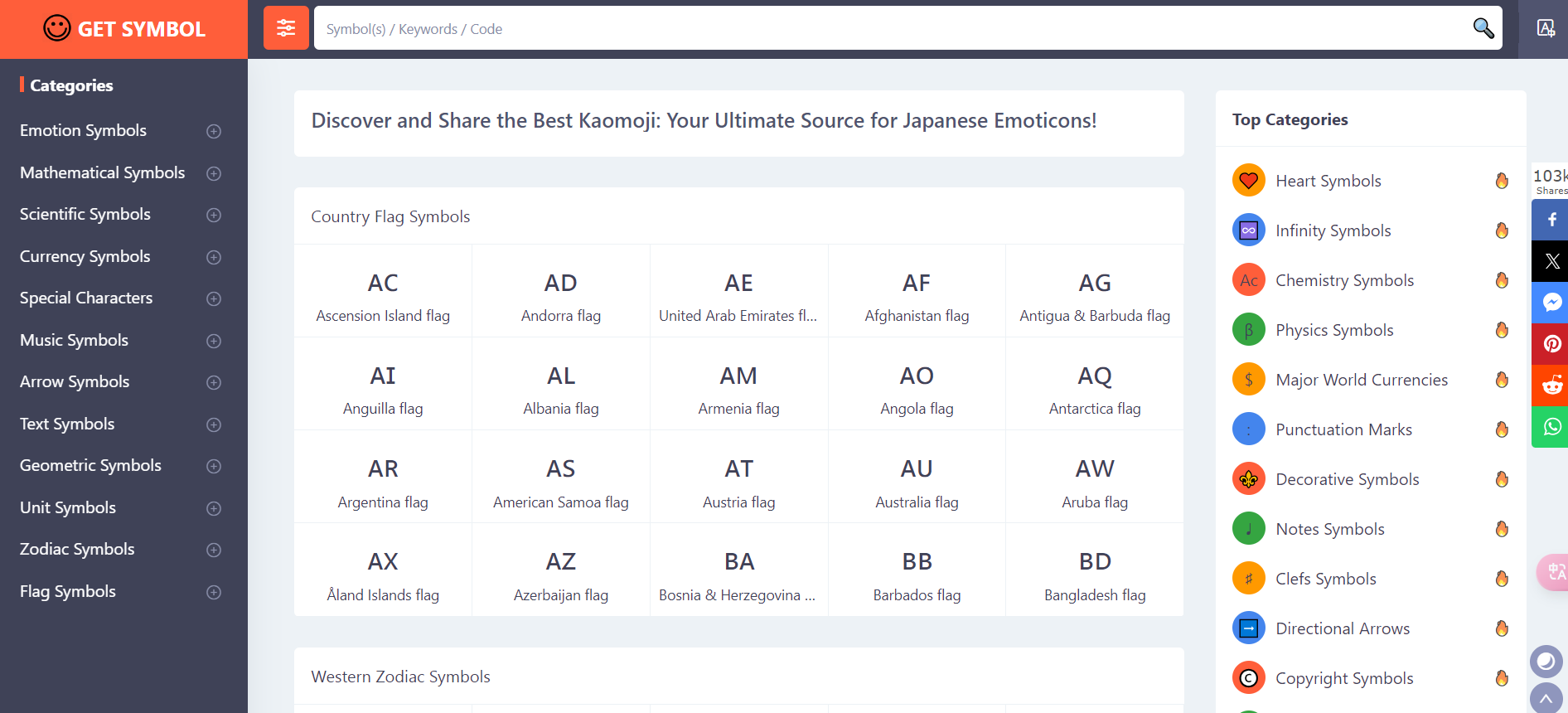
User reviews (0)