
 简体中文
简体中文gridfinitygenerator.com
Easily create your own Gridfinity system with this free, interactive tool. Export your designs as STL files
At a glance
- Category
- Resources & Utilities
- Language
- English
- Paid-content signal
- Paid contentObserved
- Registered
- 2024
- Hosting
- Amazon CloudFrontInferred
- HTTPS certificate trusted
- PassedObserved
- Last updated
Related questions
More questions →How to Generate an XML Sitemap for Your Website
To generate an XML sitemap, you need your site's public URL and a site that search engines can crawl. You can then use an online generator, a CMS plugin, or hand-write the file. XML-Sitemaps.com, for example, generates search-engine-ready sitemaps and states that its free tier covers up to 500 URLs with no registration required. The steps below apply whether you use that tool or another generator.
What you need before generating
- The full starting URL of your site, such as
https://example.com/. - A site that is publicly reachable. Pages behind a login or blocked by
robots.txtgenerally cannot be crawled or included. - A decision on scope: homepage only, or the whole site.
Choose a generation method
| Method | Best for | Trade-off |
|---|---|---|
| Online generator | Quick one-off sitemaps, any platform | You re-run it when content changes unless you use a hosted/paid tier |
| CMS plugin | Sites on WordPress, Shopify, etc. | Depends on the platform and plugin maintenance |
| Manual XML | Very small, static sites | You update it by hand every time a URL changes |
XML-Sitemaps.com lists a free tier (up to 500 URLs, multiple websites) and a PRO tier starting at $2.44/month that adds automatic updates, image/video/news sitemaps, and SEO health reports. Treat those as the vendor's stated limits and check current terms before relying on them.
Understand the fields the generator sets for you
Two attributes are commonly filled in automatically, and knowing what they mean helps you spot problems:
lastmod(last modification): the time a URL was last changed. Crawlers use it to avoid re-crawling unchanged pages. XML-Sitemaps.com says it sets this based on your server's response.priority: a value from 0.0 (lowest) to 1.0 (highest) relative to other pages on the same site. The generator decreases priority by "page depth" — how many clicks a page is from the homepage.
Neither field forces a crawler's behavior; they are hints. If your server returns unreliable modification dates, expect lastmod values that don't reflect real edits.
Generate and verify
- Enter your site's starting URL in the generator and run it.
- Download the resulting XML file (the generator may also offer HTML, text, or ROR formats).
- Open the file and confirm the URLs are the ones you expect — correct domain, no staging or test paths, no duplicates.
- Check that important pages are present and that the count matches roughly what you expect for your site size.
Submit to search engines
- Google: submit via Google Search Console (add and verify your property first, then submit the sitemap URL).
- Bing: submit through Bing Webmaster Tools.
- Place the sitemap at a predictable location, commonly
/sitemap.xml, and reference it inrobots.txtif you want crawlers to find it automatically.
Troubleshooting common problems
- Crawl fails or times out: the site may be slow, blocking the generator's user agent, or unreachable. Test the URL in a browser and check
robots.txt. - URLs missing: pages may be orphaned (not linked from anywhere), blocked by
robots.txt, or behind JavaScript that the generator doesn't execute. - Wrong domain in output: you likely started from a redirect or a staging URL. Start from the canonical public URL.
- Sitemap goes stale: a one-time generation won't reflect new pages. Re-run it, or use a tier/plugin that updates automatically.
If your site is small and static, a manual sitemap is fine. If it changes often or exceeds the free URL limit, an automatically updating option is the more practical choice.
What Is 10Tec iGrid and When Should You Use It Instead of DataGridView or MSFlexGrid?
10Tec iGrid is a commercial grid control from 10Tec that ships in two editions: iGrid ActiveX for classic platforms (VB6, VBA, VSTO, Access) and iGrid.NET for WinForms (VB.NET/C#). You should consider it when the built-in grid you're using — DataGrid, DataGridView, ListView, or MSFlexGrid — can't deliver what your UI needs, particularly if you need an unbound grid, an editable list view, or flicker-free drawing. If your project is a straightforward data-bound WinForms form and DataGridView already behaves well, there's no reason to switch.
What iGrid actually is
iGrid is described by 10Tec as its flagship grid control, positioned as a "powerful and super-fast replacement" for the ActiveX/.NET DataGrid and DataGridView controls that ship with VB6 and Windows Forms .NET. It is also positioned as an editable replacement for ListView and VB6 MSFlexGrid, with what the vendor describes as better functionality and optimized flicker-free drawing.
Two things follow from that positioning:
- It's a replacement control, not a framework. You drop it into an existing host (a VB6 form, a WinForms form, a VBA UserForm) in place of the built-in grid.
- It's explicitly aimed at unbound scenarios. 10Tec states the component is "the ideal choice if you need an unbound grid control for ActiveX/.NET development." That's the clearest signal about intended fit.
The vendor also emphasizes a simple object model, claiming you can start using it in minutes.
Platform and language support
| Host / language | Supported edition |
|---|---|
| VB6 | iGrid ActiveX |
| VBA (Word, Excel UserForms) | iGrid ActiveX |
| Microsoft Access | iGrid ActiveX |
| VSTO | iGrid ActiveX |
| VB.NET / C# (WinForms) | iGrid.NET |
The ActiveX edition is documented as working "perfectly" in Microsoft Word and Excel as a VBA grid control on UserForms, and as a versatile Access grid control. The .NET edition targets WinForms specifically — this is not a WPF, ASP.NET, or cross-platform control.
When to choose iGrid over the built-in alternatives
Use these as decision conditions rather than a blanket recommendation:
Choose iGrid when:
- You need an unbound grid — you're managing rows and cells yourself rather than binding to a DataTable or data source.
- You need an editable list with more capability than ListView provides.
- You're on VB6 or VBA and MSFlexGrid or the old DataGrid is limiting you, or you need a grid inside a Word/Excel UserForm or an Access form.
- Flicker during redraw is a real problem in your current control.
- You want a single control family across a mixed ActiveX and WinForms codebase.
Stay with the built-in control when:
- Your WinForms app is comfortably data-bound and DataGridView meets your needs.
- You're targeting a UI stack outside WinForms/ActiveX (WPF, web, mobile).
- You don't want a third-party dependency in the project.
The comparison dimensions that matter here are: bound vs. unbound usage, editability, drawing quality, host platform, and language. iGrid's stated advantages cluster on the unbound, editable, and drawing-quality axes — not on data binding, where DataGridView is already strong.
Current version highlights worth factoring into a decision
The most recent release noted on the site is iGrid.NET 14, described as a major update (the version jump from 12 to 14 reflects the scale of changes). Relevant points for evaluating fit:
- Dark mode support, aligned with the full dark mode support officially integrated into Windows Forms in .NET 10. The grid ships in separate .NET 10 builds with built-in support for this mode.
- Improved high-DPI support.
- A simpler system for controlling the overall rendering style of the control.
- New properties for finer control over color appearance in both light and dark UIs.
- The demo installation includes a new sample showing the grid's main visual features in dark mode.
There is also a separate ActiveX news item (December 2025) about HKCU and HKLM registration for modern editions of the ActiveX controls, with two sets of OCX files now provided. If you deploy ActiveX controls in environments where per-user vs. machine-wide registration matters, that's worth reading before you plan deployment.
If you're building on .NET 10 WinForms and want dark mode to work naturally, iGrid.NET 14 is the version to evaluate — earlier builds predate that integration.
How to verify fit before committing
- Download the demo from the iGrid.NET or ActiveX home page and install it.
- Run the included samples, including the dark mode sample in the .NET 14 demo, to see rendering behavior on your own display and DPI settings.
- Rebuild one screen of your real application with iGrid in place of your current grid, focusing on the specific pain point — unbound editing, flicker, or VBA hosting.
- Check the What's New document for the version you're evaluating to confirm the specific properties and behaviors you depend on.
- Confirm your deployment path, especially for ActiveX, where the HKCU/HKLM registration options affect how the control is installed on end-user machines.
The vendor's claim of a simple object model means step 3 should be quick to test — that claim is itself worth verifying in your own code before you standardize on the control.
What the source material does not tell you
The site content provided does not include pricing, licensing terms, or whether a free tier exists. Do not assume the control is free or that the demo implies no-cost production use — check the vendor's licensing page directly. It also doesn't cover performance benchmarks against DataGridView, so any "super-fast" claim should be validated against your own data volumes rather than taken as a measured comparison.
What Is Vintage Base Ball? How the 1858 Game Differs From Modern Baseball
Vintage base ball is modern baseball played by 19th-century rules and customs—most commonly the 1858 ruleset—and the Vermilion Voles of Danville, Illinois, are a working example of it. The short version: fielders play barehanded, pitchers throw underhand, the batter is called a "striker," and the whole thing is staged as a historical exhibition rather than a competitive league. If you already play or follow modern baseball, the fastest way to understand the difference is to look at what the 1858 game doesn't have.
The core rule differences
The 1858 ruleset predates almost every feature people associate with baseball today. The table below lines up the changes that matter most.
| Element | 1858 vintage base ball | Modern baseball |
|---|---|---|
| Fielders' hands | Bare hands, no gloves | Gloves, position-specific |
| Pitching | Underhand delivery | Overhand (since 1884) |
| Called balls and strikes | Not called | Called by the umpire |
| Batter | "Striker" | Batter |
| Scoring unit | "Ace" or "tally" | Run |
| Foul territory | Balls caught on one bounce counted as outs | Must be caught in the air |
| Umpire | One umpire, often in formal dress | Crew of umpires |
Two of these catch newcomers off guard. First, the one-bounce out: in 1858 a fielder who caught a foul ball on the first bounce recorded an out, which changes how aggressively fielders position themselves. Second, no called balls or strikes—the striker is expected to swing at good pitches, and the umpire's job is closer to enforcing etiquette than adjudicating a strike zone.
Equipment, uniforms, and terminology
Vintage clubs dress the part. Players typically wear period-appropriate uniforms—long trousers, buttoned shirts, and caps or flat hats in the club's colors—and the equipment is deliberately old-fashioned: a heavier, thicker-handled bat and a ball wound and covered in a way that plays differently off the bat than a modern ball.
The vocabulary is part of the experience. A few terms worth knowing before you watch a match:
- Striker — the batter
- Ace or tally — a run
- Behind — the catcher
- Huzzah — the period cheer clubs use to celebrate a good play (the Voles use it in their own branding)
- Club nine — the team
Clubs often add their own flavor. The Vermilion Voles' name and their use of "huzzah" are examples of how a vintage club builds an identity around the era rather than around a win-loss record.
How the game is actually played
A vintage match is part exhibition, part history lesson. Expect:
- A pre-game explanation of the rules for spectators, since most people in the stands know only modern baseball.
- Period-appropriate conduct — players and umpires often address each other formally, and arguing calls is discouraged or handled in character.
- A relaxed pace — without called balls and strikes, at-bats move differently, and the social atmosphere is closer to a community event than a league game.
The result is a game that looks recognizably like baseball but feels like a reenactment. That's the point: vintage base ball is played to demonstrate the 1858 game, not to optimize for winning.
Common misconceptions
"It's just baseball in old costumes." Partly true, but the rule differences are real and change strategy—especially the one-bounce out and the absence of a strike zone.
"You need to be a historian to play." Clubs like the Vermilion Voles explicitly welcome new players, and the rules are simple enough to learn in a practice or two.
"It's a competitive league." Most vintage clubs are exhibition-oriented. The emphasis is on accurate recreation and spectator education, not standings.
"It's only for older players." Vintage clubs draw a wide range of ages; the underhand pitching and barehanded fielding are less physically punishing than the modern game in some ways, though catching a hard-hit ball barehanded is its own skill.
Getting involved
If you're near Danville, Illinois, the most direct route is to contact the Vermilion Voles—their site states that new players are always welcome, and their home field is in Danville. For anyone elsewhere, the pattern is the same across vintage clubs:
- Find a club in your region that plays an 1858 or similar ruleset.
- Attend a match as a spectator first to see the pace and customs.
- Ask about practice — most clubs hold informal practices where you can try barehanded fielding and underhand pitching before committing.
- Learn the terminology so you can follow the umpire's calls and the club's traditions.
The appeal for a modern player is usually the same: a slower, more social version of the game where the history is the point, and where a barehanded catch on one bounce is a highlight rather than a routine out.
Template vs Custom Website: Which Should a Small Business Choose?
For most small businesses on a limited budget, a responsive website template is the faster and cheaper route to launch, while a fully custom build makes sense only when you need distinctive branding, unusual functionality, or long-term scalability that a template can't stretch to cover. The deciding factors are rarely about prestige — they're about budget, timeline, how unique your business needs to look, and how much you expect the site to grow.
What You're Actually Comparing
A website template is a pre-designed, pre-coded layout you adapt by swapping in your own text, images, and colours. A custom website is designed and built from scratch around your specific requirements.
The gap between them isn't binary. Many small businesses start with a template and later commission custom work on top. Treat this as a spectrum, not a fork in the road.
Side-by-Side Comparison
| Factor | Responsive Template | Custom Website |
|---|---|---|
| Upfront cost | Low — often a one-off fee or small monthly charge | High — design, development, and content work billed separately |
| Time to launch | Days to a couple of weeks | Weeks to several months |
| Design uniqueness | Shared structure; limited to the template's layout options | Fully bespoke to your brand |
| Flexibility | Constrained by what the template supports | Effectively unlimited |
| Ongoing costs | Hosting, domain, occasional licence or support fees | Hosting, domain, plus maintenance and developer time |
| Mobile responsiveness | Usually built in and tested | Built in, but only as good as the developer's testing |
| Basic SEO | Depends on clean markup, page speed, and your ability to edit titles and headings | Fully controllable, but only if SEO is scoped into the build |
| Editing after launch | Often a visual editor you can use yourself | Depends entirely on how it's built — ask before you commit |
| Best for | Brochure sites, service businesses, tight budgets, fast launches | Complex features, strong brand identity, growth plans |
Cost: Upfront and Ongoing
Templates win clearly on upfront cost. You're paying for a design that's already been built and tested, so the price reflects a share of that work rather than the whole of it. Some providers bundle hosting, support, and a trial period into a single recurring fee, which keeps budgeting simple.
Custom builds cost more because you're paying for someone's time: discovery, design concepts, revisions, development, testing. That's not waste — it's work a template simply doesn't do for you.
Watch the ongoing side, which is where budgets often surprise people:
- Templates: hosting, domain renewal, any licence or support fee, and the cost of your own time making edits.
- Custom: hosting, domain, security updates, dependency upgrades, and developer hours for any change — unless you negotiate a maintenance arrangement or a self-editable setup.
A cheap template with expensive ongoing support can cost more over three years than a well-scoped custom build. Ask for the total cost of ownership, not just the launch price.
Design and Content Flexibility
Templates give you a fixed set of page layouts. You can change colours, fonts, images, and text, and usually reorder sections — but you can't invent a layout the template doesn't include. For a simple brochure site, that's rarely a limitation.
Custom builds let you shape the structure around how customers actually behave: a booking flow, a product configurator, a members' area, a multi-step quote form. If your business model depends on an unusual interaction, a template will fight you.
A practical middle path: choose a template whose structure already matches your content, then invest your budget in good photography and clear copy. Those two things lift a template site further than a redesign usually would.
Timeline to Launch
- Template: often live within days, assuming you have your text and images ready. The bottleneck is almost always content, not the template.
- Custom: typically several weeks minimum, and longer if there are multiple approval rounds or integrations.
If you need to be online before a season, a launch, or a campaign, the template route is usually the only realistic one.
Mobile Responsiveness and Basic SEO
Both paths can be mobile-friendly and search-friendly — neither guarantees it.
For templates, check:
- Does it adapt cleanly at phone, tablet, and desktop widths?
- Are images compressed and pages fast to load?
- Can you edit page titles, meta descriptions, and heading structure yourself?
- Is the underlying markup clean, or bloated with unused features?
For custom builds, these same questions apply, plus one more: is SEO scoped into the project, or is it an afterthought? A bespoke site with poor structure will underperform a well-built template.
On both paths, the biggest SEO lever is usually content quality and page speed — not which route you chose.
When a Template Is Enough
- You run a simple brochure or service site: home, about, services, contact.
- Your budget is tight and you'd rather spend on marketing than development.
- You need to launch quickly.
- Your brand is expressed mainly through logo, colour, and photography rather than layout.
- You're comfortable editing content yourself in a visual editor.
When Custom Work Pays Off
- Your brand identity genuinely depends on a distinctive layout or interaction.
- You need features a template can't provide: bookings, quoting, memberships, integrations, e-commerce with unusual rules.
- You expect substantial growth and want a structure that won't need replacing in a year.
- You have ongoing content or product changes that need a tailored editing experience.
- Compliance, accessibility, or performance requirements are strict.
Questions to Ask Any Provider Before You Commit
- Ownership: Do I own the site, the content, and the domain? What happens if I leave?
- Editability: Can I update text and images myself? How, and is training included?
- Support: What's covered, for how long, and what costs extra?
- Licensing: If it's a template, is the licence perpetual or subscription-based? Can I use it on more than one site?
- Hosting and portability: Can I move the site elsewhere later, and how hard is that?
- Responsiveness: How is mobile performance tested, and can I see it before I pay?
- SEO basics: Who sets page titles, descriptions, and heading structure?
- Timeline and revisions: How many rounds of changes are included, and what triggers extra charges?
- Total cost: What will this cost over the first twelve months, including everything?
A Workable Decision Rule
If your site's job is to explain what you do, show that you're credible, and make it easy to get in touch — and your budget is limited — start with a responsive template. Put the money you save into copy, photography, and marketing.
If your site is part of your product, or your brand depends on looking unlike everyone else, budget for custom work and scope it carefully.
Either way, get the answers to the nine questions above in writing before you pay. The choice between template and custom matters far less than choosing a provider who is clear about ownership, support, and what happens next.
What Is LaunchBox and How Does It Organize and Launch Your Game Collection?
LaunchBox is a portable, box-art-based game launcher and database for Windows that pulls PC games, emulated console and retro titles, DOSBox games, and arcade cabinet setups into one visual library. It fits you if your collection is scattered across storefronts and emulators and you want a single frontend to browse and launch it. The core launcher is free; LaunchBox Premium, which adds Big Box Mode and deeper customization, is listed at $30.
What LaunchBox actually does
LaunchBox started as an attractive frontend for DOSBox and now supports modern PC games alongside retro emulation. Two pieces work together:
- The launcher/frontend — the interface you browse and start games from, built around box art rather than plain text lists.
- The Games Database — a crowd-sourced catalog the site says covers a massive number of games, so metadata and artwork can be filled in without you typing everything by hand.
The site's framing is "Emulate, Organize, and Beautify Your Game Collection," which maps to the three jobs: running emulated titles, keeping one organized library, and making it look presentable.
How it unifies a scattered collection
The feature most relevant to a messy library is auto-import. According to the site, LaunchBox auto-imports your collection from Steam, GOG, Epic, EA, Xbox, and Amazon, so games bought across those platforms can appear together instead of in six separate launchers.
On top of that:
- Emulator support — the site states LaunchBox includes support for countless emulators and positions itself as a launcher for retro and console games.
- DOSBox — the original use case, still supported.
- Metadata control — you can add as much or as little information to each game as you want, so a minimal setup and an exhaustively tagged one are both possible.
A practical example: you have Steam purchases, a folder of SNES ROMs with an emulator, and some DOS games. Instead of opening three different programs, you import each source once and launch everything from the same box-art grid.
Free version vs. LaunchBox Premium
The site states everything shown on the main feature list is free, and Premium is available for $30. The split, based on the page:
| Free | Premium ($30) | |
|---|---|---|
| Core launcher and library | Yes | Yes |
| Box-art browsing | Yes | Yes |
| Auto-import from storefronts | Yes | Yes |
| Emulator / DOSBox launching | Yes | Yes |
| Big Box Mode (arcade cabinets, home theaters) | No | Yes |
| Custom fields, color themes, saved filters | No | Yes |
Choose free if you just want one organized launcher on a desktop. Consider Premium if you're building an arcade cabinet or home theater setup where Big Box Mode matters, or if you want custom fields, themes, and saved filters. The site also links to license renewal/upgrade and a "Lost Your License?" page for existing owners.
Getting help when something won't launch
The site points to three support routes:
- Official how-to video tutorials — the LaunchBox team produces regular videos for common questions, hosted on their YouTube channel.
- Community forums — the site describes these as the place to start when you're stuck.
- EmuMovies partnership — provides videos, images, manuals, and music for games, which combined with the LaunchBox Games Database is meant to give strong coverage for a collection.
If a game imports but shows no artwork or won't start, the tutorial videos and forums are the intended first stops rather than guessing at settings.
Quick decision guide
- Want one library across Steam/GOG/Epic/EA/Xbox/Amazon plus emulators? LaunchBox is built for exactly that.
- Want it to look good with minimal manual tagging? The box-art focus and crowd-sourced database are the draw.
- Building an arcade cabinet or home theater? Big Box Mode is the Premium feature to look at.
- Just need a free desktop launcher? The free version covers the core launcher, database, and emulator support.
Website Overview
Page metadata, canonical configuration and social previews work together to provide more consistent search and sharing presentation.
Domain and Registration
Transfer-protection status is present, helping reduce the risk of unauthorized domain transfers. The domain has about 2 years of registration history; its current configuration provides more context than age alone. The domain uses the common .com extension, which is not an independent safety signal.
DNS and Email
The lowest TTL is 60 seconds, supporting rapid record changes at the cost of more frequent lookups. Nameservers are provided by Amazon Route 53, indicating managed DNS hosting. No CNAME was found; the observed records resolve directly to addresses. No MX record was found. A conventional explicit inbound-mail route is not configured. TXT records include verification markers for Google. Such markers may also remain after a service stops being used.
TLS and Certificates
The certificate uses an RSA 2048-bit public key, offering broad client compatibility. The server supplied a complete certificate chain. No organization name is present in the certificate; the available fields are consistent with domain validation. The certificate was issued within the Amazon cloud or CDN ecosystem. The certificate is valid for about 394 days in total, with 72 days remaining.
HTTP and Browser Security
X-Powered-By exposes backend information: Next.js. The checked browser-security headers were not detected, leaving fewer explicit browser-side safeguards. Debug-related headers are present: x-amzn-trace-id. Check whether they are needed in production. The x-cache, via response header indicates a CDN or caching proxy in the delivery path. Cookie security attributes are unknown.
Technology Stack Analysis
The public page identifies Next.js, Amazon CloudFront without precise versions, leaving fewer clues for version-specific scanning.
Search and Social Sharing
Twitter Card metadata is configured. The page declares 9 language or regional alternatives using hreflang. The title has 39 characters, within a common display range. A meta description is present, with 107 characters. The observed directives allow indexing and link following.
Hosting and Email
 Amazon Route 53
 United States
Inferred
3.170.19.124
United States
Inferred
3.170.19.124
Registration details
| Registrar | Instra Corporation Pty Ltd. |
|---|---|
| Registered | 2024-07-14 |
| Expires | 2027-07-14 |
| Domain status | client transfer prohibited |
| Nameservers | ns-1210.awsdns-23.org、ns-1604.awsdns-08.co.uk、ns-287.awsdns-35.com、ns-662.awsdns-18.net |
| DNSSEC | unsigned |
DNS records
| Type | Name | Value | TTL | Priority |
|---|---|---|---|---|
| A | gridfinitygenerator.com | 3.170.19.124 | 60 | — |
| A | gridfinitygenerator.com | 3.170.19.24 | 60 | — |
| A | gridfinitygenerator.com | 3.170.19.26 | 60 | — |
| A | gridfinitygenerator.com | 3.170.19.43 | 60 | — |
| NS | gridfinitygenerator.com | ns-1210.awsdns-23.org | 172800 | — |
| NS | gridfinitygenerator.com | ns-1604.awsdns-08.co.uk | 172800 | — |
| NS | gridfinitygenerator.com | ns-287.awsdns-35.com | 172800 | — |
| NS | gridfinitygenerator.com | ns-662.awsdns-18.net | 172800 | — |
| TXT | gridfinitygenerator.com | google-site-verification=q18715Ds3RLX7LanOfr0uL9fJSrb80dSV6kiNerxJ48 | 300 | — |
| DMARC | _dmarc.gridfinitygenerator.com | v=DMARC1;p=quarantine;pct=100;rua=mailto:[email protected] | 300 | — |
TLS and certificates
HTTP response headers
| Header | Value |
|---|---|
| content-type | text/html; charset=utf-8 |
| cache-control | s-maxage=31536000 |
| set-cookie | Redacted |
Identified technologies
Pages, Search and Sharing
| Meta description | Easily create your own Gridfinity system with this free, interactive tool. Export your designs as STL files |
|---|---|
| Canonical URL | https://gridfinitygenerator.com/en |
| Language | English (default) · Multilingual |
| Twitter Card | summary_large_image |
Social Sharing Preview
16 fields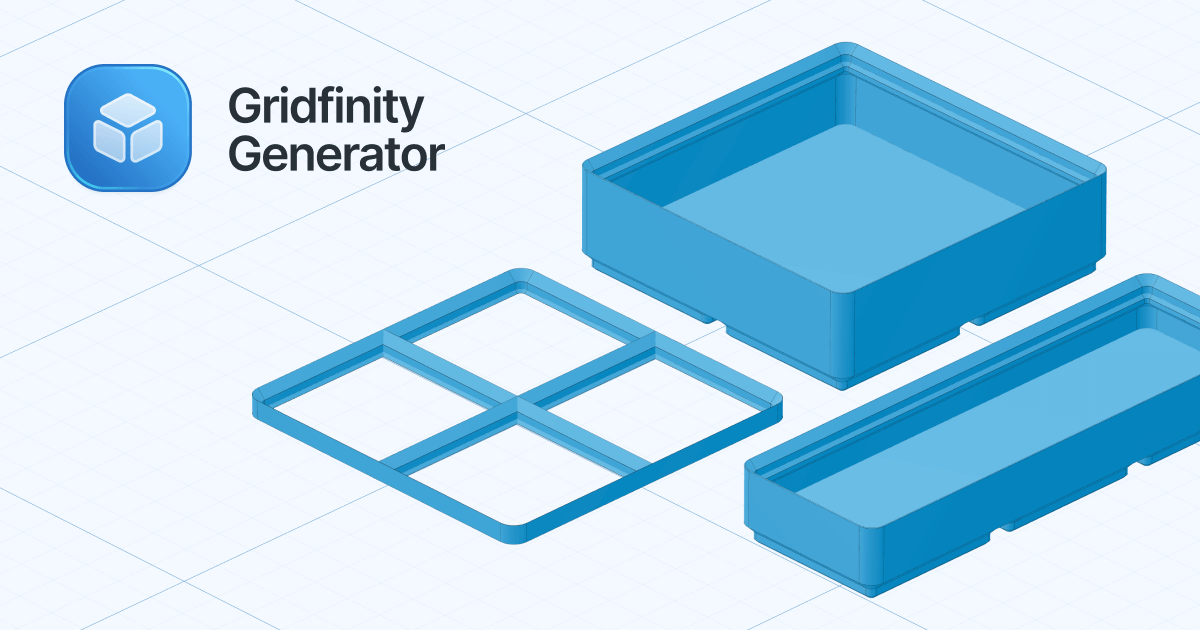

robots.txt (opens in a new tab)
0 rulesAll bots 0 allowed · 0 disallowed
No matching rules.
Sitemaps
2Recent Updates
- Website images
- Screenshots
- Network details
- Website Technologies
- Pages and Search Information
- HTTP Response Information
- TLS and certificates
- DNS Information
- Domain Registration
- Website profile
- Website Description
- Website Name
- Website profile
- Website Description
- Website Name
User reviews (0)