Website profiles · Technology insights · Alternatives

http.cat No paid content found

Categories: Development

An API for the awesome HTTP Cats! Use it in your website to show funny error messages.

Visit website

Updated: 2026-10-02 07:17 Language: English (default) Access: Normal

Profile views 6 Outbound visits 1
HTTP Cats Full homepage screenshot
Editorial Review

Website Review

What is HTTP Cats?

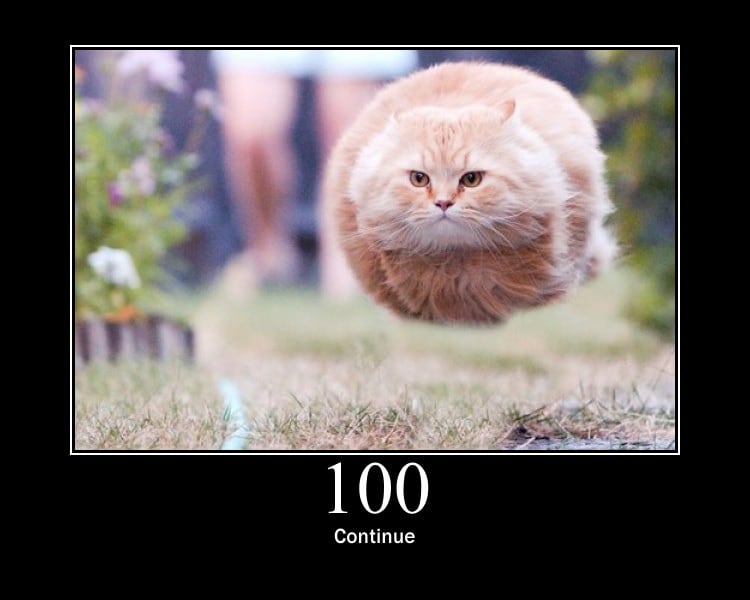
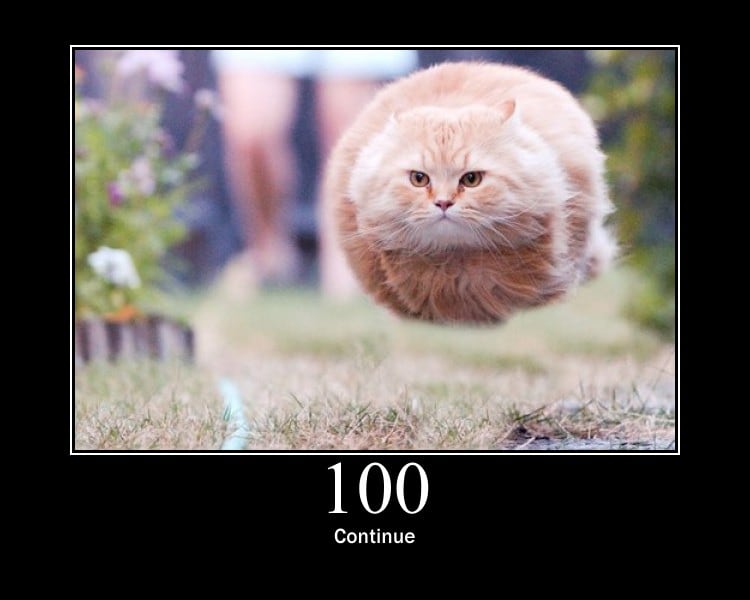
HTTP Cats is a simple image service that maps HTTP status codes to cat photos. Instead of a plain "404 Not Found" page, you can show a cat picture that corresponds to that exact error code.

How it works

The usage pattern from the site is a URL with the status code appended:

https://http.cat/[status_code]

So a 404 page would use https://http.cat/404. Adding .jpg at the end returns the image file directly, which is convenient when you want to embed it in an <img> tag or set it as a background image.

What it covers

The service supports a wide range of codes, not just the common ones:

  • Success and informational: 100, 101, 200, 201, 204, 206, and others
  • Redirects: 301, 302, 304, 307, 308
  • Client errors: 400, 401, 403, 404, 418, 429, and many more
  • Server errors: 500, 502, 503, 504, plus variants like 521, 522, and 599
  • Non-standard codes: 419, 420, 444, 495–499, 530

Who it is for

  • Developers building custom error pages who want something friendlier than default server output
  • Teams running demos, internal tools, or side projects where a light tone fits
  • Anyone teaching HTTP status codes who wants a visual mnemonic

Trade-offs to consider

A cat image is memorable and disarming, but it may not suit every context. On a banking, healthcare, or enterprise login page, a joke image can undermine trust or look unprofessional. It also adds an external dependency: if the service is unavailable, your error page loses its image. For production use, download the image you need and serve it yourself rather than hotlinking.

Next step

Pick the status codes your application actually returns, fetch those images once, and store them locally. Then wire them into your error templates so the page still works if the external service goes down.

How do I use HTTP Cats to display cat images for HTTP status codes?

Point an <img> tag at https://http.cat/[status_code], replacing [status_code] with the numeric code you want — for example, https://http.cat/404 returns the cat image for "Not Found." Add .jpg if you need a file extension. That single URL pattern is the whole API; there are no keys, headers or query parameters to configure.

Common uses

  • Error pages: Show /404 on a not-found page, /500 on a server error, or /403 when access is denied, so a dead end still feels human.
  • Status dashboards: Map a monitored service's response code to the matching cat, giving an at-a-glance visual for non-engineers.
  • Testing and demos: Use a specific code to verify your error-handling path renders an image correctly.
  • Slack or chat bots: Post the relevant cat when a deploy or health check fails.

Picking the right code

The site covers the standard ranges plus many unofficial ones. Match the code your server or upstream actually returns rather than the closest-sounding one:

Situation Code to use
Page missing 404
User not logged in / not permitted 401 or 403
Server crashed 500
Upstream or gateway failure 502, 503 or 504
Rate limited 429
Legal takedown 451
Blocked by a proxy/CDN 521–523, 530

Practical notes

  • Hotlinking: You are loading images from someone else's server, so availability and speed depend on them. For anything customer-facing or high-traffic, download the images you need and serve them yourself.
  • Accessibility: Always set a meaningful alt attribute (e.g. alt="404 Not Found"). A decorative cat with no text leaves screen-reader users without the status information.
  • Fallbacks: Add a local fallback image or a plain text message in case the remote image fails to load.
  • Caching: Since the images rarely change, set long cache lifetimes on your own copies to avoid repeat requests.

A simple example for a 404 page:

<img src="https://http.cat/404" alt="404 Not Found">

Next step: decide whether you are prototyping or shipping. For a quick demo, hotlink directly. For production, download the handful of codes your app actually returns, host them locally, and wire them into your error templates.

Can I get a JPG version of an HTTP Cat image by adding an extension?

Yes. Append .jpg to the status-code URL and you get a JPG version of that cat image.

The base pattern is https://http.cat/[status_code], and adding .jpg gives the extension variant. So a 404 cat becomes https://http.cat/404.jpg, and a 500 cat becomes https://http.cat/500.jpg.

Why the extension matters

  • Some tools, CMS fields, and social preview systems expect a file extension to recognise an image.
  • If you are embedding the image in HTML, the extensionless URL usually works fine in an <img> tag.
  • If you are downloading the file to a local folder or passing it to software that guesses type from the filename, the .jpg form avoids ambiguity.

Quick decision guide

Situation Use
<img src="..."> on a web page Either form usually works
Saving to disk or uploading elsewhere .jpg form
A tool that rejects extensionless URLs .jpg form
Quick manual browser check Either form

A practical example: for a custom 404 page, point an image tag at https://http.cat/404.jpg. For a 503 maintenance page, use https://http.cat/503.jpg. The status codes listed on the site range from informational responses like 100 through client and server errors up to 599, so you can match the cat to the actual response your server returns.

Next step: pick the exact status code your page or API emits, then test both the bare URL and the .jpg version in your target tool before shipping. If you want a broader set of status-code illustrations to compare, HTTP Cats is the source here; other well-known alternatives exist, but verify their official domains before using them.

Which HTTP status codes are supported by HTTP Cats?

HTTP Cats supports a broad set of standard, extended, and vendor-specific status codes. The core pattern is https://http.cat/[status_code], and you can append .jpg to get an image file directly.

H3. Standard codes (most commonly used)

  • 1xx: 100, 101, 102, 103
  • 2xx: 200, 201, 202, 203, 204, 205, 206, 207, 208, 214, 226
  • 3xx: 300, 301, 302, 303, 304, 305, 307, 308
  • 4xx: 400, 401, 402, 403, 404, 405, 406, 407, 408, 409, 410, 411, 412, 413, 414, 415, 416, 417, 418, 419, 420, 421, 422, 423, 424, 425, 426, 428, 429, 431, 444, 450, 451
  • 5xx: 500, 501, 502, 503, 504, 506, 507, 508, 509, 510, 511

H3. Non-standard and server-specific codes

  • 495 SSL Certificate Error
  • 496 SSL Certificate Required
  • 497 HTTP Request Sent to HTTPS Port
  • 498 Token expired/invalid
  • 499 Client Closed Request
  • 521 Web Server Is Down
  • 522 Connection Timed Out
  • 523 Origin Is Unreachable
  • 525 SSL Handshake Failed
  • 530 Site Frozen
  • 599 Network Connect Timeout Error

H3. Practical notes

The list includes playful or unofficial codes such as 418 "I'm a teapot" and 420 "Enhance Your Calm," which are useful for humor or Easter eggs. Codes like 444, 495–499, 521–525, and 599 are typically tied to specific servers or proxies rather than the HTTP standard, so they may not be meaningful in every stack.

A useful next step is to test the exact code you plan to use, since not every listed code necessarily maps to an image. You can also compare coverage with HTTP Statuses or MDN Web Docs if you need authoritative definitions alongside the cat images.

Is HTTP Cats free to use, or do I need to upgrade?

HTTP Cats is free to use. The site presents itself as an API you can call directly from your own website to display cat images for HTTP status codes, and the published usage pattern is simply a URL with the status code appended, with an optional .jpg extension. There is no stated requirement to create an account, pay, or upgrade in order to use it.

The only pricing-adjacent signal on the page is the word "upgrade," but it appears as part of the standard HTTP status code 426 Upgrade Required in the status list, not as a paid plan or checkout option. In other words, it describes an HTTP response, not a product tier. No pricing links or payment platforms are listed either.

How to use it in practice

  • Direct image embedding: Point an <img> tag at the status-code URL for the error you want to illustrate, for example a 404 page or a 500 page.
  • Fallback handling: Because the image is fetched over the network, decide what your page should show if the request fails or is slow. A local placeholder or a plain text message is a sensible backup.
  • Status coverage: The page lists a wide range of codes, from informational ones like 100 and 103 through client errors like 400, 401, 403, 404, 418 and 429, to server errors like 500, 502, 503 and 504, plus some non-standard or vendor-specific ones such as 419, 420, 444, 450 and 521–530. That makes it easy to match most error pages.
  • Audience fit: It suits developer tools, internal dashboards, hobby projects and documentation where a lighthearted error state is appropriate. For customer-facing banking, healthcare or enterprise applications, a funny cat image may undercut the seriousness of a failed payment or outage, so consider whether the tone matches your brand.

What to check before relying on it

The page does not state uptime guarantees, rate limits, caching headers, licensing terms for the images, or whether hotlinking is officially permitted. Those are the practical trade-offs of depending on a third-party image host: you get zero setup and instant variety, but you inherit whatever availability and terms the operator applies. If your error pages are business-critical, download or self-host the images you need, or keep a text-only fallback.

A useful next step: open the URL for the specific code you care about, confirm the image loads and looks right at the size you need, then wire it into your error template with a fallback in place.

How do I integrate HTTP Cats into my website for error pages?

Point an <img> tag at https://http.cat/[status_code], swapping [status_code] for the numeric code you want to illustrate — for example, https://http.cat/404 for a not-found page. HTTP Cats is a straightforward image endpoint rather than a JavaScript library, so integration is mostly about choosing where the image appears and how it degrades.

Common integration patterns

Approach What it looks like Best for
Static error page Hard-code the matching cat image into your 404, 500, etc. template Small sites, marketing pages, hand-built error pages
Dynamic server-rendered page Your error handler maps the status code to the image URL at render time Apps with many error types (401, 403, 429, 503)
Client-side fallback A fetch/SPA error boundary swaps in the image when a request fails Single-page apps that never hit a server-rendered error page

The dynamic approach is usually worth it: instead of maintaining one template per code, keep a single error view that builds the URL from the status code it receives. That way a 429 rate-limit page and a 503 maintenance page both get an appropriate image without extra work.

Practical details to handle

  • File extension: the base URL works as-is; append .jpg if a tool or platform needs an explicit extension.
  • Alt text: write something meaningful like "404 Not Found" rather than leaving alt empty — screen readers and search engines both benefit.
  • Sizing: constrain the image with CSS (max-width: 100%) so it doesn't dominate the page or cause layout shift.
  • Caching and availability: the image is served from a third party. If it fails to load, your page should still communicate the error in text. Consider self-hosting a copy of the images you actually use if uptime matters.
  • Tone: a cat picture suits consumer-facing, informal products. For banking, healthcare or enterprise admin tools, a playful image on a 500 page can read as flippant — keep a plain-text fallback or reserve the cats for low-stakes codes like 404.

A concrete next step

Decide which status codes your site can actually return, then build one error template that accepts a code and renders both a short human explanation and the corresponding image. Test it by deliberately triggering a 404 and, if you can, a 500. If you want a different visual style for the same idea, HTTP Status Dogs follows an equivalent pattern with dogs.

Related questions

More questions →
What Is OpenAPI-Generated API Documentation and How Does It Work?

OpenAPI-generated API documentation is reference documentation that is produced automatically from an OpenAPI description file rather than written by hand. You write (or generate) a machine-readable specification of your API — endpoints, parameters, request bodies, responses, schemas, and auth — and a documentation tool reads that file and renders a browsable, often interactive reference site. The spec becomes the single source of truth; the docs become a build artifact.

This differs from manually written docs in one fundamental way: with hand-written docs, the prose is the source of truth and the API is described separately. With spec-driven docs, the API description is the source, and every page, table, and code sample is derived from it.

How the workflow actually runs

A typical spec-driven documentation pipeline has five stages:

  1. Author or generate the spec. You either write an OpenAPI document by hand (YAML or JSON), or generate it from code annotations, framework metadata, or a design-first editor. Design-first means the spec is written before implementation; code-first means it is extracted from existing code.
  2. Validate and lint. The spec is checked against the OpenAPI schema and against style rules — consistent naming, required descriptions, no undocumented 4xx responses, no orphaned schemas.
  3. Bundle and transform. Multi-file specs are combined, $ref pointers are resolved, and the document is optionally split into per-tag or per-version outputs.
  4. Render. A documentation tool converts the spec into HTML: an endpoint list, a sidebar of operations, parameter tables, response schemas, and a "try it" console.
  5. Publish and version. The rendered site is deployed, and each API version gets its own snapshot so consumers can read docs matching the version they call.

Steps 2 through 5 are usually automated in CI. If the spec fails validation, the docs build fails — which is the point.

Spec-driven vs. hand-written documentation

Dimension OpenAPI-generated Hand-written
Source of truth The spec file The prose
Consistency with the API High, if the spec is accurate Drifts as the API changes
Effort per endpoint Low after setup Repeated for every endpoint
Narrative and tutorials Weak; needs separate pages Strong
Code samples Generated per language from schemas Written and maintained manually
Customization Bounded by the tool's templates Unlimited
Failure mode Accurate spec, poor docs, or stale spec Beautiful docs that describe an API that no longer exists

The practical conclusion most teams reach: generate the reference, write the guides. Reference material is repetitive and mechanical, which is exactly what generation is good at. Conceptual explanations, migration notes, and tutorials carry judgment that a spec cannot express.

What you get out of the box

Generated reference pages commonly include:

  • An operation list grouped by tag or path, with HTTP method and path.
  • Parameter tables showing name, location (path, query, header, cookie), type, required flag, and description.
  • Request and response schemas rendered as expandable trees, including nested objects and arrays.
  • Authentication details pulled from the securitySchemes section.
  • Interactive request consoles that let a reader send a real call from the browser.
  • Generated code samples in several languages, derived from the same schemas.
  • Multiple output formats, such as a static site, a single HTML file, or a mock server.

Because all of these come from one document, changing a field name in the spec updates the parameter table, the schema tree, and every code sample at once.

Where spec-driven documentation breaks down

Generation is not free. The trade-offs are real:

Spec quality becomes documentation quality. A field with no description produces a table row with an empty cell. A vague summary produces a vague heading. Tools can enforce presence of descriptions via linting, but they cannot enforce that the description is useful.

Customization has limits. If you need a page that does not map to an OpenAPI concept — a conceptual overview, a pricing explanation, a comparison of two endpoints — you write it outside the generator and link to it.

Not everything is expressible. Webhooks, streaming responses, long-polling behavior, and complex multi-step flows are awkward or impossible to describe fully in OpenAPI. Those need prose.

The spec can go stale. If the spec is maintained separately from the implementation, it drifts just like hand-written docs. The mitigation is to generate the spec from code, or to test the implementation against the spec in CI.

Interactive consoles need care. A "try it" button that hits a production API with real credentials is a security and rate-limit problem. Point it at a sandbox, or disable it.

Deciding whether to adopt it

Adopt spec-driven reference documentation if most of these are true:

  • Your API has more than a handful of endpoints, or changes frequently.
  • You ship client SDKs or code samples in more than one language.
  • Multiple teams consume the API and need a consistent, always-current reference.
  • You already have, or are willing to maintain, an OpenAPI description.

Stay with hand-written docs, or a hybrid, if:

  • Your API is small and stable, and the reference fits on one page.
  • Your documentation is mostly conceptual and contains little endpoint-level detail.
  • You cannot commit to keeping the spec in sync with the implementation.

A reasonable middle path: generate the reference from the spec, and hand-write the getting-started guide, authentication walkthrough, and error-handling page. Link the two directions so readers can move from concept to endpoint and back.

A minimal starting checklist

  1. Produce one valid OpenAPI document for a single API version.
  2. Add a linter with rules for descriptions, operation IDs, and error responses.
  3. Wire the docs build into CI so a failing spec fails the build.
  4. Render the reference and review it as a reader, not as the author.
  5. Write the two or three conceptual pages the generator cannot produce.
  6. Version the published docs alongside the API version.

The core idea is simple: describe the API once, in a format both machines and humans can read, and let the reference documentation fall out of that description. Everything else — tooling, hosting, interactivity — is a detail on top of that decision.

How to Stop a Cat from Scratching Furniture Without Declawing

You can redirect scratching without declawing by giving your cat a better surface to scratch, placing it where the scratching already happens, and making the old target less appealing. This works because scratching is normal cat behaviour — used for marking, claw maintenance, and stretching — so the goal is to change where it happens, not to stop it entirely. This approach suits indoor cats of any age; if scratching started suddenly or comes with other changes in behaviour or health, treat it as a possible medical or stress issue and involve a veterinarian.

Why cats scratch

Scratching is not spite or misbehaviour. It serves at least three purposes:

  • Marking — claws leave both a visual mark and a scent from glands in the paws, so scratching communicates territory.
  • Claw maintenance — scratching sheds the outer layers of the claw and keeps them in condition.
  • Stretching — the motion exercises the shoulders, back, and paws.

Because scratching meets real needs, punishment tends to backfire: a cat may simply scratch where you are not watching, or become more anxious. Redirecting the behaviour is more reliable.

Match the scratcher to your cat

Cats have preferences, and a post they ignore is usually the wrong type rather than a refusal to use one. Offer variety first, then keep what gets used.

Preference Options to try
Orientation Vertical posts, horizontal pads, or angled boards
Material Sisal rope, cardboard, carpet, or wood
Height Tall enough to stretch fully upright, or flat for horizontal scratching
Stability Firm and wobble-free — a post that tips will be avoided

A useful rule: a vertical post should be tall enough that your cat can stretch to full length with its front paws reaching the top. Unstable or short posts are a common reason cats return to the sofa.

Place scratchers where scratching happens

Put the new surface next to the spot your cat already targets, not in a back room. Once it is being used consistently, you can move it gradually — a few centimetres at a time — toward where you would prefer it.

For a cat that scratches in several places, place a scratcher at each site. Near favourite sleeping areas and room entrances also helps, since scratching often happens on waking or when moving between spaces.

Redirect in the moment

When you see your cat start on the furniture:

  1. Interrupt calmly — a soft sound or a toy tossed nearby is enough to break the moment. Avoid shouting or spraying, which can create fear rather than a new habit.
  2. Guide to the scratcher — place the cat on or beside it, or dangle a toy along the surface so the paws make contact.
  3. Reward immediately — praise, a treat, or a play session right after scratching the correct surface. Timing matters: the reward must follow the behaviour, not the interruption.
  4. Repeat consistently — new habits form over days to weeks, not once.

Protect furniture while the habit forms

Temporary barriers give the new routine time to take hold:

  • Double-sided tape or a smooth plastic cover on the targeted area.
  • A throw or fitted cover over the arm or corner being scratched.
  • Furniture moved slightly, or a scratcher placed directly in front of the spot.

These are short-term measures. Remove them gradually once the scratcher is in regular use.

When scratching points to something else

Scratching is usually normal, but changes in pattern can signal more:

  • Sudden increase in scratching, especially in a previously settled cat.
  • Scratching at walls, doors, or unusual surfaces rather than furniture.
  • Over-grooming, hiding, appetite changes, or litter box changes alongside the scratching.
  • New stress — a move, a new pet, a new baby, or changes in routine.

In these cases, the scratching may be a symptom of stress or a medical problem. A veterinarian can assess whether there is an underlying issue and advise on next steps. Declawing is a surgical procedure that removes part of the toe, and it is not required to solve a scratching problem — the steps above address the behaviour directly.

Website Overview

An established domain and managed infrastructure suggest continuity of operations and may support dependable delivery, although neither guarantees service quality.

Domain and Registration

Registered in 2015, this domain has about 11 years of history. That suggests continuity, although ownership and purpose may have changed. Transfer-protection status is present, helping reduce the risk of unauthorized domain transfers. The registrar is GANDI SAS, a widely used domain service provider. The domain uses the common .cat extension, which is not an independent safety signal.

DNS and Email

Nameservers are provided by Cloudflare, indicating managed DNS hosting. No CNAME was found; the observed records resolve directly to addresses. No MX record was found. A conventional explicit inbound-mail route is not configured. TXT records include verification markers for Google. Such markers may also remain after a service stops being used. DNSSEC signatures were not detected, so this additional DNS authenticity protection is not confirmed.

TLS and Certificates

The public key uses EC with 256 bits. The server supplied a complete certificate chain. No organization name is present in the certificate; the available fields are consistent with domain validation. The certificate was issued within the Google Trust Services cloud or CDN ecosystem. The certificate's total validity is about 90 days, consistent with a short renewal cycle.

HTTP and Browser Security

The checked browser-security headers were not detected, leaving fewer explicit browser-side safeguards. No X-Powered-By header was found, reducing one common source of backend fingerprinting information. The cf-ray response header indicates a CDN or caching proxy in the delivery path. No obvious internal addresses or debug information were found in the headers. The Server header identifies cloudflare without an exact version.

Technology Stack Analysis

The public page identifies Next.js, Google Analytics, Cloudflare without precise versions, leaving fewer clues for version-specific scanning.

Search and Social Sharing

No homepage canonical URL was detected. If duplicate URLs exist, consolidation may be less explicit. Twitter Card metadata is configured. The title has 9 characters, within a common display range. A meta description is present, with 86 characters. The observed directives allow indexing and link following.

Hosting and Email

DNSCloudflare
HostingCloudflare
EmailUnknown
Location Location unknown 104.21.77.53

User reviews (0)

  • No reviews yet.

Pages, Search and Sharing

Meta descriptionAn API for the awesome HTTP Cats! Use it in your website to show funny error messages.
Canonical URLNot detected
LanguageEnglish (default)
Twitter Cardsummary_large_image
All bots 0 allowed · 0 disallowed

No sitemaps found

Registration details RDAP / WHOIS

RegistrarGANDI SAS
Registered2015-08-24
Expires2027-08-24
Domain statusclientTransferProhibited https://icann.org/epp#clientTransferProhibited
Nameserversrayden.ns.cloudflare.com、zariyah.ns.cloudflare.com
DNSSECunsigned

DNS records

TypeNameValueTTLPriority
Ahttp.cat104.21.77.53118—
Ahttp.cat172.67.204.170118—
AAAAhttp.cat2606:4700:3032::6815:4d35300—
AAAAhttp.cat2606:4700:3033::ac43:ccaa300—
NShttp.catrayden.ns.cloudflare.com86400—
NShttp.catzariyah.ns.cloudflare.com86400—
TXThttp.catgoogle-site-verification=oH980gSpIWn0WhqG9BjPTLtgg_c1WMRJ870hE8PgQm8300—

TLS and certificates

AssessmentNormal configuration
Supported protocolsTLSv1.2、TLSv1.3
Negotiated protocolTLSv1.3
Certificate subjecthttp.cat
IssuerGoogle Trust Services
Valid until2026-12-19T05:22 · Remaining when checked: 77 days
Verification detailsCertificate trust: Passed · Hostname match: Passed

HTTP response headers

HeaderValue
content-typetext/html
cache-controlmax-age=14400
servercloudflare

Identified technologies

Next.jsGoogle AnalyticsCloudflare

Recent Updates

  • Website images
  • Screenshots
  • Network details
  • Website Technologies
  • Pages and Search Information
  • TLS and certificates