Website profiles · Technology insights · Alternatives

megamek.org No paid content found

Categories: Games & Board Games

MegaMek is an unofficial, online version of the Classic BattleTech board game. MegaMek is open source, free software. It is licensed under the GPL.

Visit website

Updated: 2026-09-22 12:13 Language: English (default) Access: Normal

Profile views 6 Outbound visits 1
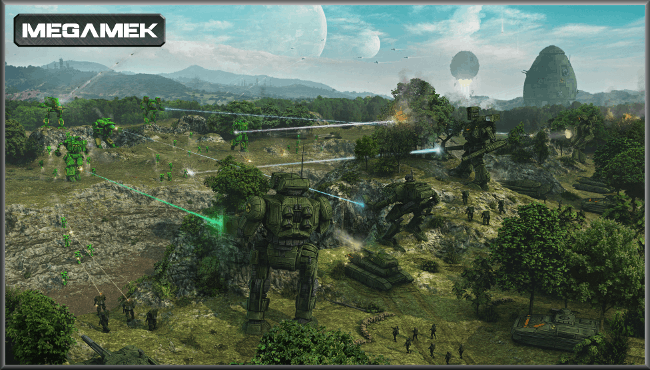
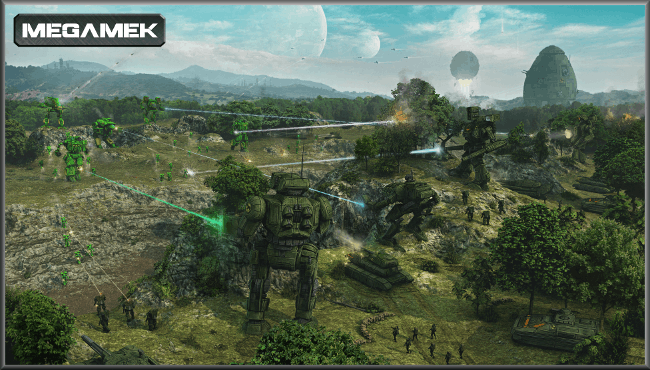
MegaMek Full homepage screenshot
Editorial Review

Website Review

What is MegaMek?

MegaMek is an unofficial, open-source, Java-based adaptation of the Classic BattleTech tabletop game. It recreates the hex-grid tactical combat of the board game on a computer, handling movement, line of sight, weapons fire, heat, terrain and unit damage according to BattleTech rules. It is free software released under the GPL, so players can download and use it without purchasing a commercial licence.

The project is more than a single program. It typically includes companion tools such as MegaMekLab for designing and editing units, and MekHQ for running a persistent campaign that links individual battles into a larger mercenary or faction storyline.

Who it suits

  • BattleTech players who want to play matches online or against a computer opponent.
  • Groups spread across different locations, since MegaMek supports networked play.
  • Campaign enthusiasts interested in managing rosters, repairs and contracts between battles.

Trade-offs

  • Being unofficial, it is not a licensed commercial product and may not match every published rule or piece of artwork.
  • The interface reflects its long development history and can feel dense to newcomers.
  • Java-based deployment and manual setup may require more effort than a typical store-bought game.

Official information is available at MegaMek.

How does MegaMek compare to the official BattleTech board game?

MegaMek is an unofficial, open-source adaptation of the Classic BattleTech board game, distributed under the GPL. It recreates the tabletop ruleset as a Java-based client/server program rather than a physical product, so the core appeal is rules fidelity with digital convenience.

Practical differences

  • Setup and space: No miniatures, maps or dice are required; play happens on screen, which suits remote opponents and players short on table space.
  • Opponents: The server model supports networked play, and computer-controlled opponents are available for solo sessions.
  • Rules handling: Movement, line of sight, heat and damage are tracked by the software, reducing manual bookkeeping but also hiding some arithmetic that tabletop players perform themselves.
  • Components: The project family includes MegaMek itself, plus MekHQ for campaign management and MegaMekLab for unit design, so it covers play beyond single scenarios.

Trade-offs

It is unofficial, so it is not a substitute for official publications, miniatures or organised play. Presentation is functional rather than miniature-focused, and the interface may feel dense to newcomers. Conversely, it is free, cross-platform Java software, making it easy to try and well suited to long campaigns or play-by-network groups. Players who value the tactile tabletop experience may still prefer physical games; those prioritising accessibility and automation typically find MegaMek a practical companion.

What are the differences between MegaMek, MekHQ, and MegaMekLab?

MegaMek, MekHQ and MegaMekLab are separate programs in the same open-source project, each covering a different part of the Classic BattleTech experience. They share rules data and file formats, so they are often used together.

Core differences

Program Main purpose Typical user
MegaMek Plays out battles on a hex map, with a Java client/server setup that supports online or networked games Players who want to fight scenarios against another person or the computer
MekHQ Runs a persistent campaign: managing a unit, personnel, contracts, repairs, finances and advancing time between battles Campaign players and game masters
MegaMekLab Builds and edits units such as 'Mechs, vehicles and other designs, checking them against construction rules Players and designers creating or validating custom units

How they fit together

A common workflow is to design a unit in MegaMekLab, add it to a force in MekHQ, then resolve the resulting engagement in MegaMek and feed the outcome back into the campaign. MegaMek can also be played on its own for one-off games, and MekHQ is useful mainly when continuity and logistics matter more than a single battle.

All three are unofficial, free and open source under the GPL, available from MegaMek. They suit hobbyists comfortable with Java applications and tabletop-level detail; the trade-off is steeper setup and record-keeping than a streamlined video game.

How can I play MegaMek online with others?

MegaMek is an open-source, Java-based adaptation of the Classic BattleTech tabletop game. It is designed for networked play, so playing with others online typically means connecting to a host server rather than using a single shared screen.

Ways to play online

  • Direct host/join: One player runs a game as the host, and others connect over the internet using the built-in client/server networking. The host controls game options and scenario setup.
  • Dedicated or community servers: Groups often run persistent servers so players can join at arranged times. This suits regular campaigns and pickup matches.
  • Play-by-email or scheduled sessions: Because turns can be detailed, some communities coordinate matches in advance rather than relying on drop-in play.

What you need

  • The MegaMek client installed on each player's machine.
  • Matching game versions between host and clients, since version mismatches can prevent connections.
  • A scenario or force setup, often prepared in advance.
  • Voice chat or a messaging channel, which is practical for coordinating large battles.

Trade-offs

Online play removes the need for a physical table and lets distant players share a match, but setup is more technical than a typical commercial game. Expect to manage network settings, versions and scheduling. The companion tools MekHQ for campaign management and MegaMekLab for unit design are often used alongside it.

Start at MegaMek to find downloads, documentation and community contact points.

Is MegaMek free to use and what are its licensing terms?

MegaMek is free to use. The project describes itself as open-source, free software released under the GNU General Public License (GPL). That means there is no purchase requirement to download and play, and the source code can be inspected, modified and redistributed under the same licence.

The GPL also shapes how the project can be reused. If you distribute a modified version, you generally must make the corresponding source available under compatible terms. This matters to developers who want to build on the engine, but it places few practical limits on ordinary players.

MegaMek is an unofficial, Java-based adaptation of the Classic BattleTech board game and runs as a client/server application, so players can connect over a network. The same ecosystem includes companion tools such as MekHQ for campaign management and MegaMekLab for unit design, which are typically distributed alongside it.

Who it suits

  • Players wanting a no-cost way to play BattleTech-style matches online.
  • Groups comfortable with Java setup and server configuration.
  • Modders and developers, because the GPL permits study and adaptation.

Trade-offs

  • It is a community project, not an official BattleTech product.
  • Java and client/server configuration may add setup effort compared with commercial games.

Official details: MegaMek.

What are the system requirements to run MegaMek?

MegaMek is an open-source, Java-based client/server implementation of Classic BattleTech, so its practical requirements follow from running a Java application rather than a native game engine. The project distributes the software under the GPL and offers it free of charge.

What matters in practice

  • Java runtime: A compatible Java installation is the core dependency. Because MegaMek is Java-based, it can run on Windows, macOS and Linux wherever a suitable Java version is available.
  • Memory: Large battles with many units, vehicles, infantry and aerospace assets increase heap usage. Allocating more memory to the Java process is a common adjustment for bigger games.
  • Storage and display: The download includes game data and unit files, and the map and unit displays benefit from a reasonably sized screen.
  • Network: For online play, one participant typically hosts a server and others connect as clients; local hot-seat play avoids that need.

Related tools

The same ecosystem includes MegaMekLab for unit construction and MekHQ for campaign management. These are separate applications and may have their own demands, though they share the Java foundation.

Trade-offs

The Java approach gives broad platform coverage and easy updates, but performance depends heavily on the installed Java version and available memory. Players running very large scenarios should expect to tune those settings rather than rely on a fixed minimum specification.

Official details and downloads are at MegaMek.

Related questions

More questions →
What Is MegaMekLab and How Do You Use It to Build BattleTech Units?

MegaMekLab is the unit design and editing tool in the MegaMek suite: a Java application for building and modifying Classic BattleTech units such as 'Mechs, vehicles, and infantry, with validation against construction rules and export into formats that MegaMek and MekHQ can load. Use it when you want to create a custom unit, check whether an existing design is legal, or prepare units for play or a campaign. It is part of the same open-source, GPL-licensed project as MegaMek and MekHQ.

Where MegaMekLab fits in the suite

The three tools split the work of a tabletop session:

Tool Role What you do in it
MegaMek Gameplay Play out battles on maps with the units you've built or selected
MekHQ Campaign management Track a persistent force, pilots, repairs, and contracts over time
MegaMekLab Unit design and editing Build, edit, and validate individual units

MegaMekLab is the starting point when the unit you want doesn't exist yet or needs a rules check. Once a design is saved, it becomes an input to the other two: MegaMek for a one-off game, MekHQ for a campaign roster.

Building a unit

The workflow is the same whether you start from scratch or open an existing file.

  1. Choose a unit type and starting point. Select the category you want to build ('Mech, vehicle, infantry, and so on), or open an existing unit file to edit it. Starting from a close existing design is usually faster than building from an empty chassis.
  2. Set the base characteristics. For a 'Mech this means tonnage, internal structure, engine rating and type, heat sinks, armor, and movement profile. These choices cascade: tonnage and engine determine how much space and mass remain for everything else.
  3. Add equipment. Place weapons, ammunition, and other gear into the available critical slots and mass budget. The interface tracks remaining tonnage and slots as you go, so you can see when a design no longer fits.
  4. Watch the validation feedback. MegaMekLab checks the design against Classic BattleTech construction rules and flags problems rather than silently allowing them. Treat any warning as something to resolve before you rely on the unit.
  5. Save the unit. Save it in the format the suite uses so MegaMek and MekHQ can read it.

Common sticking points

  • Overweight or overslotted designs. If the tonnage or critical space runs out, the fix is usually to reduce armor, drop a weapon, or change the engine — not to force the design through.
  • Tech base and era mismatches. Equipment availability depends on the tech base and era you've selected. A component that seems missing is often just outside the current setting.
  • Validation warnings you don't understand. Read the specific rule the warning names; it usually points at the exact field that needs to change.

Getting units into MegaMek and MekHQ

Because all three tools share the same unit file format, the handoff is a file operation rather than a conversion:

  • Into MegaMek: place or select the saved unit so it appears in your available forces for a game.
  • Into MekHQ: add the unit to your campaign force so it can be assigned, repaired, and tracked like any other unit in the roster.

If a unit doesn't show up, the usual cause is that it was saved somewhere the other tool isn't looking, or it failed validation and wasn't written out cleanly.

When to use it — and when not to

Reach for MegaMekLab when you need a new or modified unit or a rules check on a design. You don't need it to simply play a battle with existing units (that's MegaMek) or to run a campaign (that's MekHQ). For a quick game with stock units, skip straight to MegaMek; for a long-running force, build or verify your units in MegaMekLab first, then bring them into MekHQ.

What Are Open-Source UI Element Libraries and How Do They Differ From UI Frameworks?

An open-source UI element library is a collection of individual, ready-made interface pieces—buttons, cards, inputs, toggles, loaders—that you copy into your own project and adapt. A UI framework, by contrast, is a structured system of components, conventions, and often a theming layer that governs how your whole interface is built. The practical difference: an element library gives you a snippet; a framework gives you a way of working. If you need a polished button in ten minutes, reach for the element library. If you're building a 40-screen product with a team, you probably want the framework.

What "open-source UI element library" actually means

The term gets used loosely, so it helps to separate the parts:

  • Open-source: the code is publicly available, and the license tells you what you may do with it—copy, modify, redistribute, or use commercially.
  • UI element: a single, self-contained piece of interface, usually small enough to read in one sitting. A button with hover states, a pricing card, a search field.
  • Library: a browsable, searchable collection of those elements, typically contributed by many different people.

On a site like Uiverse, elements are shared by a community and written in plain CSS or Tailwind. You find one you like, copy the markup and styles, paste them into your project, and adjust colors, spacing, and text to fit. There's no package to install and no build step required—which is exactly the appeal, and also the source of most of the confusion.

Element library vs. UI framework: the core differences

Dimension Open-source UI element library UI framework / design system
Unit of reuse A single snippet you copy A component you import or call
Installation None; paste into your code Package install, config, sometimes a provider
Consistency Depends on you; each element may look different Enforced by shared tokens and APIs
Theming Manual edits per element Central theme/config file
Updates You own the copy; no upstream updates Version bumps bring fixes and changes
Accessibility Varies per contributor; must be checked Usually tested and documented
Best for Prototypes, landing pages, small sites, one-off needs Multi-page apps, teams, long-lived products
Learning curve Low—read the CSS Higher—learn the API and conventions

The table isn't a verdict. It's a map of trade-offs. Element libraries win on speed and freedom; frameworks win on consistency and maintenance.

Licensing and attribution: what to check before you paste

This is where people get into trouble, and it's worth slowing down for.

  1. Find the license. Every element or collection should state one. Common open-source licenses include MIT, Apache-2.0, and BSD. Some projects use copyleft licenses like GPL, which can impose obligations if you redistribute your code.
  2. Understand what the license permits. MIT and Apache-2.0 are permissive: you can typically use the code in commercial and closed-source projects. Copyleft licenses may require you to release derivative source under the same terms.
  3. Check attribution requirements. Permissive licenses usually require you to keep the copyright notice and license text somewhere in your project. That's a real obligation, not a formality.
  4. Look for per-element terms. On community sites, the site's overall terms and the individual contributor's stated wishes may differ. If a contributor asks for credit, honor it.
  5. When in doubt, ask or avoid. If a snippet has no license at all, you don't have clear permission to reuse it. Treat "no license" as "not open source," even if the code is publicly visible.

This article is general information, not legal advice. For commercial products with real exposure, have someone qualified review the licenses you're relying on.

How to use a community element in your project: a practical workflow

Here's a repeatable process that avoids most of the usual mess.

1. Start from a real need, not a browsing session

Decide what you need first—"a compact primary button with a loading state"—then search. Browsing aimlessly produces a pile of pretty snippets that don't fit together.

2. Copy the smallest version that works

Take the markup and the styles. Strip anything you don't need: demo wrappers, extra animations, decorative layers. Less code means fewer surprises.

3. Convert it to your conventions

If your project uses design tokens or CSS variables, replace hard-coded values:

/* Before: hard-coded */
.button { background: #4f46e5; border-radius: 8px; }

/* After: token-based */
.button { background: var(--color-primary); border-radius: var(--radius-md); }

This one step is what keeps a copied element from looking like a foreign object in your UI.

4. Check accessibility before you ship

Community elements vary widely here. Verify at minimum:

  • Keyboard focus is visible and the element is reachable by Tab.
  • Color contrast meets WCAG AA (4.5:1 for normal text).
  • Interactive elements use semantic HTML (<button>, not a clickable <div>).
  • Form inputs have associated labels.
  • Motion respects prefers-reduced-motion.

5. Test in context

Paste it into a real page with real content. Long labels, small screens, and dark mode break more copied elements than anything else.

6. Note where it came from

Keep a short comment or an internal credits file: source, license, date. Future you—and your legal reviewer—will be grateful.

Where element libraries genuinely shine

  • Prototypes and demos: you need something clickable today, not a design system.
  • Landing pages and marketing sites: a handful of distinctive elements, each custom.
  • Filling gaps: your framework lacks one specific component, and you don't want to build it from scratch.
  • Learning: reading well-made CSS is one of the fastest ways to improve.
  • Small projects: a personal site doesn't need a theming architecture.

Where they fall short

  • Consistency at scale: ten elements from ten contributors rarely look like one product.
  • Maintenance: you own every copy. When your design changes, you edit each one.
  • Accessibility debt: you inherit whatever the contributor did or didn't do.
  • No upstream fixes: a bug fixed in the original won't reach your copy.
  • Integration friction: different naming conventions, different units, different assumptions about resets.

When to choose which

Choose an element library when the scope is small, the timeline is short, or you need a few distinctive pieces rather than a whole system.

Choose a framework or design system when multiple people build multiple screens over months, when consistency is a product requirement, or when accessibility and theming need to be guaranteed rather than checked.

A hybrid works well for many teams: adopt a framework for the structural components—forms, navigation, layout—and borrow individual elements for the places where you want personality. Just route every borrowed element through the same token and accessibility checks, so it lands as part of your system rather than beside it.

The short version: open-source UI element libraries are a fast, flexible way to get good-looking interface pieces into a project. They are not a substitute for a design system, and the license and accessibility details are the part worth reading carefully.

What Is MekHQ and How Does It Work With MegaMek?

MekHQ is the campaign and force-management companion to MegaMek: it tracks your mercenary unit's personnel, finances, contracts, and equipment between battles, then hands the actual tactical fight off to MegaMek and reads the result back into the campaign. You'd use it if you want a persistent, multi-mission BattleTech campaign rather than one-off games. Both are unofficial, open-source, GPL-licensed projects from the MegaMek family, which also includes MegaMekLab for unit design.

The division of labor

The two programs do different jobs, and understanding the split explains most of how MekHQ feels to use.

Layer Program What it handles
Campaign MekHQ Roster, hiring, contracts, payroll, supplies, repairs, salvage, advancement, calendar
Tactical battle MegaMek Map, units, movement, combat resolution, victory conditions
Unit design MegaMekLab Building and editing 'Mechs, vehicles, and other units

MekHQ is where you make decisions that span weeks or months of in-game time. MegaMek is where a single engagement is played out. The campaign state lives in MekHQ; the battle itself is a separate scenario that MegaMek runs.

The campaign loop

A typical cycle in MekHQ looks like this:

  1. Manage the unit. Hire and assign personnel, set roles, and keep an eye on salaries and upkeep.
  2. Take a contract. Accept a job with terms covering pay, duration, and salvage or support rights.
  3. Advance the calendar. Time passes; maintenance, training, and administrative events resolve.
  4. Deploy to a mission. A scenario is generated from the contract, and you launch it into MegaMek.
  5. Fight the battle in MegaMek. Play the tactical engagement to completion.
  6. Return the result. MekHQ records the outcome — casualties, damage, and salvage.
  7. Repair, resupply, and advance. Fix damaged units, replace losses, pay the bills, and move on.

The loop repeats until the contract ends or the unit collapses under its own costs. That economic pressure — payroll, parts, and transport against contract income — is the core tension MekHQ adds on top of MegaMek's tactics.

Launching a battle and bringing results back

The handoff is the part new players most often get wrong, so it's worth stating plainly: MekHQ generates the scenario and starts MegaMek for you, and when the battle finishes, the outcome is written back into the campaign. You don't manually re-enter results.

The practical implications:

  • Play the battle through to a resolved end. An abandoned or crashed battle may not report cleanly, leaving the campaign out of sync with what actually happened.
  • Don't edit the same campaign from two places at once. Keep one program in charge of the save at a time.
  • Expect the campaign to change after a fight. Damage, injuries, and salvage are applied automatically, so review the roster before the next deployment.

Common setup pitfalls

Most early frustration with MekHQ comes from version and file mismatches rather than gameplay.

  • Match versions across the family. MekHQ, MegaMek, and MegaMekLab are released together; mixing versions is a frequent source of load and compatibility errors.
  • Treat saves as version-bound. A campaign saved under one release may not open cleanly under another, so finish or archive a campaign before upgrading.
  • Keep backups of campaign files. Because a campaign accumulates weeks of state, a corrupted save is costly; periodic copies are cheap insurance.
  • Check Java. These are Java applications, so an appropriate Java runtime needs to be present for them to start.

When MekHQ is the right choice

Choose MekHQ if you want continuity — a unit with a history, a budget, and consequences that carry from one battle to the next. If you only want to play individual tactical engagements, MegaMek alone is the simpler path, and MegaMekLab covers unit design on its own. The three tools are designed to be used together, but each stands on its own for its specific job.

What Is MegaMek and How Do You Play Classic BattleTech With It?

MegaMek is an unofficial, open-source, free Java-based client/server implementation of the Classic BattleTech board game, and you play it by installing the Java client, then loading or creating a scenario to play against the AI, online opponents, or in multiplayer matches. It suits players who already know or want to learn Classic BattleTech rules and are comfortable running a Java application on desktop. Because it is unofficial, it is not a licensed Catalyst Game Labs product, and because it is GPL-licensed free software, there is no cost to download or play.

What MegaMek actually is

MegaMek reproduces the Classic BattleTech tabletop experience on a computer. The project is a client/server application written in Java: the client is what you run to see the map, units, and controls, while the server handles the game session, including AI opponents and networked play.

Two things follow from that design:

  • You can play solo. The server can run AI-controlled units, so you do not need another person to start a game.
  • You can play with others. Because it is client/server, multiple players can connect to the same game, whether over a local network or the internet.

It is described as unofficial and open source, licensed under the GPL. That means the source is available and the software is free to use, but it is a community project rather than an official BattleTech product.

The three tools in the project

MegaMek is not a single program. The project covers three related applications, each aimed at a different part of the BattleTech hobby:

Tool What it is for
MegaMek The core game — fighting out Classic BattleTech scenarios on a map with units
MekHQ Campaign management — running a persistent mercenary or unit campaign across many games
MegaMekLab Unit design — building and editing BattleTech units

If your goal is simply to play a battle, MegaMek alone is enough. MekHQ and MegaMekLab matter when you want a continuing campaign or want to design your own units.

How to get started

The general path is the same whether you want a quick skirmish or a long campaign:

  1. Confirm you have a compatible Java runtime. MegaMek is Java-based, so it needs Java installed. Version mismatches between the Java you have and the Java the release expects are a common source of launch failures, so check the requirements for the version you download before installing.
  2. Download the client from the project's site, megamek.org.
  3. Install or unpack it according to the release instructions.
  4. Launch the client and either load an existing scenario or create a new one.
  5. Choose your opposition — set up AI-controlled units for a solo game, or connect to a server for play with other people.
  6. Play the scenario using the Classic BattleTech rules the game implements.

The exact menu names and dialog steps vary by release, so follow the instructions that ship with your version rather than relying on a fixed click path.

Choosing how you want to play

The same client supports several modes, and picking one up front saves setup time:

  • Against the AI — best for learning the interface and testing scenarios without scheduling anyone.
  • Online against other players — requires a server both sides can reach; connection problems usually trace back to networking or version differences.
  • Multiplayer matches — several players in one session, which leans hardest on the client/server setup working correctly.

Common problems and what to check first

Two issues come up most often when starting out:

  • Java version mismatches. If the game will not start or behaves oddly, verify that your Java version matches what the release expects before troubleshooting anything else.
  • Server connection failures. When joining or hosting a networked game fails, check compatibility between the versions everyone is running and whether the server is actually reachable.

Checking those two things first resolves a large share of first-run problems, because both the runtime and the client/server link are prerequisites for everything else.

Website Overview

Identifiable technologies and additional version or configuration signals make the service easier to fingerprint, which may help targeted scanners narrow their checks. An established domain and managed infrastructure suggest continuity of operations and may support dependable delivery, although neither guarantees service quality.

Domain and Registration

Registered in 2014, this domain has about 12 years of history. That suggests continuity, although ownership and purpose may have changed. Transfer-protection status is present, helping reduce the risk of unauthorized domain transfers. The domain uses the common .org extension, which is not an independent safety signal.

DNS and Email

Nameservers are provided by rebel.ca, indicating managed DNS hosting. No CNAME was found; the observed records resolve directly to addresses. No MX record was found. A conventional explicit inbound-mail route is not configured. TXT records include verification markers for Google. Such markers may also remain after a service stops being used. DNSSEC signatures were not detected, so this additional DNS authenticity protection is not confirmed.

TLS and Certificates

The certificate uses an RSA 2048-bit public key, offering broad client compatibility. The server supplied a complete certificate chain. No organization name is present in the certificate; the available fields are consistent with domain validation. The certificate was issued by Let's Encrypt, commonly associated with automated certificate services. The certificate's total validity is about 89 days, consistent with a short renewal cycle.

HTTP and Browser Security

The checked browser-security headers were not detected, leaving fewer explicit browser-side safeguards. CORS permits any origin to read this response. This is common for public resources; sensitive responses need narrower handling. No X-Powered-By header was found, reducing one common source of backend fingerprinting information. The x-cache, x-served-by, via response header indicates a CDN or caching proxy in the delivery path. No obvious internal addresses or debug information were found in the headers.

Technology Stack Analysis

The public page identifies Jekyll 4.4.1, Bootstrap, Fastly, with exact versions exposed for 1 technologies. These details can narrow vulnerability checks, although exposure alone is not a vulnerability.

Search and Social Sharing

The Generator tag identifies Jekyll v4.4.1, making the publishing system easier to fingerprint. Twitter Card metadata is configured. The title has 63 characters, within a common display range. A meta description is present, with 147 characters. The observed directives allow indexing and link following.

Hosting and Email

DNSrebel.ca
HostingFastly
EmailUnknown
Location United States flagUnited States 185.199.108.153

User reviews (0)

  • No reviews yet.

Pages, Search and Sharing

Meta descriptionMegaMek is an unofficial, online version of the Classic BattleTech board game. MegaMek is open source, free software. It is licensed under the GPL.
Canonical URLhttps://megamek.org/
LanguageEnglish (default)
Twitter Cardsummary

No rules found

Registration details RDAP / WHOIS

RegistrarRebel Ltd
Registered2014-08-05
Expires2027-08-05
Domain statusclient transfer prohibited、client update prohibited
Nameserversdns.domainsatcost.ca、dns2.domainsatcost.ca
DNSSECunsigned

DNS records

TypeNameValueTTLPriority
Amegamek.org185.199.108.1533600—
Amegamek.org185.199.109.1533600—
Amegamek.org185.199.110.1533600—
Amegamek.org185.199.111.1533600—
NSmegamek.orgdns.rebel.ca1820—
NSmegamek.orgdns2.rebel.ca1820—
TXTmegamek.orggoogle-site-verification=CFrVceYh01eznIvK539-p2Q0BgG1uGYIvJXADeHG-fs3600—

TLS and certificates

AssessmentNormal configuration
Supported protocolsTLSv1.2、TLSv1.3
Negotiated protocolTLSv1.3
Certificate subjectmegamek.org
IssuerLet's Encrypt
Valid until2026-11-28T01:53 · Remaining when checked: 66 days
Verification detailsCertificate trust: Passed · Hostname match: Passed

HTTP response headers

HeaderValue
content-typetext/html; charset=utf-8
cache-controlmax-age=600
serverGitHub.com
access-control-allow-origin*

Identified technologies

Jekyll 4.4.1BootstrapFastly