
 play2048.co
No paid content found
play2048.co
No paid content found
Categories: Games & Board Games
Join the tiles and reach 2048! Experience this popular and addictive puzzle game in its original version, available to play completely free and loved by millions. Do you have what it takes to reach 2048?
 Visit website
 Updated: 2026-09-26 06:19
 Language: English (default)
 Access: Normal
 Profile views 0
 Outbound visits 0
Related questions
More questions →Cascadeur Free vs Paid Plans: What You Get and When to Upgrade
Cascadeur's site offers a free way to try the software and links to paid plans, but the public page does not spell out exactly what the free tier includes or where its limits sit. What it does confirm is the feature set — AI-assisted keyframe animation, AutoPosing, AutoPhysics, Ragdoll, Inbetweening, AI motion generation, rigging, retargeting, and UE Live Link — plus file compatibility with .FBX, .DAE, .GLB/.GLTF, and .USD. If you need a definitive free-vs-paid breakdown, treat the Plans page and the trial start as the two places to check, because the homepage itself doesn't publish export limits, watermark rules, or commercial-use terms.
What the public page actually tells you
The homepage positions Cascadeur as "the easiest way to animate" and invites you to "Try for free" or "Watch demo." It lists these capabilities without marking any as paid-only:
- Inbetweening — AI interpolation that generates motion between keyframes
- Ragdoll — procedural reactions to impacts, falls, and collisions
- AutoPosing — get natural poses by moving fewer control points
- Quadrupeds — rigging, AutoPosing, and one-click retargeting for four-legged animals
- AI Motion Generation — running, jumping, combat, acrobatics, idles, and more
- AutoPhysics — a character double showing a physically accurate result, for tuning secondary motion and inertia
- Rigging — drag-and-drop joints to auto-generate a rig for humanoids and quadrupeds
- Retargeting — copy/paste animation between characters regardless of skeleton or proportions
- UE Live Link — stream animation to Unreal Engine with real-time updates
It also names the solution areas: mocap cleanup, previz, animation editing, AI, video games, prototyping, and markerless mocap. Mocap cleanup is described as fixing foot sliding, knee pops, geometry penetration, poses via AutoPosing, weight via AutoPhysics, and edits via Animation Layers.
None of this is labeled "free" or "paid" on the page, so don't assume the list equals the free tier.
The two "free" paths are different things
The page shows two separate entry points, and mixing them up is the most common source of confusion:
| Entry point | What it is | What to expect |
|---|---|---|
| "Try for free" | A trial-style access route | Time-limited or feature-limited evaluation; check the Plans page for terms |
| A long-term free tier | A persistent no-cost version | Not described on the homepage; verify on the Plans page |
The trial link points to cascadeur.com/plans#trial, which means trial terms live on the pricing page, not the homepage. If your decision depends on whether you can keep using it indefinitely at no cost, that answer has to come from the Plans page — the homepage doesn't provide it.
When the free route is likely enough
Based on the feature list alone, a free or trial route is worth starting with if you are:
- Learning the workflow — testing AutoPosing and Inbetweening on a simple humanoid before committing
- Evaluating mocap cleanup — checking whether the foot-sliding and knee-pop fixes fit your pipeline
- Prototyping — blocking previz or game animation without a production deadline
- Testing file compatibility — confirming your .FBX, .DAE, .GLB/.GLTF, or .USD assets import cleanly
When upgrading becomes the real question
Upgrade pressure usually comes from constraints the homepage doesn't state, so verify each against the Plans page before paying:
- Export restrictions — if the free tier limits resolution, format, or adds a watermark, that alone can force an upgrade for client work.
- Commercial use — confirm whether free-tier output can be used in shipped products. The page doesn't say.
- Team or pipeline needs — UE Live Link and retargeting matter more in production; check whether they're gated.
- Volume of work — a single test animation and a full game's combat set have very different tolerance for limits.
A concrete example: if you're cleaning up a markerless mocap take for a game prototype and the free route lets you fix foot sliding and apply AutoPhysics, you may never need to pay. If you're delivering that animation into a commercial build and the free tier restricts export or licensing, the upgrade decision is made for you by the terms, not the feature list.
How to decide without guessing
- Open the Plans page and read the actual tier comparison — this is the only authoritative source in the material provided.
- Start the trial and test the specific features your project needs: AutoPosing, AutoPhysics, Ragdoll, Inbetweening, retargeting, and UE Live Link.
- Test an export end-to-end with your real file format (.FBX, .DAE, .GLB/.GLTF, or .USD) and inspect the output for watermarks or quality loss.
- Check the commercial-use terms in writing before shipping anything.
- Only then compare cost against the limits you actually hit.
The homepage is useful for understanding what Cascadeur does — AI-assisted keyframe animation for character work, mocap cleanup, and game pipelines. It is not a pricing document. For the free-vs-paid question specifically, the Plans page is the answer, and the trial is how you verify it against your own project.
Numbers in Puzzles: How Digits Work in Sudoku and Other Number Games
In Sudoku, the numbers 1–9 are labels, not quantities. You never add, subtract, or multiply them — you only place each digit exactly once in every row, column, and 3×3 box. That single rule is what makes "numbers" in Sudoku different from numbers in arithmetic puzzles like Kakuro or KenKen, where digits carry real values and must sum to a target. If you are starting a Sudoku grid, the practical takeaway is this: treat each digit as a symbol, and use the one-per-row/column/box constraint to eliminate candidates until only one digit fits a cell.
Why Sudoku numbers are symbols, not values
A Sudoku grid is a 9×9 board split into nine 3×3 boxes. The rule set is:
- Each row contains the digits 1–9 exactly once.
- Each column contains the digits 1–9 exactly once.
- Each 3×3 box contains the digits 1–9 exactly once.
Nothing in that rule set refers to the size of a number. A 9 is not "bigger" than a 1 in any way that matters to the puzzle. You could swap every 1 for a 9 and every 9 for a 1 across the whole grid and still have a valid solution, as long as you swap consistently. This is why Sudoku is sometimes described as a symbol-placement puzzle that happens to use digits — the digits are a convenient, familiar set of nine distinct symbols.
The practical consequence: don't look for arithmetic patterns. If a row already has 2, 5, and 8, you are not looking for a number that "completes" anything numerically. You are looking for the six digits that are still missing.
The 1–9 constraint and how it drives every move
Every solving technique in Sudoku is a way of applying the same constraint. The constraint says: in any row, column, or box, each digit appears once. So if a digit already appears in a row, it cannot appear again in that row.
That gives you two directions of reasoning:
- Placing a digit: if eight of the nine cells in a row are filled and the missing digit is 4, the empty cell must be 4.
- Eliminating a candidate: if a 4 already sits in a row, no other cell in that row can be 4, so you can cross 4 off every other cell's candidate list.
Most beginner progress comes from elimination, not from direct placement. You narrow each empty cell down to one possible digit, and then the placement becomes obvious.
Scanning rows, columns, and boxes to eliminate candidates
A workable first routine is to scan for digits that are already heavily placed. Pick a digit — say 7 — and look at where it appears.
- Scan rows for the digit. If a 7 is in row 1, then no other cell in row 1 can be 7.
- Scan columns for the digit. If a 7 is in column 3, no other cell in column 3 can be 7.
- Scan boxes for the digit. If a 7 is in the top-left box, no other cell in that box can be 7.
- Combine the three. A cell that is blocked by a 7 in its row, a 7 in its column, and a 7 in its box cannot be 7. If eight digits are blocked this way, the ninth is forced.
Repeat for each digit 1 through 9. This "cross-hatching" pass alone solves many easy and medium puzzles, because each placed digit removes candidates from its entire row, column, and box simultaneously.
A useful habit: when you place a digit, immediately re-check the row, column, and box it sits in. One placement often unlocks another.
Number-placement puzzles vs. arithmetic puzzles
The word "numbers" covers two different puzzle families, and mixing them up causes confusion.
| Sudoku (placement) | Kakuro / KenKen (arithmetic) | |
|---|---|---|
| Role of digits | Symbols; order and value irrelevant | Values; digits are added (and in KenKen, sometimes multiplied, subtracted, or divided) |
| Core constraint | Each digit once per row, column, box | Digits must satisfy a target sum or result in a region |
| Can digits repeat? | No, within a row/column/box | Usually no within a run or region, but the rule is defined by the puzzle |
| What you look for | Where a digit can go | Which digit combinations hit a target |
In Kakuro, for example, a clue like "16" over two cells means the two digits must add to 16 — so 7 and 9, or 8 and 8 is not allowed if repeats are banned. In Sudoku, a "16" would be meaningless; there is no target to hit.
If you enjoy the arithmetic side, Kakuro and KenKen are the natural next step. If you prefer pure logic with no calculation, Sudoku and its variants (like 6×6 or 12×12 grids) stay in the placement family.
A first-step routine for placing your first numbers
When you open a fresh grid, try this sequence:
- Pick the most frequent digit. Count how many times each digit 1–9 already appears. Start with the one that appears most — it has the most constraints working for it.
- Cross-hatch that digit. For each 3×3 box, check whether the digit's row and column placements force it into a single cell. Place it if so.
- Move to the next digit. Repeat the cross-hatch for each digit in turn.
- Switch to candidate notation. Once cross-hatching stalls, write small candidate digits in each empty cell — only the digits not already present in that cell's row, column, and box.
- Look for singles. A cell with one candidate is forced. A digit that can only go in one cell of a row, column, or box is also forced.
- Re-scan after every placement. Each new digit removes candidates elsewhere, so loop back to step 5.
If you get stuck, the usual cause is a missed elimination — a digit you crossed off too early or failed to cross off. Re-check one row at a time rather than staring at the whole grid.
Where to practice
Daily SUDOKU Puzzles (sudoku.friko.net) offers an online solver that can generate random puzzles, solve a given or generated puzzle, and support printing — useful if you want to check a solution or produce a paper grid. The site's own description lists these as its main functions, so it works as both a practice source and a verification tool. For arithmetic variants, look for dedicated Kakuro or KenKen sources, since the solving logic is different enough that Sudoku practice will not transfer directly.
What Does "Open Source" Mean for a Zen Cart Online Store?
Open source means the software's source code is publicly available, so anyone can inspect, modify, and redistribute it. Zen Cart, the platform running this reptile supply store, is open-source e-commerce software: the store owner can read and change the code, and no license fee is paid to a vendor. That matters to a small shop because it removes per-sale or monthly software fees and allows deep customization — but it also means the owner (or a developer they hire) handles hosting, updates, and security. Note that "open source" here describes the store software, not the reptile foods and supplements sold on it.
Open source in plain terms
Proprietary store platforms typically charge a subscription or a percentage of sales and keep their code closed. Open-source platforms publish the code under a license that permits use and modification. In practice, for a store like this one:
- No license fee. You pay for hosting and your own time, not for permission to run the software.
- Full access to the code. Layouts, checkout flow, and product pages can be changed beyond what a theme editor allows.
- Community development. Fixes and add-ons come from contributors and other store owners, not only from one company.
What it looks like on this store
The page evidence shows a typical Zen Cart storefront: category navigation (Bee Pollen, Cat Grass, Chia Seeds, Dandelion, Sprouting Seeds, Supplements), an "All Products" listing, reviews, and an information block with About Us, Shipping & Returns, Privacy Notice, Conditions of Use, Order Status, Site Map, Gift Certificate FAQ, and Discount Coupons. That structure — categories, reviews, coupons, gift certificates, order status — is what the platform provides out of the box. The store also publishes care guides (Russian Tortoise Care, Box Turtle Care, Redfoot Tortoise Care) and growing instructions, which are content pages the owner added rather than built-in store features.
Benefits for a small pet supply shop
- Cost control. No platform subscription means a low fixed cost that doesn't scale with order volume.
- Custom catalog logic. A shop selling seeds, dried weeds, and supplements by weight can adjust product options, units, and shipping rules directly in the code.
- Content and commerce in one place. Care guides and growing instructions sit alongside the catalog, which supports the store's stated role of helping customers find foods for herbivore reptiles.
- No vendor lock-in on data. You can export and migrate your catalog if you decide to move.
Trade-offs to plan for
| Concern | What it means in practice |
|---|---|
| Hosting | You arrange your own web host and domain; the platform doesn't host the store for you |
| Security updates | You apply patches yourself or pay someone to; skipping them is the main risk |
| Technical maintenance | Theme changes, add-ons, and upgrades need someone comfortable with PHP-based code |
| Support | Help comes from forums, documentation, and paid developers rather than a single support line |
| Add-on quality | Third-party modules vary; test before relying on them for checkout or payments |
Deciding whether it fits your store
Choose an open-source cart like Zen Cart if you want no license fees, need code-level customization, and have either technical skills or a developer you can call. Choose a hosted subscription platform instead if you'd rather not manage hosting, patches, and upgrades, and you're comfortable paying monthly for that convenience. A middle path works for many small shops: run the open-source cart on managed hosting that handles server updates, and keep a developer on retainer for store-level changes.
If you're evaluating this specific store as a model, the useful signal is that a niche reptile supply shop can run a full catalog, reviews, coupons, and care content on open-source software without a platform fee — the cost shifts from subscriptions to maintenance.
What Is Britannica Online and How Do You Use It for Research?
Britannica Online is the web version of the Encyclopaedia Britannica: a general-reference platform with fact-checked articles, biographies, videos, and images written or reviewed by named experts. It works best as a starting point for research—use it to build background and vocabulary on a topic, then follow its citations and "Further Reading" links to primary and scholarly sources. Some content is free to read; other features sit behind a Britannica Premium subscription, so expect a mix of open and gated material rather than assuming everything is either free or paid.
What Britannica Online actually contains
The site describes itself as a fact-checked online encyclopedia with hundreds of thousands of objective articles, biographies, videos, and images from experts. In practice that means several content types you can use differently:
- Encyclopedia articles — overviews of people, places, events, concepts, and disciplines.
- Biographies — profiles of notable figures, useful for quick factual grounding.
- Videos and images — media that can clarify a concept or give you a visual reference point.
- Dictionary and thesaurus entries — short definitions and word relationships, handy for pinning down terminology before you search deeper.
Because it is a general encyclopedia, its strength is breadth and reliability of overview, not depth on narrow research questions. Treat it as orientation, not as your final source.
Free access vs. Britannica Premium
Britannica mixes open pages with subscription-gated ones. The site surfaces SUBSCRIBE and Subscribe to Britannica Premium links in its navigation, login box, and page footers, which signals that a meaningful portion of the experience is tied to a paid membership.
What this means for you:
- You can generally read many articles and use basic search without paying.
- Premium membership is the mechanism the site uses to unlock additional content and features.
- The exact boundary between free and premium content isn't fixed per article, so check whether a specific page is gated before you plan your research around it.
If you hit a paywall on a page you need, note the citation and look for the same information in a library database or an open scholarly source.
How to use it for research
1. Start with search, then narrow by topic
Enter your topic in the search bar. If results are too broad, browse by subject area to see how the encyclopedia organizes the field—this often reveals sub-topics and related terms you hadn't considered. Expected result: a shortlist of relevant articles and a clearer map of the topic.
2. Read for orientation, not citation
Use the opening sections to get definitions, key dates, and the main debates. Write down unfamiliar terms and names as you go—these become your next search queries in more specialized sources.
3. Check authorship and review
Britannica articles are attributed to contributors and reviewed by editors. Look for the author byline and any listed credentials. An article with a named expert and an editorial review is a stronger background source than an unattributed page.
4. Check the update date
Reference topics change—especially science, technology, politics, and law. Find the "last updated" or publication date and judge whether the information is current enough for your question. For fast-moving fields, an older article may still be useful for history but not for current facts.
5. Follow the citations and further reading
This is the highest-value step. Britannica articles typically point to external sources. Use those references to reach primary documents, scholarly articles, and books. Your final paper should cite those deeper sources, with Britannica credited only as background.
6. Verify anything you'll rely on
Cross-check key facts against at least one independent source. Encyclopedias are reliable for consensus overviews, but a single reference work shouldn't be your only support for a contested or high-stakes claim.
Evaluating a Britannica article: quick checklist
| Check | What to look for | Why it matters |
|---|---|---|
| Authorship | Named contributor with relevant expertise | Signals subject-matter reliability |
| Editorial review | Editor or review credit | Indicates fact-checking |
| Update date | Recent "last updated" for current topics | Prevents using outdated facts |
| Citations | References and further reading | Gives you a path to deeper sources |
| Scope | Overview vs. narrow detail | Tells you if it's the right tool for the question |
| Access | Free page or premium-gated | Affects whether you can use it now |
Common pitfalls
- Citing an encyclopedia as a primary source. Use it for background, then cite the sources it points to.
- Assuming everything is free. Subscription prompts appear throughout the site, so verify access before building a plan around a specific page.
- Ignoring the date. A well-written article can still be out of date for your question.
- Stopping at the overview. The real research value is in the references, not the summary.
When Britannica is the right tool—and when it isn't
Use it when you need a reliable, citable overview, a quick biography, or a way to learn the vocabulary of an unfamiliar field before diving into databases.
Skip it when you need original data, cutting-edge findings, or deep specialist analysis. For those, go straight to scholarly databases, journals, and primary documents—using Britannica only to frame your search terms.
What Is a Puzzle? Types, Mechanics, and How to Start Solving
A puzzle is a problem with a known solution that you reach by applying rules and reasoning, not by guessing or outside knowledge alone. It differs from a game (which usually involves competition, chance, or ongoing play) and from a riddle (which typically turns on wordplay or a trick). If you want to start solving, pick a type that matches your time and goal, learn its one core rule, and work in small verified steps rather than trying to see the whole answer at once. The sections below cover the main types, how constraint-based puzzles like sudoku actually work, and a repeatable way to begin.
Puzzle vs. game vs. riddle vs. brain teaser
These terms overlap in casual use, but the distinctions help you choose what to sit down with.
| Form | Core trait | Example |
|---|---|---|
| Puzzle | Fixed rules, one or a set of valid solutions, solved by reasoning | Sudoku, crossword, jigsaw |
| Game | Play continues, often two or more players, may involve chance or skill | Chess, card games |
| Riddle | Short, relies on wordplay, misdirection, or a hidden meaning | "What has keys but no locks?" |
| Brain teaser | Tests a specific cognitive trick or assumption | Lateral-thinking scenarios |
A single activity can blur the lines — a crossword is a puzzle, but a timed crossword race adds a game element. The useful takeaway: if success depends on finding the intended solution under fixed rules, you're dealing with a puzzle.
Major puzzle types and what each demands
Different puzzles train different skills, so the "right" one depends on what you enjoy or want to practice.
- Sudoku — a grid of numbers where each row, column, and box must contain each digit exactly once. Demands pure logic and constraint tracking; no arithmetic or vocabulary needed.
- Crosswords — fill a grid with words from clues. Demands vocabulary, general knowledge, and comfort with wordplay.
- Jigsaw — assemble cut pieces into a picture. Demands spatial reasoning and pattern matching; low language load.
- Logic grid puzzles — match categories (people, colors, pets) using a set of clues. Demands deductive elimination.
- Word and number puzzles — anagrams, kakuro, number sequences. Demand a mix of language or arithmetic pattern recognition.
If you want something language-independent and purely deductive, sudoku is the cleanest entry point. If you want to use vocabulary and trivia, crosswords fit better.
How constraint-based puzzles work: the sudoku example
Sudoku is the clearest illustration of a constraint satisfaction puzzle: you have a set of slots, a set of values, and rules that limit which value can go in which slot. The solution is whatever assignment satisfies every rule at once.
The rules for a standard 9×9 sudoku:
- Every row must contain the digits 1–9 exactly once.
- Every column must contain the digits 1–9 exactly once.
- Every 3×3 box must contain the digits 1–9 exactly once.
The key mechanic is elimination. For any empty cell, you ask which digits are already blocked by its row, its column, and its box. If only one digit remains possible, that cell is solved. More advanced techniques (like finding a digit that can only fit in one cell of a row) extend the same idea.
This is why sudoku needs no math beyond counting: the digits are just nine distinct symbols, and the whole puzzle is about tracking what's still allowed.
A simple way to start any puzzle without getting stuck
The most common reason beginners stall is trying to solve everything at once. Work in passes instead.
- Read the rules and the goal first. Know exactly what a finished solution looks like before you place anything.
- Scan for the easiest forced moves. In sudoku, look for rows, columns, or boxes that are nearly full. In a crossword, start with clues you're confident about.
- Fill only what you can justify. Place a value only when the rules force it. Guessing creates errors that are hard to trace later.
- Re-scan after every placement. Each new entry removes options elsewhere, often unlocking a move that wasn't visible before.
- When stuck, switch technique, not effort. Move from "what fits here?" to "where can this digit go?" — a different question often breaks the block.
- Verify at the end. Check every row, column, and box (or every clue) against the rules. A single early mistake usually shows up as a contradiction.
If you're completely stuck, the honest move is to check your earlier entries for an error before assuming the puzzle is too hard.
Choosing a puzzle by time, difficulty, and goal
Match the puzzle to your situation rather than defaulting to the hardest one.
- 5–10 minutes, want to relax: a small or easy sudoku, or a quick word puzzle.
- Want to build vocabulary or general knowledge: crosswords.
- Want pure logic with no language barrier: sudoku or logic grid puzzles.
- Want a low-stress, hands-on activity: a jigsaw.
- Want a genuine challenge: larger grids, harder difficulty tiers, or puzzles with fewer given clues.
A practical tip: start one difficulty level below what you think you can handle. Finishing a puzzle teaches you the mechanics faster than abandoning a hard one, and you can always move up.
Where online puzzles fit in
Online puzzle sites typically let you generate a random puzzle, solve a given one, check or reveal a solution, and print it. That combination is useful for practice: generate a puzzle at a chosen difficulty, solve it on screen, and use the solver only to confirm your answer or to study a step you missed. Printing is handy if you prefer working on paper without screen time. Availability and any account requirements vary by site, so check the specific page before relying on a feature.
Website Overview
An established domain and managed infrastructure suggest continuity of operations and may support dependable delivery, although neither guarantees service quality. Several search or sharing settings need attention. Together they may make snippets, preview images or preferred URLs less consistent across platforms.
Domain and Registration
Registered in 2018, this domain has about 7 years of history. That suggests continuity, although ownership and purpose may have changed. Transfer-protection status is present, helping reduce the risk of unauthorized domain transfers. The registrar is Porkbun, a widely used domain service provider. The domain uses the common .co extension, which is not an independent safety signal.
DNS and Email
The observed email authentication setup is incomplete: DMARC is missing. Nameservers are provided by Cloudflare, indicating managed DNS hosting. MX records point to the Google Workspace email service. No CNAME was found; the observed records resolve directly to addresses. TXT records include verification markers for Google. Such markers may also remain after a service stops being used.
TLS and Certificates
The public key uses EC with 256 bits. The server supplied a complete certificate chain. No organization name is present in the certificate; the available fields are consistent with domain validation. The certificate was issued within the Google Trust Services cloud or CDN ecosystem. The certificate's total validity is about 90 days, consistent with a short renewal cycle.
HTTP and Browser Security
The response lacks these common security headers: HSTS, Permissions-Policy. No X-Powered-By header was found, reducing one common source of backend fingerprinting information. The cf-ray response header indicates a CDN or caching proxy in the delivery path. CORS permits the specified origin https://play2048.co. No obvious internal addresses or debug information were found in the headers.
Technology Stack Analysis
The public page identifies Cloudflare without precise versions, leaving fewer clues for version-specific scanning.
Search and Social Sharing
The meta description has 203 characters and may be shortened in search results. No homepage canonical URL was detected. If duplicate URLs exist, consolidation may be less explicit. Twitter Card metadata is configured. The title has 32 characters, within a common display range. The observed directives allow indexing and link following.
 Hosting and Email
 Cloudflare
 Hosting
 Google Workspace
 Location
 unknown
104.21.79.106
Location
Location unknown
104.21.79.106
 Pages, Search and Sharing
| Meta description | Join the tiles and reach 2048! Experience this popular and addictive puzzle game in its original version, available to play completely free and loved by millions. Do you have what it takes to reach 2048? |
|---|---|
| Canonical URL | Not detected |
| Language | English (default) |
| Twitter Card | summary_large_image |
Social Sharing Preview
13 fields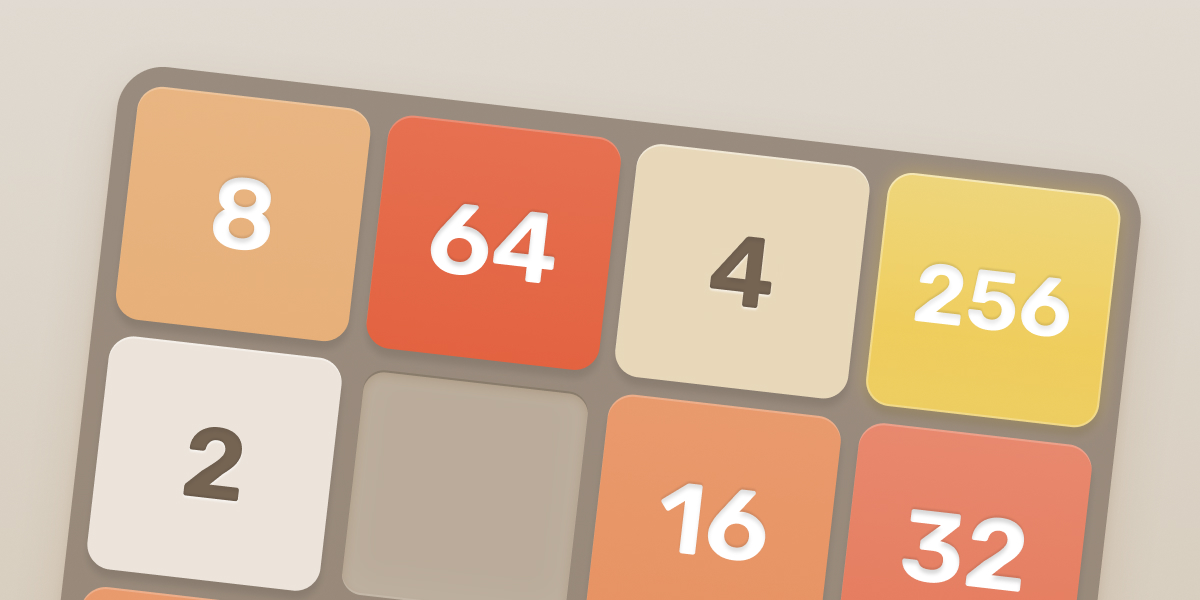

Sharing metadata
| og:type | website |
|---|---|
| og:image | https://play2048.co/ogImage.jpg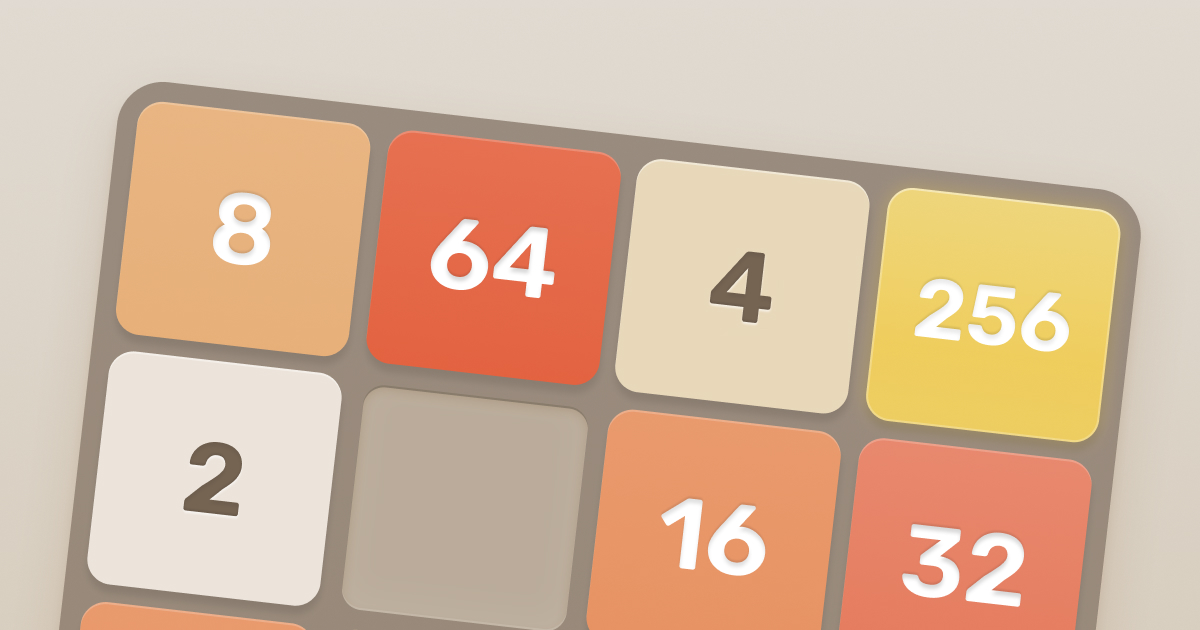 |
| og:title | 2048 by Gabriele Cirulli |
| og:locale | en_US |
| og:site_name | 2048 |
| og:description | Join the tiles and reach 2048! Play the free online game loved by millions. |
| og:image:width | 1200 |
| og:image:height | 630 |
| twitter:card | summary_large_image |
| twitter:image | https://play2048.co/twitterImage.jpg |
| twitter:title | 2048 by Gabriele Cirulli |
| twitter:creator | @gabrielecirulli |
| twitter:description | Join the tiles and reach 2048! Play the free online game loved by millions. |
robots.txt (opens in a new tab)
1 rules
All bots 1 allowed · 0 disallowed

 All bots

/
No matching rules.
Sitemaps
1 Registration details RDAP / WHOIS
| Registrar | Porkbun |
|---|---|
| Registered | 2018-10-27 |
| Expires | 2026-10-27 |
| Domain status | clientDeleteProhibited https://icann.org/epp#clientDeleteProhibited、clientTransferProhibited https://icann.org/epp#clientTransferProhibited |
| Nameservers | sean.ns.cloudflare.com、tegan.ns.cloudflare.com |
| DNSSEC | unsigned |
 DNS records
| Type | Name | Value | TTL | Priority |
|---|---|---|---|---|
| A | play2048.co | 104.21.79.106 | 300 | — |
| A | play2048.co | 172.67.144.178 | 300 | — |
| AAAA | play2048.co | 2606:4700:3036::6815:4f6a | 300 | — |
| AAAA | play2048.co | 2606:4700:3036::ac43:90b2 | 300 | — |
| MX | play2048.co | smtp.google.com | 300 | 1 |
| NS | play2048.co | sean.ns.cloudflare.com | 86400 | — |
| NS | play2048.co | tegan.ns.cloudflare.com | 86400 | — |
| TXT | play2048.co | google-site-verification=UjNRswCIJlucmhISAkwTPVnKoSS3kGGen1T5miamiJ8 | 300 | — |
| TXT | play2048.co | v=spf1 include:_spf.mailersend.net a mx include:_spf.mlsend.com ?all | 300 | — |
 TLS and certificates
| Assessment | Normal configuration |
|---|---|
| Supported protocols | TLSv1.2、TLSv1.3 |
| Negotiated protocol | TLSv1.3 |
| Certificate subject | play2048.co |
| Issuer | Google Trust Services |
| Valid until | 2026-12-08T17:45 · Remaining when checked: 73 days |
| Verification details | Certificate trust: Passed · Hostname match: Passed |
 HTTP response headers
| Header | Value |
|---|---|
| content-type | text/html; charset=utf-8 |
| cache-control | public, max-age=0, must-revalidate |
| server | cloudflare |
| content-security-policy | frame-ancestors 'self' https://next.play2048.co https://play2048.co https://play2048-co.translate.goog; |
| x-content-type-options | nosniff |
| referrer-policy | strict-origin-when-cross-origin |
| access-control-allow-origin | https://play2048.co |
 Identified technologies
User reviews (0)