
 简体中文
简体中文 English
Website review
This review may include AI-generated content and is not individually verified. Domain, certificate and other facts come from the observed data on this page.
What is Opengist?
Opengist is an open-source, self-hosted pastebin that stores every snippet as a Git repository. Instead of pasting text into a database-only service, you run the instance yourself and get Git's version history, cloning and pushing built in. It is best understood as a lightweight, self-controlled alternative to GitHub Gist.
What that means in practice
Each snippet is a real Git repo, so you can clone it over HTTP or SSH, edit locally, and push changes back. The web interface then shows revisions with diffs between them, which makes it useful for code that changes over time rather than one-off text dumps.
Visibility is per snippet: public, unlisted, or private. Snippets can hold multiple files, including binary files and images, and can be downloaded as a ZIP. Rendering covers syntax highlighting for many languages plus Markdown with Mermaid, LaTeX, CSV and media files. There are also likes, forks, topics, an embed widget, and JSON output for pulling a snippet into another page.
Who it suits
- Developers and small teams who want shared snippets without sending code to a third-party host.
- Homelab and self-hosting users who prefer a single binary, Docker image, or Kubernetes deployment.
- Organizations that need login control: OAuth providers such as GitHub, GitLab, Gitea or OIDC, plus LDAP, TOTP and WebAuthn, and admin options like requiring login on a private instance or allowing anonymous snippets.
The trade-off is operational: you host it, back it up, and manage storage. It supports SQLite, PostgreSQL or MySQL, so a small personal instance can stay simple while a team instance can use a full database. If you want zero maintenance, a hosted gist service will be easier; if control and Git-native workflows matter more, Opengist fits.
A concrete scenario
A backend team keeps a growing docker-compose.yml and a set of API examples. They create one Opengist snippet, push updates from their laptops via Git, and review the diff history when something breaks. New hires get the link; private snippets stay behind the instance's login. That is the core use case: versioned, shareable text and code on infrastructure you control.
A sensible next step is to run the Docker command from the project page, create one snippet, and clone it locally to confirm the Git workflow matches how your team already works.
How do I self-host Opengist using Docker or a single binary?
Run Opengist as a Docker container for the fastest path, or as a single binary if you prefer no container runtime. Both serve the same Git-backed pastebin on port 6157 by default.
Docker
The page's own quick-start command is the canonical example:
docker run -p 6157:6157 -v "$HOME/.opengist:/opengist" ghcr.io/thomiceli/opengist:1.15
Then open http://localhost:6157. The volume mount is the part that matters: /opengist inside the container holds your snippets and configuration, so without -v everything vanishes when the container is recreated. Pin a version tag (as above) rather than latest if you want upgrades to be deliberate.
Single binary
Download the release for your platform from the project's releases page, make it executable, and run it. Data lands in a working directory you control, so start it from a dedicated folder or point it at one, and keep that folder backed up or on persistent storage.
What you choose between
| Docker | Single binary | |
|---|---|---|
| Setup effort | One command, plus a volume | Download, chmod, run |
| Isolation | Container-level | Runs as your user |
| Upgrades | Pull a new tag | Replace the file |
| Best for | Servers already running containers | Minimal hosts, NAS boxes, quick tests |
Opengist stores data in SQLite, PostgreSQL or MySQL, so a single-node SQLite setup is fine to start and you can move to Postgres or MySQL later if you need concurrent load or external tooling.
Practical next steps
- Put it behind a reverse proxy with TLS before exposing it; snippets are Git repositories reachable over HTTP or SSH, so treat the instance as you would any code host.
- Decide your access model early — the admin controls let you require login for a private instance, allow anonymous snippets, manage users, and expose Prometheus metrics.
- If your team already lives in a Git forge, connect OAuth via GitHub, GitLab, Gitea or OIDC, or use LDAP, and secure accounts with TOTP or WebAuthn passkeys.
- Kubernetes deployment is also listed as an option if you run a cluster.
If you are unsure which route fits, start with Docker on the machine that will host it long-term; migrating a SQLite-backed instance to a binary install later is mostly a matter of moving the data directory.
Can I clone and push snippets to Opengist with the Git CLI?
Yes. Opengist stores every snippet as a Git repository, so you can clone it, edit locally, and push changes back over HTTP or SSH. You can also create a snippet from scratch with a plain git push from an existing local repository, without opening the web interface first.
What that looks like in practice
A typical workflow for someone who lives in the terminal:
- Clone a snippet:
git clone <instance-url>/<user>/<snippet>.git - Edit files locally and commit as usual.
git pushto publish the new revision.
The web UI then shows the same content with syntax highlighting, a revision list, and diffs between versions, so terminal users and browser users see one shared history rather than two separate systems.
Who benefits most
- Developers storing config files, scripts or dotfiles who want version history without running a full Git forge.
- Teams on a private instance that requires login, where SSH keys or OAuth-based accounts already exist.
- Automation: because snippets are real repositories, CI jobs or scripts can push generated output directly.
Trade-offs to weigh
Git CLI access is powerful but assumes familiarity with remotes, branches and merge behaviour. If your snippets are mostly one-off notes, the browser editor is faster. Also consider how your instance authenticates Git traffic — SSH keys and HTTP credentials need to be set up per user, and visibility settings (public, unlisted, private) still apply to whatever you push.
If you are evaluating it, the quickest test is to run the Docker command from the project page, clone one snippet, push a change, and confirm the diff appears in the web view.
How does Opengist compare to GitHub Gist for private snippet hosting?
For private snippet hosting, the main difference is control versus convenience. Opengist is self-hosted and Git-backed, so your snippets live on infrastructure you run. GitHub Gist is hosted by GitHub, which means less setup but also less control over where private data sits and who administers it.
Where Opengist fits better
Opengist stores each snippet as a Git repository, and the page states it supports public, unlisted, and fully private visibility. That matters if you want private snippets without relying on a third-party host. You can clone and push over HTTP or SSH, manage snippets from the command line or API, and browse revisions with diffs. For teams or individuals who already run their own services, that Git-native workflow is the practical draw.
Self-hosting also gives you instance-level controls: requiring login for a private instance, managing users, and exposing Prometheus metrics. Authentication options include GitHub, GitLab, Gitea, OIDC, LDAP, TOTP, and WebAuthn. Deployment is flexible: a single binary, Docker image, or Kubernetes, backed by SQLite, PostgreSQL, or MySQL.
A concrete scenario: a small engineering team wants internal runbooks and config snippets that never leave their network. They run Opengist behind their own login, keep snippets private, and push updates with plain git push. That is a good fit.
Where GitHub Gist fits better
GitHub Gist is the easier choice when you want zero maintenance and your snippets are not sensitive enough to require self-hosting. You get GitHub's account system, sharing, and discoverability without running a server. The trade-off is that private gists are private in GitHub's sense: access is governed by GitHub accounts and policies, not by your own infrastructure.
Practical comparison
| Factor | Opengist | GitHub Gist |
|---|---|---|
| Hosting | Self-hosted | GitHub-hosted |
| Data location | Your servers | GitHub infrastructure |
| Setup effort | Requires deployment and maintenance | None beyond an account |
| Git workflow | Clone/push over HTTP or SSH | Git-backed, GitHub-managed |
| Access control | Your instance, users, OAuth/LDAP/passkeys | GitHub accounts and permissions |
| Best for | Private, controlled snippet hosting | Quick, low-maintenance sharing |
How to decide
Choose Opengist if the deciding factor is control: you need snippets on your own infrastructure, want to manage users yourself, or require Git CLI and API access under your own policies. Choose GitHub Gist if you value zero maintenance and the snippets are not subject to strict data-location or administrative requirements.
A useful next step is to test the workflow that matters most. Deploy Opengist locally with the Docker command shown on its page, create a private snippet, then clone and push to it. If that round trip feels natural and your team can maintain the instance, self-hosting is worthwhile. If not, GitHub Gist remains the simpler default.
What authentication options like OAuth, LDAP, and passkeys does Opengist support?
Opengist supports several sign-in and account-security options, and they fall into two groups: identity providers for logging in, and a second factor for protecting the account itself.
Login and identity providers
- OAuth via GitHub, GitLab, Gitea or OIDC — useful if your team already has accounts with one of these services, or if you run a generic OpenID Connect provider for single sign-on.
- LDAP — aimed at organizations with an existing directory (for example, an internal staff directory) where you want one set of credentials to work across tools.
- Passkeys (WebAuthn) — a passwordless option using a device-bound credential, such as a hardware key or a platform authenticator.
Account protection
- TOTP — time-based one-time codes from an authenticator app, as a second factor.
- WebAuthn — the same standard behind passkeys, which Opengist lists alongside TOTP for securing accounts.
How to choose
The practical split is between how people get in and how strongly their account is protected:
| Need | Option | Trade-off |
|---|---|---|
| Reuse existing cloud accounts | OAuth (GitHub, GitLab, Gitea, OIDC) | Depends on an external provider being reachable |
| Central corporate directory | LDAP | Requires directory configuration and upkeep |
| Avoid passwords entirely | Passkeys / WebAuthn | Needs compatible devices or security keys |
| Add a second factor | TOTP or WebAuthn | Extra step at each login |
A concrete scenario: a small team already using GitLab can enable OAuth so nobody creates a new password, then require TOTP for admins who manage users and instance settings. A larger organization with an internal directory would lean on LDAP instead, keeping account lifecycle in one place.
As a next step, decide whether your priority is single sign-on convenience or stricter account security, then check Opengist's documentation for the exact configuration of the provider you pick — the available methods are listed, but the setup steps depend on your environment.
How can I embed or fetch Opengist snippets as JSON on another website?
Opengist supports two distinct integration paths: an embed widget that drops a snippet into a webpage as rendered content, and a JSON fetch that returns the snippet's data for your own code to handle. Pick the embed when you want the snippet to appear as-is; pick JSON when you need to transform, filter or restyle the content yourself.
Embedding a snippet
The embed widget places a snippet into any webpage, so a reader sees the code or Markdown without leaving your site. This suits documentation pages, blog posts and tutorials where you want to quote a snippet and keep it in sync with the source. Because the snippet lives in your Opengist instance, editing it there updates the embedded view rather than forcing you to copy changes into your site by hand.
Practical scenario: a team maintains internal runbooks on a static site and keeps the accompanying config snippets in Opengist. Each runbook page embeds the relevant snippet, so an on-call engineer who fixes a config in Opengist sees the fix reflected in the runbook.
Fetching as JSON
The same snippet can be fetched as JSON, which returns the data for programmatic use. This is the better route when you need to build a custom renderer, feed a search index, aggregate snippets across pages, or pull content into a build step. The trade-off is that you own the rendering and the error handling: unlike the embed, nothing appears automatically.
A concrete case: a documentation generator fetches snippets as JSON at build time and injects them into generated pages, so the published docs always match the current snippet content without manual copying.
Choosing between them
| Need | Embed | JSON fetch |
|---|---|---|
| Display a snippet on a page with minimal work | Yes | No |
| Restyle or transform the content | Limited | Yes |
| Combine or filter multiple snippets | No | Yes |
| Use content in a build pipeline or index | No | Yes |
| Automatic updates when the snippet changes | Yes | Only if your code re-fetches |
Access and visibility considerations
Visibility settings matter for either approach. Public snippets are the straightforward case. Unlisted snippets are reachable by anyone with the link but are not listed, which works for embeds on a page you control. Private snippets require authentication, so an embed or fetch from a third-party site will not work unless your integration handles credentials. For a private instance, the admin can require login, which affects any external integration.
Next step
Open a snippet in your instance and try the embed widget on a test page first; if the rendered output does not match your design, switch to the JSON route and render it yourself. For a broader look at self-hosted snippet tools, see Opengist and compare with GitHub Gist if you are weighing hosted versus self-hosted options.
 Cloudflare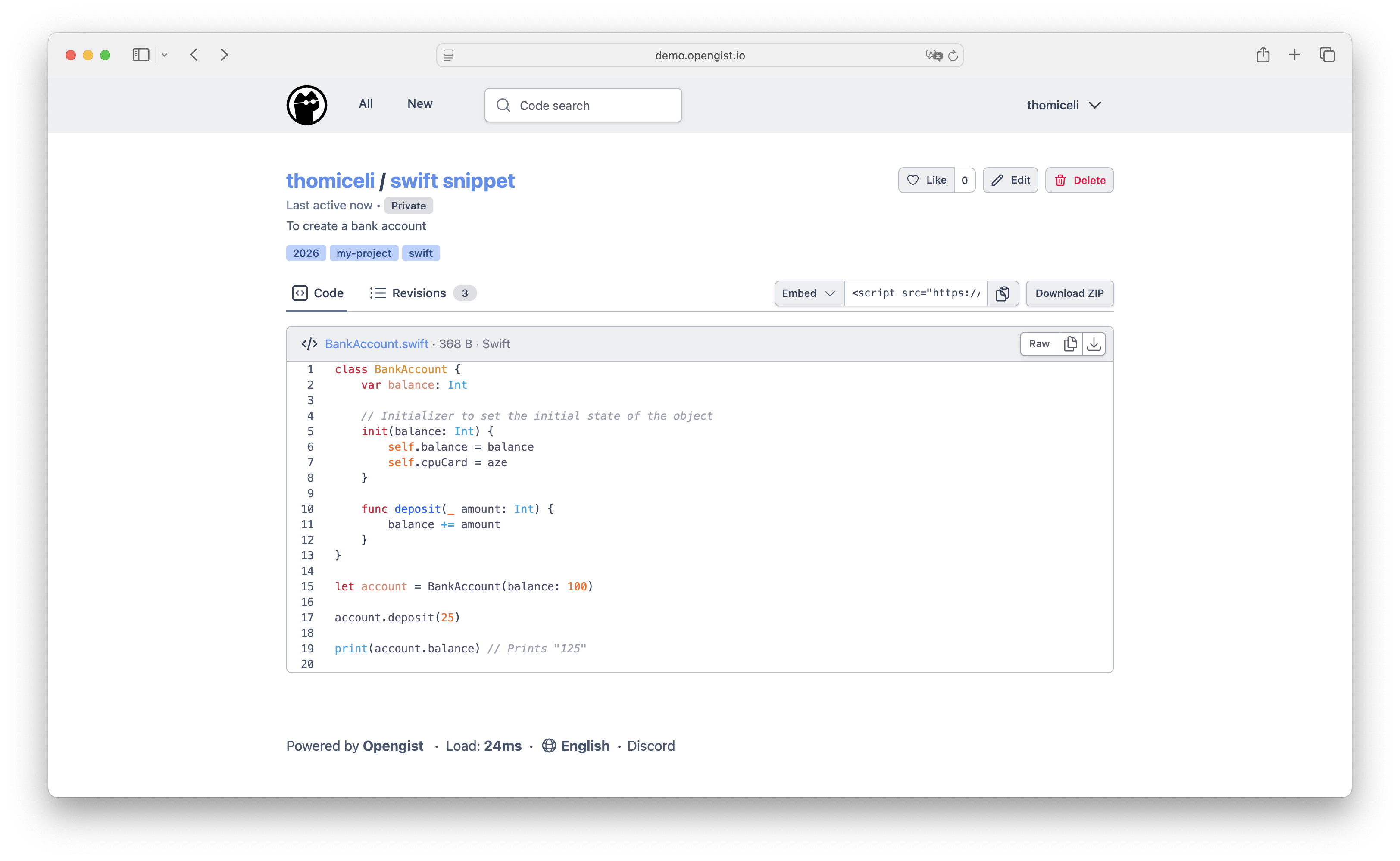

User reviews (0)