
 简体中文
简体中文 English
Website review
This review may include AI-generated content and is not individually verified. Domain, certificate and other facts come from the observed data on this page.
What is OpenSourceFeed?
OpenSourceFeed is a catalog-style website about free and open-source operating systems and desktop environments. Its focus is breadth: it indexes GNU/Linux and BSD distributions alongside desktop shells, then adds news and release updates for each. The homepage presents two main browsing paths — "All Operating Systems" and "All Desktop Environments" — plus a "Recent Stories" feed and a list of "Important FOSS Dates."
What you'll find there
- Desktop environments, listed as their own category: Budgie, Cinnamon, GNOME, KDE Plasma, LXDE, LXQt, MATE, Pantheon, Xfce, Enlightenment, Trinity, Lumina, Moksha, Regolith, Cutefish and Deepin, among others.
- Distributions, from mainstream choices like Debian, Fedora, Ubuntu, Linux Mint and openSUSE to niche and specialist projects such as NixOS, Tails, Puppy Linux, Slackel, Solus, Vanilla OS, Q4OS and Raspberry Pi OS.
- Non-Linux systems, including FreeBSD, NetBSD, OpenBSD-family entries, DragonFly, GhostBSD, NomadBSD, MidnightBSD and ReactOS.
- Release and project news, for example a Raspberry Pi Desktop update adding an optional dock and launcher, a GNOME release with offline maps, and a FreeBSD point release covering security fixes and toolchain updates.
Who it suits
It works best as a starting point for someone who knows they want to try an open-source system but does not yet know which one, or for a reader who wants to follow several projects' release news in one place rather than subscribing to each project's own announcements. If you already know your distribution and only want authoritative release notes, the upstream project's own site will be more precise; a directory like this is better for discovery and comparison than for deep technical documentation.
How to use it
Treat the listings as an index, not a review. Pick two or three candidates that match your constraints — hardware age, whether you need long-term support, how much command-line work you're willing to do — then check the project's own site and release notes before installing. A practical first step for a beginner is to compare a beginner-oriented desktop distribution against a rolling-release one, since that single trade-off (stability and predictable upgrades versus newer software) explains most of the difference in day-to-day experience.
For a second opinion on a specific distribution, general community resources such as DistroWatch cover release history and rankings, while GNOME and KDE publish their own desktop release information directly.
Which Linux distributions or BSD systems are listed on OpenSourceFeed?
OpenSourceFeed is a browsing gallery of free operating systems and desktop environments, not a ranked comparison. Its operating-system index lists a wide mix of Linux distributions and BSD systems, each with a dedicated page and related stories.
Linux distributions listed include Arch Linux and its derivatives (ArchBang, ArchLabs, Archman, ArcoLinux, EndeavourOS, CachyOS, Manjaro, BlackArch-adjacent projects like BackBox and Pentoo), Debian-family systems (Debian, Ubuntu and its flavors such as Kubuntu, Xubuntu, Lubuntu, Ubuntu MATE, Ubuntu Budgie, Ubuntu Cinnamon, Ubuntu Unity, UbuntuDDE Remix, Linux Mint, Pop!_OS, elementary OS, Zorin OS, MX Linux, antiX, Kali Linux, Tails, Devuan, SparkyLinux, SpiralLinux, Voyager Live), RPM-family systems (Fedora, Red Hat Enterprise Linux, openSUSE, Mageia, OpenMandriva, PCLinuxOS, Oracle Linux, ROSA Linux, RedCore Linux), plus independent or niche distributions (Gentoo, NixOS, Slackware-derived Slackel and Salix, Solus, Void-adjacent and small-footprint options like Puppy Linux, Tiny Core Linux, Porteus, PorteuX, Slax, Damn Small Linux, 4MLinux, Q4OS, Trisquel, PureOS, Parrot-adjacent security images like Kodachi, and gaming-focused SteamOS).
BSD and non-Linux systems listed include FreeBSD, GhostBSD, DragonFly BSD, MidnightBSD, NetBSD, OpenBSD-adjacent NomadBSD, TrueOS, and the non-Unix ReactOS and Redox OS. Desktop environments and shells are indexed separately, covering GNOME, KDE Plasma, Xfce, Cinnamon, MATE, Budgie, LXDE, LXQt, Enlightenment, Deepin, Pantheon, Trinity, Lumina, Moksha, Regolith, Cutefish, and helloSystem.
A practical next step: if you are choosing a system rather than browsing, use the site to confirm a project is actively covered, then check its own release notes for your hardware and support window. For example, someone wanting a stable server would start from FreeBSD or Debian-family entries, while someone reviving an old laptop would look at the lightweight distributions and desktop environments above.
How can I compare desktop environments like GNOME, KDE Plasma, and Xfce using OpenSourceFeed?
OpenSourceFeed is a directory-style reference for comparing desktop environments, not a benchmarking site. Its value is coverage: it lists GNOME, KDE Plasma, Xfce, Cinnamon, MATE, LXQt, Budgie, Deepin, Pantheon, Enlightenment, Moksha, Trinity, Lumina, Regolith and others in one index, alongside the distributions that ship them. That makes it useful for building a shortlist, then checking each project's own release notes before you commit.
How to use it for a comparison
- Start from the desktop environments index and note which environments are actively covered — a recent story is a rough signal that the project is still moving.
- Cross-check the distributions list to see which environments ship as a default versus an option. For example, Ubuntu MATE, Kubuntu and Xubuntu appear as separate entries, which tells you the environment is treated as a first-class choice rather than an afterthought.
- Read the recent stories for the environment you are considering. Coverage of a release often describes the practical changes — new panel behaviour, updated toolkits, default app swaps — which matters more day to day than the overall design philosophy.
- Jump to the project's own site for hardware requirements, release cadence and support windows, since a gallery entry will not carry those details.
What the three you named actually differ on
| Environment | Typical feel | Who tends to prefer it | Main trade-off |
|---|---|---|---|
| GNOME | Minimal, touch-friendly, few visible settings | People who want defaults to be decided for them | Customisation often needs extensions, which can break on major releases |
| KDE Plasma | Dense, highly configurable, Windows-like layout by default | Tinkerers and users with specific workflow needs | More options means more surface area to learn and occasionally more churn |
| Xfce | Traditional panels and menus, light on resources | Older hardware, long-lived installs, users who dislike change | Slower adoption of newer toolkit and display technology |
A concrete reader scenario
Suppose you are reviving a decade-old laptop. Checking OpenSourceFeed's environment list points you toward the lighter options — Xfce, LXQt, MATE, LXDE — and the distribution list shows which projects build around them. You would then confirm on the distribution's own page whether it still supports 32-bit hardware, something a gallery entry alone will not settle. If instead you are setting up a modern machine and want the widest choice of themes and widgets, KDE Plasma is the natural starting point; GNOME suits people who would rather not configure anything.
Decision criteria to apply
- Available RAM and CPU age: favour Xfce, LXQt or MATE on constrained hardware.
- Willingness to maintain configuration: high for Plasma, low for GNOME.
- Long-term stability preference: environments with slower release cycles tend to disturb your setup less.
- Distribution support: an environment is only as good as the distro packaging it.
Next step
Pick two candidates, then read their latest release story on OpenSourceFeed and the corresponding announcement on the project's own site. For distribution-level details, Ubuntu and KDE publish their own release and support information, and Xfce documents its release history directly.
What recent updates or release news does OpenSourceFeed cover for operating systems?
OpenSourceFeed tracks release and update news across a very wide catalog of free operating systems and desktop environments, and its "Recent Stories" section is where that news surfaces. The coverage pattern is release-oriented rather than tutorial-oriented: version announcements, point releases, and notable feature changes.
Examples of the kind of news it carries
- Desktop environment releases, such as a GNOME version announcement with a codename and headline features.
- Distribution point releases, such as a FreeBSD maintenance release covering security fixes, new kernel interfaces, and toolchain updates.
- Desktop-focused updates to a distribution's user interface, such as new optional dock and launcher options for the Raspberry Pi Desktop.
What this means in practice
If you maintain machines on a stable branch, this kind of feed is most useful for spotting point releases that bundle security fixes — the FreeBSD item is the clearest example of that pattern. If you follow desktop environments, the GNOME and Raspberry Pi Desktop items show the other half of the value: feature changes that arrive between major distribution upgrades.
How to use it well
- Scan for your distribution or desktop by name; the site organizes entries by operating system and desktop environment, so browsing a single page beats reading the whole feed.
- Treat announcements as a signal to check the project's own release notes before upgrading, since a short news item will not list every regression or known issue.
- For long-term support users, prioritize point releases and security-fix stories over feature stories.
A reasonable next step is to open the site and filter to the distributions you actually run, then compare what you find against the release notes published by those projects themselves — for example, GNOME or FreeBSD — before scheduling any upgrade.
How do I choose a beginner-friendly Linux distribution from the options on OpenSourceFeed?
Pick a distribution that matches your hardware, how much you want to tinker, and whether you prefer a large support community over a curated, opinionated setup. OpenSourceFeed is a directory rather than a recommendation engine: it catalogues desktop environments, distributions and related news, so you'll still do the final comparison yourself.
OpenSourceFeed groups entries by desktop environment and distribution, which is a useful way to narrow the field before reading anything else. The desktop environment often matters more to a beginner than the underlying distribution, because it determines the layout, menus and settings app you'll actually live in.
Start with the desktop, then the distribution
- Want a familiar, Windows-like layout: Cinnamon, MATE, Xfce or KDE Plasma.
- Want something simple and guided: GNOME, Pantheon or Budgie.
- On older or low-spec hardware: Xfce, LXQt, LXDE or MATE are the usual starting points.
Beginner-friendly options worth comparing
| Distribution | Desktop(s) listed | Why beginners pick it | Trade-off |
|---|---|---|---|
| Linux Mint | Cinnamon, MATE, Xfce | Traditional layout, familiar workflows, gentle learning curve | Slower to adopt some upstream changes |
| Ubuntu | GNOME, plus Budgie, Cinnamon, MATE and Unity remixes | Huge community, most tutorials assume it | GNOME's default layout differs from Windows |
| Fedora Linux | GNOME and spins | Recent software, clean GNOME experience | Faster release cadence means more frequent upgrades |
| Pop!_OS | GNOME-based | Polished defaults, good for laptops with hybrid graphics | Smaller community than Ubuntu or Mint |
| Zorin OS | GNOME-based | Familiar layout, aimed at people switching from Windows | Some conveniences sit behind a paid edition |
| elementary OS | Pantheon | Very consistent, Mac-like design | Fewer customisation options |
| Debian | GNOME, KDE Plasma, Xfce, Cinnamon, MATE, LXQt | Extremely stable base | Older packages; setup can be less hand-held |
| MX Linux | Xfce, KDE Plasma, Fluxbox | Lightweight, works well on modest hardware | Smaller ecosystem than Ubuntu-based options |
| openSUSE | GNOME, KDE Plasma, Xfce and others | Strong system management tools | More concepts to learn early on |
| Manjaro Linux | Xfce, KDE Plasma, GNOME and others | Rolling releases with a friendlier installer | Rolling updates need regular attention |
A practical decision path
- Check your RAM, storage and graphics. Under roughly 4 GB of RAM, favour Xfce, LXQt or MATE editions.
- Decide whether you want long-term stability or newer software. Debian, Ubuntu LTS and Linux Mint lean stable; Fedora and Manjaro lean current.
- Boot a live USB before installing. Every distribution on OpenSourceFeed can be tested this way, and it's the fastest way to find out whether Wi-Fi, sound and display scaling work on your machine.
- Confirm your essentials run: browser, office suite, printer, and any Windows-only app you can't replace.
- Check the support channels — forum activity, documentation quality and release notes — before committing.
A concrete example: someone with a five-year-old laptop who mainly browses, writes documents and streams video is usually best served by Linux Mint with Cinnamon or MX Linux with Xfce. Someone with newer hardware and an interest in learning the system might prefer Fedora or openSUSE, accepting a steeper first month in exchange for more current software.
If you want independent reviews and compatibility notes beyond the directory, DistroWatch tracks release news and rankings, and It's FOSS publishes beginner-oriented guides and hands-on reviews. Pair those with the live-USB test and you'll have enough to choose confidently.
Does OpenSourceFeed provide information on upgrading or migrating between Linux distributions?
OpenSourceFeed is primarily a discovery and news directory for free operating systems and desktop environments, not a dedicated upgrade or migration guide. Its value for upgrading or migrating is indirect: it helps you identify and compare distributions, then points you toward each project's own release announcements.
What the site actually offers
- A large catalog of GNU/Linux, BSD and other open-source systems, including Ubuntu, Fedora, Debian, Linux Mint, openSUSE, Arch Linux, Manjaro, Pop!_OS, Zorin OS, elementary OS, NixOS, FreeBSD and NetBSD.
- A parallel catalog of desktop environments: GNOME, KDE Plasma, Xfce, Cinnamon, MATE, LXQt, Budgie, Pantheon, Deepin, Enlightenment and others.
- Recent Stories covering releases and desktop updates, such as a Raspberry Pi Desktop update adding an optional dock and launcher, a GNOME release with offline maps, and a FreeBSD point release with security fixes and updated toolchain.
Why that matters for migration
If you are deciding whether to move from, say, Ubuntu to Linux Mint, or from GNOME to KDE Plasma, the desktop-environment list is the most useful part: it shows which environments exist and which distributions ship them, so you can shortlist candidates before reading release notes. The distribution list helps you spot derivatives and alternatives you may not have considered.
What the site does not appear to provide is step-by-step upgrade instructions, in-place release-upgrade procedures, backup checklists or data-migration walkthroughs. Those live with the distribution projects themselves.
A practical next step
Treat OpenSourceFeed as the shortlisting stage, then verify the mechanics at the source:
| Task | Where to look |
|---|---|
| Compare distributions and desktops | OpenSourceFeed's catalogs |
| Check what changed in a release | Its Recent Stories, then the project's own notes |
| In-place upgrade steps | The distribution's official documentation |
| Backups and rollback plan | Your own checklist before touching partitions |
For example, a reader on an older Ubuntu release who wants a lighter desktop could use the site to compare Xubuntu, Lubuntu and Linux Mint Xfce, then follow the chosen project's official upgrade path. For distribution-specific guidance, the relevant projects include Ubuntu, Linux Mint, Fedora and Debian.
 Google Cloud DNS
 Fastly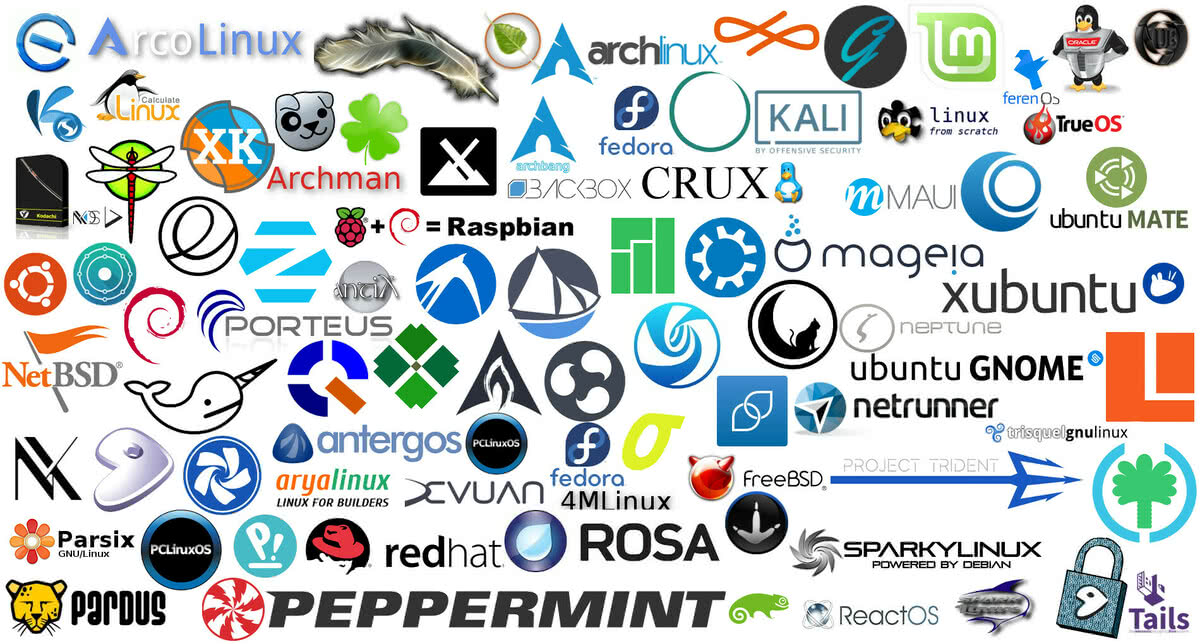

User reviews (0)