
 简体中文
简体中文 English
Website review
This review may include AI-generated content and is not individually verified. Domain, certificate and other facts come from the observed data on this page.
What is Pallyy?
Pallyy is a social media scheduling tool built specifically for agencies and freelancers who manage multiple clients. Rather than billing per connected channel, it charges per client, so you can connect all of a client's social accounts—Instagram, Facebook, X, LinkedIn, Google Business Profile, Pinterest, TikTok, YouTube, Threads, and Bluesky—under one client fee. It offers a 14-day free trial.
Its core focus is client work rather than solo publishing. The main pieces are:
- Approvals: Clients preview, comment on, and approve posts through a shared link, with no account required.
- Approvals page: Every post still awaiting sign-off appears in one list, showing whether it's waiting on the client, your team, or already approved.
- Calendar and overview: A dashboard shows what's going out this week across all clients.
- Team collaboration: Teammates and freelancers can be given access to specific clients.
- Client reports: Build per-client reports from their own analytics and export them as PDFs at month end.
The per-client pricing model is the key trade-off. If you run a small number of clients with many channels each, it can be cheaper than per-channel tools. If you manage many single-channel clients, the math may work against you.
A practical next step: list your clients and count how many channels each one needs. If most have three or more, per-client pricing is likely to suit you. If most have one, compare carefully before committing.
How does Pallyy's pricing work for agencies with multiple clients?
Pallyy prices by client rather than by social channel. The page states this directly: "Priced per client, not per channel." For an agency, that means adding a client's Instagram, Facebook, TikTok, LinkedIn and other profiles does not multiply the bill the way per-channel tools often do. The site also advertises a 14-day free trial and a demo booking option, with pricing details on its Pallyy pricing page.
What this means in practice
- Per-client billing suits roster-based agencies. If you manage ten clients across four networks each, a per-client model keeps pricing tied to the number of accounts you serve, not the total number of profiles you publish to.
- Channel count is the main variable to check. Confirm whether every connected profile under one client is included, or whether there is a cap. The page does not specify limits, so verify on the pricing page before committing.
- Client-facing features appear bundled on the Agency plan. The page says client approvals, shared-link sign-off, approvals lists, team collaboration and per-client PDF reports are included on the Agency plan rather than sold as add-ons. That matters if you would otherwise pay separately for approval and reporting tools.
Where the model can work against you
A per-client price is less efficient for agencies with a few clients on many channels, or for freelancers with one large multi-brand client. In those cases, a per-channel or flat-tier tool may cost less. The trade-off is administrative: per-client pricing is easier to explain on a client invoice, but it can become expensive if your roster grows while your per-client workload stays small.
Next step
List your clients and the number of profiles each one needs, then compare that against the pricing tiers on Pallyy. If most clients use three or more networks, per-client pricing is likely the better fit; if most use one, check whether a channel-based alternative is cheaper.
How do clients approve social media posts without creating an account?
Clients approve posts through a shared link, not an account. Pallyy's page describes approvals as a workflow where clients "preview, comment, and approve posts from a shared link. No account needed." The practical effect is that a restaurant owner, clinic manager or realtor can open a link on their phone, see the draft post and either approve it or request changes without learning a new tool or managing a password.
What the client actually does
- Opens the shared link and reviews the post preview.
- Leaves a comment if something needs changing — the page shows an example like swapping a photo.
- Approves the post, which moves it into the scheduled queue.
The page also shows an approvals list that groups posts by stage: awaiting client, awaiting team, changes requested and approved. That matters more than the link itself. A shared link solves sign-off; the status list solves the "who is blocking this?" question that usually costs agencies time in email threads.
Why the no-account detail is the real feature
Most client approval friction is not design feedback, it is access. Asking a client to create an account means sending an invite, waiting for them to accept it, resetting a password and then chasing them again. A link removes every one of those steps, so the approval can happen in the same conversation where you sent it.
The trade-off is control. Anyone with the link can view the post, so you should treat it as a shareable document rather than a private workspace. For a single client contact that is fine; for a larger brand with legal or compliance review, you may still want named access so you can see who approved what.
A concrete scenario
You run social for a café and a bridal boutique. On Thursday you finish next week's posts and send each client one link. The café owner approves from her phone between services and adds a comment about a brunch photo. The boutique marks two posts as changes requested. Back in Pallyy, both clients show up in the approvals list with their current stage, so Friday morning you know exactly which posts are ready to schedule and which need another pass.
How to decide if this fits
Use link-based approvals when your clients are small businesses, owner-operators or busy marketing contacts who will not log into another platform. Consider named accounts instead when more than one person must sign off, when approvals need an audit trail, or when the client's legal team needs documented consent.
Next step: open Pallyy and check whether the Agency plan's approval and reporting features match how many clients you manage, since the page notes client-work features are included there rather than sold as add-ons.
Can Pallyy schedule posts to Instagram, TikTok, and other platforms?
Yes. Pallyy is built to schedule and publish across the major social channels, and its page lists Instagram, Facebook, X (Twitter), LinkedIn, Google My Business, Pinterest, TikTok, YouTube, Threads and Bluesky. For an agency or freelancer running several clients, the more relevant point is that these are managed in one calendar rather than one tool per network.
How it fits a real workflow
A typical user is a small agency or solo social manager with a roster of clients — restaurants, clinics, realtors, trades. They load a week of posts, assign each to the right client profile, and let the calendar queue them. The page shows this directly: a dashboard listing posts going out across multiple clients, grouped by approval stage.
The scheduling features worth noting
- A shared content calendar showing what publishes and when
- Client approvals through a shared link, with no client account required
- An approvals list that shows each post's stage (awaiting team, awaiting client, changes requested, approved)
- Team access for staff and freelancers, scoped to specific clients
- Per-client analytics reports exported as PDFs for month-end
Where it may not suit you
If you only manage one brand on one or two networks, the client-approval and per-client pricing model is more structure than you need, and a simpler single-brand scheduler will likely be cheaper and faster to learn. Pallyy's design assumes you juggle multiple clients.
A practical next step
List your clients and the exact networks each one uses. Then check two things before committing: whether every one of those networks is supported for direct publishing (some platforms restrict automated posting for certain post types), and whether the per-client pricing matches your roster size. Start with the free trial using one real client and one week of live posts — that surfaces publishing limits faster than a feature list will.
Pallyy's own pricing page is at Pallyy. For platform-specific publishing rules, check each network's official help centre, since scheduling support and post-type restrictions change over time.
How do agencies generate and export client reports in Pallyy?
Agencies generate reports in Pallyy from each client's own connected analytics, then export them as PDFs at month end. The reports are built per client rather than as a single all-clients summary, so the output matches the way agency billing and client reviews usually work — one client, one report, one file to send.
According to the page evidence, the workflow is:
- Connect each client's social accounts. Pallyy lists Instagram, Facebook, X (Twitter), LinkedIn, Google My Business, Pinterest, TikTok, YouTube, Threads and Bluesky as supported channels.
- Let analytics accumulate on those connected accounts. The page shows follower, engagement and reach figures as report inputs.
- Build the report per client from that client's own analytics.
- Export it as a PDF for month-end delivery.
That export step matters for agencies because a PDF is a fixed, presentable artifact you can attach to an email or drop into a shared folder without giving the client a login. It also freezes the numbers at send time, which is useful when a client questions a figure weeks later.
Where reports fit in the wider client workflow
Reporting is one part of a loop the page describes: plan posts, collect approval, publish, then report. The approval side uses a shared link so clients can preview, comment and approve without creating an account, and there is a dedicated approvals page listing every post still awaiting sign-off and its current stage. If you run reporting and approvals through the same tool, the month-end report can reference work the client already saw and approved, which tends to reduce back-and-forth.
Practical decision criteria
Before committing, test these against your own roster:
- Client count vs. channel count. Pallyy prices per client, not per channel. If your clients are on many platforms each, that structure is likely to suit you better than per-channel pricing; if you manage many single-channel clients, compare carefully.
- Report depth. Check whether the metrics available for each client's channels cover what that client's contract promises. A restaurant client may care about reach and engagement; a B2B client may want different proof.
- Volume of PDFs. If you produce dozens of reports on the same day each month, confirm the export and build steps are quick enough at your scale.
- Team access. The page mentions giving teammates and freelancers access to client work with roles such as Admin, Editor and Pending, which matters if different people prepare different clients' reports.
Next step
Start a free trial with one or two real client accounts rather than a demo account, run a full month of data through it, and export the PDF at month end. That single cycle tells you whether the report content and the export format are good enough to send to a paying client without rework.
For the current plan details, check Pallyy directly, since report features sit on specific plans.
Can team members and freelancers access specific clients in Pallyy?
Yes. Pallyy is built around giving teammates and freelancers scoped access to the clients they work on, rather than handing everyone the full roster. The page shows a team list where each person is tied to a client and a role — for example, an admin across all social sets, and editors assigned to a single client like BeanHouse Café.
H3 How the access model works
- People are added per client, with a role such as Admin or Editor.
- A freelancer can be given one client (or a few) without seeing the rest of your roster.
- Work moves through visible stages — Approved, Scheduled, Changes requested, Awaiting client, Awaiting team — so a freelancer sees what needs doing without chasing you.
- Clients themselves don't need an account: they preview, comment and approve from a shared link.
H3 What this means in practice If you run a small agency with a mix of staff and contractors, you can put a full-time account manager on every client and a freelance designer on just the two brands they handle. That keeps client data separated, reduces the risk of someone posting to the wrong account, and makes it easy to remove a contractor when a project ends.
H3 Trade-offs to weigh Per-client access is cleaner for confidentiality, but it adds setup work: each new client means assigning the right people, and a busy freelancer across many clients may prefer a single consolidated view. If your team mostly works across the whole portfolio, broad access is faster; if you use specialists, scoped access is worth the extra administration.
H3 Next step Before your trial ends, list your clients and decide who needs each one, then test the flow with one freelancer and one client approver. If you want to compare the per-client pricing approach with alternatives, look at Buffer for simpler solo scheduling, Later for visual-first planning, and Metricool for combined scheduling and analytics.
 Namecheap
 Cloudflare
 Google Workspace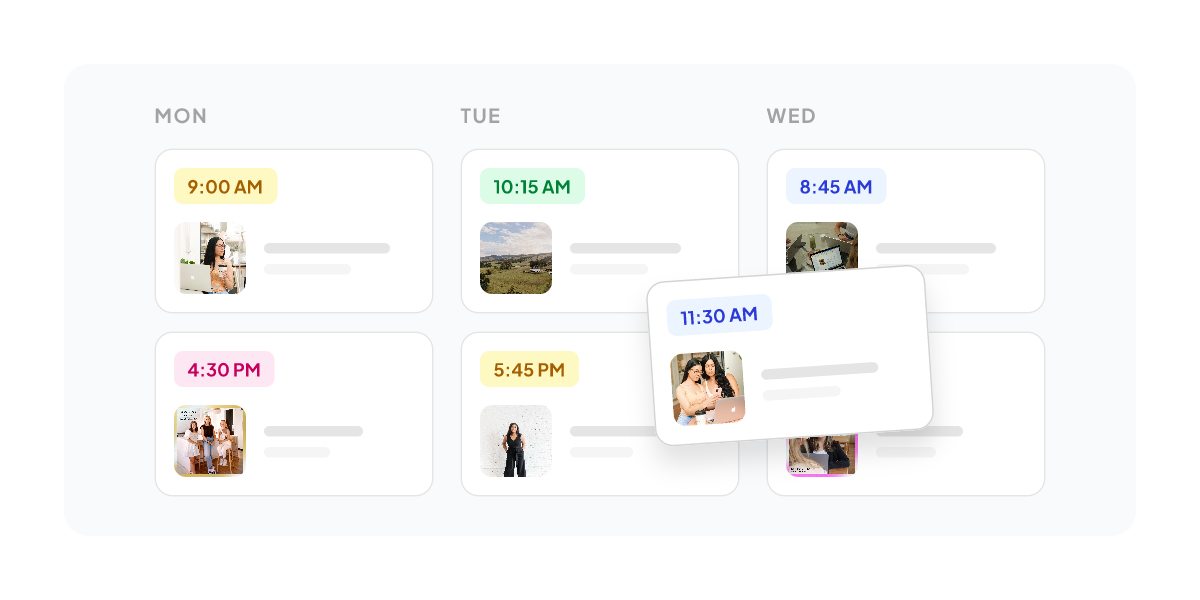

User reviews (0)