
 简体中文
简体中文 English
Website review
This review may include AI-generated content and is not individually verified. Domain, certificate and other facts come from the observed data on this page.
What is PSD Repo?
PSD Repo is a free resource library for designers, offering PSD and Adobe XD templates shared by the creative community. Its catalog spans mockups, mobile UI kits, icons, buttons, website templates and social media designs — useful when you need a starting point for a client pitch, portfolio piece or quick prototype rather than building every asset from scratch.
Who it suits
- Graphic and UI designers who want editable source files instead of flat images.
- Freelancers producing mockups for branding, apparel or packaging presentations.
- Students and hobbyists who need practice material without paying for stock assets.
What you'll find
- Mockup templates such as device, stationery, billboard and product mockups.
- Mobile app and website UI templates, including XD files.
- Instagram post and story templates.
- Icons, buttons and miscellaneous design elements.
Practical trade-offs
| Strength | Limitation |
|---|---|
| Free to download | Quality and file organization vary by contributor |
| Editable PSD/XD source files | Some files may need cleanup or layer renaming |
| Broad category coverage | Not a substitute for a licensed stock library when client work requires clear licensing |
A sensible next step: browse the category closest to your current project, download one file and open it before committing time — check layer structure, resolution and whether fonts used are included or freely available. If you need packaging for commercial client work, confirm the license terms attached to each individual resource, since community-shared files can differ.
How can I use the free PSD and Adobe XD templates from PSD Repo in my design projects?
Use PSD Repo as a starting library, not a finished design system. The site gathers free PSD and Adobe XD files across mockups, mobile UI kits, icons, Instagram templates, and web layouts, so the fastest way to use it is to pick assets that match a specific deliverable you already owe someone.
Practical ways to use the templates
- Mockups for client presentations: Drop your own artwork into a device, billboard, packaging, or apparel mockup to show how a design looks in context. PSD Repo's page evidence includes examples such as an iPhone 14 Pro mockup, a Madison Square Garden billboard mockup, a plastic bag mockup, and a polo shirt mockup.
- Mobile app UI starting points: Use XD templates like the mobile calendar app UI design or mobile UI kits as wireframe scaffolding. Replace the sample screens with your own flows, then restyle typography, spacing, and color to fit the product.
- Social media production: Instagram post templates, including a minimalist interior design post template, are useful when you need a consistent visual cadence without building every layout from scratch.
- Brand and stationery sets: A stationery or branding mockup set can help you present a logo and identity across business cards, letterhead, and packaging.
- Web and dashboard layouts: XD website templates and dashboard patterns, such as a Google Analytics date range screen, can seed a layout before you commit to a full design system.
A simple workflow
- Define the deliverable: a client mockup, a UI concept, a social post, or a presentation board.
- Search PSD Repo for that format, not just a style keyword.
- Open the file and audit layers, fonts, and smart objects before editing.
- Swap in your own assets or content, then rebuild the visual language: type scale, color, spacing, and imagery.
- Check licensing and attribution terms for each individual resource before commercial use.
Trade-offs to weigh
| Use case | Why it works | What to watch |
|---|---|---|
| Client mockups | Saves hours on realistic presentation scenes | Smart object setup and resolution vary by file |
| UI kits | Gives you screens and components to adapt | May not match your design system or accessibility needs |
| Social templates | Speeds up recurring post production | Easy to look generic if you do not restyle them |
| Branding sets | Shows identity across multiple touchpoints | Fonts and assets may not be licensed for commercial work |
Who benefits most
Freelance designers, small studios, and in-house teams with tight timelines get the most value from mockups and social templates. Product designers can use XD mobile UI kits for early concepts, but should treat them as references rather than production-ready systems. Students and educators can use them to practice real-world presentation skills.
Next step
Pick one upcoming deliverable and search PSD Repo for the exact format you need, such as a device mockup or an Instagram post template. If you want a broader pool of free design resources, compare it with Figma Community for UI kits and Unsplash for photography to pair with your layouts.
Are the templates on PSD Repo free for commercial use?
PSD Repo presents itself as a library of free PSD and Adobe XD templates, so the default expectation is that downloads cost nothing. Commercial use is a separate question: it depends on the license attached to each individual template, not on the site as a whole. The homepage listing shows a mix of categories — buttons, mockups, icons, mobile UI kits, websites, Instagram templates, and Adobe XD templates such as an iPhone 14 Pro mockup — and each designer may set different terms.
How to check a specific template
- Open the template's detail page and look for a license note, terms link, or author statement.
- If no license is stated, treat commercial use as unconfirmed and contact the designer through the profile or site contact page.
- Keep a record of the license text you relied on, especially for client work or products you sell.
Typical trade-offs
| Use case | What to verify |
|---|---|
| Personal or portfolio project | Usually fine under a free license, but attribution rules may still apply |
| Client work | Check whether resale, redistribution, or sublicensing is restricted |
| Products for sale | Confirm commercial rights in writing; mockup and branding items often carry limits |
| Redistributing the file itself | Rarely allowed on free template sites |
A practical example: a designer downloads a billboard or stationery mockup to present a brand concept to a paying client. That is commercial use in most interpretations, so the license on that specific item matters more than the site's "free" label.
For a broader set of options with clearer licensing, compare Freepik, which marks free items and premium licenses separately, and Adobe, whose Stock and XD resources state usage terms per asset.
How do I download and open the templates from PSD Repo?
Templates on PSD Repo are individual resource pages, not a single downloadable pack. Open the page for the template you want (for example a mockup, Instagram template, or Adobe XD kit), then use the download button or link on that page. Files are typically delivered as PSDs for Photoshop or .XD files for Adobe XD, so you will need the matching app to open them.
A practical walkthrough
- Find the template by browsing categories such as Mockups, Instagram Templates, Mobile UI Kits, or Adobe XD Templates, or use the search box.
- Open the template's own page and check the file type and any usage notes before downloading.
- Download the file, then unzip it if it arrives as a ZIP archive.
- Open it in Photoshop (PSD) or Adobe XD (.XD). Double-clicking usually works once the app is installed; otherwise use File → Open inside the app.
- If a PSD looks blank, check the Layers panel — smart objects and hidden layers often hold the editable content.
Whose experience this is
The site's own copy says it collects free PSD and Adobe XD templates shared by designers, and that it helps you find design resources offered free to the community. That tells you what the library is, not how any specific file behaves. Treat file structure, layer naming, and editability as things you verify per download.
What to expect in practice
- Mockups often use smart objects: double-click the smart object layer, place your artwork, save, and the mockup updates.
- Instagram and social templates tend to be layered PSDs where you replace text and image placeholders.
- Adobe XD templates open as editable artboards, useful for UI kits and app screens.
If something will not open
Confirm you have the right application and version, re-download in case the file was truncated, and unzip fully before opening. For Photoshop PSDs, a recent Creative Cloud version avoids compatibility prompts. If a template is XD-only, Photoshop will not open it properly.
Next step
Pick one template close to your actual project — a phone mockup for an app screenshot, or an Instagram post template for a campaign — download it, and test the edit flow before committing to a larger set. If you want a broader pool to compare against, PSD Repo sits alongside communities such as Behance and Dribbble, though those are portfolio-first rather than download-first.
Can I submit my own templates to PSD Repo?
Yes. PSD Repo is built around community contributions: its own description says the templates are "designed by talented creatives who choose to share their work with the rest of the community," and the site's mission line says it "helps you to find design resources that are offered for free to the community." That framing points to outside designers submitting work rather than only an in-house team publishing assets. The visible catalog — mobile UI kits, mockups, Instagram templates, Adobe XD templates and similar files — is the kind of material contributors typically send in.
What the page does not spell out is the exact submission mechanics: where the upload form lives, file-size limits, licensing terms you must accept, or review turnaround. Treat those as things to confirm on the site itself before you invest time preparing files.
A practical way to proceed
- Open the site's About and Contact pages first — that is where submission rules and the right inbox usually sit.
- Prepare your file the way a reviewer would want it: layered PSD or XD source, named layers, fonts either included or clearly listed, and a preview image.
- Write a short note covering what the template is for, whether it is free for commercial use, and whether attribution is required.
- If there is no visible upload path, email a brief pitch with one preview and a link to the file rather than attaching a large archive.
Decide before you submit
| Your goal | Reason to submit | Watch out for |
|---|---|---|
| Portfolio exposure | Your work sits alongside mockups and UI kits seen by other designers | Credit may be the main return, not payment |
| Lead generation | A template can point interested users toward your services | Check whether self-promotion links are allowed |
| Community giving | Free resources help newer designers | Confirm the license you are granting |
If you want a model for how free design resources handle outside contributions, compare the terms at PSD Repo with a general marketplace like GraphicRiver, where submission, review and licensing are documented in detail.
A useful next step: draft a one-paragraph submission note and a single preview image now, so you can send it the moment you confirm the site's preferred channel.
What are the most popular or trending templates on PSD Repo?
PSD Repo's own page highlights a mix of UI kits, mockups, social-media templates and a few design curios rather than a single "most downloaded" chart. The items surfaced in its headings give a fair picture of what its audience is browsing: Mobile Calendar App UI Design, Instagram Templates, Madison Square Garden Billboard Mockup, Minimalist Interior Design Instagram Post Template, Nike Run Shoe Design, plus Adobe XD items such as iPhone 14 Pro Mockup and Google Analytics Date Range for Xd. Mockup templates and Instagram post templates appear most frequently in the page's own listing, which suggests those categories see the most activity.
What each trend is good for
| Type | Typical use | Trade-off |
|---|---|---|
| Mobile UI kits (e.g. calendar app) | Portfolio pieces, client pitches, learning interface patterns | Usually a single screen or flow; you adapt spacing, type and states yourself |
| Instagram post templates | Social content for small brands, creators, agencies | Trends age quickly; heavy edits can break the original layout |
| Mockups (billboard, iPhone, stationery, apparel) | Presenting a design in context for clients or a portfolio | Perspective and lighting are baked in, so some artwork needs warping to sit convincingly |
| Adobe XD templates | Wireframes, quick prototypes, handoff to developers | Tool-specific; not useful if your team works in Figma or Sketch |
How to judge what's actually trending
"Popular" on a free resource site usually means recently featured or heavily browsed, not necessarily best quality. If you are choosing a template for a real project, check the layer structure and whether text, colours and smart objects are editable, since a beautiful preview can hide a flat, uneditable file. For a client-facing mockup, test your own artwork in it before committing; for an Instagram template, confirm the dimensions match current platform requirements.
A practical next step: browse by category rather than by latest upload, then shortlist two or three files and open them before downloading in bulk. If you want to compare how other free design libraries organise similar resources, look at GraphicBurger for mockups or Figma for community UI files, since those catalogs are structured differently and may suit a specific format better.
 DigitalOcean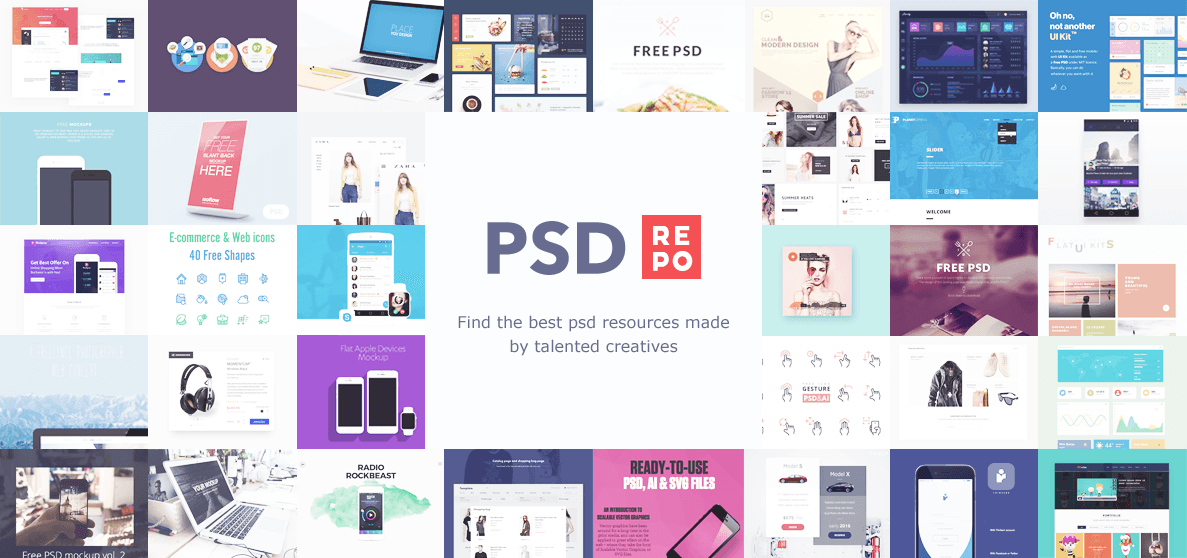
User reviews (0)