Website profiles · Technology insights · Alternatives

putt.day

A daily hole of mini golf. Same hole for everyone, new one at midnight Pacific.

No paid content found
Visit website
Profile views 11 Outbound visits 12 Normal
putt.day Full homepage screenshot

At a glance

Category
Sports & Outdoors
Language
English
Paid-content signal
No paid content foundObserved
Registered
2026
Hosting
CloudflareInferred
HTTPS certificate trusted
PassedObserved
Last updated

Website review

This review may include AI-generated content and is not individually verified. Domain, certificate and other facts come from the observed data on this page.

What is putt.day?

putt.day is a browser-based daily mini-golf game. Everyone plays the same hole, and a new one appears at midnight Pacific time. Each day's hole is numbered and dated, and past holes are kept in a calendar you can revisit.

How a round works

  • Grab the ball, drag back, and release to putt. Pulling farther hits harder.
  • Drag elsewhere to look around; pinch or scroll to zoom.
  • Finish in as few strokes as possible. Water sends you back to your previous spot, but a first shot that finds water doesn't count.
  • Your first finish of the day is the one that counts, so a lucky early round can't be replaced by a better one later.
  • A "party mode" lets you race friends on the same hole.

Who it suits

It's for people who want a short, low-commitment daily challenge rather than a full golf sim: one hole, a few strokes, done. The shared daily hole also gives it a Wordle-like talking point, since friends and strangers are playing the identical layout. If you prefer long courses, upgrades or realistic physics, the single-hole format will feel thin.

A practical next step

Play today's hole once, then check the calendar to see whether the archive is deep enough to keep you coming back. If you enjoy comparing scores, use party mode with a friend rather than playing solo.

How do I play the daily mini golf hole on putt.day?

Open putt.day and you'll get one mini golf hole for the day. The controls are a drag-and-release swing: grab the ball, pull back, then let go — the further you pull, the harder the shot. Drag anywhere else on the screen to look around, and pinch or scroll to zoom.

The rules that actually matter

  • One new hole appears daily, refreshing at midnight Pacific.
  • Your first completed round is the one that counts for that day.
  • Water hazards send you back to where you were, but a first shot that lands in water is forgiven — it doesn't count against you.
  • Fewer strokes is better, so the goal is a low score, not just finishing.
  • Past holes stay available through the calendar, so a missed day isn't lost forever.
  • A "Party mode" lets you race friends on the same hole.

A quick example

Say the hole bends right around a water feature. You'd drag the ball back with moderate force and aim slightly right of the pin, release, then drag the background to check the line before your next putt. If that opening shot splashes, you replay it free — so an aggressive first attempt costs you nothing but time.

If you only want one tip

Play the first shot boldly. Because a water-bound opener is forgiven, the risk-reward math favors going for a strong line early rather than tapping cautiously. Then check the calendar the next morning to see how your score compares day to day.

What happens if my ball goes in the water on putt.day?

If your ball lands in the water on putt.day, you're sent back to the spot you played your last shot from, and that stroke still counts against your score.

There's one exception worth knowing: if your first shot of the hole finds water, it doesn't count. That means a bad opening tee shot costs you nothing but the time to try again — you can re-hit from the start with a clean slate.

How this shapes your round

  • On the first shot: Water is essentially free. Be aggressive if the hole rewards it.
  • On every later shot: Water is a penalty stroke plus a replay from the same position, so it compounds — a risky attempt that splashes costs you two strokes relative to a safe one.

A practical scenario

Say a hole has a narrow island green and you're already on stroke three. A bold line over the water risks a penalty that pushes you to five or six; a cautious lay-up keeps you at four. Given that only your first finish counts for the daily result, protecting a decent score late in the round is usually the better trade.

If you want to see how a splash affected a previous attempt, the calendar holds old days, and there's a stats view for tracking your results.

How does the daily hole change and when does a new one appear?

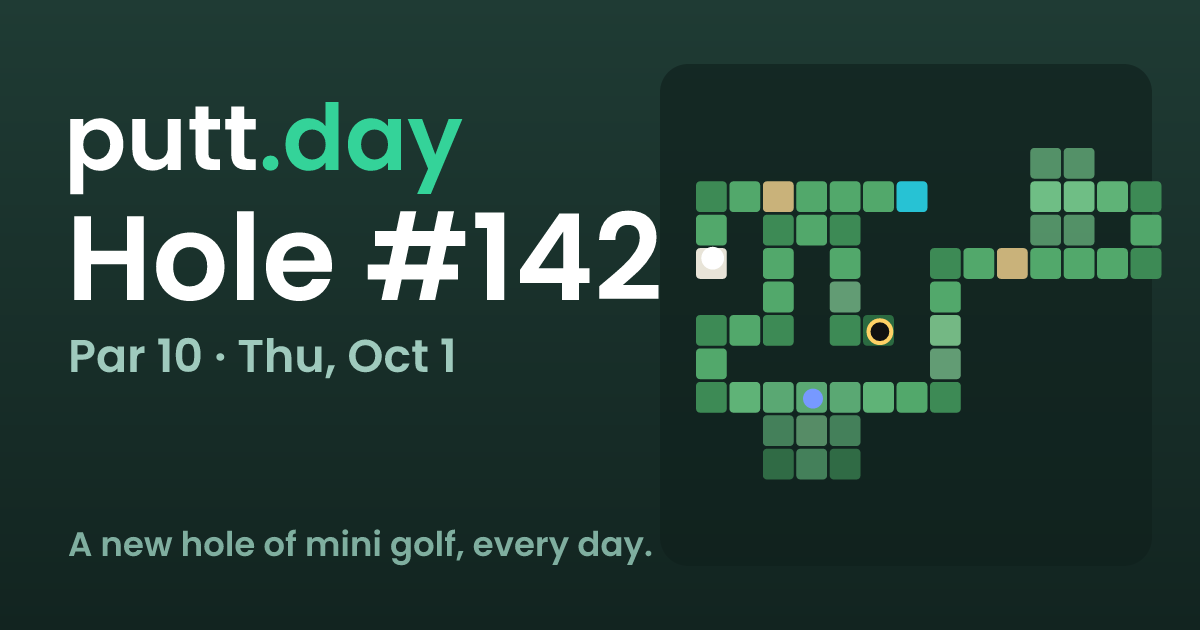
A new hole appears once every day, at midnight Pacific time, and it is the same hole for every player. The site labels each one by number and date — the page evidence shows "No. 142 · October 1, 2026" — so the daily rotation is the core structure rather than a random or per-player course.

What that means in practice:

  • One attempt window per day. Your first completed round counts, so replaying the same hole does not replace your recorded score.
  • Everyone shares the same layout. Because the hole is identical for all players, scores are broadly comparable in a way that a randomly generated course would not be.
  • Past holes are archived. The calendar in the stats area lets you go back to previous days rather than losing them when the clock rolls over.

A useful next step: if you are in a time zone far from Pacific, note that "midnight Pacific" may fall in your morning or afternoon. Check the hole number and date on the page before you play — if it still shows yesterday's number, the new hole has not gone live yet.

Can I play old holes and see my past scores on putt.day?

Yes. putt.day keeps completed daily holes in a calendar, and your first finish on each hole is the score that counts. So you can go back to a previous day's hole and play it, but your record for that day is already set by that first finish.

H3 How the two things differ

  • Playing an old hole: Open the calendar and pick a past day. You get that day's hole, and the same controls apply — grab the ball, drag back, let go, pull further to hit harder. Drag elsewhere to look around; pinch or scroll to zoom.
  • Seeing past scores: Your stats live alongside the calendar. Because only the first finish counts, replaying an old hole is practice or curiosity rather than a way to improve a recorded score.

H3 A practical scenario

Say you missed Tuesday and want to see what the hole was. Open the calendar, play it, and check your stats to confirm whether you had already finished it. If you had, treat the replay as a warm-up; if you had not, that first finish is the one that sticks.

H3 What to expect

  • One new hole per day, the same hole for everyone, switching at midnight Pacific.
  • Water sends you back to where you were, and a first shot that finds water does not count against you.
  • Party mode lets you race friends, which is a separate use from chasing your own calendar history.

If your goal is a clean record, finish each day's hole once before experimenting. If your goal is practice, the calendar is the better place to spend extra strokes. For a different daily-puzzle habit, The New York Times runs word and logic games on the same one-a-day rhythm.

How does party mode work to race friends on putt.day?

Party mode on putt.day is a same-hole race: you and your friends each play the daily hole, and the fastest finish (or fewest strokes) wins. The page lists it as "Party mode: race your friends," but doesn't spell out the invite flow or whether players see each other live, so treat the exact mechanics as something to confirm in the app itself.

What the page does confirm

  • One new hole per day, same for everyone, released at midnight Pacific.
  • Controls: grab the ball, drag back, release. Pulling further hits harder.
  • Drag elsewhere to look around; pinch or scroll to zoom.
  • Water sends you back to your previous position, and a first shot that finds water doesn't count.
  • Only your first finish counts, and past days live in the calendar.

How a race likely plays out

Because everyone gets the same hole on the same day, a party race is a fair comparison — no one has a luckier layout. The natural format is a small group playing the same hole back-to-back and comparing results, with strokes as the tiebreaker when two players finish close together.

That structure favors different skills than solo play:

  • Solo daily: you can retry mentally, study the hole, and optimize one perfect line.
  • Party race: you're playing under time pressure, so a safe two-putt route often beats a risky bank shot that might find water.

Practical scenario

Say four friends open the same daily hole. Each takes a turn, and the water rule matters most: a first shot into water is forgiven, so an aggressive opening line is low-risk. After that, water costs you position, which is where a race is usually decided — not by the best drive, but by who avoids the second mistake.

Next step

Open putt.day, play the current hole once to learn the controls, then start party mode and compare first-finish scores with your group. If the invite method isn't obvious on screen, check the calendar view for the day's hole and any sharing options attached to it.

Related questions

More questions →
How the Daily Hole and Scoring Work on putt.day

putt.day gives everyone the same mini golf hole each day, with a new one arriving at midnight Pacific. You play by dragging the ball back and releasing to putt, and the score that counts is your first finish of that day — not your best retry. Finished days stay available in the calendar, so you can look back at the holes you've already played.

The daily hole

  • One new hole per day. A fresh hole appears at midnight Pacific.
  • Same hole for everyone. The hole isn't generated per player, so scores are comparable across everyone playing that day.
  • Holes are numbered and dated. The page shows a hole number and date (for example, "No. 142 · October 1, 2026"), which is how you reference a specific day.

Because the hole is shared, the daily reset is the main event: once midnight Pacific passes, the previous hole moves into the calendar and a new one takes its place.

How to play a hole

The controls are drag-based rather than click-based:

  1. Grab the ball and drag back.
  2. Let go to take the shot. Pulling further back hits harder.
  3. Drag anywhere else to look around the hole.
  4. Pinch or scroll to zoom in and out.
  5. Get the ball in the hole in as few strokes as you can.

Two rules matter for your score:

  • Water sends you back to where you were before the shot.
  • A first shot that finds water doesn't count — so an opening tee shot into the water isn't charged as a stroke.

How scoring works

Your score is the number of strokes you take to hole out, and the number that counts is your first finish of the day. That means:

Situation What counts
You finish once That score is your score for the day
You finish, then replay to improve The first finish still counts
Your first shot lands in water That shot is not counted

This is the key mechanic to understand before you start: treat your first completed round as the real one, because later attempts won't replace it.

Party mode

The page also lists a Party mode for racing your friends. If you want a head-to-head format rather than a solo daily score, that's the mode to use — it sits alongside the standard daily hole rather than replacing it.

Reviewing old days

Past holes aren't lost. Old days are in the calendar, along with your stats, so you can go back and see which holes you played and how you scored. The calendar is the place to check if you've missed a day or want to revisit a hole you remember.

Quick answers

When does the new hole appear? At midnight Pacific, every day.

Is my hole the same as everyone else's? Yes — one hole is shared by all players for that day.

Can I retry to get a better score? You can keep playing, but only your first finish of the day counts.

What happens if I hit the water? You return to where you were, and if it was your first shot, it isn't counted as a stroke.

Where do previous holes go? Into the calendar, where old days remain available.

How to Use Ahrefs for Your First SEO Audit: A Step-by-Step Tutorial

If you're new to Ahrefs and want to run your first SEO audit, the fastest path is: open Site Explorer, enter your target URL, review the Overview for a health snapshot, then dig into Organic Keywords, Top Pages, and Site Audit to find specific problems. From there, build a short prioritized to-do list instead of trying to fix everything at once.

This tutorial walks through that workflow using a realistic starting scenario, explains what the numbers mean, and shows how to turn findings into actions.

Before You Start: Pick a Narrow Scope

A common beginner mistake is auditing an entire large website on day one. The reports become overwhelming, and you can't tell which issues matter.

Instead, choose one of these starting points:

  • A single important page (your homepage or a key product/service page)
  • A small site (under ~50 pages, e.g., a personal blog or small business site)
  • One section of a bigger site (e.g., /blog/)

For this tutorial, assume you're auditing a small business site with about 30 pages. The same steps scale up later.

You'll need an Ahrefs account to follow along. Ahrefs offers paid plans, and pricing and feature limits change over time, so check the current Pricing page for what's included in each tier before committing.

Step 1: Enter Your Target in Site Explorer

Site Explorer is Ahrefs' core tool for analyzing any website or URL.

  1. Open Site Explorer from the top navigation.
  2. In the search box, paste your domain (e.g., example.com).
  3. Choose the Exact URL or Domain mode depending on scope. For a full-site view, use Domain or Prefix; for a single page, use Exact URL.
  4. Press Enter.

You'll land on the Overview report. Don't try to absorb everything — focus on four numbers first.

Reading the Overview Snapshot

Metric What it tells you How to use it
Ahrefs Rank (AR) Relative strength of the site's backlink profile vs. others in the database Useful for comparing against competitors, not as a standalone goal
Organic traffic Estimated monthly visits from search A rough trend indicator, not exact analytics
Organic keywords Estimated number of keywords the site ranks for Shows breadth of visibility
Backlinks / Referring domains Total links and unique sites linking to you Referring domains matter more than raw backlink count

Important caveat: Ahrefs' traffic and keyword numbers are estimates based on its own data. They won't match Google Search Console or your analytics exactly. Treat them as directional, not absolute.

Step 2: See What You Already Rank For

Go to Organic Keywords in the left sidebar. This shows queries where your site appears in search results.

Sort by Traffic (descending) to see which pages bring the most estimated visitors. Then look for:

  • Keywords ranking in positions 4–15 — these are often the easiest wins. A small content or on-page improvement can push them onto page one.
  • Keywords with high volume but low position — potential opportunities if the topic is relevant.
  • Irrelevant keywords — if you rank for something off-topic, it may signal thin or mismatched content.

Write down 5–10 of the position 4–15 keywords. These become your first optimization targets.

Step 3: Find Your Best and Weakest Pages

Open Top Pages. This ranks your URLs by estimated organic traffic.

Look for two things:

  1. Your top performers — understand what topics and formats work. Can you create more content like this?
  2. Pages with traffic but poor rankings — these may need on-page fixes (title, headings, internal links).

If a page gets zero traffic and targets a topic you care about, it's a candidate for a rewrite or consolidation.

Step 4: Run a Technical Site Audit

Now move to Site Audit. This crawls your site and flags technical and on-page issues.

  1. Click Site Audit → New project.
  2. Enter your domain and set crawl settings (default is usually fine for a small site).
  3. Start the crawl and wait for it to finish.

Once complete, you'll see a Health Score and a list of issues grouped by category.

Which Issues to Fix First

Not all issues are equal. Prioritize in this order:

Priority Issue type Why it matters
1 Broken links (404s) Bad for users and crawl efficiency
2 Pages blocked from indexing They can't rank at all
3 Missing or duplicate title tags Directly affects click-through and relevance
4 Slow-loading pages Affects experience and rankings
5 Thin content Low value to users and search engines

Ignore low-impact warnings (like minor meta description length) until the big items are handled.

Step 5: Turn Findings Into a To-Do List

You now have raw data. Convert it into a short, actionable list. Example:

  1. Fix 3 broken links found in Site Audit.
  2. Rewrite title tags on 5 pages with duplicate titles.
  3. Improve 4 pages ranking in positions 6–12 by adding missing subtopics and internal links.
  4. Remove or update 2 thin pages with no traffic.

Keep the list to 5–10 items max for your first audit. Finishing a short list beats starting a long one.

Common Beginner Mistakes

  • Chasing every red flag. Site Audit flags many minor issues. Fix what affects rankings and users first.
  • Trusting estimates as exact numbers. Ahrefs data is modeled, not measured from your analytics.
  • Auditing a huge site too early. Start small to learn the interface.
  • Ignoring search intent. A page can be technically perfect but still fail if it doesn't match what searchers want.
  • Forgetting to re-crawl. After fixes, run Site Audit again to confirm improvements.

Where to Go Next

Once your first audit is done:

  • Compare with competitors using Site Explorer's Competing Domains and Content Gap reports.
  • Track keyword rankings over time with Rank Tracker.
  • Explore backlink opportunities in the Backlinks and Link Intersect reports.
  • Set up recurring Site Audit crawls so new issues surface automatically.

Your first audit isn't about perfection — it's about building a repeatable habit: enter a target, read the key reports, pick the highest-impact fixes, and act. Do that once a month and your site's health compounds.

How do you play the daily hole on putt.day?

Grab the ball, drag backward, and release to putt. Pull farther back for a harder shot. Your goal is to sink the ball in as few strokes as possible, and everyone plays the same hole, with a new one arriving at midnight Pacific. Water sends you back to where you were, but a first shot that finds water doesn't count against you.

The basic shot

The whole control scheme is one gesture:

  1. Grab the ball with your pointer or finger.
  2. Drag back away from the hole. The farther you pull, the more power you load.
  3. Let go to release the shot.

There's no power meter to watch — the pull distance is the power. If you're overshooting, pull back less on the next attempt.

Looking around and zooming

You don't have to shoot from a fixed camera:

  • Drag anywhere else (not on the ball) to look around the hole.
  • Pinch or scroll to zoom in and out.

Use this to read the slope and plan your line before you commit to a shot. Zooming in helps on longer or more cluttered holes.

Scoring and the water rule

  • Fewest strokes wins. Your score is simply how many shots it takes to hole out.
  • Water sends you back to where you were before the shot.
  • A first shot that finds water doesn't count. So an aggressive opening line into the water costs you nothing — you just replay from the start.

That last rule is worth exploiting: your first attempt can be a full-power read of the hole with no penalty if it goes wrong.

One hole a day

  • One new hole per day, the same for everyone, refreshing at midnight Pacific.
  • Your first finish counts — so the score you post on your first completed round is the one that sticks.
  • Old days are in the calendar, so you can go back and play previous holes.

Because your first finish is the one that counts, it's worth using the free water rule and a look-around before you settle into a scoring attempt.

Quick reference

Action How
Shoot Grab ball, drag back, release
Hit harder Pull back farther
Look around Drag anywhere else
Zoom Pinch or scroll
Recover from water Automatically returned to previous spot
First shot in water No penalty
New hole Midnight Pacific, daily
Where to Find Stats and Past Holes on putt.day

On putt.day, your stats and past holes live in two places on the main page: the Stats section and the calendar. The Stats section shows your performance, and the calendar holds the old daily holes so you can go back and play or review previous days. Both are reachable from the page itself — look for the "Stats" and "calendar" links.

What the Stats section shows

The page lists a Stats heading alongside How to play. This is where your performance is tracked. Based on how the game works, the numbers that matter are your stroke counts, since the goal is to get the ball in the hole in as few strokes as possible.

One scoring rule shapes what your stats actually reflect: your first finish counts. If you replay a hole, the earlier result is the one that sticks. So the Stats section is a record of your first completed attempt each day, not your best-ever retry.

What the calendar contains

The calendar is the archive. The page states plainly that old days are in the calendar, and that there is one new hole a day. The current hole shown in the page evidence is No. 142, dated October 1, 2026, which tells you the calendar accumulates a running history rather than resetting.

Use the calendar to:

  • Revisit a specific past day's hole
  • Review how you did on days you already finished
  • Catch up on holes you missed

How the two fit together

Feature What it gives you Where to find it
Stats Your performance record "Stats" link/section on the page
Calendar Past daily holes "calendar" link on the page

The Stats section answers "how am I doing," while the calendar answers "what were the earlier holes." If you want to review a previous day, the calendar is the entry point; if you want to see your numbers, go to Stats.

A few things to keep in mind

  • New hole timing: a new hole appears at midnight Pacific, so the calendar advances on that schedule.
  • First finish rule: because only your first finish counts, replaying a hole won't improve your recorded stat — it's a record of that first completed run.
  • Water penalty: water sends you back to where you were, but a first shot that finds water doesn't count. This affects how a hole's stroke total is built up, which is what the Stats section reflects.

If you can't find the links, they're on the main page near the "How to play" and "Stats" headings — the same page that shows the current hole number and date.

What Is Party Mode on putt.day?

Party mode on putt.day is a way to race your friends on the same daily mini-golf hole instead of playing it alone. The site labels it "Party mode: race your friends" alongside the current hole, so it is an alternative to the standard solo round rather than a separate course or game. The hole itself stays the same for everyone, and a new one appears at midnight Pacific.

How it fits with the daily hole

putt.day gives everyone one shared hole per day. You play it solo by default, and your first finish counts toward your stats. Party mode changes who you play against, not which hole you play: you and your friends take on the same layout and compare how few strokes it takes to sink the ball.

Because the hole is identical for all players, a race is a fair comparison of shot choices and pull strength rather than luck of the draw.

What carries over from solo play

The core controls and rules are the same in a party as in a solo round:

  • Shooting: grab the ball, drag back, and let go. Pulling further hits harder.
  • Looking around: drag anywhere else to look around; pinch or scroll to zoom.
  • Goal: get the ball in the hole in as few strokes as you can.
  • Water: sends you back to where you were. A first shot that finds water doesn't count.
  • Scoring: your first finish counts.

So if you already know how to play the daily hole, you know how to play a party — the difference is that you're racing other people on the same hole.

How to start or join a party

The site presents party mode as an option next to the daily hole, but the exact steps for starting or joining a party aren't spelled out in the page text. To find them, open putt.day and look for the party mode entry near the current hole, then follow the on-screen prompt to set up or enter a race with friends.

If you can't find it, the most reliable move is to check the site itself on the day you want to play, since the available options sit with the current hole.

When party mode is the right choice

Situation Better fit
You want a quick solo round and a personal score Standard daily hole
You want to compare shot choices with friends on the same layout Party mode
You want to revisit a past hole Calendar (old days are in the calendar)
You want to track your own results over time Stats calendar

Party mode is for the social version of the same challenge. If your goal is your own stats or catching up on missed days, the solo hole and the calendar are the relevant tools.

Website Overview

Page metadata, canonical configuration and social previews work together to provide more consistent search and sharing presentation.

Domain and Registration

The domain was registered less than a year ago and has limited historical evidence to assess. Transfer-protection status is present, helping reduce the risk of unauthorized domain transfers. The registrar is CloudFlare, Inc., a widely used domain service provider. The domain uses the common .day extension, which is not an independent safety signal.

DNS and Email

Nameservers are provided by Cloudflare, indicating managed DNS hosting. No CNAME was found; the observed records resolve directly to addresses. No MX record was found. A conventional explicit inbound-mail route is not configured. TXT records include verification markers for Google. Such markers may also remain after a service stops being used. DNSSEC signatures were not detected, so this additional DNS authenticity protection is not confirmed.

TLS and Certificates

The public key uses EC with 256 bits. The server supplied a complete certificate chain. No organization name is present in the certificate; the available fields are consistent with domain validation. The certificate was issued within the Google Trust Services cloud or CDN ecosystem. The certificate's total validity is about 90 days, consistent with a short renewal cycle.

HTTP and Browser Security

The checked browser-security headers were not detected, leaving fewer explicit browser-side safeguards. No X-Powered-By header was found, reducing one common source of backend fingerprinting information. The cf-ray response header indicates a CDN or caching proxy in the delivery path. No obvious internal addresses or debug information were found in the headers. The Server header identifies cloudflare without an exact version.

Technology Stack Analysis

The public page identifies React, Cloudflare without precise versions, leaving fewer clues for version-specific scanning.

Search and Social Sharing

Twitter Card metadata is configured. The title has 35 characters, within a common display range. A meta description is present, with 79 characters. The observed directives allow indexing and link following. No Generator meta tag is publicly exposed.

Hosting and Email

DNSCloudflare
HostingCloudflare
EmailUnknown
Approximate IP geolocation (inferred; a CDN or proxy may differ from the origin server) Location unknown Inferred 104.21.19.116

Registration details

RDAP / WHOIS

RegistrarCloudFlare, Inc.
Registered2026-06-12
Expires2027-06-12
Domain statusclient transfer prohibited
Nameserverscass.ns.cloudflare.com、walt.ns.cloudflare.com
DNSSECunsigned

DNS records

DNS

TypeNameValueTTLPriority
Aputt.day104.21.19.116300—
Aputt.day172.67.186.33300—
AAAAputt.day2606:4700:3033::ac43:ba21300—
AAAAputt.day2606:4700:3035::6815:1374300—
NSputt.daycass.ns.cloudflare.com86400—
NSputt.daywalt.ns.cloudflare.com86400—
TXTputt.daygoogle-site-verification=ZtihnMITnl1MUjW0VDqilhPZpeSE6rrShWgZXB23xmA3600—
DMARC_dmarc.putt.dayv=DMARC1; p=reject;300—

TLS and certificates

TLS / SSL

AssessmentNormal configuration
Supported protocolsTLSv1.2、TLSv1.3
Negotiated protocolTLSv1.3
Certificate subjectputt.day
IssuerGoogle Trust Services
Valid until2026-11-14T21:01 · Remaining when checked: 44 days
Verification detailsCertificate trust: Passed · Hostname match: Passed

HTTP response headers

HTTP

HeaderValue
content-typetext/html; charset=utf-8
servercloudflare

Identified technologies

ReactCloudflare

Pages, Search and Sharing

Meta descriptionA daily hole of mini golf. Same hole for everyone, new one at midnight Pacific.
Canonical URLhttps://putt.day/
LanguageEnglish (default)
Twitter Cardsummary_large_image
All bots 0 allowed · 0 disallowed

User reviews (0)

  • No reviews yet.