Website profiles · Technology insights · Alternatives

seoeshop.com

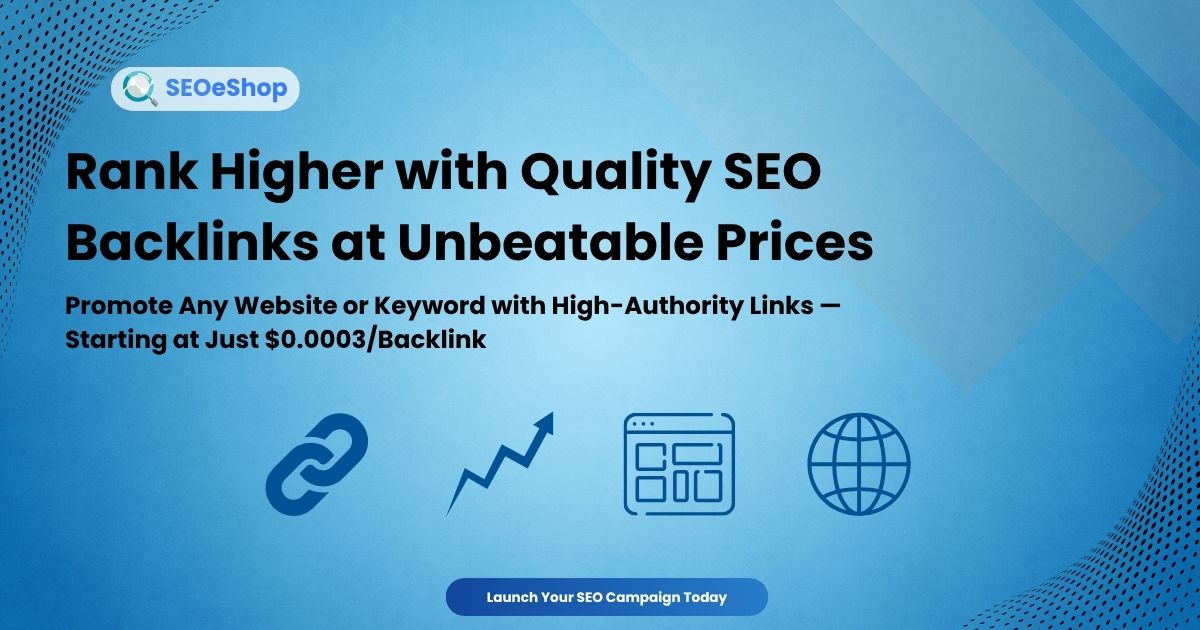
Boost your Keyword Ranking with High Quality Backlinks. Buy SEO Services, Promote your Website Cheap & Fast. Price Starts at less than $0.001 per Backlink.

Paid content
Visit website
Profile views 0 Outbound visits 0 Normal
SEOeShop Full homepage screenshot

At a glance

Category
Search Engines
Language
English
Paid-content signal
Paid contentObserved
Registered
2016
Hosting
CloudflareInferred
HTTPS certificate trusted
PassedObserved
Last updated

Website review

This review may include AI-generated content and is not individually verified. Domain, certificate and other facts come from the observed data on this page.

What is SEOeShop?

SEOeShop is an online storefront for search engine marketing services, centred on paid backlink campaigns. Its own headline promises to "Rank TOP # For ANY Keyword," with the asterisk acknowledging that ranking depends on many factors and requires proper strategy. In practice, the site sells bundles of links — do-follow backlinks, high-authority links, Web 2.0 blog posts, forum and social profile links, blogger outreach articles and press releases — marketed under labels such as XPress Contextual, Managed and SEnuke Campaigns. Prices are presented per link, with entry-level mixes advertised from a fraction of a cent and premium placements costing more.

Who it is for

The catalogue suits site owners and small marketing teams who want to buy link volume quickly rather than run outreach themselves. The trade-off is control and risk: cheap, high-volume link packages are the kind of tactic search engines treat as manipulative, so results are unpredictable and can damage a site rather than help it. Higher-priced outreach and press release options are slower but closer to how legitimate link acquisition works.

The site also lists free SEO tools, keyword research tools, rank tracking and free SEO reports, which can be useful for checking positions before and after a campaign.

A useful next step

Before buying anything, pick one target page, note its current rankings for a handful of keywords using a tracker such as Ahrefs or Semrush, and decide what you would accept as success. If your budget only stretches to per-link pricing at fractions of a cent, treat the spend as an experiment on a low-stakes page, not a core strategy. For competitive terms, compare the cost of bought links against doing outreach yourself or hiring a specialist — and read the refund and reporting terms on the order page first.

How much does it cost to buy backlinks on SEOeShop?

Backlink packages on SEOeShop are priced per link, and the entry point is extremely low. The site advertises rates starting at roughly $0.0003 per backlink, with several bulk options sitting at fractions of a cent each.

What the listed prices look like

Service type Advertised price
Mix profiles (forum & social) $0.00033 per link
Forum profile backlinks $0.00033 per link
Do-follow mix platforms $0.001 per link
Web 2.0 blogs (shared accounts) $0.07 per link
Web 2.0 blogs (dedicated accounts) $0.13 per link
DA 50+ do-follow $0.20 per link
PR9 / DA 70+ $0.25 per link
Blogger outreach sponsored article $10
Blogger outreach sponsored article, premium $20
Press release on premium news sites $120

How to read those numbers

The cheap tiers buy volume, not authority. Forum profiles and social profile links at $0.00033 each are the kind of placement most search engines treat as low-value or ignore entirely; the price reflects that. The $0.20–$0.25 range targets higher-metric domains, but "DA 50+" and "PR9" are seller-supplied labels, and metric scores can be gamed. The $10–$120 items are editorial placements, where you are paying for a writer, a publisher and a live page rather than a link count.

A practical decision rule: if your goal is a short-term traffic spike or indexing of a new page, the sub-cent tiers are cheap enough to test. If your goal is durable ranking, put the budget into the outreach and press-release items and treat the bulk tiers as a small supplement, not the core of a campaign.

Before you buy

Check what a single order actually delivers—how many links, on how many unique domains, over what time period, and whether they stay live. Compare that total against the same spend on one or two genuinely relevant editorial placements. Also confirm the refund or replacement policy for links that drop, since cheap networks churn quickly.

For context on how link quality is assessed independently of any seller's pricing, Moz and Ahrefs publish the metric definitions behind "DA" and related scores.

Are the backlinks from SEOeShop safe for my website's SEO?

No, backlinks bought from SEOeShop should not be treated as safe for your site's SEO. The page itself sells links in bulk at extremely low per-link prices, advertises "Do-follow backlinks," "Mix profiles backlinks (forum & social networks)" and "Forum profiles backlinks," and makes a ranking claim with an asterisk admitting that "ranking depends on many factors & requires proper strategy." That combination points to links you do not earn editorially and cannot control, which is exactly the pattern Google's link spam policies target.

Why this matters practically

  • Paid links passed for ranking are a policy violation. Google treats buying or selling links that pass ranking signals as link spam; the links can be ignored or the site can be penalized. Self-reported "Do-follow" and "High DA" labels do not change that.
  • Low-cost, high-volume placements are usually low-quality. Forum profiles, social-network profiles and shared Web 2.0 blogs are easy to mass-produce, so they have little editorial value and often sit on pages that exist only to host links.
  • The risk is asymmetric. A handful of links may do nothing; a large, obviously purchased footprint can drag down an otherwise healthy site, and recovery takes far longer than the campaign did.
  • The DA/PR labels are marketing shorthand. Domain Authority and PageRank-style numbers are third-party or legacy metrics, not Google ranking factors, and can be gamed.

If your goal is ranking, safer alternatives

  • Earn links through content worth citing: original research, data, tools, templates or a genuinely useful guide.
  • Use digital PR and expert commentary pitches to publications that link editorially.
  • Fix technical SEO and on-page relevance first; links amplify a site that already satisfies search intent.
  • Audit your existing profile with Google Search Console and disavow only clear spam if you see a manual action or a suspicious pattern.

If you are considering SEOeShop anyway

Treat it as a link-building service purchase, not a safe SEO shortcut. Before spending anything, ask for sample live URLs and check whether the linking pages have organic traffic, topical relevance and editorial standards. Compare that against legitimate marketplaces where you can review individual sites, such as FatJoe or Adsy, and against Google's own guidance at Google Search Central. If a provider cannot show real, relevant, editorially placed pages, the cheap price is the warning sign, not the bargain.

What types of backlinks can I buy on SEOeShop?

SEOeShop groups its inventory by backlink type and by the kind of campaign used to place them. From the service listings, you can buy:

  • Contextual backlinks — links embedded in article-style content. Examples include "XPress Contextual" packages at several authority tiers, such as DA 50+ do-follow and PR9/DA 70+ do-follow.
  • Web 2.0 blog links — posts on hosted blog platforms, offered with dedicated accounts or shared accounts, and a premium version described as human-quality content.
  • Profile and forum links — "mix profiles" across forums and social networks, plus forum profile backlinks. These are the cheapest tier shown.
  • Do-follow links across mixed platforms — a general-purpose package for volume rather than a single site type.
  • Blogger outreach / sponsored article links — placements arranged through outreach, including a premium tier.
  • Press release links — distribution through premium news websites.
  • SEnuke campaigns — automated campaign packages, including a premium edition with a high-DA site list.

How to choose between them

The cheap profile and forum packages suit volume plays and indexing, but they carry the least editorial weight. Contextual links on higher-authority domains cost more because placement is harder to obtain. Outreach and press release links sit at the managed end: slower and pricier, but closer to what a real editorial mention looks like.

A practical test before buying: pick one page you want to rank, buy a small batch from one category, and watch whether rankings move over the following weeks. If they do, scale that category rather than mixing everything at once.

The site also states that ranking depends on many factors and requires proper strategy, which is a fair caveat — backlinks alone rarely carry a page. Pair any purchase with on-page work and keyword research; SEOeShop offers free SEO tools and keyword research tools for that side of the job.

Can SEOeShop help me rank for competitive keywords?

SEOeShop is built for that ambition, but it sells the raw material of ranking, not the ranking itself. The homepage promise — "Rank TOP # For ANY Keyword" — comes with its own asterisk: ranking depends on many factors and requires proper strategy. So the honest answer is: it can help, but only as one part of a broader plan.

What it actually offers

The catalog is a menu of link-building and content-placement options, priced per link or per campaign:

  • Backlink packages — do-follow links, forum and social-profile links, Web 2.0 blogs, and "high DA" links aimed at sites with Domain Authority 30+, 50+, or 70+.
  • Outreach placements — sponsored articles on blogs, including a premium tier.
  • Press releases — placement on news-style websites.
  • Campaign tooling — keyword research, rank tracking, and SEO reports to monitor how the work performs.

Will it move competitive keywords?

Competitive terms are usually won by sites with strong content, technical health, brand signals, and links from genuinely relevant, authoritative sources. A large volume of cheap links can influence some rankings, but the most competitive keywords are the least likely to be swayed by volume alone — and low-quality link profiles carry real risk of penalties or wasted spend.

Use this as a rough filter:

Situation Realistic expectation
New site, low-competition keywords Useful for building initial visibility and testing
Established site, moderately competitive terms Helpful as a supplement to content and on-page work
Highly competitive, high-value keywords Unlikely to be sufficient on its own

A practical next step

Pick one target keyword, check who currently ranks in the top five, and compare their link profiles and content depth to yours. If the gap is mostly links, a modest test campaign from SEOeShop is a reasonable experiment — start small, track rankings in the built-in rank tracker, and judge results over weeks rather than days. If the gap is content quality, topical authority, or site speed, spend there first. For general ranking guidance, Google Search Central explains how Google evaluates links and content.

Does SEOeShop offer any free SEO tools or reports?

Yes. SEOeShop lists free SEO tools and free SEO reports among its service keywords, and its page copy groups them with keyword research tools, a website rank tracker and backlink campaign management. In practice, that means you can use the site to check keyword ideas and ranking movement, then buy backlinks from the same account if you decide to act on what the reports show.

What the free side is likely to cover

  • Keyword research: finding terms to target before you build links.
  • Rank tracking: monitoring where a site sits for chosen keywords.
  • SEO reports: summaries of performance that inform campaign decisions.
  • Backlink campaigns: managing link orders alongside the tracking data.

How to use it

  1. Start with the free keyword and rank tools to establish a baseline for one page or one keyword group.
  2. Run a free report after a few weeks to see whether rankings moved.
  3. Only then consider a paid backlink package, matching the tier to the difficulty of the keyword rather than the cheapest option.

Trade-offs to weigh

The free tools are the entry point; the paid backlinks are the product. Free rank data is useful for direction, but it will not replace a full analytics stack for conversion tracking or technical audits. If your goal is purely research, the free side may be enough. If your goal is ranking movement, expect to pay, and treat the headline per-backlink prices as marketing signals rather than a guarantee of results. The page itself notes that rankings depend on many factors and require proper strategy, which is a fair warning: cheap links at scale carry risk, and quality varies widely across the listed tiers.

For comparison, established free options exist elsewhere, such as Ahrefs and Moz, both of which offer limited free tools alongside paid plans.

Related questions

More questions →
How to Buy SEO Backlink Services: What to Check Before You Order

Buying backlinks can move rankings, but only if you check what you're actually paying for before you order. Use this checklist when a vendor promises fast rankings at a low per-link price: confirm the link type, verify quality signals, ask for samples, and plan how you'll validate delivery afterward. If a seller guarantees a specific ranking or won't show sample links, treat that as a reason to walk away.

Know what you're buying: link types and their roles

Backlink packages are not interchangeable. Each type carries different risk and different use.

Link type Typical role Main risk
Do-follow backlinks (mixed platforms) Pass ranking signals directly Low-quality or spammy sources can trigger penalties
Web 2.0 blogs Build a tier of supporting content Shared accounts are weaker and easier to deindex
Forum & social profile links Brand mentions, diversity Little ranking value on their own; often auto-generated
High DA / PR backlinks Stronger authority signals "DA" is a third-party metric, not Google's; can be gamed
Sponsored articles / blogger outreach Editorial-style placements Must be disclosed; undisclosed paid links violate guidelines
Press releases Brand visibility, not ranking Usually no-follow; limited SEO value

The site lists these as separate services — for example, "Do-follow backlinks (mix platforms)" at $0.001, "DA 50+ Do-follow High DA (PR) Backlinks" at $0.2, and "Press Release (Premium News Websites)" at $120. The price gap reflects different sourcing and effort, not just volume.

Check quality signals before you commit

A low price per link tells you about the supply chain, not the value. Work through these checks:

  • DA / PR claims: Domain Authority is a Moz metric and PageRank is Google's; neither is a ranking guarantee. Ask which tool produced the number and when.
  • Relevance: Links from sites in your topic area carry more weight than random general-purpose sites.
  • Indexation: A link on a page Google hasn't indexed passes nothing. Ask for indexed sample URLs.
  • Real sites vs. PBN: Private Blog Networks look like normal sites but exist only to sell links. Red flags include identical templates, no organic traffic, and no real authors.
  • Anchor text control: You want a natural distribution, not the same exact-match anchor repeated across hundreds of links.

Red flags that should stop the order

  • Extremely low unit pricing: The site advertises "less than $0.001 per Backlink" and lists items like forum profile backlinks at $0.00033. At that scale, links are almost certainly auto-generated and low quality.
  • Guaranteed rankings: The homepage headline says "Rank TOP # For ANY Keyword" but the same page adds "*ranking depends on many factors & requires proper strategy." Any vendor guaranteeing a position is overselling.
  • No samples available: If you can't see live example links before paying, you can't judge quality.
  • Bulk-only delivery: Thousands of links dropped at once looks unnatural. Ask about drip-feed or scheduled delivery.
  • No reporting format: You should know in advance whether you get a spreadsheet, a dashboard, or nothing.

Questions to ask the seller before ordering

  1. Can you send 5–10 live sample links from a recent campaign?
  2. Are the target pages indexed in Google right now?
  3. What is the delivery schedule — all at once or spread over time?
  4. Do you provide a report with URLs, anchor text, and placement dates?
  5. What happens if links are removed or deindexed — is there any replacement or refund policy?
  6. Are sponsored placements disclosed as paid links?

If the vendor can't answer these clearly, the package isn't ready to buy.

Pricing and delivery: how to compare offers

Compare on cost per usable link, not cost per link. A $0.001 link that's deindexed in a month is worth less than a $0.2 link that stays live and indexed.

  • Per-link vs. package: The site mixes both — "$5 The full monty Premium Edition (high DA sites list)" is a package, while "$0.13 Web 2.0 blogs" is per-unit.
  • Delivery timeline: Ask whether links go live immediately or over days/weeks.
  • Rank tracking: The site lists a "Website Rank Tracker" among its tools. Confirm whether tracking is included with your order or a separate service.
  • Payment terms: The site shows a "START NOW" flow and a "Buy SEO Backlinks" page. Confirm the actual payment methods and any minimum order before you commit.

How to verify what you received

After delivery, don't assume the links exist or work.

  1. Spot-check URLs: Open a sample of the reported links and confirm they load and point to your site.
  2. Check indexation: Search the exact URL in Google or use a site: query. Unindexed pages pass no value.
  3. Audit anchor text: Look for over-optimization — too many exact-match anchors is a risk signal.
  4. Monitor link survival: Recheck after 30 and 90 days; low-quality links often disappear.
  5. Track rankings: Use a rank tracker to see whether target keywords move, and compare against your baseline.
  6. Watch for penalties: A sudden traffic drop after a link campaign is a warning sign worth investigating in Search Console.

The bottom line

Buy backlinks only when you can verify the source, the indexation, and the delivery. Cheap bulk links at fractions of a cent are a volume play, not a quality play — useful at most for tier-two diversity, not for your main money pages. For anything you expect to move rankings, prioritize relevant, indexed, editorially placed links and confirm the vendor's reporting and replacement terms before you pay.

What Are Free SEO Reports and What Can You Actually Learn From Them?

Free SEO reports are snapshots of how a site performs in search — typically covering traffic, keyword rankings, backlinks, and technical health. You can get them from search-engine consoles you already have access to (Google Search Console, Bing Webmaster Tools) or from free tiers of third-party SEO platforms. They are most useful for spotting problems and tracking direction, not for precise competitive intelligence: free versions usually limit how many keywords, pages, or backlinks you can see, and third-party traffic estimates are approximations rather than measured data.

What a free SEO report usually contains

Most free reports pull from four data families. What you can actually see depends on the tool.

Data family Typical metrics Where it comes from
Traffic & visibility Clicks, impressions, average position, top pages Search engine consoles (first-party, accurate)
Keyword rankings Queries you rank for, position changes, ranking distribution Consoles or third-party rank trackers
Backlinks Referring domains, anchor text, new/lost links Third-party crawlers (index is partial on free plans)
Technical health Crawl errors, indexing status, page speed, mobile issues Consoles plus site crawlers

A key distinction: first-party data (from a console you verified) reflects your actual site and is trustworthy. Third-party data (from an SEO platform's crawler) is an estimate — useful for comparison and discovery, but never treat a competitor's "traffic" number as fact.

How to generate your own free SEO report

The most reliable free report is one you build from a search console, because the data is yours and unmetered.

Step 1: Verify the property

Add your site to Google Search Console (or Bing Webmaster Tools) and complete verification — usually via a DNS record, an HTML file upload, or a meta tag. Expected result: the property appears in your dashboard and starts collecting data. New properties can take a day or two before meaningful data shows.

Step 2: Pull the core report

Open the Performance report and set a date range (compare last 28 days against the previous period). You get four numbers: total clicks, total impressions, average CTR, and average position. Then switch the view between Queries, Pages, Countries, and Devices to see where the numbers come from.

Step 3: Check indexing and technical status

Use the Pages (indexing) report to see which URLs are indexed, excluded, or erroring. Use Core Web Vitals for page-experience signals. Expected result: a list of URLs that need attention, sorted by issue type.

Step 4: Export and combine

Export the Performance data as CSV, then layer in a free third-party backlink check or a site crawl. This gives you one working document covering traffic, rankings, links, and technical issues.

How to read the report and find what to fix first

Don't start with the biggest number — start with the clearest signal.

  • High impressions, low CTR, position 5–15. You're visible but not compelling or not quite ranking. Rewrite the title and meta description, and check whether the page actually matches the query intent.
  • Ranking queries you didn't target. These are free keyword ideas. If a page already ranks for a term, strengthening that page is usually faster than building a new one.
  • Sudden position drops on specific pages. Check the indexing report first — a page may have fallen out of the index or been hit by a technical change.
  • Many referring domains but flat rankings. Link volume alone isn't moving you; look at relevance and anchor text, not just count.
  • Crawl or indexing errors. Fix these before anything else — a page that isn't indexed can't rank regardless of content or links.

A practical priority order: indexing and technical errors → pages with impressions but weak CTR → queries you're close to ranking for → link gaps. Work top-down; each layer only pays off if the one above it is clean.

Free vs. paid SEO reports: what you give up

Free tools are genuinely sufficient for a single site you own. The limits show up when you need scale or competitive depth.

Dimension Free reports Paid reports
Your own traffic/rankings Full (console data) Full
Keywords tracked Limited rows, often capped Thousands, with history
Backlink index Partial, capped rows Larger, more frequent updates
Competitor data Very limited or none Full profiles
Historical depth Short windows Long-term trends
Export & API Often restricted Usually included

If you run one site and mainly need to fix problems and track progress, free reports cover the job. If you manage multiple sites, need competitor benchmarking, or want long-term trend history, the free ceiling arrives quickly.

What free reports can't tell you

  • Exact competitor traffic. Third-party numbers are modeled estimates, not measurements.
  • Complete backlink profiles. Free crawlers index a fraction of the web; missing links aren't proof a link doesn't exist.
  • Why a ranking changed. Reports show the change, not the cause — you infer the cause by cross-checking technical, content, and link data.
  • Revenue impact. Rankings and clicks aren't conversions; connect the report to your analytics to see what actually converts.

Turning a report into an action list

  1. Fix anything blocking indexing or crawling.
  2. Improve titles and descriptions on high-impression, low-CTR pages.
  3. Strengthen pages already ranking in positions 4–15 for queries that matter.
  4. Use untargeted ranking queries as new content or on-page optimization ideas.
  5. Re-run the same report in 28 days and compare — direction matters more than any single snapshot.

The value of a free SEO report isn't the dashboard; it's the decisions it forces. If a metric doesn't change what you'll do next, it isn't worth tracking.

What Can You Actually Do With Free SEO Tools?

Free SEO tools can handle a surprising amount of real work: checking backlinks, auditing on-page elements, tracking keyword positions, and generating reports. For a small site or a beginner, they cover most day-to-day tasks. The catch is not capability but capacity — free tools usually limit how much data you can pull, how often you can pull it, and how precisely you can filter it. Understanding those limits lets you decide what to do for free and when paying becomes the sensible next step.

Mapping Common SEO Tasks to Free Tool Coverage

Most SEO work falls into a handful of recurring jobs. Here is how free tools typically perform on each.

Task What free tools usually give you Where they fall short
Backlink checking Total backlink count, referring domains, a sample of linking pages, basic anchor text Full link lists, historical link loss, spam scoring at scale
Keyword position tracking Manual checks, a limited number of tracked keywords, periodic updates Daily or real-time tracking, large keyword sets, competitor comparison
On-page audit Title, meta description, headings, word count, basic readability Site-wide crawling, duplicate content across hundreds of pages
Technical checks Page speed snapshots, mobile-friendliness, broken link scans on single pages Full crawl budgets, log file analysis, JavaScript rendering issues
Content checks Plagiarism scanning, grammar, word frequency Bulk processing, API access, team collaboration
Domain metrics A single authority-style score per domain The underlying data, score history, competitor benchmarking

The pattern is consistent: free tools answer "what is roughly true right now" well, and "what exactly changed over time" poorly.

The Practical Limits You Will Hit

Free tools are not crippled versions of paid ones by accident. The limits exist because crawling, storing, and serving link and ranking data is expensive. Expect these constraints:

  • Usage caps. A fixed number of queries per day, or a character/word limit on content tools. Once you hit the cap, you wait.
  • Sampled data. Backlink checkers often show a subset of links rather than the complete profile. Two tools can report very different totals for the same site, and both can be "correct" within their own index.
  • Delayed or cached results. Ranking positions and link counts may be days or weeks old. Nothing free is truly real-time at scale.
  • Fewer export and filtering options. You may see results on screen but not be able to download them, sort by multiple columns, or filter out low-quality links.
  • No saved history. Without stored snapshots, you cannot see whether a metric improved or declined over the past month.

None of this makes free tools useless. It means you should treat their output as a directional signal, not a precise measurement.

How to Read Backlink Counts and Authority Scores

Two numbers cause the most confusion: backlink count and domain authority-style scores.

Backlink counts vary by index. If one tool says 400 links and another says 1,200, the difference is usually coverage, not error. Use a single tool consistently so your own trend line is comparable, and treat the absolute number as approximate.

Authority scores (often labeled DA, DR, or similar) are third-party estimates, not metrics search engines publish. They compress many signals into one number. That makes them convenient for quick comparison and dangerous as a sole decision criterion. A high score does not guarantee rankings, and a low score does not mean a page cannot rank for a specific query.

A safer habit: look at three things together — referring domains (more meaningful than raw link count), the relevance of linking sites to your topic, and whether your own score is trending up or down over time.

A Simple Free-Tool Workflow for a Small Site

This loop works for a blog, a local business site, or a small store. It assumes you have no budget and limited time.

  1. Audit. Run your key pages through an on-page checker. Record the title, meta description, H1, word count, and any missing alt text in a simple spreadsheet.
  2. Fix. Correct the obvious issues first: duplicate or missing titles, thin content, broken internal links, slow-loading images. These are the highest-return fixes and cost nothing.
  3. Track. Pick 10–20 keywords that matter. Check their positions weekly with a free tracker or manually, and log the date and position.
  4. Compare. Once a month, check referring domains and your authority-style score. Note the direction, not the exact figure.
  5. Repeat. Re-audit pages that lost positions or gained traffic. Update content rather than adding new pages endlessly.

Keep one spreadsheet with three tabs: pages, keywords, and links. Consistency matters more than tool choice.

When a Task Has Outgrown Free Tools

Consider paying when one of these becomes true:

  • You need to track more keywords than the free cap allows, or you need daily updates.
  • You must export full backlink lists for outreach or disavow work.
  • You are auditing a site with hundreds or thousands of pages and need a complete crawl.
  • You need historical data to prove whether a change worked.
  • Multiple people need to work in the same tool with shared access.

Until then, free tools plus a disciplined spreadsheet will carry a small site a long way.

Common Pitfalls to Avoid

  • Trusting one metric. No single score decides rankings. Combine authority, relevance, and traffic data.
  • Expecting real-time rankings. Free trackers lag. Judge trends over weeks, not hours.
  • Comparing across tools. Different indexes produce different numbers. Pick one and stay with it.
  • Chasing link counts. Ten relevant links from real sites beat a thousand low-quality ones.
  • Skipping the fix. Auditing without acting is just collecting data. The value is in the changes you make.

Free SEO tools are genuinely useful for auditing, tracking, and learning. Their limits are about scale and precision, not usefulness. Start with the workflow above, watch your trend lines, and upgrade only when a specific task clearly demands more than the free tier provides.

How Search Engines Find, Crawl, and Rank Pages: A Practical SEO Workflow

Search engines work in three separate stages: discovery, crawling/indexing, and ranking. A page can fail at any one of them, and each failure has a different fix. If your page isn't showing up, the fastest path is to check the stages in order — don't jump straight to "ranking factors" before you've confirmed the page is even indexed.

This guide walks through each stage, what blocks it, and a step-by-step diagnostic sequence you can run with free tools.

Stage 1: Discovery — How Search Engines Find Your URLs

Before a search engine can crawl a page, it has to know the URL exists. There are four main discovery paths:

  • Links from other sites (external backlinks)
  • Internal links from pages already known to the search engine
  • XML sitemaps you submit
  • Redirects and canonical signals pointing to the URL

What blocks discovery

  • Orphan pages: no internal links point to them, and no sitemap includes them. These are effectively invisible.
  • Sitemap errors: a sitemap that lists non-canonical URLs, returns errors, or isn't referenced in robots.txt.
  • Noindex on linked pages: if the only page linking to your target is itself excluded, the crawler may never follow the path.

Practical fix

  1. Add at least one contextual internal link from a page that is already indexed.
  2. Confirm the URL appears in your XML sitemap and that the sitemap is submitted.
  3. Check robots.txt doesn't disallow the path.

Stage 2: Crawling and Indexing — Getting the Page Stored

Crawling means the bot fetches the page. Indexing means the content is stored and eligible to appear in results. These are not the same thing — a page can be crawled but not indexed.

Common crawl blockers

Blocker Where it lives Effect
Disallow rule robots.txt Bot won't fetch the URL
noindex meta tag Page <head> Page fetched but excluded from index
X-Robots-Tag: noindex HTTP header Same as above, applies to non-HTML files
Login wall / paywall Server Bot sees a different page than users
Slow or erroring server Hosting Crawl budget wasted, page may be dropped

Common indexing blockers (page is crawled but not stored)

  • Thin or duplicate content: near-identical to another URL on your site.
  • Canonical tag pointing elsewhere: you're telling the engine "index that page instead."
  • Soft 404: page returns 200 but looks empty or error-like.
  • Wrong canonical chosen by the engine: often caused by conflicting signals (sitemap says A, canonical says B).

How to check index status

Use a site: query in the search engine (for example, site:example.com/page) as a rough check. It's not exact, but it tells you whether the URL is in the index at all. For a more structured view, use the search engine's own webmaster console if you have one — that's the authoritative source for coverage status.

Stage 3: Ranking — Why an Indexed Page Still Doesn't Appear

Once a page is indexed, ranking depends on relevance and authority signals. The main on-page levers:

Title and headings

  • The title tag is still one of the strongest relevance signals. Put the primary topic near the front.
  • H1 and subheadings should reflect what the page actually covers, not keyword-stuffed variants.
  • Mismatch between title and body content is a common reason a page ranks for nothing.

Content depth and intent match

  • Does the page answer the question the searcher is asking? A page about "search engines" that only defines the term will lose to a page that explains crawling, indexing, and ranking.
  • Cover the subtopics a searcher would expect. Thin coverage on a broad topic rarely ranks.

Internal links and authority

  • Internal links pass context and relative importance. A page with no internal links is treated as low priority.
  • External backlinks still matter, but quality and relevance outweigh raw count.

Technical signals

  • Mobile rendering: if the mobile version hides content, rankings suffer.
  • Core Web Vitals: page experience is a tiebreaker, not a primary driver, but poor performance can hurt.
  • HTTPS and clean URL structure: baseline expectations.

A Step-by-Step Diagnostic Sequence

Run these in order. Stop when you find the failure point.

  1. Is the URL in the index? Run site:yourdomain.com/page. If nothing appears, go to step 2. If it appears, skip to step 5.
  2. Is it blocked by robots? Check robots.txt for a Disallow rule matching the path. Check the page's meta robots and HTTP X-Robots-Tag.
  3. Is it discoverable? Confirm the URL is in your sitemap and has at least one internal link from an indexed page.
  4. Is it canonicalized elsewhere? Check the rel="canonical" tag. If it points to a different URL, that URL is the one being indexed.
  5. Is it indexed but not ranking? Compare your title and H1 against the query. Check whether the page covers the subtopics the top results cover.
  6. Check backlinks and keyword position. Free tools like the ones on SmallSEOTools.com can give you a backlink overview and keyword position tracking. Treat these as directional signals, not precise measurements — free backlink and rank tools typically sample data and can differ from what a search engine's own console reports.

Common Misconceptions

"Submit the URL and it indexes instantly." Submission queues a crawl; it doesn't guarantee indexing or timing. Indexing can take hours to weeks depending on the site.

"Meta keywords help ranking." They've been ignored by major search engines for years. Don't spend time on them.

"I can guarantee a #1 ranking." No tool or service can guarantee a specific position. Rankings depend on competition, query, location, and personalization. Anyone promising a fixed position is overstating what's controllable.

"More backlinks always means better rankings." Low-quality or irrelevant links can be ignored or actively harmful. Relevance and trust matter more than volume.

"If it's indexed, it should rank." Indexing is eligibility, not promotion. A page can be indexed and still rank on page 10 because it's less relevant or less authoritative than competitors.

Quick Reference: Which Stage Is Failing?

Symptom Likely stage First check
URL not in site: results Discovery or crawling robots.txt, internal links, sitemap
Crawled but not indexed Indexing Canonical tag, content uniqueness, meta robots
Indexed but ranks poorly Ranking Title/H1 match, content depth, internal links
Ranked, then dropped Crawling or ranking Server errors, content changes, lost links

Work through the stages in order. Most "my page won't rank" problems turn out to be discovery or indexing problems, and those are usually the fastest to fix.

How to Buy SEO Services: What to Check Before You Order

Buy SEO services only after you've matched the service type to your actual goal, confirmed how delivery and tracking work, and checked the seller's replacement policy. On a curated marketplace like ElanceMarket™, that means reading each listing's delivery method and guarantees before paying — not just comparing prices. If a seller promises specific rankings, asks for your account credentials, or can't explain how results are tracked, don't order.

Decide what kind of SEO service you actually need

"SEO services" covers several different jobs. Buying the wrong type wastes money even if the seller is legitimate.

Your situation Service type to look for
New site, no content structure Keyword research, on-page optimization
Good content, no visibility Link building / off-page SEO
Local business, physical customers Local SEO (listings, maps, reviews)
App instead of website App Store Optimization (ASO) — a separate category

ElanceMarket™ lists SEO alongside ASO, Android/iOS marketing, Quora marketing, YouTube marketing, and WordPress/eCommerce services, so you can pick the category that matches your asset rather than forcing a website-focused service onto an app or a marketplace listing.

If you're unsure which category fits, the marketplace's own search terms (Digital SEO, ASO, Keyword Research, eCommerce) are a reasonable starting filter.

Check how the seller delivers before you check the price

Delivery method is the single best signal of whether a service is safe for your account. On ElanceMarket™, listings describe delivery in specific terms you can verify:

  • Drip feed delivery — orders are delivered gradually over time rather than all at once. The stated purpose is to present natural growth and protect your account. A listing that delivers everything instantly is a different risk profile.
  • No account credentials required — the marketplace states it does not need your account credentials, so there is no path for your account to be accessed or banned through the order. Treat any seller who does ask for a password as a stop signal.
  • Real users and devices — the platform states delivery comes from real users on real devices, with tracking available in a dashboard. Ask what the dashboard shows you before ordering.
  • Free replacement — if part of an order drops, the stated policy is a free replacement. Confirm this applies to the specific listing you're buying, since terms can differ per service.

Red flags that should stop the purchase

  • Guaranteed rankings. No legitimate service controls search engine algorithms. A ranking guarantee is a claim the seller can't back.
  • Requests for your account password or login. ElanceMarket™ explicitly states it doesn't need credentials. Any seller who does is outside that safety model.
  • Prices far below comparable listings with no explanation of what's reduced.
  • No delivery timeline or reporting method described anywhere in the listing.
  • No replacement or refund terms stated.

What to confirm at checkout

Before paying, get answers to these five questions — from the listing text or by contacting support:

  1. What exactly is delivered? (e.g., keyword installs, reviews, link placements, on-page changes)
  2. Over what period? Drip feed vs. instant changes how the order looks to search engines and app stores.
  3. How do I track it? The platform advertises a transparent dashboard — confirm it covers your order type.
  4. What happens if delivery drops? Free replacement is the stated policy; confirm the window.
  5. Who do I contact if something goes wrong? ElanceMarket™ lists Skype and email support for tailored orders.

Start small, then scale

A staged approach limits your downside:

  1. Order the smallest available package in your chosen category.
  2. Verify delivery against the dashboard and your own analytics.
  3. Test the replacement policy if anything is short — this tells you whether the guarantee is real.
  4. Only then increase order size or move to a premium package.

ElanceMarket™ shows order counts on popular listings (for example, Android rating and review services in the tens of thousands of orders), which gives you a rough sense of track record — but order volume is not proof of quality for your specific site or app. Use it as one input, not the deciding one.

Bottom line

Buy SEO services by matching the service category to your asset, verifying the delivery method and tracking, and confirming the replacement terms — in that order. Price and order counts come last. If a listing can't answer how it delivers, how you track it, and what happens when delivery falls short, it isn't ready to buy from.

Website Overview

An established domain and managed infrastructure suggest continuity of operations and may support dependable delivery, although neither guarantees service quality. Several search or sharing settings need attention. Together they may make snippets, preview images or preferred URLs less consistent across platforms.

Domain and Registration

Registered in 2016, this domain has about 9 years of history. That suggests continuity, although ownership and purpose may have changed. Transfer-protection status is present, helping reduce the risk of unauthorized domain transfers. The registrar is Cloudflare, Inc., a widely used domain service provider. The domain uses the common .com extension, which is not an independent safety signal.

DNS and Email

Nameservers are provided by Cloudflare, indicating managed DNS hosting. MX records point to the Google Workspace email service. DNSSEC is enabled, allowing validating resolvers to authenticate signed DNS data. CAA records restrict which certificate authorities are authorized to issue certificates. No CNAME was found; the observed records resolve directly to addresses.

TLS and Certificates

The public key uses EC with 256 bits. The server supplied a complete certificate chain. No organization name is present in the certificate; the available fields are consistent with domain validation. The certificate was issued within the Google Trust Services cloud or CDN ecosystem. The certificate's total validity is about 90 days, consistent with a short renewal cycle.

HTTP and Browser Security

The checked browser-security headers were not detected, leaving fewer explicit browser-side safeguards. No X-Powered-By header was found, reducing one common source of backend fingerprinting information. The cf-ray response header indicates a CDN or caching proxy in the delivery path. No obvious internal addresses or debug information were found in the headers. The Server header identifies cloudflare without an exact version.

Technology Stack Analysis

The public page identifies jQuery, Google Analytics, Sentry, Cloudflare without precise versions, leaving fewer clues for version-specific scanning.

Search and Social Sharing

The title has 205 characters and may be truncated in search results. No homepage canonical URL was detected. If duplicate URLs exist, consolidation may be less explicit. Open Graph is partially configured; og:type is missing. A meta description is present, with 155 characters. The observed directives allow indexing and link following.

Hosting and Email

DNSCloudflare
HostingCloudflare
EmailGoogle Workspace
Approximate IP geolocation (inferred; a CDN or proxy may differ from the origin server) Location unknown Inferred 104.21.30.78

Registration details

RDAP / WHOIS

RegistrarCloudflare, Inc.
Registered2016-10-13
Expires2027-10-13
Domain statusclient transfer prohibited
Nameserversray.ns.cloudflare.com、sue.ns.cloudflare.com
DNSSECsigned

DNS records

DNS

TypeNameValueTTLPriority
Aseoeshop.com104.21.30.78300—
Aseoeshop.com172.67.172.127300—
AAAAseoeshop.com2606:4700:3035::6815:1e4e300—
AAAAseoeshop.com2606:4700:3036::ac43:ac7f300—
MXseoeshop.comaspmx.l.google.com3001
MXseoeshop.comalt1.aspmx.l.google.com3005
MXseoeshop.comalt2.aspmx.l.google.com3005
MXseoeshop.comaspmx2.googlemail.com30010
MXseoeshop.comaspmx3.googlemail.com30010
NSseoeshop.comray.ns.cloudflare.com86400—
NSseoeshop.comsue.ns.cloudflare.com86400—
TXTseoeshop.comgoogle-site-verification=81o5YqSOptbnRK1YSQLDhBg7Y3qCCefet5RV6GyytFI300—
TXTseoeshop.comv=spf1 include:mail.zendesk.com include:sparkpostmail.com include:_spf.google.com include:_spf.elasticemail.com ~all300—
TXTseoeshop.comyandex-verification: cfc78d7f6f3daa68300—
CAAseoeshop.com0 issue "comodoca.com"3600—
CAAseoeshop.com0 issue "digicert.com; cansignhttpexchanges=yes"3600—
CAAseoeshop.com0 issue "letsencrypt.org"3600—
CAAseoeshop.com0 issue "pki.goog; cansignhttpexchanges=yes"3600—
CAAseoeshop.com0 issue "ssl.com"3600—
CAAseoeshop.com0 issuewild "comodoca.com"3600—
CAAseoeshop.com0 issuewild "digicert.com; cansignhttpexchanges=yes"3600—
CAAseoeshop.com0 issuewild "letsencrypt.org"3600—
CAAseoeshop.com0 issuewild "pki.goog; cansignhttpexchanges=yes"3600—
CAAseoeshop.com0 issuewild "ssl.com"3600—
DSseoeshop.com2371 13 2 36c53c9c42724128789a0cf75bac778ef391d1b1ba6540954a50f6ea80c3767286400—
DMARC_dmarc.seoeshop.comv=DMARC1; p=none; rua=mailto:[email protected],mailto:[email protected]; ruf=mailto:[email protected]; sp=none; ri=86400300—

TLS and certificates

TLS / SSL

AssessmentNormal configuration
Supported protocolsTLSv1.2、TLSv1.3
Negotiated protocolTLSv1.3
Certificate subjectseoeshop.com
IssuerGoogle Trust Services
Valid until2026-12-28T11:18 · Remaining when checked: 76 days
Verification detailsCertificate trust: Passed · Hostname match: Passed

HTTP response headers

HTTP

HeaderValue
content-typetext/html; charset=UTF-8
cache-controlno-store, no-cache, must-revalidate
servercloudflare
set-cookieRedacted

Identified technologies

jQueryGoogle AnalyticsSentryCloudflare

Pages, Search and Sharing

Meta descriptionBoost your Keyword Ranking with High Quality Backlinks. Buy SEO Services, Promote your Website Cheap & Fast. Price Starts at less than $0.001 per Backlink.
Canonical URLNot detected
LanguageEnglish (default)
Twitter CardNot detected
All bots 0 allowed · 0 disallowed

User reviews (0)

  • No reviews yet.