
 简体中文
简体中文
shotstack.io
Generate, automate, edit and create videos, at scale, in the cloud, using the Shotstack video editing API
At a glance
- Category
- Development
- Language
- English
- Paid-content signal
- Paid contentObserved
- Registered
- Unknown
- Hosting
- Amazon CloudFrontInferred
- HTTPS certificate trusted
- PassedObserved
- Last updated
Related questions
More questions →What Is Shotstack's White-Label Video Editor?
Shotstack's white-label video editor is a fully-featured video editing interface that you embed directly into your own product, so your users can create and edit videos inside your platform under your own branding. It is built for product and platform teams that want to offer a video editing experience to their end users without building an editor from scratch, and it works alongside Shotstack's API and cloud rendering infrastructure.
Who it is for
The white-label editor targets a specific situation: you already have a product, and video editing is a feature you want to hand to your users rather than something you do internally.
Typical fits:
- Platforms with user-generated content that need an in-app editing step before publishing.
- SaaS products where customers expect to customize video templates themselves.
- Marketplaces and vertical tools (the site names real estate, automotive, and sports as example industries) that want listing videos, walkaround videos, or highlight reels edited by the end user.
If your goal is instead to generate videos programmatically with no human in the loop, the editor is not the relevant piece — the API and bulk template rendering are.
What "white-label" means here
White-label means the editor is presented as part of your application, not as a Shotstack-branded tool. Your users interact with an editing experience inside your product; they are not sent to a separate Shotstack site to do their work.
This matters for two reasons:
- Brand continuity. The editing step does not break the user's sense of being inside your product.
- Product ownership. You control the surrounding workflow — what happens before and after a video is edited — while the editor handles the editing surface itself.
How it fits with the rest of Shotstack
The editor is one of several capabilities on the same platform, and the pieces are designed to combine:
| Capability | What it does | Relationship to the editor |
|---|---|---|
| Video editing API | Renders videos from JSON/code-defined templates | Provides the rendering and template foundation the editor works with |
| Bulk video editor | Design templates for bulk generation | Useful when you need many videos from one template |
| AI-powered video generation | Generative AI assistance in the creation process | Accelerates creation for you or your users |
| Scaled cloud rendering | Renders thousands of videos in minutes | Handles output volume behind the editor |
| White-label video editor | Embeddable editing UI for your users | The end-user-facing layer |
The practical pattern: you define templates and rendering behavior through the API and cloud infrastructure, and the white-label editor gives your users a way to work with that video content directly.
What problem it solves
The site frames the underlying problem in three parts, and the editor addresses the third:
- Scale — building scalable video infrastructure takes experienced engineers, months of development, and ongoing maintenance.
- Complexity — even after that investment, you typically have only the basics.
- Cost — hiring and maintaining a dedicated video team is expensive, and alternatives are often inflexible or overpriced.
Embedding a ready-made editor avoids building an editing UI, its state management, and its rendering pipeline yourself. You take on integration instead of editor development.
What to check before deciding
- Integration surface. The editor is described as embedded within your application. Confirm the embedding method and supported front-end environments in the developer documentation before committing.
- Template and API dependency. Because the editor sits on top of Shotstack's template and rendering model, your team should be comfortable with that model first.
- Pricing and access terms. The site links to a pricing page, but the supplied material does not state plan details, usage limits, or whether any tier is free. Check the pricing page directly rather than assuming.
- Your users' skill level. A full editor suits users who want control. If your users only need to pick options and press generate, a simpler template-driven flow may serve them better.
Getting started
The site points to developer documentation, a GitHub repository with examples and demos, and dynamic video templates for inspiration. The sensible order is: read the API documentation, try a template, then evaluate the white-label editor as the user-facing layer once the rendering foundation is in place.
What Is OpenAPI-Generated API Documentation and How Does It Work?
OpenAPI-generated API documentation is reference documentation that is produced automatically from an OpenAPI description file rather than written by hand. You write (or generate) a machine-readable specification of your API — endpoints, parameters, request bodies, responses, schemas, and auth — and a documentation tool reads that file and renders a browsable, often interactive reference site. The spec becomes the single source of truth; the docs become a build artifact.
This differs from manually written docs in one fundamental way: with hand-written docs, the prose is the source of truth and the API is described separately. With spec-driven docs, the API description is the source, and every page, table, and code sample is derived from it.
How the workflow actually runs
A typical spec-driven documentation pipeline has five stages:
- Author or generate the spec. You either write an OpenAPI document by hand (YAML or JSON), or generate it from code annotations, framework metadata, or a design-first editor. Design-first means the spec is written before implementation; code-first means it is extracted from existing code.
- Validate and lint. The spec is checked against the OpenAPI schema and against style rules — consistent naming, required descriptions, no undocumented
4xxresponses, no orphaned schemas. - Bundle and transform. Multi-file specs are combined,
$refpointers are resolved, and the document is optionally split into per-tag or per-version outputs. - Render. A documentation tool converts the spec into HTML: an endpoint list, a sidebar of operations, parameter tables, response schemas, and a "try it" console.
- Publish and version. The rendered site is deployed, and each API version gets its own snapshot so consumers can read docs matching the version they call.
Steps 2 through 5 are usually automated in CI. If the spec fails validation, the docs build fails — which is the point.
Spec-driven vs. hand-written documentation
| Dimension | OpenAPI-generated | Hand-written |
|---|---|---|
| Source of truth | The spec file | The prose |
| Consistency with the API | High, if the spec is accurate | Drifts as the API changes |
| Effort per endpoint | Low after setup | Repeated for every endpoint |
| Narrative and tutorials | Weak; needs separate pages | Strong |
| Code samples | Generated per language from schemas | Written and maintained manually |
| Customization | Bounded by the tool's templates | Unlimited |
| Failure mode | Accurate spec, poor docs, or stale spec | Beautiful docs that describe an API that no longer exists |
The practical conclusion most teams reach: generate the reference, write the guides. Reference material is repetitive and mechanical, which is exactly what generation is good at. Conceptual explanations, migration notes, and tutorials carry judgment that a spec cannot express.
What you get out of the box
Generated reference pages commonly include:
- An operation list grouped by tag or path, with HTTP method and path.
- Parameter tables showing name, location (path, query, header, cookie), type, required flag, and description.
- Request and response schemas rendered as expandable trees, including nested objects and arrays.
- Authentication details pulled from the
securitySchemessection. - Interactive request consoles that let a reader send a real call from the browser.
- Generated code samples in several languages, derived from the same schemas.
- Multiple output formats, such as a static site, a single HTML file, or a mock server.
Because all of these come from one document, changing a field name in the spec updates the parameter table, the schema tree, and every code sample at once.
Where spec-driven documentation breaks down
Generation is not free. The trade-offs are real:
Spec quality becomes documentation quality. A field with no description produces a table row with an empty cell. A vague summary produces a vague heading. Tools can enforce presence of descriptions via linting, but they cannot enforce that the description is useful.
Customization has limits. If you need a page that does not map to an OpenAPI concept — a conceptual overview, a pricing explanation, a comparison of two endpoints — you write it outside the generator and link to it.
Not everything is expressible. Webhooks, streaming responses, long-polling behavior, and complex multi-step flows are awkward or impossible to describe fully in OpenAPI. Those need prose.
The spec can go stale. If the spec is maintained separately from the implementation, it drifts just like hand-written docs. The mitigation is to generate the spec from code, or to test the implementation against the spec in CI.
Interactive consoles need care. A "try it" button that hits a production API with real credentials is a security and rate-limit problem. Point it at a sandbox, or disable it.
Deciding whether to adopt it
Adopt spec-driven reference documentation if most of these are true:
- Your API has more than a handful of endpoints, or changes frequently.
- You ship client SDKs or code samples in more than one language.
- Multiple teams consume the API and need a consistent, always-current reference.
- You already have, or are willing to maintain, an OpenAPI description.
Stay with hand-written docs, or a hybrid, if:
- Your API is small and stable, and the reference fits on one page.
- Your documentation is mostly conceptual and contains little endpoint-level detail.
- You cannot commit to keeping the spec in sync with the implementation.
A reasonable middle path: generate the reference from the spec, and hand-write the getting-started guide, authentication walkthrough, and error-handling page. Link the two directions so readers can move from concept to endpoint and back.
A minimal starting checklist
- Produce one valid OpenAPI document for a single API version.
- Add a linter with rules for descriptions, operation IDs, and error responses.
- Wire the docs build into CI so a failing spec fails the build.
- Render the reference and review it as a reader, not as the author.
- Write the two or three conceptual pages the generator cannot produce.
- Version the published docs alongside the API version.
The core idea is simple: describe the API once, in a format both machines and humans can read, and let the reference documentation fall out of that description. Everything else — tooling, hosting, interactivity — is a detail on top of that decision.
How Music Video Editing Shapes a Song's Chart and Promotional Run
Music video editing is not just a creative afterthought—it is a release strategy. The cut you publish, how long it runs, how it is paced, and which versions you distribute across platforms all influence how a song is promoted, how playlists and programmers treat it, and whether the video supports or complicates a chart run. For artists, managers, and labels, understanding the difference between creative editing and chart-rule compliance is essential before the first frame goes live.
Why the Edit Is a Business Decision
A song can exist without a video, but once a video is attached, it becomes part of the song's commercial identity. Editors and directors shape that identity through:
- Length – a full narrative video may run four to six minutes, while a platform-friendly cut may be trimmed to match the song's radio edit.
- Pacing – faster cuts suit short-form clips and social teasers; slower, sustained shots suit lyric videos and performance pieces.
- Versioning – the same song may need a clean version, an explicit version, a vertical cut, and a shortened edit for different outlets.
Each of these choices affects where the video can be placed, how it is promoted, and how it interacts with the song's chart eligibility.
The Main Edit Types and When to Use Them
Radio Edit
A shortened, often lyrically cleaned version timed to fit radio formatting. Use it when the song is being serviced to radio and you want the video to mirror what programmers are playing. If the video runs significantly longer than the radio edit, some promotional partners will use the shorter cut instead, which can split audience attention.
Lyric Video
A lower-cost, text-driven edit that can be released quickly, often before or alongside the official video. It is useful for maintaining momentum in the first days of a release, when fans want something to watch immediately. Lyric videos are also easier to update or replace if a lyric correction is needed.
Performance Cut
Focuses on the artist performing, often in a single setting or with minimal narrative. This is the most flexible format for promotional use because it can be trimmed, looped, or reformatted for vertical platforms without losing coherence.
Narrative Cut
A story-driven edit, usually the "official" video. It carries the most editorial weight but is also the hardest to shorten without losing meaning. If a narrative video is the primary release, plan a separate shorter cut for platforms that favor brevity.
Vertical / Short-Form Cut
A re-edited version framed for vertical screens, often using the hook or chorus. This is not simply a cropped version of the horizontal video—good vertical edits re-time cuts to the platform's pacing and place the most recognizable moment early.
How Edit Choices Interact With Promotion and Charts
Chart rules vary by territory and by chart, and they change over time. The safe approach is to treat the following as general principles rather than fixed rules:
- Version strategy matters. Releasing multiple edits of the same song can help promotion, but it can also complicate how streams and sales are counted if the versions are treated as separate releases. Check the current rules of the specific chart you care about before splitting a release.
- Timing matters. A video released before or at the same time as the song can concentrate attention. A video released weeks later can extend a song's promotional life but may miss the initial chart window.
- Platform fit matters. A video that is poorly formatted for a major platform will get less promotional support, which can indirectly affect the song's visibility.
None of this guarantees a chart position. Editing supports a release; it does not replace audience demand.
A Practical Version Plan
Before editing begins, decide which versions you actually need. A workable starting point:
- Official video – the primary creative cut, full length.
- Radio edit video – matches the radio edit length and lyrics.
- Lyric video – fast turnaround, released early if needed.
- Vertical cut – 15–60 seconds, hook-first, for short-form platforms.
- Clean version – if the song has explicit content and you want broader placement.
For each version, note the intended platform, the target length, and the release date. This prevents last-minute re-edits that delay a rollout.
Common Mistakes to Avoid
- Assuming one cut works everywhere. A four-minute narrative video rarely performs well as a short-form clip without re-editing.
- Ignoring chart-rule details. If you plan to release multiple versions, confirm how they will be counted before release day.
- Letting the edit drift from the audio. If the video uses a different mix or edit than the released audio, make sure that is intentional and documented.
- Releasing the lyric video too late. Its main value is speed; if it arrives after the official video, it adds little.
What to Watch For in Industry Coverage
Industry news outlets track release strategies, version rollouts, and chart-rule changes. When reading coverage of a music video release, pay attention to:
- Whether the video is described as an official video, lyric video, or visualizer.
- Whether multiple versions were released and in what order.
- Whether the coverage mentions chart performance, and if so, which chart and which tracking period.
These details tell you more about the strategy than the video's creative style alone.
Bottom Line
Music video editing is a promotional tool with real consequences for how a song is positioned. Decide your version plan before you shoot, match each cut to its platform, and verify chart-rule details for your territory before splitting a release. Creative editing and release strategy are not opposites—the best rollouts treat them as the same job.
Is Shotstack Suitable for Scaling Video Creation?
Shotstack is designed specifically for scaling video creation: it is a cloud video editing API and white-label editor that lets you generate, automate, and render videos programmatically, with the site claiming the ability to render thousands of videos in minutes on cloud infrastructure. It fits teams that need high-volume, template-driven video output and want to avoid building and maintaining their own rendering stack. It is less suited to one-off manual editing or to teams unwilling to work through an API or code-based templates.
What Shotstack Is Built For
According to the site, Shotstack positions itself as "The AI Video Creation Platform" with two core surfaces:
- A video editing API — you design dynamic templates (with AI assistance), turn them into code, and render videos at scale.
- A white-label video editor — a fully featured editor you can embed inside your own application so your customers can create and edit videos there.
The platform is aimed at businesses and developers: the site states over 20,000 businesses and developers from 119 countries use it.
The Scaling Case: What It Solves
The site frames the problem in three parts, which map directly to the scaling question:
| Problem | What Shotstack offers |
|---|---|
| Scale | Cloud-based rendering infrastructure described as "battle-tested," capable of rendering thousands of videos in minutes |
| Complexity | Avoids needing experienced engineers plus months of development just to reach "the basics" |
| Cost | Avoids hiring and maintaining a dedicated video creation team, and positions alternatives as inflexible and overpriced |
If your bottleneck is engineering time and infrastructure maintenance rather than creative editing, that framing is the core of the value proposition.
Supported Scaling Use Cases
The site lists concrete automation scenarios:
- Social media automation — automatically generate highlight reels from longer content such as sports footage.
- Highlight videos — the same highlight-reel generation applied to long-form footage.
- Video personalisation — personalise videos using merge fields, which is the typical mechanism for producing many variants from one template.
- Embedded video editor — let customers edit and create videos directly inside your platform.
- By industry — real estate listing videos, automotive listing and walkaround videos, and sports highlight reels.
These are all high-volume, repeatable formats, which is where an API-driven approach tends to pay off.
Capabilities That Matter for Volume
From the platform description:
- Bulk video editor — design video templates for bulk video generation.
- AI-powered video generation — accelerate creation with generative AI.
- Scaled video rendering — render thousands of videos in minutes.
- White-label video editor — embed a full editor in your application.
For a scaling decision, the combination of templating plus bulk generation plus cloud rendering is the relevant cluster: templates make output repeatable, and cloud rendering removes the need to run your own render farm.
How to Evaluate It for Your Case
- Check the developer docs and GitHub examples — the site links API documentation and a GitHub repo with examples and demos. Confirm your input format (for example, a template plus per-video data) matches how you'd feed it.
- Start from a dynamic video template — the site offers templates as a starting point "in minutes," which is the fastest way to test whether the template model fits your content.
- Test with your real volume and format — the scaling claim is about rendering thousands of videos in minutes; validate against your own template complexity and data.
- Review pricing before committing — a pricing page exists at shotstack.io/pricing. The available material does not state specific prices or free-tier limits, so check the page directly rather than assuming cost or free usage.
- Decide on API vs. embedded editor — if your customers need to edit, the white-label editor is the relevant path; if you only need automated output, the API alone may be enough.
When Shotstack Is a Good Fit
- You need to generate many videos from templates or merge fields.
- You want to avoid building and maintaining rendering infrastructure.
- You are a developer or product team comfortable integrating an API.
- You want to offer video editing inside your own product via a white-label editor.
When It May Not Fit
- You only need occasional, manually edited videos.
- You cannot work through an API or code-based templates.
- You need confirmed pricing details before proceeding — those are not specified in the available material, so verify on the pricing page.
The site provides a "Get Started" and "Try for free" entry point, so the practical next step is to test a template against your own use case and then check pricing for your expected volume.
What video automation use cases does Shotstack support?
Shotstack supports video automation across four main areas: social media automation, video personalisation, embedded editing experiences, and industry-specific workflows such as real estate, automotive, and sports. The platform is built as a cloud video editing API with a white-label editor, so these use cases are delivered programmatically rather than through manual editing. If your goal is to generate, personalise, or let customers edit video at scale without building rendering infrastructure yourself, these are the scenarios Shotstack is designed for.
Social media automation
Shotstack describes social media automation as automatically generating highlight reels from longer content, such as sports footage. The pattern is: you supply source footage, define a template, and the API renders finished clips at scale.
This fits workflows where the same editing logic repeats across many inputs — match recordings, event footage, or long-form video that needs to be cut into short, publishable segments.
Highlight videos
Highlight video generation is listed as a distinct use case alongside social media automation, with sports footage given as the example. The underlying capability is the same: template-driven assembly of selected moments into a finished reel.
Video personalisation
Video personalisation uses merge fields to produce customised videos for different audiences. Instead of rendering one generic video, you define a template with placeholders and let the API generate a version per recipient or segment.
Typical inputs for merge fields include names, locations, or account details. The output is a set of individually tailored videos produced from a single template — useful when the same message needs to reach many people with per-person variation.
Embedded video editor
Shotstack offers a white-label video editor that can be embedded within your own application, letting your customers edit and create videos directly inside your platform. This is a different use case from pure automation: instead of the system generating everything, end users get an editing interface while your product keeps its own branding.
The platform frames this as delivering "creative video editing experiences" and empowering customers with a fully-featured editor embedded in your app.
Industry use cases
Shotstack lists automation by industry, with concrete examples:
| Industry | Example use case |
|---|---|
| Real estate | Automate real estate listing videos |
| Automotive | Automate car listing and walkaround videos |
| Sports | Create highlight reels |
These are variations on the same core capabilities — bulk template rendering, personalisation, and highlight generation — applied to recurring content types in each sector.
Supporting capabilities behind these use cases
The use cases above rest on a few platform capabilities described by Shotstack:
- Bulk video editor — design video templates for bulk video generation.
- AI-powered video generation — accelerate creation with generative AI.
- Scaled video rendering — render thousands of videos in minutes using cloud-based infrastructure.
- Programmable media — design dynamic templates with AI, turn them into code, and render videos at scale via the API.
Shotstack also states that over 20,000 businesses and developers from 119 countries use the platform, and it positions itself against the alternative of building scalable video infrastructure in-house — which it describes as requiring experienced engineers, months of development, and ongoing maintenance.
How to decide whether a use case fits
Match your scenario to the capability it depends on:
- If you need many videos from one repeating format → bulk template rendering (social media automation, highlight reels, listing videos).
- If you need one template with per-recipient variation → video personalisation with merge fields.
- If you need your users to edit video inside your product → the embedded white-label editor.
- If your content type is listings or sports footage → check the industry examples for a close match before designing from scratch.
For pricing, plan limits, and API specifics, the site links to its pricing page and developer documentation rather than stating terms in the material above — check those directly before committing to a use case.
Website Overview
Page metadata, canonical configuration and social previews work together to provide more consistent search and sharing presentation.
Domain and Registration
Unknown
DNS and Email
The lowest TTL is 60 seconds, supporting rapid record changes at the cost of more frequent lookups. Nameservers are provided by Amazon Route 53, indicating managed DNS hosting. MX records point to the Google Workspace email service. No CNAME was found; the observed records resolve directly to addresses. SPF and DMARC are configured. DKIM status is unknown.
TLS and Certificates
The certificate uses an RSA 2048-bit public key, offering broad client compatibility. The server supplied a complete certificate chain. No organization name is present in the certificate; the available fields are consistent with domain validation. The certificate was issued within the Amazon cloud or CDN ecosystem. The certificate is valid for about 393 days in total, with 144 days remaining.
HTTP and Browser Security
The checked browser-security headers were not detected, leaving fewer explicit browser-side safeguards. No X-Powered-By header was found, reducing one common source of backend fingerprinting information. The x-cache, via response header indicates a CDN or caching proxy in the delivery path. No obvious internal addresses or debug information were found in the headers. The Server header contains the custom value AmazonS3.
Technology Stack Analysis
The public page identifies Bootstrap, Google Tag Manager, Amazon CloudFront without precise versions, leaving fewer clues for version-specific scanning.
Search and Social Sharing
The Generator tag identifies Astro v5.17.3, making the publishing system easier to fingerprint. Twitter Card metadata is configured. JSON-LD includes Organization data, helping describe the organization as an entity. The title has 39 characters, within a common display range. A meta description is present, with 105 characters.
Hosting and Email
 Amazon Route 53
 Google Workspace
 United States
Inferred
108.156.152.104
United States
Inferred
108.156.152.104
Registration details
Unknown
DNS records
| Type | Name | Value | TTL | Priority |
|---|---|---|---|---|
| A | shotstack.io | 108.156.152.104 | 60 | — |
| A | shotstack.io | 108.156.152.42 | 60 | — |
| A | shotstack.io | 108.156.152.61 | 60 | — |
| A | shotstack.io | 108.156.152.71 | 60 | — |
| MX | shotstack.io | aspmx.l.google.com | 300 | 1 |
| MX | shotstack.io | alt1.aspmx.l.google.com | 300 | 5 |
| MX | shotstack.io | alt2.aspmx.l.google.com | 300 | 5 |
| MX | shotstack.io | alt3.aspmx.l.google.com | 300 | 10 |
| MX | shotstack.io | alt4.aspmx.l.google.com | 300 | 10 |
| NS | shotstack.io | ns-1005.awsdns-61.net | 172800 | — |
| NS | shotstack.io | ns-137.awsdns-17.com | 172800 | — |
| NS | shotstack.io | ns-1413.awsdns-48.org | 172800 | — |
| NS | shotstack.io | ns-2002.awsdns-58.co.uk | 172800 | — |
| TXT | shotstack.io | attio-domain-verification=F0WY9Z604NJ4RUEXAV8057R5 | 300 | — |
| TXT | shotstack.io | google-site-verification=XUuuA-LRzxr6qmsOvgBEiRGPqH2RDfLznSmRNZ7kCsg | 300 | — |
| TXT | shotstack.io | v=MCPv1; k=ed25519; p=dp0FYBbE/ouyy1hS0h7o6U1sbScqu4gyKoJPmPjHATk= | 300 | — |
| TXT | shotstack.io | v=spf1 include:_spf.google.com include:amazonses.com ~all | 300 | — |
| DMARC | _dmarc.shotstack.io | v=DMARC1; p=none; rua=mailto:[email protected] | 3600 | — |
TLS and certificates
HTTP response headers
| Header | Value |
|---|---|
| content-type | text/html |
| cache-control | public, max-age=3600 |
| server | AmazonS3 |
| set-cookie | Redacted |
Identified technologies
Pages, Search and Sharing
| Meta description | Generate, automate, edit and create videos, at scale, in the cloud, using the Shotstack video editing API |
|---|---|
| Canonical URL | https://shotstack.io/ |
| Language | English (default) |
| Twitter Card | summary |
Social Sharing Preview
11 fields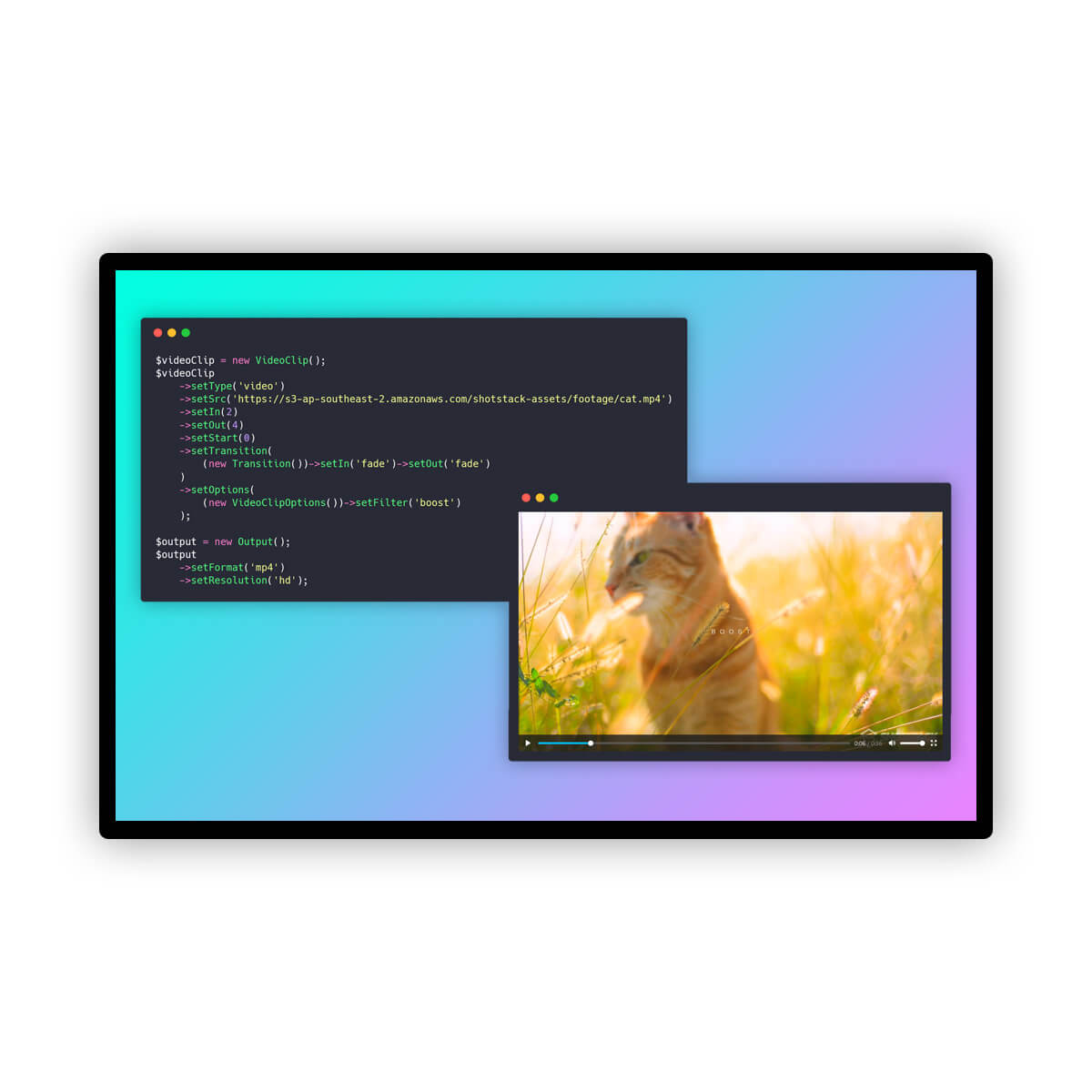

robots.txt (opens in a new tab)
2 rulesAll bots 1 allowed · 1 disallowed
- Allow
/ - Disallow
/preview/
No matching rules.
Sitemaps
3Recent Updates
- Website images
- Screenshots
- Website Technologies
- Pages and Search Information
- Network details
- HTTP Response Information
- TLS and certificates
- DNS Information
- Website profile
- Website Description
- Website Name
- Website profile
- Website Description
- Website Name
User reviews (0)