
 简体中文
简体中文 English
Website review
This review may include AI-generated content and is not individually verified. Domain, certificate and other facts come from the observed data on this page.
What is SVGL?
SVGL is a browsable library of SVG logos, intended for people who need a clean vector version of a brand or product mark without drawing or tracing it themselves. The site presents logos as a searchable, sortable collection — the page shows an A–Z sort option and a count in the hundreds — with entries covering companies and tools across categories such as AI, software, developer tools, design, crypto, databases and platforms. Examples visible in the listing include Stripe, Render, ClickUp, Trello, Photopea, Acrobat Reader, Midjourney, TanStack and Xata.
Who it suits
- Developers and designers who need a logo for a landing page, README, integration directory, slide deck or internal dashboard.
- Technical writers illustrating docs with product marks that stay sharp at any size.
- Anyone assembling a "works with" or partner grid, where consistent vector assets matter more than photorealism.
How it differs from alternatives
| Option | Typical strength | Trade-off |
|---|---|---|
| SVGL | Fast browsing of many product and brand logos in one place | A curated selection, so niche or local brands may be missing |
| Official brand pages | Authoritative, current artwork and usage rules | Slow when you need a dozen logos at once |
| General icon sets | Consistent style across thousands of icons | Often simplified or restyled, not the real brand mark |
The practical distinction is authenticity versus convenience. A library like SVGL saves time, but the artwork still belongs to the brand owner, so check the official guidelines before using a mark in anything public-facing.
A concrete workflow
Suppose you are building an integrations page and need eight partner logos. Search each name, download the SVG, drop the files into your assets folder, and render them at a fixed height so mixed aspect ratios line up. Keep the filenames lowercase and hyphenated, and store the source URL alongside each one so a future update is easy to trace.
For a broader set of open-source project marks, Simple Icons is a common companion, and SVG Repo covers general-purpose vectors. If you need the definitive version of a specific company's logo, go to that company's own brand or press page — that is the version its legal team expects you to use.
How do I download SVG logos from SVGL?
Use SVGL’s search and category filters to find a logo, then select it to view or copy the SVG. From there, download the SVG file or copy the SVG code for use in a design tool or codebase.
Typical download flow
- Open SVGL.
- Search for the brand or product name, or browse by category such as AI, software, design, crypto or database.
- Select the matching logo from the results.
- Choose the download option, or copy the SVG markup if you want to paste it directly into HTML, React, Figma or another design tool.
- Check the logo variant and colour before using it, especially if you need a light or dark version.
What to watch for
- SVGL lists many well-known product and brand logos, but a library entry is not the same as an official brand asset kit.
- For public or commercial use, confirm the current logo and usage rules with the brand’s own press or brand page.
- SVG files scale cleanly, but copied markup can still carry fixed colours or embedded styles that need adjusting.
- If you need a specific official version, compare the SVGL file against the brand’s own downloadable asset.
A practical next step: search for the exact product name first, then check the logo’s category and variant. If you are building a UI, copy the SVG code and test it at small sizes; if you are preparing a presentation or print asset, download the file and open it in a vector editor to confirm it is editable and correctly coloured.
Can I use SVGL logos in commercial projects?
SVGL itself does not state a blanket commercial-use license on the page. What the library provides is a browsable, searchable collection of SVG logo files—the page evidence shows roughly 670 logos organized by category and sortable A–Z, with brand names like Stripe, Adobe Acrobat Reader, Midjourney, and TanStack. The site is a convenient delivery mechanism for the files; it is not the trademark owner of the logos it displays.
That distinction matters. Two separate rights are involved:
| Right | Who controls it | What it means for you |
|---|---|---|
| Copyright in the SVG file/artwork | Usually the brand, sometimes the designer | Some brands release logos under permissive terms; many do not |
| Trademark rights in the logo | The brand | Using a logo in a way that implies endorsement, partnership, or origin is the main legal risk |
Practical guidance
For most commercial projects, using a third-party logo is acceptable when the use is referential and truthful—for example:
- A "works with" or integrations section listing tools your product connects to
- A customer or client logo wall, with permission from those customers
- Editorial, comparative, or review content that names the brand
- Documentation showing a supported platform or file format
It becomes risky when the logo suggests a relationship that does not exist—putting a brand's mark on your pricing page, in your product UI as if it were your own, or in advertising in a way that implies sponsorship.
What to do before you ship
- Check the individual brand's guidelines. Most large companies publish a brand or press page with explicit rules on color, spacing, and permitted contexts. That page, not SVGL, is the authoritative source.
- Confirm the specific file's license if you need to modify or redistribute the SVG itself, since copyright and trademark are separate questions.
- Keep usage referential: pair the logo with text that accurately describes the relationship, and avoid altering proportions or colors in ways brand guidelines prohibit.
If you need a logo that is unambiguously free for any commercial use, look for marks released under an explicit open license rather than assuming a logo library's availability equals permission. For general SVG icon needs, libraries such as Lucide or Heroicons ship under stated open licenses, which removes the trademark ambiguity that brand logos carry.
How do I search for a specific brand's SVG logo on SVGL?
Type the brand or product name into the search box at the top of SVGL. The library lists roughly 670 logos, and the results filter as you type. You can also sort the full directory A–Z and browse by category (AI, Software, Design, Database, Themes, Platform, Devtool, Crypto, Analytics, Payment and others) if you prefer scanning to searching.
Practical tips for a fast match
- Search the shortest distinctive form of the name. "Acrobat Reader" works, but "Acrobat" is quicker to type and still narrows the list.
- If a company is known by a parent brand, try that too. Adobe products, for instance, appear under both the product name and the Adobe family.
- Watch for naming variants: some entries use the product's current name, others a stylised spelling or a shorter mark. If nothing appears, drop punctuation and spaces.
- Category browsing is useful when you know the kind of tool but not the exact vendor — for example, scanning the Payment category to compare several checkout or billing brands at once.
What you get and what to check
Each result is an SVG, so it scales cleanly to any size and stays sharp on high-density screens — the main reason designers pick SVG over a PNG export. Before downloading, confirm the variant you need: many brands have both a full wordmark and a compact icon, plus light and dark versions. Using the wrong one on a dark background is the most common mistake.
One trade-off worth knowing: a community-curated library is convenient, but it is not the brand owner's official asset page. For anything customer-facing, high-stakes or trademark-sensitive — a product page, packaging, a paid ad — cross-check the current logo against the company's own brand or press resources. Official guidelines also tell you about clear space, minimum size and permitted colours, which a raw SVG file cannot.
As a next step, search the brand, open its entry, and preview both the icon and wordmark at small and large sizes before you commit one to a layout. If the exact version you need is missing, the vendor's official brand page is the safer source.
Does SVGL have a free API to integrate logos into my project?
SVGL is best understood as a browsable logo library rather than a developer API product. The page evidence shows a searchable, categorised collection of roughly 670 SVG logos — AI, software, design, crypto and database brands appear in the listing — with sorting and filtering by type. That is useful for designers and developers who want to grab a clean vector mark quickly.
What that means for integration
There is no documented free API endpoint on the page evidence: no base URL, no key, no rate limits and no response format are described. What the site does offer is a large set of SVG files and a directory structure, including a payment-related section. So the realistic integration paths are:
- Manual download: pick each logo, drop the SVG into your repo, and reference it locally. Fine for a handful of brand marks.
- One-off bulk pull: if you need many logos, fetch the files you need once and commit them, rather than calling a service at runtime.
- Self-hosted approach: treat the SVGs as static assets in your build, which avoids runtime dependency on any third party.
Trade-offs to weigh
A runtime logo API is convenient because branding changes propagate automatically, but it also makes your UI depend on someone else's uptime, licensing decisions and file naming. Static SVGs are stable, fast and cacheable, but they go stale when a brand refreshes its mark. For a marketing site with a partner-logo strip, static files are usually the simpler choice; for a directory that tracks hundreds of brands, automation becomes more attractive.
Next step
Check the individual logo entries for licensing or usage notes before shipping them, since brand marks are usually trademarked even when the SVG is freely downloadable. If you need automated lookups, confirm directly with the site whether any API exists beyond the browsable directory; the page evidence does not show one. For a concrete decision: if you need fewer than about 20 logos, download them once; if you need continuous, large-scale syncing, plan to maintain your own asset pipeline.
How can I request a missing SVG logo to be added to SVGL?
SVGL doesn't appear to expose a built-in "request a logo" form on its main page, so the practical route is to reach the maintainers through the project's own channels.
How to request a missing SVG logo
- Check whether it already exists. SVGL's library is large and searchable, and logos are listed with a name and category (for example, AI, Software, Design, Database, Crypto). Search by the company's common name and by obvious alternatives before requesting.
- Find the project's repository or contact channel. SVGL is a community-facing logo library, and libraries like this typically accept additions through a public repository (issues or pull requests) or a contact link. Look for a GitHub link or contact option in the site's footer or navigation.
- Open an issue or submit a pull request. If a repository is available, an issue titled something like "Add logo: [Brand]" is usually the fastest way to get a response. If you can supply the SVG yourself, a pull request is even better.
- Include the essentials in your request:
- Brand or product name, spelled exactly as it should appear.
- Official website or brand-guidelines page where the logo is published.
- The SVG file, or a link to the official asset (not a screenshot or PNG).
- Suggested category, matching SVGL's existing groupings.
- A note on whether light and dark variants are needed.
What makes a request likely to succeed
The strongest requests use the brand's own official SVG rather than a recreated or traced version, since libraries generally prefer assets that match the trademark owner's files. If the logo has a wordmark plus an icon, say which one you want — many libraries store both. Also mention if the logo has changed recently, because outdated submissions often get rejected or replaced.
A concrete example
Suppose you want a logo for a database tool that isn't listed. You search SVGL, find nothing, then open an issue with the brand name, its official site, the SVG downloaded from the company's press or brand page, and the suggested category "Database." If the maintainers accept community pull requests, you can instead add the file following the existing naming and folder conventions and open the PR directly.
If SVGL turns out to have no public repository or contact route, the fallback is to ask the maintainer through whatever social or community profile is linked from the site. For general SVG logo needs in the meantime, Simple Icons maintains a large, openly licensed icon set with a documented contribution process, which is a useful comparison point for how these requests usually work.
 Cloudflare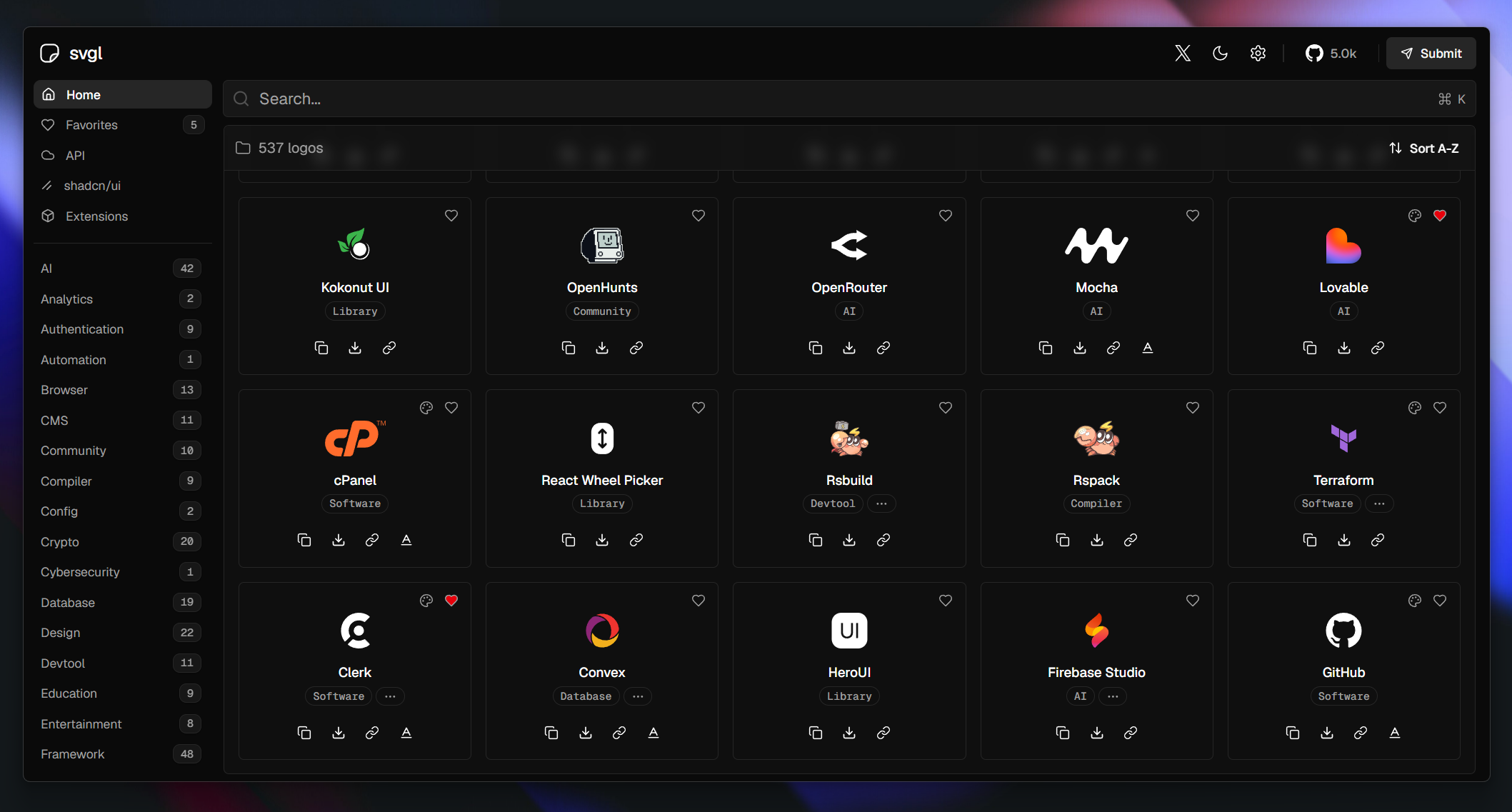

User reviews (0)