
 简体中文
简体中文 English
webassembly.org
WebAssembly (abbreviated Wasm) is a binary instruction format for a stack-based virtual machine. Wasm is designed as a portable compilation target for programming languages, enabling deployment on the web for client and server applications.
At a glance
- Category
- Development
- Language
- English
- Paid-content signal
- No paid content foundObserved
- Registered
- 2015
- Hosting
- FastlyInferred
- HTTPS certificate trusted
- PassedObserved
- Last updated
Related questions
More questions →Which Programming Languages and Environments Can Use WebAssembly?
WebAssembly (Wasm) is a portable compilation target for programming languages, so any language with a toolchain that emits Wasm can use it. On the environment side, Wasm runs in web browsers for client-side applications, on servers, and in non-web embeddings. It also interoperates with JavaScript: modules can call into and out of the JavaScript context and access the same browser Web APIs available to JavaScript.
Languages: What "Compilation Target" Means
Wasm is not a language you typically write by hand for production code. It is a binary instruction format for a stack-based virtual machine, designed to be produced by compilers. That means the practical question is not "does Wasm support language X?" but "does language X have a compiler or toolchain that can emit Wasm?"
A language can target Wasm if its toolchain can compile to the Wasm binary format. The site describes Wasm as a portable compilation target for programming languages generally, rather than listing specific languages. So the reliable way to decide is to check whether the toolchain for your language of choice supports a Wasm output target. If it does, your code can be compiled to a Wasm module and run wherever Wasm is supported.
The Text Format Is for Reading, Not Usually for Writing
Wasm is designed to be pretty-printed in a textual format for debugging, testing, experimenting, optimizing, learning, teaching, and writing programs by hand. That textual format is also what you see when viewing the source of Wasm modules on the web. In practice, most developers compile from a higher-level language and use the text format to inspect or debug the output.
Environments: Web, Server, and Beyond
Wasm is not limited to the browser. The site states it enables deployment on the web for client and server applications and also supports non-web embeddings. The table below summarizes the environment categories the site describes.
| Environment | What the site says | Practical implication |
|---|---|---|
| Web browser (client) | Enables deployment on the web for client applications; enforces the browser's same-origin and permissions security policies | Wasm modules can run in web pages alongside JavaScript |
| Server | Enables deployment on the web for server applications | Wasm is not browser-only; server-side use is in scope |
| Non-web embeddings | Wasm supports non-web embeddings | Hosts other than browsers can embed and run Wasm |
| JavaScript context | Modules can call into and out of the JavaScript context and access browser functionality through the same Web APIs accessible from JavaScript | Wasm and JavaScript can interoperate in both directions |
How Wasm Interoperates with JavaScript and the Browser
When embedded in the web, Wasm runs in a memory-safe, sandboxed execution environment and enforces the same-origin and permissions security policies of the browser. It can be implemented even inside existing JavaScript virtual machines. For developers, the key interoperability points are:
- Calling in and out of JavaScript: Wasm modules can call JavaScript functions, and JavaScript can call into Wasm modules.
- Access to Web APIs: Wasm can reach browser functionality through the same Web APIs that JavaScript uses.
- Sandboxing: Execution is memory-safe and sandboxed, with browser security policies applied when on the web.
Why This Matters for Choosing a Language or Environment
Wasm is designed to execute at native speed by taking advantage of common hardware capabilities available on a wide range of platforms, and its binary format is designed to be size- and load-time-efficient. It also maintains the versionless, feature-tested, and backwards-compatible nature of the web. For a developer, this means:
- If your language's toolchain can emit Wasm, you can reuse that language for web client, server, or non-web embedding targets.
- If you need to interact with browser APIs or existing JavaScript code, Wasm modules can do so through the JavaScript context.
- If you are targeting a non-browser host, check that the host supports a non-web embedding of Wasm.
Where to Verify Specifics
The site points to MDN's WebAssembly pages for developer reference documentation, and notes that the open standards are developed in a W3C Community Group (including representatives from all major browsers) as well as a W3C Working Group. For a specific language, confirm its Wasm toolchain support in that language's own documentation; for a specific host, confirm that it supports a non-web embedding. The site itself does not publish a list of supported languages, so treat language support as a toolchain question rather than a Wasm specification question.
What WebAssembly Is and What webassembly.org Provides
WebAssembly (abbreviated Wasm) is a binary instruction format for a stack-based virtual machine, designed as a portable compilation target for programming languages so that code can be deployed on the web for client and server applications. The site webassembly.org is the project's overview hub: it explains the format at a high level and links out to getting started material, specifications, documentation, feature status, community channels, and news. It is not itself the developer reference — for API-level documentation the site points to MDN's WebAssembly pages.
What the format is designed to do
The site describes four design goals that together explain why Wasm exists:
- Efficient and fast. The stack machine is encoded in a size- and load-time-efficient binary format, and the aim is to execute at native speed by using common hardware capabilities available across a wide range of platforms.
- Safe. Wasm defines a memory-safe, sandboxed execution environment that can even be implemented inside existing JavaScript virtual machines. When embedded in the web, it enforces the browser's same-origin and permissions security policies.
- Open and debuggable. Modules are designed to be pretty-printed in a textual format, used for debugging, testing, experimenting, optimizing, learning, teaching, and even writing programs by hand. That textual format is what you see when viewing the source of a Wasm module on the web.
- Part of the open web platform. Wasm keeps the versionless, feature-tested, backwards-compatible nature of the web. Modules can call into and out of the JavaScript context and reach browser functionality through the same Web APIs available from JavaScript. The format also supports non-web embeddings.
The standards are developed in a W3C Community Group that includes representatives from all major browsers, alongside a W3C Working Group — relevant if you need to cite the governance of the format rather than just its behavior.
What the site gives you, section by section
The navigation reflects the site's role as an entry point rather than a manual:
| Section | What it is for |
|---|---|
| Overview | The high-level description of Wasm quoted above |
| Getting Started | Orientation material for newcomers before they write code |
| Specs | The open standards documents |
| Docs | Documentation pointers, including the MDN developer reference |
| Feature Status | Which features are at what stage — useful before relying on a capability |
| Community | Where the standards work and discussion happen |
| News | Announcements about the project |
A practical consequence: if you are looking for a function signature or a JavaScript API detail, go to MDN's WebAssembly pages directly; use webassembly.org to understand the design, check whether a feature is ready, and find the right spec or community venue.
How to use it for a concrete task
Suppose you maintain a C or Rust library and want to ship it to run in a browser and on a server. A workable path using the site:
- Read the Overview to confirm the deployment model (web client and server, plus non-web embeddings) matches your target.
- Check Feature Status for any capability your build depends on before committing to it.
- Consult Specs when you need the normative behavior — for example, how the sandbox and memory model constrain what your code may do.
- Use Docs, and specifically the linked MDN pages, while writing the JavaScript glue that loads the module and calls into it.
- Watch News and Community for changes, since the format is versionless and feature-tested rather than released in numbered versions.
The expected result at the end is a module that runs in the browser sandbox under the page's origin and permission rules, callable from JavaScript and able to call back out to it.
Common sticking points
- Expecting tutorials on the site itself. The site is an overview hub; hands-on reference material lives at MDN and in the specs.
- Assuming a version number. Wasm is deliberately versionless and backwards-compatible, so "which version" is the wrong question — check feature status instead.
- Assuming it only runs in browsers. The site explicitly notes support for non-web embeddings, so the same compilation target can serve server-side and embedded use.
- Assuming it bypasses web security. The sandbox enforces the browser's same-origin and permissions policies when embedded in the web; it does not grant escape from them.
The site does not publish pricing or account requirements in the material available here, so treat access to the specifications and documentation as a separate question to verify rather than assuming terms.
Who Develops and Maintains the WebAssembly Standard?
WebAssembly's open standards are developed in a W3C Community Group that includes representatives from all major browsers, and also in a W3C Working Group. The official site, webassembly.org, describes this structure directly and points visitors to a Community section for participation and news. In short: the standard is a multi-vendor, open-standards effort under the W3C umbrella rather than a single company's proprietary specification.
How the Standard Is Organized
The site's overview states that "the open standards for WebAssembly are developed in a W3C Community Group (that includes representatives from all major browsers) as well as a W3C Working Group." That sentence carries most of what you need to know about governance:
| Body | Role as described on webassembly.org |
|---|---|
| W3C Community Group | Develops the open WebAssembly standards; includes representatives from all major browsers |
| W3C Working Group | Also develops the open standards |
Two things follow from this. First, browser vendors participate in the Community Group, which is consistent with the site's claim that WebAssembly is "part of the open web platform" and maintains the web's "versionless, feature-tested, and backwards-compatible nature." Second, because standards work happens in W3C groups, the specification is not controlled by any one runtime or vendor.
What the Site Provides Beyond Governance
webassembly.org is the project's public entry point, not the specification text itself. Its navigation covers Overview, Getting Started, Specs, Docs, Feature Status, Community, and News. For developer reference documentation, the site directs readers to MDN's WebAssembly pages. So if you want the normative standard, follow the Specs link; if you want to track what is shipping, use Feature Status.
Why This Structure Matters in Practice
The governance model explains several properties the site advertises:
- Portability. Wasm is described as "a portable compilation target for programming languages, enabling deployment on the web for client and server applications." A cross-vendor standard is what makes one compiled module runnable across environments.
- Safety by design. The site describes "a memory-safe, sandboxed execution environment that may even be implemented inside existing JavaScript virtual machines," and notes that when embedded in the web it enforces the browser's same-origin and permissions security policies. These are standard-level commitments, not features of one engine.
- Openness and debuggability. Wasm is designed to be pretty-printed in a textual format for debugging, testing, experimenting, optimizing, learning, teaching, and writing programs by hand, and that textual format is used when viewing the source of Wasm modules on the web.
- Non-web embeddings. The site notes that WebAssembly also supports non-web embeddings, which is why the standard is not scoped only to browsers.
A concrete example of why the multi-party process matters: a feature such as a new instruction or a change to how modules interact with JavaScript has to be agreed among browser representatives in the Community Group before it can be relied on across engines. That is also why the site emphasizes "feature-tested" compatibility and maintains a Feature Status page — you check what is implemented rather than assuming a version number guarantees support.
How to Follow or Join the Work
If your goal is to track or contribute to the standard rather than just use it:
- Start at webassembly.org and open the Community section for participation channels and news.
- Use Specs for the standards documents and Feature Status to see where features stand.
- Use Docs (or the linked MDN WebAssembly pages) for developer-facing reference.
- If you intend to contribute, the relevant venues are the W3C Community Group and Working Group named on the site — participation there is how browser representatives and other contributors shape the standard.
A common sticking point: people look for a single "owner" of WebAssembly and a version number to pin against. The site's framing points the other way — the standard is maintained through W3C groups with major-browser representation, and compatibility is handled by feature testing rather than versioning. Plan your tooling and support decisions around feature status, not around a release number.
Where to Start with WebAssembly on webassembly.org
Start with the Getting Started section of webassembly.org, then move to Specs and Docs for the standards and reference material, check Feature Status to see what is currently supported, and use MDN's WebAssembly pages as your day-to-day developer reference. This path suits beginners who want an official, standards-based introduction before writing any code.
What webassembly.org Is For
WebAssembly (abbreviated Wasm) is a binary instruction format for a stack-based virtual machine. It is designed as a portable compilation target for programming languages, enabling deployment on the web for client and server applications. The site is the project's home base: it links to the overview, getting-started material, specifications, documentation, feature status, community channels, and news.
The site itself is a gateway, not a tutorial platform. Its value is pointing you to the authoritative sources rather than teaching syntax step by step.
A Practical Starting Path
1. Read the overview first
The homepage summary explains the four design goals you will keep running into:
- Efficient and fast — the binary format is size- and load-time-efficient, and Wasm aims to execute at native speed by using common hardware capabilities across platforms.
- Safe — Wasm describes a memory-safe, sandboxed execution environment; when embedded in the web it enforces the browser's same-origin and permissions security policies.
- Open and debuggable — modules are designed to be pretty-printed in a textual format for debugging, testing, experimenting, optimizing, learning, and teaching.
- Part of the open web platform — versionless, feature-tested, and backwards-compatible; modules can call into and out of JavaScript and access browser functionality through the same Web APIs available from JavaScript. Wasm also supports non-web embeddings.
Understanding these four points early makes the rest of the documentation easier to place.
2. Use Getting Started to pick your entry point
The Getting Started section is where you decide how you will produce Wasm. Because Wasm is a compilation target rather than a language you typically write by hand, your first decision is which source language and toolchain to use. The site's overview and linked material frame that choice; the detailed language-by-language guidance lives in the documentation it points to.
3. Consult Specs for the standard
The Specs section covers the open standards, which are developed in a W3C Community Group (including representatives from all major browsers) as well as a W3C Working Group. Go here when you need to know precisely what a instruction or module feature means, or when you are implementing a toolchain rather than just using one.
4. Check Feature Status before relying on a capability
Feature Status tells you what is currently supported. This matters because the web platform's versionless, feature-tested model means capabilities arrive incrementally. Check this page before designing around a specific feature, and re-check it when a tutorial you are following assumes something your target browser may not yet provide.
5. Keep MDN open while you build
The site explicitly points to MDN's WebAssembly pages as the developer reference documentation. That is where you go for API-level detail — the JavaScript interface for loading and running modules, the textual format, and related browser APIs — once you move from reading to building.
How the Sections Fit Together
| Section | Use it when you need to… |
|---|---|
| Overview (homepage) | Understand what Wasm is and its design goals |
| Getting Started | Choose a way to compile your source language to Wasm |
| Specs | Check the exact standard, including W3C process context |
| Docs | Find reference documentation, including the MDN pointer |
| Feature Status | Confirm whether a capability is currently supported |
| Community / News | Follow development and ask questions |
Common Sticking Points for Beginners
- Expecting to write Wasm by hand. Most developers compile to it. The textual format exists for debugging, testing, experimenting, optimizing, learning, teaching, and writing programs by hand — treat it as a reading and inspection tool first.
- Skipping Feature Status. Tutorials often assume recent features. Verify against the status page for your target environment.
- Confusing web and non-web use. Wasm supports non-web embeddings, so guidance aimed at browser deployment does not automatically apply to server or embedded runtimes.
- Looking for a full course on the site. webassembly.org orients you and links out; the hands-on reference is MDN, and language-specific toolchains are documented by their own projects.
What to Do Next
Read the homepage overview, open Getting Started to settle on a source language and toolchain, bookmark Specs and Feature Status for lookups, and keep MDN's WebAssembly pages open as your working reference. That sequence gives you the official framing first and the practical detail exactly when you need it.
Why would a developer use WebAssembly instead of JavaScript?
Use WebAssembly when you need near-native execution speed, predictable memory safety, or a portable compilation target for code written in languages other than JavaScript. It is not a JavaScript replacement: Wasm modules run alongside JS, can call into and out of the JavaScript context, and reach browser functionality through the same Web APIs. If your task is ordinary DOM work, form handling, or small scripts, plain JavaScript remains the simpler choice.
The four reasons webassembly.org gives
The official site frames the case around four properties. Each maps to a concrete development decision.
Efficient and fast
Wasm is a binary instruction format for a stack-based virtual machine, designed to be encoded in a size- and load-time-efficient format. The stated aim is to execute at native speed by taking advantage of common hardware capabilities across a wide range of platforms.
What this means in practice: the module is compact to ship and quick to decode, so startup cost stays low, and the hot code inside it runs close to what the hardware can do. That matters for compute-heavy work — image and audio processing, physics, compression, parsing large files — where a JavaScript implementation would spend its time on interpretation and dynamic checks.
Safe
WebAssembly describes a memory-safe, sandboxed execution environment, and it may even be implemented inside existing JavaScript virtual machines. When embedded in the web, it enforces the browser's same-origin and permissions security policies.
The practical consequence: you can run third-party or untrusted code with a defined boundary, and you do not have to build your own isolation layer. The sandbox is the execution model, not an add-on.
Open and debuggable
Wasm is designed to be pretty-printed in a textual format, used for debugging, testing, experimenting, optimizing, learning, teaching, and writing programs by hand. That textual format is what you see when viewing the source of Wasm modules on the web.
This is the difference between "a black-box binary" and "a format you can inspect." When something misbehaves, you can read the module rather than guess at it.
Part of the open web platform
Wasm is designed to keep the versionless, feature-tested, and backwards-compatible nature of the web. Modules can call into and out of the JavaScript context and access browser functionality through the same Web APIs available from JavaScript. WebAssembly also supports non-web embeddings.
So a module you ship today is not tied to a browser version, and the same compilation target can be used outside the browser — server-side and other embeddings — which is why the site describes it as a portable compilation target for programming languages.
Choosing between Wasm and JavaScript
| Dimension | JavaScript | WebAssembly |
|---|---|---|
| Execution model | Dynamic, interpreted/JIT-compiled | Stack-based VM, binary format, aimed at native speed |
| Best fit | DOM work, app logic, small scripts, rapid iteration | Compute-heavy kernels, ports of existing C/C++/Rust code |
| Isolation | Browser page context | Memory-safe, sandboxed environment |
| Inspectability | Source directly | Pretty-printable textual format |
| Compatibility | Web platform baseline | Versionless, feature-tested, backwards-compatible |
| Interop | — | Calls into and out of JS; same Web APIs; non-web embeddings |
A reasonable rule: keep the application shell and UI in JavaScript, and move the measured bottleneck into Wasm. Reach for Wasm first when you already have a codebase in another language that you want to compile rather than rewrite.
Where to start
The site's navigation points to Overview, Getting Started, Specs, Docs, Feature Status, Community, and News. For developer reference documentation on the API and usage, it directs readers to MDN's WebAssembly pages. The open standards are developed in a W3C Community Group that includes representatives from all major browsers, alongside a W3C Working Group — useful if you need to check whether a feature you depend on has shipped, via Feature Status, before committing to it.
One caution the site itself implies: because Wasm is feature-tested rather than versioned, confirm the specific capability you need in Feature Status and in your target environments before designing around it.
Website Overview
An established domain and managed infrastructure suggest continuity of operations and may support dependable delivery, although neither guarantees service quality. Several search or sharing settings need attention. Together they may make snippets, preview images or preferred URLs less consistent across platforms.
Domain and Registration
Registered in 2015, this domain has about 11 years of history. That suggests continuity, although ownership and purpose may have changed. The registrar, MarkMonitor Inc., specializes in corporate domain and brand management, suggesting attention to domain asset protection. Transfer-protection status is present, helping reduce the risk of unauthorized domain transfers. The domain uses the common .org extension, which is not an independent safety signal.
DNS and Email
Nameservers are provided by Cloudflare, indicating managed DNS hosting. No CNAME was found; the observed records resolve directly to addresses. No MX record was found. A conventional explicit inbound-mail route is not configured. DNSSEC signatures were not detected, so this additional DNS authenticity protection is not confirmed. The lowest observed DNS TTL is 300 seconds.
TLS and Certificates
The public key uses EC with 256 bits. The server supplied a complete certificate chain. No organization name is present in the certificate; the available fields are consistent with domain validation. The certificate was issued within the Google Trust Services cloud or CDN ecosystem. The certificate's total validity is about 90 days, consistent with a short renewal cycle.
HTTP and Browser Security
The checked browser-security headers were not detected, leaving fewer explicit browser-side safeguards. CORS permits any origin to read this response. This is common for public resources; sensitive responses need narrower handling. No X-Powered-By header was found, reducing one common source of backend fingerprinting information. The cf-ray, x-cache, x-served-by, via response header indicates a CDN or caching proxy in the delivery path. No obvious internal addresses or debug information were found in the headers.
Technology Stack Analysis
The public page identifies Cloudflare, Fastly without precise versions, leaving fewer clues for version-specific scanning.
Search and Social Sharing
No homepage meta description was detected, leaving snippet selection more dependent on page text. No homepage canonical URL was detected. If duplicate URLs exist, consolidation may be less explicit. The title has 11 characters, within a common display range. The observed directives allow indexing and link following. No Generator meta tag is publicly exposed.
Hosting and Email
 Cloudflare
 Fastly
Registration details
| Registrar | MarkMonitor Inc. |
|---|---|
| Registered | 2015-03-20 |
| Expires | 2027-03-20 |
| Domain status | client delete prohibited、client transfer prohibited、client update prohibited |
| Nameservers | jarred.ns.cloudflare.com、ziggy.ns.cloudflare.com |
| DNSSEC | unsigned |
DNS records
TLS and certificates
HTTP response headers
| Header | Value |
|---|---|
| content-type | text/html; charset=utf-8 |
| cache-control | max-age=14400 |
| server | cloudflare |
| access-control-allow-origin | * |
Identified technologies
Pages, Search and Sharing
| Meta description | Not detected |
|---|---|
| Canonical URL | Not detected |
| Language | English (default) |
| Twitter Card | Not detected |
Social Sharing Preview
5 fields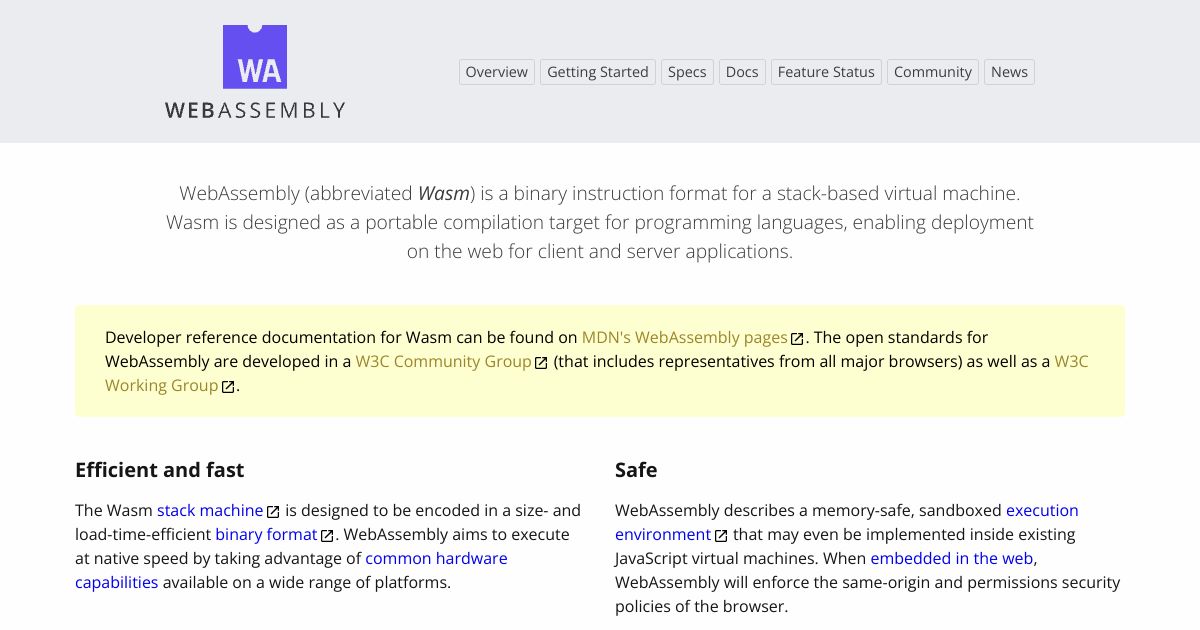
robots.txt (opens in a new tab)
0 rulesNo rules found
No matching rules.
Sitemaps
0No sitemaps found
Recent Updates
- Website images
- Screenshots
- Network details
- Website Technologies
- Pages and Search Information
- HTTP Response Information
- TLS and certificates
- DNS Information
- Domain Registration
- Website profile
- Website Description
- Website Name
- Website profile
- Website Description
- Website Name
User reviews (0)