Website profiles · Technology insights · Alternatives

a11yboost.com

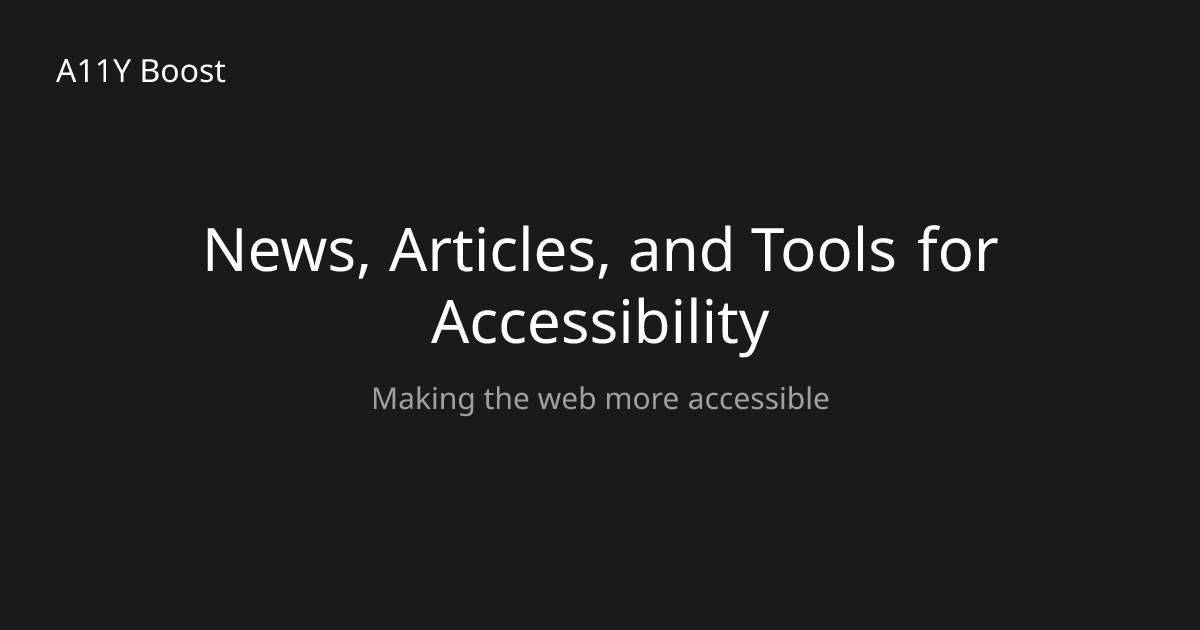
Making the web more accessible

No paid content found
Visit website
Profile views 8 Outbound visits 0 Normal
A11Y Boost Full homepage screenshot

At a glance

Category
Development
Language
English
Paid-content signal
No paid content foundObserved
Registered
2024
Hosting
VercelInferred
HTTPS certificate trusted
PassedObserved
Last updated

Website review

This review may include AI-generated content and is not individually verified. Domain, certificate and other facts come from the observed data on this page.

What is A11Y Boost?

A11Y Boost is a web accessibility resource site aimed at developers and designers who want to build more inclusive websites. Its homepage frames the goal simply as "Accessibility Made Easy" and points visitors toward three main content areas.

H3 What you'll find there

  • News — updates and developments in web accessibility.
  • Articles — explanatory and educational writing on accessibility topics.
  • Tools — a collection of utilities intended to help check or improve a website's accessibility.

H3 Who it suits If you're a developer, designer, or content person who already knows accessibility matters but wants a starting point, this kind of hub works well as a browsing destination. A practical scenario: you're about to audit a site's colour contrast and keyboard navigation, and you want both a refresher article and a tool in one place rather than hunting across bookmarks.

H3 Trade-offs to keep in mind Aggregator sites like this are useful for orientation and ongoing news, but they aren't a substitute for the underlying standards. For authoritative guidance, pair it with W3C Web Accessibility Initiative for the WCAG guidelines, and WebAIM for practical articles and testing perspectives. If you want a broad community reference alongside a curated hub, The A11Y Project is another well-known option.

A good next step: open the Tools section first, pick one check relevant to your current project, and run it on a single page before reading further.

How can I use A11Y Boost to make my website more accessible?

A11Y Boost is best treated as a learning and reference hub rather than a one-click accessibility fixer. Based on its own framing—"Accessibility Made Easy" and "Transform your development and design skills to create inclusive websites"—the site organizes itself around three areas: News, Articles, and Tools. You use it to build your own accessibility knowledge and to find utilities that help you audit and improve your site, not to install a single plugin that resolves everything.

A practical way to work through it

  1. Start with Articles for concepts. Read up on the specific issues your site likely has—keyboard navigation, color contrast, form labels, alt text, heading structure. This gives you the vocabulary to evaluate your own pages.
  2. Use Tools when you want to test rather than read. The Tools section is the action-oriented part of the site; it's where you go once you know what you're looking for.
  3. Follow News to stay current. Accessibility standards and browser behavior change; the News section is for keeping your practice up to date rather than relearning from scratch.
  4. Apply findings to real pages. Pick one high-traffic template—a homepage, a signup form, a checkout flow—and fix it end to end before spreading changes across the site.

Who benefits most

  • Developers who need to bake accessibility into components rather than bolt it on later.
  • Designers choosing color palettes, type sizes, and interaction states.
  • Content editors writing link text, alt text, and headings.
  • Small teams without a dedicated accessibility specialist, where one person needs to cover several roles.

Choosing between learning and tooling

If your situation is… Lean toward… Why
You don't yet know what's broken Articles You need concepts before diagnostics
You suspect specific failures (contrast, focus, labels) Tools Direct testing answers concrete questions
You're maintaining an existing site News + Tools Standards shift; re-testing catches regressions
You're building new components Articles first, then Tools Getting structure right early is cheaper than retrofitting

A concrete next step

Take your site's main contact or signup form. Read the relevant article material, then run it through a tool, and check three things manually: can you complete the form using only a keyboard, does every field have a visible and programmatically associated label, and do error messages get announced rather than only shown in red. Fixing that one form typically surfaces patterns you can reuse everywhere else.

For broader context, the W3C Web Accessibility Initiative publishes the underlying guidelines and techniques, and WebAIM offers widely used checking and reference material. Pairing A11Y Boost's explanations and tools with those primary sources gives you both the "why" and the authoritative standard behind it.

What accessibility tools does A11Y Boost offer and which one should I start with?

A11Y Boost presents itself as a learning-and-tools hub for web accessibility: the homepage highlights news, articles and a tools collection, with the stated aim of helping you “transform your development and design skills to create inclusive websites.” The page evidence does not list the individual tools, so treat the site as a directory to browse rather than a single product with a fixed feature set.

What’s on offer

  • News — updates and developments in web accessibility, useful for keeping current with standards and browser behaviour.
  • Articles — explainers and guidance, best for building understanding before you touch code.
  • Tools — a collection aimed at checking or improving your site, best once you have something concrete to test.

Which to start with Start with the Articles section if you are new to accessibility, because understanding who you are building for (keyboard-only users, screen reader users, people with low vision or motor impairments) determines which checks matter. If you already know the basics and have a live page, go straight to Tools and test that page, then return to the articles for anything that fails.

A practical first pass on any page: navigate it using only the Tab key, then try it with a screen reader such as NVDA (Windows) or VoiceOver (macOS). If focus order is confusing or headings are skipped, that is your starting point.

For context beyond this site, W3C Web Accessibility Initiative publishes the WCAG guidance most tools and articles refer back to, and WebAIM offers widely used practical introductions.

What are the most common web accessibility issues and how can I fix them?

The most common issues come down to a handful of recurring patterns: missing or poor alternative text, low contrast, keyboard traps, unlabeled form fields, missing page language, and headings that skip levels. Fixing these covers a large share of real-world failures because they affect the widest range of users.

What to fix first, and how

Issue Who it hurts Practical fix
Images without useful alt text Screen reader users, people on slow connections Describe the image's purpose; use alt="" for purely decorative images
Text/background contrast below the WCAG minimum Low-vision users, people in bright sunlight Darken text or lighten background; check with a contrast checker
Interactive elements reachable only by mouse Keyboard and switch-device users Use real <button> and <a> elements, keep a visible focus outline
Form inputs with no programmatic label Screen reader users Tie each <label for="..."> to its input; add hints for format requirements
Missing lang on <html> Screen reader users Set the correct language code so pronunciation is right
Heading levels used for styling Screen reader users navigating by headings Keep one <h1>, nest <h2>–<h6> in order, style with CSS
Error messages shown only by color Color-blind users Add text or an icon, not just a red border

A concrete starting scenario

Say you maintain a small e-commerce site. Run an automated scan first to catch the mechanical problems — missing alt text, contrast failures, unlabeled inputs. Then do a manual pass: unplug your mouse and try to complete a purchase, and turn on a screen reader for the checkout flow. Automated tools typically catch only part of the issues; the manual pass finds the ones that actually block people.

For learning material and tooling, A11Y Boost groups news, articles and accessibility tools in one place, which suits developers and designers who want a single starting point rather than scattered references. For authoritative criteria, use the W3C's Web Content Accessibility Guidelines, and for quick automated checks, browser extensions or the built-in audits in your browser's developer tools are a reasonable first filter.

Decision criterion

Prioritize by blocker severity, not by count: anything that prevents completing a task (keyboard traps, unlabeled required fields, controls with no accessible name) outranks cosmetic issues. Fix those, retest with a keyboard and a screen reader, then work down the list.

How do I stay updated on web accessibility news and best practices?

Follow a small set of dependable sources rather than chasing every post. A11Y Boost is one option: its home page collects news, articles and tools under the banner "Accessibility Made Easy", so you can browse updates and practical guidance in one place: A11Y Boost.

A workable routine

  • Weekly: skim one news roundup or newsletter for changes to standards, browser behaviour and assistive-technology support.
  • Monthly: read one deeper article and try its advice on a real page. Testing beats reading alone, because many accessibility issues only appear with actual content and interactions.
  • Each project: re-check the areas most likely to break, such as forms, menus, dialogs, images and colour contrast.

Where to look

Source type Good for Watch out for
News and article sites like A11Y Boost Plain-language explainers and current topics Coverage varies, so cross-check anything that affects compliance
Standards bodies, e.g. W3C Authoritative guidance such as WCAG and ARIA practices Dense and slow to read; use it to settle disputes, not for daily browsing
Web development references, e.g. WebAIM Practical articles, surveys and testing guidance General advice still needs testing against your own users and stack
Browser and platform documentation, e.g. MDN Web Docs Accurate HTML, CSS and ARIA behaviour Not a substitute for testing with screen readers and keyboards

A concrete next step

Pick one page on your site, run a keyboard-only pass through it, then read one relevant article on a site like A11Y Boost and fix the first issue you find. Repeat weekly. This builds lasting knowledge faster than reading broadly without applying anything.

If you need to justify accessibility work to others, favour sources that explain the user impact and the business case, not only the technical rules.

Can A11Y Boost help me comply with accessibility laws like WCAG or the ADA?

A11Y Boost is positioned as a learning and tooling hub for web accessibility rather than a compliance-certification service. Based on its own description — “Making the web more accessible” — and its homepage categories of News, Articles, and Tools, it can support your compliance work by helping you understand requirements and check your site. It does not, from the available information, appear to offer legal advice or formal audits.

Where it fits in a compliance workflow

  • Understanding the rules: Articles and news can explain concepts behind WCAG success criteria and how they map to legal duties under the ADA in the US, the European Accessibility Act, or Section 508.
  • Finding problems: The Tools section is the practical part — automated checkers typically catch issues like missing alt text, poor contrast, or unlabeled form fields.
  • Fixing and learning: Articles can help you interpret why something fails and how to remediate it.

Important limits to plan around

Automated tools generally detect only a minority of WCAG issues. They cannot judge whether alt text is meaningful, whether heading order makes sense, or whether a keyboard flow is usable. Legal compliance — especially under the ADA, where courts have referenced WCAG 2.1 Level AA — usually requires manual testing with assistive technology and, for higher-risk sites, a formal audit and a documented remediation plan.

A concrete scenario

Suppose you run an e-commerce site and receive a demand letter citing WCAG 2.1 AA. You could use A11Y Boost’s articles to build a shared vocabulary across design and engineering, then run its tools as a first pass to catch low-hanging failures before commissioning a manual audit. That sequencing saves money because you fix the obvious issues before paying an auditor to find them.

Decision criteria

  • Use free articles and tools when you are building awareness or doing early triage.
  • Bring in a qualified auditor when you need a conformance statement (VPAT/ACR), face legal exposure, or must prove compliance to a customer or regulator.
  • Treat any single site as one input, not your whole compliance program.

For official requirements, go straight to the source: the W3C’s W3C Web Accessibility Initiative for WCAG text and techniques, and the U.S. Department of Justice for ADA guidance. If you are in the EU, the European Commission publishes accessibility legislation information.

Next step: pick one representative page on your site, run it through an automated checker, then tab through it with a keyboard only. That combination tells you quickly whether you need a deeper audit.

Related questions

More questions →
How Can I Learn About Web Accessibility Through A11Y Boost?

A11Y Boost is a web accessibility resource site that organizes its learning material into two main sections: Articles for in-depth explanations and News for current updates. If you want to build a working understanding of accessible development and design, start with Articles; if you want to keep up with what's changing in the field, use News. Both sections are reachable from the homepage under the "What are you looking for?" prompt.

What A11Y Boost Is Built For

The site describes its purpose as "Making the web more accessible" and frames its content around one goal: helping you "transform your development and design skills to create inclusive websites that work for everyone."

That framing matters for how you use it. A11Y Boost is not positioned as a compliance checklist or a certification program — it's a skills-building resource aimed at developers and designers who want accessibility to become part of how they build, not a separate audit step.

The Two Learning Paths

The homepage presents a simple choice under the heading "What are you looking for?" with three entries. Two of them are the learning paths:

Section What it gives you Best for
Articles Explanations and deeper reading on web accessibility topics Building understanding from the ground up
News Latest news and updates about web accessibility Staying current with changes and developments
Tools A collection of accessibility tools to help improve your website Applying what you've learned to an actual site

Each section has a "View all" link, so you can browse the full list rather than relying on whatever happens to be featured.

How to Use Articles for Learning

Articles are the place to go when you want to understand why and how, not just what changed.

A practical sequence:

  1. Open the Articles section from the homepage.
  2. Pick a topic that matches something on a site you're actually working on — a form, a navigation menu, an image-heavy page.
  3. Read with that concrete case in mind, then apply the change and test it.

The reason to anchor reading to a real task: accessibility concepts stick when you've had to make a specific element work, rather than reading a general principle in isolation. For example, if you're building a signup form, reading about labeling and error messaging while you're writing that form will teach you more than reading the same article months earlier.

How to Use News for Staying Current

News serves a different job. Accessibility guidance, browser behavior, and assistive technology all shift over time, so material you learned a while ago can go stale.

Use News as a periodic check rather than a daily feed:

  • Skim headlines for anything touching the platforms or standards you rely on.
  • When something is relevant, follow it back into an Article or into the Tools section to see what it means for your site.
  • Treat News as a trigger to revisit your assumptions, not as a replacement for foundational reading.

Where Tools Fit In

The Tools section is the third entry on the homepage and is described as "a collection of accessibility tools to help improve your website." It's the applied end of the site: after Articles give you the concept and News tells you something has changed, Tools is where you check or improve an actual page.

A reasonable loop is: learn in Articles → verify with Tools → track changes in News → return to Articles when something is unclear.

A Note on What the Site Doesn't Specify

The homepage evidence covers the three sections and their purposes, but it doesn't publish a pricing model, a login requirement, or a course structure. If you need to know whether any part of the site requires an account or payment, check the individual section pages directly rather than assuming — the homepage alone doesn't answer that.

Getting Involved

The homepage also includes a "Want to get involved?" prompt alongside its Quick Links. If you move past consuming content and want to contribute, that's the entry point to look at — though the specifics of what involvement means aren't detailed on the homepage itself.

The Short Version

Start with Articles to learn the fundamentals, use News to stay current, and use Tools to apply and verify. Anchor your reading to real pages you're building, and treat News as a prompt to re-check your assumptions rather than as your primary source of understanding.

What Accessibility Tools Does A11Y Boost Offer?

A11Y Boost collects accessibility tools in a dedicated Tools section, and that section is the place to start if you want to find something to improve a website's accessibility. The site presents itself as a way to "transform your development and design skills to create inclusive websites that work for everyone," and the Tools area is one of three content channels it offers alongside News and Articles. The available evidence does not name individual tools or describe their features, so treat the Tools section itself as the entry point rather than expecting a fixed product list here.

Where the tools live

On the homepage, the "What are you looking for?" block presents three options:

  • News — latest news and updates about web accessibility
  • Articles — longer written material about web accessibility
  • Tools — a collection of accessibility tools to help improve your website

Each option links to a "View all" page. For tools, that link is the direct route into the collection.

How to browse the collection

  1. Open the A11Y Boost homepage.
  2. Find the "What are you looking for?" section.
  3. Select Tools, or follow the View all tools link beneath it.
  4. Browse the resulting collection and open any tool that matches what you are trying to fix or check on your site.

The expected result is a listing of tools you can review and use; the exact number and names are not confirmed in the available material.

What the tools are for

The stated purpose is practical: helping you improve a website's accessibility. The site frames this within a broader goal of building inclusive websites that work for everyone, aimed at people developing and designing for the web. If you are new to the topic, the News and Articles sections sit alongside Tools and can give context before you pick a tool.

If you want to get involved

The homepage includes a "Want to get involved?" prompt, so there is a route for visitors who want to contribute rather than only consume. The evidence does not specify what involvement requires.

Limits to keep in mind

  • No specific tool names, categories, or features are confirmed, so any list of individual tools would be guesswork.
  • No pricing or account requirements are stated, so do not assume the tools are free or that no login is needed.
  • The site is in English.

If your goal is simply to find accessibility tooling, go straight to the Tools section and browse from there; if you need background first, read the Articles section before choosing a tool.

What Does Web Accessibility Mean and Why Does It Matter?

Web accessibility means designing and developing websites so that everyone can use them, including people with disabilities. It matters because an inaccessible site shuts out real users, and because building with accessibility in mind improves how you design and develop in general. A11Y Boost frames its own mission as "making the web more accessible" and describes its purpose as helping people "transform your development and design skills to create inclusive websites that work for everyone."

What "accessible" actually means

Accessibility is not a single feature you bolt on at the end. It is a way of building that assumes the people visiting your site have a wide range of abilities and ways of interacting with a screen. Someone might navigate by keyboard instead of a mouse, read content through a screen reader, rely on captions, or need strong color contrast to see text clearly.

An accessible site is one that still works for those users. The goal is inclusive design: pages that function for everyone rather than only for a typical user.

Why it matters

It reaches all users

If a site only works for some visitors, the rest are effectively turned away. Inclusive design widens who can actually use what you built.

It improves your craft

A11Y Boost's homepage makes a point of tying accessibility to skill development, not just compliance. Working to make sites inclusive tends to sharpen how you approach development and design more broadly, because you have to think about structure, clarity, and how people really move through a page.

It is an ongoing practice, not a checkbox

The site organizes its material around learning and improving over time, with sections for news, articles, and tools. That structure reflects the reality that accessibility is something you keep working at as you learn more.

Where to start

A11Y Boost groups its resources into three areas, which map onto a reasonable way to begin:

Section What it offers
News Latest news and updates about web accessibility
Articles Explanations and deeper reading on accessibility topics
Tools A collection of tools to help improve your website

If you are new to the subject, the articles are the natural entry point for understanding concepts. The tools are more useful once you have a site to check and improve. The news section keeps you current as practices and expectations evolve.

The takeaway

Web accessibility is about making websites that work for everyone, and it is worth caring about both because it includes users who would otherwise be excluded and because it makes you better at building for the web. A11Y Boost exists to support that work, offering news, articles, and tools for anyone who wants to create more inclusive websites.

How Can I Get Involved with A11Y Boost?

A11Y Boost is a web accessibility resource site whose stated mission is "Making the web more accessible." If you want to get involved, the site itself points you to a "Want to get involved?" section as the starting point. The evidence confirms that A11Y Boost invites visitors to participate in its accessibility mission, but it does not confirm the specific contribution methods (for example, whether it accepts code, content, donations, or community moderation). So the practical answer is: begin at that section, then use the site's own channels to find the current, specific way to participate.

Start at the "Want to get involved?" section

The homepage lists "Want to get involved?" as one of its main headings. That is the intended entry point for anyone who wants to participate rather than just consume content.

What to do:

  1. Open a11yboost.com.
  2. Look for the "Want to get involved?" heading (it appears alongside other homepage sections such as "What are you looking for?", "A11Y Boost", and "Quick Links").
  3. Follow whatever link or instruction that section provides.

Expected result: you reach the page or contact point A11Y Boost currently uses to describe participation. Because the available evidence does not specify what that section contains, treat the section itself as the source of truth rather than assuming a particular method.

Understand what you would be contributing to

Before committing time, it helps to know what the site is for. A11Y Boost describes itself as a place to "Transform your development and design skills to create inclusive websites that work for everyone." Its content is organized around three areas:

Area What it offers Relevance to getting involved
News Latest news and updates about web accessibility Stay current so any contribution reflects present practice
Articles Explanations and learning material on web accessibility Build the knowledge a contribution would draw on
Tools A collection of accessibility tools to help improve websites Practical instruments you can use and potentially help improve

Contributing to a web accessibility mission generally means helping more people build and use inclusive websites. That can take many forms, and the site's own "Want to get involved?" section is where the confirmed specifics live.

A realistic path if you are new

If you have not contributed before, a sensible sequence is:

  • Read a few Articles to understand the vocabulary and common issues.
  • Try the Tools on a page you control, so you see what accessibility problems look like in practice.
  • Check the News section to learn what the field is currently discussing.
  • Then go to "Want to get involved?" with a concrete sense of what you could offer.

This order matters because accessibility contributions are easier to make well once you can recognize real barriers, not just repeat definitions.

Common sticking points

  • Assuming a specific contribution type. The evidence does not confirm whether A11Y Boost wants writers, developers, testers, or something else. Do not prepare for one route before checking the section.
  • Skipping the site's own content. The homepage frames involvement as part of a learning mission, so familiarity with the Articles and Tools is likely to make participation more useful.
  • Looking for a pricing or sign-up detail that is not documented. No pricing signals or payment platforms appear in the available information, so do not assume involvement is free, paid, or gated. Confirm through the site.

The short version

Go to a11yboost.com, find the "Want to get involved?" section, and follow what it says. Use the News, Articles, and Tools sections first if you want to contribute with real understanding of web accessibility. The exact method of involvement is defined by that section, not by assumption.

What is A11Y Boost?

A11Y Boost is a web accessibility resource hub at a11yboost.com. Its stated purpose is "making the web more accessible," and it serves developers and designers who want to build inclusive websites. It is not a single product or service you sign up for — it is a collection of news, articles, and tools organized around web accessibility topics.

What you'll find on the site

The homepage presents three main content areas under the heading "What are you looking for?":

Section What it covers Best for
News Latest news and updates about web accessibility Staying current on standards, announcements, and industry changes
Articles In-depth written content on accessibility topics Learning concepts, techniques, and best practices
Tools A collection of accessibility tools Auditing, testing, or improving an existing website

Each section links to a full index ("View all news," "View all articles," "View all tools"), so the homepage acts as an entry point rather than the full library.

Who it's for

The site explicitly targets people who "transform your development and design skills to create inclusive websites that work for everyone." In practice, that means:

  • Developers looking for practical guidance and tooling to fix or prevent accessibility issues in code.
  • Designers who need to account for contrast, keyboard navigation, semantics, and assistive-technology behavior in their work.
  • Anyone new to accessibility who wants a starting point before diving into formal specifications.

What it is not

A11Y Boost is a resource hub, not a software product, certification body, or compliance service. The site's own framing — news, articles, tools — describes an editorial and utility collection. If you need a formal audit, legal compliance sign-off, or a paid accessibility platform, this site is a place to learn and find tools, not the service itself.

How to use it

  1. Start at a11yboost.com and pick the section matching your need: news for updates, articles for learning, tools for hands-on work.
  2. Browse the full index for each section rather than relying on the homepage, which only shows a preview.
  3. If you want to contribute or collaborate, the homepage includes a "Want to get involved?" prompt — check that section for how participation works.

The site does not publish pricing information on its homepage, and no payment details are indicated, so treat it as a free-to-browse informational resource unless you find otherwise on the specific pages you visit.

Website Overview

Page metadata, canonical configuration and social previews work together to provide more consistent search and sharing presentation.

Domain and Registration

Transfer-protection status is present, helping reduce the risk of unauthorized domain transfers. The domain has about 2 years of registration history; its current configuration provides more context than age alone. The domain uses the common .com extension, which is not an independent safety signal.

DNS and Email

The lowest TTL is 60 seconds, supporting rapid record changes at the cost of more frequent lookups. Nameservers are provided by spaceship.net, indicating managed DNS hosting. DNSSEC is enabled, allowing validating resolvers to authenticate signed DNS data. No CNAME was found; the observed records resolve directly to addresses. No MX record was found. A conventional explicit inbound-mail route is not configured.

TLS and Certificates

The certificate uses an RSA 2048-bit public key, offering broad client compatibility. The server supplied a complete certificate chain. No organization name is present in the certificate; the available fields are consistent with domain validation. The certificate was issued by Let's Encrypt, commonly associated with automated certificate services. The certificate's total validity is about 89 days, consistent with a short renewal cycle.

HTTP and Browser Security

The response lacks these common security headers: CSP, X-Content-Type-Options, Referrer-Policy, Permissions-Policy, clickjacking protection. CORS permits any origin to read this response. This is common for public resources; sensitive responses need narrower handling. No X-Powered-By header was found, reducing one common source of backend fingerprinting information. No obvious internal addresses or debug information were found in the headers. The Server header contains the custom value Vercel.

Technology Stack Analysis

The public page identifies Next.js, Vercel without precise versions, leaving fewer clues for version-specific scanning.

Search and Social Sharing

Open Graph is partially configured; og:type is missing. Twitter Card metadata is configured. The title has 17 characters, within a common display range. A meta description is present, with 30 characters. The observed directives allow indexing and link following.

Hosting and Email

DNSspaceship.net
HostingVercel
EmailUnknown
Approximate IP geolocation (inferred; a CDN or proxy may differ from the origin server) United States flagUnited States Inferred 216.150.1.1

Registration details

RDAP / WHOIS

RegistrarSpaceship, Inc.
Registered2024-04-04
Expires2027-04-04
Domain statusclient transfer prohibited
Nameserverslaunch1.spaceship.net、launch2.spaceship.net
DNSSECsigned

DNS records

DNS

TypeNameValueTTLPriority
Aa11yboost.com216.150.1.160—
NSa11yboost.comlaunch1.spaceship.net1800—
NSa11yboost.comlaunch2.spaceship.net1800—
DSa11yboost.com62114 13 2 df0ed5eb5a722deabfdca18cdf92a765b8ee783af498a4db3501e20908dbb26486400—

TLS and certificates

TLS / SSL

AssessmentNormal configuration
Supported protocolsTLSv1.2、TLSv1.3
Negotiated protocolTLSv1.3
Certificate subjecta11yboost.com
IssuerLet's Encrypt
Valid until2026-10-28T19:47 · Remaining when checked: 31 days
Verification detailsCertificate trust: Passed · Hostname match: Passed

HTTP response headers

HTTP

HeaderValue
content-typetext/html; charset=utf-8
cache-controlpublic, max-age=0, must-revalidate
serverVercel
strict-transport-securitymax-age=63072000
access-control-allow-origin*

Identified technologies

Next.jsVercel

Pages, Search and Sharing

Meta descriptionMaking the web more accessible
Canonical URLhttps://a11yboost.com/
LanguageEnglish (default)
Twitter Cardsummary_large_image
All bots 1 allowed · 3 disallowed
  • Allow/
  • Disallow/api/
  • Disallow/admin/
  • Disallow/private/

User reviews (0)

  • No reviews yet.