
 简体中文
简体中文 English
Website review
This review may include AI-generated content and is not individually verified. Domain, certificate and other facts come from the observed data on this page.
What is Aeromatic?
Aeromatic is a companion app for brewing coffee with an AeroPress, available for iOS and Android. It centers on a library of 60+ curated recipes from baristas, roasters, and competition winners, paired with step-by-step instructions, a built-in brew timer/stopwatch, and video walkthroughs. Beyond following recipes, you can add tasting notes, create and save your own recipes, and track your coffee beans.
Who it's for
- New AeroPress owners who want guided, repeatable brews instead of guessing at ratios and timings.
- Enthusiasts who like trying other people's techniques — the recipe list includes named competition brews (for example, WAC winners and runners-up, plus recipes from Stumptown and Fellow Products).
- Home brewers who want one place to log beans and tweak a recipe over time.
What it does well
- Recipe discovery: a curated set plus a "random recipe" option for when you don't want to decide.
- Guided brewing: step-by-step instructions with a timer, so you're not juggling a separate stopwatch.
- Personalization: notes and custom recipes turn it from a static cookbook into your own brewing log.
Trade-offs to consider
- It's AeroPress-specific. If you brew with other methods, this won't replace a general coffee app.
- Recipe-driven apps suit people who enjoy following a defined method; if you prefer pure improvisation, the value is mostly in the timer and bean tracking.
- Video walkthroughs and a large recipe library work best on a phone propped up in the kitchen, which is worth thinking about if your brewing space is cramped.
A practical next step
Pick one recipe from a brewer whose style you already like, brew it twice, and log both attempts with notes. If the second cup improves, the app is earning its place in your routine; if you find yourself ignoring the instructions, a simple timer may be enough. You can preview the approach before committing by browsing the recipe list at Aeromatic.
How do I use the brew timer to follow an AeroPress recipe step by step?
Open a recipe, start the timer, and work through each step as it is called out; Aeromatic combines the instructions with a built-in stopwatch so you are not watching a separate clock. The page describes step-by-step instructions, a built-in stopwatch and video walkthroughs, so the timer is meant to sit alongside the method rather than replace it.
A practical first run
- Pick a recipe and read it once before brewing. Note the dose, water temperature, total time and whether it uses inverted or standard orientation.
- Set your kettle, scale and AeroPress up first. Start the timer only when the recipe says to begin, usually at the pour or when you add water.
- Follow the steps in order. When a step says "stir" or "cap and flip," do that action, then let the timer carry you to the next one.
- Use the video walkthrough if a step is ambiguous. Watching someone else's hands is faster than rereading a sentence about plunging pressure.
- After the brew, add notes: grind setting, water, taste and what you would change. That note is what makes the next attempt better.
Where the timer helps and where it does not
The timer removes the most common beginner error: losing track of time during pouring, stirring or plunging. It does not fix a bad grind or stale beans, and it cannot tell you whether your water was actually at the right temperature.
A useful decision rule: if a recipe has more than three timed steps, use the timer from the first pour. If it is a simple two-minute immersion, you can brew by feel and still get a good cup.
Choosing what to brew
The page lists sample recipes including WAC 2023 winner Tay Wipvasutt, Stumptown Regular Cup, Fellow Products Espresso Prismo, Wendelien van Bunnik Regular Cup, WAC 2017 winner Paulina Miczka and WAC 2022 runner-up Simon Derutter. Start with one competition recipe and one everyday recipe, brew each twice, and keep the one that suits your beans and grinder.
For a broader set of methods and background, the official AeroPress site is AeroPress, and specialty coffee guidance from Specialty Coffee Association can help you judge extraction. Aeromatic itself is at Aeromatic.
Next step: open one recipe, brew it with the timer running, and write down your grind and taste immediately afterward. Repeat it once with one change, and you will learn more than from switching recipes every day.
Can I create and save my own AeroPress recipes in Aeromatic?
Yes. Aeromatic supports user-created recipes: the site states you can "create your own recipes" and "add notes," so it is not limited to the built-in collection.
How that fits into a brew session
- Start from one of the 60+ curated recipes (baristas, roasters, and championship winners such as Tay Wipvasutt, Wendelien van Bunnik, and Paulina Miczka) when you want a proven starting point.
- Use the step-by-step instructions and built-in stopwatch while brewing, then record your own notes on grind, dose, water, or taste.
- Save your adjusted version as a personal recipe so a change you liked is repeatable rather than a one-off experiment.
A practical scenario
Suppose you try the Stumptown Regular Cup or the Fellow Products Espresso Prismo recipe, then find your grinder needs a slightly coarser setting. Instead of remembering that tweak, you copy the method into your own recipe, note the change, and brew from it next time. That is the main value of personal recipes: consistency across bags of beans and across weeks.
What to keep in mind
- The app is built around the AeroPress, so personal recipes will be AeroPress methods rather than a general coffee notebook.
- The bean tracker is separate from recipe creation, but useful alongside it if you rotate between coffees and want to connect a recipe to a specific bag.
- You need the app on iOS or Android to create and save recipes; the website itself is mainly a preview and download page.
Next step: download Aeromatic from Aeromatic on your phone, pick one sample recipe, brew it once as written, then save your first modified version with a note about what you changed.
How does the bean tracker help me manage my coffee beans?
The bean tracker in Aeromatic is a record-keeping feature for the coffee you have on hand. Based on the app's own description, it lets you "track your coffee beans" alongside your brewing, so you can keep bean details and your AeroPress activity in one place rather than in a separate notes app or spreadsheet.
In practice, a tracker like this is most useful for the questions that come up between brews:
- What is still in the cupboard? A running list helps you avoid rebuying a bag you already own or letting an open bag go stale unnoticed.
- How old is this coffee? Resting and roast date matter for AeroPress, since very fresh beans can behave differently from ones a few weeks old. A tracker gives you a place to note that.
- Which recipe suited which bean? If you save notes, you can connect a specific recipe and grind setting to a specific coffee, so a good result is repeatable.
- What did I think of it? Tasting notes stored with the bean make your next purchase decision easier.
A concrete scenario: you buy two bags in the same week, one a light roasted Ethiopian and one a medium Brazilian blend. You log both, note the roast dates, and save the recipe and grind you used for each. Three weeks later, when the Ethiopian starts tasting flatter, you can see how old it is and adjust rather than assuming your technique changed.
Worth knowing: the page describes tracking as a feature but does not detail how records are structured, whether you can attach photos of bags, or how the tracker interacts with the recipe list. If those specifics matter to you, check the app's own feature pages or the iOS and Android listings before committing to it as your main inventory system.
A reasonable next step is to decide what you actually want from tracking. If you mainly want a brew timer and a recipe library with light record-keeping attached, Aeromatic's combination is convenient. If you need serious inventory management — multiple bags, weights, cost per cup, depletion estimates — a dedicated coffee inventory app or a simple spreadsheet may serve you better, and you could use Aeromatic purely for recipes.
Which Aeromatic recipes are from championship winners or baristas?
Aeromatic's recipe library is explicitly built around competition and professional sources, and several entries are named after the person who created or popularized them. According to the site's sample recipe list, the championship-linked recipes include:
- WAC 2023 Winner Tay Wipvasutt — a World AeroPress Championship-winning routine.
- WAC 2017 Winner Paulina Miczka — an earlier world champion's recipe.
- WAC 2022 Runner-Up Simon Derutter — a top-two finisher rather than a winner.
The sample list also names Stumptown and Fellow Products (the Espresso Prismo recipe), which are roaster and equipment-maker contributions rather than competition titles. The site says the full set of 60+ recipes is curated from baristas, roasters, and championship winners, so those three WAC entries are the ones the page specifically identifies by placement and name.
If you want to brew one of these, start with the WAC winner recipes: competition routines are usually designed to be repeatable and clearly timed, which suits the app's step-by-step instructions and stopwatch. The runner-up recipe is a useful comparison if the winning profile tastes too intense or too fine-grind dependent for your beans. For a broader look at the named recipes, see Aeromatic and its recipe browser.
Is Aeromatic free, and how do I get it on iOS or Android?
Aeromatic is available for both iOS and Android, but the site itself doesn't state whether it's free or paid. The page only provides "Get it for iOS" and "Get it for Android" buttons, with no pricing details, subscription info, or payment platform mentioned. To find out the cost, check the App Store or Google Play listing directly — the price or in-app purchase structure will be shown there before you download.
How to get it
- iOS: Tap the "Get it for iOS" button on the Aeromatic site, or search "Aeromatic" in the App Store.
- Android: Tap the "Get it for Android" button, or search "Aeromatic" in Google Play.
Both buttons on the site link to the respective stores, so the simplest path is to visit Aeromatic and use the button for your phone.
What you get once installed
The app centers on AeroPress brewing and includes 60+ curated recipes from baristas, roasters, and competition winners. Features listed on the page include:
- Step-by-step brew instructions
- A built-in stopwatch/timer
- Video walkthroughs
- The ability to add notes and create your own recipes
- A coffee bean tracker
Sample recipes named on the site include the WAC 2023 Winner (Tay Wipvasutt), Stumptown Regular Cup, Fellow Products Espresso Prismo, Wendelien van Bunnik Regular Cup, WAC 2017 Winner (Paulina Miczka), and WAC 2022 Runner-Up (Simon Derutter).
Practical next step
If you're deciding whether it's worth installing, think about what you actually need. A casual AeroPress user who just wants one reliable daily cup may find a single memorized recipe sufficient and not need an app at all. Someone who likes experimenting with different grind sizes, ratios, and techniques — or who wants to log which beans they've tried — gets more value from the recipe library and bean tracker. Since the site doesn't disclose pricing, confirm that in your app store first; if it's a paid download or has a subscription, weigh that against how often you'd realistically use the recipe collection.
 DigitalOcean
 Cloudflare
 Google Workspace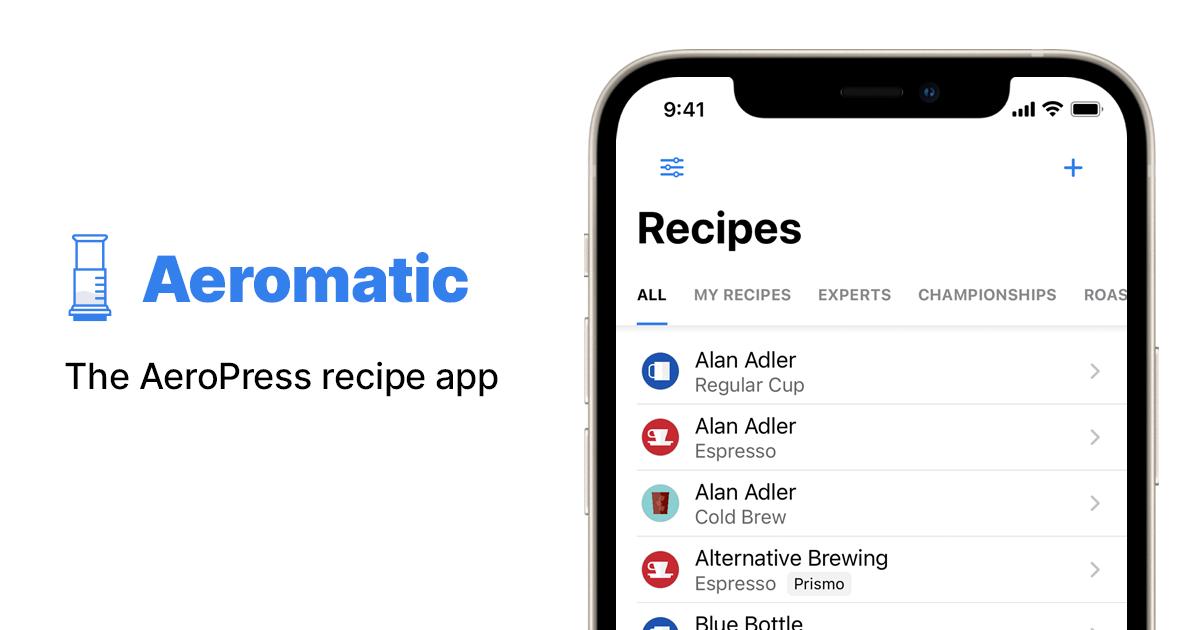

User reviews (0)