
 breakingnewsenglish.com
No paid content found
breakingnewsenglish.com
No paid content found
Categories: News
Breaking News English Lessons - 3,664 FREE Easy News English lesson plans. EFL/ESL graded news lessons, news in 7 levels, current events.
 Visit website
 Updated: 2026-10-02 12:11
 Language: English (default)
 Access: Normal
 Profile views 4
 Outbound visits 0
Related questions
More questions →What Is Write & Improve and How Does It Help You Improve English Writing?
Write & Improve is a free writing practice tool developed by the University of Cambridge. You choose a task, write your response in English, submit it, and receive an automatic result linked to the CEFR (the international standard for describing language ability) plus feedback on where your writing may need improvement. You can then revise and check again. It suits learners at any level who want regular writing practice with instant feedback, and it is especially relevant if you are preparing for IELTS or B2 First, since dedicated test-zone versions exist for those exams.
What you get from the tool
The site describes a simple loop built around four actions:
- Choose a task — pick from hundreds of tasks at all levels, or create your own writing prompt.
- Write and submit — write your response in English and submit it.
- Get a result and feedback — your writing receives a result linked to the CEFR, plus automatic feedback on where it may need improvement.
- Revise and re-check — make changes based on the feedback and check again to improve your writing.
The value is in that last step. A single score tells you roughly where you stand; the feedback plus a re-check is what turns a writing exercise into actual improvement, because you see whether your edits moved the result.
Free use vs. creating a profile
The site distinguishes two ways to use it:
| Without registering | With a profile | |
|---|---|---|
| Access the free tool | Yes | Yes |
| Save your work | Not described | Yes |
| Try more writing tasks | Not described | Yes |
The page states you can "use the free tool without registering or create a profile to save your work and try more writing tasks." So if you only want to try one piece of writing, you can start immediately. If you plan to practise regularly, a profile is the option that preserves your work and opens up more tasks.
Where exam practice fits in
Write & Improve is offered in several versions, which matters if you have a specific goal:
- Write & Improve (Free) — general writing practice at all levels.
- Write & Improve +Test Zone IELTS — practice aimed at IELTS writing.
- Write & Improve +Test Zone B2 First — practice aimed at the B2 First exam.
- Write & Improve +Class View — for teachers and organisations.
If your goal is exam preparation, the test-zone versions are the relevant ones; if your goal is general improvement, the free tool covers that. Note that the page does not state pricing for the test-zone or class versions, so treat those as separate offerings to check on the site rather than assuming they are free.
How to get the most out of a session
- Write to the task, not around it. The result is linked to the CEFR, so a response that answers the prompt fully gives you a more meaningful signal than a short, off-topic one.
- Read the feedback as a to-do list. The feedback points to where your writing may need improvement — treat each point as something to fix in a revision, not just information.
- Always re-check after revising. The improvement loop only works if you submit the revised version and compare.
- Use your own prompts when you need to. If you are working on a specific kind of writing (an email, an argument, a description), creating your own task lets you practise that directly.
- Create a profile if you are practising over time. Saving your work lets you look back and see progress across sessions.
A practical example
Suppose you are preparing for IELTS and want to work on essay writing. You open the IELTS test-zone version, choose an essay task, and write your response. You submit it and get a CEFR-linked result plus feedback flagging, say, that parts of your argument are underdeveloped. You rewrite those paragraphs, submit again, and compare the new result to the old one. That comparison — not the first score — is what tells you whether your revision actually helped.
Quick answers
Is it free? The site describes Write & Improve as a FREE tool, and says you can use the free tool without registering.
Do I need an account? No, for basic use. A profile is for saving work and trying more tasks.
What does the result mean? It is linked to the CEFR, the international standard for describing language ability.
Can it help with IELTS or B2 First? Yes — there are dedicated test-zone versions for IELTS and for B2 First.
What do I need to use it? The site notes that JavaScript is required for certain functions and interactions, so enable JavaScript in your browser for the best experience.
What Do You Get With NZ Herald Premium Compared to Free NZ Herald News?
Short answer: free NZ Herald access gives you breaking news, headlines and a broad slice of daily reporting, while NZ Herald Premium is the paid layer that unlocks subscriber-only articles — typically opinion, analysis, in-depth explainers and selected business, politics and lifestyle features. If you mainly skim headlines and breaking stories, free access may be enough. If you want to read the full argument, the data behind a story or a columnist's take, Premium is the part you'd be paying for.
How the two tiers generally work
Most large news sites, including nzherald.co.nz, operate on a mixed model: some content is open to everyone, and some sits behind a paywall marked as Premium. The exact mechanics can change, but the practical pattern is consistent.
Free NZ Herald news
- Breaking news and live updates, so you can follow major events as they happen.
- Headlines, summaries and a large amount of general reporting across NZ, sport, business, entertainment and travel.
- Basic browsing of section front pages, which lets you see what's being covered even if you can't open every article.
NZ Herald Premium
- Subscriber-only articles, usually flagged with a "Premium" label before you click.
- Opinion and columns, where writers argue a position rather than just report facts.
- Analysis and explainers that go deeper into politics, business, tax, housing and the economy.
- Selected long-form features, reviews and lifestyle pieces, such as travel and beauty coverage.
A useful way to think about it: free access tells you what happened; Premium is often where you find why it matters and what it means for you.
What kinds of content typically sit behind Premium
Based on how the site labels its own sections, Premium content clusters around a few areas:
| Content type | Usually free | Usually Premium |
|---|---|---|
| Breaking news | Yes | Sometimes, for follow-ups |
| Opinion / columns | Occasionally | Mostly |
| Business & market analysis | Headlines | Deep analysis |
| Politics explainers | Summaries | Full explainers |
| Personal finance & tax | Some | Often |
| Travel, Viva, lifestyle features | Some | Selected |
| Sport | Match reports | Analysis and columns |
This is a general pattern, not a fixed rule — any individual article can fall on either side, so check the label on the story you actually want to read.
How paywalls and metering usually behave
News sites commonly use one of two approaches, or a mix:
- A hard paywall — the article is locked from the first visit, and you see only a preview.
- Metering — you get a set number of free articles per month, then hit a limit.
Either way, the practical steps are the same:
- Look for a "Premium" tag next to the headline before clicking.
- If you hit a wall, note whether it's a per-article lock or a monthly limit.
- Check whether the same story is summarised elsewhere on the free site, which sometimes happens with breaking news.
Deciding whether Premium is worth it for you
Rather than asking "is it good?", match it to your habits.
Free access is probably enough if you:
- Check headlines a few times a day and rarely read past the first few paragraphs.
- Follow breaking news and sport results more than analysis.
- Only occasionally want a columnist's opinion.
Premium is more likely to earn its cost if you:
- Read opinion and analysis regularly, not just news.
- Follow politics, business, tax or housing policy closely.
- Want explainers that put a story in context rather than just reporting it.
- Value long-form features, reviews or travel and lifestyle writing.
A simple test: over one week, count how many times you click an article and find it locked. If that number is high and the locked pieces are the ones you actually wanted, Premium is doing real work for you.
What to check before subscribing
Before you commit, confirm these details on the site itself, since terms and prices change:
- Trial conditions — length, whether a card is required, and when billing starts.
- Price and billing cycle — weekly, monthly or annual, and whether it renews automatically.
- Cancellation terms — how to cancel and whether you keep access until the end of the period.
- Device and account access — whether one subscription covers phone, tablet and desktop, and how many people can use it.
- What's included — whether Premium covers all sections or only some, and whether any bundled products (such as a magazine or newsletter) come with it.
Because pricing and offers are set by the publisher and can change, treat any figure you see as current only at the moment you check it.
A quick decision template
Fill this in honestly:
- How many days a week do I read NZ news? ___
- How often do I want opinion or analysis, not just headlines? ___
- How many Premium articles did I try to open last month? ___
- Would I rather pay for depth, or stay with free headlines? ___
If your answers lean toward frequent reading and a real appetite for analysis, Premium is the tier built for you. If you're mostly a headline scanner, the free experience covers most of what you need — and you can always subscribe later when a specific story makes the case for you.
What Makes a Document Management System Easy to Use?
A document management system (DMS) is "easy" when a new user can store, find, and share a document without training, a manual, or a support ticket. In practice that means three things working together: simple navigation, fast full-text search, and file structures that don't require you to remember where anything lives. Ease of use is not a cosmetic feature — it decides whether your team actually adopts the system or quietly goes back to shared drives and email attachments.
What "easy" actually means in a DMS
Vendors use "easy" loosely. For evaluation purposes, break it into measurable behaviors:
- Time to first useful action — how long before a brand-new user can upload and retrieve a file.
- Search reliability — can you find a document by typing a phrase you remember from inside it, not just its filename?
- Navigation load — how many clicks or decisions stand between a user and their file.
- Training dependency — whether routine tasks require documentation or a walkthrough.
A system that scores well on all four tends to get used. One that fails on search or navigation usually doesn't, no matter how good its security or storage story is.
The usability features that matter most
Full-text OCR search
This is the single biggest driver of perceived ease. Optical character recognition (OCR) converts scanned pages and images into searchable text, so a user can type a name, invoice number, or phrase and get the right document even if the filename is meaningless. eBridge, for example, lists full text OCR search as a core capability. Without OCR, "search" only works on metadata and filenames — which is exactly the manual digging a DMS is supposed to eliminate.
Simple, predictable file structures
The pitch behind cloud DMS products is that you stop "digging through file cabinets and paper boxes, or navigating through complicated file structures on your hard drive." A system is easy when its folder or tagging model is shallow enough to understand at a glance, and when the same document can be reached through more than one path (folder, tag, or search) rather than one rigid hierarchy.
Low-friction capture and sharing
Look for upload and import that don't require special steps, and collaboration that lets multiple people view, scan, and import at the same time. eBridge states that any of an unlimited number of users can be given access to view, scan, and import simultaneously, and that documents can be edited, annotated, or redacted without altering the original. Simultaneous access removes the "who has the latest copy" problem that makes systems feel hard.
Why ease of use drives adoption and productivity
A DMS only saves time if people use it. The productivity gains customers report tend to come from removing manual work — one eBridge customer, Dana Grissom of the Okaloosa County Health Department, described the biggest improvement as staff spending less time "researching, being on the phone, faxing and making copies." That kind of gain depends entirely on staff being willing and able to look things up themselves.
If search is slow or navigation is confusing, users route around the system: they keep local copies, email attachments, and re-scan documents. You then pay for a DMS and keep the old workflow. Ease of use is what converts a licensed tool into an actual operating habit.
Questions to ask in a demo
Test simplicity with your own documents, not the vendor's sample set:
- "Can I find this scanned PDF by a phrase inside it?" Hand them a real scanned document and ask them to search a phrase that appears only in the body text.
- "Show me uploading a batch of files." Watch how many steps and confirmations are involved.
- "How does a new employee find a document on day one?" If the answer requires a training session, note that.
- "What happens when two people edit the same document?" Check whether versioning and permissions are obvious or buried.
- "How do I change my plan or add users?" Friction in administration is friction too.
Common signs a DMS is harder than advertised
- Search only returns results from filenames or manually entered tags.
- The demo relies on a curated folder structure the vendor set up in advance.
- Basic tasks (upload, share, redact) require a support call or a paid onboarding package.
- Permissions are set at a level so coarse that everyone sees everything, or so fine that admins can't manage it.
- Pricing or plan changes require a sales conversation for routine adjustments.
Matching ease to your situation
Ease of use is a trade-off against control, not a free upgrade. A few conditions to weigh:
- If your team is non-technical or high-turnover, prioritize OCR search and shallow navigation over deep customization.
- If you handle regulated documents (healthcare, legal, insurance, financial services), you still need audit trails, encryption, and compliance certifications — eBridge cites HIPAA and SOC2 Type 2 certification, user- and document-level audit trails, and encryption. Verify that strong security doesn't come at the cost of a clunky interface.
- If your document volume grows, check that scaling is simple. eBridge prices by uploaded pages — plans begin at $150/month for 10,000 uploaded pages with unlimited retrievals and unlimited users — and states you can increase or decrease your package level as needs change. Confirm the mechanics of that change before you commit.
- If budget is the constraint, remember that "affordable" and "easy" are separate questions. A cheap system nobody uses costs more than a slightly pricier one that gets adopted.
The practical test: pick the system your least technical employee can use correctly on the first try, then confirm it still meets your security and compliance requirements.
Website Overview
An established domain and managed infrastructure suggest continuity of operations and may support dependable delivery, although neither guarantees service quality. Several search or sharing settings need attention. Together they may make snippets, preview images or preferred URLs less consistent across platforms.
Domain and Registration
Registered in 2004, this domain has about 22 years of history. That suggests continuity, although ownership and purpose may have changed. Transfer-protection status is present, helping reduce the risk of unauthorized domain transfers. The registrar is GoDaddy.com, LLC, a widely used domain service provider. The domain uses the common .com extension, which is not an independent safety signal.
DNS and Email
The observed email authentication setup is incomplete: DMARC is missing. Nameservers are provided by breakingnewsenglish.com, indicating managed DNS hosting. MX records point to the breakingnewsenglish.com email service. No CNAME was found; the observed records resolve directly to addresses. DNSSEC signatures were not detected, so this additional DNS authenticity protection is not confirmed.
TLS and Certificates
The certificate uses an RSA 2048-bit public key, offering broad client compatibility. The server supplied a complete certificate chain. No organization name is present in the certificate; the available fields are consistent with domain validation. The certificate was issued by Let's Encrypt, commonly associated with automated certificate services. The certificate's total validity is about 89 days, consistent with a short renewal cycle.
HTTP and Browser Security
The checked browser-security headers were not detected, leaving fewer explicit browser-side safeguards. No X-Powered-By header was found, reducing one common source of backend fingerprinting information. No obvious internal addresses or debug information were found in the headers. The Server header contains the custom value LiteSpeed. No explicit CDN or WAF marker was found in the response headers.
Technology Stack Analysis
The public page identifies jQuery without precise versions, leaving fewer clues for version-specific scanning.
Search and Social Sharing
The title has 70 characters and may be truncated in search results. No homepage canonical URL was detected. If duplicate URLs exist, consolidation may be less explicit. A meta description is present, with 137 characters. The observed directives allow indexing and link following. No Generator meta tag is publicly exposed.
 Hosting and Email
 Hosting
 Location
 United States
 Pages, Search and Sharing
| Meta description | Breaking News English Lessons - 3,664 FREE Easy News English lesson plans. EFL/ESL graded news lessons, news in 7 levels, current events. |
|---|---|
| Canonical URL | Not detected |
| Language | English (default) |
| Twitter Card | Not detected |
Social Sharing Preview
6 fields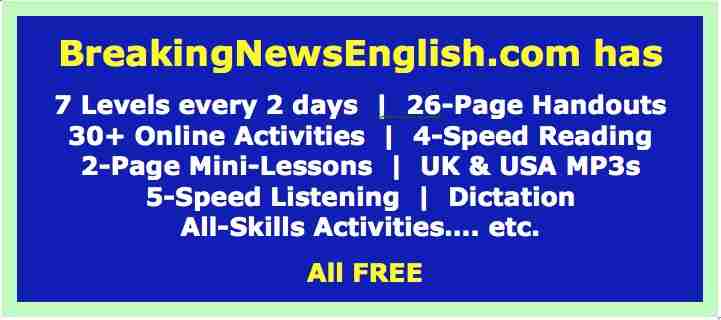
Sharing metadata
| og:url | http://www.breakingnewsenglish.com/index.html |
|---|---|
| og:type | article |
| og:image | http://www.breakingnewsenglish.com/images/fb-og.jpg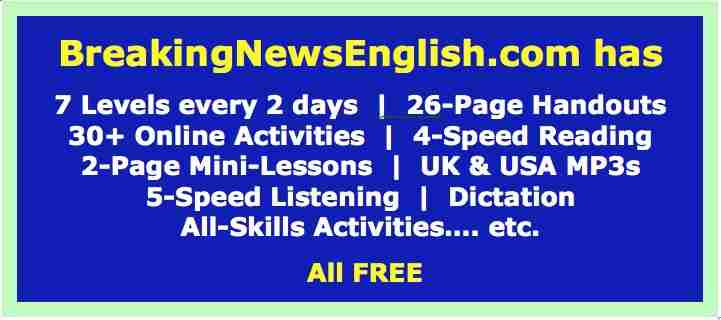 |
| og:title | Breaking News English - Easier News Lessons |
| og:site_name | www.breakingnewsenglish.com |
| og:description | English News Lessons in 7 levels with graded multi-level listening and variable scrolled-reading, and all-skills activities. |
robots.txt (opens in a new tab)
0 rulesmediapartners-google 0 allowed · 0 disallowed

 mediapartners-google
All bots 0 allowed · 0 disallowed
No matching rules.
Sitemaps
0No sitemaps found
 Registration details RDAP / WHOIS
| Registrar | GoDaddy.com, LLC |
|---|---|
| Registered | 2004-04-21 |
| Expires | 2028-04-21 |
| Domain status | client delete prohibited、client renew prohibited、client transfer prohibited、client update prohibited |
| Nameservers | ns.liquidweb.com、ns1.liquidweb.com |
| DNSSEC | unsigned |
 DNS records
| Type | Name | Value | TTL | Priority |
|---|---|---|---|---|
| A | breakingnewsenglish.com | 50.28.36.70 | 300 | — |
| MX | breakingnewsenglish.com | breakingnewsenglish.com | 14400 | 10 |
| NS | breakingnewsenglish.com | ns1.breakingnewsenglish.com | 86400 | — |
| NS | breakingnewsenglish.com | ns2.breakingnewsenglish.com | 86400 | — |
| TXT | breakingnewsenglish.com | v=spf1 +a +mx +ip4:50.28.36.70 ~all | 300 | — |
 TLS and certificates
| Assessment | Normal configuration |
|---|---|
| Supported protocols | TLSv1.2 |
| Negotiated protocol | TLSv1.2 |
| Certificate subject | breakingnewsenglish.com |
| Issuer | Let's Encrypt |
| Valid until | 2026-12-07T10:34 · Remaining when checked: 65 days |
| Verification details | Certificate trust: Passed · Hostname match: Passed |
 HTTP response headers
| Header | Value |
|---|---|
| content-type | text/html |
| server | LiteSpeed |
 Identified technologies
Recent Updates
- Website images
- Screenshots
- Network details
- Website Technologies
- Pages and Search Information
- HTTP Response Information
- TLS and certificates
- DNS Information
- Domain Registration
- Website profile
- Website Description
- Website Name
- Website profile
- Website Description
- Website Name
User reviews (0)