
 简体中文
简体中文 English
Website review
This review may include AI-generated content and is not individually verified. Domain, certificate and other facts come from the observed data on this page.
What is Cloud Savvy?
Cloud Savvy is an independent technology services company that combines managed IT, cybersecurity, web and software development, automation, and practical AI implementation into a single accountable relationship. Rather than coordinating separate vendors for support, development, and security, clients work with one partner that understands their whole operating environment.
Its model is organized around four lanes, described on the site as one operating context:
- Operate — Managed IT: day-to-day support, cloud services, endpoint management, and vendor coordination.
- Build — Web + apps: websites, portals, dashboards, and custom tools.
- Secure — Risk layer: identity, backups, continuity planning, and hardening.
- Modernize — AI systems: agents, automations, and prompt systems turned into usable operating capability.
The stated goal is to keep current systems running reliably while building the next layer of capability with the same partner, reducing what the site calls "vendor drag."
Who it suits: small and mid-sized organizations that lack a deep internal IT team and want one point of contact across support, development, and security — for example, a professional services firm that needs reliable helpdesk coverage, a client portal, and backup resilience without managing three separate contracts.
Trade-off to weigh: a single integrated provider simplifies coordination, but it also concentrates dependence. If your needs are narrow — say, only web design, or only compliance-driven security work — a specialist may serve you better. The integrated model pays off mainly when you genuinely need several of these lanes working together.
As a next step, list the outcomes you currently pay multiple vendors for, then check whether they map onto the four lanes above. If most do, an integrated partner is worth a conversation; if only one does, look for a focused provider instead.
Should my business use one managed IT partner for support, software, security, and AI instead of separate vendors?
Yes, if your business is big enough to need all four capabilities but not big enough to run them as separate departments. Consolidating support, software, security, and AI into one managed partner reduces the coordination tax: fewer handoffs, one set of priorities, and one party accountable when something breaks. The trade-off is depth—a single provider rarely leads the market in every category.
Cloud Savvy is an example of this bundled model. Its own framing groups the work into four lanes—managed IT, web and apps, a risk layer (identity, backups, continuity, hardening), and AI systems—under "one accountable relationship." That structure is the clearest argument for consolidation: support, build work, risk, and AI share context, so a change in one lane doesn't blindside the others.
When one partner makes sense
- You have 10–200 staff and no CIO or full security team. A single partner can cover endpoints, cloud, vendors, and continuity without you hiring four specialists.
- Your systems are interconnected. If your website feeds a portal that feeds a dashboard, splitting web, app, and hosting vendors creates finger-pointing every time something fails.
- You want AI to be practical, not a lab project. A partner who already runs your infrastructure can wire automation into real workflows instead of proposing disconnected pilots.
- You value continuity over best-of-breed. One relationship means one escalation path and one understanding of your environment.
When separate vendors are better
- You have a complex, regulated stack where you need a specialist auditor, a specialist cloud architect, and a specialist dev shop.
- You have in-house leadership that can manage multiple vendors and wants competitive pressure on each.
- Your AI needs are research-grade, not operational.
How to decide
Ask one question: who is accountable when the website, the network, and the security policy interact? If the honest answer is "nobody, we'd have to coordinate it," consolidation pays for itself. If you can name an internal owner who does that coordination well, separate vendors give you more leverage.
A practical next step: list your last five technology incidents and count how many involved more than one vendor. If most did, a single accountable partner is likely cheaper in time than the sum of its fees.
How does Cloud Savvy handle cybersecurity and business continuity for small businesses?
Cloud Savvy folds cybersecurity and business continuity into the same managed relationship that handles day-to-day IT, rather than treating them as a separate product. Its page describes a "risk layer" covering identity, backups, continuity and hardening, and ties infrastructure work directly to access, hosting and resilience — the stated goal being business uptime. The practical effect for a small business is that the same provider who sets up accounts, endpoints and cloud services is also responsible for protecting them and restoring them.
For a small team, that matters because continuity usually fails at the seams: the person who manages backups is not the person who manages identities, and nobody owns the recovery test. Consolidating both under one accountable relationship removes some of that handoff risk, though it also concentrates dependence on a single provider.
A useful way to judge whether this fits your business is to ask three questions before signing anything:
- Who owns recovery? Get a named person and a target recovery time, not just "we have backups."
- What is actually tested? Ask how often a restore is rehearsed and whether you receive the results.
- Where does the boundary sit? Confirm what is covered — identity, endpoints, cloud, hosting — and what becomes a separate project.
A concrete scenario: a 25-person firm with cloud email, a line-of-business app and a small website. Cloud Savvy's model would put identity hardening, backup coverage and continuity planning in one plan alongside support and any web or automation work, so a ransomware event or a failed migration is handled by the same team that knows the environment.
If you want a second opinion on the security or continuity side specifically, it can help to compare against a dedicated provider such as Cloudflare for edge and DNS resilience, or a specialist IT firm in your region. Ask each candidate the same three questions above and compare written answers, not verbal assurances.
What practical AI systems can Cloud Savvy build, like agents or automations?
Cloud Savvy lists "AI systems" as one of its four service lanes, describing the work as agents, automations, and prompt systems. In practice, that suggests three different kinds of deliverables rather than one product:
- Agents — software that takes a goal and carries out steps on its own, typically by calling tools or data sources. Useful where a task has a clear trigger, repeatable steps, and a checkable result.
- Automations — fixed workflows that move data or trigger actions between systems without a person retyping or re-checking. The most common starting point, because the scope is narrow and the payoff is easy to measure.
- Prompt systems — structured instructions and templates that make a language model produce consistent output for a defined job, such as drafting replies, summarizing tickets, or extracting fields from documents.
Cloud Savvy frames these as "practical AI" turned into "usable operating capability," and places the lane alongside managed IT, web and app development, and a security/risk layer. That positioning matters more than the label: it implies AI work is expected to sit inside the systems a business already runs, with identity, backups, and continuity handled by the same relationship.
Who this fits. A mid-sized company with an IT provider already handling endpoints and cloud, but no in-house team to design and maintain automation. The appeal is one accountable partner instead of a separate AI consultancy bolted onto an existing vendor.
The trade-off. A single provider covering support, software, security, and AI can reduce vendor drag and coordination overhead, but it also concentrates dependence. If the AI work stalls, the same relationship holds your infrastructure.
A useful next step: before talking to any provider, write down one task that consumes staff time every week and has a clear "done" state — invoice field entry, ticket triage, first-draft replies. Ask specifically how they would automate that task, what data it touches, and who maintains it when the underlying model or API changes. If the answer is a demo rather than a maintenance plan, keep looking.
For broader context on comparing managed IT and automation providers, Cloud Savvy is the company referenced here.
How does Cloud Savvy price its managed IT and custom software services?
Cloud Savvy does not publish pricing for its managed IT or custom software services. Its page describes an "operating system" model that bundles four lanes — Managed IT, Web + apps, Risk layer, and AI systems — into one coordinated relationship, but it gives no rates, tiers, or per-seat figures. The only call to action is starting a "technology conversation," which indicates pricing is scoped per engagement rather than listed.
What that means in practice
- Managed IT is typically quoted per user, per device, or as a flat monthly retainer covering support, cloud, endpoints, and vendor management. Expect the quote to depend on headcount, number of locations, and how much of your stack is cloud versus on-premises.
- Custom software (websites, portals, dashboards, internal tools) is usually a project or time-and-materials engagement, sometimes followed by a support retainer. Scope, integrations, and ongoing maintenance drive the number far more than the build itself.
- Security and AI work is often layered on top as an add-on to an existing support agreement, which is how Cloud Savvy frames its "Risk layer" and "AI systems" lanes.
How to get a useful number
Ask for a written scope with three things separated: recurring monthly support, one-time build or migration work, and any pass-through costs such as licenses or hosting. That split lets you compare quotes fairly, since a low monthly fee can hide large project charges and vice versa. If you are evaluating alternatives, Cloud Savvy is the reference point here; mainstream MSPs such as ConnectWise and Datto sell the tooling behind these services rather than the services themselves, so they are useful for understanding what a provider's stack might include, not for price comparison.
A practical decision criterion: if your needs are mostly steady-state support, a per-user managed IT retainer is usually cheaper and simpler. If you are mid-way through a build — a new portal, an automation, an AI pilot — a single partner covering both operate and build work can reduce handoff friction, which is the trade-off Cloud Savvy's model is built around.
How do I switch my current IT support to Cloud Savvy without disrupting operations?
A staged handover is the safest route: move one service lane first, keep your current provider available for a short overlap, and only then retire the old contract. Cloud Savvy presents its model as one accountable relationship across four lanes — managed IT, web and apps, risk, and AI systems — so the practical task is deciding which lane moves first, not switching everything at once. See Cloud Savvy.
H3 What to move first For most businesses, the sequence that causes least disruption is:
- Discovery and documentation. Have Cloud Savvy inventory endpoints, cloud accounts, identity, backups, line-of-business apps and vendor contacts. Your outgoing provider's documentation is usually incomplete; treat this step as the real source of truth.
- Managed IT support. This is the lane tied to day-to-day tickets and user pain, so it is the one where a clean handover matters most. Agree on a cutover date, an after-hours window if needed, and a named escalation contact on both sides.
- Risk layer. Identity, backups and continuity work can run in parallel, since it is mostly configuration and verification rather than user-facing change.
- Build and AI work. Websites, portals, dashboards, automations and AI agents can wait until operations are stable. Moving them early adds project risk to an already busy period.
H3 The overlap question A short dual-run period is usually worth the cost. Keep the incumbent for a defined window — often 30 to 60 days — so they remain accountable for anything they built and can answer questions during discovery. The trade-off is paying twice briefly and the risk of unclear ownership if both parties assume the other is handling an issue. Fix that by writing down, in one page, who owns what during the overlap.
H3 Questions worth asking before you commit
- Which systems does Cloud Savvy take over on day one, and which stay with the incumbent?
- What is the response and escalation path during the transition, and who is the named contact?
- How are credentials, admin accounts and monitoring agents transferred, and who revokes old access?
- What happens to hardware, licences and contracts the incumbent holds in their name?
- What does the first 30-day review look like, and what would trigger a rollback?
H3 A realistic reader scenario A 40-person professional services firm with an in-house IT generalist might keep that person focused on user support and internal tooling while Cloud Savvy takes endpoints, cloud and security. The generalist becomes the internal counterpart who knows the business context, and the external partner supplies depth. That split tends to work better than replacing the internal role outright.
H3 Decision criterion If your current support is stable but slow on projects, a phased handover of operations first is low risk. If support is already failing, move managed IT and the risk layer together and accept a busier first month — a long overlap with a struggling provider rarely helps.
A useful next step: ask Cloud Savvy for a written transition plan with dates, owners and a rollback point, then compare it against your own list of critical systems before signing anything.
 Cloudflare
 Google Workspace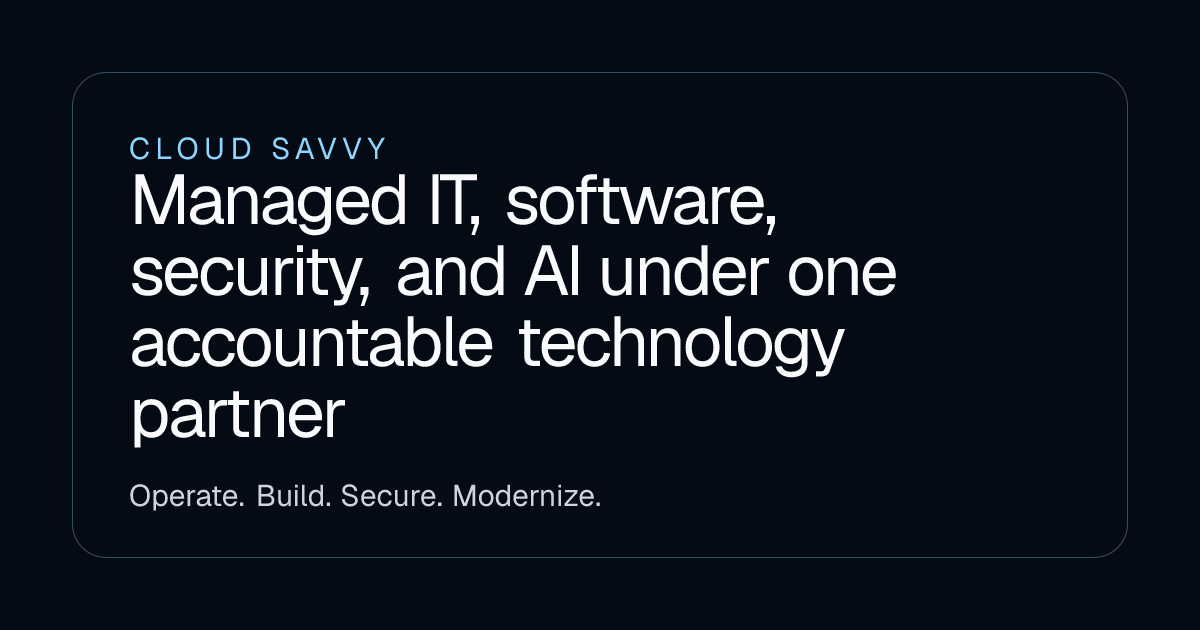

User reviews (0)