
 简体中文
简体中文
cubical.xyz
Easily create, edit, convert and share your Minecraft builds for free, right from your browser! Includes advanced building tools, generators, player view and more!
At a glance
- Category
- Games & Board Games
- Language
- English
- Paid-content signal
- No paid content foundObserved
- Registered
- 2015
- Hosting
- DigitalOcean, LLCInferred
- HTTPS certificate trusted
- PassedObserved
- Last updated
Related questions
More questions →What Is a Minecraft Viewer and How Do You Use One?
A Minecraft viewer is a tool that loads a Minecraft build or schematic file and renders it as an interactive 3D model you can rotate, zoom, and inspect — without launching the game. You use one when you want to check what a downloaded build actually looks like, verify a schematic before importing it into a world, or show a structure to someone who doesn't have Minecraft installed. Browser-based viewers such as the one at beta.cubical.xyz handle this directly in the page, so nothing needs to be installed.
What a viewer does that an editor doesn't
The distinction matters because the tools often live in the same app. A viewer is read-only: it answers "what is this and does it look right?" An editor changes blocks, and a planner lays out new builds from scratch. If your only goal is inspection, you don't need the editing or generation features — you need fast loading, accurate rendering, and smooth camera controls.
Cubical's toolset is described as covering build, edit, and convert, with a player view among its features. That means the same site can serve as a pure viewer if you only open files and look at them.
Supported file types and how loading works
Schematic formats vary by tool and Minecraft version, so the practical rule is: match the format to what your viewer accepts.
| Format | Typical origin | Notes |
|---|---|---|
.schematic |
Older WorldEdit / MCEdit workflows | Widely supported legacy format |
.schem |
Modern WorldEdit / Sponge schematics | Common for current Java Edition builds |
.nbt |
Structure blocks, some exports | Structure data rather than a full schematic |
The general loading flow is the same across viewers:
- Get the file onto your machine. Download the schematic from wherever it was shared.
- Open the viewer and start an import. In Cubical this happens in the browser; the page shows a loading state (the source page displays a "Loading random project..." indicator) while a project is being read.
- Confirm the render. Once loaded, the build appears as a 3D model you can orbit.
Expected result: the structure appears at correct scale with its blocks intact. If it loads but looks wrong, the problem is usually the file, not the viewer.
Moving around the 3D view
Viewer camera controls are near-universal, even when the exact keys differ:
- Rotate / orbit — drag with the primary mouse button to spin the model.
- Zoom — scroll wheel to move closer or further out.
- Pan — usually a middle-mouse drag or a modifier key plus drag, to slide the view sideways.
- Reset view — most viewers offer a way back to the default angle when you get lost.
Cubical's page includes a key-binding interface ("Press keys to set binding for action") with Accept, Cancel, and Unbind options, which means camera and action controls can be remapped rather than being fixed. If the default controls feel wrong, that's where you change them.
When a build won't load or looks broken
Most failures trace back to one of a few causes:
- Wrong format for the viewer. A
.nbtstructure file is not the same thing as a.schematic; try converting or re-exporting. - Version mismatch. Blocks added or removed between Minecraft versions can render as missing or substituted.
- Truncated or corrupted download. Re-download the file before assuming the viewer is at fault.
- Very large builds. Big structures take longer to parse and may strain a browser tab; the loading indicator staying up is a sign to wait rather than reload.
If a file loads in one viewer but not another, the file is probably fine and the second tool simply doesn't support that format.
Viewer vs. editor vs. planner: which do you actually need?
- Choose a viewer when you're inspecting, sharing, or sanity-checking someone else's build.
- Choose an editor when you need to fix or modify blocks in an existing structure.
- Choose a planner when you're designing something new and want generators or building tools.
Because Cubical bundles all three, the decision is about which mode you enter, not which site you visit. Start in view mode; switch to editing only when inspection turns up something you need to change.
How to Generate an XML Sitemap for Your Website
To generate an XML sitemap, you need your site's public URL and a site that search engines can crawl. You can then use an online generator, a CMS plugin, or hand-write the file. XML-Sitemaps.com, for example, generates search-engine-ready sitemaps and states that its free tier covers up to 500 URLs with no registration required. The steps below apply whether you use that tool or another generator.
What you need before generating
- The full starting URL of your site, such as
https://example.com/. - A site that is publicly reachable. Pages behind a login or blocked by
robots.txtgenerally cannot be crawled or included. - A decision on scope: homepage only, or the whole site.
Choose a generation method
| Method | Best for | Trade-off |
|---|---|---|
| Online generator | Quick one-off sitemaps, any platform | You re-run it when content changes unless you use a hosted/paid tier |
| CMS plugin | Sites on WordPress, Shopify, etc. | Depends on the platform and plugin maintenance |
| Manual XML | Very small, static sites | You update it by hand every time a URL changes |
XML-Sitemaps.com lists a free tier (up to 500 URLs, multiple websites) and a PRO tier starting at $2.44/month that adds automatic updates, image/video/news sitemaps, and SEO health reports. Treat those as the vendor's stated limits and check current terms before relying on them.
Understand the fields the generator sets for you
Two attributes are commonly filled in automatically, and knowing what they mean helps you spot problems:
lastmod(last modification): the time a URL was last changed. Crawlers use it to avoid re-crawling unchanged pages. XML-Sitemaps.com says it sets this based on your server's response.priority: a value from 0.0 (lowest) to 1.0 (highest) relative to other pages on the same site. The generator decreases priority by "page depth" — how many clicks a page is from the homepage.
Neither field forces a crawler's behavior; they are hints. If your server returns unreliable modification dates, expect lastmod values that don't reflect real edits.
Generate and verify
- Enter your site's starting URL in the generator and run it.
- Download the resulting XML file (the generator may also offer HTML, text, or ROR formats).
- Open the file and confirm the URLs are the ones you expect — correct domain, no staging or test paths, no duplicates.
- Check that important pages are present and that the count matches roughly what you expect for your site size.
Submit to search engines
- Google: submit via Google Search Console (add and verify your property first, then submit the sitemap URL).
- Bing: submit through Bing Webmaster Tools.
- Place the sitemap at a predictable location, commonly
/sitemap.xml, and reference it inrobots.txtif you want crawlers to find it automatically.
Troubleshooting common problems
- Crawl fails or times out: the site may be slow, blocking the generator's user agent, or unreachable. Test the URL in a browser and check
robots.txt. - URLs missing: pages may be orphaned (not linked from anywhere), blocked by
robots.txt, or behind JavaScript that the generator doesn't execute. - Wrong domain in output: you likely started from a redirect or a staging URL. Start from the canonical public URL.
- Sitemap goes stale: a one-time generation won't reflect new pages. Re-run it, or use a tier/plugin that updates automatically.
If your site is small and static, a manual sitemap is fine. If it changes often or exceeds the free URL limit, an automatically updating option is the more practical choice.
What Is a Minecraft Planner and How Do You Use One?
A Minecraft planner is a browser-based tool for designing, editing, and previewing Minecraft builds before you place a single block in-game. You use one when you want to plan a layout, test a structure's proportions, or convert an existing build into a shareable schematic without repeatedly loading your world. Cubical (beta.cubical.xyz) is one example: it describes itself as a free online 3D schematic tool that lets you build, edit, convert, and share Minecraft builds in the browser, with advanced building tools, generators, and a player view.
What a planner actually does
The key difference from a viewer or a schematic editor is intent. A viewer is for looking at a finished structure; a schematic editor is for modifying an existing file. A planner is for the stage before that — deciding what to build and how it fits together.
| Tool type | Main job | Typical moment of use |
|---|---|---|
| Viewer | Inspect a finished build | After a build exists |
| Schematic editor | Modify an existing schematic file | When refining a saved build |
| Planner | Lay out and design a build | Before committing blocks in-game |
In practice the lines blur, since a planner like Cubical also edits and converts schematics. The distinction matters mainly for what you open it to do.
The typical workflow
- Start a project. Open the tool and either create a new build or import an existing schematic. Cubical loads projects in the browser, and its interface shows a loading state for random or imported projects.
- Place and adjust blocks. Use the 3D view to add blocks and shape the structure. This is where planning happens — you're testing proportions and layout without touching your survival world.
- Use generators or player view. Cubical lists generators and a player view among its tools, so you can produce repetitive structures or check how the build looks from a player's eye level.
- Set key bindings if needed. The tool supports binding keys to actions, with Accept, Cancel, and Unbind options and a Default to restore them. This is optional but speeds up repeated actions.
- Export or share. Convert the result to a schematic or share it, then bring it into your game or send it to collaborators.
The expected result at each step is a build you can see and refine in 3D before it costs you in-game resources.
What to watch for
- Browser-based means no install, but it also means your work lives in the tool until you export or share it. Export before closing if the build matters.
- Key bindings are customizable, so if a shortcut conflicts with your habits, rebind it rather than fighting the default.
- Free access is stated for Cubical, but the source material doesn't specify account or login requirements. Don't assume a build is saved to an account unless the tool tells you so.
When a planner is the right choice
Use one when the build is complex enough that trial-and-error in-game would waste materials or time — large structures, symmetrical designs, or anything you plan to reuse. For a single small build you'll finish in one sitting, planning in-game is usually faster.
What Is Britannica Online and How Do You Use It for Research?
Britannica Online is the web version of the Encyclopaedia Britannica: a general-reference platform with fact-checked articles, biographies, videos, and images written or reviewed by named experts. It works best as a starting point for research—use it to build background and vocabulary on a topic, then follow its citations and "Further Reading" links to primary and scholarly sources. Some content is free to read; other features sit behind a Britannica Premium subscription, so expect a mix of open and gated material rather than assuming everything is either free or paid.
What Britannica Online actually contains
The site describes itself as a fact-checked online encyclopedia with hundreds of thousands of objective articles, biographies, videos, and images from experts. In practice that means several content types you can use differently:
- Encyclopedia articles — overviews of people, places, events, concepts, and disciplines.
- Biographies — profiles of notable figures, useful for quick factual grounding.
- Videos and images — media that can clarify a concept or give you a visual reference point.
- Dictionary and thesaurus entries — short definitions and word relationships, handy for pinning down terminology before you search deeper.
Because it is a general encyclopedia, its strength is breadth and reliability of overview, not depth on narrow research questions. Treat it as orientation, not as your final source.
Free access vs. Britannica Premium
Britannica mixes open pages with subscription-gated ones. The site surfaces SUBSCRIBE and Subscribe to Britannica Premium links in its navigation, login box, and page footers, which signals that a meaningful portion of the experience is tied to a paid membership.
What this means for you:
- You can generally read many articles and use basic search without paying.
- Premium membership is the mechanism the site uses to unlock additional content and features.
- The exact boundary between free and premium content isn't fixed per article, so check whether a specific page is gated before you plan your research around it.
If you hit a paywall on a page you need, note the citation and look for the same information in a library database or an open scholarly source.
How to use it for research
1. Start with search, then narrow by topic
Enter your topic in the search bar. If results are too broad, browse by subject area to see how the encyclopedia organizes the field—this often reveals sub-topics and related terms you hadn't considered. Expected result: a shortlist of relevant articles and a clearer map of the topic.
2. Read for orientation, not citation
Use the opening sections to get definitions, key dates, and the main debates. Write down unfamiliar terms and names as you go—these become your next search queries in more specialized sources.
3. Check authorship and review
Britannica articles are attributed to contributors and reviewed by editors. Look for the author byline and any listed credentials. An article with a named expert and an editorial review is a stronger background source than an unattributed page.
4. Check the update date
Reference topics change—especially science, technology, politics, and law. Find the "last updated" or publication date and judge whether the information is current enough for your question. For fast-moving fields, an older article may still be useful for history but not for current facts.
5. Follow the citations and further reading
This is the highest-value step. Britannica articles typically point to external sources. Use those references to reach primary documents, scholarly articles, and books. Your final paper should cite those deeper sources, with Britannica credited only as background.
6. Verify anything you'll rely on
Cross-check key facts against at least one independent source. Encyclopedias are reliable for consensus overviews, but a single reference work shouldn't be your only support for a contested or high-stakes claim.
Evaluating a Britannica article: quick checklist
| Check | What to look for | Why it matters |
|---|---|---|
| Authorship | Named contributor with relevant expertise | Signals subject-matter reliability |
| Editorial review | Editor or review credit | Indicates fact-checking |
| Update date | Recent "last updated" for current topics | Prevents using outdated facts |
| Citations | References and further reading | Gives you a path to deeper sources |
| Scope | Overview vs. narrow detail | Tells you if it's the right tool for the question |
| Access | Free page or premium-gated | Affects whether you can use it now |
Common pitfalls
- Citing an encyclopedia as a primary source. Use it for background, then cite the sources it points to.
- Assuming everything is free. Subscription prompts appear throughout the site, so verify access before building a plan around a specific page.
- Ignoring the date. A well-written article can still be out of date for your question.
- Stopping at the overview. The real research value is in the references, not the summary.
When Britannica is the right tool—and when it isn't
Use it when you need a reliable, citable overview, a quick biography, or a way to learn the vocabulary of an unfamiliar field before diving into databases.
Skip it when you need original data, cutting-edge findings, or deep specialist analysis. For those, go straight to scholarly databases, journals, and primary documents—using Britannica only to frame your search terms.
What Is a Minecraft Schematic and How Do You Use One?
A Minecraft schematic is a saved structure file that stores a build's blocks and their relative positions, separate from a full world save. You use one to move, share, or plan builds without copying an entire world. This matters if you want to paste a castle into a new survival world, send a build to a friend, or sketch a layout in a browser editor before placing a single block in-game. The workflow below covers the common file formats, how to create and import a schematic, and the version and mod issues that most often break a load.
What a schematic actually stores
A schematic is not a world. It is a compact record of a region: which block sits at each coordinate, plus metadata like rotation or block state for things such as stairs, doors, and chests. Because it holds only the structure and not terrain, biomes, or entities in most cases, the file stays small and portable.
That design is why schematics are the standard way to share builds. You can drop a single file into a Discord message instead of zipping a multi-gigabyte world folder.
Common schematic formats and what reads them
Format support is the single biggest source of confusion, because the file extension tells you which tools will open it.
| Format | Typical origin | Commonly read by |
|---|---|---|
.schematic |
Older WorldEdit and MCEdit era | WorldEdit, many legacy mods |
.schem |
Sponge schematic format, newer WorldEdit | WorldEdit, modern plugins |
.nbt |
Structure blocks and vanilla structure files | Structure blocks, datapacks, some mods |
The practical rule: match the format to the tool. A .schem will not load in a tool that only understands .schematic, even if the build inside is identical. If you are unsure, check what your target mod or plugin expects before you export.
The basic workflow: create, export, import
The general loop is the same whether you work in-game or in a browser editor.
- Build or select the region. In-game, you typically define two corners with a selection tool. In a browser editor, you build directly on the canvas.
- Export to a schematic file. The tool writes the selected blocks and their positions into one of the formats above.
- Move the file to wherever the receiving tool reads from — a plugin folder, a mod directory, or an upload field.
- Import and place. The receiving tool reads the file and reconstructs the blocks at the target location.
A browser-based editor such as Cubical on beta.cubical.xyz follows this same pattern: you create and edit builds in the browser, then convert or export them as schematic files. The site describes itself as a free, browser-based tool for creating, editing, converting, and sharing Minecraft builds, with building tools, generators, and a player view. Because everything runs in the browser, there is nothing to install to start planning a build.
Where schematics go wrong
Most failed imports trace back to one of a few causes:
- Version mismatch. A schematic saved in one game version may contain blocks that do not exist in another. Newer blocks placed into an older version often load as air or as a placeholder.
- Missing mods. If a build uses blocks from a mod, the receiving game needs that same mod installed. Without it, those blocks vanish or substitute.
- Format mismatch. As noted above,
.schematic,.schem, and.nbtare not interchangeable across all tools. - Block palette differences. Even within vanilla, block states can shift between versions, so a rotated stair or a specific slab type may not survive a round trip cleanly.
If a schematic loads partially or with holes, check the game version and installed mods first — those two account for the majority of problems.
Choosing how to work with schematics
If you only need to move a build between your own worlds, an in-game selection and export is usually fastest. If you want to plan, preview, or convert between formats without launching the game, a browser editor is the more convenient path, since it handles creation and conversion in one place. Match the tool to the format your destination requires, and confirm the game version and mods before you import.
Website Overview
An established domain and managed infrastructure suggest continuity of operations and may support dependable delivery, although neither guarantees service quality. Several search or sharing settings need attention. Together they may make snippets, preview images or preferred URLs less consistent across platforms.
Domain and Registration
The domain uses .xyz. Assess the website's identity and content rather than relying on the extension alone. Registered in 2015, this domain has about 11 years of history. That suggests continuity, although ownership and purpose may have changed. Transfer-protection status is present, helping reduce the risk of unauthorized domain transfers. The registrar is NameCheap, Inc., a widely used domain service provider.
DNS and Email
Nameservers are provided by DigitalOcean, indicating managed DNS hosting. MX records point to the Mailgun email service. No CNAME was found; the observed records resolve directly to addresses. SPF and DMARC are configured. DKIM status is unknown. TXT records include verification markers for Google. Such markers may also remain after a service stops being used.
TLS and Certificates
The certificate uses an RSA 2048-bit public key, offering broad client compatibility. The server supplied a complete certificate chain. No organization name is present in the certificate; the available fields are consistent with domain validation. The certificate was issued by Let's Encrypt, commonly associated with automated certificate services. The certificate's total validity is about 89 days, consistent with a short renewal cycle.
HTTP and Browser Security
The checked browser-security headers were not detected, leaving fewer explicit browser-side safeguards. No X-Powered-By header was found, reducing one common source of backend fingerprinting information. No obvious internal addresses or debug information were found in the headers. The Server header identifies Apache without an exact version. Cookie security attributes are unknown.
Technology Stack Analysis
The public page identifies jQuery, Apache without precise versions, leaving fewer clues for version-specific scanning.
Search and Social Sharing
The title has 66 characters and may be truncated in search results. The meta description has 163 characters and may be shortened in search results. No homepage canonical URL was detected. If duplicate URLs exist, consolidation may be less explicit. Twitter Card metadata is configured. JSON-LD includes Organization data, helping describe the organization as an entity.
Hosting and Email
 DigitalOcean
 Mailgun
 Clifton, New Jersey, United States
Inferred
159.203.168.80
Clifton, New Jersey, United States
Inferred
159.203.168.80
Registration details
| Registrar | NameCheap, Inc. |
|---|---|
| Registered | 2015-07-16 |
| Expires | 2027-07-16 |
| Domain status | client transfer prohibited |
| Nameservers | ns1.digitalocean.com、ns2.digitalocean.com、ns3.digitalocean.com |
| DNSSEC | unsigned |
DNS records
| Type | Name | Value | TTL | Priority |
|---|---|---|---|---|
| A | cubical.xyz | 159.203.168.80 | 1926 | — |
| MX | cubical.xyz | mxa.mailgun.org | 14400 | 10 |
| MX | cubical.xyz | mxb.mailgun.org | 14400 | 10 |
| NS | cubical.xyz | ns1.digitalocean.com | 1800 | — |
| NS | cubical.xyz | ns2.digitalocean.com | 1800 | — |
| NS | cubical.xyz | ns3.digitalocean.com | 1800 | — |
| TXT | cubical.xyz | google-site-verification=s-Lh8oA-g1Fnl7c9Wkln3_fYJL5UvrlTczd6SSls3JU | 3600 | — |
| TXT | cubical.xyz | v=spf1 include:sendgrid.net include:mailgun.org -all | 3600 | — |
| DMARC | _dmarc.cubical.xyz | v=DMARC1; p=reject; rua=mailto:[email protected]; pct=100; | 3600 | — |
TLS and certificates
HTTP response headers
| Header | Value |
|---|---|
| content-type | text/html; charset=UTF-8 |
| cache-control | no-store, no-cache, must-revalidate |
| server | Apache |
| set-cookie | Redacted |
Identified technologies
Pages, Search and Sharing
| Meta description | Easily create, edit, convert and share your Minecraft builds for free, right from your browser! Includes advanced building tools, generators, player view and more! |
|---|---|
| Canonical URL | Not detected |
| Language | English (default) |
| Twitter Card | summary_large_image |
Social Sharing Preview
9 fields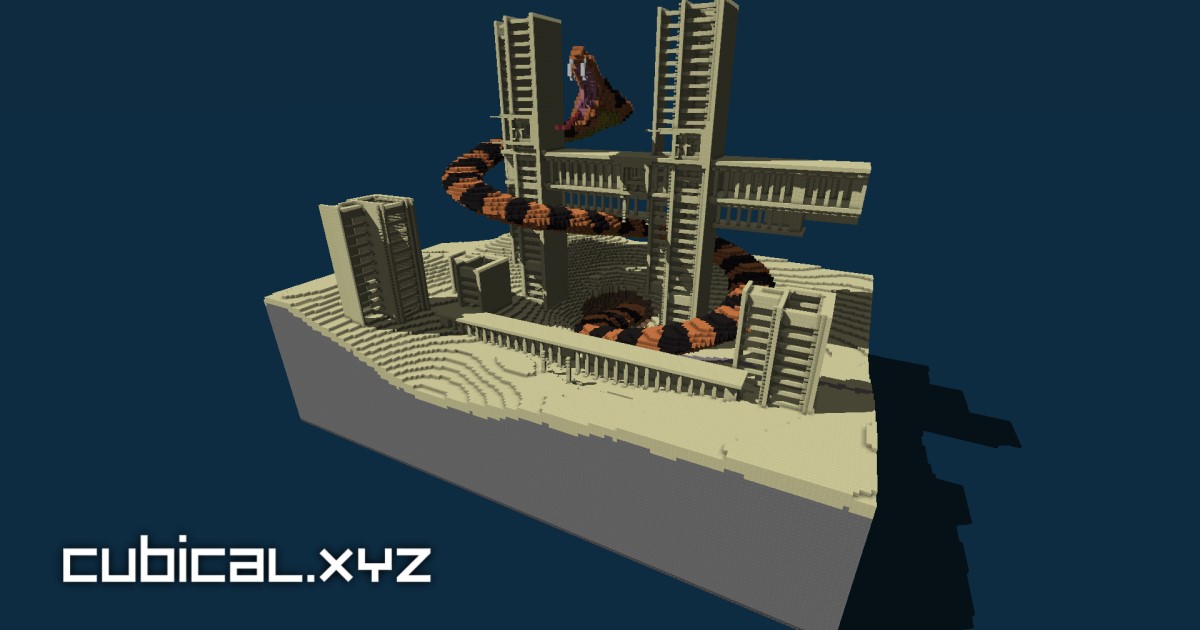

robots.txt (opens in a new tab)
4 rulesAll bots 0 allowed · 4 disallowed
- Disallow
/cgi-bin/ - Disallow
/includes/ - Disallow
/php/ - Disallow
/beta/
No matching rules.
Sitemaps
1Recent Updates
- Website images
- Screenshots
- Network details
- Website Technologies
- Pages and Search Information
- HTTP Response Information
- TLS and certificates
- DNS Information
- Domain Registration
- Website profile
- Website Description
- Website profile
- Website Description
- Website Name
User reviews (0)