
 简体中文
简体中文 English
Website review
This review may include AI-generated content and is not individually verified. Domain, certificate and other facts come from the observed data on this page.
What is The Cursed Library?
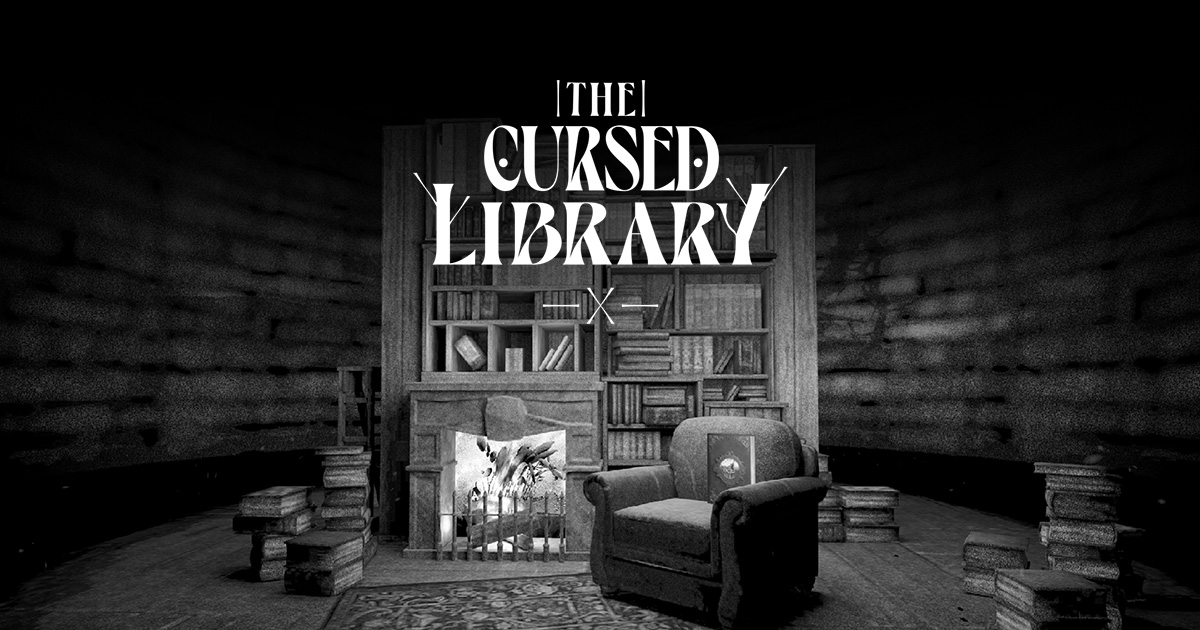
The Cursed Library is a browser-based interactive storybook experiment by the EPIC Agency, built around a single conceit: six portals hidden inside a "cursed library" each open onto a dark, illustrated world. The worlds are named Worlds, Library, Ogre, Hidden Wolf, Little Red, Night, Bluebeard and Kafka, and visitors navigate by clicking and dragging to turn around, moving between scenes and going back or quitting a world. The page asks you to put your sound on and click anywhere to start, and offers a minimal experience toggle plus an info panel. Credits list Karim Maaloul for concept, illustration and code; Stevie J Jones for music, poems, narration and code; and Jules Maxwell for music and voices.
What kind of experience it is
This is a mood piece rather than a game or a reference site. The dark-world framing, narrated poems and original score point to a short, atmospheric session you move through at your own pace, with no scores, accounts or obvious task structure. The "minimal experience" toggle suggests the creators anticipated visitors who want less motion or fewer layered elements.
Who it suits
- Curious browsers with ten spare minutes who enjoy illustrated, slightly eerie web art and don't mind turning sound on.
- Designers and creative coders looking at how illustration, audio and interaction are combined in one piece — the credits make the collaboration visible.
- Readers drawn to fairy-tale and literary themes, given the Little Red, Bluebeard and Kafka world names.
It is a poor fit for anyone who needs content quickly, prefers no audio, or wants something to read rather than explore.
A practical next step
Open it with sound on and a mouse or trackpad, since turning around depends on click-and-drag. Try the minimal experience toggle early if motion or layered audio feels distracting, and use the info panel to confirm controls before wandering. If the first portal doesn't hold your attention, the others are short enough to sample individually rather than treating the whole library as one sitting.
For comparison, other experimental web projects of this type include Active Theory and Hello Monday.
How do I find all six portals in The Cursed Library?
The page itself does not publish a walkthrough or a list of portal locations. What it does make clear is how the experience is meant to be explored: sound on, click anywhere to start, then click and drag to turn around and use the Previous/next scene and Enter world controls to move between scenes. The six portals correspond to the six "Worlds" named on the page: Library, Ogre, Hidden Wolf, Little Red, Night Bluebeard and Kafka. So a practical route is to treat each named world as one portal target, enter every world you find, and use the Previous/next scene controls to sweep each scene fully before leaving.
A concrete way to work through it
- Turn sound on before starting. Narration and poems carry clues, and the page explicitly asks for audio.
- In each scene, drag slowly through a full turn rather than flicking past. Portals are likely to sit off the initial viewing angle.
- Enter any world you reach, then use "Go back" and the Previous/next scene controls to check whether that scene holds more than one portal.
- Track progress against the six world names above, not against portal count alone. If you have entered all six worlds, you have almost certainly found all six portals.
- Use the minimal experience toggle if the illustration and motion make searching harder; it reduces visual noise while you look.
If you get stuck
The experience is credited to Karim Maaloul, Stevie J Jones and Jules Maxwell as an EPIC Agency experiment, so it is a small artistic piece rather than a game with a published solution. Community discussion is the realistic fallback: search for the title on Reddit or look for playthrough notes on YouTube, where a recorded run will show the turning angles and scene order far faster than trial and error. For context on the studio behind it, see Epic.
What are the dark worlds in The Cursed Library based on?
The dark worlds in The Cursed Library are based on classic fairy tales and dark literature. The page's "Worlds" menu names six portals: Library, Ogre, Hidden Wolf, Little Red, Night Bluebeard and Kafka. The first five point to familiar story territory — an ogre, the wolf and Little Red Riding Hood, and Bluebeard — while "Kafka" signals a literary rather than folkloric source, evoking Franz Kafka's unsettling fiction. The site frames these as "dark and disturbing worlds hidden in this cursed library," so each portal is an illustrated reinterpretation of a story's grim undercurrents rather than a retelling of a cheerful version.
To see the basis for yourself, put your sound on and click to start, then click and drag to turn around the library and enter a portal; the previous/next scene controls let you move between worlds, and the info panel credits the concept and illustration to Karim Maaloul and the music, poems and narration to Stevie J Jones and Jules Maxwell. If you are deciding whether it suits a reader, ask whether they want an atmospheric, sound-led experience of familiar tales (Little Red, Bluebeard) or are drawn to the more literary Kafka portal — the two ends of the selection.
Do I need sound on to experience The Cursed Library?
Yes, the site asks you to turn your sound on before you start. The opening screen says "Put your sound on and click anywhere to start," so audio is part of the intended experience from the first moment.
Why sound matters here
The credits list music, poems, narration and voices alongside the concept, illustration and code, which suggests the audio carries story and atmosphere rather than acting as optional background. If you play muted, expect to lose narration and mood that the visuals alone don't replace.
When muting still makes sense
- Shared or quiet spaces: you can still explore the six portals and turn the camera by clicking and dragging, but treat it as a visual walkthrough rather than the full experience.
- A first look: if you only want to see whether the tone suits you, a silent minute is fine, then restart with sound for the real run.
- Headphones: the strongest fit for a dark, narrated library, since voices and poems are easier to follow without room noise.
Practical next step
Open the site with headphones on, click once to start, and keep the info panel handy for controls like entering a world, previous/next scene and quitting. If you need silence, use the minimal experience toggle rather than muting, so you keep the structure while reducing distraction.
For comparison with other atmospheric browser experiments, Epic hosts this one, and you can look at Karim Maaloul's work to see how his interactive pieces handle sound and motion.
How do I navigate and turn around inside a world in The Cursed Library?
Click and drag to turn around inside a world. The site's own on-screen instructions list "Click and drag to turn around," alongside "Enter world," "Previous / next scene," "Go back / Quit world," and "Toggle minimal experience." Sound is part of the experience, so the page asks you to put your sound on and click anywhere to start before choosing among the six portals.
A practical route through it
- Click anywhere on the opening screen to start, with sound on.
- Pick one of the six portals on the Worlds screen to enter a world.
- Inside, click and drag to look around and turn; use the previous/next controls to move between scenes.
- Use "Go back / Quit world" to leave and return to the library.
- If the visuals or narration get overwhelming, switch on "Toggle minimal experience."
One reader scenario: if you are exploring on a laptop trackpad, drag slowly and in short strokes, since turning is continuous rather than stepped. On a shared or quiet space, the minimal experience toggle is the sensible first move before you start, since the audio carries poems and narration rather than just atmosphere.
For a broader frame, EPIC Agency is the studio behind this experiment, and the credits name Karim Maaloul for concept, illustration and code, with Stevie J Jones and Jules Maxwell on music, poems and narration. Treat those credits as the site's own attribution, not a guarantee of how each scene behaves.
What is the minimal experience mode in The Cursed Library and when should I use it?
Minimal experience mode is a toggle in The Cursed Library that strips the interactive site back to a simpler, lower-distraction view. The page presents the library as a set of six portals into dark worlds (Library, Ogre, Hidden Wolf, Little Red, Night Bluebeard, Kafka), with controls for turning around, entering a world, moving between scenes, and quitting a world; the "Toggle minimal experience" control sits alongside these. The page evidence describes the control but not exactly what it removes, so treat the precise behaviour as something to check in the toggle itself.
When it's useful
- Reading the poems and narration: if you mainly want the text and voices by Karim Maaloul, Stevie J Jones and Jules Maxwell, a pared-back view keeps attention on the words rather than the scene.
- Older laptops, tablets or low-power browsers: heavy illustration and sound can stutter; a simpler mode is the obvious first thing to try before giving up.
- Shared or quiet settings: classrooms, offices or late-night reading, where less visual motion and fewer prompts help.
- Repeat visits: once you know the layout, you may want to move between the six worlds without the full framing.
When to leave it off
Use the full experience for a first visit. The concept, illustration and music are the point of the piece, and the portals are designed to be discovered by looking around and clicking. If you disable the richer presentation immediately, you lose the atmosphere that makes the dark worlds land.
A practical test: open one world with minimal mode on, then the same world with it off. If the difference is mostly decoration, keep minimal mode for subsequent visits; if it changes pacing or navigation, use the full version and reserve minimal mode for slow connections or distracted settings. For context on the studio behind it, see EPIC Agency.
 Cloudflare
 Google Workspace
 Paris, Paris Department, France

User reviews (0)