
 简体中文
简体中文 English
Website review
This review may include AI-generated content and is not individually verified. Domain, certificate and other facts come from the observed data on this page.
What is Cute Font Copy and Paste?
Cute Font Copy and Paste is a free browser tool that turns ordinary text into styled Unicode characters—cursive, bubble, gothic, kawaii, and dozens of other "cute" variants—which you then paste into social profiles, captions, or chat apps. Per the site, it offers 600+ styles across 20+ categories, live preview, one-click copy, dark mode, and no sign-up or download.
How it works in practice
You type a word or phrase (a name, a bio line, a caption), the page instantly renders it in every available style, and tapping a style copies it to your clipboard. Because the output is Unicode rather than an installed font, it displays on virtually any modern device and app—Instagram, TikTok, Discord, X, Facebook—without the recipient needing anything installed.
Who it suits, and the trade-offs
- Casual social users styling display names, bios, or captions: fast and frictionless, with no account.
- Small business or creator profiles wanting a distinctive handle: convenient, but heavily styled characters can hurt searchability and may render inconsistently on some platforms.
- Accessibility and professionalism: decorative Unicode is often read awkwardly by screen readers and looks out of place in formal contexts—reserve it for display text, not body copy.
A useful next step
Before committing a styled version to a public profile, paste it into the actual target app and check it on both phone and desktop; if legibility or search matters, keep the plain-text version as your primary name and use the styled one only as decoration. For plain-text needs, the site also points to a blank-text generator.
How do I copy and paste a cute font into my Instagram bio or TikTok caption?
Type your text once in the generator on Cute Font Copy & Paste, pick a style, and tap it to copy—then paste into your Instagram bio or TikTok caption like any other text. No font installation or account is needed.
Two places, two cautions
- Instagram bio: space is tight, so test a short word or your name first. Some styles use characters that count as more than one unit toward the bio limit, so a fancy version of a long phrase may get cut off. Paste, check the preview, and trim if needed.
- TikTok caption: captions allow more room, so decorative styles work well for a hook line. Keep the searchable part—names, keywords, hashtags—in normal letters, because styled Unicode characters usually won't match ordinary search terms.
A quick workflow
- Type the exact phrase you want, e.g., "Hey Cutie."
- Choose a style that stays readable at small sizes; cursive and bubble styles are common choices, while gothic suits a bolder look.
- Copy, paste into the app, and preview on your phone before saving.
As a practical rule: use styled text for display and personality, and plain text for anything people need to find, tap, or read quickly. For a broader set of plain-text tools, Blank Text is a related option.
Will fancy Unicode text from this tool display correctly on all phones, apps, and platforms?
Not universally. Fancy Unicode text displays correctly only where the receiving device, app, and font support the specific Unicode characters being used. Most modern phones and major apps render common styles like bold, italic, script, and double-struck characters, but results vary by style and platform.
Where it usually works
- Modern iOS and Android devices generally support common Unicode letter variants.
- Major social and messaging apps like Instagram, TikTok, Discord, and Facebook typically display these characters in captions, bios, and messages.
- Plain text fields such as SMS and basic forms usually accept the characters, though appearance depends on the device font.
Where problems appear
- Older devices and some Android skins may show empty boxes or fallback symbols for less common styles.
- Search and hashtags may not match styled text against normal typed words, so a fancy username or tag can be harder to find.
- Screen readers and accessibility tools may read styled characters incorrectly or skip them.
- Some platforms normalize or strip unusual characters in usernames, comments, or form fields.
- Games, banking apps, and government forms often reject non-standard characters entirely.
Practical check before committing
Type your intended text into the tool, copy a style, and paste it into the exact app and device where it will appear—ideally on both an iPhone and an Android phone. For anything permanent, like a username or business bio, keep a plain-text fallback ready. If the styled version must remain readable to everyone, including assistive technology, use it for decoration only and keep essential information in standard text.
For quick testing across styles, Cute Font Copy and Paste offers live previews and one-click copying, which makes it easy to compare how different Unicode styles look before you paste them elsewhere.
Are the 600+ cute font styles free to use, and do I need to sign up or download anything?
Yes. All 600+ styles on Cute Font Copy and Paste are free to use, and there is no sign-up or download required. You type your text, pick a style, and copy it with one click—the tool runs in the browser.
What "free" actually means here
The generator produces styled Unicode characters, not font files. That has two practical consequences:
- No installation: you paste the characters into Instagram, TikTok, Discord, X, Facebook or similar apps, and they display as styled text because the characters themselves are Unicode.
- No license to manage: you aren't downloading a font, so there's no font license to check for personal or commercial captions. The trade-off is that you're limited to the styles the tool offers rather than a full typeface with weights and spacing control.
Where it works well—and where it doesn't
These styles suit bios, usernames, captions, comments and short headings. They're a poor fit for long body text, because many Unicode "fonts" are harder to read, may not render on every device or app, and can be awkward for screen readers. For a product page, document or anything accessibility-sensitive, use real text.
If you need a specific look beyond the available styles, you'd be better served by an actual font from a source like Google Fonts for web or design work, rather than pasted characters.
A quick decision rule
Use the generator when the goal is a decorative name or a short line on social platforms; use a real font file when the goal is readable, controllable typography. A sensible next step is to type your actual username or caption, check how it looks on the target platform on both phone and desktop, and keep a plain-text version as a fallback.
Which font style should I pick for a username, bio, or post caption to get a specific aesthetic like kawaii, cursive, or gothic?
Match the style to the slot, not just the mood. Usernames and handles are the strictest case because some platforms normalize or reject unusual Unicode; bios and captions are looser and let you use more decorative styles.
Quick picks by aesthetic
| Aesthetic | Good for | Watch out for |
|---|---|---|
| Kawaii / bubble | Display names, playful captions, Discord nicknames | Dense symbols can look cluttered in a short bio; screen readers may read them oddly |
| Cursive / script | Bios, quote captions, "aesthetic" profile names | Hard to scan at small sizes on mobile; avoid for anything people must retype |
| Gothic / blackletter | Edgy captions, band or gaming profiles | Lower legibility; poor fit for professional or searchable names |
| Clean decorative (small caps, spaced letters) | Usernames you still want readable | Some platforms strip or flag certain character ranges |
A concrete scenario
If you're naming an Instagram account for a small handmade-goods shop, pick a lightly styled option (small caps or spaced letters) so customers can still read and search it. Save the cursive or kawaii version for your bio's first line, where personality matters more than searchability. For a personal Discord or TikTok handle, bubble or gothic styles work fine because the audience already knows you.
Decision criteria
- Searchability: if people need to find or tag you, keep the username plain or nearly plain.
- Length: decorative styles often widen characters; long captions in gothic can wrap awkwardly.
- Platform rules: check that your chosen handle is accepted before committing; keep a plain-text backup.
- Accessibility: screen readers may stumble on symbol-heavy text, so keep critical info (prices, links, contact) in normal characters.
The generator on Cute Font Copy shows live previews across 600+ styles and 20+ categories, which makes it easy to test one phrase in several aesthetics before pasting. A practical next step: type your exact username or caption once, compare three candidates side by side, then paste each into the target platform to confirm it displays and is accepted before you finalize.
Can I use these styled fonts for my business's social profiles and branding without copyright issues?
Unicode styled text is generally safe to use for social profiles and branding, but with one important caveat: it is not a font in the legal sense. The generator maps ordinary letters to Unicode characters that already exist in system fonts, so there is no typeface license to worry about. What you are posting is still just text.
Where it works well
- Social bios and display names on Instagram, TikTok, Discord, X and Facebook. Styled characters are plain text, so they survive copy-paste without uploading or licensing anything.
- Captions, post text and comment replies, where you want a decorative name or heading.
- Internal documents and chat, where consistency across devices is enough.
Where to be careful
- Screen readers and accessibility. Many styled characters are read aloud as individual symbols or skipped entirely. A business name written in bubble or gothic letters can become unusable for blind users and hurts searchability.
- Search and hashtags. Styled text rarely matches plain-text searches, so keep hashtags and key terms in normal characters.
- Platform rules. Some platforms restrict or down-rank unusual characters in names; display names in particular may be normalized or rejected.
- Logo and print use. This is the real copyright gap. Unicode styling is not a substitute for a licensed typeface when you produce a logo, packaging or anything printed.
The practical distinction
| Use | Unicode styled text | Licensed typeface |
|---|---|---|
| Bio, display name, caption | Fine, no license needed | Not applicable |
| Logo, print, brand system | Not suitable | Required |
| Accessibility and search | Risky for key names | Fully readable |
Next step
Use styled text for decorative, secondary touches—a playful handle suffix, a caption flourish—and keep your actual business name, hashtags and any logo work in standard characters or a properly licensed font. If a specific style becomes part of your identity, commission or license a real typeface so the look is consistent, accessible and legally clear. The tool at Cute Font Copy and Paste is a quick way to preview styles before deciding which, if any, belongs in your brand.
 vercel-dns.com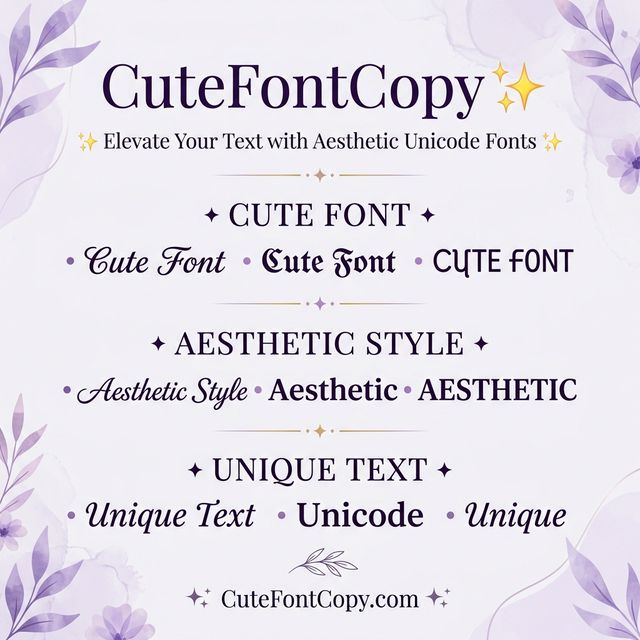

User reviews (0)