Website profiles · Technology insights · Alternatives

dmheroes.com

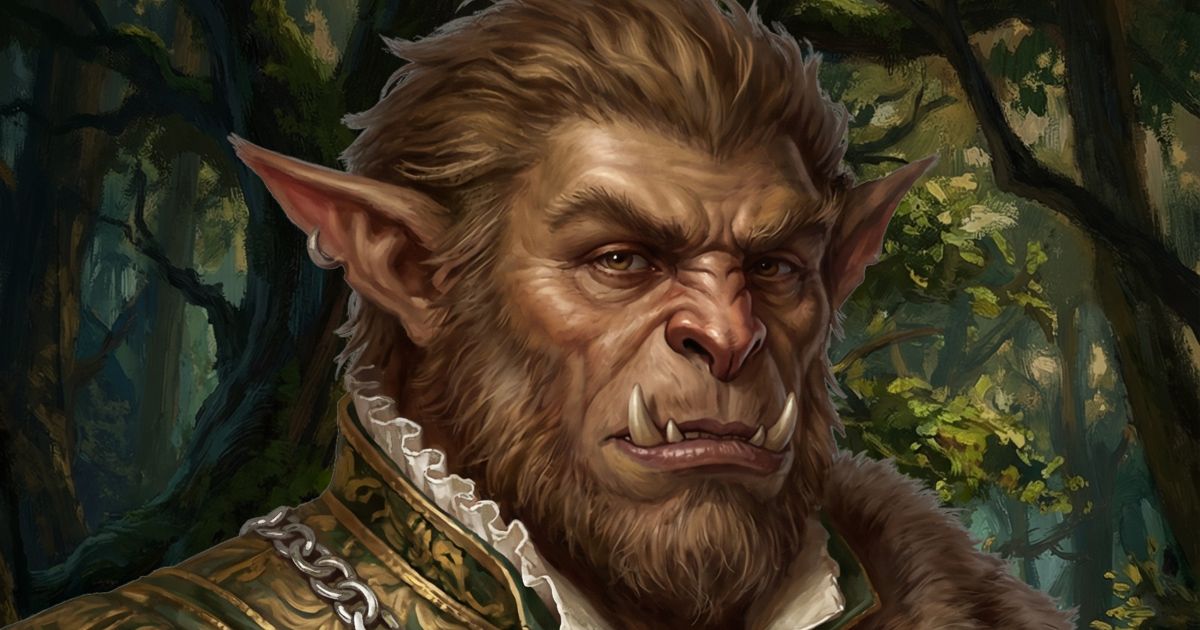
Generate role play focused NPCs with portraits for D&D. Choose a race, gender and get a short description with traits, plot hooks, and more.

No paid content found
Visit website
Profile views 9 Outbound visits 1 Normal
DMHeroes Full homepage screenshot

At a glance

Category
Games & Board Games
Language
English
Paid-content signal
No paid content foundObserved
Registered
2018
Hosting
VercelInferred
HTTPS certificate trusted
PassedObserved
Last updated

Website review

This review may include AI-generated content and is not individually verified. Domain, certificate and other facts come from the observed data on this page.

What is DMHeroes?

DMHeroes is a browser-based NPC generator for Dungeons & Dragons and similar tabletop RPGs. It creates roleplay-focused non-player characters rather than full stat blocks: you pick a race and gender, and it returns a short description along with personality traits, plot hooks, and a portrait you can show your players.

What it's useful for

  • Improvising on the spot. When your party talks to a guard, innkeeper, or bystander you never planned for, a quick generated name, look, and mannerism keeps the scene moving.
  • Session prep at scale. Filling a town or guild roster goes faster when each minor character arrives with a hook attached.
  • Visual handouts. Portraits give players something to look at, which helps them remember who's who across a long campaign.
  • Hook mining. Even a throwaway NPC's plot hook can become a side quest or a link to a larger story.

Who it suits

Dungeon masters who want character flavor quickly, especially those running sandbox or improvisation-heavy games. It's less suited to DMs who need balanced combat statistics, since the focus is personality and story rather than mechanics. You'd pair it with a stat block source or your own rules knowledge.

How it compares to alternatives

Tool type Strength Trade-off
DMHeroes Fast roleplay flavor plus portrait Not a full stat block or rules reference
Full character builders Complete mechanics and sheets Slower for throwaway NPCs
Random name tables Instant, no visuals No personality or hooks

A practical next step: generate three NPCs before your next session and drop them into whatever location the party is most likely to visit. If a player latches onto one, promote that NPC to a recurring role and expand their backstory yourself — the generated hook gives you a starting point rather than a finished character. For broader DM tooling, D&D Beyond covers rules and character sheets, and donjon offers a range of random generators.

How do I generate a D&D NPC with a portrait?

Go to DMHeroes, choose a race and gender, and generate. The tool returns a short NPC write-up with traits, plot hooks and a portrait, so you get a playable character and a face in one pass rather than assembling them from separate tools.

What the output gives you

  • A portrait to show players or drop into a VTT token.
  • A short description plus personality traits, enough to improvise voice and manner at the table.
  • Plot hooks, which are the part most generators skip — useful when you need a reason this NPC exists in your session rather than just a stat block.

A practical workflow

  1. Decide the NPC's job in the scene first: informant, shopkeeper, rival, quest-giver.
  2. Generate a few options at the race and gender you need, then keep the one whose traits fit that job.
  3. Rewrite one detail — a name, a motive, a relationship to an existing NPC — so the result belongs to your campaign rather than to the generator.
  4. Save the portrait and text together; portraits are the easiest part to lose track of between sessions.

If you want more control over mechanics, pair it with a full builder such as D&D Beyond and use DMHeroes for the roleplay layer and the image. If you mainly need names and stats, a lighter option like Kassoon covers that without the portrait step.

Can I customize the race, gender, and traits of the NPCs?

Yes—the generator is built around choosing a race and gender before it produces an NPC, and the resulting write-up includes traits and plot hooks rather than just a name and stat block. In practice you pick those options first, generate a character, and use the short description as the seed for your session.

What you can control

  • Race and gender: These are explicit inputs, so you can aim for a specific combination your campaign needs—say, a dwarf woman for a clan elder or a tiefling man for a shady informant.
  • Traits and hooks: These come out as part of the generated description. You are not filling in a blank trait form; you are reading what the generator produced and deciding what to keep.

Where the real customization happens

Treat the generated traits as a first draft. If a hook doesn't fit your table, rewrite it—the value is in the starting point, not in treating the output as final. A practical workflow:

  1. Generate two or three NPCs with the same race and gender.
  2. Keep the one whose traits suggest a scene you can actually run.
  3. Rename them and adjust one detail so they connect to an existing faction or location.

If you need a portrait to match, the generator supplies one alongside the description, which saves you hunting for art mid-session. For deeper mechanical building—classes, levels, stat blocks—you will still want a full character tool such as D&D Beyond, and for name ideas across many cultures, Fantasy Name Generators is a common companion.

The trade-off is speed versus depth: you get a usable NPC in seconds, but you should expect to add your own voice and campaign ties before they feel like a real person at the table.

What kind of plot hooks and descriptions does DMHeroes provide?

DMHeroes generates short, roleplay-focused NPC write-ups for Dungeons & Dragons. You pick a race and gender, and the tool returns a compact character: a brief physical or personality description, a set of traits, and one or more plot hooks you can drop into a session. The emphasis is on table-ready material rather than full stat blocks—it gives you the "who" and the "why," leaving mechanics to you.

What the output typically covers

  • Description: A sentence or two establishing appearance, manner, or vibe, so you can voice the NPC immediately.
  • Traits: Personality notes, quirks, or mannerisms that make the character distinct in play.
  • Plot hooks: A reason this NPC matters—a problem, secret, request, or connection that can pull players into a scene or side quest.
  • Portrait: A generated image to show players or to anchor your own mental picture.

Because the site is built around roleplay, the hooks tend to be social and narrative rather than combat-oriented: a shopkeeper with a hidden debt, a guard who knows too much, a traveler with an urgent errand. That makes it most useful when you need a named face fast—during improvisation, or when prepping a town full of minor characters.

How to use it well

Treat the generated hook as a seed, not a script. If a result gives you "owes money to a local gang," decide who the gang is, what they want, and how the players could get involved. The value is speed and variety; the depth comes from your campaign context.

For a quick test, generate three NPCs of the same race and gender and compare their hooks. If two feel interchangeable, reroll or nudge the concept yourself—the tool works best as a spark for your own improvisation rather than a finished encounter.

Is DMHeroes free to use, and are there any limitations?

DMHeroes is presented as a free browser-based NPC generator for Dungeons & Dragons, and nothing on the page suggests a paywall, subscription or account requirement. You choose a race and gender, and the tool returns a short roleplay-focused NPC write-up with a portrait plus traits, plot hooks and similar details. For a Dungeon Master who needs a bartender, a guard captain or a random traveller mid-session, that is the core value: no signup friction and instant output.

What "free" realistically means here

  • Cost: The available page information shows no pricing, payment platforms or paid tiers, so treat it as free to use.
  • Access: Because it runs in the browser, there is no software to install and no obvious login step.
  • Output type: NPCs are deliberately short and roleplay-oriented rather than full stat blocks, so it complements a rules book or stat-block source instead of replacing one.
  • Portraits: Each NPC comes with an image, which is useful for handing a face to players or for virtual tabletops.

Limitations to expect

The honest trade-off with any generator of this kind is depth and control. A short description with traits and hooks gives you a springboard, not a finished character: you will still need to assign mechanics, decide how the NPC fits your world, and adjust names or details that clash with your campaign. Randomised results also mean you may reroll a few times before something clicks, and because the page is described only as loading in the supplied evidence, you should verify the current feature set yourself before relying on it at the table.

If you want a specific NPC rather than a random one, generate several and keep the two or three that fit, then write one sentence of your own connecting them to the party. That small edit is usually what turns a generic result into an NPC players remember.

For broader inspiration alongside a generator, established free references include D&D Beyond for rules and stat blocks and donjon for a range of random fantasy generators.

How can I use the generated NPCs in my tabletop RPG session?

DMHeroes produces short, roleplay-focused NPCs — a name, portrait, description, traits and plot hooks — so the practical approach is to treat each result as a seed you drop into a scene rather than a finished character sheet. Because generation starts from simple choices like race and gender, it works best when you need someone plausible in the next thirty seconds: the innkeeper the party unexpectedly grilled, the guard captain they decided to bribe, the merchant whose stall you improvised two minutes ago.

Immediate uses at the table

  • Fill an improv gap. Generate on the spot when players fixate on a background figure. Read the description aloud, pick one trait to perform, and keep the plot hook in reserve.
  • Give a voice and a mannerism. One trait is enough to make an NPC memorable. Decide how they speak before you decide what they know.
  • Name a face. The portrait plus a name solves the "who is this again?" problem, especially in long campaigns with a large cast.

Uses between sessions

  • Pre-seed a location. Generate five NPCs for the next town, note one sentence on what each wants, and let the players choose who matters.
  • Build a web of hooks. Collect the plot hooks from several generated NPCs and connect two or three into a single thread — a missing sibling, a debt, a rumour that points at the same ruin.
  • Staff a faction. Assign generated NPCs to rival guilds or courts so the organisation has faces rather than a logo.

Matching NPCs to the job

Need What to take from a generated NPC What to add yourself
Instant background colour Name, portrait, one trait A reason to be in this scene
Recurring ally or rival Description, motivation implied by traits Stats, resources, relationship to the party
Quest giver Plot hook Stakes, reward, deadline
Combat antagonist Name and attitude Full stat block from your system

A concrete example

The party arrives at a river town and asks who runs the ferry. You generate an NPC, get a gruff older boatman with a portrait and a hook about a drowned cargo run. You play him impatient and superstitious, let the players bargain for passage, and hold the hook until they ask why he refuses to cross at night. One click gave you a name, a face and a thread; your job was the accent, the haggling and the decision about what he actually knows.

Practical cautions

Generated text is a prompt, not canon. Read it before you say it aloud, discard anything that clashes with your established world, and never let a random hook overwrite a plot your players already care about. If you need mechanical balance, port the concept into your system's rules rather than improvising numbers mid-scene. Treat portraits as inspiration for description, not as a constraint on how you imagine the character.

For rules-accurate stat blocks and encounter building, pair generated personalities with your system's own tools, for example D&D Beyond for 5e material.

Related questions

More questions →
What Is Dungeons & Dragons and How Do You Start Playing?

Dungeons & Dragons (D&D) is a tabletop roleplaying game in which a group of players each control one character, while one person — the Dungeon Master (DM) — describes the world, plays every other character, and adjudicates the rules. You can start with just three things: the core rulebooks (or a starter set), a set of polyhedral dice, and two to five friends willing to sit at a table for a few hours. No prior experience, miniatures, or digital tools are required.

The Core Loop of Play

D&D runs on a simple cycle that repeats for the whole session:

  1. The DM describes a situation. "You stand at the mouth of a collapsed mine; a cold draft carries a faint metallic smell."
  2. Players declare what their characters do. "I light a torch and step inside." "I check the ground for tracks."
  3. The DM calls for a roll when the outcome is uncertain and failure matters. You roll a 20-sided die (d20), add a modifier from your character sheet, and compare the total to a target number.
  4. The DM narrates the result and the world reacts. The story moves forward, and the loop begins again.

Combat is the one part with a stricter structure: everyone rolls initiative to determine turn order, and on your turn you typically move and take one action (attack, cast a spell, dash, hide, and so on).

The Three Pillars

Most sessions mix three activities, and knowing which one you're in helps you decide what to roll:

Pillar What it covers Typical roll
Exploration Travel, traps, searching, tracking Wisdom (Perception), Intelligence (Investigation)
Social interaction Talking, bargaining, lying, intimidating Charisma (Persuasion, Deception, Intimidation)
Combat Fighting creatures and hostile NPCs Attack rolls, saving throws, damage rolls

What You Actually Need to Begin

You do not need the full library to play your first game. Here is a practical breakdown:

  • A starter set. These boxed products typically include a condensed rulebook, a pre-written adventure, pre-generated character sheets, and a set of dice. This is the cheapest and fastest route for a brand-new group.
  • The Player's Handbook. The core reference for races, classes, spells, and equipment. Worth buying once you know you'll keep playing.
  • A set of polyhedral dice. You need at least a d4, d6, d8, d10, d12, and d20. One set per player is ideal; sharing works but slows the table.
  • Character sheets. Printable PDFs or plain paper. A pencil and eraser matter more than you'd expect, because stats change often.
  • Optional but useful: the Dungeon Master's Guide and Monster Manual (for the DM), a battle mat or grid paper, and miniatures or tokens.

If your group plays online, a virtual tabletop handles dice, maps, and sheets in one place, and voice chat replaces the physical table.

Creating Your First Character

A character is defined by a handful of choices and the numbers they produce. Work through these in order:

  1. Pick a race (species). This grants traits such as darkvision or a skill proficiency, plus ability score increases.
  2. Pick a class. This is your character's role — fighter, wizard, rogue, cleric, and so on. It determines your hit points, main abilities, and what you can do in combat.
  3. Assign ability scores. Strength, Dexterity, Constitution, Intelligence, Wisdom, and Charisma. Your class tells you which ones matter most.
  4. Choose a background. This gives you skills, tools, and a bit of backstory that ties you to the world.
  5. Record the derived numbers. Your proficiency bonus, saving throws, skill modifiers, armor class, initiative, and hit points all follow from the choices above.
  6. Write two or three sentences of personality. A goal, a fear, and one connection to another party member is enough to start.

A Quick Example

Suppose you want to play a rogue. You put your highest score in Dexterity, choose the criminal background for Stealth and Thieves' Tools, and note that your Sneak Attack adds extra damage when you have advantage or an ally adjacent to your target. That single feature tells you how you want to play: stay mobile, look for flanking, and pick locks and pockets when the party needs it.

Running Your First Session

The smoothest first game uses a published adventure rather than a homebrew world, because the encounters, maps, and pacing are already balanced.

  • Session zero. Before play, agree on tone, schedule, and boundaries. Everyone makes or picks a character. This step prevents most table conflicts.
  • Start in motion. Open with the party already together and facing a concrete problem — a missing person, a locked door, a job offer. Skip the tavern small talk for session one.
  • Roll only when it matters. If a player describes something their character could obviously do, just say yes. Reserve dice for genuine uncertainty.
  • Keep the spotlight moving. After resolving one player's action, turn to someone who hasn't spoken in a while.
  • End on a hook. Stop after a reveal or a cliffhanger so everyone wants to come back.

Common Beginner Mistakes

Mistake What to do instead
Trying to learn every rule before playing Learn the core d20 mechanic and look up the rest as it comes up
Building a character who can't contribute in combat Give yourself at least one reliable attack or support option
The DM over-preparing a rigid plot Prepare situations and NPCs, not scripts; let player choices change the outcome
Treating a low roll as failure of the story A failed check should complicate things, not stop them
Ignoring the other players D&D is collaborative; build a character who wants to work with the group

Finding a Group and Keeping a Campaign Going

You have two main routes:

  • In person. Local game stores often host organized play nights, and community boards or friends-of-friends are the classic way in. A consistent weekly or biweekly slot works better than an ambitious schedule nobody keeps.
  • Online. Virtual tabletops and voice chat let you play with people anywhere. Many communities run beginner-friendly one-shots specifically designed to teach new players.

To keep a campaign alive, keep sessions short and regular, rotate who brings snacks or hosts, and accept that attendance will fluctuate. A campaign that runs for six sessions is a success, not a failure.

Where NPCs Fit In

Every character the DM controls that isn't a player character is an NPC — the innkeeper, the guard captain, the villain. NPCs drive plot hooks, provide information, and give the party someone to care about or oppose. If you're a DM who needs to populate a town quickly, NPC generators can produce a name, appearance, personality traits, and a plot hook on demand, which saves preparation time and keeps improvisation smooth.

How to Generate an XML Sitemap for Your Website

To generate an XML sitemap, you need your site's public URL and a site that search engines can crawl. You can then use an online generator, a CMS plugin, or hand-write the file. XML-Sitemaps.com, for example, generates search-engine-ready sitemaps and states that its free tier covers up to 500 URLs with no registration required. The steps below apply whether you use that tool or another generator.

What you need before generating

  • The full starting URL of your site, such as https://example.com/.
  • A site that is publicly reachable. Pages behind a login or blocked by robots.txt generally cannot be crawled or included.
  • A decision on scope: homepage only, or the whole site.

Choose a generation method

Method Best for Trade-off
Online generator Quick one-off sitemaps, any platform You re-run it when content changes unless you use a hosted/paid tier
CMS plugin Sites on WordPress, Shopify, etc. Depends on the platform and plugin maintenance
Manual XML Very small, static sites You update it by hand every time a URL changes

XML-Sitemaps.com lists a free tier (up to 500 URLs, multiple websites) and a PRO tier starting at $2.44/month that adds automatic updates, image/video/news sitemaps, and SEO health reports. Treat those as the vendor's stated limits and check current terms before relying on them.

Understand the fields the generator sets for you

Two attributes are commonly filled in automatically, and knowing what they mean helps you spot problems:

  • lastmod (last modification): the time a URL was last changed. Crawlers use it to avoid re-crawling unchanged pages. XML-Sitemaps.com says it sets this based on your server's response.
  • priority: a value from 0.0 (lowest) to 1.0 (highest) relative to other pages on the same site. The generator decreases priority by "page depth" — how many clicks a page is from the homepage.

Neither field forces a crawler's behavior; they are hints. If your server returns unreliable modification dates, expect lastmod values that don't reflect real edits.

Generate and verify

  1. Enter your site's starting URL in the generator and run it.
  2. Download the resulting XML file (the generator may also offer HTML, text, or ROR formats).
  3. Open the file and confirm the URLs are the ones you expect — correct domain, no staging or test paths, no duplicates.
  4. Check that important pages are present and that the count matches roughly what you expect for your site size.

Submit to search engines

  • Google: submit via Google Search Console (add and verify your property first, then submit the sitemap URL).
  • Bing: submit through Bing Webmaster Tools.
  • Place the sitemap at a predictable location, commonly /sitemap.xml, and reference it in robots.txt if you want crawlers to find it automatically.

Troubleshooting common problems

  • Crawl fails or times out: the site may be slow, blocking the generator's user agent, or unreachable. Test the URL in a browser and check robots.txt.
  • URLs missing: pages may be orphaned (not linked from anywhere), blocked by robots.txt, or behind JavaScript that the generator doesn't execute.
  • Wrong domain in output: you likely started from a redirect or a staging URL. Start from the canonical public URL.
  • Sitemap goes stale: a one-time generation won't reflect new pages. Re-run it, or use a tier/plugin that updates automatically.

If your site is small and static, a manual sitemap is fine. If it changes often or exceeds the free URL limit, an automatically updating option is the more practical choice.

What Is AdventureQuest and How Do You Start Playing It?

AdventureQuest is a free-to-play, browser-based single-player RPG from Artix Entertainment, hosted at battleon.com. You can create an account and start a character without paying; the optional Guardian upgrade (linked from the site's Upgrade page) adds premium content but isn't required to play. If you want a long-running RPG with two decades of quests, weekly events, and no download required, this is the direct path: make an account on BattleOn, log in, and pick a class to begin.

What AdventureQuest actually is

The site describes it as "an ever-expanding RPG with two decades' worth of adventures" where you "step into a world beset by peril and monsters" and "rise as a hero." Key traits:

  • Single-player, browser-first. You play in the browser, or through the Artix Game Launcher if you prefer a desktop client.
  • Free to start. The homepage markets it as an online RPG you can "play for free," with new adventures every week.
  • Long-running live content. News posts cover limited-time shops, seasonal events, and item packages — the cadence is weekly, not a one-time release.
  • Part of a larger family. BattleOn also hosts AQ3D, AQWorlds, DragonFable, EpicDuel, MechQuest, OverSoul, and others. AdventureQuest is the original; the others are separate games with separate characters.

AdventureQuest vs. the other Artix games

Game What it is Notes from the site
AdventureQuest The original browser RPG "Two decades' worth of adventures"
AQWorlds Separate MMO-style RPG Listed alongside AQ on BattleOn
DragonFable Separate story-driven RPG Listed alongside AQ on BattleOn
AQ3D 3D RPG Listed alongside AQ on BattleOn

If you specifically want the classic single-player experience, choose AdventureQuest. If you want multiplayer or 3D, one of the others fits better — they are not the same game or the same account progression.

How to start playing

  1. Go to battleon.com. The homepage is the entry point for AdventureQuest and the other Artix games.
  2. Create an account or log in. Account management lives under "Manage Account" in the site navigation. You need an account to save a character.
  3. Launch the game. Either play in the browser or install the Artix Game Launcher, which the site promotes with a "Get Launcher" link.
  4. Create your character and choose a class. The site's game section lists Classes, Quests, and Events as core areas — class choice shapes how you fight.
  5. Follow the weekly content. Check the AdventureQuest News section for what's live, including limited-time shops and events.

Expected result: you land in the game world with a persistent character, and new content appears on the site's news feed each week rather than requiring a reinstall.

The Guardian upgrade: what it is and whether you need it

The homepage says "Guardians needed in the land of rising evil!" and the site links to an Upgrade page labeled "Guardian." That's the paid tier.

  • Not required to play. The game is presented as free to play; Guardian is an upgrade, not a gate.
  • What it signals: Guardian status appears tied to premium access and recognition — the site's navigation includes Guardian-specific areas like "Top Guardians," "X-Guardians," and "Guardians" listings.
  • How to buy: through the Upgrade link on battleon.com. The site does not publish a price on the pages reviewed here, so check the Upgrade page directly for current cost and terms.
  • Related currency: the site references Z-Tokens and Artix Points, which appear in shop and package contexts (for example, "20K Z-Token Package" and "50K Z-Token Package" news items). Treat these as in-game purchase currencies, not free grants.

If you're unsure, play free first. Upgrade only if you want the Guardian content and perks.

Finding weekly and seasonal content

AdventureQuest's content model is event-driven. From the news feed:

  • Weekly drops. Posts like "COMING THIS WEEK!" announce new packages and shop rotations.
  • Seasonal shops. Example: the Fall Seasonal shop returns with autumn-themed items, including the Lantern of the Equinox.
  • Holiday events. Example: the Talk Like a Pirate Day Event sends you aboard the ship Red Betty for Captain Rhubarb's Pirate Quiz, with a Pirate Scholar Shop and Pyrerat Contracts as rewards.
  • Limited-time packages. Example: the Zombie Hunter Set (armor, 3 weapons, shield, title) is explicitly limited — "only available for a limited time."

Practical habit: check the AdventureQuest News section on battleon.com before a play session, since limited-time items can disappear.

Getting help and redeeming codes

  • Support: the site navigation includes a Support link for account or gameplay issues.
  • Redeem codes: a "Redeem Code" link is in the site navigation — use it if you have a code from a promotion or purchase.
  • Account management: "Manage Account" handles login, credentials, and account settings.

Common snags

  • Confusing the games. Buying or progressing in AQWorlds, DragonFable, or AQ3D does not carry into AdventureQuest. Confirm you're on the AdventureQuest page before creating a character.
  • Assuming Guardian is mandatory. It isn't; the free game is the default experience.
  • Missing limited content. Seasonal shops and packages rotate out. If an item is gone, it may return in a later season rather than being permanently unavailable.
  • Expecting a price on the homepage. The reviewed pages don't list Guardian pricing — go to the Upgrade page for current details.
NPC Rugby: What the National Provincial Championship Is and How It Works

NPC stands for the National Provincial Championship, New Zealand's domestic provincial rugby competition. It sits below Super Rugby in the New Zealand rugby pyramid and runs mainly in the second half of the year, after the Super Rugby season ends. If you follow New Zealand rugby, play fantasy rugby, or keep seeing "NPC" next to player names and stats, this is the competition those references point to.

Where the NPC Fits in the Rugby Calendar

New Zealand rugby runs on roughly three tiers:

  • International test rugby — the All Blacks, played in windows across the year (mid-year tests, the Rugby Championship, end-of-year tours).
  • Super Rugby — the professional franchise competition, typically running from February to around July.
  • NPC — the provincial competition, generally played from around August to October, once the Super Rugby season has finished and international players return to their provinces.

Because it fills the post-Super Rugby window, the NPC is often where you see returning All Blacks turn out for their home provinces, alongside younger players pushing for higher honours.

How the Competition Works

The NPC is contested by New Zealand's provincial unions rather than Super Rugby franchises. The key structural points:

  • Provincial teams, not franchises. A province like Canterbury, Auckland, or Waikato is a smaller geographic and administrative unit than a Super Rugby franchise such as the Crusaders, Blues, or Chiefs. One franchise region can contain several NPC provinces.
  • A split by division. Historically the competition has been divided into a top division and a lower division (the names and exact structure have changed over the years), with promotion and relegation between them.
  • A regular season followed by playoffs. Teams play a round-robin schedule, then the top sides qualify for semifinals and a final. The winner of the top division is the NPC champion.
  • The Ranfurly Shield. This is a separate challenge trophy contested within New Zealand provincial rugby. It is not the NPC title itself — a team holds the Shield and must defend it in home challenge matches, and it can change hands mid-season regardless of where either team sits in the NPC standings.

NPC vs. Super Rugby vs. Test Rugby

Dimension NPC Super Rugby International tests
Level Domestic provincial Professional franchise National team
Typical window Roughly Aug–Oct Roughly Feb–Jul Set international windows
Who plays Provincial squads, including returning All Blacks Franchise squads Selected national players
Example teams Canterbury, Auckland, Waikato Crusaders, Blues, Chiefs All Blacks

The practical takeaway: when a player's profile lists an NPC team, that is their provincial side, which may be different from their Super Rugby franchise.

How the NPC Shows Up in Fantasy Rugby

Fantasy rugby games draw on player statistics from multiple competitions, and the NPC is one of the sources. On TESTRUGBY.COM, for example, the site describes itself as a salary cap fantasy rugby game with in-depth player stats, and its competition list includes domestic and international series such as Super Rugby, the Rugby Championship, and the 6 Nations. Player values and rankings in such games are built from recent match data, so a strong NPC run can affect how a player is rated.

Two things worth knowing if you are picking players in a fantasy context:

  • Check which competition a stat line comes from. A big NPC performance and a big test performance are not the same level of opposition, and games that weight by competition will treat them differently.
  • Watch the calendar. Because the NPC runs after Super Rugby, it is often the freshest source of form data heading into end-of-year internationals.

Note that TESTRUGBY.COM states it would not run Super Rugby or 6 Nations competitions in 2017 and was taking a break that year, so availability of any specific fantasy competition depends on what the site is running at the time.

Where to Find NPC Fixtures, Results, and Standings

For current NPC information, the most reliable route is the official governing body for New Zealand provincial rugby and its competition pages, plus the provincial unions' own sites. For statistics and player data, fantasy and stats sites that cover New Zealand rugby — including the rugby wiki and player repositories referenced on TESTRUGBY.COM — can help you look up a player's province and recent form.

If you are trying to follow the NPC specifically:

  1. Identify the current season's structure (divisions and playoff format can change between years).
  2. Find the fixture list for the provinces you care about.
  3. Track the standings to see who is in playoff contention.
  4. Follow the Ranfurly Shield separately if you want to know who holds it.

Quick Answers

Is the NPC the same as Super Rugby? No. The NPC is provincial; Super Rugby is franchise-based and sits above it.

When is the NPC played? Generally in the second half of the year, after Super Rugby finishes.

Does the NPC affect the All Blacks? It is a key pathway — strong NPC form is one route to higher selection, and returning All Blacks often appear in it.

Why do I see NPC in fantasy rugby? Because fantasy games pull player statistics from multiple competitions, and the NPC is one of the competitions that generates that data.

What Is a TTRPG and How Do You Start Playing One?

A TTRPG (tabletop roleplaying game) is a collaborative storytelling game where one person describes a world and its characters, the other players say what their characters try to do, and dice or another randomizer decide whether those attempts succeed. You can start with just a rulebook, a set of dice, a character sheet, and two or more people — no board, miniatures, or digital tools are strictly required. The rest of this article explains how a session actually runs, what to buy first, how to choose a system, and how to find a group.

What makes a TTRPG different from a board game or video game

In a board game, the rules define a fixed set of legal moves and a win condition. In a video game, a programmer has pre-built every option the engine allows. A TTRPG has no board and usually no winner: the rules exist to resolve uncertainty, and the "content" is whatever the group invents at the table.

That difference has three practical consequences:

  • Open-ended actions. If you can describe it and the group agrees it's plausible, your character can attempt it. There is no menu of allowed moves.
  • One player has a different role. The GM (Game Master, also called Dungeon Master, Referee, or Keeper depending on the system) runs the world, the NPCs, and the opposition. Everyone else runs one character each.
  • The story is the output. A session produces a shared narrative, not a score. Progress is usually tracked through character advancement (levels, skills, gear) rather than points.

The core loop of play

Almost every TTRPG session cycles through the same four steps. Understanding this loop is most of what "learning to play" means.

  1. The GM describes a situation. "You're standing at the mouth of a flooded cave. The water is chest-deep and moving fast."
  2. Players declare actions. "I want to wade in and check the far wall for a passage." Players state intent, not dice rolls.
  3. The GM calls for a roll if the outcome is uncertain and failure matters. "Roll a Strength check." If an action is trivial or impossible, no roll happens.
  4. The dice resolve it, and the GM narrates the result. Success, failure, or a partial outcome changes the situation, and the loop restarts.

Two habits make this run smoothly. First, describe what your character does, not which rule you want to use — the GM maps your intent to a mechanic. Second, accept failure as content: a failed roll should push the story somewhere new rather than just stopping it.

A concrete example

A player wants to bluff past a guard. They say: "I tell him I'm here to fix the boiler and flash my toolkit." The GM decides this is uncertain and consequential, so they call for a Charisma-based check. The player rolls, adds their character's modifier, and compares the total to a target number the GM set. If it beats the target, the guard waves them through; if not, the guard gets suspicious and the scene escalates. Note that the player's description shaped which check was used — that is the whole point of the format.

What you actually need to start

Item Required? Notes
Rulebook Yes One copy for the table is enough to begin; many systems offer free starter rules
Dice Yes Most systems use polyhedral dice (d4, d6, d8, d10, d12, d20); some use only d6 or cards
Character sheet Yes Paper or PDF; the rulebook includes one
Pencil and paper Yes For notes, hit points, and inventory
Battle map and miniatures No Useful for tactical combat, optional for theater-of-the-mind play
Digital map tools No Helpful for online play or printing encounter maps

If you want custom battle maps rather than hand-drawn ones, dedicated map editors exist for this. DUNGEONFOG, for example, describes a vector-based editor with a library of over 3,000 high-resolution assets, and lets you either play inside the tool or export and print maps — useful if you run tactical encounters and want consistent visuals. It is one option among several; a wet-erase mat and markers cover the same need for far less setup.

Choosing a system

Pick based on the genre and tone you want, not on which game is most popular. The three most common entry points:

  • Dungeons & Dragons (D&D) — heroic fantasy, tactical combat, d20-based. The largest player pool, which makes finding a group easiest. Best if you want swords, spells, and dungeon crawls.
  • Pathfinder — also heroic fantasy and d20-based, with denser character-building rules. Best if you enjoy mechanical depth and lots of character options.
  • Call of Cthulhu — horror and investigation, percentile dice (roll under a skill score). Best if you want mystery, dread, and fragile characters rather than power fantasy.

A practical rule: for a first game, choose the system your prospective group already wants to play. Learning a system is far easier with experienced players at the table than alone.

How to find a group and run a first session

Finding players:

  • Ask friends, coworkers, or classmates — a first game needs three to five people total including the GM.
  • Check a local game store; many host open tables and beginner nights.
  • Use online platforms that match players for voice or text games, or join a Discord community built around the system you chose.

Running your first session:

  1. Use a starter set or free quickstart rules. These include pre-generated characters and a short adventure, which removes the two hardest first-time tasks: building a character and writing a scenario.
  2. Set a fixed time box. Two to three hours is plenty. Announce an end time so nobody feels trapped.
  3. Start in the middle of action. Skip the tavern introductions and open with a decision the group must make.
  4. Expect to look up rules. Pause to check a rule when it matters, or make a temporary call and look it up after the session. Both are normal.
  5. Debrief briefly. Ask what everyone enjoyed, then plan the next session around that.

Common first-session snags:

  • Nobody wants to be GM. Rotate the role, or run a pre-written adventure so the GM has less to invent.
  • A player freezes when asked "what do you do?" Offer two or three concrete options to react to.
  • Rules arguments stall the game. Agree in advance that the GM's ruling stands for the session and gets revisited afterward.
  • The group can't meet in person. Voice chat plus a shared character sheet and a virtual tabletop or map image works fine.

Once you've played one session, the loop becomes self-explanatory, and the main decision left is which system and which group to commit to.

Website Overview

An established domain and managed infrastructure suggest continuity of operations and may support dependable delivery, although neither guarantees service quality.

Domain and Registration

Registered in 2018, this domain has about 8 years of history. That suggests continuity, although ownership and purpose may have changed. Transfer-protection status is present, helping reduce the risk of unauthorized domain transfers. The registrar is GoDaddy.com, LLC, a widely used domain service provider. The domain uses the common .com extension, which is not an independent safety signal.

DNS and Email

Nameservers are provided by GoDaddy, indicating managed DNS hosting. MX records point to the Google Workspace email service. No CNAME was found; the observed records resolve directly to addresses. SPF and DMARC are configured. DKIM status is unknown. TXT records include verification markers for Google. Such markers may also remain after a service stops being used.

TLS and Certificates

The certificate uses an RSA 2048-bit public key, offering broad client compatibility. The server supplied a complete certificate chain. No organization name is present in the certificate; the available fields are consistent with domain validation. The certificate was issued by Let's Encrypt, commonly associated with automated certificate services. The certificate's total validity is about 89 days, consistent with a short renewal cycle.

HTTP and Browser Security

The response lacks these common security headers: CSP. CORS permits any origin to read this response. This is common for public resources; sensitive responses need narrower handling. No X-Powered-By header was found, reducing one common source of backend fingerprinting information. No obvious internal addresses or debug information were found in the headers. The Server header contains the custom value Vercel.

Technology Stack Analysis

The public page identifies Next.js, Vercel without precise versions, leaving fewer clues for version-specific scanning.

Search and Social Sharing

No homepage canonical URL was detected. If duplicate URLs exist, consolidation may be less explicit. Twitter Card metadata is configured. JSON-LD includes Product or Offer data, potentially supporting eligible product search features. The title has 28 characters, within a common display range. A meta description is present, with 140 characters.

Hosting and Email

DNSGoDaddy
HostingVercel
EmailGoogle Workspace
Approximate IP geolocation (inferred; a CDN or proxy may differ from the origin server) United States flagUnited States Inferred 216.198.79.1

Registration details

RDAP / WHOIS

RegistrarGoDaddy.com, LLC
Registered2018-06-09
Expires2027-06-09
Domain statusclient delete prohibited、client renew prohibited、client transfer prohibited、client update prohibited
Nameserversns27.domaincontrol.com、ns28.domaincontrol.com
DNSSECunsigned

DNS records

DNS

TypeNameValueTTLPriority
Admheroes.com216.198.79.13600—
MXdmheroes.comaspmx.l.google.com36001
MXdmheroes.comalt1.aspmx.l.google.com36005
MXdmheroes.comalt2.aspmx.l.google.com36005
MXdmheroes.comalt3.aspmx.l.google.com360010
MXdmheroes.comalt4.aspmx.l.google.com360010
NSdmheroes.comns27.domaincontrol.com3600—
NSdmheroes.comns28.domaincontrol.com3600—
TXTdmheroes.comgoogle-site-verification=Jllq_wrL8D2iSF5e9WdupQYQZ05mP0qd_fNJBcrFmrM3600—
TXTdmheroes.comgoogle-site-verification=QJzBq3bGMqBSWjc0yoWYv8sBBEXJqOamCWAaJ-1zNfg3600—
TXTdmheroes.comv=spf1 include:dc-aa8e722993._spfm.dmheroes.com ~all3600—
DMARC_dmarc.dmheroes.comv=DMARC1; p=reject; rua=mailto:[email protected]; adkim=r; aspf=r;3600—

TLS and certificates

TLS / SSL

AssessmentNormal configuration
Supported protocolsTLSv1.2、TLSv1.3
Negotiated protocolTLSv1.3
Certificate subjectdmheroes.com
IssuerLet's Encrypt
Valid until2026-12-18T01:33 · Remaining when checked: 71 days
Verification detailsCertificate trust: Passed · Hostname match: Passed

HTTP response headers

HTTP

HeaderValue
content-typetext/html; charset=utf-8
cache-controlpublic, max-age=0, must-revalidate
serverVercel
strict-transport-securitymax-age=63072000
x-frame-optionsDENY
x-content-type-optionsnosniff
referrer-policystrict-origin-when-cross-origin
permissions-policycamera=(), microphone=(), geolocation=()
access-control-allow-origin*

Identified technologies

Next.jsVercel

Pages, Search and Sharing

Meta descriptionGenerate role play focused NPCs with portraits for D&D. Choose a race, gender and get a short description with traits, plot hooks, and more.
Canonical URLNot detected
LanguageEnglish (default)
Twitter Cardsummary_large_image
All bots 1 allowed · 1 disallowed
  • Allow/
  • Disallow/api/

User reviews (0)

  • No reviews yet.