
 简体中文
简体中文 English
Website review
This review may include AI-generated content and is not individually verified. Domain, certificate and other facts come from the observed data on this page.
What is SpeedyIndex?
SpeedyIndex is a Google indexing service and link indexer built around a pay-per-result model: you submit URLs, it sends the real mobile Googlebot to crawl them, and you are charged only for links that end up indexed. Unindexed links are refunded automatically, and a final indexation report arrives on day 7. It works without Google Search Console access and is aimed at backlinks as well as pages.
Who it suits
- Link builders and SEO agencies who need backlinks to actually count. An unindexed backlink passes no authority, so paying only for confirmed indexation protects the budget.
- Site owners on new domains who want pages discovered faster than waiting for organic crawl cycles.
- Teams running link campaigns at volume, since tasks accept .txt uploads of up to 100,000 URLs and there is a REST API for automation, per the site's own feature list.
How a task runs
- Upload links (file or paste, one URL per line).
- SpeedyIndex dispatches the mobile Googlebot to each URL.
- First results typically appear within 48–72 hours, with growth across the 7-day window.
- On day 7 you get a report of indexed versus not indexed; tokens for failures are auto-refunded.
Trade-offs to weigh
| Strength | Limitation |
|---|---|
| Pay-per-result with automatic refunds | Results are judged at day 7; slower or stubborn URLs may not make it |
| No Search Console access needed | You are relying on the provider's crawl method, not your own controls |
| API and bulk upload for scale | High-volume indexing still costs tokens per confirmed link |
| White-hat positioning (real Googlebot, no PBN or link schemes) | No service can guarantee Google will index everything |
The practical decision rule: use it when a link or page has value only if indexed, and when you would rather pay a premium per success than a flat fee for uncertain coverage. If you mainly need an audit of what Google already has, Search Console does that for free.
A sensible first step is the free token test the site advertises: run a small batch of URLs you can independently verify in Google search results, then compare the day-7 report against what you see yourself. That tells you whether the hit rate justifies scaling to full campaigns.
How does SpeedyIndex get my links indexed by Google?
SpeedyIndex sends Google's real mobile crawler to each URL you submit, rather than trying to fake a visit or build artificial links around the page. You give it a list of links, it dispatches the mobile Googlebot to follow and crawl them, and Google decides from there whether to add each page to its index. The service then tracks what happened and reports back.
The mechanics, step by step
- You submit URLs. Upload a .txt file or paste links into the web app, one URL per line. The page states a limit of up to 100,000 URLs per file.
- SpeedyIndex dispatches the mobile Googlebot. The task starts immediately and the crawler visits each URL you supplied.
- Google crawls and indexes. First results reportedly appear within 48–72 hours, with indexation continuing to accumulate across a seven-day window.
- You get a day-7 report. It shows indexed versus not-indexed links, and tokens for unindexed links are refunded automatically — no claim needed.
Why the "real Googlebot" detail matters
Anyone can fetch a URL with a script, but a fetch by an ordinary bot doesn't make Google index anything. Indexing happens when Google's own crawler discovers and processes the page. That's why the distinction between a real Googlebot crawl and blackhat alternatives — link wheels, GSA, Xrumer — is the core of the pitch. Those tools try to manufacture signals that push a crawler toward your link; SpeedyIndex instead puts the crawler directly on the URL. The trade-off is honest and worth understanding: sending a crawler raises the odds of discovery, but it cannot guarantee Google will keep or rank the page. Indexing is still Google's call, based on quality and crawl budget.
What the pay-per-result model means in practice
Tokens are deducted only for URLs confirmed indexed; unindexed ones are refunded automatically. The page states the rate as 1 indexed link = 100 tokens, and offers 100 free tokens to test. For a link builder paying for placements, this shifts the risk: an unindexed backlink is normally money spent for zero authority, whereas here the cost returns to you.
Who this suits
- Link builders and SEO agencies with large backlink volumes who need to know which placements actually got indexed.
- Site owners on new domains who can't rely on organic discovery and don't want to depend on Search Console.
- Teams wanting programmatic control — the page lists a REST API and a drip-feed mode, useful if you're pushing links continuously rather than in one batch.
A practical way to judge it: run the free tokens against a mixed batch of links you already know the index status of, then compare the day-7 report against reality. That tells you more about reliability on your own link profile than any general claim. If you want a second opinion on index status for the same URLs, checking them directly in Google Search is the simplest independent cross-check.
How does the pay-per-result pricing and token refund system work?
SpeedyIndex charges only for links that Google actually indexes. Each confirmed indexed link costs 100 tokens; links that are not indexed by the end of the campaign are refunded automatically, with no claim required. In practice, you buy tokens up front, submit URLs, and the service deducts tokens only for URLs whose indexation is confirmed. Unindexed URLs return their tokens to your balance.
The workflow, step by step
- Upload links. Send a .txt file (the page states up to 100,000 URLs per file) or paste links into the web app, one URL per line.
- Crawling starts immediately. The service dispatches the real mobile Googlebot to follow and crawl each URL. No Google Search Console access is needed.
- First results within 48–72 hours. Indexation continues to accumulate across a 7-day window, with live progress visible in the dashboard from day 1.
- Final report on day 7. You get a report showing indexed versus not-indexed URLs, and tokens for unindexed links are auto-refunded.
What "pay per result" means for your budget
| Scenario | Tokens charged | Effective cost |
|---|---|---|
| URL confirmed indexed | 100 tokens | You pay for the link |
| URL not indexed by day 7 | 0 tokens (auto-refund) | You pay nothing |
The practical effect is that your spend tracks outcomes rather than submissions. If you submit 1,000 backlinks and 600 get indexed, you are charged for 600 — the remaining 400 return to your token balance. This is most useful for link builders and SEO teams who submit large volumes of backlinks or new-domain pages where indexation rates are unpredictable, because unindexed links otherwise consume budget while contributing no authority or traffic.
Trade-offs to weigh
- The 7-day window sets your pace. Indexation is measured over a fixed period, so links that Google would index on day 10 or later fall outside the refund guarantee and cost you nothing — but also deliver nothing in that campaign. If you need faster confirmation, plan for short feedback loops rather than one large batch.
- Tokens are the unit of account. You need a token balance before submitting, and 100 tokens equals one indexed link. Budget in tokens, not currency, when comparing against flat-fee indexers.
- The method is white-hat by design. The service states it uses real Googlebot crawls with no link schemes or PBNs, which matters if you want indexation that survives algorithm updates. It also means results depend on Google's own crawl decisions, not on forced indexing.
A practical next step
Run a small test batch first: submit a handful of URLs you can independently verify with a site: search in Google, then check the day-7 report against what you see. The site offers 100 free tokens to test with, so you can validate the refund behavior on real links before committing a larger budget. For comparison, Google's own URL Inspection tool in Google Search Console confirms indexation status for individual URLs, though it does not submit backlinks at scale.
Is SpeedyIndex safe and compliant with Google's guidelines?
SpeedyIndex presents itself as a safe, guideline-aligned indexing service rather than a blackhat tool. According to its own page, it dispatches the "real mobile Googlebot" to crawl submitted URLs, explicitly avoids link wheels, GSA, Xrumer, PBNs and other link schemes, and states that no Google Search Console access is required. Those are the product's claims, not an independent audit — treat them as the vendor's positioning.
What "safe" means here
The service's safety argument rests on mimicking a legitimate crawler visit rather than manipulating rankings directly. In practice:
- It targets crawling and indexation, not rankings. Getting a URL crawled and indexed is a normal, permitted outcome. It does not guarantee positions.
- No GSC or site ownership needed, so it can be used on backlinks and third-party URLs you don't control.
- Pay-per-result model — tokens are deducted only for URLs confirmed indexed, with automatic refunds for the rest, per the page.
Where the risk actually sits
The main judgement call is what you point it at. Indexing your own quality pages is low-risk. Using it to force-index spammy, thin or purchased backlinks doesn't become safe just because the crawler is "real" — Google's guidelines target the underlying link practices, not only the crawling method. SpeedyIndex says it avoids those schemes; you remain responsible for the links you submit.
Practical decision criteria
| Your situation | Reasonable fit? |
|---|---|
| New site, quality pages not yet indexed | Yes — legitimate use case |
| Backlinks from real, relevant sites you want counted | Yes, if the links themselves are clean |
| PBN, link-farm or paid-link inventory | No — indexing won't make it compliant |
| Expecting ranking gains from indexing alone | No — indexing ≠ ranking |
A sensible next step: test with the free tokens the page mentions, submit a small batch of URLs you'd be comfortable defending, and compare the day-7 indexed-vs-not report before scaling. If the URLs would embarrass you in a manual review, indexing them faster doesn't change that.
Can SpeedyIndex index backlinks without Google Search Console access?
Yes. SpeedyIndex is built to work without Google Search Console (GSC) access. You don't need to verify site ownership, submit a sitemap, or request indexing manually — you hand over the URLs and the service dispatches crawlers to them.
How it works without GSC
The page describes a four-step flow:
- Upload your links — a
.txtfile (up to 100,000 URLs per file) or paste them into the web app, one URL per line. - Crawler dispatch — the service sends the real mobile Googlebot to follow and crawl each URL; the task starts immediately.
- Indexation window — first results typically appear within 48–72 hours, with indexation continuing to grow across the 7-day window.
- Final report and refund — on day 7 you get a report of indexed vs. not indexed URLs, and tokens for unindexed links are refunded automatically.
Who this suits
This is mainly for link builders, SEO agencies and affiliate or niche-site owners who acquire backlinks on domains they don't control. If you buy or earn a link on someone else's site, you usually can't verify that domain in your own GSC, so the standard "Request Indexing" tool isn't available to you. A third-party indexer fills that gap.
It's also useful for new domains where crawling is slow, and for bulk work — the page states a per-file limit of 100,000 URLs, which is far beyond what manual submission allows.
The trade-off to weigh
- You're paying for an outcome, not an action. Tokens are deducted only for URLs confirmed indexed; the rest are auto-refunded. The page quotes 1 indexed link = 100 tokens and a 100% refund for unindexed links.
- You give up direct control and visibility. Without GSC you can't see crawl errors, coverage reports or queries. You're relying on the service's dashboard and day-7 report instead.
- The method matters more than the promise. The page states it uses the real mobile Googlebot with no link wheels, PBNs or other blackhat tactics — that's the claim worth testing, since indexing services differ sharply on this point.
Practical next step
Run a small batch first: pick 10–20 backlinks from domains you can't verify in GSC, submit them, and check the day-7 report against what you see in a manual site: search or a third-party index checker. The page mentions a free trial with 100 tokens, which is enough for a single indexed link — a reasonable scale for a test before committing budget.
How do I use the SpeedyIndex REST API for automated indexing?
The SpeedyIndex REST API is designed for the same pay-per-result indexing workflow as the web app, but lets you submit URLs and read progress from your own scripts, SEO tools or reporting dashboards instead of uploading files manually. You create an indexing task, the service dispatches the real mobile Googlebot to each URL, and tokens are only consumed for links that Google confirms as indexed; unindexed links are refunded automatically.
What you can automate with it
- Bulk submission: push links from a spreadsheet, CMS export or backlink report without pasting them into the web app.
- Recurring jobs: re-submit new backlinks on a schedule (for example, a weekly crawl of your link-building pipeline).
- Status tracking: pull task progress into your own dashboard so you see indexed versus pending URLs without checking the SpeedyIndex interface.
- Refund reconciliation: read final results after the 7-day window to confirm which tokens were refunded.
A practical workflow
- Generate an API credential in your SpeedyIndex account and store it as an environment variable, not in your code.
- Build a task payload with one URL per line, mirroring the web app's format (the app accepts up to 100,000 URLs per file).
- Submit the task, save the returned task identifier, and poll status at intervals rather than in a tight loop.
- After roughly 48–72 hours, expect the first indexed results; keep polling through day 7 for the final report.
- Log indexed and unindexed outcomes separately so your token spend is auditable.
Who benefits most
| User | Why the API fits |
|---|---|
| Agencies managing many clients | Script submissions across accounts and consolidate reports |
| In-house SEO teams | Feed backlink data directly from their own crawlers |
| Tool builders | Add indexing as a feature without manual uploads |
Decision criteria
Choose the API over the web app if you submit links more than occasionally, need results in your own database, or want indexing triggered by another system. Stay with the web app if you submit a handful of links and prefer visual confirmation.
For endpoint paths, authentication headers, rate limits and exact request/response fields, consult the official API documentation at SpeedyIndex — those details change and should not be hardcoded from a summary.
 Cloudflare
 Yandex Mail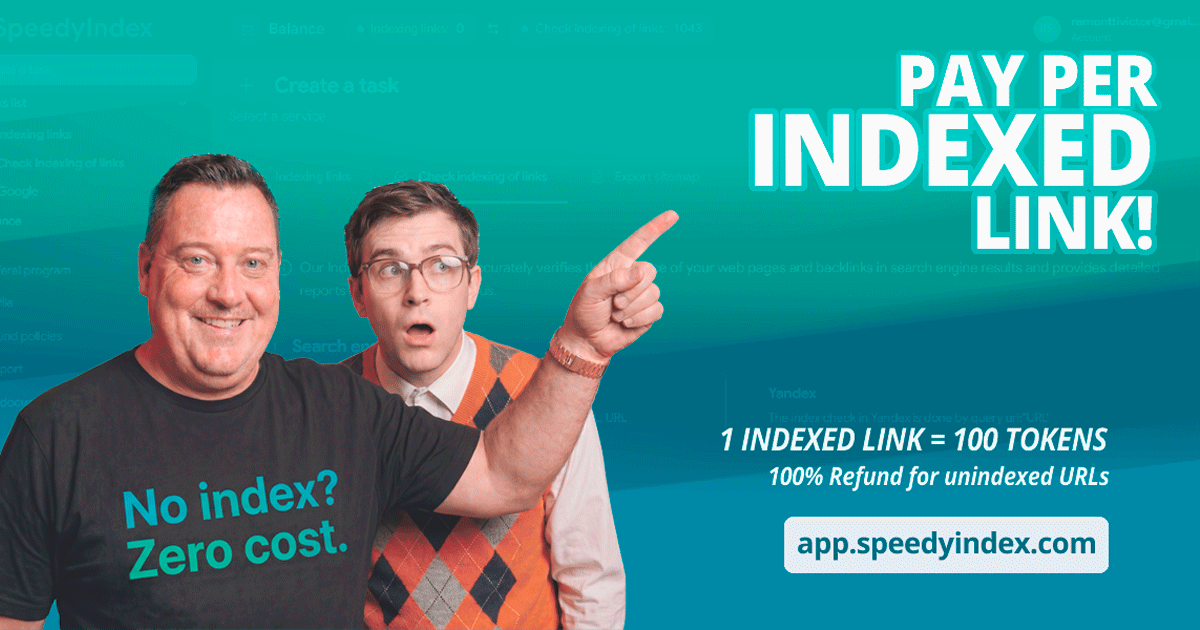
User reviews (0)