
 简体中文
简体中文 English
Website review
This review may include AI-generated content and is not individually verified. Domain, certificate and other facts come from the observed data on this page.
What is EZ Texting?
EZ Texting is a mass SMS and MMS marketing platform for businesses that want to reach customers by text message. Its core pitch is bulk sending at scale: the same toolset is meant to work whether you are messaging 10 contacts or 10,000. Beyond one-off blasts, the platform covers two-way texting, short codes, auto replies and automated workflows, contact management with unlimited contacts, opt-in tools, scheduling, and reporting.
What it is used for
Typical uses cluster around marketing and transactions:
- Promotions and announcements sent to an opted-in list.
- Two-way conversations, so replies land somewhere your team can answer.
- Automated sequences built from templates or a drag-and-drop builder.
- Payment collection by text through Text-to-Pay, and donation collection through Text-to-Give.
- Multilingual campaigns using six supported character sets: English, French, Spanish, Hebrew, Arabic, and Korean.
- AI Reply, which turns website content, knowledge bases, and PDFs into automated SMS responses.
Who it suits
Small and mid-sized businesses that want texting as a channel without assembling a custom stack. Retail, restaurants, real estate, clinics, nonprofits, and service businesses are natural fits, especially where a quick reply or a payment link shortens the path to a sale or donation. Larger teams with high message volume are addressed by the short code and automation features.
Trade-offs to weigh
SMS is permission-based, so list growth depends on your opt-in flow rather than purchased numbers. Costs generally scale with message volume and carrier fees, and character limits apply per message segment, which matters for multilingual sends. Compare EZ Texting against general marketing suites such as Mailchimp if email is your primary channel, or Twilio if you have developer resources and want to build custom messaging. A practical next step: start a free trial, import a small opted-in segment, and run one automated welcome sequence and one Text-to-Pay campaign to see whether the reporting gives you what you need before committing at volume.
How can I get started with EZ Texting for my business?
Start at EZ Texting's free registration, then send a test campaign to your own phone before importing your full contact list. The site advertises fast registration with no credit card required and a free trial, so the lowest-risk first step is to create an account, explore the dashboard, and confirm the workflow fits your business. See EZ Texting for the current sign-up path and Pricing when you are ready to compare plans.
A practical first-week sequence
- Register and verify your business details. SMS marketing requires compliance checks, so have your legal business name, address, and website ready.
- Claim or choose your sending number. You will send from a short code or a local number; the right choice depends on volume and whether you need two-way conversations.
- Build a small test list. Add your own mobile number and a few colleagues before uploading customers.
- Send one message to yourself. Test links, opt-out language, and timing on both iPhone and Android.
- Set up opt-in tools. Use keyword opt-ins, web forms, or QR codes so contacts join voluntarily rather than being imported cold.
- Import contacts in bulk. The platform supports manual entry and bulk upload of opted-in contacts, with unlimited contacts on the plans described.
- Launch one simple campaign. A single promotional text or reminder is enough to learn the interface before you automate anything.
Which feature to try first, based on your goal
| Your goal | First feature to explore | Why it fits |
|---|---|---|
| Get paid faster | Text-to-Pay | Send payment links by text so customers pay in a few clicks |
| Save staff time | Automated Workflows | Drag-and-drop builder with ready-made templates |
| Serve diverse customers | Multilingual Texting | Six supported character sets, including English, Spanish, and Korean |
| Answer common questions | AI Reply | Turns your website, knowledge base, and PDFs into SMS replies |
| Collect donations | Text-to-Give | Mobile-friendly donation links for supporters |
| Run one-to-one conversations | Two-Way SMS | Lets customers reply, not just receive |
Decisions to make before you commit
- Volume and sender type. High-volume promotional sending often points to a short code; conversational or local marketing usually suits a standard number. Confirm current options and lead times with the provider.
- Compliance ownership. You are responsible for consent and opt-out handling. Keep records of how each contact opted in.
- Integrations. If you use a CRM or e-commerce platform, check whether a native integration exists before building manual exports.
- Pricing model. Costs typically scale with message volume and features. Review the pricing page rather than assuming the free trial reflects ongoing cost.
For a concrete example: a dental office could register, claim a local number, add a QR code at the front desk for opt-ins, then send appointment reminders through an automated workflow. A nonprofit might start with Text-to-Give and a keyword campaign instead. The right entry point depends on whether your priority is transactions, conversations, or list growth.
What are the pricing plans and costs for EZ Texting?
EZ Texting sells its SMS marketing service on subscription plans rather than a single flat fee, and the exact cost depends on the plan tier and the size of your contact list. The site points visitors to a dedicated pricing page and a subscription form, and it advertises a free trial with fast registration and no credit card required, so you can test the platform before committing. Because message volume and contact count drive most SMS pricing, treat any figure you see as a starting point rather than a final number.
What to check on the pricing page
- Plan tiers and included contacts: Each tier typically sets a monthly contact limit and a message allowance; overages or higher tiers cost more.
- Monthly vs. annual billing: Annual commitments usually lower the effective monthly rate, but reduce flexibility.
- Message and MMS rates: SMS and MMS are often priced per message or bundled into credits, and MMS costs more than plain text.
- Add-ons: Short codes, dedicated numbers and advanced automation may carry separate charges.
- Fees: The site promotes "No Hidden Fees," but confirm carrier fees, setup costs and overage rates in writing.
How to decide
Start with your list size and expected monthly send volume, then compare the tier that covers both without forcing constant upgrades. If you send mostly plain SMS to a modest list, a lower tier may suffice; if you rely on MMS, multilingual texting or automated workflows, budget for a higher tier. Request a demo or start the free trial, then ask for a written quote that includes per-message rates and any add-ons before you subscribe.
For current figures, see EZ Texting pricing directly, and compare against Twilio or Attentive if you need enterprise-scale or API-driven messaging.
How does EZ Texting's Text-to-Pay feature work for collecting payments?
EZ Texting's Text-to-Pay feature lets you create and send payment links by text message so customers can submit payments in a few clicks, which the company positions as a way to get paid faster without the usual follow-up. In practice, you generate a payment link inside the platform, include it in an SMS or MMS to a contact, and the recipient taps it to complete payment through the linked payment page rather than mailing a check, calling in card details, or waiting for an invoice email to be opened.
What the workflow looks like
- Build the payment link in EZ Texting and attach it to a one-to-one text or a bulk send.
- Send it to an opted-in contact or a segmented list, optionally scheduled in advance.
- The customer taps the link and pays on their phone in a few clicks.
- You track the send and follow up through the same platform, using contact lists, automations, and reports.
Where it fits best
Text-to-Pay suits businesses that already collect small-to-mid-size payments and want a faster channel than email or paper: service businesses taking deposits, nonprofits running Text-to-Give campaigns, clinics collecting balances, or sales teams requesting a quick payment after a quote. Because it lives alongside bulk SMS, two-way texting, and automated workflows, it works well when payment requests are one step in a broader conversation rather than a standalone checkout.
Trade-offs to weigh
Text messaging is high-visibility but also high-intrusion, so payment requests need clear opt-in and a recognizable sender identity. Payment links also depend on the underlying payment processor and the customer's comfort with paying by phone; some buyers, especially for larger amounts, will still prefer an invoice or a call. Treat Text-to-Pay as a complement to your existing payment methods, not a full replacement.
A practical next step: run a small pilot with one recurring payment type, such as a deposit or a monthly balance, and compare completion rates and time-to-payment against your current method before rolling it out across all customer segments.
Can EZ Texting help with multilingual SMS campaigns?
Yes. EZ Texting supports multilingual texting across six character sets: English, French, Spanish, Hebrew, Arabic, and Korean. That means you can message contacts in their preferred language from the same platform you use for your other SMS campaigns, rather than running a separate tool for non-English audiences.
What this looks like in practice
- One list, multiple languages. You can segment contacts by language and send each group a version of the same campaign.
- Automated workflows. The drag-and-drop builder and ready-made templates let you route people into the right language branch, so a welcome series or appointment reminder goes out in the language each contact reads.
- AI Reply. Website pages, knowledge bases, and PDFs can be turned into SMS replies, which helps if your support content already exists in more than one language.
Where the trade-off sits
Six character sets is a meaningful range, but it is not the same as full localization. Arabic and Hebrew are right-to-left scripts, and message rendering, punctuation, and link placement can behave differently than in English. A short test send to a native speaker before a full campaign is worth the ten minutes. Also check how character encoding affects message length and cost, since some scripts use more characters per segment.
A concrete scenario
A clinic in a multilingual city could tag patients by preferred language, send appointment reminders in Spanish or Korean, and keep English as the default. Staff see one conversation history per contact, and patients get messages they can actually read.
Next step
Before committing, list the languages your audience actually uses, then confirm each one is covered. If you need a language outside the six supported sets, that is the point to evaluate alternatives. For a second opinion on the category, Twilio and Attentive are both established in SMS marketing, though their language handling and pricing models differ.
What kind of customer support and resources does EZ Texting offer?
EZ Texting's public site emphasizes self-service enablement more than a published support menu. The clearest signals are onboarding and product education: fast registration with no credit card required for the free trial, a demo request path, and a "See All Features" section that groups capabilities such as opt-in tools, contact management, automations, and advanced reports. The feature pages themselves act as a resource layer: Text-to-Pay, Automated Workflows, Multilingual Texting, AI Reply, and Text-to-Give each get an "Explore" entry point, so a prospective customer can evaluate use cases before committing.
For a concrete reader scenario: a small clinic office manager wants to send appointment reminders and collect payments. The practical starting sequence is to register for the free trial, use the demo request if the team needs a walkthrough, then read the Text-to-Pay and Automated Workflows pages to see whether the setup matches existing front-desk processes. That is a self-directed evaluation path rather than a documented support-tier structure.
What is documented versus what is not
| Area | What the page indicates | Practical implication |
|---|---|---|
| Trial and onboarding | Free trial, fast registration, no credit card required | Low-friction first test of the platform |
| Guided help | "Get a Demo" option | Useful for teams that want a live walkthrough before choosing a plan |
| Product education | Feature pages for Text-to-Pay, Automated Workflows, Multilingual Texting, AI Reply, Text-to-Give | Self-service research into specific use cases |
| Account and plan questions | Pricing and subscription links exist | Expect plan and billing details to be handled through those pages |
| Support channels and hours | Not detailed in the supplied page evidence | Confirm directly with the vendor before relying on a specific response time |
How to decide if this fits your support needs
If your team is comfortable with self-service documentation and occasional live demos, EZ Texting's resource model is likely sufficient. If you need guaranteed phone support, named account management, or formal service-level commitments, ask about those explicitly during the demo rather than assuming they are included. A reasonable next step is to request the demo and ask two questions: what support channels come with each plan, and how onboarding help is delivered for a team of your size.
 Google Cloud DNS
 Fastly
 Google Workspace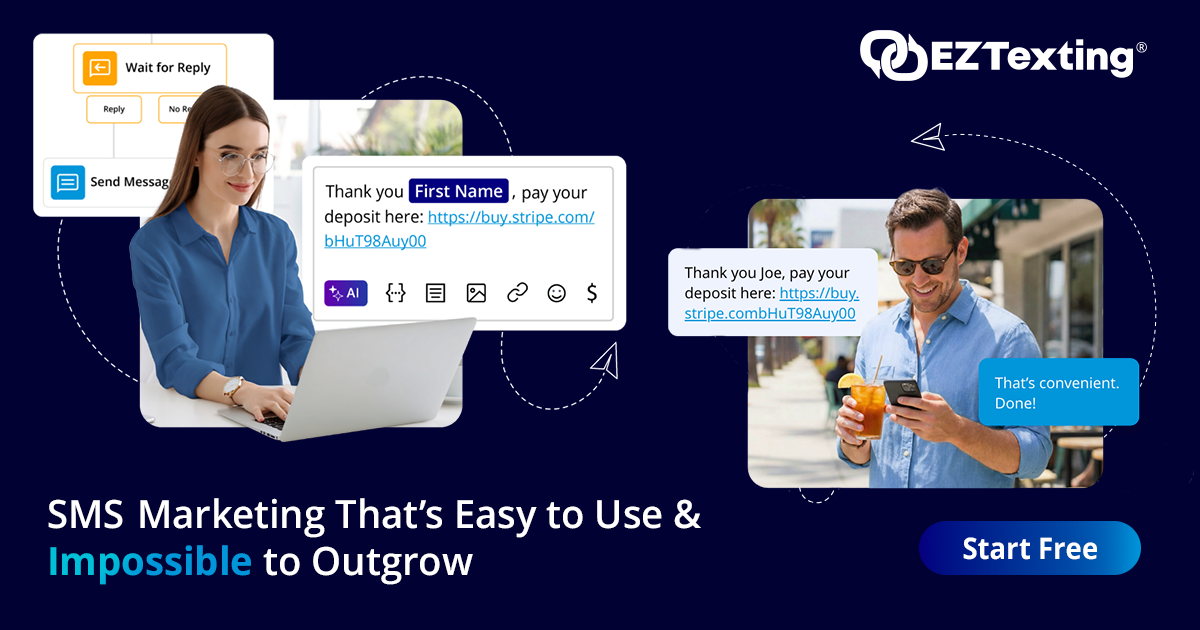

User reviews (0)