Website profiles · Technology insights · Alternatives

fontinterceptor.mschfmag.com

Font Interceptor pulls all the font files in use on a target URL for download.

No paid content found
Visit website
Profile views 1 Outbound visits 0 Normal
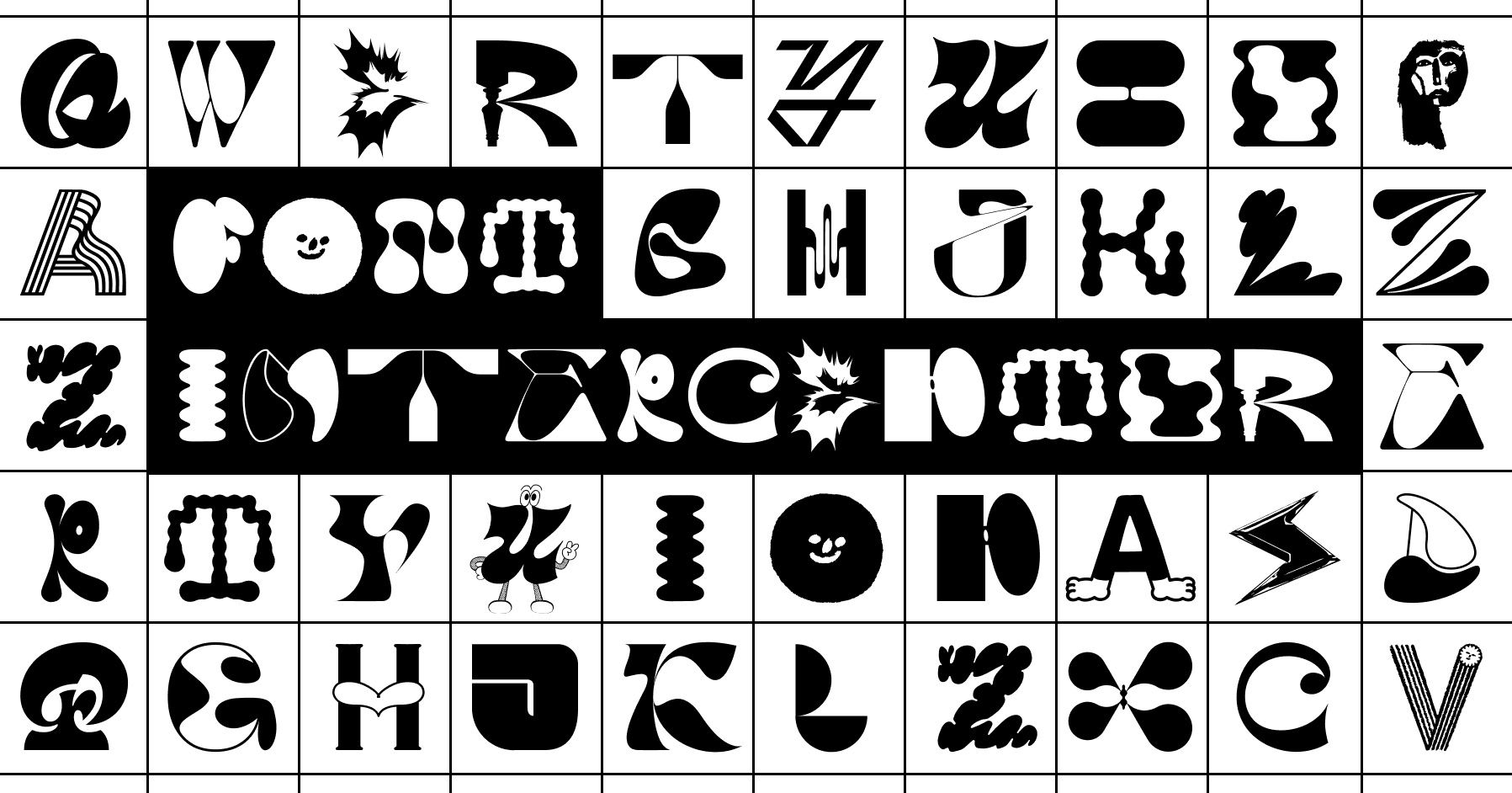
Font Interceptor Full homepage screenshot

At a glance

Category
Icons & Fonts
Language
English
Paid-content signal
No paid content foundObserved
Registered
2020
Hosting
CloudflareInferred
HTTPS certificate trusted
PassedObserved
Last updated

Website review

This review may include AI-generated content and is not individually verified. Domain, certificate and other facts come from the observed data on this page.

What is Font Interceptor?

Font Interceptor is a web tool that collects the font files being used on a target URL so they can be downloaded. You give it an address, and it pulls out the webfonts that page loads.

The obvious use is research: seeing which typefaces a site relies on, or grabbing files for a design reference. The trade-off is that downloading a font file and having the right to use it are different things. Many webfonts are licensed to the site that serves them, and pulling the files doesn't grant a license. If you want to use a typeface you found, check the foundry or a legitimate distributor such as Google Fonts for open-licensed options, or MyFonts to buy a license.

A practical next step: before downloading anything, identify the font's license on the source site or the foundry's page. If it's not clearly open, treat the file as a reference only and license it properly.

How do I use Font Interceptor to download the fonts from a specific website?

Font Interceptor is a browser-based tool that scans a target URL and lists the web font files it finds in use, so you can download them. You give it the address of the page you want to inspect, and it returns the font files that page loads.

How to use it

  1. Open Font Interceptor in your browser.
  2. Enter the full URL of the page whose fonts you want to capture (for example, the specific article or landing page, not just the site's home page).
  3. Run the scan and wait for it to return results.
  4. Review the list of font files it finds and download the ones you need.

Because the tool works from the page's loaded resources, results depend on what that particular page actually renders. A page that only uses a couple of weights will show only those; a page with many custom typefaces will show more.

A realistic scenario

Suppose you are rebuilding a page you admire and want to match its typography exactly. You point Font Interceptor at that page, collect the files, and compare them against the fonts you already license. If the typeface is open source (many are on Google Fonts or GitHub), you can use it freely. If it is a commercial font, the download tells you what is being used, but not that you may use it.

The licensing trade-off

This is the part that matters most. Downloading a font file is not the same as having the right to use it. Commercial webfonts are usually licensed per site, per pageview, or per domain, and pulling the file does not grant any of that. A sensible workflow is:

  • Identify first. Use the tool to learn which typeface and weights a site uses.
  • Check the license. Look for the foundry or the site's font provider.
  • Buy or substitute. Purchase a license, or pick a visually similar open-source alternative.

For finding open alternatives, Google Fonts and Fonts In Use are useful references for matching a look without copying a licensed file.

When it is the right tool

Use Font Interceptor when your goal is identification or when you are working with fonts you already have rights to. Avoid treating it as a shortcut to free commercial fonts; that is where the legal risk sits, regardless of how easy the download is.

Is it legal to use fonts pulled with Font Interceptor in my own projects?

Not automatically. Font Interceptor pulls the font files a target URL is serving, but downloading a file and having the right to use it are separate things. Legality depends on the license attached to each font, not on the tool that retrieved it.

What determines whether you can use a pulled font

  • The font's license. Open-license fonts (for example those under the SIL Open Font License) generally allow reuse, including in commercial projects, often with conditions such as keeping copyright notices or not selling the font itself. Commercial retail fonts usually require a paid license per use, seat, or embedding type.
  • How the site obtained it. A site can serve a font it licensed only for its own web use. That license typically does not extend to you, even though the file is technically downloadable.
  • Where you'll use it. Web embedding, desktop installation, app bundling and print are often licensed separately. A license for one does not cover the others.
  • Self-hosting vs. hotlinking. Copying the file into your own project is the riskier path; it looks like redistribution if the license does not permit it.

Practical next step

Before using any pulled file, identify the font by name and check its official source for the license text. If the license is unclear or the font is a commercial retail face, treat it as unusable until you buy the appropriate license. When you only need the look, a close open-license alternative is usually the safer route.

For open-license fonts and their terms, see Google Fonts and SIL Open Font License.

What does Font Interceptor reveal about which webfonts a site is licensing?

Font Interceptor doesn't reveal licensing at all — it reveals usage. The tool scans a target URL and pulls the font files the page actually loads, so what you get is a list of font files in play, not a statement of who licensed them, on what terms, or whether the site is permitted to serve them.

That distinction matters because a loaded webfont file tells you almost nothing about the license behind it:

  • A font can be free, paid, or custom. Open-license fonts (SIL OFL, Apache), commercially licensed families, and bespoke typefaces all arrive as ordinary webfont files. The file itself doesn't carry the licensing story.
  • Serving and licensing are separate acts. A site may self-host, use a foundry's CDN, or rely on a third-party host. Seeing a file doesn't tell you which arrangement applies.
  • Detection is not proof of infringement. Fonts appearing in a page's assets are a starting point for a question, not an answer to it.

Who finds this useful, and how

A designer doing a visual teardown can use the output as a shortcut: instead of guessing from screenshots, they get the actual files, which makes it easier to identify a typeface and then look up its legitimate source and terms. A developer auditing their own site can check what's being loaded and confirm each family is covered by a license they hold. A type foundry or rights holder might treat a scan as a lead worth investigating — but only a lead, since the license terms and any permission would need to be established separately.

The practical trade-off is speed versus certainty. Font Interceptor is fast and concrete about what a page loads; it says nothing about rights. If your goal is to use a font you found, treat the scan as identification only, then go to the foundry or an official source to check the license. For open-license families, Google Fonts and SIL Open Font License document terms directly; for commercial families, the foundry's own site is the authoritative place to confirm what a license covers.

A simple decision rule: if you need to know what a site uses, a scan answers it; if you need to know whether you may use it, the scan is the wrong tool and the license text is the right one.

How can I check whether a downloaded font comes with an open license before I redistribute it?

Start with the font's own license file, not with the website you downloaded it from. A font file's redistribution terms travel with its license, and a site that offers a download does not grant rights by itself.

Check the license in this order

  1. Look for a license file in the download. Open-licensed fonts usually ship with OFL.txt, LICENSE, LICENSE.md, or a COPYING file next to the font files. Read it before anything else.
  2. Check the font's embedded metadata. Open the font in a font editor or an inspector such as FontForge, or check its name table fields. Open Font License fonts typically record license and copyright information in the font's metadata. If the metadata names the SIL Open Font License, confirm it against the actual license text.
  3. Trace it to the original source. Go to the foundry or project page that publishes the font and compare the license stated there with what you received. If the two disagree, treat the stricter one as binding.
  4. Read the actual terms, not just the label. "Free" and "open" are not the same. Check whether the license permits redistribution, modification, embedding in software, and commercial use, and whether it requires attribution or renaming of modified versions.

Common license types and what they typically allow

License Redistribution Modification Typical catch
SIL Open Font License (OFL) Yes, with license Yes Modified versions generally cannot use reserved font names; license must travel with the font
Apache License 2.0 Yes Yes Notice and attribution requirements
Public domain / CC0 Yes Yes Verify the claim at the source
Free for personal use Often no Usually no Commercial or bundled redistribution usually needs a paid license
Commercial / desktop license Usually no Usually no Redistribution and webfont use are separate, priced licenses

A practical scenario

Suppose you download a display font to use in a client's app and also want to bundle it in the installer. Finding an OFL file in the download is a good sign, but you still need to confirm that the copy you have matches the original release and that the license file ships with your product. If the only evidence is a "free download" button on a site like Font Interceptor, that is not a license grant; it tells you the file was collected from a page, not that its author permitted redistribution.

Decision rule

If you cannot find a license file, cannot confirm the license at the original source, and the font is not clearly public domain, do not redistribute it. Contact the foundry for written permission, or substitute a font with a documented open license such as one from Google Fonts or the SIL OFL collection.

Why might a designer or developer want to inspect the fonts a competitor's site uses?

A designer or developer inspects a competitor's fonts to learn from type choices that are already proven in a real, live context: which families carry a brand's tone, how headline and body text pair, how sizes and weights create hierarchy, and how the page performs with those fonts loaded. It is mainly research and benchmarking, not copying.

Concrete uses:

  • Brand and tone analysis: Identify the families behind a look you want to understand, then judge whether a similar choice fits your own brand.
  • Pairing ideas: See how a site combines a display face with a text face, and note the weight and size contrast that makes it work.
  • Performance benchmarking: Check how many font files a fast competitor loads, which formats it serves, and whether it uses system fonts or variable fonts.
  • Licensing diligence: Note which foundries and licenses are common in your sector so you can budget and avoid accidental misuse.
  • Fallback and accessibility review: Inspect how a site handles loading failures and whether text stays readable at large sizes.

Font Interceptor, per its own description, pulls the font files in use on a target URL for download. That makes extraction easy, but downloading and reusing font files is a licensing question, not just a technical one. Most webfonts are licensed per site, per traffic level, or per user count; a file you can download is not a file you may deploy. Treat extracted files as reference material and obtain the font from its official source.

A practical next step: pick two competitors, record the font families, weights and file counts you observe, then compare that against your own stack. If a family fits, check the foundry's license directly—for example, open-licensed families are documented at Google Fonts, and commercial licenses are listed by foundries such as Hoefler&Co or Commercial Type. Use inspection to inform decisions and licensing to make them.

Related questions

More questions →
What Are Insurance Producer Licenses and How Do They Work?

An insurance producer license is the state-issued credential that allows a person or business to sell, solicit, or negotiate insurance products. You need one before you can legally transact insurance in a given state, and you generally need a separate license for each state where you do business. NIPR (the National Insurance Producer Registry) is a centralized service that lets you apply for, renew, and manage those licenses in one place, while the actual licensing decisions remain with each state's insurance department.

Who needs an insurance producer license

A producer is anyone who sells, solicits, or negotiates insurance on behalf of an insurer or agency. That covers:

  • Individual agents and brokers selling life, health, property, casualty, or other lines.
  • Agency and business entities that need their own entity license in addition to the licenses held by individual staff.
  • Adjusters, consultants, and surplus lines brokers in states that license those roles separately.

If you only handle administrative work with no selling or soliciting, you typically don't need a producer license. The exact scope of what counts as "soliciting" is defined by state law, so confirm with the state you're operating in.

The home state and why it matters

Your home state is generally where your principal place of business is located and where you hold (or are applying for) a resident license. It anchors everything else:

  • Resident license — issued by your home state, usually requires passing that state's exam and meeting its background requirements.
  • Non-resident license — issued by other states. Most states grant non-resident licenses based on your resident license rather than requiring you to retake exams, though you still apply and pay fees in each state.

This structure is why the home state is the starting point: get your resident license right, and expanding to other states becomes largely an application and fee process.

Steps to apply for a license

The general sequence looks like this, though details vary by state:

  1. Review state requirements. Check the specific state's licensing page for pre-licensing education hours, exam requirements, and any line-of-authority rules.
  2. Complete pre-licensing education if the state requires it for your line of authority.
  3. Pass the state licensing exam for each line you want to sell (for example, life, health, or property and casualty).
  4. Submit fingerprints and a background check where required.
  5. Apply for the license. You can apply through NIPR, which routes the application to the state, or directly through the state in some cases. NIPR's licensing tools cover applying, renewing, and managing licenses, including reviewing state requirements, updating information, and uploading documents from one place.
  6. Wait for state review. The state insurance department approves or denies the application and issues the license.

Expect the process to involve fees at multiple points — exam fees, fingerprint fees, application fees, and per-state license fees. NIPR's own pricing isn't listed in the source material, so check NIPR and the individual state for current costs.

Renewing and managing licenses

Once approved, a license isn't permanent. You'll need to:

  • Renew on the state's cycle, typically every one to two years depending on the state and license type.
  • Complete continuing education (CE) credits before renewal. CE requirements vary by state and line of authority.
  • Keep your information current — address changes, name changes, and new appointments often must be reported within set timeframes.
  • Manage appointments, which are the formal relationships between you and the insurers you represent.

NIPR is built for this ongoing work: it lets you renew and manage licenses, update information, and upload documents in one place rather than tracking down each state's separate system.

Ongoing compliance obligations

Licensing is the entry point; compliance is the ongoing job. Common obligations include:

Obligation What it involves
Continuing education Earning CE credits each renewal cycle, per state rules
Reporting Disclosing changes like address, name, or new appointments
Background/disciplinary reporting Reporting certain legal or disciplinary events to states
State-specific rules Meeting each state's unique requirements for the lines you sell

NIPR positions itself as a compliance monitoring resource, using current data and centralized interfaces to help producers and businesses maintain state compliance. The source notes NIPR has served the insurance industry for over 25 years and completes more than 103 billion credentialing and report transactions annually — a signal of how much licensing activity flows through centralized systems.

How NIPR fits in

NIPR is a centralized licensing and compliance solution, not the licensing authority itself. States still make the decisions; NIPR streamlines the process from application through renewal. For producers, the practical benefit is one place to apply, renew, and manage licenses across states, instead of navigating each state's portal separately. For businesses, NIPR's industry solutions are aimed at streamlining licensing and maintaining state compliance while serving customers and growing.

If you're just starting out, the sequence is: confirm your home state's requirements, complete education and exams, apply (often through NIPR), then stay on top of renewals and CE. If you're expanding, your resident license is the foundation for non-resident applications in other states.

What Does an Affordable Custom Website Service Offer and How Do You Choose One?

An affordable custom website service builds or repairs a site for you at a low price point, usually by coding it directly rather than reselling a template subscription. HandmadeWebsites.com, for example, describes itself as offering "Affordable, Customized Websites for ALL OCCASIONS," coding "from scratch" and also repairing existing sites, with the tagline "Twice As Nice for Half the Price." That combination — custom code, repair work, and a low-price promise — is the profile you should evaluate before hiring any similar provider. The sections below explain what these services actually do, how to compare quotes on equal terms, and what to confirm in writing before you pay.

What "custom coded from scratch" actually means

A provider that codes from scratch writes the HTML, CSS, and any scripts for your site specifically, instead of installing a pre-made theme and swapping in your logo and text. The practical differences:

  • Design control. Layouts, colors, and page structure can be built around your content rather than forced into a template's grid.
  • Performance and weight. A hand-built page can ship only the code it needs, which often means faster loading than a theme bundled with features you never use.
  • Maintenance trade-off. Custom code is only as good as its documentation. If the developer disappears, a future developer has to read the code to change it, whereas template sites usually have a large pool of people who know the platform.

This is not automatically better than a well-built template site. For a simple brochure site, a reputable template platform may be cheaper to maintain and easier for you to edit yourself. Custom coding earns its cost when you need a specific layout, unusual functionality, or a design that does not look like everyone else's.

Services an affordable custom shop typically offers

Based on what HandmadeWebsites.com advertises, a provider in this category commonly covers:

Service What it means for you
New site build Design and code a site from zero
Repair of an existing site Fix broken pages, layout issues, or outdated code
Redesign Rebuild an existing site with a new look
Ongoing maintenance Updates and small changes after launch

The site's own keywords — "Web Designs," "Website Developer," "Web Site Designer," "Web Programmer," "Musical Websites," "Colorful Websites" — suggest it also takes on niche or style-specific work, such as sites for musicians or visually bold designs. If your project fits a niche the provider already lists, ask to see work in that niche specifically.

How to judge "affordable" without getting burned

A low price is only meaningful next to a defined scope. Two quotes of $500 can buy very different amounts of work. Compare providers on these dimensions, and get each answer in writing:

  1. Page count and content. How many pages, and who writes the text and supplies images?
  2. Revisions. How many rounds of changes are included before extra charges start?
  3. Ownership. Do you own the code and domain, or does the provider retain control?
  4. Hosting. Is hosting included, and what happens to the price after year one?
  5. Timeline. What is the delivery date, and what does the provider need from you to hit it?
  6. Post-launch support. How long is support included, and what does it cost afterward?
  7. Payment schedule. How much is due upfront versus on delivery?

Affordability that survives scrutiny usually looks like a fixed scope, a clear revision limit, and a payment schedule tied to milestones. Affordability that does not survive scrutiny usually looks like a very low headline number with hosting, edits, or "rush" fees added later.

Questions to ask before you commit

Ask these directly, and treat vague answers as a signal:

  • Can you show me two or three live sites you built, and can I contact those owners?
  • Will I receive the source files and full admin access at handover?
  • What exactly is included in the quoted price, and what costs extra?
  • If I need a change six months from now, what do you charge?
  • What happens if the site breaks after launch?

A provider who codes from scratch should be able to explain, in plain language, how your site will be built and how you will edit it afterward. If the answer is only "don't worry, we handle everything," you are buying a dependency, not a website.

Red flags when comparing low-cost quotes

  • No live portfolio or references. Anyone can show mockups; ask for sites that are actually online.
  • No written scope. A price without a page count, revision limit, and timeline is not a quote.
  • Full payment upfront. Milestone payments protect you if the work stalls.
  • No answer on ownership. If you cannot get the code and domain in your name, you cannot leave.
  • Pressure to decide immediately. Genuine providers can hold a quote for a few days.
  • Prices far below every other quote. Someone is cutting scope, support, or both — find out which.

How to request a quote and evaluate the response

Send the same brief to every provider you are considering so the quotes are comparable. Include:

  • The number of pages and their purpose
  • Whether you need a new build, a repair, or a redesign
  • Any specific features (contact forms, galleries, booking, audio or video)
  • Your deadline and budget range
  • Examples of sites you like

Then compare the replies on scope, timeline, ownership, and support — not just the total. A provider who asks clarifying questions before quoting is usually more careful than one who returns a number instantly. HandmadeWebsites.com's "half price" positioning is a claim to test against the checklist above, not a reason on its own to hire or skip them: request a written scope, ask for live examples, and confirm who owns the finished site before you pay a deposit.

What Are Open Source Fonts and How Do You Use Them?

Open source fonts are typefaces released under a license that lets anyone use, study, modify, and redistribute them—including the font files themselves. You can use them in websites, apps, and print without paying a license fee, provided you follow the specific terms of the license (most commonly SIL OFL, Apache 2.0, or GPL). This guide explains the difference between open source, freeware, and public domain fonts, how the major licenses work, where to find and verify them, and the practical steps for embedding and attribution.

Open Source vs. Freeware vs. Public Domain

These three terms are often used interchangeably, but they mean different things:

Category Can you use it? Can you modify it? Can you redistribute it? Source files available?
Open source (e.g., SIL OFL) Yes Yes Yes, under same license Usually yes
Freeware Often yes, per EULA Usually no Usually no No
Public domain Yes Yes Yes Not required
  • Open source fonts come with a license that grants the same freedoms as open source software. The license travels with the font, so derivatives must keep the same terms.
  • Freeware fonts are free to download but the license may restrict modification, redistribution, or commercial use. "Free" here means zero cost, not freedom.
  • Public domain fonts have no copyright restrictions at all. You can do anything with them, but the original designer gives up attribution rights.

The key practical difference: with open source fonts, you can legally modify the glyphs, rename the font, and ship it inside your product—as long as you comply with the license.

Common Open Font Licenses and What They Allow

SIL Open Font License (OFL)

The most widely used license for open source fonts (e.g., most Google Fonts). It allows:

  • Use in commercial and non-commercial projects
  • Modification and redistribution
  • Embedding in websites, apps, and documents

Requirements:

  • The font must not be sold by itself.
  • Modified versions must not use the Reserved Font Name (if one is declared).
  • Any derivative must also be released under the OFL.

Apache License 2.0

Used by some open fonts (e.g., early versions of Roboto). It allows:

  • Commercial use, modification, distribution
  • Patent grant from contributors

Requirements:

  • You must include a copy of the license and state changes made.
  • It does not have the "no selling by itself" restriction, but you still need to keep notices.

GNU General Public License (GPL)

Less common for fonts but used in some projects (e.g., GNU FreeFont). It allows:

  • Use, modify, redistribute

Requirements:

  • If you distribute a modified version, you must release the source under GPL.
  • This can be problematic for embedding in proprietary software, because the copyleft may extend to the whole work depending on how it's linked. Many font projects use GPL with a font exception to clarify.

Rule of thumb: For most web and app projects, SIL OFL is the safest and most permissive choice. Apache 2.0 is also fine if you don't mind including notices. Avoid GPL fonts in closed-source products unless you understand the copyleft implications.

How to Find and Verify Open Source Fonts

Community libraries like Font Library (fontlibrary.org) collect fonts that are explicitly licensed for open use. When you download from such a library, the font page usually states the license.

To verify a font's license:

  1. Check the font file itself. Open the font in a font editor (e.g., FontForge) or use a command-line tool like otfinfo or fc-query. The license is often embedded in the name table.
  2. Look for a LICENSE or OFL.txt file in the download package.
  3. Check the project's website or repository (e.g., GitHub). If the license is not stated, assume it's not open source.
  4. Search the font name on a license database like the SPDX license list or the Google Fonts license page.

If you cannot find a clear license, do not use the font in a commercial project. "Free download" does not mean open source.

Practical Use: Websites, Apps, and Print

Embedding in websites

  • Self-hosting: Download the font files (WOFF2 is best for web), place them in your project, and use @font-face in CSS. This gives you full control and avoids third-party requests.
  • Third-party hosting: Google Fonts and similar services host open fonts and provide a CSS link. Check that the font's license allows this (OFL and Apache do).
  • Attribution: OFL does not require attribution in the website's visible text, but you must keep the license file with the font files. Apache 2.0 requires you to include a NOTICE file if one exists.

Example @font-face for an OFL font:

@font-face {
  font-family: 'MyOpenFont';
  src: url('myopenfont.woff2') format('woff2');
  font-weight: 400;
  font-style: normal;
}

Embedding in apps

  • Mobile apps: You can bundle OFL and Apache fonts in your app. For OFL, include the license text in your app's about screen or a licenses file. For Apache, include the license and any NOTICE.
  • Desktop apps: Same rules apply. If you modify the font, you must rename it if the original has a Reserved Font Name.

Print

  • You can use open source fonts in printed materials (books, posters, packaging) without restriction, as long as you don't sell the font itself.
  • If you modify the font for a logo, check the license: OFL allows modification but requires the derivative to be under OFL. That means you cannot claim exclusive copyright on the modified font, but you can use it in a logo.

Common Licensing Mistakes and How to Avoid Them

  • Assuming "free" means open source. Many free fonts are freeware with restrictive licenses. Always check the license file.
  • Forgetting attribution for Apache fonts. Apache 2.0 requires you to keep copyright notices and state changes. Put them in a licenses file.
  • Using GPL fonts in closed-source apps. The copyleft may require you to release your app's source. Use OFL or Apache instead.
  • Selling a font you got for free. OFL and many other licenses prohibit selling the font by itself. You can sell a product that uses the font, but not the font files alone.
  • Modifying a font with a Reserved Font Name. If the original font has a Reserved Font Name (e.g., "Roboto"), you must rename your modified version. Check the license for the RFN clause.
  • Not including the license file when redistributing. Always bundle the original license text with the font files.

By following these guidelines, you can confidently use open source fonts in any project while staying compliant with their licenses.

Font Interceptor: What It Does and Why Downloading a Site's Webfonts Can Be Font Piracy

Font Interceptor is a tool from MSCHF that pulls the font files in use on a target URL so you can download them. It works by reading the webfont files a site publicly serves to browsers, which makes it technically easy to grab typefaces you don't own. That ease is exactly where the piracy problem starts: a font being publicly served does not mean it is licensed for you to download, keep, or reuse. Use Font Interceptor only to inspect fonts you already have rights to, or to identify a typeface so you can license it properly.

What Font Interceptor actually does

When a website loads a custom typeface, the browser downloads webfont files (typically WOFF or WOFF2, sometimes TTF or OTF) from the site or a font host. Font Interceptor reads those requests for a target URL and collects the font files in use so they can be downloaded.

What you get is the webfont build the site serves, not a retail desktop font package. That distinction matters:

  • Webfont files are often subsetted — trimmed to the characters the site needs, so glyph coverage may be incomplete.
  • They may be obfuscated or renamed, making identification harder.
  • They carry no license grant. The file arriving in your browser is a technical delivery, not permission to reuse.

So even before licensing, the download is often a poorer artifact than the real font.

Why grabbing fonts from a live site can be piracy

Fonts are software and creative works protected by copyright, and they are licensed, not sold outright. A typical commercial webfont license grants the site owner the right to serve that font on their domain, for a defined pageview or traffic tier. It does not grant visitors the right to download, install, or redistribute the files.

Downloading a site's webfonts with Font Interceptor and then reusing them can therefore infringe in several ways at once:

  • Reproduction — you made a copy the license doesn't permit.
  • Redistribution — embedding the file in your own site or project shares it further.
  • Circumvention of licensing tiers — you skip the pageview or domain license the foundry sells.

The fact that the file is publicly reachable is not a defense. Public availability is how the web works; it is not a waiver of the license. This is the core confusion Font Interceptor invites: "the browser already downloaded it" feels like permission, but it isn't.

Open-licensed fonts vs. commercial webfonts

The legality of reuse depends almost entirely on the license attached to the font, not on how you obtained the file.

Open-licensed fonts Commercial webfonts
Examples of licenses SIL Open Font License (OFL), some Apache or CC licenses Foundry EULAs, per-domain or per-pageview webfont licenses
Downloading from a site Usually permitted by the license itself Generally not permitted for reuse
Modifying Often allowed under OFL conditions Usually restricted
Redistribution Allowed within license terms (OFL requires renaming modified versions) Usually prohibited or requires an extended license
Best path Download from the official source, not a random site Buy the license from the foundry or a reseller

The practical rule: check the license before you reuse any font file, and prefer getting open fonts from their official repositories rather than scraping them from someone else's site.

Legitimate ways to get the font you want

If Font Interceptor helped you identify a typeface, use that identification to obtain it properly:

  1. Identify the font — inspect the site's CSS or use Font Interceptor's output to get the family name.
  2. Find the foundry or vendor — search the family name plus "font license" or check marketplaces like MyFonts, Fontspring, or the foundry's own site.
  3. Buy the right license — desktop, webfont, app, or server licenses are sold separately; pick the one matching your use.
  4. Or choose an open alternative — Google Fonts, the OFL collection, and similar sources give you clear reuse rights at no cost.
  5. When in doubt, ask — foundries often answer licensing questions directly, and a short email can prevent a dispute.

Practical risks of using unlicensed fonts

Beyond the legal exposure, unlicensed fonts create operational problems:

  • Takedown notices — foundries and rights holders do monitor sites and can demand removal.
  • Hosting and platform enforcement — some hosts and CDNs act on copyright complaints.
  • Incomplete files — subsetted webfonts may lack glyphs you need, forcing a rewrite later.
  • Rebuild cost — swapping a typeface after launch means redoing typography, spacing, and testing.
  • Reputational damage — clients and collaborators notice unlicensed assets.

Bottom line

Font Interceptor is a font-identification and inspection tool, not a font-acquisition shortcut. Downloading a site's webfonts and reusing them is font piracy unless the license explicitly allows it. Use the tool to learn what a font is, then get it the right way: buy the license, use an open-licensed alternative, or contact the foundry.

What Is Typography and How Do You Apply Its Core Principles?

Typography is the art and technique of arranging type so text is readable and visually effective. It covers far more than picking a font: typeface choice, size, weight, spacing, line length, and hierarchy all shape how a reader moves through a page. Apply its core principles whenever you set text for a document, website, poster, or presentation—and judge your choices by whether a reader can scan, read, and understand without friction.

Typography Is Arrangement, Not Just Font Choice

Choosing a typeface is one decision inside typography. The larger job is arranging type: how large it is, how tightly lines sit together, how much space separates sections, and which elements draw the eye first. Two documents using the same font can feel completely different depending on those arrangements.

A useful test: if you swapped the font but kept every spacing and size decision, would the page still work? If yes, your typography is doing real work. If no, the font was carrying the whole design.

Know Your Typeface Categories

Typefaces fall into broad categories, each with a different tone and typical use. Best-Font.com's free font database organizes its listings under labels such as Sans serif, Serif, Script, Display, Calligraphy, Fancy, Brush, and Dingbats, which reflects how these categories are commonly separated.

Category Typical character Common use
Serif Traditional, formal, easy for long reading Body text in print, editorial layouts
Sans serif Clean, modern, neutral Web body text, UI, headings
Script Handwritten, flowing, personal Invitations, logos, short accents
Display Bold, decorative, distinctive Headlines, posters, covers
Calligraphy / Brush Expressive, stroke-driven Titles, artistic pieces
Dingbats Symbols and icons rather than letters Decorative or functional icons

Match the category to the job. A display face that looks striking on a poster will exhaust a reader across three paragraphs of body text.

Control Readability and Legibility

Legibility is whether individual letters and words can be distinguished. Readability is whether a block of text is comfortable to read. Both depend on measurable settings:

  • Line length: Aim for roughly 45–75 characters per line in body text. Longer lines make the eye lose its place on the return sweep; shorter lines break rhythm.
  • Line height (leading): Body text usually sits comfortably around 1.4–1.6 times the font size. Tight leading crowds lines; loose leading disconnects them.
  • Letter spacing (tracking): Leave normal spacing for body text. Add slight tracking to all-caps headings, which otherwise look cramped.
  • Contrast: Ensure sufficient contrast between text and background. Low-contrast gray-on-gray is a common readability failure.
  • Size: Body text should be large enough to read without strain at the intended viewing distance—smaller on a phone screen held close, larger on a wall poster viewed from across a room.

Use Hierarchy to Guide the Reader

Hierarchy tells readers what matters most and in what order to read. You build it with scale, weight, and spacing rather than decoration alone.

  1. Scale: Make the most important element clearly larger. A heading twice the body size reads as primary; a heading only slightly larger reads as ambiguous.
  2. Weight: Bold or heavier weights pull attention. Reserve them for genuine emphasis so they keep their force.
  3. Spacing: White space above a heading separates it from prior content; space below ties it to the text it introduces. Grouping through proximity signals relationship.
  4. Consistency: Repeat the same treatment for the same level of content. If every subheading looks the same, readers learn the pattern quickly.

A simple three-level system—title, subheading, body—handles most documents. Add levels only when the content genuinely needs them.

Common Mistakes and How to Fix Them

  • Too many typefaces. Limit yourself to two, or one family in several weights. Extra faces compete instead of cooperating.
  • Centered long text. Centering works for short lines like titles; it makes multi-line paragraphs hard to track. Left-align body text.
  • All caps for long passages. Capitals remove word-shape cues and slow reading. Use them for short labels or headings.
  • Tight or default spacing left unchecked. Adjust leading and tracking deliberately rather than accepting defaults that may not suit your size and measure.
  • Decorative fonts for body copy. Keep display, script, and brush faces for short, high-impact text.
  • Weak contrast. Check text against its background at the actual size and medium it will appear in.

Applying It in Practice

Start with the content: identify what readers must see first, second, and third. Pick one or two typefaces that match the tone, set a comfortable body size with generous leading and a moderate line length, then build hierarchy with scale and weight. Review by reading the page as a stranger would—if your eye lands where you intended and the text is easy to follow, the typography is working.

Website Overview

An established domain and managed infrastructure suggest continuity of operations and may support dependable delivery, although neither guarantees service quality. An active inbound-mail setup with incomplete authentication may leave the domain more open to impersonation. Provider hosting alone does not close that gap.

Domain and Registration

Registered in 2020, this domain has about 6 years of history. That suggests continuity, although ownership and purpose may have changed. Transfer-protection status is present, helping reduce the risk of unauthorized domain transfers. The registrar is NameCheap, Inc., a widely used domain service provider. The domain uses the common .com extension, which is not an independent safety signal.

DNS and Email

MX records exist, but SPF, DKIM and DMARC were not detected. Protection against domain impersonation may be incomplete. Nameservers are provided by Cloudflare, indicating managed DNS hosting. MX records point to the Google Workspace email service. No CNAME was found; the observed records resolve directly to addresses. TXT records include verification markers for Google. Such markers may also remain after a service stops being used.

TLS and Certificates

The public key uses EC with 256 bits. The server supplied a complete certificate chain. No organization name is present in the certificate; the available fields are consistent with domain validation. The certificate was issued within the Google Trust Services cloud or CDN ecosystem. The certificate's total validity is about 90 days, consistent with a short renewal cycle.

HTTP and Browser Security

The checked browser-security headers were not detected, leaving fewer explicit browser-side safeguards. No X-Powered-By header was found, reducing one common source of backend fingerprinting information. The cf-ray response header indicates a CDN or caching proxy in the delivery path. No obvious internal addresses or debug information were found in the headers. The Server header identifies cloudflare without an exact version.

Technology Stack Analysis

The public page identifies Nuxt, Cloudflare without precise versions, leaving fewer clues for version-specific scanning.

Search and Social Sharing

No homepage canonical URL was detected. If duplicate URLs exist, consolidation may be less explicit. Twitter Card metadata is configured. The title has 16 characters, within a common display range. A meta description is present, with 78 characters. The observed directives allow indexing and link following.

Hosting and Email

DNSCloudflare
HostingCloudflare
EmailGoogle Workspace
Approximate IP geolocation (inferred; a CDN or proxy may differ from the origin server) Location unknown Inferred 104.21.94.19

Registration details

RDAP / WHOIS

RegistrarNameCheap, Inc.
Registered2020-04-30
Expires2027-04-30
Domain statusclient transfer prohibited
Nameserverselaine.ns.cloudflare.com、rocky.ns.cloudflare.com
DNSSECunsigned

DNS records

DNS

TypeNameValueTTLPriority
Afontinterceptor.mschfmag.com104.21.94.19300—
Afontinterceptor.mschfmag.com172.67.218.100300—
AAAAfontinterceptor.mschfmag.com2606:4700:3032::6815:5e13300—
AAAAfontinterceptor.mschfmag.com2606:4700:3035::ac43:da64300—
MXmschfmag.comaspmx.l.google.com3001
MXmschfmag.comalt1.aspmx.l.google.com3005
MXmschfmag.comalt2.aspmx.l.google.com3005
MXmschfmag.comalt3.aspmx.l.google.com30010
MXmschfmag.comalt4.aspmx.l.google.com30010
NSmschfmag.comelaine.ns.cloudflare.com86400—
NSmschfmag.comrocky.ns.cloudflare.com86400—
TXTmschfmag.comgoogle-site-verification=MZphKvbfKJjnYoHLXPxpOo_LmsUzWUT1hNytJOVT7bk300—

TLS and certificates

TLS / SSL

AssessmentNormal configuration
Supported protocolsTLSv1.2、TLSv1.3
Negotiated protocolTLSv1.3
Certificate subjectmschfmag.com
IssuerGoogle Trust Services
Valid until2026-12-03T01:41 · Remaining when checked: 33 days
Verification detailsCertificate trust: Passed · Hostname match: Passed

HTTP response headers

HTTP

HeaderValue
content-typetext/html
servercloudflare

Identified technologies

NuxtCloudflare

Pages, Search and Sharing

Meta descriptionFont Interceptor pulls all the font files in use on a target URL for download.
Canonical URLNot detected
LanguageEnglish (default)
Twitter Cardsummary_large_image

No rules found

No sitemaps found

User reviews (0)

  • No reviews yet.