Website profiles · Technology insights · Alternatives

freetokeep.gg

Every free-to-keep game live this week on Steam, Epic, GOG and Prime Gaming - what to claim right now and when each offer ends. Updated every 10 minutes.

No paid content found
Visit website
Profile views 6 Outbound visits 12 Normal
Free To Keep Full homepage screenshot

At a glance

Category
Games & Board Games
Language
English
Paid-content signal
No paid content foundObserved
Registered
Unknown
Hosting
CloudflareInferred
HTTPS certificate trusted
PassedObserved
Last updated

Website review

This review may include AI-generated content and is not individually verified. Domain, certificate and other facts come from the observed data on this page.

What is Free To Keep?

Free To Keep is a giveaway-tracking site for free PC games. Its focus is the narrow, practical question: which games can you claim right now, on which store, and when does the offer end? It covers Steam, Epic, GOG and Prime Gaming, plus a few smaller storefronts such as Stove and Ubisoft, and lists confirmed upcoming giveaways separately under "Coming Soon."

The site's main value is consolidation. Instead of checking each store's promotions page, you get one list of live offers with a store label, a claim counter showing how many people have taken it, and an ending-soon sort. The page also shows lifetime totals for offers tracked and claims recorded, which gives a rough sense of how much activity the site sees.

Beyond giveaways, the page carries adjacent sections that serve the same bargain-hunting audience:

  • Historical Lows — popular games at their lowest recorded price, with the discount shown against list price.
  • Below $1 — cheap paid games for people who want something to play without waiting for a giveaway.
  • Partner cards — paid placements for bundles and subscriptions, clearly marked as partner links.

Who it's for

Anyone building a library on a budget, especially people who already pay for Prime and want to remember the monthly gaming claims before they expire. It is less useful if you only play on consoles or prefer to buy games at full price on release.

Practical next steps

If you use it, check the "Ending soon" sort first — giveaways expire, and a claim you miss is gone. Then verify the offer on the store itself before claiming, since availability and regional eligibility are set by the store, not the tracker. For official confirmation of a specific promotion, the store pages are authoritative: Steam, Epic Games Store, GOG and Prime Gaming.

Which free-to-keep games can I claim right now on Steam, Epic, GOG, and Prime Gaming?

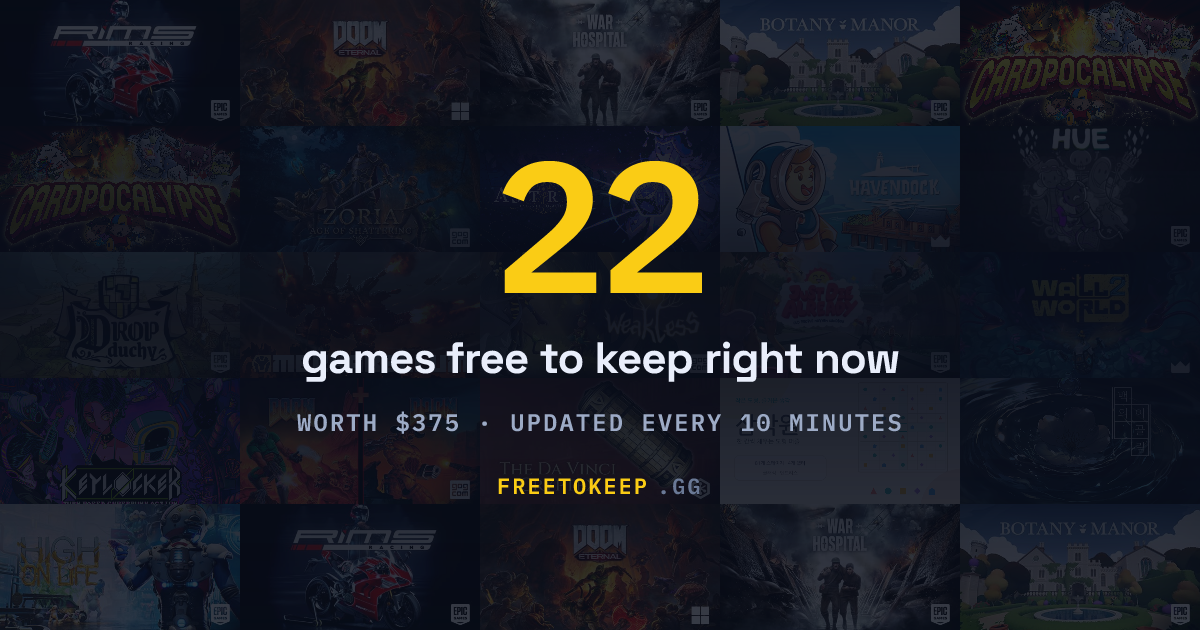
Right now, Free To Keep's live board shows 22 active giveaways across Steam, Epic, GOG, Prime Gaming, Stove and Ubisoft — but the mix is uneven. Prime Gaming dominates the current list, Epic contributes a handful, and the Steam-side offers appear as limited key drops rather than open store giveaways.

What's live by store

Prime Gaming — the largest cluster. Titles listed as active include The Da Vinci Cryptex, High on Life, Hue, DOOM Eternal, DOOM + DOOM II, RiMS Racing, Drop Duchy, Botany Manor, War Hospital, Just Die Already, Havendock, Zoria: Age of Shattering, Weakless and Wall World 2. Prime giveaways typically require an active Amazon Prime subscription and are claimed through Amazon's gaming hub, then redeemed on the relevant launcher. Some are permanent keys; others are tied to a launcher account.

Epic — Mechabellum and Astrea Six Sided Oracles are listed as live, plus Cardpocalypse on Epic's Android and iOS storefronts. Epic's weekly free games are usually claimable for a seven-day window and stay in your library permanently once claimed.

Steam — the current Steam-side entry is a key drop (Keylocker), showing 88 of 100 claimed. That pattern matters: key-based giveaways are first-come, first-served and can run out before the stated end date.

GOG — no giveaway is shown as live in this snapshot, though GOG titles appear in the price-tracking sections. GOG giveaways are usually short and appear without much warning, so checking the board matters more than waiting for a newsletter.

Stove and Ubisoft — Stove shows Rush Rush Red Shoes and two smaller items (a TCG Sudoku title and a soundtrack). Ubisoft appears as a filter option but with no listed live offer here.

Coming soon

Two Epic titles are flagged as confirmed but not yet live: System Shock 2: 25th Anniversary Remaster and BURIED STARS, both dated October 1. Setting a reminder for those is worthwhile since Epic's window is short.

A practical claiming routine

  1. Open the board and filter to the stores you actually use — claiming a Prime key you'll never redeem just adds clutter.
  2. Prioritise anything marked "Ending soon" or showing a claim counter (like Keylocker's 88/100), since those can vanish early.
  3. Claim on the store page itself, not through a third-party link, so the licence attaches to your account.
  4. For Prime, redeem the key on its destination launcher promptly — unredeemed codes can expire.

For a reader with Prime and an Epic account, this week's realistic haul is roughly a dozen Prime titles plus two Epic games, with Steam and GOG offering little unless a key drop or flash giveaway appears. If you only check one source, Free To Keep aggregates all four storefronts in one view, which is faster than visiting each store's own promotions page.

When do this week's free game offers expire?

Free To Keep lists each offer's expiry alongside the claim button, and its "Ending soon" sort surfaces the ones closest to lapsing. The page also separates two categories that expire differently: live giveaways (Prime Gaming, Epic, GOG, Stove) and pre-announced ones under "Coming Soon," which have a start date rather than a deadline. In the evidence shown, the only dated entries are Epic's System Shock 2: 25th Anniversary Remaster and BURIED STARS, both marked Oct 1 — that is when they become claimable, not when they end.

What to check before you rely on a date

  • Store giveaways typically run about a week, but Prime Gaming and Epic rotate on different schedules, so the per-offer timer matters more than the calendar.
  • "Claimed" counts (for example, 88 of 100 on the Keylocker Steam key) signal limited stock — those can run out before the stated end time.
  • Partner-linked deals (Humble Choice, Fanatical, Humble Bundle) are subscriptions or bundles, not free-to-keep giveaways, and their deadlines work differently.

Practical next step: sort by "Ending soon," claim anything you actually want immediately rather than waiting for the final day, and set a reminder for the Coming Soon titles so you catch them at launch. If you want a second source to cross-check dates, SteamDB tracks Steam promotions, and IsThereAnyDeal covers broader store discounts.

How do I set a reminder for upcoming free games before they go live?

Set a reminder in two layers: one for the announcement, and one for the moment the offer actually goes live. Giveaway pages often list a confirmed title days or weeks before the claim button appears, and the claim window is usually short.

A practical routine

  1. Check the "Coming Soon" section on Free To Keep and note the platform and the listed start date for each confirmed title.
  2. Put a calendar entry on that date, timed for the morning in your own timezone. Store giveaways often switch over at a fixed hour in one region, so the date alone can be off by a day where you live.
  3. Add a second reminder for 24–48 hours before the offer is expected to end. That is the one that saves you when the first reminder arrives on a busy day.
  4. When the reminder fires, claim it on the store itself rather than trusting a bookmark — then confirm the game shows in your library.

Why the second reminder matters more

Free-to-keep offers are not the same as free weekends or subscription libraries. A free weekend gives you access for a few days; a free-to-keep claim stays yours permanently once you add it, even if you never install it. That difference is exactly why the claim step is worth a reminder: missing it by a few hours usually means paying later or waiting for a repeat.

Choosing where to track

  • If you only care about one store, the store's own wishlist and newsletter may be enough.
  • If you collect across several stores, an aggregator saves you from checking four or five pages separately. Free To Keep tracks Steam, Epic, GOG, Prime Gaming and smaller storefronts in one list, which suits people who claim broadly rather than deeply.
  • If you mainly want big-name titles, follow the store blogs directly and treat aggregators as a backup.

A concrete example

Suppose a confirmed Epic title appears under "Coming Soon" with an October 1 date. You set a calendar alert for October 1 at 9am and a second one for October 3. On the first, the page may still say "coming soon" because of a timezone offset — so you check again the next morning rather than assuming the offer was cancelled. The second reminder catches the claim if the first attempt failed.

One habit worth adding

Keep a short list of what you have already claimed. Duplicate claims waste time, and on stores where a key must be redeemed manually, an unclaimed key can expire. A quick note of title, store and date claimed is enough.

Are the free games on Free To Keep permanently mine to keep after I claim them?

Yes — for the offers this site tracks, the point is that a claimed game stays in your account library permanently. That is what "free to keep" means on Free To Keep: the listing is about giveaways where the key or entitlement is yours after you claim it, not a temporary trial or a weekend free-play event.

The important nuance is that "permanently" applies to your right to keep and launch the game, not to the store or launcher staying the same forever. You still need the relevant account (Steam, Epic, GOG, Prime Gaming and so on), and if that platform shuts down or delists a title, access can be affected by the platform's own terms. The claim itself is what changes a giveaway from "free right now" into "in your library for good."

How to tell a keeper from a rental

  • Free to keep: claim it, it stays in your library after the offer ends.
  • Free weekend / free play days: playable only during the window; it disappears afterwards.
  • Subscription freebies (Prime Gaming, Humble Choice): you keep the keys you have already claimed, even if you cancel later. The page notes this for Humble Choice: cancel whenever you like, and keys already claimed stay in your library.
  • Demos and betas: not the same thing; they usually expire or get removed.

A practical example

Say you see High on Life listed under Prime Gaming. You link your account and claim it before the offer ends. Later you drop the Prime subscription — the game remains in your library because you claimed it while eligible. By contrast, if you only add an Epic free-weekend title to your wishlist and never claim it, nothing is kept.

Decision rule

Claim anything you might plausibly want, even if you will not install it today. There is no cost to claiming, and the only real failure mode is missing the deadline. Check the "Ending soon" sort on Free To Keep first, since those are the offers where waiting actually costs you the game.

How do I get notified when a game on my wishlist hits its historical low price?

The short answer: Free To Keep doesn't do wishlist alerts. Its tracking is built around free-to-keep giveaways and curated price lists, not personal watchlists. If you want a notification the moment a specific game hits its lowest recorded price, you need a price-tracking service plus a store wishlist.

What Free To Keep actually gives you

  • A single feed of live free-to-keep offers across Steam, Epic, GOG, Prime Gaming, Stove and Ubisoft, with the page noting it is "updated every 10 minutes."
  • A "Coming Soon" section for confirmed freebies, so you can set a reminder and claim on day one.
  • A "Historical Lows" section listing popular games at their lowest recorded price — for example GOG's Baldur's Gate 3 at 30% off and Cyberpunk 2077 at 70% off, plus Steam's Hades at 75% off.
  • A "Below $1" section for pocket-change buys.

That's a browse-and-check tool: you visit, scan, and act. It tells you what's cheap right now, not what changed since you last looked.

How to get an actual alert

  1. Put the game on your Steam, GOG or Epic wishlist. Store wishlists do send discount emails, but they fire on any discount, not specifically a historical low.
  2. Add the same game to a dedicated price tracker that supports target-price or all-time-low alerts. These watch price history and can email you when a threshold is crossed.
  3. Set your target at or slightly above the recorded all-time low so you don't miss a brief sale window.
  4. Check the game's price history before trusting an alert — a "low" on one store may still be beaten elsewhere, and regional pricing varies.

Trade-offs

Store wishlist emails are effortless but noisy and tied to one store. Dedicated trackers are precise and cross-store, but you must maintain the list yourself, and some cover fewer shops or lag behind flash sales. Free To Keep is best used as a discovery layer — it surfaces giveaways and current lows you didn't know to watch — while a tracker handles the "tell me the instant it drops" job.

A concrete routine

Once a week, skim Free To Keep's giveaway feed and claim anything you want before it expires. For the two or three games you genuinely intend to buy, set tracker alerts at their historical low and leave the rest on your store wishlist. That split keeps you from drowning in notifications while still catching the price you actually care about.

Related questions

More questions →
What the Coming Soon, Historical Lows and Below $1 Sections Show on Free To Keep

Free To Keep (freetokeep.gg) splits its listings into three opportunity types beyond the main giveaway feed: Coming Soon shows confirmed free offers that haven't gone live yet, Historical Lows shows popular games at their lowest recorded price, and Below $1 collects paid games selling for under a dollar. The first is about claiming later, the other two are about buying now — so the sections answer different questions and shouldn't be read as one list.

Coming Soon: confirmed free games you can't claim yet

This section lists giveaways that are already announced but not yet active. The site's own description is "Already confirmed free — set a reminder and claim them the moment they go live."

What the page shows for each entry:

  • The store running the giveaway (Epic in the examples on the page)
  • The date the offer starts (e.g. Oct 1)
  • The game title
  • The normal price it would otherwise cost, shown struck through — for example System Shock 2: 25th Anniversary Remaster at $29.99 and BURIED STARS at $39.99

How to use it: treat this as a reminder list, not a claim list. Nothing here is in your library yet. Note the start date and store, then return when the offer goes live and claim it through that store's normal checkout. The value of the section is lead time — you know what's coming and what it's worth before it disappears into the main feed.

Common pitfall: a "Coming Soon" entry is not a guarantee you'll get the game for free forever. It only means the offer is confirmed to start on that date. Claiming still has to happen inside the window the store sets.

Historical Lows: popular games at their cheapest recorded price

This section tracks games currently sitting at the lowest price the site has ever recorded for them. It is a paid section — these are discounts, not giveaways.

Each row shows the discount percentage, the store, the title, the current price, and the original price. Examples from the page:

Discount Store Game Current Original
−30% GOG Baldur's Gate 3 $41.99 $59.99
−70% GOG Cyberpunk 2077 $17.99 $59.99
−75% Steam Hades $6.24 $24.99

How to use it: this is a "buy if you were waiting" list. A historical low means the price hasn't been better since the site started tracking, so if you already wanted the game, this is the moment the data supports acting. If you didn't want it before, a low price is not a reason on its own.

Common pitfall: "historical low" is relative to the site's own tracking history, not to every price the game has ever had anywhere. It also says nothing about whether the game will be cheaper later — it only describes the past.

Below $1: paid games under a dollar

This section collects discounted games priced below one dollar. Like Historical Lows, these are purchases, not free claims.

Examples from the page:

  • Muse Dash — $0.53 (82% off, from $2.99) on Steam
  • Anomaly Warzone Earth — $0.82 (92% off, from $9.99) on Green Man Gaming
  • Theme Hospital — $0.99 (83% off, from $5.99) on GOG

How to use it: this is an impulse-buy filter. The prices are low enough that the decision is mostly "do I actually want this," not "can I afford it." Check the store and platform before buying — the three examples above come from three different stores, and a key or license from one store may not behave the same as another.

Common pitfall: a sub-$1 price is still a purchase, so it carries the same conditions as any paid game — store account requirements, regional availability, and refund rules are set by the store, not by Free To Keep.

How the three sections differ at a glance

Section Free or paid Action needed Best for
Coming Soon Free (when live) Set a reminder, claim on the start date Not missing a confirmed giveaway
Historical Lows Paid Buy now if you already wanted it Timing a purchase you'd planned
Below $1 Paid Buy now if the game interests you Cheap pickups with low stakes

The main giveaway feed on the site is the fourth category — offers live right now that you can claim immediately. The page reports 22 live offers at the time of the snapshot, alongside 1,438 offers tracked all time and 161,113 claims all time, which gives a sense of how much of the site's value sits in the historical record rather than the current week.

Practical order of operations

  1. Check the live giveaway feed first — those are claimable now and expire soonest.
  2. Scan Coming Soon and note start dates for anything you want.
  3. Use Historical Lows only for games already on your wishlist.
  4. Use Below $1 as a browse, not a target.

The site updates frequently (its description says every 10 minutes), so dates and prices in any snapshot can change. Verify the current price and the offer window on the store page before you claim or buy.

How to Find and Claim Free Games on Free To Keep (freetokeep.gg)

Free To Keep (freetokeep.gg) is a tracker that lists every currently live free-to-keep game offer across Steam, Epic, GOG, Prime Gaming, and a few other storefronts in one place. You use it to see what's claimable right now, filter by store, and jump to the claim page — but the actual claiming happens on the store's own site, and some offers require a linked account or an active subscription. The site reports 22 live offers at a time, with 1,438 offers tracked all time.

What the site actually does

It aggregates giveaways rather than hosting them. Each entry is a card showing the store, the game, and a claim count, with a link out to the offer. The homepage groups offers into a few sections:

  • Free games this week, yours to keep — the main live list, spanning Steam, Epic, GOG, Prime Gaming, Stove, and Ubisoft.
  • Coming Soon — confirmed upcoming giveaways, so you can set a reminder before they go live.
  • Historical Lows — popular games at their lowest recorded price (paid, not free).
  • Below $1 — cheap paid games, also not free.

If you only care about free-to-keep offers, the first two sections are the ones that matter. "Historical Lows" and "Below $1" are discount trackers, not giveaways.

Step-by-step: finding and claiming an offer

  1. Open the live list. The main section shows every current free-to-keep offer. Each card names the store (Steam, Epic, GOG, Prime Gaming, Stove, Ubisoft) and the game.
  2. Filter by store. Use the Filters panel to narrow to the stores you actually have accounts on. If you don't subscribe to Prime Gaming, filtering it out saves time.
  3. Check the end date. Cards are sortable by "Ending soon," so you can prioritize offers about to expire. The site also sorts by "Recently added," "Most claims," and "Most votes."
  4. Click through to claim. The card links to the store's own claim page. You complete the claim there — the tracker doesn't claim anything for you.
  5. Confirm it's in your library. After claiming, the game appears in that platform's library permanently.

What you need before claiming

Store What's required
Steam A Steam account; the offer is usually a key or a direct add
Epic An Epic account (some offers are Epic mobile, Android & iOS)
GOG A GOG account
Prime Gaming An Amazon Prime subscription and a linked account for the destination platform
Stove / Ubisoft An account on that platform

The key distinction: free-to-keep means the game stays in your library after you claim it. For subscription-based offers like Prime Gaming, cancelling the subscription later does not remove games you already claimed — the site states this explicitly for Humble Choice ("the keys you have already claimed stay in your library"), and the same claim-then-keep logic applies to Prime Gaming drops.

Common snags

  • A "free" card turns out to be a discount. Historical Lows and Below $1 are paid listings. Check the section heading before assuming something is free.
  • The offer needs a subscription you don't have. Prime Gaming entries require Amazon Prime. If you're not subscribed, skip them.
  • The claim window closed. Offers expire; the "Ending soon" sort exists precisely so you don't miss them. Coming Soon entries aren't claimable yet.
  • You clicked the tracker instead of the store. The claim always completes on the store's site, not on freetokeep.gg.

A practical routine

Check the live list once or twice a week, filter to your stores, sort by "Ending soon," and claim anything you want before it expires. Use Coming Soon to note dates for giveaways you care about. Everything you claim stays yours — the tracker is just the index, your platform libraries are the storage.

How Often Is Free To Keep Updated and How Reliable Is Its Giveaway Tracking?

Free To Keep (freetokeep.gg) states that its listings are updated every 10 minutes, and the page backs that claim with running counters — 22 live offers, 1,438 offers tracked all time, and 161,113 claims all time. That combination makes it a reasonable first stop for checking which free-to-keep games are currently live, but the site is a tracker, not the source of truth: the offer itself always lives on Steam, Epic, GOG, Prime Gaming, or another store, and that store's page is what determines whether a claim actually works.

What the update claim actually covers

The "updated every 10 minutes" line describes the site's own refresh cycle for pulling offer data. In practice this means:

  • New giveaways should appear in the list within roughly ten minutes of being picked up.
  • End times and "Ending soon" ordering should stay close to current.
  • Claim counters (like "88 of 100 claimed" on a limited key drop) move as other users claim.

It does not mean every store page is re-verified every ten minutes, and it does not guarantee a listing is still claimable at the moment you click. Limited-key offers in particular can sell out between refreshes.

Signals you can use to judge reliability

The page gives you several built-in ways to check an offer before trusting it:

Signal What it tells you
Store label (Steam, Epic, GOG, Prime Gaming, Stove, Ubisoft) Where the claim actually happens — go there to confirm
"Recently added" sort How fresh the listing is
"Ending soon" sort Which offers are closest to expiring
"Most claims" / "Most votes" Which offers other users actually redeemed
Claim counters (e.g. "88 of 100 claimed") Whether a limited drop still has keys left
"Coming Soon" section Confirmed future giveaways with dates (e.g. Epic, Oct 1)
All-time totals (1,438 offers, 161,113 claims) Track record of the site over time

A listing with a store label, a recent add date, and movement in its claim counter is a stronger signal than one sitting at "0 claims" with no engagement.

How to verify an offer before you rely on it

  1. Find the game in the live list and note its store label.
  2. Check the sort — if it appears under "Ending soon," treat it as time-sensitive.
  3. Click through to the store page and confirm the "free to keep" or "100% off" status there.
  4. Claim on the store, not on the tracker. The tracker only points you to the offer.
  5. If it's a limited-key drop, check the claimed counter first — a nearly-full counter means act immediately or expect it to be gone.

Where the tracker is strong and where it isn't

Strong: aggregating across Steam, Epic, GOG, and Prime Gaming in one place, so you don't have to check four storefronts separately; flagging end dates and upcoming confirmed giveaways; showing community claim volume as a rough popularity signal.

Weaker: it cannot guarantee a specific offer is still live at the second you look, especially limited-key drops; prices and discounts shown in the "Historical Lows" and "Below $1" sections are separate from the free-to-keep list and change on their own schedule; and any offer's real terms (region limits, subscription requirements like Prime, account rules) are set by the store, not the tracker.

Bottom line

Treat Free To Keep as a fast, frequently refreshed index of free-to-keep offers, not as the authority on whether a claim will succeed. Use its store labels, sort options, and claim counters to prioritize, then confirm and claim on the actual store page. For time-sensitive or limited-key offers, check the counter and act quickly rather than assuming the listing will still be valid later.

What "Free to Keep" Means on Free To Keep (freetokeep.gg)

"Free to keep" means you claim a game during its giveaway window and it stays in your library permanently — even after the promotion ends. This is different from a free weekend trial (access disappears when the event closes) and different from a subscription catalog (access depends on staying subscribed). On freetokeep.gg, the term covers every offer where claiming transfers permanent ownership, across Steam, Epic, GOG, Prime Gaming, and other stores the site tracks.

The core distinction: claim vs. access

The key word is claim. A free-to-keep offer requires you to actively add the game to your account before the deadline. Once claimed, the license is yours.

Model How you get it What happens later
Free to keep Claim during the window Stays in your library forever
Free weekend / trial Download and play Access ends when the event ends
Subscription library Play while subscribed Access ends when you cancel
Free-to-play Download anytime Always available, but you don't "own" it

The site's own framing makes this explicit: it tracks "every free-to-keep offer across Steam, Epic, GOG and Prime Gaming," and its Humble Choice listing notes that "the keys you have already claimed stay in your library" even if you cancel.

Why the site also lists subscription offers

Humble Choice appears on freetokeep.gg even though it's a paid subscription ($14.99/mo for 8 games). The reason is that the games you claim through it are yours to keep permanently — the subscription is just the delivery mechanism. Cancelling stops future months; it doesn't revoke keys you've already redeemed. So the site's definition of "free to keep" is about permanent ownership after claiming, not about whether the source itself costs money.

What you'll see on the site

Offers are organized so you can act before deadlines pass:

  • Live offers — currently claimable, with a claim counter showing how many users have taken each one
  • Coming Soon — confirmed giveaways with dates (e.g., Epic's System Shock 2: 25th Anniversary Remaster and BURIED STARS, both listed for Oct 1)
  • Historical Lows — not free, but the lowest price ever recorded for popular games
  • Below $1 — deep discounts under a dollar
  • Filters — narrow by store (Steam, Epic, GOG, Prime Gaming, Stove, Ubisoft) or sort by recently added, ending soon, most claims, or most votes

The site states it updates every 10 minutes and has tracked 1,438 offers all time.

How to actually claim one

  1. Open the live offers list and pick a game.
  2. Check the store and end date — the claim happens on the store's own page, not on freetokeep.gg.
  3. Follow the link to the store, sign in, and complete the claim (Epic and Prime Gaming require their own accounts; Steam keys may come via a partner like Humble).
  4. Verify the game now appears in your store library. That confirms ownership transferred.
  5. If it's a "Coming Soon" title, set a reminder for the listed date — these expire quickly.

Common snag: some offers are region-locked or require a specific platform account (for example, Epic's mobile-only listings like Cardpocalypse for Android & iOS). If a claim button doesn't work, check whether the offer applies to your region or device before assuming it's broken.

The bottom line

If a game is marked free to keep, claim it before the deadline and it's yours permanently — no subscription, no expiry. If it's a trial or a subscription-library title, you're borrowing access. freetokeep.gg's value is putting both types in one place with deadlines and claim counts, so you can tell at a glance which offers are worth acting on now.

What is Free To Keep (freetokeep.gg)?

Free To Keep (freetokeep.gg) is a tracker that collects every "free-to-keep" game offer across Steam, Epic, GOG, Prime Gaming and other storefronts in one place. It is useful if you want to claim limited-time giveaways before they expire but don't want to check each store separately. The site lists live offers, shows when each one ends, and keeps a record of giveaways it has tracked over time.

What it covers

The site groups offers by store. Based on the current listings, the tracked stores include:

  • Steam
  • Epic (including Epic on Android & iOS)
  • GOG
  • Prime Gaming
  • Stove
  • Ubisoft

Offers are labeled by type. A "free-to-keep" giveaway means the game stays in your library permanently once claimed, as opposed to a temporary free weekend or a subscription-only title. The page also distinguishes these from discounted (paid) deals.

How the page is organized

The main view is a filterable list of live offers. Each entry shows the store, the game title, and a claim count. You can filter by store and sort the list. The available sort options shown are:

  • Recently added
  • Ending soon
  • Most claims
  • Most votes

The page reports 22 live offers at the time of the snapshot, alongside cumulative figures of 1,438 offers all time and 161,113 claims all time. It states the data is updated every 10 minutes.

Sections beyond the live list

  • Coming Soon — confirmed free games not yet live, so you can set a reminder. Examples listed: System Shock 2: 25th Anniversary Remaster and BURIED STARS, both marked Epic, Oct 1, with original prices of $29.99 and $39.99.
  • Historical Lows — popular games at their lowest recorded price. These are paid discounts, not giveaways (e.g. Baldur's Gate 3 at −30% on GOG, Cyberpunk 2077 at −70% on GOG, Hades at −75% on Steam).
  • Below $1 — cheap paid games (e.g. Muse Dash at $0.53, Anomaly Warzone Earth at $0.82, Theme Hospital at $0.99).
  • Every giveaway we've tracked — the historical archive.

What you can do with it

  1. Open the live offers list and filter to the stores you actually use.
  2. Sort by Ending soon to prioritize offers about to expire.
  3. Claim each game on its own store page (the site links out; claiming happens on Steam, Epic, GOG, Prime Gaming, etc.).
  4. Check Coming Soon and set a reminder for confirmed future giveaways.
  5. Use the claim counts and votes as a rough signal of which offers other users consider worth grabbing.

Things to keep in mind

  • The site is a tracker and index, not a store. You claim games on the original platform, and platform accounts or subscriptions (such as Prime Gaming) may be required there.
  • Some entries are marked Partner link or Partner cards, and the page notes ads keep the site free — meaning some links are monetized.
  • The "Historical Lows" and "Below $1" sections are paid deals, not free giveaways. Don't confuse them with the free-to-keep list.
  • The snapshot shows many offers at 0 claims, which reflects the state at capture time rather than the offer's real popularity.

If your goal is simply "never miss a free game again," this site consolidates the checking into one page and adds an ending-soon sort and a coming-soon list, which is the main reason to use it over visiting each store individually.

Website Overview

An active inbound-mail setup with incomplete authentication may leave the domain more open to impersonation. Provider hosting alone does not close that gap.

Domain and Registration

The registrar is NameCheap, Inc (https://www.namecheap.com), a widely used domain service provider. The domain uses the common .gg extension, which is not an independent safety signal.

DNS and Email

MX records exist, but SPF, DKIM and DMARC were not detected. Protection against domain impersonation may be incomplete. Nameservers are provided by Cloudflare, indicating managed DNS hosting. MX records point to the Google Workspace email service. No CNAME was found; the observed records resolve directly to addresses. TXT records include verification markers for Google. Such markers may also remain after a service stops being used.

TLS and Certificates

The public key uses EC with 256 bits. The server supplied a complete certificate chain. No organization name is present in the certificate; the available fields are consistent with domain validation. The certificate was issued within the Google Trust Services cloud or CDN ecosystem. The certificate's total validity is about 90 days, consistent with a short renewal cycle.

HTTP and Browser Security

X-Powered-By exposes backend information: Next.js. The checked browser-security headers were not detected, leaving fewer explicit browser-side safeguards. The cf-ray response header indicates a CDN or caching proxy in the delivery path. No obvious internal addresses or debug information were found in the headers. The Server header identifies cloudflare without an exact version.

Technology Stack Analysis

The public page identifies Next.js, Google Analytics, Cloudflare without precise versions, leaving fewer clues for version-specific scanning.

Search and Social Sharing

No homepage canonical URL was detected. If duplicate URLs exist, consolidation may be less explicit. Twitter Card metadata is configured. JSON-LD includes Organization data, helping describe the organization as an entity. The title has 53 characters, within a common display range. A meta description is present, with 153 characters.

Hosting and Email

DNSCloudflare
HostingCloudflare
EmailGoogle Workspace
Approximate IP geolocation (inferred; a CDN or proxy may differ from the origin server) Location unknown Inferred 104.21.25.185

Registration details

RDAP / WHOIS

RegistrarNameCheap, Inc (https://www.namecheap.com)
RegisteredUnknown
ExpiresUnknown
Domain statusActive
NameserversUnknown
DNSSECunknown

DNS records

DNS

TypeNameValueTTLPriority
Afreetokeep.gg104.21.25.185300—
Afreetokeep.gg172.67.134.119300—
AAAAfreetokeep.gg2606:4700:3033::ac43:8677300—
AAAAfreetokeep.gg2606:4700:3036::6815:19b9300—
MXfreetokeep.ggsmtp.google.com30010
NSfreetokeep.ggigor.ns.cloudflare.com86400—
NSfreetokeep.gglisa.ns.cloudflare.com86400—
TXTfreetokeep.gggoogle-site-verification=V_tzE3WwtulgheYDhvtxbUtyOdx-wubNR9CNvotM1BU300—
TXTfreetokeep.gggoogle-site-verification=sG-MUvOaLg5i5JO_A5P267Q2PINk6-32iwc1y20WfZs300—

TLS and certificates

TLS / SSL

AssessmentNormal configuration
Supported protocolsTLSv1.2、TLSv1.3
Negotiated protocolTLSv1.3
Certificate subjectfreetokeep.gg
IssuerGoogle Trust Services
Valid until2026-11-29T23:07 · Remaining when checked: 60 days
Verification detailsCertificate trust: Passed · Hostname match: Passed

HTTP response headers

HTTP

HeaderValue
content-typetext/html; charset=utf-8
cache-controlpublic, max-age=0, must-revalidate, s-maxage=60, stale-while-revalidate=300
servercloudflare

Identified technologies

Next.jsGoogle AnalyticsCloudflare

Pages, Search and Sharing

Meta descriptionEvery free-to-keep game live this week on Steam, Epic, GOG and Prime Gaming - what to claim right now and when each offer ends. Updated every 10 minutes.
Canonical URLNot detected
LanguageEnglish (default)
Twitter Cardsummary_large_image
All bots 2 allowed · 3 disallowed
  • Allow/
  • Allow/api/v1
  • Disallow/admin
  • Disallow/api
  • Disallow/nitro

User reviews (0)

  • No reviews yet.