
 简体中文
简体中文 English
Website review
This review may include AI-generated content and is not individually verified. Domain, certificate and other facts come from the observed data on this page.
What is Game Institute?
Game Institute is an online training provider focused on video game development, teaching programming, art and design through self-paced video courses. It has operated since 2001 and describes itself as having trained hundreds of thousands of learners, from complete beginners to working professionals. Its catalog centres on industry-standard tools and languages: C#/C++, Unity, Unreal Engine 5, Blender and OpenGL.
What it actually offers
- Structured video courses with step-by-step instruction, including long project-based series such as a first-person shooter build taught over 150+ hours.
- Downloadable project material: source code, assets and complete sample games that learners can study and reuse.
- Bundle options: a lifetime-access package covering all current and future proprietary courses, a project-focused package, and individual series.
- Unity-authorized training: Game Institute states it is a Unity Authorized Training Partner, which means its Unity workshops and certification preparation are recognised by Unity Technologies.
Who it suits
The strongest fit is someone who wants a guided, project-driven path rather than scattered free tutorials — for example, a hobbyist who wants to finish a playable shooter or racing game while learning C# and Unity, or a career-changer building a portfolio. Because the material is self-paced and spans beginner to professional level, it also works for developers filling a specific gap, such as shader work with OpenGL or asset creation in Blender.
The trade-off is format: recorded courses with downloadable projects suit learners who can stay motivated without live instructors, deadlines or classmates. Anyone who needs real-time feedback, critique sessions or a recognised academic credential should weigh that before committing to a bundle.
A practical next step
Before buying, pick one concrete goal — say, "ship a small FPS demo in Unity" — and check whether the Dead Earth series or the full membership maps onto it. Compare the per-course price against the lifetime package only if you expect to use several courses; otherwise a single series is the lower-risk test of whether the teaching style works for you. For broader comparison, GameDev.tv and Coursera offer alternative structures, including subscription access and university-backed certificates.
Is Game Institute worth the $599 lifetime membership compared to buying individual courses?
Whether it is worth $599 depends on how many of Game Institute's own courses you would actually finish. The lifetime premium membership buys full, immediate lifetime access to all current and future proprietary training releases and updates, per the page. Buying individual courses only makes sense if you have one narrow goal.
Lifetime membership vs. individual courses
| Premium lifetime membership | Individual courses | |
|---|---|---|
| Scope | Everything Game Institute releases, including future updates | One series or package |
| Best for | Learners who will move across several topics (C#/C++, Blender, Unreal Engine 5, Unity, OpenGL) over months or years | Someone who only wants one project, such as the Dead Earth first-person shooter series |
| Trade-off | Higher upfront cost; value depends on using multiple courses | Lower commitment; you may end up paying again for each new subject |
The page lists the membership at $599 and individual packages at lower prices, with a 25% checkout code shown. It also states that projects-only downloads exist separately, which matters if you mainly want source code and assets rather than instruction.
A practical way to decide
- List the two or three course areas you would genuinely study in the next year.
- Compare the combined individual price of those against the membership.
- If that total approaches or exceeds $599, the lifetime option is the better fit; if you would only touch one series, buy that one.
For context on alternatives, compare with Udemy for cheap single courses and Coursera for university-backed programs. Game Institute's differentiator is its Unity Authorized Training Partner status and project-based, self-paced format, which suits independent learners building a portfolio rather than those wanting a formal degree.
Can a complete beginner with no coding experience follow the Game Institute courses?
Yes, in principle: Game Institute explicitly says it trains learners "from total beginners to working professionals," and its courses are self-paced video instruction, so someone with no coding background can start at the beginning and work through lessons at their own speed. The main caveat is that this is a broad catalog rather than a single guided curriculum, so a beginner needs to choose an entry point deliberately rather than buy the largest package and hope for the best.
What suits a true beginner
- Self-paced format: Page evidence describes "hundreds of hours of step-by-step video instruction" with no fixed schedule, which removes the pressure of keeping up with a class.
- C#/Unity as a first language: The catalog lists C#, Unity, Blender and Unreal Engine 5. C# with Unity is generally the gentler starting route for someone new to code, because the language is more forgiving than C++ and the engine gives quick visual feedback.
- Project-based material: The Dead Earth and Game Development series are built around constructing a first-person shooter step by step, which gives a beginner a concrete target instead of abstract exercises.
Where a beginner should be careful
- C++ and OpenGL: These appear alongside the beginner-friendly tools, but they are considerably harder for someone with no programming experience. Treat them as later steps, not starting points.
- Large bundles: The Premium lifetime package and the multi-project packages assume you can navigate a lot of material independently. A complete beginner may get more value from a narrower, sequenced course first and expand later.
- No substitute for persistence: Video courses reward learners who pause, retype examples and debug their own mistakes. Watching passively will not build coding skill regardless of the course quality.
A practical next step
Pick one beginner-level C#/Unity course, complete a small playable prototype (a moving character, one enemy, one win condition), and only then consider a larger package. As a comparison point for structured beginner paths, Unity Learn offers free official tutorials, and freeCodeCamp covers general programming fundamentals if you want to test your appetite for code before committing.
The decision criterion is simple: if you can finish a short free beginner tutorial without losing momentum, a self-paced paid catalog like Game Institute is a reasonable fit; if you find you need deadlines and feedback, look for instructor-led or cohort-based options instead.
How does Game Institute's Unity Authorized Training Partner status help someone preparing for Unity certification?
Game Institute's Unity Authorized Training Partner status matters most if you want a structured path toward Unity certification rather than piecing together tutorials. As a partner, it can offer Unity-authorized workshops and preparation courses for Unity certification exams on Unity's behalf. In practice, that means the exam-prep material follows Unity's own certification standards instead of an independent instructor's interpretation of them.
What that changes for a certification candidate
- Aligned preparation: You study toward the exam objectives Unity defines, which reduces the risk of learning habits or topics that don't match what's tested.
- Workshop-style options: Authorized workshops and prep courses suit learners who want guided pacing and a defined finish line before booking an exam.
- A signal of quality review: The partner status reflects meeting Unity's quality standards, which is useful when comparing providers you don't already know.
Where it helps less
The status covers certification preparation specifically. The wider catalog—C#, C++, Blender, Unreal Engine 5, OpenGL and project-based series like Dead Earth—is Game Institute's own training, not Unity-authorized content. If your goal is general engine skills rather than a certificate, judge those courses on their projects and scope instead.
A practical next step
Ask which specific Unity certification each prep course targets and whether it includes practice assessments, then compare that against the official exam objectives. A useful decision rule: choose authorized prep when the credential itself matters for a job application; choose project-based courses when a portfolio is what you need. For the exam's own requirements, check Unity directly.
What do the Dead Earth and GI Racing projects include, and can I use their source code and assets in my own commercial game?
The Dead Earth and GI Racing projects are downloadable training packages built around complete, commercial-quality game projects. Dead Earth is a first-person shooter developed step by step across 150+ hours of video training; GI Racing 1 & 2 are racing projects in the same series. Both are sold as project packages that bundle the finished project files with source code and asset downloads, and the site also offers a "Projects Only" option that includes Dead Earth, GI Racing 1 & 2, MatchBaker, Balls of Glory and the Carbon3d Engine without the video instruction.
What you get in practice
- Dead Earth: a full FPS project you build along with the instructor, plus the completed source code and assets to inspect or extend.
- GI Racing 1 & 2: two racing game projects with their code and assets, useful for studying vehicle handling, track construction and race logic.
- Supporting projects: MatchBaker (matchmaking), Balls of Glory and the Carbon3d Engine round out the Projects Only bundle.
Can you ship the code and assets commercially?
The page evidence does not state a license for the source code or assets, so treat commercial reuse as something to confirm before you build a product on them. The site markets the projects as "commercial-grade" and describes them as material "to work with and integrate into your own games and experiences," which suggests integration is anticipated — but "commercial-grade" describes quality, not permission. In practice, training projects often mix instructor-created code with third-party assets (textures, audio, models) that carry their own terms, so the safe next step is to check the license or terms page for the specific package, or ask support directly, before shipping anything derived from these files.
A workable decision rule: if you want the projects to learn from — reading the FPS architecture, adapting racing physics into a prototype — the packages fit that use well. If you plan to sell a game containing their art or large portions of their code, get written confirmation of commercial rights first, and plan to replace any assets whose provenance you can't verify.
For broader comparison of structured game-development training, GameDev.net hosts community discussion and tutorials, and Udemy lists individual courses that often state their licensing terms more explicitly.
Does Game Institute offer payment plans or discounts for students who cannot pay the full course price upfront?
Yes. Game Institute advertises payment plans on its training packages and a standing 25% checkout discount code, so paying the full listed price upfront is not the only route.
What the page shows
- A discount code: the site displays "Save 25% at checkout with code GAMEMKR25." The listed prices already show the discounted figure alongside the original — for example, the Premium lifetime package is shown as $599.00 reduced to $449.25, and the Projects Only package as $249.00 reduced to $186.75.
- Payment plans: each package listing carries the line "Payment Plans Available!" — the Premium Online Courses package, the Dead Earth Series, and the Projects Only package all show it. The page does not state the number of instalments, interest, or eligibility terms, so those details would come from the checkout or the provider directly.
- Lifetime access on the top tier: the Premium package is described as giving "full and immediate lifetime access to all current and future proprietary training releases and updates," which matters if you are spreading payments over time — you are paying for ongoing access, not a single course.
Choosing between the tiers if cost is the constraint
| Option | Listed price (with 25% shown) | What you get | Best for |
|---|---|---|---|
| Projects Only | $249.00 → $186.75 | Projects, source code and asset downloads only (Dead Earth, GI Racing 1&2, MatchBaker, Balls of Glory, Carbon3d Engine) | Learners who already follow tutorials elsewhere and mainly want real code and assets to study |
| Dead Earth Series | $399.00 → $299.25 | 150+ hours of step-by-step video building a first-person shooter | Someone who wants one deep, guided project rather than breadth |
| Premium Online Courses | $599.00 → $449.25 | Lifetime access to all current and future training releases and updates | Long-term self-study across programming, art and design |
Practical next step
If upfront cost is the blocker, start with the cheapest package that matches your goal — Projects Only if you learn best by reading existing code — and confirm the payment-plan terms before committing. A concrete example: a beginner who wants structured C#/Unity instruction would likely get more from the video-led Dead Earth Series than from assets alone, even at the higher price, because the assets assume you already know what to do with them.
For comparison, other training options include GameDev.tv for project-based video courses and Unity for its own official learning resources, which is relevant given that Game Institute describes itself as a Unity Authorized Training Partner.
 IBM Cloud
 Google Workspace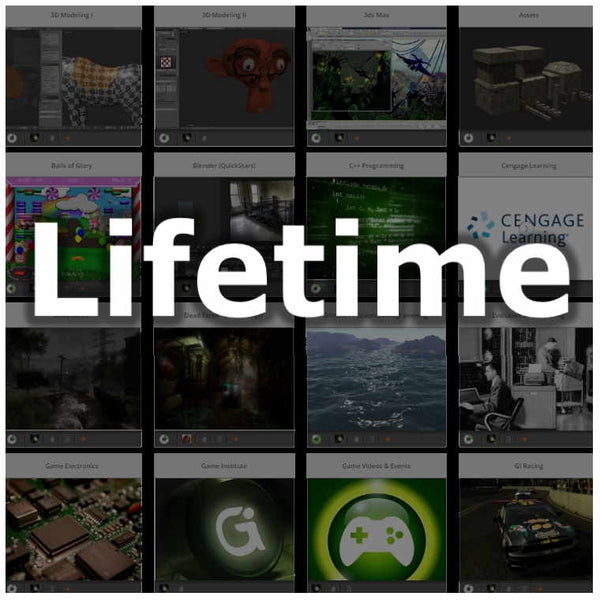

User reviews (0)