
 简体中文
简体中文 English
geometrydash.com
Official Geometry Dash website by RobTop Games. Play the browser demo, view top player leaderboards, and get the game.
More topics (1)
At a glance
- Category
- Games & Board Games
- Language
- English
- Paid-content signal
- No paid content foundObserved
- Registered
- 2013
- Hosting
- CloudflareInferred
- HTTPS certificate trusted
- PassedObserved
- Last updated
Related questions
More questions →What Is a Platformer and How Does the Genre Work?
A platformer is a game genre built around moving a character through level terrain using traversal skills—most often jumping, but also running, climbing, and falling—where the ground itself is the main challenge. You're suited to platformers if you enjoy precise timing, learning a level's layout through repetition, and the satisfaction of converting a failed attempt into a clean run. The genre spans 2D side-scrollers, 3D exploration games, and rhythm-driven variants like Geometry Dash, so "platformer" describes a movement framework more than a single difficulty or mood.
The Core Definition
The defining trait is that terrain is the obstacle. In most games, the ground is neutral space you walk on between fights or puzzles. In a platformer, gaps, ledges, moving surfaces, and hazards are the primary thing you're reacting to. Combat, story, and collection may exist, but they sit on top of a movement system that could stand alone as the challenge.
This is why platformers are usually described by their feel—how the character accelerates, how high they jump, how forgiving the controls are—rather than by their setting.
Key Mechanics That Define the Genre
Jumping and air control
The jump is the genre's signature verb. What matters is not just that you can jump, but how: fixed-height jumps versus variable-height (hold to jump higher), whether you can change direction mid-air, and whether momentum carries through. A game with floaty, adjustable jumps plays very differently from one with a single committed arc.
Gravity, inertia, and momentum
Many platformers give the character weight. You accelerate rather than move at instant top speed, and you can't stop instantly. This makes levels about managing momentum—building speed on a downhill, or preserving it through a jump chain—rather than tapping a direction.
Collision and precision
Collision detection decides whether a near-miss is a miss. Tight hitboxes reward pixel-accurate play; generous ones forgive it. This single design choice separates "hardcore" platformers from accessible ones more than level design does.
Level rhythm and checkpoints
Levels are typically structured as a sequence of challenges with a rhythm—easy opening, a difficulty spike, a breather, a finale. Checkpoints (or their absence) set the stakes: frequent checkpoints make a level a series of small puzzles, while checkpoint-free sections demand a full clean run.
Failure and retry loop
Death is cheap and immediate in most platformers. The loop is: attempt, fail, learn the pattern, adjust timing, retry. Progress comes from memorizing and internalizing level structure as much as from raw reflex.
Common Subgenres
| Subtype | What defines it | Typical feel |
|---|---|---|
| 2D side-scrolling | Fixed camera plane, left-to-right or vertical movement | Precise, readable, timing-focused |
| 3D platformer | Movement in three dimensions, camera control matters | Exploratory, looser, collection-oriented |
| Runner / auto-runner | Character moves automatically; you control jump/timing | Fast, rhythmic, one-input focused |
| Rhythm platformer | Level obstacles synced to music; timing is the whole game | Pattern-memorization, audio-driven |
| Puzzle-platformer | Movement abilities used to solve spatial puzzles | Slower, think-first |
Geometry Dash sits at the intersection of the last two rows: it's a rhythm-based platformer where the level is timed to a soundtrack and the challenge is executing a memorized pattern. Its official site describes it as a rhythm game, which is a useful reminder that genre labels overlap—the platformer mechanics (jumping over obstacles) and the rhythm structure (everything synced to music) are both essential to what it is.
How Platformers Differ From Neighboring Genres
- vs. action-adventure: In an action-adventure, traversal usually serves exploration and combat. In a platformer, traversal is the core test. If removing the combat would leave the game intact, it's probably a platformer; if removing the movement challenges would, it's probably an action-adventure.
- vs. rhythm games: A pure rhythm game scores your timing against a beat. A rhythm platformer uses that timing as a movement constraint—you jump on the beat because the obstacle is there on the beat. The distinction matters when picking a game: rhythm platformers demand pattern memory, while pure rhythm games often allow more improvisation.
- vs. runner games: Runners remove or automate directional control, leaving timing as the only input. Platformers generally give you full movement authority. Auto-runners are best understood as a stripped-down platformer variant.
How to Tell If a Platformer Is Right for You
Judge a candidate on four things, in this order:
- Difficulty curve — Does it teach a mechanic in a safe space before demanding mastery? Games that introduce a hazard, let you practice it, then combine it with earlier hazards are easier to learn than games that spike immediately.
- Control feel — Variable jump height, air control, and responsive input matter more than graphics. If the character feels like it's fighting you, the whole genre becomes frustrating.
- Checkpoint policy — Frequent checkpoints suit players who want steady progress; sparse or absent checkpoints suit players who want a full-run challenge. Neither is better, but they attract different players.
- Level readability — Can you see what's coming? Platformers that telegraph obstacles give you a fair chance to react; ones that rely on memorization are a different (and often harder) experience.
If you're new to the genre, start with a game that has generous checkpoints and a gradual curve, then move toward tighter, checkpoint-free designs once the movement vocabulary feels natural. If you already enjoy rhythm games, a rhythm platformer like Geometry Dash is a natural entry point because the audio gives you timing cues that pure platformers don't.
What Is a Browser Game and How Does It Work?
A browser game is a video game you play directly in a web browser — no download, no installation, no launcher. You open a URL, log in, and play. That makes browser games the lowest-friction way to start a game: they run on almost any device with a modern browser and an internet connection, and progress is stored on the game's servers rather than on your machine. The trade-off is that you depend on that server staying online, and the game's visual and mechanical depth is usually lighter than a native client. Kapilands, a long-running business simulation by upjers, is a useful example: you register, log in, and build a company entirely inside the browser.
How a browser game actually runs
The core mechanism is client–server separation:
- The client is your browser. The game sends HTML, CSS, JavaScript, and images. Your browser renders them and sends your actions back.
- The game state lives on the server. Your factories, money, inventory, and market orders are stored remotely. Closing the tab doesn't lose progress — it just stops you from acting until you return.
- Sessions define play. You log in, act, and log out. Many browser games are designed around short, repeated sessions rather than long continuous play.
This is why browser games often feel like management tools: you check in, make decisions, queue up production, and come back later.
What you need to play
- A device with a current browser (desktop or mobile)
- An internet connection
- An account on the game's site
Nothing else. There is no install step, which is the defining advantage over downloadable or mobile titles.
Common genres
Browser games cluster into a few recognizable types:
| Genre | What you do | Typical session |
|---|---|---|
| Business simulation | Build production, trade, set prices | Check in, adjust, return |
| Strategy / MMO | Build armies or cities, compete or ally | Longer, event-driven |
| Idle / incremental | Progress accrues over time | Very short, frequent |
| Puzzle / casual | Short self-contained rounds | Minutes |
Business simulations are a natural fit for the browser because their gameplay loop — produce, trade, optimize — works well in short sessions and doesn't require fast reflexes or high-end graphics.
How free browser games make money
"Free to play" describes access, not necessarily the absence of spending. Common models:
- Optional purchases — cosmetic items, convenience features, or acceleration
- Advertising — banners or rewarded ads
- Premium tiers or subscriptions — extra features or capacity
The important distinction for a new player: a game can be free to start and still offer paid options. Whether a specific game charges, and for what, depends on that game — check its own pages rather than assuming.
The typical gameplay loop
Most account-based browser games follow the same shape:
- Register an account on the game's site.
- Log in to a server or realm.
- Act — build, produce, trade, or fight.
- Wait or return — many actions resolve over time.
- Progress — your account state persists between sessions.
Kapilands illustrates this pattern directly. Its entry page shows a login with two realms, a password-recovery link, and a registration form that asks for a head office country, gender, and date of birth, plus agreement to the terms and privacy policy. The page states "Play for free!" and offers registration for players without an account. Once inside, the described gameplay is: build more than 40 different production facilities, trade with other players, determine your product quality, and optimize prices — either through strategic partnerships or open competition.
Advantages and limits vs. downloadable or mobile games
Advantages
- No install, no storage cost, no update downloads
- Works across devices with a browser
- Easy to try and easy to abandon
- Progress is server-side, so it follows your account
Limits
- Requires a live connection and a running server
- Usually lighter graphics and simpler mechanics
- Long-term availability depends on the operator — a shut-down server means a lost game
- Performance is bounded by the browser
For a business simulation specifically, these limits matter less: the genre rewards planning and patience more than rendering power.
Where Kapilands fits
Kapilands is a browser-based business simulation developed by upjers. According to its own site, it was once selected "MMO of the Year" and is now positioned as a retro title for fans of business games. Its stated features — 40+ production facilities, player-to-player trade, quality control, and price optimization — are the classic business-simulation loop, and its dynamic market is driven by supply and demand, just as in real trade.
If you want to understand browser games through one concrete example, Kapilands is a clean one: register in the browser, log in to a realm, and manage a company across sessions without ever installing anything.
What Is RobTop Games and What Games Has It Made?
RobTop Games is the independent studio behind Geometry Dash, the rhythm-based platformer listed on the official Geometry Dash website. If you want to know who makes the game, where to play a free browser demo, or how to get the full version, the official site at geometrydash.com is the starting point: it hosts a browser demo, top player leaderboards, and links to get the game.
RobTop Games and Geometry Dash: the relationship
RobTop Games is the developer and publisher credited on the official Geometry Dash site. The site is presented as the official Geometry Dash website "by RobTop Games," which makes it the studio's own channel for the game rather than a fan page or third-party storefront.
That distinction matters when you are looking for:
- The browser demo — a way to try the game without installing anything.
- Leaderboards — top player rankings maintained on the official site.
- The full game — the official route to obtain Geometry Dash.
What you can do on the official Geometry Dash site
The official site describes three main things you can do there:
| What you can do | What it gives you |
|---|---|
| Play the browser demo | A sample of the game in your browser before committing to the full version |
| View top player leaderboards | Rankings of the best players, useful if you care about competitive play |
| Get the game | The official path to the full Geometry Dash release |
If your goal is simply to find out whether you like the game, start with the browser demo. If your goal is to own it, use the "get the game" option on the official site rather than a random download source.
What kind of game is Geometry Dash?
Geometry Dash is a rhythm-based platformer. The official site's keywords describe it as a "rhythm game" and a "platformer," and it names Stereo Madness — the first level most players encounter.
In practice, that means:
- You control a moving icon through obstacle-filled levels.
- Timing is everything — jumps and actions need to line up with the level's rhythm and layout.
- Levels are short but demanding, so repeated attempts are normal.
The combination of music-driven timing and precise platforming is what defines the genre label on the official site.
How to get started
- Try the browser demo first. Open geometrydash.com and launch the browser demo to see whether the rhythm-platformer style suits you. No install is implied by the demo being browser-based.
- Check the leaderboards if you are competitive. The official site's top player leaderboards show what high-level play looks like and give you a benchmark.
- Get the full game through the official site. Use the site's "get the game" path so you are obtaining it from RobTop Games' own channel.
Common sticking points
- The demo is not the full game. Treat it as a sample; the complete experience comes from getting the game.
- Leaderboards are for reference, not a tutorial. They show rankings, not step-by-step guidance.
- The site does not state pricing in the material available here. Do not assume the full game is free just because a browser demo exists — check the official "get the game" option for current terms.
Quick answer
RobTop Games is the independent developer behind Geometry Dash, and geometrydash.com is its official site for the game. There you can play a browser demo, view top player leaderboards, and get the full game. Geometry Dash itself is a rhythm-based platformer built around timing and precision, with Stereo Madness as a well-known early level.
What Is Geometry Dash and How Do You Play It?
Geometry Dash is a rhythm-based platformer by RobTop Games in which you tap or click to jump a square icon over spikes and obstacles in time with the music. You can try the official browser demo on geometrydash.com, view top player leaderboards there, or get the full game for the complete level set, editor, and community levels.
Core gameplay: one input, tight timing
The entire game runs on a single control. Your icon moves forward automatically, and each tap or click makes it jump. You don't steer left or right — you only decide when to jump.
That constraint is the point. Levels are built so that jumps land on the beat of the soundtrack, which turns each attempt into a rhythm exercise as much as a reflex test. Hit a spike, touch a wall, or mistime a jump and the attempt ends immediately, restarting you from the beginning of the level (or from a practice checkpoint, if you're using practice mode).
The loop is: learn the pattern, memorize the timing, execute it cleanly. Early levels are forgiving; later ones demand near-frame-perfect inputs across two minutes of music.
The icon changes, the rule doesn't
As you progress, your icon transforms into different forms — a ship, a ball, a UFO, a wave, and others. Each form changes how the single input behaves:
| Form | What tapping does |
|---|---|
| Cube | Jumps |
| Ship | Thrusts upward; releasing lets you fall |
| Ball | Flips gravity |
| UFO | Flaps upward in mid-air |
| Wave | Moves diagonally up or down |
The control scheme stays one button throughout, but the feel changes completely between forms. Most levels mix several forms in sequence, which is why a level that looks simple on video can take dozens of attempts.
Difficulty levels and where Stereo Madness fits
Geometry Dash organizes its main levels by difficulty, and Stereo Madness is the first one — the tutorial-level introduction that most players meet before anything else. It teaches the cube's jump timing against a steady beat without demanding precision.
From there, the official level progression moves through increasing difficulty tiers, and the game labels levels accordingly (Easy, Normal, Hard, Harder, Insane, and Demon tiers for the hardest content). The practical takeaway: if you can clear Stereo Madness comfortably, you're ready for the next tier, and the jump in required precision between tiers is real, not cosmetic.
Browser demo vs. full game
The official site at geometrydash.com offers a browser demo you can play directly, plus links to get the full game. The distinction matters:
- Browser demo — a way to try the core mechanic without installing anything. Good for answering "do I actually enjoy this?" before committing.
- Full game — unlocks the complete official level set, the level editor, online community levels, and the leaderboard-facing progression systems.
If your goal is just to understand how the game feels, the demo is enough. If you want the editor, custom levels, or to appear on rankings, you need the full game.
Leaderboards and top players
The official site includes top player leaderboards. These rank players based on their in-game achievements rather than a single level's completion time — the game tracks progress across its content, and the leaderboard reflects that accumulated record.
What this means practically: leaderboard position isn't something you chase in a weekend. It reflects sustained completion of difficult levels, including community-made Demon levels that sit far above the official level set in difficulty.
Level editor and community levels
The level editor lets players build their own levels and share them online, and community-created levels are a major part of why the game has stayed active. Because the editor uses the same one-input mechanics, community levels can be tuned to any difficulty — including ones far harder than anything RobTop ships officially.
If you're deciding whether to invest time: the official levels teach you the mechanics, and the community levels are where the long tail of challenge (and the leaderboard grind) actually lives.
Quick start
- Open geometrydash.com and launch the browser demo.
- Play Stereo Madness and get a feel for jumping on the beat.
- If the mechanic clicks, get the full game for the editor, community levels, and leaderboard progression.
- Check the leaderboards to see what top players have cleared — it sets a realistic picture of the difficulty ceiling.
What Is a Rhythm Game and How Does It Work?
A rhythm game is a game where your main job is to perform actions in time with music or a beat. You press, tap, or click at specific moments, and the game judges how close you were to the intended timing. If you like the idea of gameplay that is driven by a soundtrack rather than pure reflexes or strategy, this genre is for you. Geometry Dash, a rhythm-based platformer from RobTop Games, is one well-known example: you jump and fly in time with the music, and the level design is built around the beat.
The Core Mechanics of a Rhythm Game
Most rhythm games share a small set of systems, even when they look very different on screen.
Timing windows
Every note or beat has a target moment. The game defines a window around that moment — a few milliseconds wide — in which your input counts as a hit. Hit closer to the center and you get a better judgment (often labeled something like Perfect, Great, or Good). Hit outside the window and it counts as a miss.
Beatmaps and charts
The sequence of notes you are supposed to hit is called a beatmap or chart. Charts are usually created by hand to match a specific song, which is why the same track can feel completely different across two games. A chart encodes not just when to act but often how — which button, which lane, or which direction.
Accuracy and scoring
Your score is typically a function of how accurately you hit each note, not just whether you hit it. This is why two players can clear the same song and still get very different results. Accuracy percentages and letter grades are common ways to express this.
Combo systems
A combo counts consecutive successful hits. Many games increase the stakes as the combo grows, and breaking it can reset your multiplier or end a run. Combos are what turn a sequence of individual taps into a single continuous performance.
How Rhythm Games Differ From Other Genres
The distinguishing feature is not the music itself — plenty of action games have soundtracks. It is that timing to the music is the core challenge, not a side effect.
| Genre | What drives the challenge | Role of music |
|---|---|---|
| Rhythm game | Hitting notes within timing windows | The primary structure of play |
| Platformer | Navigating terrain, jumping gaps, avoiding hazards | Atmosphere and pacing |
| Action game | Reacting to enemies, managing resources | Atmosphere and pacing |
| Rhythm-based platformer | Both: timing and navigation | The primary structure of play |
Geometry Dash sits in that last row. It is a platformer in form — you control a moving icon, jump over spikes, and avoid obstacles — but the obstacles are placed to line up with the beat. The official site highlights Stereo Madness as a starting level, and the game's structure (levels, leaderboards, a browser demo) reflects that rhythm-driven design. So if you are trying to recognize a rhythm game, ask: would the level still make sense if the music were replaced with silence? In a pure platformer, mostly yes. In Geometry Dash, the timing would fall apart.
Common Subgenres and Formats
Rhythm games appear in several shapes, and knowing them helps you pick one that fits how you like to play.
- Tap and flick mobile games — You tap or swipe on a touchscreen as notes arrive. These tend to have short sessions and simple input.
- Falling-note games — Notes descend toward a line, and you hit a key or button when they reach it. This is the classic arcade and PC format.
- Browser-based rhythm games — Playable directly in a web browser, often with no install. Geometry Dash offers a browser demo alongside its main game, which makes it easy to try the rhythm-platformer style before committing.
- Rhythm-based platformers — Movement and timing are fused, as in Geometry Dash. These reward memorizing a level's rhythm as much as raw reaction speed.
Practical Tips for Getting Started
If you are new to the genre, a few habits make the early curve much gentler.
- Calibrate audio and visual offset. Many games let you adjust the delay between what you hear and what you see. If your hits feel "early" or "late" even when you are sure of the beat, this setting is usually the cause. Fix it before you practice anything else.
- Learn patterns, not individual notes. Charts repeat motifs — a burst of four notes, a steady stream, a pause. Recognizing the pattern lets you react to the shape of the music instead of each note separately.
- Practice difficult sections in isolation. If a game offers a practice mode or lets you restart a segment, use it. Repeating a hard passage is far more efficient than replaying an entire song to reach it.
- Start with slower or easier tracks. Accuracy habits formed on easy charts carry over; sloppy timing on fast charts is hard to unlearn.
- Use headphones when you can. Cleaner audio makes the beat easier to lock onto, which matters most in games where the level is built around the music.
Once you can feel the beat driving your inputs rather than just reacting to what is on screen, you are playing a rhythm game the way it is meant to be played.
Website Overview
An established domain and managed infrastructure suggest continuity of operations and may support dependable delivery, although neither guarantees service quality.
Domain and Registration
Registered in 2013, this domain has about 13 years of history. That suggests continuity, although ownership and purpose may have changed. The registrar is Tucows Domains Inc., a widely used domain service provider. The domain uses the common .com extension, which is not an independent safety signal.
DNS and Email
Nameservers are provided by Cloudflare, indicating managed DNS hosting. No CNAME was found; the observed records resolve directly to addresses. No MX record was found. A conventional explicit inbound-mail route is not configured. TXT records include verification markers for Google. Such markers may also remain after a service stops being used. DNSSEC signatures were not detected, so this additional DNS authenticity protection is not confirmed.
TLS and Certificates
The public key uses EC with 256 bits. The server supplied a complete certificate chain. No organization name is present in the certificate; the available fields are consistent with domain validation. The certificate was issued within the Google Trust Services cloud or CDN ecosystem. The certificate's total validity is about 90 days, consistent with a short renewal cycle.
HTTP and Browser Security
The checked browser-security headers were not detected, leaving fewer explicit browser-side safeguards. No X-Powered-By header was found, reducing one common source of backend fingerprinting information. The cf-ray response header indicates a CDN or caching proxy in the delivery path. No obvious internal addresses or debug information were found in the headers. The Server header identifies cloudflare without an exact version.
Technology Stack Analysis
The public page identifies Cloudflare without precise versions, leaving fewer clues for version-specific scanning.
Search and Social Sharing
The canonical URL points to another host: https://www.geometrydash.com/. Search engines may consolidate indexing signals there. Twitter Card metadata is configured. JSON-LD includes Organization data, helping describe the organization as an entity. The title has 32 characters, within a common display range. A meta description is present, with 118 characters.
Hosting and Email
 Cloudflare
Registration details
| Registrar | Tucows Domains Inc. |
|---|---|
| Registered | 2013-08-06 |
| Expires | 2027-08-06 |
| Domain status | active |
| Nameservers | kate.ns.cloudflare.com、nile.ns.cloudflare.com |
| DNSSEC | unsigned |
DNS records
| Type | Name | Value | TTL | Priority |
|---|---|---|---|---|
| A | geometrydash.com | 104.26.8.216 | 300 | — |
| A | geometrydash.com | 104.26.9.216 | 300 | — |
| A | geometrydash.com | 172.67.72.22 | 300 | — |
| NS | geometrydash.com | kate.ns.cloudflare.com | 86400 | — |
| NS | geometrydash.com | nile.ns.cloudflare.com | 86400 | — |
| TXT | geometrydash.com | google-site-verification=_JHCsYU5RWP-Noaz7SYSELELmiPcUokL0zF3E9rwhMQ | 3600 | — |
TLS and certificates
HTTP response headers
| Header | Value |
|---|---|
| content-type | text/html |
| cache-control | no-cache |
| server | cloudflare |
Identified technologies
Pages, Search and Sharing
| Meta description | Official Geometry Dash website by RobTop Games. Play the browser demo, view top player leaderboards, and get the game. |
|---|---|
| Canonical URL | https://www.geometrydash.com/ |
| Language | English (default) |
| Twitter Card | summary_large_image |
Social Sharing Preview
10 fields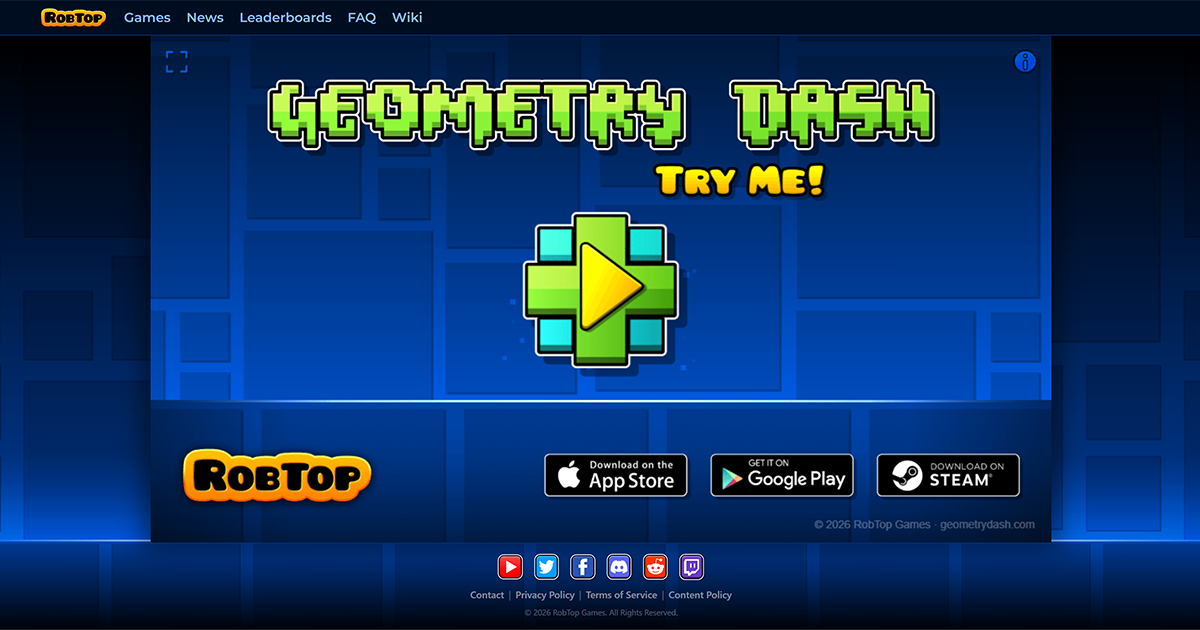

robots.txt (opens in a new tab)
1 rulesAll bots 1 allowed · 0 disallowed
- Allow
/
No matching rules.
Sitemaps
1Recent Updates
- Website images
- Screenshots
- Pages and Search Information
- Network details
- Website Technologies
- HTTP Response Information
- TLS and certificates
- DNS Information
- Domain Registration
- Website profile
- Website Description
- Website Name
- Website profile
- Website Description
- Website Name
User reviews (0)