Website profiles · Technology insights · Alternatives

gradia.alexandervanhee.be

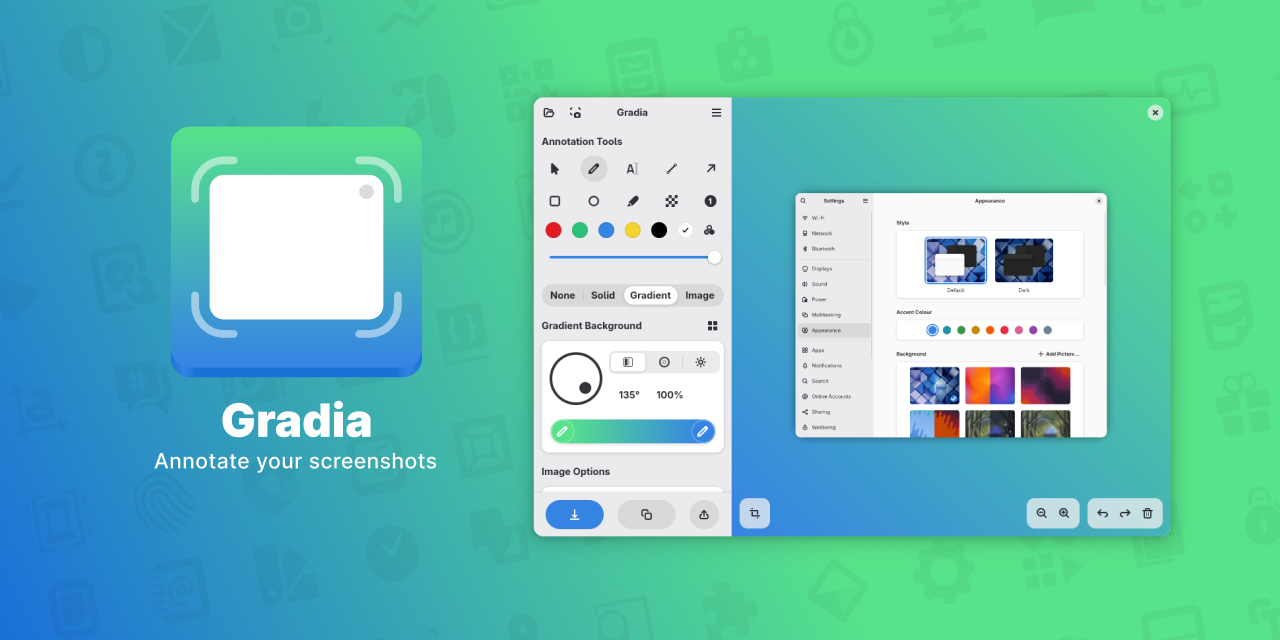
Gradia helps you beautify, annotate, and share screenshots seamlessly on Linux.

No paid content found
Visit website
Profile views 0 Outbound visits 0 Normal
Gradia Full homepage screenshot

At a glance

Category
Development
Language
English
Paid-content signal
No paid content foundObserved
Registered
Unknown
Hosting
FastlyInferred
HTTPS certificate trusted
PassedObserved
Last updated

Website review

This review may include AI-generated content and is not individually verified. Domain, certificate and other facts come from the observed data on this page.

What is Gradia?

Gradia is a free, open-source screenshot annotation and beautification tool for Linux. It takes a plain screenshot and turns it into something presentable: you can add annotations, polish the image, and then share it with friends, colleagues, or a wider audience. The project is licensed under GPLv3 and is distributed through Flathub and the Snap Store.

Who it is for

  • Linux desktop users who take screenshots regularly and want them to look intentional rather than raw.
  • Developers and support staff who mark up screenshots to explain bugs, UI behavior, or steps.
  • Anyone sharing visuals publicly — documentation, social posts, tutorials — where a bare screen capture looks unfinished.

What it actually does

The core promise is "make your screenshots ready for all." That splits into two practical jobs: annotating (calling attention to parts of the image) and beautifying (presenting the capture in a cleaner frame). The project also welcomes contributions, with localization, documentation, and code listed as ways to get involved, which is a reasonable signal of an actively maintained open-source project.

How to decide if it fits

If you already use a Linux screenshot tool and your only gap is presentation, Gradia is aimed squarely at that gap. If you need a full image editor, a capture tool with built-in OCR, or something cross-platform, look elsewhere first.

A concrete next step: install it from Flathub or the Snap Store, take one screenshot you would normally send as-is, and add a single annotation. If that round trip feels faster than your current habit, keep it; if not, the tool is not saving you time.

For a broader comparison, dedicated screenshot utilities such as Flameshot and general editors like GIMP cover overlapping ground, with GIMP trading speed for depth.

How do I install Gradia on Linux?

Install Gradia from a software store rather than building it from source. The project lists two distribution channels on its homepage: Flathub and the Snap Store. Either one handles installation and updates for you, which suits most Linux users.

Pick the channel that matches your distro

Situation Recommended channel Why
You use a distro with Flatpak support (most mainstream ones) Flathub Flatpak is widely packaged and integrates well with desktop app catalogs
You use Ubuntu or another Snap-first distro Snap Store Snap is installed by default there, so setup is minimal
You want to contribute, patch or audit the code Source build via the project's GitHub repository Gives you the current development state, not a packaged release

Practical steps

  1. Open your distro's graphical software center and search for "Gradia". If it appears, install it there — this is the least error-prone route.
  2. If it does not appear, check whether Flatpak is enabled on your system; if it is, Flathub is the natural source.
  3. On Ubuntu and similar systems, the Snap Store is usually already present, so try that instead.
  4. After installing, launch Gradia once and take a test screenshot to confirm it can capture and annotate on your desktop session, especially under Wayland, where screenshot tools sometimes need extra permissions.

A realistic scenario

Suppose you are on Fedora with Flatpak already configured and you need to annotate a bug report screenshot for a colleague. Installing from Flathub gives you an app that appears in your launcher and updates alongside your other Flatpak software, with no manual dependency handling.

When to choose differently

If you need the newest fixes before they reach a packaged release, or you intend to contribute translations or code, work from the source repository instead. Gradia is free and open-source under the GPLv3, and the project points to GitHub for contributions, localization and documentation, so that path is actively supported. The trade-off is that you manage dependencies and updates yourself rather than relying on the store.

As a next step, confirm which of Flatpak or Snap your system already supports, then install through that channel and verify capture and annotation work before relying on it for anything important.

How can I annotate a screenshot in Gradia?

Gradia is built around annotating screenshots before you share them, so the basic workflow is to open the image in Gradia, add your marks, and then export or share the result. The site describes the tool as helping you "beautify, annotate, and share screenshots seamlessly on Linux," and its headline promise is getting screenshots "ready for sharing" — with friends and colleagues casually, or with a wider audience professionally.

What to expect in the annotation step

Because Gradia is positioned as an annotation and beautification tool rather than a plain capture utility, treat it as the editing stage that comes after you already have a screenshot file:

  • Open the screenshot in Gradia rather than editing it in a general image editor.
  • Add your annotations — the marks that explain what the viewer should notice.
  • Apply beautifying touches such as backgrounds or framing if you want the result to look presentable.
  • Export or share the finished image.

A concrete scenario

Say you are filing a bug report on a Linux desktop. You capture the error dialog, open it in Gradia, draw attention to the failing field, add a short note explaining what you expected, and export a clean image for the issue tracker. The same file, with a tidier background, could go straight into a team chat or a blog post without a second pass in another editor.

How to get it and where to go next

Gradia is distributed through Flathub and the Snap Store, which are the practical installation routes on most Linux distributions. It is free and open-source under the GPLv3, and the project invites contributions, localization help, and documentation work. If you want to check availability or install it, start at Flathub or Snap Store, and look for the project's GitHub repository for source and issue reporting.

Decision criterion

Choose Gradia if you want annotation and light beautification in one Linux-native step. If you only need to crop and resize, your desktop's default screenshot tool is enough; Gradia earns its place when the image needs to communicate something to another person.

Can Gradia beautify screenshots for professional presentations?

Yes. Gradia is built for exactly that kind of polish: its stated purpose is to help you beautify, annotate, and share screenshots on Linux, and it explicitly targets both casual sharing with friends or colleagues and professional sharing with a wider audience. For a presentation, the practical value is the combination of annotation (arrows, labels, highlights that direct attention) and beautification (clean backgrounds, padding, framing that make a raw capture look intentional rather than accidental).

Where it fits in a real workflow

Imagine preparing a slide deck about a UI change. You capture the screen, then use Gradia to crop tightly, add a callout on the changed element, and place the image on a tidy background so it sits comfortably beside your slide text. The same file can go into a written report or a chat message without rework.

Trade-offs to weigh

  • Presentation-grade, not design-suite-grade. It prepares screenshots for sharing; it is not a full illustration or layout tool. Complex compositing belongs elsewhere.
  • Linux-first. It is distributed via Flathub and the Snap Store, which suits Linux desktops and may not fit teams standardised on other platforms.
  • Free and open source under GPLv3. Good for organisations that prefer auditable, no-cost tooling; it also means you can contribute localisation, documentation, or code.

A quick decision criterion

Choose Gradia if your bottleneck is turning many raw captures into consistently styled, annotated images on Linux. If you need heavy vector editing or brand-template enforcement across a large team, pair it with a dedicated design tool instead.

Next step: check the Flathub listing for install commands and the GitHub project for docs and contribution paths.

Is Gradia free and open-source, and how can I contribute?

Yes. Gradia is free and open-source software, licensed under the GPLv3, and the project explicitly welcomes contributions.

How to contribute

The site lists several concrete entry points:

  • Contribute — code contributions to the project.
  • Localization — translate the interface into other languages.
  • Docs — improve or write documentation.
  • GitHub — the project's repository and issue tracker.
  • Flathub / Snap Store — distribution channels where the app is published.

What that means in practice

If you are a developer, the GitHub repository is the natural starting point: fork it, build it locally, and look for open issues or small fixes before proposing larger changes. If you are not a coder, localization and documentation are genuinely useful paths — translation work often lags behind releases, and docs are frequently the thinnest part of a small open-source project. Testing on your own distribution and reporting clear, reproducible bugs is another low-friction way to help.

A useful next step

Decide which of the three listed areas matches your skills, then open the corresponding link from the project page — for example, GitHub for code and issues, or the localization and docs sections if you would rather work on text. Before starting, check whether guidelines or a contribution file already exist, so your first pull request fits the project's conventions.

Does Gradia work with Flathub and Snap Store for easy installation?

Yes. Gradia is distributed through both Flathub and the Snap Store, so Linux users can install it from whichever package system their distribution favors.

Which channel fits which user

Installation channel Best for Practical consideration
Flathub Most desktop Linux distributions; users who already manage apps through Flatpak Sandboxed packaging; screenshot tools may need extra portal or permission handling to capture the screen and save files
Snap Store Ubuntu and other Snap-friendly distributions; users who prefer one-command installs and automatic updates Snap confinement can affect access to some file locations or desktop integration

What this means in practice

If you are on Ubuntu, the Snap Store is the path of least resistance. On Fedora, Linux Mint, or an Arch-based desktop, Flathub is usually the more natural choice. Either way, you get the same core purpose: preparing, annotating, and sharing screenshots.

The trade-off is packaging-related rather than feature-related. Sandboxed formats are convenient and update cleanly, but they occasionally restrict how an app interacts with your desktop. If Gradia cannot save to a folder or capture correctly, check its Flatpak or Snap permissions before assuming the app itself is at fault.

As a next step, install from the channel that matches your system, then test one screenshot from capture through annotation to sharing. That single run will reveal any permission issue immediately. Gradia is free and open-source under GPLv3, so there is no cost barrier to trying it. You can also explore the project through GitHub or the official Flathub listing.

Related questions

More questions →
Where to Get Involved with Gradia or Find Its Documentation

Gradia's official site links directly to four resources for users and contributors: GitHub for code, a localization page for translations, documentation for usage help, and Flathub and Snap Store for installation. If you want to contribute code, translate the app, read the docs, or just install it, one of these entry points covers it.

The official entry points

The Gradia homepage lists these destinations under its "Get Involved" section:

Resource What it's for
GitHub Source code, issue tracking, and code contributions
Localization Translating Gradia into other languages
Docs Official documentation on using the app
Flathub Installing Gradia as a Flatpak
Snap Store Installing Gradia as a Snap

The site describes Gradia as free and open-source software licensed under GPLv3, and states that contributions are welcome.

Contributing code via GitHub

GitHub is the place for code contributions. The site points there for source access and contribution work, though the homepage itself doesn't spell out a branching model, review process, or issue labels — you'll need to check the repository's own README and contribution guidelines once you're there.

A practical first step: browse open issues before writing code, so your change matches what maintainers actually want. For anything non-trivial, opening an issue to discuss the approach first is the usual convention for GPLv3 projects of this kind.

Contributing translations

Localization is listed as a separate entry point, which means translation work is handled outside the main code repository. If you want to help translate Gradia, follow the Localization link from the homepage rather than opening a pull request against the source directly — the site treats these as distinct workflows.

Reading the documentation

The Docs link is the official reference for how to use Gradia. Since the site's own description is brief — it helps you "beautify, annotate, and share screenshots seamlessly on Linux" — the documentation is where you'd go for actual usage detail. The homepage does not reproduce that content, so treat the Docs page as the authoritative source rather than third-party summaries.

Installing Gradia

Two distribution channels are offered:

  • Flathub — install as a Flatpak
  • Snap Store — install as a Snap

Both are linked from the homepage. Which one to use depends on which packaging system your distribution already supports; the site doesn't rank them or state a preference. Note that the homepage gives no pricing information for either store listing, so check the individual store pages if cost matters to you.

What the site does not cover

The homepage is a landing page, not a manual. It doesn't include system requirements, a feature list, version history, or a contribution workflow. For any of those, go to the linked Docs or GitHub repository. The only firm facts stated on the page itself are the GPLv3 license, the free and open-source status, and the five linked destinations above.

What Can You Do with Gradia for Beautifying and Annotating Screenshots?

Gradia is a free, open-source Linux tool for getting screenshots ready to share — whether casually with friends and colleagues or professionally with a wider audience. Based on the project's own description, its purpose is to help you beautify, annotate, and share screenshots seamlessly on Linux, so it fits anyone who takes screenshots and wants them to look clearer and more presentable before sending them on.

What Gradia Is Built For

The project describes itself around a single goal: making your screenshots "ready for all." That phrasing points to two ends of the same workflow:

  • Quick sharing — sending a screenshot to a friend or teammate without it looking raw or cluttered.
  • Professional sharing — preparing a screenshot that holds up when published or shown to a broader audience.

So Gradia sits between capturing a screenshot and sharing it. It is the step where the image gets cleaned up, marked up, and made readable.

Beautifying Screenshots

Beautifying means improving how a screenshot looks before anyone else sees it. The point is presentation: a plain screen grab often carries distracting background, uneven edges, or visual noise that pulls attention away from what matters. Gradia's stated role is to help you beautify screenshots so they are easier to look at and more suitable for the context you are sharing them in.

This matters most when the screenshot is going somewhere public or semi-public — a post, a document, or a message to someone who did not see your screen. A tidied image reads as intentional rather than accidental.

Annotating Screenshots

Annotating means adding marks to a screenshot so the important part is obvious. The project explicitly lists annotation alongside beautification as a core capability. In practice, annotation is what turns a screenshot from "here is my screen" into "here is the thing I want you to notice."

Typical reasons to annotate:

  • Pointing to a specific button, field, or error in a UI.
  • Highlighting a region so a reader does not have to hunt for it.
  • Adding context so the image makes sense without a long written explanation.

Because Gradia pairs annotation with beautification, the marked-up result is meant to stay clean and legible rather than looking like a rough draft.

Sharing the Result

Gradia's description ends on sharing: the processed screenshot is meant to go straight out to friends, colleagues, or the public. That closes the loop — capture, beautify, annotate, share — and explains why the tool frames itself around "ready for all" rather than around editing for its own sake.

How to Get Gradia

Gradia is distributed through two Linux package channels named on the project page:

Channel What it is
Flathub The main Flatpak app store for Linux
Snap Store Canonical's Snap package store

Both are listed as ways to install Gradia. The project also links to GitHub, and states it is free and open-source software licensed under GPLv3, with contributions, localization, and documentation all welcomed.

Who It Suits

Gradia is a reasonable fit if you:

  • Use Linux and take screenshots regularly.
  • Want a dedicated step for cleaning up and marking screenshots before sharing.
  • Prefer free and open-source software, and possibly want to contribute translations or code.

It is less relevant if you are not on Linux, since the project describes itself specifically as a Linux tool, or if you never share screenshots and only need to store them locally.

Getting Involved

If you want to go beyond using Gradia, the project points to several entry points: contributing code, helping with localization, reading the docs, and visiting the GitHub repository. These are listed directly on the project page alongside the Flathub and Snap Store install links.

How to Install Gradia on Linux

Gradia is distributed for Linux through two channels: Flathub and the Snap Store. Both are listed on the project's own site, so either one is a supported way to get the app. Choose Flathub if you already use Flatpak, or the Snap Store if your system is set up for snaps.

Install from Flathub

Flathub is the primary listing shown on the Gradia site.

  1. Make sure Flatpak is installed and Flathub is added as a remote on your distribution.
  2. Open the Gradia page on Flathub (linked from the Gradia site) and use the install button, or run the install command shown there in a terminal.
  3. Confirm the installation when prompted, then launch Gradia from your application menu.

Expected result: Gradia appears in your app launcher and opens to its screenshot editing interface.

Install from the Snap Store

The Snap Store listing is the alternative channel offered on the same page.

  1. Ensure snapd is available on your distribution.
  2. Open the Gradia page on the Snap Store (linked from the Gradia site) and install from there, or use the install command shown on the listing.
  3. Launch Gradia once the snap finishes installing.

Expected result: the same Gradia application, installed and runnable from your launcher.

Which Channel Should You Pick?

Consideration Flathub Snap Store
Listed on Gradia site Yes Yes
Requires Flatpak support snapd
Best if You already use Flatpak apps You already use snaps

If you have no preference, Flathub is the first channel listed on the Gradia site. If your distribution ships with snapd by default and you don't use Flatpak, the Snap Store is the simpler path.

After Installing

Gradia is described as helping you "beautify, annotate, and share screenshots seamlessly on Linux," and the site frames it as a way to get screenshots "ready for sharing, whether quickly with friends or colleagues, or professionally with the entire world." Once installed, you can open it and start annotating and preparing screenshots for sharing.

Common Snags

  • No Flathub remote configured: the Flatpak install will fail until Flathub is added. Add the remote first, then retry.
  • snapd not running: on distributions where snapd isn't enabled by default, install and enable it before using the Snap Store listing.
  • Wrong install command: use the command shown on the specific Flathub or Snap Store page rather than a generic one, since package identifiers differ per channel.

About the Project

Gradia is free and open-source software, licensed under GPLv3. The site welcomes contributions and points to localization, documentation, and GitHub as ways to get involved.

What is Gradia?

Gradia is a free, open-source screenshot tool for Linux that helps you beautify, annotate, and share screenshots. It is aimed at Linux users who want their screenshots to look presentable — whether sending them quickly to friends or colleagues, or publishing them professionally to a wider audience. It is licensed under GPLv3 and distributed through Flathub and the Snap Store.

What Gradia does

Based on the project's own description, Gradia covers three connected tasks:

  • Beautify — improve the visual presentation of a raw screenshot so it looks intentional rather than like a plain screen capture.
  • Annotate — add markup to a screenshot so viewers can follow what you are pointing at.
  • Share — get the finished image ready to send or publish.

The stated goal is to make screenshots "ready for all" — usable both in quick, informal sharing and in professional, public-facing contexts.

Who it is for

Gradia fits Linux users who regularly share screenshots and care about how they look. Two common situations:

  • You send screenshots to teammates and want the relevant part clearly marked instead of leaving them to guess.
  • You publish screenshots in documentation, a blog, or a public post and want them to look polished.

If you only ever need a bare screen capture with no markup or presentation, a basic screenshot utility may be enough. Gradia's value is in the step after capture.

How to get it

Gradia is available from two package sources named on the project site:

Source What it is
Flathub The main Flatpak app store for Linux
Snap Store Canonical's Snap package store

Both are listed on the Gradia site alongside a "Get Involved" section. Because it is open-source under GPLv3, the project also welcomes contributions, with links to contribute, localization, documentation, and the GitHub repository.

Key facts at a glance

  • Platform: Linux
  • Purpose: Beautify, annotate, and share screenshots
  • License: GPLv3 (free and open-source)
  • Distribution: Flathub and Snap Store
  • Project links: Contribute, Localization, Docs, GitHub

What to check before installing

The project page describes what Gradia is for but does not detail its feature set, system requirements, or pricing beyond "free and open-source." If you need specifics — supported desktop environments, exact annotation tools, or export formats — check the linked documentation and GitHub repository, since those are the authoritative sources for current capabilities.

Is Gradia Free and Open Source?

Yes. Gradia is free and open-source software, licensed under the GPLv3. That means you can use it at no cost, inspect its source code, and modify or redistribute it under the terms of that license. The project also welcomes outside contributions, including code, localization, and documentation.

What the license allows

GPLv3 is a copyleft license. In practical terms, for a tool like Gradia:

  • Use it freely — no payment or account is required to run the software.
  • Read the source — the code is publicly available for inspection.
  • Modify it — you can change the software to suit your needs.
  • Share it — you can redistribute your copies and modified versions, provided you pass along the same freedoms (the GPLv3 terms) and make the corresponding source available.

The exact obligations are defined by the license text itself, so treat the GPLv3 as the authoritative source if you plan to redistribute a modified build.

How to get it

Gradia is distributed through two package channels listed on its site:

Channel What it is
Flathub Flatpak app store for Linux
Snap Store Snap package distribution

Both are standard Linux distribution routes, so installation fits the normal workflow for whichever packaging system your distribution uses.

Contributing

The project explicitly invites contributions in three areas:

  • Code — via the GitHub repository
  • Localization — translating the interface into other languages
  • Docs — improving or expanding documentation

If you want to help, the "Get Involved" section on the site points to these entry points.

What Gradia does

For context on what you're getting: Gradia helps you beautify, annotate, and share screenshots on Linux. The stated goal is to get screenshots ready for sharing — whether quickly with friends or colleagues, or more professionally for a wider audience.

Quick answers

Do I have to pay to use Gradia? No. It is free and open-source software.

Can I modify and redistribute it? Yes, under the GPLv3 terms, which require that derivative works keep the same license and source availability.

Where do I download it? From Flathub or the Snap Store.

Can I contribute? Yes — code, localization, and documentation contributions are all welcomed.

Website Overview

Several search or sharing settings need attention. Together they may make snippets, preview images or preferred URLs less consistent across platforms.

Domain and Registration

The domain uses the common .be extension, which is not an independent safety signal.

DNS and Email

Nameservers are provided by second-ns.com, indicating managed DNS hosting. MX records point to the alexandervanhee.be email service. The CNAME points to alexandervanhee.github.io, associated with GitHub Pages. SPF and DMARC are configured. DKIM status is unknown. The lowest observed DNS TTL is 3600 seconds.

TLS and Certificates

The certificate uses an RSA 2048-bit public key, offering broad client compatibility. The server supplied a complete certificate chain. No organization name is present in the certificate; the available fields are consistent with domain validation. The certificate was issued by Let's Encrypt, commonly associated with automated certificate services. The certificate's total validity is about 89 days, consistent with a short renewal cycle.

HTTP and Browser Security

The checked browser-security headers were not detected, leaving fewer explicit browser-side safeguards. CORS permits any origin to read this response. This is common for public resources; sensitive responses need narrower handling. No X-Powered-By header was found, reducing one common source of backend fingerprinting information. The x-cache, x-served-by, via response header indicates a CDN or caching proxy in the delivery path. No obvious internal addresses or debug information were found in the headers.

Technology Stack Analysis

The public page identifies Tailwind CSS, Fastly without precise versions, leaving fewer clues for version-specific scanning.

Search and Social Sharing

No homepage meta description was detected, leaving snippet selection more dependent on page text. No homepage canonical URL was detected. If duplicate URLs exist, consolidation may be less explicit. The title has 6 characters, within a common display range. The observed directives allow indexing and link following. No Generator meta tag is publicly exposed.

Hosting and Email

DNSsecond-ns.com
HostingFastly
Emailalexandervanhee.be
Approximate IP geolocation (inferred; a CDN or proxy may differ from the origin server) United States flagUnited States Inferred 185.199.108.153

Registration details

RDAP / WHOIS

RegistrarName: Key-Systems GmbH
RegisteredUnknown
ExpiresUnknown
Domain statusNOT AVAILABLE
NameserversUnknown
DNSSECunknown

DNS records

DNS

TypeNameValueTTLPriority
Aalexandervanhee.github.io185.199.108.1533600—
Aalexandervanhee.github.io185.199.109.1533600—
Aalexandervanhee.github.io185.199.110.1533600—
Aalexandervanhee.github.io185.199.111.1533600—
AAAAalexandervanhee.github.io2606:50c0:8000::1533600—
AAAAalexandervanhee.github.io2606:50c0:8001::1533600—
AAAAalexandervanhee.github.io2606:50c0:8002::1533600—
AAAAalexandervanhee.github.io2606:50c0:8003::1533600—
MXalexandervanhee.bemail.alexandervanhee.be720010
NSalexandervanhee.bens.second-ns.com7200—
NSalexandervanhee.bens1.your-server.de7200—
NSalexandervanhee.bens3.second-ns.de7200—
TXTalexandervanhee.bev=spf1 +a +mx ?all7200—
CNAMEgradia.alexandervanhee.bealexandervanhee.github.io7200—
DMARC_dmarc.alexandervanhee.bev=DMARC1; p=none; rua=mailto:[email protected]7200—

TLS and certificates

TLS / SSL

AssessmentNormal configuration
Supported protocolsTLSv1.2、TLSv1.3
Negotiated protocolTLSv1.3
Certificate subjectgradia.alexandervanhee.be
IssuerLet's Encrypt
Valid until2026-12-13T13:04 · Remaining when checked: 57 days
Verification detailsCertificate trust: Passed · Hostname match: Passed

HTTP response headers

HTTP

HeaderValue
content-typetext/html; charset=utf-8
cache-controlmax-age=600
serverGitHub.com
access-control-allow-origin*

Identified technologies

Tailwind CSSFastly

Pages, Search and Sharing

Meta descriptionNot detected
Canonical URLNot detected
LanguageEnglish (default)
Twitter CardNot detected

No robots.txt found

No sitemaps found

User reviews (0)

  • No reviews yet.