

 Visit website
 Updated: 2026-10-03 15:42
 Language: English (default)
 Access: Normal
 Profile views 7
  Outbound visits 0
 Website Review
What is Grid My Business?
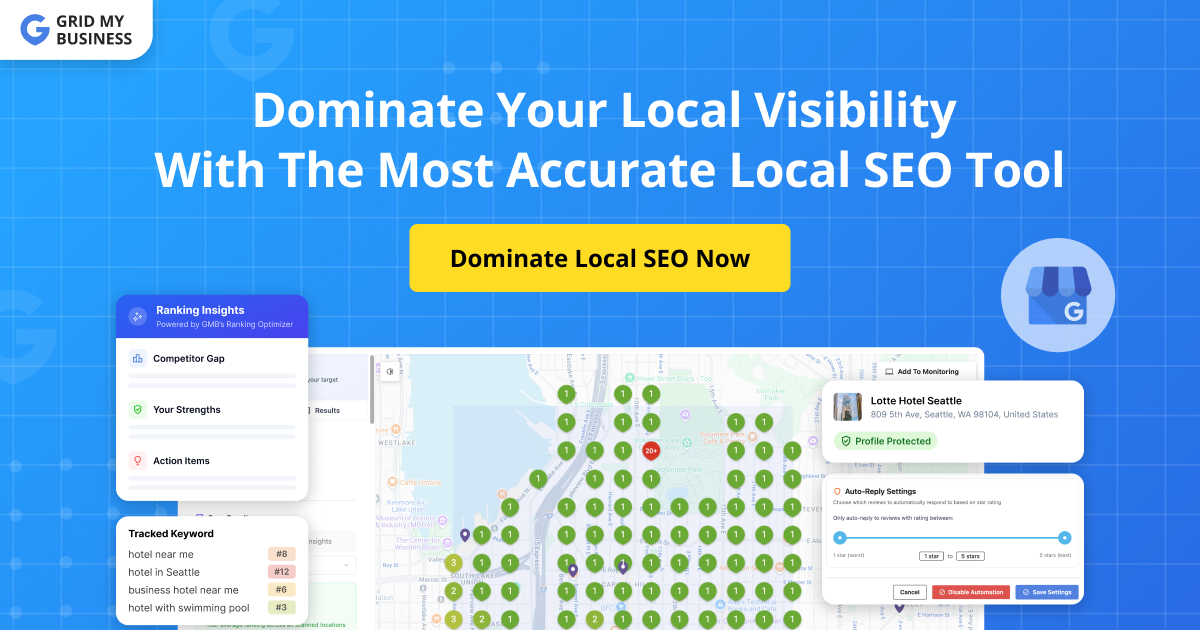
Grid My Business is a local SEO tool built around geo-grid rank tracking—it scans how your business appears on Google Maps across many points in a geographic area, rather than reporting a single average position. It also extends that visibility tracking into AI assistants: the page describes checking how you show up in ChatGPT, Gemini, AI Mode, and AI Overviews, which matters as more customers ask an AI "who should I hire near me?" instead of scrolling a map.
Beyond measurement, it bundles Google Business Profile management: AI-assisted review replies, post updates, and an "optimization agent" that analyzes where you trail nearby competitors and suggests next steps. It supports service-area businesses, not just storefronts, and the page claims coverage of 195 countries and 127 languages.
Who it fits:
- Local businesses with a physical location that want to see which neighborhoods they win and lose on the map.
- Service-area businesses (plumbers, cleaners, mobile services) tracking rankings across a wide territory without one fixed pin.
- Agencies managing local visibility for multiple clients, especially those who want AI-search visibility reported alongside map rankings.
The trade-off is scope: this is a local and AI-visibility tool, not a full technical SEO or content platform. If your growth problem is organic blog traffic or site speed, it won't address that. Also weigh the AI-search feature on its usefulness to you—it's a newer, less standardized signal than classic map rankings, so treat it as directional rather than a settled metric.
Next step: pick three to five keywords that actually represent buying intent for your business, run a scan, and look at the grid pattern rather than the headline number. A business ranking well downtown but invisible in the suburbs where most of its customers live has a very different problem than one ranked uniformly in the middle—and the grid is what makes that distinction visible.
How does Grid My Business track my Google Maps rankings across different locations?
Grid My Business tracks Google Maps rankings by running geo-grid scans: it plots a grid of pins over a map area, checks where your business appears in the local pack for a given keyword at each pin, and reports the results as a visual ranking map rather than a single position number.
How the tracking works in practice
- Geo-grid map: You pick a keyword, and the tool places a set of pins across the target area. Each pin represents a search location, and the result shows how your business ranks at that point.
- Flexible pin positioning: You can add, remove or reposition pins, so you can concentrate on high-priority neighbourhoods and skip areas that don't matter to your business.
- Multi-location coverage: The same keyword can be checked across multiple locations, which suits businesses with several branches or a wide service area.
- Service area business (SAB) support: If you serve customers at their location rather than from a storefront, you can still track rankings across your whole service area.
- Recurring scans: Rankings are monitored on a repeating cycle (the page states every 3 days), with notifications when a ranking rises or falls.
- Competitor tracking: Nearby competitors are monitored for the same keywords, including changes to their Google Business Profile, so you can see what is working for them.
- AI search visibility: The same idea is extended beyond Maps to AI assistants and AI-generated answers, showing where you appear across your service area.
Why the grid view matters
A single "rank #4" figure hides the fact that local rankings change street by street. A plumber might rank first near their depot and disappear three suburbs away. The grid turns that into a pattern you can act on: weak pins show where you need more reviews, better proximity-relevant content, or stronger local signals.
Example scenario
A dentist with one clinic and a 20 km catchment runs a grid scan for "emergency dentist." The map shows strong rankings within 3 km, patchy results at 5–8 km, and nothing beyond. Instead of guessing, they target the weak ring with location-specific landing pages and review requests from patients in those suburbs, then recheck after the next scan cycle.
Practical next step
Before committing, run a scan for two or three of your most valuable keywords and compare the weak pins against where your actual customers come from. If the gaps line up with revenue-relevant areas, the tool is worth the ongoing monitoring. For context on how local ranking factors work more broadly, see Google Business Profile Help and Google Maps Platform documentation.
Can Grid My Business help me outrank nearby competitors in local search?
Yes — that is the core job Grid My Business is built for. Its geo-grid rank checker shows where you appear on Google Maps across multiple points in your area, so you can see exactly where a nearby competitor outranks you instead of relying on a single search from your own location. Continuous tracking (the page states every 3 days) flags ranking changes, and competitor tracking monitors how nearby businesses perform on the same keywords and when their Google Business Profile changes. A "Ranking Optimizer AI" then turns those gaps into suggested steps.
The practical value is diagnosis plus prioritisation. If you run a service-area business, the flexible pin positioning and SAB support let you track the whole service area rather than only a storefront radius — useful when your customers are spread across a city or region. The page also claims AI search visibility tracking across ChatGPT, Gemini, AI Mode and AI Overviews, which matters if prospects increasingly ask an assistant "who should I hire near me?" rather than scrolling Maps.
Whose observation is this? The feature descriptions come from Grid My Business's own page, not from independent testing, so treat the accuracy figure and automation claims as vendor statements until you verify them in your own market.
A sensible next step: pick five to ten keywords that actually drive revenue, run one scan, and compare your grid against your two closest competitors. If the weak spots are consistent — say, the suburbs where you have no reviews or posts — that is your to-do list. If they are random, your problem may be proximity rather than effort, and no tool will fix that.
For context on local ranking factors and profile management, Google's own guidance at Google Business Profile Help and Google Search Central is worth reading alongside any tracker.
How does Grid My Business show my visibility in AI search tools like ChatGPT and Gemini?
Grid My Business treats AI search visibility as a separate layer from Google Maps rankings. Its AI Rank Checker is designed to show where your business appears when people ask ChatGPT, Gemini, AI Mode and AI Overviews for a local recommendation, rather than only showing your position in the classic Google local pack.
What it shows
- Your presence in AI-generated answers across your service area, not just at a single point.
- How your AI visibility compares with your Google Maps rank, so you can see whether the two diverge.
- Coverage across multiple locations when you serve customers beyond one address, including service-area businesses.
How to use it
- Run an AI rank check for the same keywords you already track on the map.
- Compare the two views: a strong Maps position with weak AI visibility often means your business information or reputation signals are not being picked up by AI answer engines.
- Use the Ranking Optimizer AI suggestions to see where you trail nearby competitors, then act on the gaps it flags.
- Re-check after changes, since AI answers shift more often than map rankings.
Practical trade-off
AI answer visibility is harder to control than a map pin because AI tools blend many sources and change their answers frequently. Treat the AI rank as a directional signal for how discoverable your business is in conversational search, and pair it with the review and Google Business Profile tools on the same platform if reputation is part of the problem.
If you only have time for one check, start with a single high-intent keyword in your main service area, then widen to your full coverage once you know where you stand.
What AI automation does Grid My Business offer for managing my Google Business Profile?
Grid My Business focuses its AI automation on three jobs around a Google Business Profile (GBP): watching where you rank, telling you what to change, and handling repetitive customer-facing updates.
AI features tied to GBP management
- Ranking Optimizer AI: analyzes where you trail nearby competitors and produces step-by-step actions to outrank them in local search, rather than just reporting a position.
- AI review replies: automates responses to customer reviews so you stay responsive without writing each one manually.
- AI-generated posts and updates: keeps your profile active by publishing GBP posts automatically.
- Competitor Tracking AI: monitors nearby businesses for the same keywords and flags changes to their GBP, so you can copy what's working.
- AI Search Visibility / AI Rank Checker: shows whether you appear when people ask ChatGPT, Gemini, AI Mode, and AI Overviews for a business recommendation, across your service area.
How this differs from plain rank tracking
| Task | Manual approach | What the AI layer adds |
|---|---|---|
| Finding weak spots | Read a geo-grid map yourself | Prioritized fix list per competitor gap |
| Review responses | Write every reply | Automated replies, you review exceptions |
| Profile freshness | Remember to post | Scheduled AI posts |
| Competitor moves | Spot-check profiles | Change alerts on their GBP |
| AI assistant visibility | Not measurable | Tracked alongside Maps rankings |
Who gets the most value
Agency teams managing several locations benefit most from the competitor monitoring and automated replies, since those are the highest-volume repetitive tasks. A single-location service-area business gets more from the Ranking Optimizer AI and AI search tracking, where the payoff is knowing which areas to target next.
Practical next step
Pick one keyword set and one competitor you consistently lose to, then run a scan and compare the AI's recommended actions against what you'd have done manually. If the suggestions are specific enough to act on the same day, the automation is earning its place; if they're generic, treat the tool as monitoring only.
For a broader view of how local visibility is measured, see Grid My Business.
Does Grid My Business work for service area businesses without a physical storefront?
Yes. Grid My Business explicitly supports service area businesses (SABs) that serve customers at the customer's location rather than at a storefront. Its geo-grid approach doesn't depend on having a physical pin customers walk into; you define the area that matters to you and track visibility across it.
H3 What SAB support looks like in practice
- Geo-grid scans over your service area: rankings are shown across a map of points, so you can see which neighborhoods and suburbs you're visible in and which you're missing.
- Flexible pin positioning: you can add, remove, or reposition scan points, so you can concentrate on high-value towns and skip areas you don't serve or don't want.
- Multi-location and multi-keyword checking: useful if you cover a wide region and want to compare "near me" style searches from different spots.
- Competitor tracking: shows which nearby businesses appear for the same keywords and how their Google Business Profile changes, which matters when your competitor has a storefront and you don't.
- AI search visibility: checks how you appear in AI assistants and AI overviews across your service area, not just on Google Maps.
- GBP optimization and review automation: profile management and AI-assisted review replies and posts, which is the part that doesn't require a storefront at all.
H3 Where a storefront-based tool would fall short, and this one doesn't A tool that only reports a single rank for one location is nearly useless to an SAB, because "rank" varies by where the searcher stands. A grid answers the real question: in which parts of my service area am I showing up, and where am I invisible? That's exactly the decision an SAB owner needs to make about ads, content, and review generation.
H3 Practical caveats to weigh
- Google still uses proximity as a ranking factor, so an SAB with a hidden address is generally weaker in the immediate blocks around a competitor's storefront. The grid will show you that honestly rather than hiding it.
- Set your pins deliberately. Scanning a huge area at fine resolution costs more time and money than scanning the towns you actually serve.
- Treat the AI-generated optimization steps as suggestions to test, not guaranteed fixes; local ranking changes take weeks to show up.
H3 A concrete next step Write down your five most profitable service areas, then run a scan with pins concentrated there and compare your grid against the top two competitors for your main keyword. If your competitor's grid is greener in the towns you care about most, that gap—not your overall average—is your priority list.
For a broader view of how local visibility tools compare, you can also look at BrightLocal and Semrush.
 Hosting and Email
 Amazon Route 53
 Hosting
 Google LLC
 Location
 United States
 Pages, Search and Sharing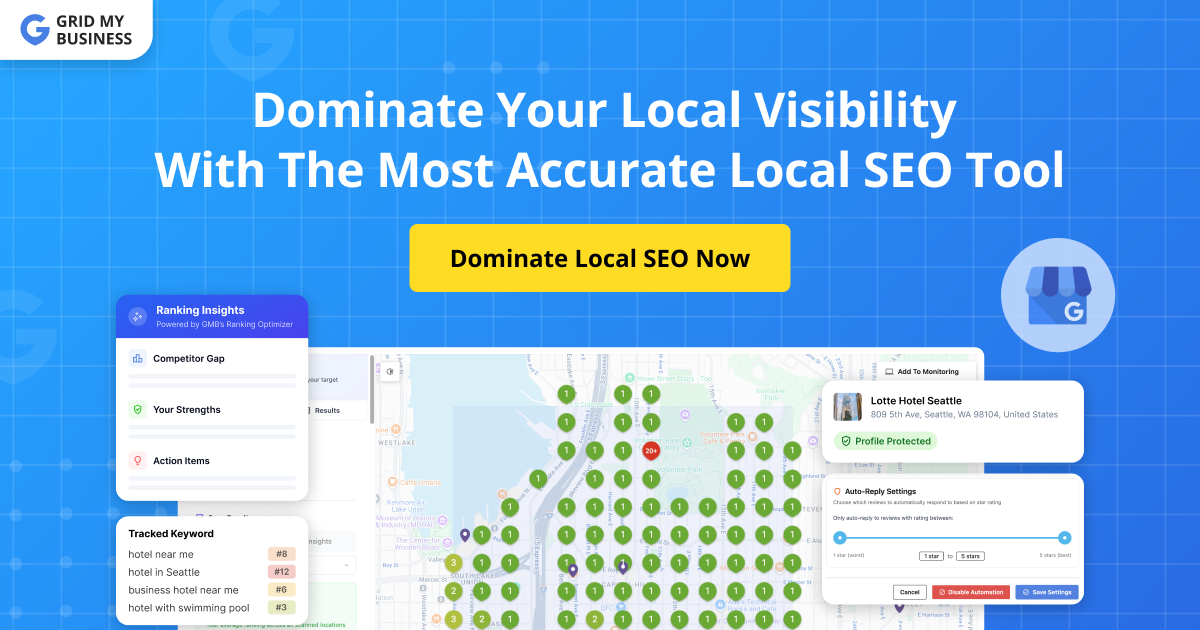


 Registration details

 Identified technologies
User reviews (0)