Website profiles · Technology insights · Alternatives

helpdesksimulator.com

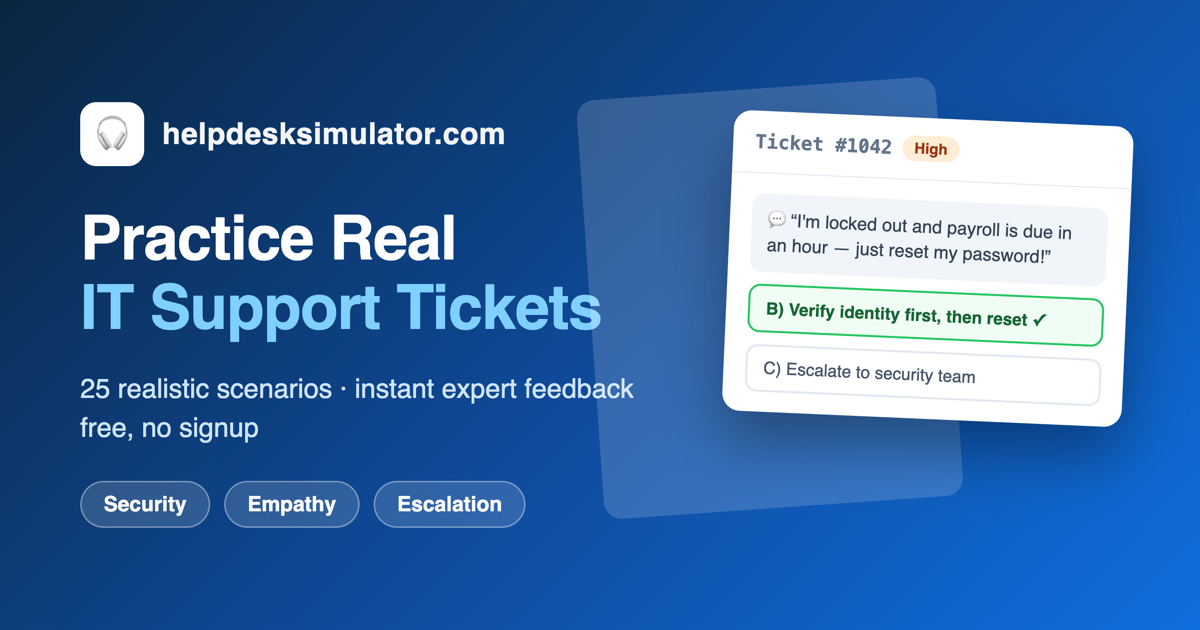
Free online help desk simulator: handle 25 realistic IT support tickets, get instant expert feedback, and train the exact skills help desk and service desk interviews test.

No paid content found
Visit website
Profile views 8 Outbound visits 2 Normal
Help Desk Simulator Full homepage screenshot

At a glance

Category
Education & Learning
Language
English
Paid-content signal
No paid content foundObserved
Registered
2026
Hosting
VercelInferred
HTTPS certificate trusted
PassedObserved
Last updated

Website review

This review may include AI-generated content and is not individually verified. Domain, certificate and other facts come from the observed data on this page.

What is Help Desk Simulator?

Help Desk Simulator is a free, browser-based training tool that puts you on a virtual IT service desk. You read realistic support tickets — password resets, jammed printers, VPN failures, policy-exception requests — choose one of four responses, and get instant feedback explaining why your choice would succeed or backfire on a real desk. No signup is required.

What it trains

The simulator scores you across four skill areas rather than quizzing you on definitions:

  • Security awareness — e.g., spotting a social-engineering attempt inside a routine password reset
  • Customer empathy — handling frustrated or demanding users
  • Escalation judgment — knowing when to fix, when to escalate, and when to treat many tickets as one incident
  • Troubleshooting method — restoring the business function before chasing the hardware

A shift covers five common Tier 1 ticket families: accounts and passwords, printers and peripherals, and similar recurring queue staples.

Who it suits

It is aimed at people preparing for entry-level help desk or service desk roles, career changers, and anyone who wants to rehearse judgment calls before an interviewer or a real customer is watching. The end-of-shift report shows which skill area needs work, so it doubles as a diagnostic.

Where it fits in a study plan

Treat it as a complement to, not a replacement for, hands-on labs and study material. Definitions and lab skills get you through the technical screen; this targets the scenario questions and first-month judgment calls that trip people up. If you want broader interview prep alongside it, Help Desk Simulator also publishes a guide to common help desk interview questions.

Next step: do one full shift, note the skill area that scores lowest, then repeat a shift focusing on that area before your next interview.

How can I use Help Desk Simulator to prepare for a help desk interview?

Use it as a judgment gym, not a study guide. Help Desk Simulator drops you into a virtual Tier 1 queue: you read each user's message, pick one of four responses, and immediately see why your choice would hold up or backfire in a real service desk. That loop is exactly what help desk interview scenario questions test — not whether you can define DHCP, but whether you verify identity before a password reset, spot a social-engineering attempt hiding in one, and know when to escalate.

H3. Turn each ticket into a STAR answer Every ticket you finish gives you raw material for the "tell me about a time an angry user called" question. After each one, write two sentences: the situation (what the ticket actually asked) and your call (what you chose and why). The instant feedback tells you the failure mode you avoided or triggered, which becomes your "result." Do this for a handful of tickets and you walk into the interview with structured, specific answers instead of vague instincts.

H3. Use the end-of-shift report to find your weak area The simulator scores you across four dimensions — security awareness, customer empathy, escalation judgment, and troubleshooting method — and the shift summary shows which one is dragging you down. That tells you where to spend the rest of your prep:

If your weak area is… What to drill next
Security awareness Identity verification, MFA resets, and the requests that look routine but aren't
Customer empathy Tone and wording in your replies to frustrated users
Escalation judgment When one ticket is really an incident, and when to hand off
Troubleshooting method Restoring the business function first, diagnosing hardware second

H3. A concrete prep routine Set aside 30 minutes: run one shift, read every piece of feedback even on the tickets you got right, then re-do the shift a day later and compare. The second pass is the real test — if you're choosing differently because you understand the principle, it's sticking. For the definitional side that interviews also touch on, pair this with a structured question list such as The Interview Guys or a broader IT prep resource like CompTIA, and use the simulator to practice saying your answers out loud under mild time pressure.

The trade-off to be honest about: a simulator can't teach you the actual tools — ticketing systems, remote support software, Active Directory consoles. It trains the decision layer above them. If a posting lists specific platforms, spend separate time on those; use this for the judgment calls that get people hired and keep them out of trouble in month one.

What types of IT support tickets can I practice with Help Desk Simulator?

Help Desk Simulator focuses on the ticket families that fill a real Tier 1 queue rather than on obscure edge cases. According to the site, a shift covers five main categories, and the sample tickets are drawn from everyday service desk situations: a password reset that might be social engineering, a printer that jams for the third time in a week, a VPN that fails only on hotel Wi-Fi, and an executive demanding a policy exception.

The categories the site names include:

  • Accounts and passwords — resets, lockouts, MFA problems, and the social-engineering attempts that hide inside them
  • Printers and peripherals — recurring hardware complaints and frustrated users
  • Connectivity and remote access — issues such as VPN failures that appear only on certain networks
  • Escalation and policy pressure — requests that test judgment, including exceptions demanded by senior staff
  • Incident recognition — spotting when many separate tickets are really one incident

Each ticket arrives as a written user message, and you pick one of four responses. The site says you then get an explanation of why your choice was strong or how it would backfire in a real environment, with scoring across security awareness, customer empathy, escalation judgment, and troubleshooting method.

A practical next step: if you are preparing for interviews, work through a shift and note which of the four skill areas the end-of-shift report flags as weakest. Then rehearse structured spoken answers for those scenarios, since help desk interviews commonly use "an angry user calls about..." questions. If you want broader context on the role, Help Desk Simulator is the source for these ticket types, and general interview guides can complement the practice without replacing it.

How does Help Desk Simulator score my performance and provide feedback?

Help Desk Simulator scores each of your four-response choices as you work through a shift, then gives immediate feedback on that choice plus an end-of-shift breakdown by skill. According to the site, performance is scored across security awareness, customer empathy, escalation judgment, and troubleshooting method — the same dimensions it says real service desk managers evaluate. Feedback is not just right/wrong: every answer explains why your choice was strong or where it would backfire in a real environment, including the failure mode a wrong answer would cause.

H3 How the scoring works in practice

  • You read a ticket as it would arrive, pick one of four responses, and get instant feedback on that decision.
  • The end-of-shift report shows which skill areas need work, so you can tell whether your weak spot is security thinking, empathy under pressure, or knowing when to escalate.
  • The feedback is built around judgment, not definitions — for example, verifying identity before a password reset, treating forty simultaneous tickets as one incident, or restoring the business function before diagnosing hardware.

H3 What this means for your prep If you are preparing for an entry-level help desk or service desk interview, the useful move is to treat the end-of-shift breakdown as a study plan: replay the ticket families where you scored lowest, and turn each feedback line into a structured interview answer. The site says the current shift covers five ticket families, including accounts and passwords (resets, lockouts, MFA, and social-engineering attempts) and printers and peripherals (recurring hardware complaints and frustrated users).

For broader interview practice alongside the simulator, see Help Desk Simulator and its help desk interview questions guide.

Is Help Desk Simulator suitable for someone with no IT experience?

Yes. Help Desk Simulator is designed for people who are preparing for entry-level IT support roles rather than for experienced technicians, so no prior IT experience is required to use it.

Why it fits a beginner

  • Tickets are written as user messages, not as technical fault descriptions. You read a plain complaint and pick one of four responses, so you are not expected to diagnose from raw logs or command output.
  • Feedback explains the consequences of each choice, which is where most of the learning happens for someone new to the field.
  • Scoring covers security awareness, customer empathy, escalation judgment and troubleshooting method — habits and judgment rather than product knowledge.

What a beginner should expect to find hard

The simulator assumes you can reason about workplace situations: a user claiming to be an executive, a printer that keeps failing, a VPN that only breaks on hotel Wi-Fi. If you have never worked a customer-facing job, the empathy and escalation choices may feel like guesswork at first. That is normal, and the explanations are the point.

A practical way to start

Treat the first shift as a diagnostic rather than a test. Answer honestly, read every explanation even when you chose correctly, then note which of the four skill areas the end-of-shift report flags. If security awareness is your weak area, study identity verification and social engineering before your next shift; if escalation judgment is weak, learn what a Tier 1 technician is expected to resolve alone. Pair this with a general grounding in support concepts — CompTIA outlines the A+ and IT support pathways that cover the vocabulary the tickets assume. For interview-specific preparation, the site's own scenario-style questions map closely to what hiring managers ask, and Reddit communities such as r/ITCareerQuestions are useful for sanity-checking whether your instincts match working technicians'.

Decision criterion

Use it if your goal is an entry-level help desk or service desk role and you want to rehearse judgment before an interview or first shift. Skip it if you are looking for hands-on configuration practice with operating systems, ticketing tools or networking equipment — this trains decision-making, not button-clicking.

Can I use Help Desk Simulator without signing up or paying?

Yes. Help Desk Simulator is designed to be used directly in your browser with no signup and no payment. You open the page, tickets load, and you start working through them.

H3 What the free, no-signup setup means in practice

  • No account to create. There's no registration step before you can start a shift.
  • No payment step described. The site presents itself as a free training tool rather than a paid product.
  • Browser-based. You don't install anything; you just need a browser and a stable connection.
  • Your progress isn't tied to a login. Since there's no account, treat each session as self-contained—if you want a record of your scores, screenshot or note the end-of-shift breakdown yourself.

H3 Who benefits most from this

Situation Why no-signup matters
Preparing for an entry-level help desk interview You can run a quick shift the night before without setup friction
Testing whether the format suits you You can try it before committing attention to a longer study plan
Practicing in short gaps (lunch break, commute) No login means no lost password or session recovery
Instructors or study groups Easy to point people to a single page with nothing to install

H3 One realistic scenario

Say you have an interview on Thursday and you're shaky on escalation judgment. On Wednesday evening you open the simulator, work a shift, and read the end-of-shift breakdown across security awareness, customer empathy, escalation judgment, and troubleshooting method. You spot that you escalate too early on printer tickets. You do one more shift focusing on that. No account, no cost, no setup—just two sittings of deliberate practice.

H3 A useful next step

Run one shift and pay attention to the feedback text rather than the score alone—the explanation of why an answer would backfire is where most of the learning sits. Then decide whether your weak area is judgment (which the simulator targets) or raw terminology (which you'd drill separately). For broader interview-style scenario practice, Help Desk Simulator itself references a companion interview questions guide, and general IT fundamentals resources such as CompTIA cover the definition-level material a simulator deliberately doesn't.

Related questions

More questions →
Is Help Desk Simulator Like the Real Job?

It mirrors the judgment calls of a real IT service desk, not the full environment. Help Desk Simulator presents tickets modeled on situations support teams handle daily — password resets that may be social engineering, repeat printer jams, a VPN that fails only from hotel Wi-Fi, executives demanding a policy exception "today" — and you pick one of four responses, then get immediate feedback on why your choice was strong or where it would backfire. It is a training tool for decision-making, not a replica of the tools, systems, or pressure of a live queue.

Where it matches the real job

The simulator is built around the parts of Tier 1 work that are actually hard to learn from a textbook:

  • Judgment over definitions. Entry-level interviews and the first month on the job are rarely lost on knowing what DHCP or Active Directory is. They are lost on knowing to verify identity before a password reset, recognizing that forty simultaneous tickets are one incident rather than forty, and restoring the business function before diagnosing hardware.
  • Realistic ticket content. Each ticket is written the way a user's message would actually arrive at a service desk, so you read the problem as presented rather than as a cleanly labeled exercise.
  • Scored on the dimensions managers use. Performance is rated across four skill areas — security awareness, customer empathy, escalation judgment, and troubleshooting method.
  • Failure modes explained. Every wrong answer describes what that choice would cause in a real environment, so the mistake teaches the consequence, not just the correct letter.

Where it differs from the real job

Dimension Simulator Real service desk
Stakes Zero risk; mistakes are safe and cheap Mistakes affect real users, security, and uptime
Format Read a message, choose one of four responses Free-form typing, calls, remote sessions, ticketing tools
Volume A shift of 25 tickets Live queue with competing priorities and interruptions
Feedback Instant, with an explanation per decision Delayed, often indirect, sometimes absent
Systems No actual admin consoles or software You work inside real tools and environments

The simulator compresses the decision layer of the job and strips out the tooling and time pressure. That makes it useful for practicing choices, but it will not teach you to navigate a specific ticketing system or admin console.

What the ticket set covers

The current shift spans the five ticket families that dominate real Tier 1 queues, including:

  • Accounts & passwords — resets, lockouts, MFA, and the social-engineering attempts hidden inside them
  • Printers & peripherals — recurring hardware complaints and frustrated users
  • Connectivity issues — for example, a VPN that fails only from hotel Wi-Fi
  • Policy exceptions — users, including executives, pushing for an exception "today"

Who gets the most from it

  • Interview candidates. Scenario questions ("an angry user calls about...") are a staple of help desk interviews; practicing here produces ready, structured answers.
  • Career changers and beginners. The end-of-shift report shows whether your weak spot is security thinking, empathy under pressure, or knowing when to escalate.
  • Anyone who wants skill diagnosis. Because scoring separates the four areas, you can see which one needs work rather than getting a single pass/fail.

How to use it well

  1. Treat each ticket as a real decision: before choosing, ask what could go wrong with each option.
  2. Read the feedback on wrong answers in full — the explanation of the real-world failure mode is the point.
  3. Note which of the four skill areas scores lowest, then look for more practice in that area.
  4. Use the scenarios as interview prep by turning each into a spoken answer.

It runs free in your browser with no signup, so the cost of a wrong call is only the time it takes to read why.

How Does the Help Desk Simulator Work?

Help Desk Simulator is a browser-based training tool that puts you on a virtual IT service desk. You read realistic support tickets, pick one of four responses for each, and get instant feedback explaining why your choice was strong or where it would backfire on a real service desk. Every decision feeds into a score across four skill areas, and at the end of a shift you get a breakdown of which skills need work. It runs free in your browser with no signup, and the current shift covers 25 tickets.

The practice loop, step by step

  1. A ticket arrives. You read the user's message exactly as it would land in a real queue — a password reset request, a printer that jammed for the third time this week, a VPN that only fails from hotel Wi-Fi, or an executive asking for a policy exception "today, please."
  2. You choose one of four responses. Each option represents a different judgment call a technician might make.
  3. You get immediate feedback. The simulator explains why your choice was strong or how it would backfire in a real environment. Wrong answers describe the failure mode they would cause in real life, so the mistake teaches something specific rather than just marking you down.
  4. Your choices accumulate into a score. Performance is tracked across four skill areas (below).
  5. The shift ends with a report. You see a breakdown showing exactly which skills need work.

What gets scored, and why those four areas

Your performance is scored across four dimensions because those are the ones real service desk managers evaluate:

Skill area What it measures
Security awareness Verifying identity before a password reset, spotting social-engineering attempts
Customer empathy How you handle frustrated or angry users under pressure
Escalation judgment Knowing when to escalate — and recognizing that forty simultaneous tickets are one incident, not forty
Troubleshooting method Restoring the business function first, diagnosing hardware second

The end-of-shift report maps your results onto these areas, so you can tell whether your weak spot is security thinking, empathy under pressure, or escalation judgment.

What the tickets actually cover

The current shift covers the five ticket families that dominate real Tier 1 queues. The page names these two explicitly:

  • Accounts & passwords — resets, lockouts, MFA, and the social-engineering attempts that hide inside them
  • Printers & peripherals — recurring hardware complaints and the angry users who come with them

The remaining families round out the 25-ticket set, which is modeled on situations IT support teams handle every day.

Why practice this way instead of studying definitions

Most people preparing for IT support roles study definitions — what DHCP is, what Active Directory is, what an SLA means. But entry-level interviews and the first month on the job are rarely lost on definitions. They are lost on judgment: knowing to verify identity before a password reset, knowing that forty tickets are one incident, knowing to restore the business function before diagnosing the hardware.

A simulator lets you make those judgment mistakes safely and cheaply, before an interviewer or a real customer is watching. Two specific uses the site highlights:

  • Interview preparation. Scenario questions ("an angry user calls about...") are a staple of help desk interviews, and practicing here gives you ready, structured answers.
  • Skill diagnosis. The end-of-shift report tells you whether your gap is security thinking, empathy, or escalation — rather than leaving you to guess.

Who this is for

It fits anyone preparing for an entry-level IT support or service desk role, or anyone early in that job who wants to rehearse judgment calls without risking production. If you already know the definitions and want to test whether you'd make the right call under pressure, this is the gap it fills.

Who Is Help Desk Simulator For?

Help Desk Simulator is for people who need to practice IT support judgment, not definitions: job seekers preparing for help desk or service desk interviews, new Tier 1 technicians in their first weeks on the job, career changers who want to make mistakes safely, and trainers who need structured scenario practice. It fits you if your weak spot is deciding what to do next — verifying identity before a reset, spotting that forty tickets are one incident, restoring the business function before diagnosing hardware — rather than recalling what DHCP or an SLA is.

The four groups it fits

1. Candidates preparing for IT support interviews

Scenario questions ("an angry user calls about...") are a staple of help desk interviews. The simulator gives you a place to rehearse structured answers before an interviewer is watching.

  • What you get: tickets modeled on everyday service desk situations — password resets that might be social engineering, a printer that jams for the third time this week, a VPN that fails only from hotel Wi-Fi, an executive who needs a policy exception "today, please."
  • Why it helps: you read the user's message exactly as it would arrive, choose one of four responses, and immediately learn why your choice was strong or where it would backfire in a real environment.
  • Pair it with: the site's help desk interview questions guide for the most common questions.

2. New help desk and service desk hires

The first month on the job is rarely lost on definitions — it's lost on judgment. If you're already hired and want to close that gap, the simulator lets you rehearse the calls a real technician makes without a real customer waiting.

3. Career changers who want zero-risk practice

If you're moving into IT support from another field, you can break things here instead of in production. Every wrong answer explains the failure mode it would cause in real life, so a mistake becomes a lesson rather than an incident.

4. Trainers who need structured scenarios

The shift covers five ticket families that dominate real Tier 1 queues, including:

  • Accounts & passwords — resets, lockouts, MFA, and the social-engineering attempts that hide inside them
  • Printers & peripherals — recurring hardware complaints and the angry users who come with them

That structure makes it usable as assigned practice rather than open-ended browsing.

What it measures, and why that matters for fit

Your performance is scored across four skill areas, because those are the dimensions real service desk managers evaluate:

Skill area What it tests
Security awareness e.g. verifying identity before a password reset
Customer empathy handling frustrated or angry users
Escalation judgment knowing when to escalate and when not to
Troubleshooting method restoring the business function first, diagnosing hardware second

At the end of a shift you get a breakdown showing exactly which skills need work. That end-of-shift report is the main reason to use it for skill diagnosis: it tells you whether your weak spot is security thinking, empathy under pressure, or knowing when to escalate — something a definition quiz can't tell you.

When it's not the right tool

  • If you're studying for a certification exam (network fundamentals, directory services, terminology), a simulator built around judgment calls won't drill the recall those exams test.
  • If you already have live production experience and are looking for advanced Tier 2/3 troubleshooting depth, the current shift is aimed at the Tier 1 queue.
  • If you need a graded, proctored assessment, this is practice and feedback, not certification.

How to start

The simulator runs free in your browser with no signup — you take a shift, handle the tickets, and get instant feedback on every decision. If you're unsure whether it fits, the fastest test is one shift: the end-of-shift breakdown will tell you more about your readiness than any description will.

What Is Help Desk Simulator?

Help Desk Simulator is a free, browser-based training tool that puts you on a virtual IT service desk and has you work through 25 realistic support tickets. You read each user's message as it would arrive, pick one of four responses, and get immediate feedback explaining why your choice would succeed or backfire on a real service desk. It requires no signup, and it is aimed at people preparing for help desk or service desk interviews as well as new technicians who want to practice judgment rather than definitions.

How it works

The loop is simple and repeatable:

  1. Read the ticket. Each one is modeled on a situation IT support teams handle routinely — a password reset that might be social engineering, a printer that has jammed for the third time this week, a VPN that fails only from hotel Wi-Fi, an executive who needs a policy exception "today, please."
  2. Choose one of four responses. You are making the same call a real technician makes, not answering a trivia question.
  3. Get instant feedback. The simulator explains why your choice was strong or where it would cause problems in a live environment.
  4. Review your shift report. At the end of a shift you see a breakdown of which skills need work.

What skills it scores

Your performance is scored across four areas, which the site describes as the dimensions real service desk managers evaluate:

Skill area What it tests
Security awareness Verifying identity before a reset, spotting social-engineering attempts
Customer empathy Handling frustrated or angry users under pressure
Escalation judgment Knowing when to escalate and when to keep working the ticket
Troubleshooting method Restoring the business function first, diagnosing hardware second

The end-of-shift report tells you whether your weak spot is security thinking, empathy, or escalation — so practice can target the gap instead of repeating what you already know.

What you'll practice

The current shift covers five ticket families that dominate real Tier 1 queues, including:

  • Accounts & passwords — resets, lockouts, MFA, and the social-engineering attempts that hide inside them
  • Printers & peripherals — recurring hardware complaints and the frustrated users who come with them

The site notes that the full shift spans 25 tickets across these families, with the remaining categories covering the other common Tier 1 request types.

Why practice this way

Most people preparing for an IT support career study definitions — what DHCP is, what Active Directory is, what an SLA means. But the site's argument is that entry-level interviews and the first month on the job are rarely lost on definitions. They are lost on judgment: knowing to verify identity before a password reset, knowing that forty simultaneous tickets are one incident rather than forty, knowing to restore the business function before diagnosing the hardware.

A simulator lets you make those mistakes safely and cheaply, before an interviewer or a real customer is watching. Three concrete benefits the site lists:

  • Interview preparation — scenario questions ("an angry user calls about...") are a staple of help desk interviews, and practicing here gives you ready, structured answers.
  • Skill diagnosis — the end-of-shift report shows exactly where you are weak.
  • Zero risk — every wrong answer explains the failure mode it would cause in real life, so you break things here instead of in production.

Who it's for

This fits you if you are:

  • Preparing for a help desk, service desk, or Tier 1 interview and want to rehearse scenario questions
  • New to IT support and want to build judgment before your first real shift
  • A self-taught learner who knows the definitions but has never had to decide what to say to an angry user

It is less useful if you are looking for deep technical labs (configuring servers, packet analysis) — the focus here is decision-making and communication, not hands-on system administration.

How to start

Open the site in your browser and begin a shift. There is no signup and no account to create. Work through the tickets at your own pace, read the feedback on every choice rather than rushing to the next one, and check the end-of-shift breakdown before starting another round so you can aim your next attempt at your weakest skill area.

What Skills Can I Practice with Help Desk Simulator?

Help Desk Simulator lets you practice four scored skill areas — security awareness, customer empathy, escalation judgment, and troubleshooting method — across 25 realistic IT support tickets in five ticket families: accounts and passwords, printers and peripherals, VPN and network issues, plus the escalation and communication calls that run through all of them. It's built for people preparing for entry-level help desk or service desk roles and for new technicians who want judgment practice rather than more definitions. You work in the browser with no signup, and every choice comes with immediate feedback.

The four skills the simulator scores

The site states that your performance is scored across four areas, chosen because they are the dimensions real service desk managers evaluate:

  • Security awareness — for example, recognizing that a password reset request might be social engineering, and verifying identity before acting.
  • Customer empathy — handling frustrated or angry users without escalating the conflict.
  • Escalation judgment — knowing when a ticket is beyond Tier 1 and when it isn't.
  • Troubleshooting method — working through a problem in a defensible order instead of guessing.

At the end of a shift you get a breakdown showing which of these needs work, so the practice doubles as a skill diagnosis.

What each ticket family actually trains

Accounts and passwords

Resets, lockouts, MFA problems — and the social-engineering attempts that hide inside ordinary-looking requests. This is where security awareness gets tested most directly, because the correct move is often to slow down and verify rather than to be helpful immediately.

Printers and peripherals

Recurring hardware complaints, including the same printer jamming for the third time in a week, and the angry users who come with them. This family combines troubleshooting method with empathy under pressure.

VPN and network issues

Faults that only appear in specific environments, such as a VPN that fails only from hotel Wi-Fi. These tickets reward isolating variables instead of applying a generic fix.

Escalation and policy pressure

The simulator also models situations like an executive demanding an exception to policy "today, please." The judgment being trained here is recognizing that forty simultaneous tickets are one incident rather than forty, and that restoring the business function comes before diagnosing the hardware.

Why judgment practice beats definition study

Most interview prep for IT support focuses on definitions — what DHCP is, what Active Directory is, what an SLA means. The site's argument is that entry-level interviews and the first month on the job are rarely lost on definitions; they're lost on judgment. A simulator lets you make those judgment mistakes safely, before an interviewer or a real customer is watching, and every wrong answer explains the failure mode it would have caused in a real environment.

It also maps directly onto interview format: scenario questions ("an angry user calls about...") are a staple of help desk interviews, and practicing here produces structured answers you can reuse.

How a session works

  1. You read a user's message exactly as it would arrive at a service desk.
  2. You choose one of four responses.
  3. You immediately see why your choice was strong or where it would backfire in a real environment.
  4. At the end of the shift, you get a breakdown by skill area.

The current shift covers 25 tickets. The site describes it as free, in-browser, and requiring no signup; the available material does not state any pricing tiers or account requirements beyond that.

Who this fits

  • Career changers and students preparing for entry-level help desk or service desk interviews.
  • New Tier 1 technicians who want to rehearse escalation and security judgment before it counts.
  • Anyone who learns better from consequences than from documentation — the feedback loop is the point, not the ticket count.

If you already have years of Tier 2 experience, the scenarios will likely feel basic; the value is concentrated at the entry level and in the security and empathy dimensions, which experienced technicians often stop consciously practicing.

Website Overview

Several search or sharing settings need attention. Together they may make snippets, preview images or preferred URLs less consistent across platforms.

Domain and Registration

The domain was registered less than a year ago and has limited historical evidence to assess. The domain uses the common .com extension, which is not an independent safety signal.

DNS and Email

The lowest TTL is 60 seconds, supporting rapid record changes at the cost of more frequent lookups. Nameservers are provided by vercel-dns.com, indicating managed DNS hosting. CAA records restrict which certificate authorities are authorized to issue certificates. No CNAME was found; the observed records resolve directly to addresses. No MX record was found. A conventional explicit inbound-mail route is not configured.

TLS and Certificates

The certificate uses an RSA 2048-bit public key, offering broad client compatibility. The server supplied a complete certificate chain. No organization name is present in the certificate; the available fields are consistent with domain validation. The certificate was issued by Let's Encrypt, commonly associated with automated certificate services. The certificate's total validity is about 89 days, consistent with a short renewal cycle.

HTTP and Browser Security

The response lacks these common security headers: CSP, X-Content-Type-Options, Referrer-Policy, Permissions-Policy, clickjacking protection. CORS permits any origin to read this response. This is common for public resources; sensitive responses need narrower handling. No X-Powered-By header was found, reducing one common source of backend fingerprinting information. No obvious internal addresses or debug information were found in the headers. The Server header contains the custom value Vercel.

Technology Stack Analysis

The public page identifies Next.js, Vercel without precise versions, leaving fewer clues for version-specific scanning.

Search and Social Sharing

The meta description has 172 characters and may be shortened in search results. Open Graph is partially configured; og:type is missing. Twitter Card metadata is configured. The title has 61 characters, within a common display range. The observed directives allow indexing and link following.

Hosting and Email

DNSvercel-dns.com
HostingVercel
EmailUnknown
Approximate IP geolocation (inferred; a CDN or proxy may differ from the origin server) United States flagUnited States Inferred 216.198.79.65

Registration details

RDAP / WHOIS

RegistrarDreamscape Networks International Pte Ltd
Registered2026-07-09
Expires2027-07-09
Domain statusactive
Nameserversns1.vercel-dns.com、ns2.vercel-dns.com
DNSSECunsigned

DNS records

DNS

TypeNameValueTTLPriority
Ahelpdesksimulator.com216.198.79.651800—
Ahelpdesksimulator.com64.29.17.11800—
NShelpdesksimulator.comns1.vercel-dns.com86400—
NShelpdesksimulator.comns2.vercel-dns.com86400—
TXThelpdesksimulator.comgoogle-site-verification=gzHj7iRqVsqUxUQtgCGGQHpcRycAZFT6IykuPulpNWE60—
CAAhelpdesksimulator.com0 issue "letsencrypt.org"60—
CAAhelpdesksimulator.com0 issue "pki.goog"60—
CAAhelpdesksimulator.com0 issue "sectigo.com"60—

TLS and certificates

TLS / SSL

AssessmentNormal configuration
Supported protocolsTLSv1.2、TLSv1.3
Negotiated protocolTLSv1.3
Certificate subject*.helpdesksimulator.com
IssuerLet's Encrypt
Valid until2026-12-07T00:29 · Remaining when checked: 64 days
Verification detailsCertificate trust: Passed · Hostname match: Passed

HTTP response headers

HTTP

HeaderValue
content-typetext/html; charset=utf-8
cache-controlpublic, max-age=0, must-revalidate
serverVercel
strict-transport-securitymax-age=63072000
access-control-allow-origin*

Identified technologies

Next.jsVercel

Pages, Search and Sharing

Meta descriptionFree online help desk simulator: handle 25 realistic IT support tickets, get instant expert feedback, and train the exact skills help desk and service desk interviews test.
Canonical URLhttps://helpdesksimulator.com/
LanguageEnglish (default)
Twitter Cardsummary_large_image
All bots 1 allowed · 0 disallowed
  • Allow/

User reviews (0)

  • No reviews yet.