
 heyvid.ai
 Paid content
 Multilingual
Categories: Artificial Intelligence Video & Film
HeyVid is your all-in-one video and image generator. Access 18+ top models including Kling, Sora, Runway, Midjourney and Flux. Create content free.
 Visit website
 Updated: 2026-09-27 00:06
Language: English (default)
Updated: 2026-09-27 00:06
Language: English (default)
 Access: Normal
 Profile views 1
 Outbound visits 0
Related questions
More questions →How Do Content Creators Combine AI-Generated Assets With Licensed Stock Media in One Project?
Yes, you can combine AI-generated assets with licensed stock media in a single project, but the two categories carry different rights, and that difference is where most problems start. The practical rule: treat AI output and stock media as two separate asset classes with two separate paper trails, then document both before you publish. Below is how the rights differ, where creators get tripped up, and a workflow you can run in any editor.
AI assets vs. licensed stock: the core difference
| AI-generated assets | Licensed stock media | |
|---|---|---|
| Who owns it | Often unclear; depends on the tool's terms and your jurisdiction | The creator or library; you get a license, not ownership |
| What you receive | A generated file, sometimes with commercial-use rights granted by the tool | A defined license (royalty-free, rights-managed, editorial-only) |
| Attribution | Rarely required, sometimes prohibited from claiming authorship | Sometimes required, often restricted from redistribution |
| Main risk | Training-data provenance, platform terms changing, unclear copyrightability | Scope creep — using editorial-only footage in a commercial ad, for example |
The key point: a stock license tells you exactly what you can do. An AI tool's terms tell you what the platform permits, which is not the same as what copyright law allows. When you mix them, both sets of rules apply to the same final video.
Common licensing pitfalls when mixing the two
Editorial-only stock inside a monetized video
Many libraries label certain footage as "editorial use only" — news clips, celebrity shots, branded products. Dropping that into a YouTube video with ads or a client project can breach the license even if the rest of your timeline is clean AI output. Check the license tag on every stock clip, not just the ones you think are risky.
Assuming AI music is automatically "royalty-free"
AI-generated music may be free of royalties to a rights holder, but the tool's terms can still restrict commercial use, require a paid tier, or prohibit redistribution as a standalone track. If you upload your video to a platform that fingerprints audio, an AI track can still trigger a claim if it closely resembles training data.
Voiceover and likeness rights
AI voiceover that mimics a real person, or AI images of recognizable faces, can create publicity-rights issues that no stock license covers. Keep AI voice and likeness generic, or use a tool that explicitly grants commercial rights for the output.
Stacking licenses you didn't read
A single subscription may cover music, SFX, footage, and AI tools — but each category can have its own terms page. One plan does not mean one uniform license.
A practical workflow for one project
-
Create two folders before you edit. Name them
AI_generatedandLicensed_stock. Never let files mix on disk; you will need to prove origin later. -
Log every asset as you import it. A simple spreadsheet works:
File name Source Type License/tier Attribution required? Restrictions intro_music.wav AI tool Music Pro plan No No standalone resale city_broll_04.mp4 Stock library Footage Royalty-free No Not for editorial use -
Tag clips in your editor. Most editors let you add color labels or keywords. Mark AI assets one color, licensed stock another. This makes a final rights check fast.
-
Do a pre-export audit. Walk the timeline and confirm every clip's license permits your intended use — commercial, monetized, client work, or broadcast.
-
Keep the export clean of metadata conflicts. Some stock files carry embedded license metadata; AI files usually don't. Don't strip or fake either one.
How to verify one subscription covers both
Before you rely on a single platform for AI tools and stock media, confirm:
- The pricing page lists both categories under the same plan. If AI tools sit on a separate tier, your "one subscription" assumption is wrong.
- The terms of use have a section for AI output and a separate section for stock assets. One combined clause is a warning sign.
- Commercial use is explicit for both. Look for the words "commercial use" tied to each asset type, not just the plan overall.
- Attribution rules are stated per category. Music often differs from footage.
- There's a clear answer on client work and redistribution. If you can't find it, ask support in writing and save the reply.
Questions to ask before committing to one platform
- Does my plan cover AI music, SFX, footage, and voiceover, or only some of them?
- If I cancel, can I keep using assets downloaded during my subscription in existing videos?
- Are AI-generated assets covered for client and monetized work, or personal projects only?
- What happens if a stock clip is later reclassified as editorial-only?
- Is there a per-project or per-channel limit I might hit?
- Can I get written confirmation of commercial rights for both asset types?
Bottom line
Combining AI-generated and licensed stock assets is workable if you treat them as two licensed streams feeding one project. Separate your files, log every asset's origin and terms, audit before export, and verify that any single platform actually covers both categories in writing. The creative mix is easy; the paperwork is what keeps the project publishable.
What to Look for in a Video Platform Beyond Hosting and Sharing
If you're evaluating a video platform for a small business or marketing team, hosting and sharing are just the entry point. The features that actually determine whether a platform fits your workflow fall into four areas: privacy and playback control, collaboration and review tools, marketing and analytics capabilities, and practical limits like storage and mobile support. Most general-purpose tools (cloud storage, social networks, free hosts) cover hosting well but leave gaps in the other three. This guide walks through what each area means in practice, so you can map features to your own situation instead of comparing endless checklists.
Start by separating three jobs: hosting, editing, and marketing
Video platforms tend to bundle three distinct functions, and confusion usually comes from mixing them up:
- Hosting — storing a file, generating a player, delivering it reliably to viewers. This is the baseline.
- Editing — trimming, assembling, adding captions or branding. Some platforms include basic editors; others expect you to edit elsewhere and upload the result.
- Marketing and business features — privacy controls, lead capture, calls to action, analytics, team review workflows. These are what separate a "video host" from a "video platform."
A useful exercise: write down your last five video tasks (a product demo, a client pitch, a social clip, an internal training, a landing page embed). For each one, note which of the three jobs it required. If most of your tasks stop at hosting, a lighter tool may be enough. If several involve review cycles, gated access, or measuring viewer behavior, a fuller platform earns its cost.
Privacy and playback control: the business-vs-social divide
On social platforms, everything is public by default and wrapped in ads and recommendations. For business use, that's often the opposite of what you want. Look for:
- Granular privacy settings — can you restrict a video to specific people, a password, a domain, or an embed location? Can you make it unlisted but still embeddable?
- Ad-free playback — your product demo shouldn't end with a competitor's ad or an unrelated recommendation.
- Customizable embeds — control over player color, logo, and whether related videos appear. This matters when the video sits on your own site and represents your brand.
- Domain-level restrictions — the ability to limit playback to your own website prevents your content from being re-embedded elsewhere.
If your videos are purely promotional and public, these controls matter less. If you share client work, internal training, or pre-release material, they become the deciding factor.
Collaboration and review: the most common gap
This is where general-purpose tools most often fall short. A shared drive lets people comment on a file, but it doesn't give you a structured review process. A dedicated platform typically offers:
- Timestamped comments — feedback attached to a specific moment in the video, so "the logo looks off" points to an exact frame.
- Versioning — uploading a new cut while keeping the old one, so reviewers can see what changed.
- Approval status — a clear "approved" or "needs changes" state rather than a scattered email thread.
- Role-based access — reviewers who can comment but not download or reshare.
When this becomes relevant: as soon as more than two people need to sign off on a video, or when you're producing videos on a recurring schedule. For a solo operator publishing once a month, a simple comment thread may be sufficient.
Analytics and lead capture: beyond view counts
A raw view count tells you almost nothing actionable. Business-oriented platforms go further:
| Feature | What it tells you | When it matters |
|---|---|---|
| Watch time / engagement graph | Where viewers drop off | Improving content or editing |
| Viewer identity | Who watched (when gated) | Sales follow-up, internal training |
| Lead capture forms | Email collected before or during playback | Demand generation |
| Calls to action | Click-through to a page or booking link | Converting viewers |
| Embed/domain reports | Where your video is being watched | Tracking campaign performance |
If your goal is brand awareness, basic view counts may be fine. If you're using video to generate leads or train staff, the deeper metrics are the reason to choose a platform over a free host.
Practical limits that affect daily use
Feature lists rarely mention the constraints that cause friction later. Check these before committing:
- Storage and bandwidth limits — how much you can upload, and whether high viewership triggers overage fees.
- Upload size and length caps — relevant if you work with long recordings or high-resolution footage.
- Mobile app support — can you upload, review, and respond to comments from a phone? For teams that shoot on mobile, this is a real workflow factor.
- Export and portability — can you download your originals and embed codes if you leave? Lock-in is a hidden cost.
- Integrations — does it connect to the tools you already use (your website builder, CRM, or project tracker)?
Deciding between a full platform and a lighter tool
Use these rough conditions as a starting point:
A lighter tool (free host, cloud storage, social platform) is likely enough if:
- You publish occasionally and mostly to public channels.
- One person handles video end to end.
- You don't need gated access or viewer-level analytics.
A dedicated platform is worth evaluating if:
- Multiple people review or approve videos.
- You need privacy controls, ad-free playback, or branded embeds.
- You're using video for lead generation, training, or client delivery.
- You publish frequently enough that manual workarounds cost more than a subscription.
Pricing and plan details change often, so check the platform's current plans page directly rather than relying on secondhand comparisons. The right approach is to list your actual requirements first, then match them against what each option offers — not the other way around.
What Is an AI Video Generator and How Do You Create a Short Video From a Prompt?
An AI video generator turns a written description into a finished short video or reel, without a timeline editor or stock-footage search. On PushVideo AI, you describe what you want, optionally pick a style or template, and the studio generates the asset for you. It fits best when you need a short promotional or social clip and don't want to assemble one manually. If you mainly need still images, generating images first is the faster path — video is optional.
How it differs from traditional editing tools
Traditional editing assumes you already have footage. You import clips, cut them, add music, and export. Stock-footage tools assume you'll search a library and stitch clips together yourself.
An AI video generator starts from text instead. There's no footage to gather and no timeline to learn. You write a prompt, choose a look, and the tool produces the video. The trade-off is control: you steer with words and presets rather than frame-by-frame edits.
The prompt-to-video flow
The general sequence on PushVideo AI looks like this:
- Describe the video. Write what the short video should show and say — the product, the mood, the message.
- Pick a style or template. Options include presets such as Fast, Premium, Ultra, Cinematic, Director, and Creative Director, plus aesthetic directions like AI Apple commercial, Luxury hotel, Scandinavian minimal, Pinterest aesthetic, and Vogue editorial.
- Choose the asset type. Select Short Video / Reel (or Full Brand Identity, Social Media Pack, Product Mockups, Marketing Poster, Website Banner, PDF Guide, or Business Presentation if you need something else).
- Generate and wait. The studio reports a typical time of about 3–8 minutes, with a live timer and a notice if it runs long.
- Review the result. Everything appears below when ready.
The Creative Director option is described as automatically picking aesthetic, lighting, composition, branding, and social strategy — useful when you don't want to specify those yourself.
Where short videos fit in a broader content workflow
A short video is rarely the only asset you need. PushVideo AI is built as a brand and content studio, so the same prompt can feed related outputs: logos, social media posts, product mockups, marketing images, banners, posters, presentations, and PDF guides.
That matters for consistency. If you generate a reel and a matching social post from the same brief, the visual direction stays aligned instead of drifting between separate tools. For a launch, for example, you might produce a short video plus a poster and a social pack in one session.
Practical limits to plan around
- Generation time. Budget roughly 3–8 minutes per run, and expect a possible overrun notice.
- Credits. The interface shows credit usage per action — the Creative Director preset, for instance, is listed at 0 credits · uses 12. Check the cost before generating so you don't burn credits on a direction you're unsure about.
- Images vs. video. The studio notes "Designs Images first. Video optional." If your goal is a static post or mockup, generating images is the more direct route.
- Pricing. Current plan details live on the Plans page; check there before assuming what a given credit level includes.
Writing a prompt that works on the first try
A usable short video usually comes from a prompt that answers four things:
- Subject — what is on screen (a product, a person, a room, a logo).
- Message — the one line or idea the clip should land.
- Mood and style — pick a preset or name an aesthetic so the tool doesn't guess.
- Format — say it's a short video or reel so the output matches where you'll post it.
Vague prompts ("make a cool video") leave the studio filling gaps you may not like. Specific prompts ("a 15-second reel for a Scandinavian minimal skincare brand, soft daylight, calm tone") give it less to invent.
If the first result misses, change one variable at a time — style, then message, then format — rather than rewriting everything at once.
How to Generate AI Images Free Without Signup: Prompt, Aspect Ratio, Download
You can generate an AI image for free without creating an account on freegen.app: type a specific text prompt, pick an aspect ratio (1:1, 4:3, 3:4, 16:9, or 9:16), optionally upload a reference image, then click Generate and wait under 10 seconds. The tool is powered by Z-Image Turbo and the site states it is free with unlimited generations, no signup, and no credit card. One practical condition to know upfront: the page includes an "Ad Blocker Detected" notice, so if generation doesn't start, your ad blocker is the first thing to check.
Step 1: Write a prompt specific enough to survive the first try
The single biggest factor in whether you get a usable image on the first attempt is prompt specificity. The site's own instruction is to "be specific and detailed for best results."
A vague prompt forces the model to guess at subject, setting, lighting, and style all at once. A detailed prompt pins those down. Compare:
| Weak prompt | Stronger prompt |
|---|---|
| "a cat" | "A fluffy seal point cat lounging in a vibrant green grass field, soft afternoon light, shallow depth of field" |
| "a snowman" | "A cheerful snowman with a red hat and scarf next to a wooden cabin, snowy pine trees behind, warm window glow" |
| "something artsy" | "A cat made from smooth grey stones arranged on white sand, top-down view, minimal composition" |
The three examples in the middle column are the actual prompts shown in the site's example gallery, and each produced a finished image in seconds. The pattern: subject + specific attributes + setting + lighting or style. You don't need all four every time, but the more of them you include, the less the model improvises.
If your first result misses, change one element at a time (lighting, then composition, then style) rather than rewriting the whole prompt. That way you learn which phrase is doing the work.
Step 2: Choose the aspect ratio before you generate
Aspect ratio is a dropdown next to the prompt box with five options. Picking it before generating saves you from re-running a good image just to reframe it.
| Ratio | Shape | Typical use |
|---|---|---|
| 1:1 | Square | Profile pictures, Instagram feed posts, thumbnails |
| 4:3 | Landscape, classic | Blog headers, presentations, general web images |
| 3:4 | Portrait, classic | Book covers, posters, print-style layouts |
| 16:9 | Widescreen | YouTube thumbnails, desktop wallpapers, slide backgrounds |
| 9:16 | Tall portrait | Phone wallpapers, Stories, Reels, TikTok covers |
The site describes these as covering "any use case from social media to wallpapers." If you're unsure, 1:1 is the safest default because it crops gracefully into most other formats later.
Step 3 (optional): Upload a reference image for image-to-image
If you want to transform or enhance an existing image rather than start from text alone, use the "Image Prompt" button to upload a reference. The tool then runs an image-to-image transformation instead of pure text-to-image.
This is useful when you have a composition, color palette, or subject you want to keep but want restyled. You can combine it with a text prompt to steer the transformation. If you only want the reference to influence style, keep your text prompt focused on style words rather than describing a completely different subject, which can pull the output away from your reference.
Step 4: Generate, then save with right-click
Click Generate and the site states your image appears automatically in under 10 seconds, delivered in real time via WebSocket technology. There is no queue screen or email step.
To save the result, the site's instruction is simply to right-click the image and save it. There is no download button described, so don't hunt for one.
Common snags and what to do
Generation doesn't start, or the page shows "Ad Blocker Detected." This is the one failure mode the site itself surfaces. Disable your ad blocker for the page and try again.
The image ignores part of your prompt. Long prompts don't weight every clause equally. Move the most important element to the front of the prompt and cut secondary details.
You want a different composition but the same style. Keep your style and lighting phrases, rewrite only the subject and setting sentences, and re-generate.
You need a different shape after a good result. Change the aspect ratio and re-generate rather than cropping, since the model composes differently for each ratio.
What the free tier actually includes
Based on the site's stated terms: no account registration, no credit card, no hidden costs, unlimited free generations, and no trials or subscriptions. Results are described as arriving in less than 10 seconds, powered by Z-Image Turbo. The site also states the tool "will always be free to use for everyone."
The site does not publish a pricing page or payment links, so there is nothing to compare against a paid tier, and no stated usage cap beyond "unlimited." Treat that as the site's claim rather than an independently verified limit.
Website Overview
Page metadata, canonical configuration and social previews work together to provide more consistent search and sharing presentation. An active inbound-mail setup with incomplete authentication may leave the domain more open to impersonation. Provider hosting alone does not close that gap.
Domain and Registration
The domain was registered less than a year ago and has limited historical evidence to assess. Transfer-protection status is present, helping reduce the risk of unauthorized domain transfers. Registration contact information is publicly available through RDAP. The domain uses the common .ai extension, which is not an independent safety signal.
DNS and Email
MX records exist, but SPF, DKIM and DMARC were not detected. Protection against domain impersonation may be incomplete. Nameservers are provided by Cloudflare, indicating managed DNS hosting. MX records point to the Tencent Enterprise Mail email service. No CNAME was found; the observed records resolve directly to addresses. TXT records include verification markers for Google. Such markers may also remain after a service stops being used.
TLS and Certificates
The public key uses EC with 256 bits. The server supplied a complete certificate chain. No organization name is present in the certificate; the available fields are consistent with domain validation. The certificate was issued within the Google Trust Services cloud or CDN ecosystem. The certificate's total validity is about 90 days, consistent with a short renewal cycle.
HTTP and Browser Security
The checked browser-security headers were not detected, leaving fewer explicit browser-side safeguards. No X-Powered-By header was found, reducing one common source of backend fingerprinting information. The cf-ray response header indicates a CDN or caching proxy in the delivery path. No obvious internal addresses or debug information were found in the headers. The Server header identifies cloudflare without an exact version.
Technology Stack Analysis
The public page identifies Google Analytics, Cloudflare without precise versions, leaving fewer clues for version-specific scanning.
Search and Social Sharing
Twitter Card metadata is configured. JSON-LD includes Organization data, helping describe the organization as an entity. The page declares 19 language or regional alternatives using hreflang. The title has 56 characters, within a common display range. A meta description is present, with 147 characters.
 Hosting and Email
 Cloudflare
 Hosting
 Tencent Enterprise Mail
 Location
 unknown
104.21.46.32
Location
Location unknown
104.21.46.32
 Pages, Search and Sharing
| Meta description | HeyVid is your all-in-one video and image generator. Access 18+ top models including Kling, Sora, Runway, Midjourney and Flux. Create content free. |
|---|---|
| Canonical URL | https://heyvid.ai/ |
| Language | English (default) · Multilingual |
| Twitter Card | summary_large_image |
Social Sharing Preview
16 fields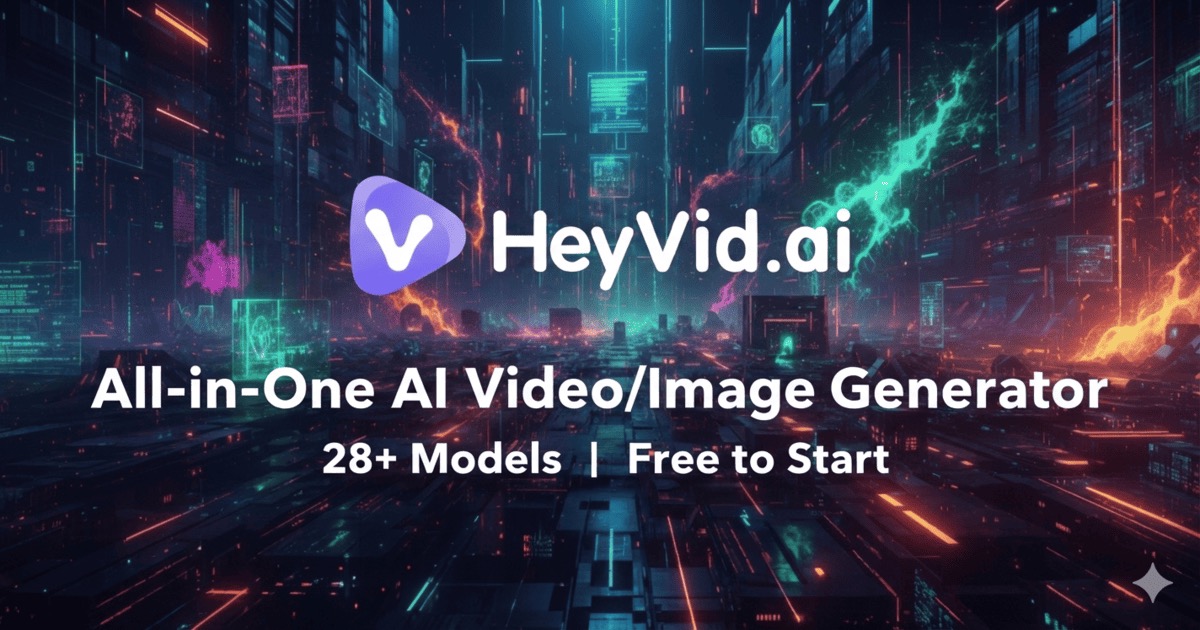

Sharing metadata
| og:url | https://heyvid.ai/ |
|---|---|
| og:type | website |
| og:image | https://heyvid.ai/og-image.jpg |
| og:title | HeyVid - Official Site | Free AI Video & Image Generator |
| og:image:alt | HeyVid AI - All-in-One AI Video and Image Generator with 28+ Models |
| og:site_name | HeyVid AI |
| og:image:type | image/jpeg |
| og:description | HeyVid is your all-in-one video and image generator. Access 18+ top models including Kling, Sora, Runway, Midjourney and Flux. Create content free. |
| og:image:width | 1200 |
| og:image:height | 630 |
| twitter:card | summary_large_image |
| twitter:site | @HeyVidAI |
| twitter:image | https://heyvid.ai/og-image.jpg |
| twitter:title | HeyVid - Official Site | Free AI Video & Image Generator |
| twitter:image:alt | HeyVid AI - All-in-One AI Video and Image Generator with 28+ Models |
| twitter:description | HeyVid is your all-in-one video and image generator. Access 18+ top models including Kling, Sora, Runway, Midjourney and Flux. Create content free. |
robots.txt (opens in a new tab)
16 rulesAll bots 1 allowed · 7 disallowed

 All bots

/
/account/billing/my-creations/payment//record/dropdown/api/
gptbot 0 allowed · 1 disallowed
/
chatgpt-user 0 allowed · 1 disallowed
/
ccbot 0 allowed · 1 disallowed
/
google-extended 0 allowed · 1 disallowed
/
anthropic-ai 0 allowed · 1 disallowed
/
claudebot 0 allowed · 1 disallowed
/
bytespider 0 allowed · 1 disallowed
/
cohere-ai 0 allowed · 1 disallowed
/
No matching rules.
Sitemaps
1 Registration details RDAP / WHOIS
| Registrar | Spaceship, Inc. |
|---|---|
| Registered | 2025-11-05 |
| Expires | 2027-11-05 |
| Domain status | client transfer prohibited |
| Nameservers | guy.ns.cloudflare.com、reza.ns.cloudflare.com |
| DNSSEC | unsigned |
 DNS records
| Type | Name | Value | TTL | Priority |
|---|---|---|---|---|
| A | heyvid.ai | 104.21.46.32 | 300 | — |
| A | heyvid.ai | 172.67.223.32 | 300 | — |
| AAAA | heyvid.ai | 2606:4700:3034::ac43:df20 | 300 | — |
| AAAA | heyvid.ai | 2606:4700:3037::6815:2e20 | 300 | — |
| MX | heyvid.ai | mxbiz1.qq.com | 300 | 5 |
| MX | heyvid.ai | mxbiz2.qq.com | 300 | 10 |
| NS | heyvid.ai | guy.ns.cloudflare.com | 86400 | — |
| NS | heyvid.ai | reza.ns.cloudflare.com | 86400 | — |
| TXT | heyvid.ai | google-site-verification=0U7veFbMfLooEIQgr9nP9xL7p4s7SFNYfid9lRTIITc | 300 | — |
| TXT | heyvid.ai | google-site-verification=3URWAH112Tx3w6JXvcQGONR9n_nCD6y_283FQH0NnZw | 300 | — |
 TLS and certificates
| Assessment | Normal configuration |
|---|---|
| Supported protocols | TLSv1.2、TLSv1.3 |
| Negotiated protocol | TLSv1.3 |
| Certificate subject | heyvid.ai |
| Issuer | Google Trust Services |
| Valid until | 2026-12-20T05:59 · Remaining when checked: 84 days |
| Verification details | Certificate trust: Passed · Hostname match: Passed |
 HTTP response headers
| Header | Value |
|---|---|
| content-type | text/html |
| server | cloudflare |
 Identified technologies
User reviews (0)