Website profiles · Technology insights · Alternatives

howjsay.com No paid content found

Categories: Education & Learning

Learn How to Pronounce English Words | Natural Recordings by Native Speakers

Visit website

Updated: 2026-10-01 06:21 Language: English (default) Access: Normal

Profile views 0 Outbound visits 0
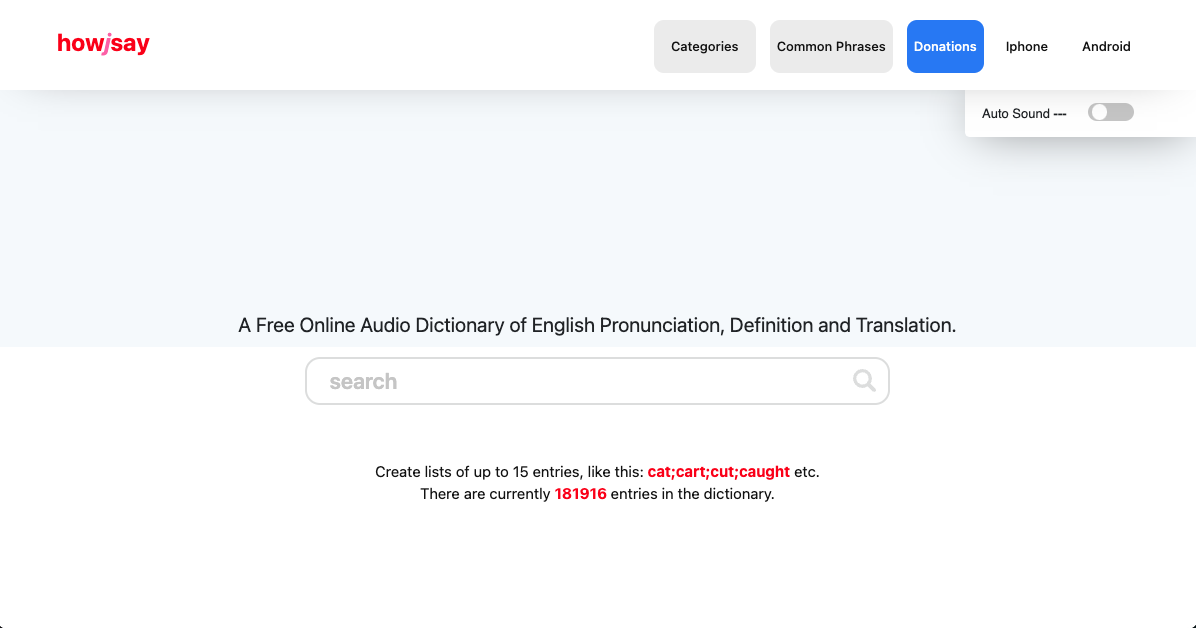
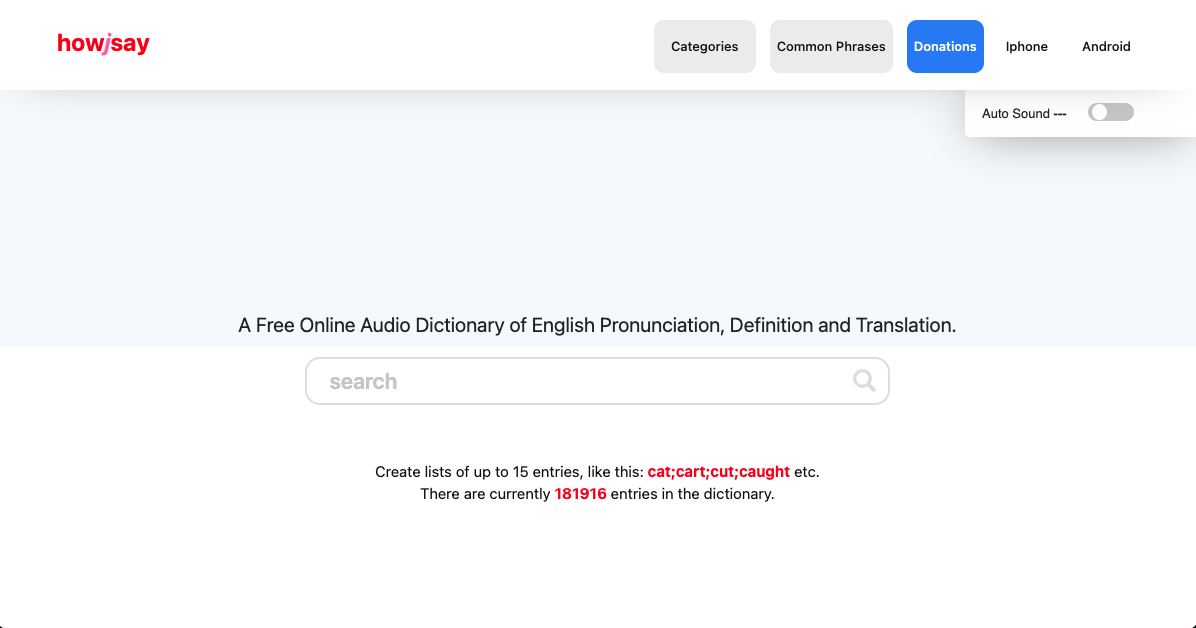
Howjsay Full homepage screenshot
Editorial Review

Website Review

What is Howjsay?

Howjsay is a free online English pronunciation dictionary. You type a word, press enter, and hear it pronounced; the site says it uses natural recordings by native speakers. It also offers a translation tool and lets you build practice lists of up to 15 entries, such as "cat;cart;cut;caught," so you can drill words that sound similar. The dictionary is large, with the site listing 181,987 entries, and words are organized into categories like medical, food, place names, and UK vs USA.

Who it suits

  • English learners who want to check a word's pronunciation quickly.
  • Teachers and tutors preparing minimal-pair or vocabulary drills.
  • Anyone unsure how to say a name, place, or technical term.

What to keep in mind

  • It is a pronunciation and translation reference, not a full learner's dictionary with grammar notes or example sentences.
  • It works one word per entry, so it is not built for practising whole sentences.
  • Recordings reflect particular speakers, so accent variety is limited compared with larger corpus-based tools.

A practical next step

If you are preparing for a presentation or interview, pick the ten words you are least sure about, look each one up, then use the list feature to group the tricky ones together and replay them until the sounds stick. For a second opinion on accent variety, compare entries with Cambridge Dictionary or Merriam-Webster, which include their own audio.

How can I hear the correct pronunciation of a specific English word on Howjsay?

Type the word into the search box on Howjsay and press Enter. The site plays a recording by a native speaker immediately, without an extra click. Enter one word per search; the dictionary holds roughly 181,987 entries, so most common English words, names and technical terms are covered.

If the word is not there or you want variants

  • Try a different spelling or the singular form — the dictionary is entry-based, so inflected or hyphenated forms may be missing.
  • Use the UK vs USA category to compare British and American pronunciations where both exist.
  • Build a practice list of up to 15 words separated by semicolons (for example, cat;cart;cut;caught) and work through them in one session.
  • Browse by category — such as Medical, Musical terms, Names, Food or Swear words — when you want vocabulary grouped by topic rather than a single lookup.

Practical scenario

A non-native speaker preparing for a job interview in London might look up "schedule", "route" and "lever", notice the UK/US split, then rehearse the British variants in a 15-word list before the call. That is faster than pausing mid-sentence to guess.

Decision criterion

Use Howjsay when you need a quick audio check of one word and are already fairly comfortable with English. If you need definitions, example sentences and grammar in the same place — or pronunciation for full phrases and connected speech — a general learner's dictionary will serve you better, because Howjsay is built around single-word audio entries rather than explanation.

Next step

Pick the five words you most often hesitate over, add them to a list, and play each one twice: once to listen, once to repeat aloud.

Can I compare UK and USA pronunciations for the same word on Howjsay?

Yes. Howjsay includes a UK vs USA category, so you can look up a word and compare British and American pronunciations rather than relying on a single recording.

How to use it for comparison

  1. Go to the UK vs USA category on Howjsay.
  2. Search one word at a time — the dictionary is built for single-word entries.
  3. Play the UK version, then the US version, and note the difference you actually hear: vowel sound, stress placement, or a dropped/added sound.
  4. If you want to drill a set, use the list feature (up to 15 entries, separated by semicolons) to group words you keep mixing up.

Practical example

A learner preparing for a job interview in London might check words like schedule, tomato or advertisement in both variants, then practise only the variant matching where they'll be speaking. Someone studying for an American English exam would do the reverse.

Trade-offs to keep in mind

  • Two recordings per word is useful for awareness, but it can slow you down if your goal is fluency in one accent. Pick a target accent and treat the other as reference.
  • Hearing a difference doesn't tell you why it exists. If you need the phonetic rule behind it, pair the audio with a dictionary that shows IPA.
  • Audio alone won't fix rhythm and connected speech. Use the common phrases category for short chunks, not just isolated words.

Next step: choose your target accent first, then use the other variant only to train your ear — for example, listen to the US version once, then say the UK version aloud three times.

How do I create and use a custom list of words to practice pronunciation on Howjsay?

Create a list of up to 15 words separated by semicolons, paste it into the site's list field, and play the entries: Howjsay's own page says lists can hold up to 15 entries and gives the example format cat;cart;cut;caught.

Building the list

  • Keep one word per entry, since the search box is designed for a single word at a time.
  • Use a semicolon between words, not commas or line breaks.
  • Group words by the sound you are drilling, not by topic. Minimal pairs such as ship;sheep;chip;cheap train your ear far better than a random vocabulary set.
  • Stay within the 15-entry limit and build several short lists rather than one long one.

Practising with it

Type the word, press enter, and listen. The site's stated behaviour is that you hear the word pronounced instantly on enter. Play a word, say it aloud yourself, then replay to compare. Repeat the whole list in one pass, then shuffle the order so you are not memorising a sequence.

A useful routine for a learner preparing for a presentation: build a list of the ten words you keep stumbling over, run it twice daily for a week, and swap out any word you now say correctly without thinking.

Where it fits and where it doesn't

Need Howjsay Better suited elsewhere
Quick check of one word's sound Yes, instant playback —
Drilling 10–15 problem words Yes, via custom lists —
Long vocabulary decks No, 15-entry cap Flashcard apps
Meaning, grammar, usage examples Limited Full dictionaries such as Cambridge Dictionary
Connected speech and intonation Not the focus Listening practice with BBC Learning English

The trade-off is focus versus depth: Howjsay is fast and uncluttered for isolated words, but it does not teach you how those words behave in a sentence. Pair it with something that gives you real spoken context. If you want a second reference point for a word's pronunciation, Merriam-Webster includes audio for many entries, and Forvo offers recordings from multiple speakers, which helps when you want to hear variation rather than one voice.

Next step: pick the five words you most often have to repeat for other people, build your first semicolon-separated list, and practise it today.

Does Howjsay offer text-to-speech or mobile app support for learning pronunciation on the go?

Yes — Howjsay includes both a text-to-speech tool and dedicated iPhone and Android options, so it works as a mobile pronunciation reference rather than a desktop-only dictionary.

What the site offers

  • Text to Speech: listed as a feature on the site, alongside the audio dictionary itself.
  • iPhone and Android: separate entries for each platform, so you can look up pronunciations on a phone.
  • Instant audio: the search box plays a word as soon as you enter it — one word per entry.
  • Practice lists: you can create lists of up to 15 entries (for example, cat;cart;cut;caught) and hear them together, which suits minimal-pair drilling.
  • Broad coverage: roughly 181,987 entries, organised into categories such as UK vs USA, medical, food, names and common phrases.

How to use it on the go

If you are a learner commuting or between classes, the practical workflow is: type the word, listen, then build a short list of the words you keep mispronouncing and replay that list until the contrast is clear. A teacher preparing a lesson can do the same with a themed category — for example, a set of medical or food terms — and play them in sequence.

Trade-offs to weigh

  • Howjsay is a pronunciation and audio dictionary, not a full language course: it gives you the sound of a word, not grammar drills or structured lessons.
  • The one-word-per-entry search is fast but less convenient if you want to paste a whole sentence; that is where a separate text-to-speech tool matters.
  • For connected speech, stress patterns in full sentences and accent coaching, pair it with a broader resource such as Cambridge Dictionary or BBC Learning English.

Next step

Pick five words you regularly stumble over, add them to a Howjsay list, and compare the UK and USA versions where both exist. If you need sentence-level practice rather than single words, use the Text to Speech option or a dedicated TTS tool instead.

How does Howjsay handle pronunciation for specialized terms like medical, scientific, or geographical names?

Howjsay organizes its dictionary by topic categories, and several of those categories exist precisely because specialized vocabulary is hard to guess at. On the page you can browse categories that include Medical, Science, Biology, Chemistry, Geography, Cities, Nationality and Names, alongside everyday groups like Food, Animals, Clothing and Verbs. So rather than treating pronunciation as one undifferentiated word list, the site gives you a subject-based route into the terms that most often trip people up.

What that means in practice

Pick the category that matches your material, then search within it. Howjsay plays an audio recording on entry, one word per search, and lets you build a list of up to 15 entries — useful for drilling a set of drug names, species names, or place names in one sitting rather than looking them up one at a time.

Where this approach helps and where it doesn't

Situation Howjsay's fit
Medical, scientific or geographic terms you need to say aloud Strong — dedicated categories plus audio for each entry
Building a short practice set before a presentation or lecture Strong — the 15-entry list feature
Distinguishing UK vs USA pronunciations Supported — there is a UK vs USA category
Full definitions, etymology or usage examples Limited — the site is built around pronunciation, with a separate definition/translate option
Languages other than English Not the focus

A concrete scenario

Suppose you're a student preparing to present a paper that mentions a drug, an enzyme, a genus and a foreign city. Instead of searching each one cold, start in the Medical and Science categories, confirm each audio entry, and load the trickiest ones into a single list of up to 15 so you can run through them back to back before you rehearse.

Decision criterion

Use Howjsay when the question is "how do I say this?" — especially for domain terms where you have no reliable intuition. If you also need meaning, grammar or example sentences, pair it with a general learner's dictionary such as Cambridge Dictionary or Merriam-Webster, and for British-focused coverage and usage notes, Oxford Learner's Dictionaries.

Related questions

More questions →
How to Start Learning Esperanto as a Complete Beginner

Esperanto is one of the fastest languages to reach basic fluency in, mainly because its grammar is regular and its vocabulary is built from a small set of reusable roots. As a complete beginner, you can start with pronunciation, then move to the 16 core grammar rules, then build high-frequency vocabulary, and practice reading, listening, and speaking through free multilingual resources like lernu.net. A realistic routine of 20–30 minutes a day can get you to basic comprehension in a few weeks and simple conversation in a few months.

Why Esperanto Is Easier for Beginners

Esperanto was designed to be learned quickly. Unlike natural languages, it has almost no irregular verbs, no grammatical gender, and a consistent system for building words.

Key structural advantages:

  • Regular pronunciation: Every letter has one sound, and every word is pronounced exactly as written.
  • No irregular verbs: All verbs follow the same pattern in every tense.
  • Word-building with affixes: Prefixes and suffixes let you create many words from one root (for example, lerni = to learn, lernanto = learner, lernejo = school).
  • Free word order (mostly): The -n ending marks the object, so sentence order is flexible.
  • Small core vocabulary: A few hundred roots cover a large share of everyday communication.

This doesn't mean Esperanto is "effortless," but the early learning curve is much gentler than for most national languages.

The Core Skills to Learn First

Don't try to learn everything at once. Focus on these in order:

1. Pronunciation and the Alphabet

Esperanto uses a 28-letter alphabet. Most letters sound like their English or Latin equivalents, but a few need attention:

  • c = "ts" (like ts in "cats")
  • ĉ = "ch" (like "church")
  • ĝ = "j" (like "judge")
  • ĥ = harsh "ch" (like Scottish "loch")
  • j = "y" (like "yes")
  • ĵ = "zh" (like "measure")
  • ŝ = "sh" (like "shoe")
  • ŭ = "w" (like "wow")

Stress always falls on the second-to-last syllable. Practice reading aloud for 10 minutes a day until this feels automatic.

2. The 16 Grammar Rules

Esperanto's entire grammar fits into 16 rules. Learn them early, because they explain almost everything you'll encounter. Focus especially on:

  • The -o ending for nouns, -a for adjectives, -e for adverbs.
  • The -n ending for the object (accusative).
  • Verb endings: -as (present), -is (past), -os (future), -us (conditional), -u (command).
  • The plural -j and agreement between nouns and adjectives.

3. High-Frequency Vocabulary

Start with the most common words: pronouns (mi, vi, li, ŝi, ĝi, ni, ili), basic verbs (esti, havi, iri, fari, voli, povi), numbers, question words (kio, kie, kiam, kial, kiel), and everyday nouns. Aim for 300–500 words before worrying about advanced topics.

A Realistic Starting Sequence

Here's a simple four-week plan you can adapt:

Week Focus Daily Time Goal
1 Alphabet, pronunciation, greetings 15–20 min Read any Esperanto word aloud correctly
2 16 grammar rules, pronouns, basic verbs 20–30 min Form simple present-tense sentences
3 High-frequency vocabulary, past/future tenses 20–30 min Understand short dialogues
4 Reading simple texts, listening, first writing 30 min Write a short self-introduction

After week four, shift toward input and output: read short articles, listen to podcasts or videos, and start writing or speaking with others.

How to Combine Free Tools Effectively

Free resources are abundant for Esperanto, but they work best when used together rather than in isolation.

  • Structured course: Use a multilingual course site like lernu.net for lessons, grammar explanations, and exercises in your native language.
  • Dictionary: Keep an Esperanto dictionary open while reading. Look up words, but try to guess meaning from context first.
  • Translation tools: Use them to check your own sentences, not to replace learning. Translate a sentence you wrote, compare, and note the differences.
  • Flashcards: Build your own deck from words you actually encounter. Reviewing your own examples beats memorizing random lists.
  • Reading practice: Start with simple texts, children's stories, or the site's reading section. Read aloud to reinforce pronunciation.

A sample 30-minute session:

  1. 5 min — review flashcards
  2. 10 min — one lesson or grammar topic
  3. 10 min — read a short text aloud
  4. 5 min — write 3–5 sentences using new words

Getting Speaking and Listening Practice

One common worry is that there are few Esperanto speakers nearby. That's rarely a real obstacle.

  • Online communities: Esperanto has active forums, chat groups, and language-exchange platforms.
  • Video and audio: Search for Esperanto podcasts, YouTube channels, and music. Even passive listening helps your ear adjust.
  • Speaking partners: Use language-exchange sites or Esperanto-specific meeting platforms to find conversation partners.
  • Local and online meetups: Many cities have small Esperanto clubs, and international congresses happen regularly. Online events are often easier to join first.
  • Self-talk: Describe your day, your room, or your plans out loud in Esperanto. It builds fluency without needing a partner.

How Fast Can You Progress?

Progress depends on consistency, not talent. Rough expectations with regular practice:

  • 1–2 weeks: Correct pronunciation, basic greetings, simple sentences.
  • 1–2 months: Understand short written texts and slow speech; hold a basic conversation.
  • 3–6 months: Comfortable everyday conversation, reading simple articles, writing messages.
  • 1 year+: Fluent reading, confident conversation, ability to discuss abstract topics.

These are general ranges, not guarantees. Daily short sessions beat occasional long ones.

Choosing Between Self-Study, Courses, and Community Practice

Approach Best For Watch Out For
Self-study with free tools Flexible schedules, budget-conscious learners Lack of feedback; easy to plateau
Structured online course Beginners who want a clear path Requires discipline to finish
Community practice Building fluency and motivation Needs courage to start speaking

Most successful learners combine all three: a course for structure, self-study for vocabulary, and community for real practice.

Final Advice

Start today with pronunciation and the 16 rules. Keep your sessions short and regular. Use free multilingual courses, dictionaries, and translation tools as a connected system rather than separate apps. Speak and write as early as possible, even imperfectly. Esperanto rewards consistent beginners quickly, so the most important step is simply to begin.

What Is a Faith-Based Catholic Education and How Do You Choose a Catholic School?

A faith-based Catholic education combines academic instruction with formation in Catholic virtues and Gospel values, and it typically involves the parish community alongside faculty and families. Southtowns Catholic School of Saint John Paul II Parish describes itself as a Catholic education community that develops each student to their fullest potential together with the faculty, families, and the parish. This article explains what that model involves and gives you a practical way to evaluate a Catholic school for your child. It applies if you are considering a parish-affiliated Catholic school and want to compare fit, not just test scores.

What "faith-based" actually means in a Catholic school

The phrase is often used loosely, so it helps to separate the parts:

  • Catholic virtues and Gospel values are woven into how the school operates — how students are treated, how discipline and service are framed, and what the school says it is trying to form in a child.
  • Parish involvement means the school is not a standalone institution. In this model, the parish, faculty, and families share responsibility for the student's development.
  • Faith formation is the ongoing religious education a student receives, distinct from but connected to academic subjects.
  • Sacramental preparation is the specific preparation for Catholic sacraments. The scope and timing vary by school and parish, so confirm the details directly rather than assuming.

The practical takeaway: a faith-based school is making a claim about formation, not only instruction. Your job when evaluating one is to check whether that claim shows up in daily practice.

How academics, faith formation, and sacramental preparation fit together

These are usually presented as one integrated program rather than separate tracks. A few things to clarify on a tour or in an admissions conversation:

  1. How religion appears in the timetable — Is it a standalone subject, integrated across the day, or both?
  2. Who delivers faith formation — Classroom teachers, a dedicated religion teacher, parish staff, or a combination.
  3. How sacramental preparation is handled — Whether it happens at the school, through the parish, or in partnership, and what the family's role is.
  4. How the school describes its academic goals — Look for concrete language about student growth rather than general claims.

If a school cannot explain how these pieces connect, that is useful information about how clearly the program is defined.

Key factors to evaluate

Use the same dimensions across every school you consider so the comparison is fair.

Factor What to look for Why it matters
Accreditation Whether the school states its accreditation status Signals external review of academic standards
Class size Stated student-to-teacher ratios or typical class sizes Affects individual attention
Teacher qualifications How the school describes its faculty Directly shapes instruction quality
Community and parish link How families and the parish participate Central to the faith-based model
Faith formation approach How virtues and Gospel values are applied day to day Distinguishes real formation from marketing language
Enrollment conditions Any parish membership, tuition, or aid requirements Determines practical access

Note that the source material for Southtowns Catholic School does not publish accreditation details, class sizes, tuition figures, or financial aid information. Treat those as questions to ask, not assumptions to make.

Questions to ask on a tour or at an open house

Bring a written list and take notes. Good questions include:

  • How would you describe the school's approach to faith formation in a typical week?
  • How are Catholic virtues and Gospel values reflected in discipline and student relationships?
  • What is the relationship between the school and Saint John Paul II Parish?
  • How does sacramental preparation work, and what is expected of families?
  • What are typical class sizes and student-to-teacher ratios?
  • What are the qualifications of the teaching staff?
  • Is the school accredited, and by whom?
  • What are the tuition costs, and what financial aid is available?
  • Does enrollment require parish membership, and if so, how is that verified?
  • How do you handle a child who is struggling academically or socially?

The answers matter more than the polish of the presentation. Vague answers to specific questions are a signal.

Tuition, financial aid, and parish membership

These are often the deciding practical factors, and they are also the ones families most often assume rather than verify. The available information about Southtowns Catholic School does not state tuition amounts, financial aid programs, or whether parish membership affects enrollment. Do not assume the school is free, that aid exists, or that membership is required — ask each school directly and get the answer in writing where possible.

When you ask, request specifics: the full cost including fees, the aid application process and deadlines, and any conditions attached to parish or diocesan rates.

Signs a school is a good fit

Fit is about alignment between what the school does and what your child and family need. Consider it a good sign when:

  • The school's stated mission matches what you observe in classrooms and hallways.
  • Staff can give specific examples of how faith formation works in practice.
  • Class sizes and support structures match your child's learning needs.
  • The community feels welcoming to families, not just students.
  • Costs and enrollment conditions are clear and workable for your household.

Consider it a warning sign when mission language is repeated but never illustrated, when practical questions about cost or support go unanswered, or when the school's values do not match how it treats prospective families.

A short evaluation checklist

  • [ ] Confirm accreditation status
  • [ ] Ask for class sizes and student-to-teacher ratios
  • [ ] Ask how faculty are qualified
  • [ ] Ask how faith formation and sacramental preparation are organized
  • [ ] Clarify the parish relationship and any membership conditions
  • [ ] Get full tuition and fee figures, plus financial aid details
  • [ ] Visit during a normal school day if possible
  • [ ] Talk to current families
  • [ ] Compare answers across at least two schools using the same questions

Working through this list turns a vague sense of "good school" into a decision you can defend.

How to Look Up and Practice English Word Pronunciation with an Online Audio Dictionary

You can check the pronunciation of an English word in seconds by typing it into an online audio dictionary and pressing enter, then listening to a native-speaker recording. Howjsay, for example, states that it plays a word's pronunciation instantly on enter, allows one word per entry, and currently holds 181,987 entries. This approach suits learners who want to hear a word rather than decode IPA symbols, and who need to tell British and American pronunciations apart.

Step-by-Step: Looking Up a Word

  1. Open the dictionary site and find the search field.
  2. Type a single word — the site notes one word per entry, so avoid phrases or full sentences in the box.
  3. Press enter. The recording plays immediately, so you hear the word without an extra click.
  4. Listen once for the overall shape, then again for the stressed syllable.
  5. Repeat aloud while the audio is still fresh, matching rhythm rather than only individual sounds.

Expected result: you hear a native-speaker recording of that exact word and can imitate it in the same session.

Telling British and American Pronunciations Apart

Many words differ between UK and US English, and mixing them is a common reason a learner's speech sounds inconsistent. Howjsay lists a UK vs USA category among its browsing options, which lets you approach words by variety instead of guessing.

A practical routine:

  • Decide which variety you are targeting (for example, if you are preparing for a UK exam or working with British colleagues).
  • Look the word up, then check whether the entry or category indicates the variety.
  • If both are available, listen to each and note the specific difference — usually a vowel sound or the placement of stress.
  • Pick one variety and stay with it for that word so your usage stays consistent.

If you cannot confirm which variety a recording uses, treat the difference as something to verify rather than assume.

Comparing Easily Confused Words with Lists

Single lookups help with one word; lists help with words you keep mixing up. Howjsay's Create lists feature supports up to 15 entries in one list, and the site gives this example format:

cat;cart;cut;caught

That example is well chosen: those four words differ mainly by vowel sound, which is exactly the kind of contrast that is hard to hear in isolation but obvious side by side.

How to use it:

  1. Collect the words you confuse — minimal pairs, irregular verb forms, or words you mispronounce in conversation.
  2. Enter them separated by semicolons, up to 15.
  3. Play through the list and listen for the single feature that separates each pair.
  4. Repeat the list aloud until you can produce each word without checking the audio.

Keeping a personal list of your own error words is more useful than a generic list, because it targets the contrasts you actually miss.

When a Word Has No Recording

Not every word will have audio, and some entries may not match what you expected. Options supported by the site include:

  • Text to Speech — listed as a feature, useful as a fallback when no recorded entry exists.
  • Change the spelling — try alternate spellings or the base form of the word.
  • Check word forms — if a plural or past-tense form is missing, look up the root word and apply the ending rule yourself.
  • Browse by category — the site organizes entries under headings such as Adjectives, Verbs, Nouns, Medical, Musical terms, Names, and Nationality, which can help you locate a word filed under a specific domain.

Note that a text-to-speech voice is synthesized, not a native-speaker recording, so treat it as a pronunciation hint rather than a model to copy exactly.

Building a Practice Habit That Sticks

Looking a word up once rarely fixes it. A short repeated cycle works better:

  • Add your problem words to a list of up to 15.
  • Play the list, then say each word aloud immediately after hearing it.
  • Come back the next day and try to say the words before playing the audio, then check yourself.
  • Remove words you now produce correctly and replace them with new ones.

The goal is to reach the point where you can say the word correctly without seeing phonetic symbols and without replaying the recording.

Quick Reference

Task What to do What you get
Check one word Type one word, press enter Immediate native-speaker audio
Compare UK vs US Use the UK vs USA category Awareness of variety differences
Drill confusing words Create a list of up to 15, semicolon-separated Side-by-side contrast practice
No recording available Try Text to Speech or another spelling/form A usable approximation, not a native model
Find a word by topic Browse categories (Verbs, Medical, Names, etc.) A route to words that are hard to search directly

The dictionary is described as free and online, with iPhone and Android access listed alongside the web version. The site does not state pricing details beyond that, so check the current site if you need to confirm access terms.

What Does 'Words' Mean on the UK Six Metre Group Site?

"Words" is not a special term, feature, or label on uksmg.org. It is a generic English word that appears in the site's own metadata as one of its keywords, alongside "blank." In other words, both "words" and "blank" are site keywords rather than pieces of amateur-radio terminology, so neither carries a technical meaning on the UK Six Metre Group site.

Where "words" comes from

The UK Six Metre Group site lists a small set of keywords in its page metadata. Those keywords are:

  • blank
  • words

These are the kind of generic placeholder terms that can end up in a site's keyword field when the field is left unfilled or filled with default text. They describe nothing about the group's actual subject matter, which is six-metre (50 MHz) amateur radio.

Why it is not a site feature

A term only functions as a "feature" or "label" on a site if it appears in navigation, headings, forms, or instructions. There is no indication in the available site information that "words" does any of that. It is not:

  • a menu item or page title,
  • a search filter or content category,
  • a piece of radio jargon used by the group.

So if you arrived at uksmg.org looking for a "words" section, tool, or glossary, there is nothing of that kind to find.

How it differs from "blank"

Both terms sit in the same keyword list, and both are generic rather than topical. The difference is only in the words themselves:

Term Type Meaning on the site
blank Site keyword Generic placeholder; no radio meaning
words Site keyword Generic placeholder; no radio meaning

Neither term points to a distinct page, tool, or concept. They are simply two ordinary words recorded as site keywords.

What to look at instead

If your interest is the UK Six Metre Group itself, the meaningful content is about six-metre amateur radio: the band, operating activity, and group resources. Those are the topics the site is actually built around, and they are where any real terminology will appear. The keyword list is not a guide to the site's content.

How to Use Ahrefs for Your First SEO Audit: A Step-by-Step Tutorial

If you're new to Ahrefs and want to run your first SEO audit, the fastest path is: open Site Explorer, enter your target URL, review the Overview for a health snapshot, then dig into Organic Keywords, Top Pages, and Site Audit to find specific problems. From there, build a short prioritized to-do list instead of trying to fix everything at once.

This tutorial walks through that workflow using a realistic starting scenario, explains what the numbers mean, and shows how to turn findings into actions.

Before You Start: Pick a Narrow Scope

A common beginner mistake is auditing an entire large website on day one. The reports become overwhelming, and you can't tell which issues matter.

Instead, choose one of these starting points:

  • A single important page (your homepage or a key product/service page)
  • A small site (under ~50 pages, e.g., a personal blog or small business site)
  • One section of a bigger site (e.g., /blog/)

For this tutorial, assume you're auditing a small business site with about 30 pages. The same steps scale up later.

You'll need an Ahrefs account to follow along. Ahrefs offers paid plans, and pricing and feature limits change over time, so check the current Pricing page for what's included in each tier before committing.

Step 1: Enter Your Target in Site Explorer

Site Explorer is Ahrefs' core tool for analyzing any website or URL.

  1. Open Site Explorer from the top navigation.
  2. In the search box, paste your domain (e.g., example.com).
  3. Choose the Exact URL or Domain mode depending on scope. For a full-site view, use Domain or Prefix; for a single page, use Exact URL.
  4. Press Enter.

You'll land on the Overview report. Don't try to absorb everything — focus on four numbers first.

Reading the Overview Snapshot

Metric What it tells you How to use it
Ahrefs Rank (AR) Relative strength of the site's backlink profile vs. others in the database Useful for comparing against competitors, not as a standalone goal
Organic traffic Estimated monthly visits from search A rough trend indicator, not exact analytics
Organic keywords Estimated number of keywords the site ranks for Shows breadth of visibility
Backlinks / Referring domains Total links and unique sites linking to you Referring domains matter more than raw backlink count

Important caveat: Ahrefs' traffic and keyword numbers are estimates based on its own data. They won't match Google Search Console or your analytics exactly. Treat them as directional, not absolute.

Step 2: See What You Already Rank For

Go to Organic Keywords in the left sidebar. This shows queries where your site appears in search results.

Sort by Traffic (descending) to see which pages bring the most estimated visitors. Then look for:

  • Keywords ranking in positions 4–15 — these are often the easiest wins. A small content or on-page improvement can push them onto page one.
  • Keywords with high volume but low position — potential opportunities if the topic is relevant.
  • Irrelevant keywords — if you rank for something off-topic, it may signal thin or mismatched content.

Write down 5–10 of the position 4–15 keywords. These become your first optimization targets.

Step 3: Find Your Best and Weakest Pages

Open Top Pages. This ranks your URLs by estimated organic traffic.

Look for two things:

  1. Your top performers — understand what topics and formats work. Can you create more content like this?
  2. Pages with traffic but poor rankings — these may need on-page fixes (title, headings, internal links).

If a page gets zero traffic and targets a topic you care about, it's a candidate for a rewrite or consolidation.

Step 4: Run a Technical Site Audit

Now move to Site Audit. This crawls your site and flags technical and on-page issues.

  1. Click Site Audit → New project.
  2. Enter your domain and set crawl settings (default is usually fine for a small site).
  3. Start the crawl and wait for it to finish.

Once complete, you'll see a Health Score and a list of issues grouped by category.

Which Issues to Fix First

Not all issues are equal. Prioritize in this order:

Priority Issue type Why it matters
1 Broken links (404s) Bad for users and crawl efficiency
2 Pages blocked from indexing They can't rank at all
3 Missing or duplicate title tags Directly affects click-through and relevance
4 Slow-loading pages Affects experience and rankings
5 Thin content Low value to users and search engines

Ignore low-impact warnings (like minor meta description length) until the big items are handled.

Step 5: Turn Findings Into a To-Do List

You now have raw data. Convert it into a short, actionable list. Example:

  1. Fix 3 broken links found in Site Audit.
  2. Rewrite title tags on 5 pages with duplicate titles.
  3. Improve 4 pages ranking in positions 6–12 by adding missing subtopics and internal links.
  4. Remove or update 2 thin pages with no traffic.

Keep the list to 5–10 items max for your first audit. Finishing a short list beats starting a long one.

Common Beginner Mistakes

  • Chasing every red flag. Site Audit flags many minor issues. Fix what affects rankings and users first.
  • Trusting estimates as exact numbers. Ahrefs data is modeled, not measured from your analytics.
  • Auditing a huge site too early. Start small to learn the interface.
  • Ignoring search intent. A page can be technically perfect but still fail if it doesn't match what searchers want.
  • Forgetting to re-crawl. After fixes, run Site Audit again to confirm improvements.

Where to Go Next

Once your first audit is done:

  • Compare with competitors using Site Explorer's Competing Domains and Content Gap reports.
  • Track keyword rankings over time with Rank Tracker.
  • Explore backlink opportunities in the Backlinks and Link Intersect reports.
  • Set up recurring Site Audit crawls so new issues surface automatically.

Your first audit isn't about perfection — it's about building a repeatable habit: enter a target, read the key reports, pick the highest-impact fixes, and act. Do that once a month and your site's health compounds.

Website Overview

An established domain and managed infrastructure suggest continuity of operations and may support dependable delivery, although neither guarantees service quality. Several search or sharing settings need attention. Together they may make snippets, preview images or preferred URLs less consistent across platforms.

Domain and Registration

Registered in 2006, this domain has about 20 years of history. That suggests continuity, although ownership and purpose may have changed. Transfer-protection status is present, helping reduce the risk of unauthorized domain transfers. The domain uses the common .com extension, which is not an independent safety signal.

DNS and Email

The lowest TTL is 10 seconds, supporting rapid record changes at the cost of more frequent lookups. Nameservers are provided by Amazon Route 53, indicating managed DNS hosting. No CNAME was found; the observed records resolve directly to addresses. No MX record was found. A conventional explicit inbound-mail route is not configured. TXT records include verification markers for Google. Such markers may also remain after a service stops being used.

TLS and Certificates

The public key uses EC with 256 bits. The server supplied a complete certificate chain. No organization name is present in the certificate; the available fields are consistent with domain validation. The certificate was issued by Let's Encrypt, commonly associated with automated certificate services. The certificate's total validity is about 89 days, consistent with a short renewal cycle.

HTTP and Browser Security

The checked browser-security headers were not detected, leaving fewer explicit browser-side safeguards. No X-Powered-By header was found, reducing one common source of backend fingerprinting information. No obvious internal addresses or debug information were found in the headers. The Server header identifies Apache without an exact version. No explicit CDN or WAF marker was found in the response headers.

Technology Stack Analysis

The public page identifies Bootstrap, Google Analytics, Apache without precise versions, leaving fewer clues for version-specific scanning.

Search and Social Sharing

The title has 99 characters and may be truncated in search results. No homepage canonical URL was detected. If duplicate URLs exist, consolidation may be less explicit. Open Graph is partially configured; og:description is missing. A meta description is present, with 76 characters. The observed directives allow indexing and link following.

Hosting and Email

DNSAmazon Route 53
HostingAmazon.com, Inc.
EmailUnknown
Location United States flagAshburn, Virginia, United States 52.71.230.0

User reviews (0)

  • No reviews yet.

Pages, Search and Sharing

Meta descriptionLearn How to Pronounce English Words | Natural Recordings by Native Speakers
Canonical URLNot detected
LanguageEnglish (default)
Twitter CardNot detected
All bots 0 allowed · 4 disallowed
  • Disallow/admin-panel/tim.php
  • Disallow/admin-panel
  • Disallow/admin-upload-4521.php
  • Disallow/admin-panel/admin-upload-4521.php

No sitemaps found

Registration details RDAP / WHOIS

RegistrarDomain.com - Network Solutions, LLC
Registered2006-03-11
Expires2027-03-11
Domain statusclient delete prohibited
Nameserversns-1392.awsdns-46.org、ns-2041.awsdns-63.co.uk、ns-362.awsdns-45.com、ns-840.awsdns-41.net
DNSSECunsigned

DNS records

TypeNameValueTTLPriority
Ahowjsay.com52.71.230.010—
NShowjsay.comns-1392.awsdns-46.org172800—
NShowjsay.comns-2041.awsdns-63.co.uk172800—
NShowjsay.comns-362.awsdns-45.com172800—
NShowjsay.comns-840.awsdns-41.net172800—
TXThowjsay.comgoogle-site-verification=dmG3619O1k9OB8j4TbEAbYmtdXebO2ppOsU-LwYAyAc300—

TLS and certificates

AssessmentNormal configuration
Supported protocolsTLSv1.2、TLSv1.3
Negotiated protocolTLSv1.3
Certificate subjecthowjsay.com
IssuerLet's Encrypt
Valid until2026-12-26T10:58 · Remaining when checked: 86 days
Verification detailsCertificate trust: Passed · Hostname match: Passed

HTTP response headers

HeaderValue
content-typetext/html; charset=UTF-8
serverApache

Identified technologies

BootstrapGoogle AnalyticsApache