Website profiles · Technology insights · Alternatives

i18n-keyless.com

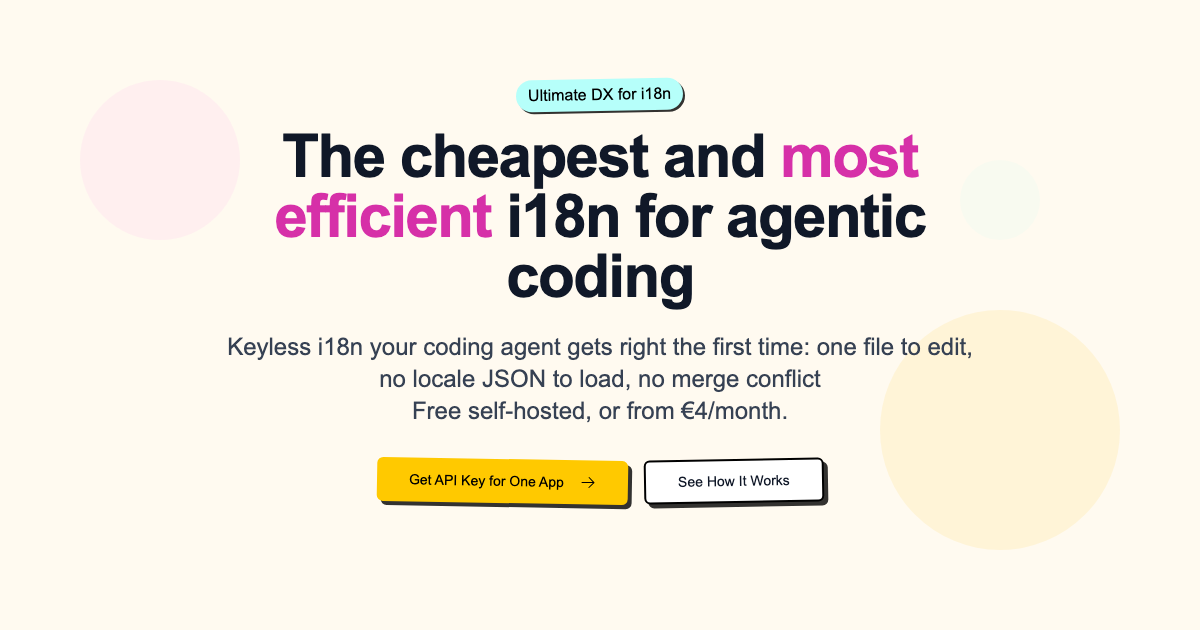
Keyless i18n your coding agent gets right the first time: one file to edit, no locale JSON to load, no merge conflict. Free self-hosted, or from €4/month.

No paid content found Multilingual
Visit website
Profile views 4 Outbound visits 1 Normal
i18n-keyless Full homepage screenshot

At a glance

Category
Development
Language
English
Paid-content signal
No paid content foundObserved
Registered
2025
Hosting
IONOS SEInferred
HTTPS certificate trusted
PassedObserved
Last updated

Website review

This review may include AI-generated content and is not individually verified. Domain, certificate and other facts come from the observed data on this page.

What is i18n-keyless?

i18n-keyless is an internationalization (i18n) service built around a simple idea: you write real, human-readable text directly in your code instead of managing translation keys. A coding agent handles the actual translation work, so you never maintain a keys file or load locale JSON. The pitch on its own site is that your agent gets i18n right on the first pass, with one file to edit and no merge conflicts.

What it actually changes

Traditional i18n makes you replace every string with a key like header.welcome.title, then maintain a separate file mapping that key to each language. i18n-keyless skips the mapping layer. You write the sentence you want, and the service translates it. The site frames the trade-off bluntly: with keys, a missing translation shows users header.welcome.title; without keys, the worst offline case is that users see untranslated real words, which is far less broken.

The claimed benefits follow from that design:

  • No key management. No one spends an hour setting up the key system, and no one spends a minute per key across hundreds of keys and multiple languages.
  • Readable code. When you read the codebase, you read natural language, not keys, so you can spot a grammatically wrong sentence directly.
  • Fewer merge conflicts. One file to edit rather than locale JSON files that many people touch at once.

Who it's for

It suits small teams and solo developers shipping to international markets who want i18n from day one without slowing their development pace. The site lists twelve SDKs, including React, Vue, Angular, Svelte, Node.js, Laravel, Rails, Flutter, Swift, Kotlin, Python and Go, so it covers most common stacks. It also offers an MCP server aimed at agentic coding workflows.

Practical considerations

Two things are worth weighing. First, the approach depends on AI translation quality; for legal, medical or brand-sensitive copy, you'd still want human review. Second, the site addresses "What if the service shuts down?" with free self-hosting, which matters if you don't want a hosted dependency. Pricing starts at €4/month with a free self-hosted option, per the site.

A useful next step: take one screen of your app, replace its translation keys with plain sentences, and see whether your agent produces acceptable output in a second language. That one-screen test tells you more than any feature list.

How does i18n-keyless work without translation keys?

i18n-keyless removes the key layer that usually sits between your code and your translations. Instead of writing header.welcome.title and maintaining a matching JSON entry, you write the actual sentence in your source. The service translates that text and serves the right language at runtime, so the string you read in the code is the string the user sees.

What changes in practice

With a traditional key-based setup, adding a string means three steps: invent a key, add it to every locale file, and reference the key in code. With i18n-keyless, the workflow collapses to writing the sentence where it appears. The page evidence describes this as "one file to edit, no locale JSON to load, no merge conflict," and lists twelve SDKs across React, Vue, Angular, Svelte, Node, Laravel, Rails, Flutter, Swift, Kotlin, Python and Go.

The trade-off is what happens when translation is unavailable. Key-based systems fail loudly with a visible key like someheader.welcome.title; i18n-keyless fails softly by showing the original real words. For most consumer-facing apps, readable fallback text is the better failure mode. For regulated or brand-sensitive copy, you may still want a review step before anything ships.

Who benefits most

  • Small teams shipping fast: the setup is described as a five-minute job, and the pricing note mentions a free self-hosted option alongside a paid tier. That suits teams who want i18n without a dedicated localization engineer.
  • Agentic coding workflows: the pitch is aimed at coding agents that "get it right the first time." An agent editing natural-language strings is less likely to break a key reference than one renaming keys across files.
  • Codebases with heavy churn: the cited pain is roughly an hour of senior setup plus repeated back-and-forth per key across languages. Removing keys removes that per-string tax.

Where keys still win

If you need strict source-of-truth control, translator-facing tooling with context comments, or deterministic string IDs that survive copy edits, a key system remains more predictable. i18n-keyless also depends on a service or self-hosted instance being reachable; the site addresses shutdown risk directly, but you should read that section before committing.

Next step: pick one non-critical surface — a marketing page or settings screen — and run it through i18n-keyless for a week. Compare the diff size and the number of translation-related commits against your current setup. If your team spends more time inventing keys than writing copy, the keyless model is worth adopting broadly.

How do I set up i18n-keyless in my project?

i18n-keyless is set up around a single file you edit and an API key, rather than a folder of locale JSON files. The pitch is that your coding agent handles translations in place, so you write natural-language strings in your components and the service fills in the other languages.

Typical setup path

  1. Pick your SDK. The site lists one API with twelve SDKs, including React, React Native/Expo, Next.js, Remix, TanStack Start, Astro, Vue, Nuxt, Angular, plain HTML via a script tag, Svelte/Alpine/htmx, Node.js, Laravel, Rails, Flutter, Swift, Kotlin, Python (Django, Flask, FastAPI), and Go. Choose the one matching your stack.
  2. Install and configure it. Follow the docs for your framework. A plain HTML page is the lightest case: one script tag, no build step.
  3. Get an API key for one app from the dashboard, or self-host if you prefer to keep it in-house.
  4. Write real text in your code. Instead of header.welcome.title, you write the actual sentence. There are no keys to generate or maintain.
  5. Let the agent translate. Your coding agent, working through the MCP server, handles the locale content so you do not manage translation files by hand.

What actually changes

The main shift is that the codebase keeps natural language instead of key identifiers. The claimed benefit is that you can read a sentence in context and fix grammar directly, and that there is no locale JSON to load or merge, so merge conflicts on translation files disappear. Offline, the worst case described is seeing untranslated real words rather than raw keys like someheader.welcome.title.

Trade-offs to weigh before committing

  • Agent dependency. The workflow assumes your coding agent is doing the translation work. If you do not use one, or prefer human translators reviewing every string, the keyless model may not fit.
  • Self-hosted vs. hosted. Self-hosting is free and answers the "what if the service shuts down" concern directly, but you own the operations. The hosted option starts at a low monthly price.
  • Framework coverage. Twelve SDKs is broad, but check that yours is genuinely supported before you plan around it.

A concrete decision criterion

If your team already uses a coding agent daily and your main i18n pain is key management and merge conflicts, this is worth a small pilot. Take one app, wire up the SDK for your framework, and translate a single screen into two languages. If the agent output reads correctly and your code stays clean, expand. If you need strict human translation review or offline-first locale bundles, the keyless approach will likely fight your process.

For official details, start with i18n-keyless and its docs before installing.

Is i18n-keyless free or paid, and how much does it cost?

i18n-keyless is both: there is a free self-hosted option, and a hosted service that starts at €4/month per the site's own pricing line. The free route means running the software yourself; the paid route means someone else hosts it, which is the usual trade-off between control/ops effort and convenience.

What each option means in practice

Option Who it suits What you take on
Free self-hosted Developers comfortable running a small service, or teams with strict data-location rules Deployment, upgrades, backups, and uptime are yours
Paid hosted (from €4/month) Small teams and solo builders who want i18n working without operating infrastructure A recurring bill, but no server maintenance

The €4/month figure is a starting price, not a flat rate — expect the cost to scale with usage or team size. The site does not spell out the tiers here, so check the pricing page before budgeting.

A concrete way to decide

If you are a solo developer shipping a side project in one weekend, the free self-hosted path costs nothing but an afternoon of setup. If you are a two-person startup with paying customers and no one wants to be paged when the translation service goes down, the hosted plan is usually cheaper than the engineering time it replaces.

One thing worth checking before committing either way: the site addresses "What if the service shuts down?" as a heading, which suggests continuity is a stated concern. Read that section and confirm you can export or migrate your translations, so a pricing change or shutdown doesn't strand your content.

For a broader comparison of approaches, i18next and Localizely cover the key-based and managed-translation models that i18n-keyless positions itself against.

What happens to my translations if i18n-keyless shuts down?

Your translations stay in your own codebase, because i18n-keyless is built around editing one file rather than loading locale JSON files from the service. The page addresses this directly with a "What if the service shuts down?" section, and the self-hosted option means you can run the system yourself rather than depending on the hosted service. In practical terms, a shutdown affects the convenience layer (the API, dashboard, SDK plumbing and MCP server), not the strings themselves, which live as natural-language text in your project.

What you keep, and what you lose

Asset On shutdown
Source strings in your codebase Stay, since they are the source of truth
Existing translated output Depends on whether you export or self-host it
Hosted API and dashboard Gone, unless you self-host
SDKs and MCP server workflows Stop working against the hosted endpoint

The trade-off is the usual one for keyless i18n: you gain a clean codebase and avoid key-management busywork, but you take on the responsibility of keeping a copy of translations. A team shipping a React or Next.js app to three locales should export translations on a schedule and store them in the repo, so a service outage is an inconvenience rather than data loss.

A concrete next step

Before committing, run a short test: export your translations, disable network access, and confirm the app still renders real words rather than keys or blanks. If that passes, a shutdown becomes a migration task, not an emergency. For teams that want full control, the free self-hosted route removes the dependency entirely; the paid hosted plans are the convenience option.

Which SDKs and frameworks does i18n-keyless support?

i18n-keyless advertises twelve SDKs and covers most mainstream web, mobile and backend stacks. The page lists these targets:

Area Supported targets
Web / JavaScript React, Next.js, Remix, TanStack Start, Astro
Vue ecosystem Vue, Nuxt
Other frontends Angular, Svelte, Alpine, htmx, plain HTML via a script tag
Node.js Node.js
PHP Laravel
Ruby Rails
Dart / Flutter Flutter
Apple platforms Swift for iOS, macOS and Vapor
Kotlin Android and Ktor
Python Django, Flask, FastAPI
Go Go

A practical next step: open the SDK page for your framework and check the setup snippet before committing. The meaningful decision criterion is not the length of the list but whether your exact stack appears and whether the integration fits your rendering model — for example, a Nuxt or Next.js app needs the SDK to work with server rendering and routing, not just client-side text replacement. If you use a less common framework or a custom build pipeline, confirm there is an SDK or a plain script-tag path that matches how your pages are generated.

The page also mentions an MCP server aimed at agentic coding workflows, which suggests the intended audience is developers using coding agents rather than teams wanting a traditional translation-management dashboard. If that is your situation, the supported-SDK list is the first filter; if you need human translator workflows or a full TMS, this list alone will not tell you whether the product fits.

Related questions

More questions →
Which SDKs and frameworks does i18n-keyless support?

i18n-keyless ships one API with twelve SDKs, so most common front-end, back-end, and mobile stacks are covered. If you use React, Next.js, Vue, Nuxt, Angular, Svelte, Node.js, Laravel, Rails, Flutter, Swift, Kotlin, Python, or Go, there is a documented path to integrate. Plain HTML works through a single script tag. The site claims setup takes about 5 minutes.

Supported SDKs and frameworks

The official list groups the twelve SDKs by ecosystem:

Ecosystem Frameworks / runtimes
React React, React Native, Expo, Next.js, Remix, TanStack Start, Astro
Vue Vue, Nuxt
Angular Angular
Svelte Svelte, Alpine, htmx (via one script tag)
Plain HTML One script tag
Node.js Node.js
PHP Laravel
Ruby Rails
Flutter Flutter (Dart)
Swift iOS, macOS, Vapor
Kotlin Android, Ktor
Python Django, Flask, FastAPI
Go Go

If your stack appears in this table, you can follow the SDK-specific setup. If it does not, the plain HTML script-tag route is the fallback for browser-based projects.

What "keyless" changes about integration

The core difference from traditional i18n libraries is that you do not maintain a key system. Instead of writing header.welcome.title and mapping it to a translation file, you write the real text and the service handles translation.

Practical consequences for setup:

  • No locale JSON to load. You are not wiring up translation files per language.
  • No key generation step. There is no separate key registry to create or maintain.
  • One file to edit. The site describes the workflow as editing a single file rather than managing many locale files.
  • No merge conflicts from locale files. Because there are no per-language JSON files being edited in parallel, the merge-conflict class of problems disappears.

The site frames the alternative as costly: setting up a keys system is described as at least 1 hour of senior dev time, and back-and-forth for each new key as roughly 1 minute per key — with an example of 500 keys across 2 languages totaling about 17 hours.

How to get started

  1. Confirm your stack is listed. Check the table above. If your framework is there, use its SDK.
  2. Get an API key. The site provides a "Get API Key for One App" entry point and a dashboard.
  3. Follow the 5-minute setup. The site states your whole i18n implementation can be done in about 5 minutes.
  4. Verify by viewing your app in a second language. With the key system, a missing translation shows something like someheader.welcome.title. With i18n-keyless, the worst case offline is untranslated real words — so a quick language switch is a reasonable sanity check.

Self-hosted vs. hosted

The site offers two deployment models:

  • Free self-hosted — you run it yourself.
  • Hosted from €4/month — managed service.

The site also addresses the shutdown concern directly with a "What if the service shuts down?" section, which is worth reading if you are weighing the hosted option against self-hosting.

Common integration questions

Does it work with a plain static site? Yes — plain HTML is supported via a single script tag, and Svelte, Alpine, and htmx are also listed under the script-tag approach.

Does it cover mobile? Yes — React Native and Expo on the React side, Flutter for Dart, Swift for iOS/macOS/Vapor, and Kotlin for Android/Ktor.

Does it cover back-end rendering? Yes — Node.js, Laravel, Rails, Django, Flask, FastAPI, and Go are all listed.

What if my framework is not listed? The script-tag route covers browser-based projects. For anything else, the supported list is the authoritative starting point.

What to check before committing

  • Confirm your exact framework version is covered by the relevant SDK, since the list names frameworks but not version ranges.
  • Decide between self-hosted (free) and hosted (from €4/month) based on whether you want to run the service yourself.
  • Read the shutdown section if you are choosing hosted, so you understand the exit path.

The fastest way to validate the fit is to pick your SDK, run the 5-minute setup, and switch languages in your app to confirm real words appear instead of keys.

How i18n-keyless Works with Agentic Coding and AI Translation

i18n-keyless is an internationalization service built around one idea: instead of managing translation keys and locale JSON files, you write natural-language text directly in your code and let AI handle the translations. It's designed so that coding agents (and humans) get i18n right the first time, with one file to edit, no locale JSON to load, and no merge conflicts. It's free to self-host, or from €4/month as a hosted service.

The core mechanism: no keys, no locale files

Traditional i18n forces you through a key system. You write something like someheader.welcome.title in your code, then maintain a separate mapping of that key to real text in every language. i18n-keyless removes that layer:

  • You write real words in your code. The text you see in the app is the text in the source.
  • AI handles translation. Translations are left to AI rather than manually managed key files.
  • One file to edit. There's no locale JSON to load and no key registry to keep in sync.

The practical consequence: when you read your codebase, you read natural language, not keys. If a sentence is grammatically wrong, you can see and fix it directly — with a key system, you'd be staring at header.welcome.title and never notice.

Why this matters for agentic coding

Coding agents work best when the task is legible. A key-based i18n system adds a layer of indirection that agents (and humans) routinely get wrong: generating keys, keeping them unique, wiring them into the right locale files, and avoiding merge conflicts when multiple branches touch the same JSON.

i18n-keyless is positioned as "keyless i18n your coding agent gets right the first time." Because there's no key registry and no locale JSON to load, an agent editing your code doesn't have to reason about a parallel translation structure — it edits the text where it lives. The stated goal is that you can add i18n from day one without any impact on your development pace.

What the failure modes look like

The site frames the tradeoff honestly:

Scenario Key-based i18n i18n-keyless
Missing translation Users see someheader.welcome.title Worst case offline: untranslated real words
Reading code You read keys, not sentences Codebase stays natural-language
Adding a key Back-and-forth per key No key system to maintain
Merge conflicts Locale JSON conflicts No locale JSON to merge

The worst case for i18n-keyless is that, offline, a user sees untranslated real words rather than a raw key string — which is a more graceful degradation than a broken key leaking into the UI.

SDKs and frameworks supported

The service exposes one API with twelve SDKs:

  • React — React Native, Expo, Next.js, Remix, TanStack Start, Astro
  • Vue — Nuxt
  • Angular
  • Plain HTML — Svelte, Alpine, htmx, one script tag
  • Node.js
  • Laravel (PHP)
  • Rails (Ruby)
  • Flutter (Dart)
  • Swift — iOS, macOS, Vapor
  • Kotlin — Android, Ktor
  • Python — Django, Flask, FastAPI
  • Go

Setup is advertised as a 5-minute implementation.

The MCP server

i18n-keyless offers an MCP server to cover i18n needs. MCP (Model Context Protocol) is the interface coding agents use to call external tools, so this is the piece that lets an agent interact with your i18n setup directly rather than through manual file edits. If you're running an agentic coding workflow, this is the integration point to check first.

Pricing and the shutdown question

Two things are stated directly on the site:

  • Free self-hosted, or from €4/month for the hosted service.
  • The site addresses "What if the service shuts down?" as a heading — the self-hosted option is the structural answer: if you run it yourself, the service shutting down doesn't take your i18n with it.

If you're evaluating this for a production app, the self-hosted path is the one that removes the vendor-dependency risk. The hosted tier is the convenience option at a low monthly cost.

When this fits and when it doesn't

It fits if: you're building with a coding agent in the loop, you want i18n from day one without a key-management phase, and you value a codebase that reads as natural language. The 5-minute setup and no-merge-conflict property matter most on fast-moving teams.

Think twice if: you need strict, human-reviewed translation control over every string, or you have compliance requirements that mandate a specific translation workflow. i18n-keyless deliberately hands translation to AI — that's the feature, and it's also the constraint.

What is i18n-keyless?

i18n-keyless is an internationalization (i18n) service built around a keyless approach: instead of managing translation keys and locale JSON files, you write natural-language text directly in your code and let AI handle the translations. It's aimed at agentic coding workflows, where a coding agent can get translations right the first time. You can self-host it for free, or use a hosted plan starting at €4/month. It fits teams that want i18n without the overhead of a key system, and it supports one API across twelve SDKs.

The core idea: no keys, no locale JSON

Traditional i18n systems rely on keys. You write something like header.welcome.title in your code, then maintain a separate file mapping that key to translated strings for each language.

i18n-keyless removes that layer. You write the actual text in your code, and the system translates it. According to the site, this means:

  • No keys to generate or maintain. With a key system, every new key costs back-and-forth time — the site estimates roughly 1 minute per key, and at 500 keys across 2 languages that adds up to about 17 hours.
  • No locale JSON to load. There's nothing to fetch or bundle at runtime in the usual way.
  • No merge conflicts from translation files, because there's only one file to edit.

The stated benefit is that your brain — and your codebase — stays focused on the actual content rather than on managing an i18n system.

Why it targets agentic coding

The product is positioned specifically for "agentic coding," meaning workflows where an AI coding agent writes or edits your code. The claim is that a coding agent "gets it right the first time" with i18n-keyless, because there are no keys to invent, no JSON structure to match, and no naming conventions to follow. The agent just writes the text.

The site frames this as "Ultimate DX for i18n" — the developer experience is the point. Setup is advertised as a 5-minute implementation.

What changes in your codebase

The site contrasts the two approaches directly:

Concern Key-based i18n i18n-keyless
What you write in code Keys like someheader.welcome.title Natural-language text
What users see if translation is missing The raw key Untranslated real words
Reading the code You read keys, not sentences You read natural language
Fixing a grammar issue Hard to spot, since you see keys You see the sentence and can fix it
Maintaining translations You manage them in the app Left to AI

The "worst case" described is that, offline, a user sees untranslated real words rather than a key string. At normal pace, the site says you "don't care about the i18n system at all."

Supported platforms

One API, twelve SDKs. The listed integrations are:

  • React — React Native, Expo, Next.js, Remix, TanStack Start, Astro
  • Vue — Nuxt
  • Angular
  • Plain HTML — Svelte, Alpine, htmx, one script tag
  • Node.js
  • Laravel (PHP)
  • Rails (Ruby)
  • Flutter (Dart)
  • Swift — iOS, macOS, Vapor
  • Kotlin — Android, Ktor
  • Python — Django, Flask, FastAPI
  • Go

There's also an MCP server, which the site describes as covering "all your i18n needs" — relevant if your coding agent connects through MCP.

Pricing and self-hosting

  • Free self-hosted option.
  • Hosted plans from €4/month.

The site lists a "Get API Key for One App" action, suggesting per-app API keys. Exact plan tiers, limits, and what's included at each price aren't detailed in the available page content, so check the pricing page before committing.

The shutdown question

The site explicitly addresses "What if the service shuts down?" — a fair concern for any hosted i18n dependency. The self-hosted option is the structural answer here: if you run it yourself, the service's continuity isn't tied to the vendor. If you're evaluating the hosted plan, that self-hosted path is worth keeping in mind as an exit route.

When this fits

Consider i18n-keyless if:

  • You're starting a project and want i18n from day one without slowing development.
  • You use coding agents and want them to handle translations without key-management errors.
  • You dislike reading keys instead of natural language in your code.
  • You want a self-hosted option for control, or a low-cost hosted plan.

It may matter less if you already have a mature key-based i18n system with established translation workflows, or if your process requires human translators working from key files.

Is i18n-keyless free, and what happens if the service shuts down?

i18n-keyless is free if you self-host it, and its hosted option starts from €4/month. The site also has a dedicated section titled "What if the service shuts down?", which points to the same answer: because a self-hosted version exists, you are not locked into the hosted service. If the hosted product were discontinued, self-hosting is the fallback. The exact terms of any shutdown or migration path are not spelled out in the available page content, so treat self-hosting as your continuity plan rather than assuming a formal guarantee.

What "free" means here

The pricing signal on the site is: Free self-hosted, or from €4/month.

That splits into two distinct offers:

Option Cost What you get Who it fits
Self-hosted Free You run the service yourself Teams that want no recurring cost and full control over uptime and data
Hosted From €4/month The vendor runs it; you get an API key Teams that want to skip infrastructure work and start fast

The site's call to action is "Get API Key for One App," which suggests the hosted entry point is scoped per app. The page does not state what the €4 tier includes beyond that, so check the pricing page before committing.

Why the shutdown question has a real answer

Most i18n SaaS products leave you with a problem if they disappear: your translations live in their system, and your app breaks or shows raw keys. i18n-keyless is structured differently, and that changes the risk profile.

The product is keyless. Instead of maintaining a key system, you edit one file, and there is no locale JSON to load and no merge conflict. The site's framing is that you "don't care about the i18n system at all" — you write real text, and translation is handled by AI.

That design has two consequences for continuity:

  • Your source content is your own code. You are not authoring a parallel key namespace that only the vendor can resolve.
  • The self-hosted option is the same product. So the fallback is not a degraded export; it is running the thing yourself.

The site explicitly raises "What if the service shuts down?" as a heading, which indicates the vendor treats it as a legitimate buying objection rather than avoiding it. What the page does not provide is a written SLA, a data-export format, or a stated notice period. If those matter to you, ask before you buy.

How to decide between self-hosting and paying

Use the same dimensions for both:

  • Cost: free vs. from €4/month.
  • Operational burden: you run and update the service vs. the vendor does.
  • Continuity: self-hosting is inherently independent of the vendor's survival; hosted depends on the vendor staying up.
  • Setup speed: the site advertises a 5-minute setup, and the hosted path starts with an API key, which is the faster route.

A reasonable rule: if your team already runs its own infrastructure and you want the shutdown question to be a non-issue, self-host. If you want to ship this week and €4/month is trivial, start hosted — but confirm you can move to self-hosted later without losing translations.

What the product actually does, briefly

The pitch is aimed at agentic coding: one file to edit, no keys, no locale JSON, no merge conflicts. The site lists one API and twelve SDKs, covering React (React Native, Expo, Next.js, Remix, TanStack Start, Astro), Vue (Nuxt), Angular, plain HTML (Svelte, Alpine, htmx via one script tag), Node.js, Laravel/PHP, Rails/Ruby, Flutter/Dart, Swift (iOS, macOS, Vapor), Kotlin (Android, Ktor), Python (Django, Flask, FastAPI), and Go.

The claimed pain it removes: setting up a key system costs at least an hour of senior dev time, and each new key costs about a minute — the site's own math is 500 keys × 2 languages ≈ 17 hours of back-and-forth. With keyless i18n, offline worst case shows untranslated real words instead of something like someheader.welcome.title.

Bottom line

Free if you self-host; from €4/month if you don't. The shutdown risk is mitigated by the existence of the self-hosted option, which the site itself presents as the answer to that question — but the page does not document a formal continuity guarantee, export format, or notice period, so verify those directly if they are decision-critical.

How does i18n-keyless work without translation keys?

i18n-keyless replaces translation keys with the real words already in your code. Instead of writing header.welcome.title and maintaining a matching entry in a locale JSON file, you write the actual sentence, and the service handles translation. It's aimed at teams using coding agents, and it's free to self-host or starts at €4/month hosted. The trade-off: you depend on a service (or your own deployment of it) to resolve text at runtime, and offline behavior falls back to untranslated real words rather than raw keys.

The core difference: real words instead of keys

In a traditional i18n setup, your code contains identifiers:

t('header.welcome.title')

and a separate file maps that identifier to text per locale. Every new string means a new key, a new entry, and a new translation — for each language.

With i18n-keyless, the string itself is the source:

t('Welcome back')

There is no key registry to maintain. The site describes this as "no keys system" — the reasoning being that generating and maintaining keys is mechanical work that shouldn't require developer attention.

What this changes in practice

No locale JSON to load or merge

Because there's no key-to-string mapping file, there's nothing to load at runtime and nothing to merge when multiple people edit translations. The site lists "no locale JSON to load, no merge conflict" as a direct benefit. In a key-based workflow, two developers adding keys to the same locale file is a routine source of conflicts; here that file doesn't exist.

The codebase stays readable

With keys, reading code means reading identifiers. The site makes the point that you can miss a grammatically wrong sentence because you're reading some.key.name instead of the sentence itself. With real words in place, the content is visible where it's used.

Failure mode is different

This is the most concrete behavioral difference. In a key system, a missing or unloaded translation shows the raw key to users — something like header.welcome.title. With i18n-keyless, the worst case (for example, offline) is that users see the untranslated real words, which are still readable. The site frames this as the key advantage: the fallback is never gibberish.

The maintenance math the site cites

The pitch includes a rough cost comparison for key-based systems:

Task Stated cost
Setting up the keys system At least 1 hour of senior dev time
Back-and-forth per new key ~1 minute per key
Example: 500 keys × 2 languages ~17 hours

These are the vendor's own estimates, not measured benchmarks, so treat them as an illustration of the workflow overhead rather than a guarantee. The underlying claim — that each key requires coordination across languages — is accurate for key-based systems.

How setup and integration work

The site advertises a 5-minute setup and a single API with twelve SDKs. The listed targets are:

  • React — React Native, Expo, Next.js, Remix, TanStack Start, Astro
  • Vue — Nuxt
  • Angular
  • Plain HTML — Svelte, Alpine, htmx via one script tag
  • Node.js
  • Laravel / PHP
  • Rails / Ruby
  • Flutter / Dart
  • Swift — iOS, macOS, Vapor
  • Kotlin — Android, Ktor
  • Python — Django, Flask, FastAPI
  • Go

There's also an MCP server, which is relevant if your coding agent is doing the integration work — the agent can call the service directly rather than you wiring it by hand.

What happens if the service shuts down

The site addresses this directly with a "What if the service shuts down?" section. The relevant facts from the page: it's free self-hosted, or hosted from €4/month. Self-hosting is the answer to the shutdown concern — if you run it yourself, there's no external dependency to lose. If you use the hosted version, you're relying on the vendor's continuity.

When this fits and when it doesn't

Choose i18n-keyless if:

  • You want i18n in place from day one without slowing feature work
  • You're using a coding agent and want it to get translations right without key bookkeeping
  • You're willing to self-host, or accept a hosted dependency starting at €4/month
  • Your priority is a clean, readable codebase over fine-grained control of every string ID

A key-based system may still fit better if:

  • You need stable identifiers decoupled from source text (for example, strings that change often but must keep the same reference)
  • You have strict offline or air-gapped requirements and don't want to self-host
  • Your existing tooling and translator workflows are built entirely around key files

The decision mostly comes down to whether you value the absence of key management more than the control that explicit keys provide.

Website Overview

Identifiable technologies and additional version or configuration signals make the service easier to fingerprint, which may help targeted scanners narrow their checks.

Domain and Registration

Transfer-protection status is present, helping reduce the risk of unauthorized domain transfers. The domain has about 1 years of registration history; its current configuration provides more context than age alone. The domain uses the common .com extension, which is not an independent safety signal.

DNS and Email

Nameservers are provided by Cloudflare, indicating managed DNS hosting. MX records point to the ovh.net email service. No CNAME was found; the observed records resolve directly to addresses. SPF and DMARC are configured. DKIM status is unknown. TXT records include verification markers for Google. Such markers may also remain after a service stops being used.

TLS and Certificates

The public key uses EC with 256 bits. The server supplied a complete certificate chain. No organization name is present in the certificate; the available fields are consistent with domain validation. The certificate was issued by Let's Encrypt, commonly associated with automated certificate services. The certificate's total validity is about 89 days, consistent with a short renewal cycle.

HTTP and Browser Security

The Server header exposes the software version: nginx/1.24.0 (Ubuntu). This makes version-targeted checks easier, but is not proof of an exploitable vulnerability. The checked browser-security headers were not detected, leaving fewer explicit browser-side safeguards. No X-Powered-By header was found, reducing one common source of backend fingerprinting information. No obvious internal addresses or debug information were found in the headers. No explicit CDN or WAF marker was found in the response headers.

Technology Stack Analysis

The public page identifies nginx 1.24.0, with exact versions exposed for 1 technologies. These details can narrow vulnerability checks, although exposure alone is not a vulnerability.

Search and Social Sharing

The title has 70 characters and may be truncated in search results. Twitter Card metadata is configured. JSON-LD includes Product or Offer data, potentially supporting eligible product search features. The page declares 49 language or regional alternatives using hreflang. A meta description is present, with 154 characters.

Hosting and Email

DNSCloudflare
HostingIONOS SE
Emailovh.net
Approximate IP geolocation (inferred; a CDN or proxy may differ from the origin server) Germany flagBerlin, State of Berlin, Germany Inferred 85.215.249.149

Registration details

RDAP / WHOIS

RegistrarOVH sas
Registered2025-02-09
Expires2027-02-09
Domain statusclient delete prohibited、client transfer prohibited
Nameserverscharles.ns.cloudflare.com、ryleigh.ns.cloudflare.com
DNSSECunsigned

DNS records

DNS

TypeNameValueTTLPriority
Ai18n-keyless.com85.215.249.149300—
MXi18n-keyless.commx1.mail.ovh.net3001
MXi18n-keyless.commx2.mail.ovh.net3005
MXi18n-keyless.commx3.mail.ovh.net300100
NSi18n-keyless.comcharles.ns.cloudflare.com86400—
NSi18n-keyless.comryleigh.ns.cloudflare.com86400—
TXTi18n-keyless.comgoogle-site-verification=di-nYlkBxh8DTLf-qxk05Tcpj-HF2l4nNPjLe7eX2yU300—
TXTi18n-keyless.comv=spf1 include:mx.ovh.com -all300—
DMARC_dmarc.i18n-keyless.comv=DMARC1; p=none; rua=mailto:[email protected]300—

TLS and certificates

TLS / SSL

AssessmentNormal configuration
Supported protocolsTLSv1.2、TLSv1.3
Negotiated protocolTLSv1.3
Certificate subjecti18n-keyless.com
IssuerLet's Encrypt
Valid until2026-11-12T21:47 · Remaining when checked: 35 days
Verification detailsCertificate trust: Passed · Hostname match: Passed

HTTP response headers

HTTP

HeaderValue
content-typetext/html; charset=utf-8
servernginx/1.24.0 (Ubuntu)

Identified technologies

nginx 1.24.0

Pages, Search and Sharing

Meta descriptionKeyless i18n your coding agent gets right the first time: one file to edit, no locale JSON to load, no merge conflict. Free self-hosted, or from €4/month.
Canonical URLhttps://i18n-keyless.com/
LanguageEnglish (default) · Multilingual
Twitter Cardsummary_large_image
All bots 1 allowed · 0 disallowed
  • Allow/

User reviews (0)

  • No reviews yet.