
 简体中文
简体中文 English
Website review
This review may include AI-generated content and is not individually verified. Domain, certificate and other facts come from the observed data on this page.
What is JSON Hero?
JSON Hero is a web-based JSON viewer designed to make large, hard-to-read JSON files easier to understand. Instead of scrolling through thousands of lines in a plain text editor, you get a structured interface with previews, search and navigation aids.
What it does
- Rich previews for common value types. It detects when strings are really images, dates, colors, URLs or videos and shows a preview rather than just raw text. For a URL it can break out the protocol, hostname, pathname and MIME type.
- Search and navigation. Fuzzy search across the whole file, plus keyboard shortcuts for moving quickly.
- Edge-case inspection. You can view all related values for a field to see whether it is sometimes null, missing or inconsistent, and it can infer a JSON Schema (draft 2020-12) from the document.
- Sharing and collaboration. Share a link to a document, including a link to the specific part you are viewing.
- Extras. A dark mode, a code view, a VS Code plugin for opening files or selections in JSON Hero, and an open-source codebase you can self-host.
Who it suits
It is most useful when you are exploring unfamiliar API responses, debugging data pipelines, or reviewing a config or fixture file that is too large to reason about line by line. The schema inference and related-values view are particularly handy for data modelling and validation work. If you only occasionally open a small JSON file, a normal editor is probably enough.
A practical next step
Try it on a real payload you already have, such as a GitHub API response, and use the search and related-values features to answer a concrete question: which fields are sometimes missing, and what types do they actually take? That will tell you quickly whether the viewer fits your workflow. You can also compare it with JSON Editor Online if you want an editor-style tool, or Visual Studio Code if you would rather stay inside your editor.
How does JSON Hero help when working with large or complex JSON files?
JSON Hero helps by turning a large JSON file into something you can navigate visually rather than scroll through line by line. Instead of treating every value as plain text, it inspects your strings and shows what they actually are — for example, rendering an image URL as a preview, showing a date as a date, or displaying a colour swatch. That means you can confirm at a glance whether a field contains what you expect, without mentally parsing long URLs or timestamps.
Where it saves the most time
- Finding things fast: Full-file search with fuzzy matching and keyboard shortcuts lets you jump to a key or value instead of using your editor's find bar repeatedly.
- Understanding messy data: For any field you can view its related values, which surfaces cases where a field is sometimes
null, sometimes a different type, or missing entirely. This is the practical way to spot inconsistent records before they break your code. - Checking structure: An inferred JSON schema view summarises what the document is really made of, and the tool can generate a JSON Schema (draft 2020-12) from your JSON automatically.
- Sharing context: You can link directly to the part of the document you're viewing, so a colleague opens the same spot rather than hunting for it.
A concrete scenario
Say you receive a 40,000-line API export and need to know why one record fails validation. Paste it in, search for the offending key, open its related values, and you'll quickly see whether the field is occasionally an empty string, a number where a string is expected, or absent. Then switch to code view to copy the exact fragment, or generate the schema to document the shape for your team.
Trade-offs and next step
This is a viewer and inspection tool, not an editor or a validation pipeline — it won't fix the data for you, and for very large files you're still depending on the browser. It runs as a hosted service or can be self-hosted since it's open source, which matters if your JSON contains anything sensitive. If you prefer to stay inside your editor, there's a VS Code plugin that opens files or selections in JSON Hero. A reasonable first step is to drop in one file you currently find painful, try the search and related-values views, and decide whether the visual inspection beats your existing workflow.
Can I share a link to a specific part of a JSON document with someone else?
Yes. JSON Hero is built around shareable links that point to a specific spot in the document, not just the file as a whole. The page describes linking "right to the part of the document you're on," so the person opening your link lands on the relevant field rather than scrolling through thousands of lines.
How this plays out in practice
- You're debugging an API response and want a colleague to look at one nested field. You navigate to that field, copy the URL, and send it. They see the same field in context.
- You're reviewing a config file and leave yourself a bookmark to a tricky section to revisit later.
- You're documenting an integration and want a reference that opens at the exact property you're describing.
This is most useful when the JSON is large enough that "find it yourself" is a real burden. For a ten-line object, a link to the whole file is fine.
A useful next step
Open one of the sample documents JSON Hero offers (the page lists examples such as a Tweet, the GitHub API, the Airtable API and the Unsplash API), click into a nested field, and copy the address bar. That tells you quickly whether the link granularity matches how your team shares findings.
Decision criteria
| Situation | Link to a specific part helps? |
|---|---|
| Large or deeply nested JSON | Yes — saves the recipient a search |
| One field under discussion | Yes — removes ambiguity about which value you mean |
| Small flat file | Marginal — a whole-file link is usually enough |
| Sensitive data | Consider first — a shared link may expose more than intended |
The privacy note on the page is worth reading before sharing links to documents containing real credentials or personal data, since sharing is a core feature rather than an afterthought.
Does JSON Hero have a dark mode for working at night?
Yes. JSON Hero includes a dark mode, listed among its features alongside keyboard shortcuts and a code view. It is a display preference in the viewer, so it changes how the interface looks, not what the JSON contains or how it is parsed.
What dark mode does and does not change
- Does: switches the viewer chrome and value display to a dark palette, which is easier on the eyes in a dim room or during late sessions.
- Does not: alter your data, the inferred schema, search results or sharing links. Those work the same in either theme.
- Worth checking: whether your operating system theme is picked up automatically or whether you toggle it inside the app, since that affects whether it "just works" when your machine switches to night mode.
Who benefits most
Anyone doing long, focused reading of large JSON payloads — debugging an API response, reviewing a config file, or inspecting nested objects — will notice the difference more than someone who opens a file for thirty seconds. The dark theme pairs naturally with the other reading aids JSON Hero offers, such as fuzzy search, related-value inspection for fields that are sometimes null or missing, and the auto-generated JSON Schema, because those are the tasks you tend to do in longer sittings.
How to decide if it matters to you
| Situation | Dark mode relevant? |
|---|---|
| Evening debugging sessions | Yes — reduces glare |
| Quick one-off paste | Marginal |
| Screen sharing or presenting | Depends on your audience and projector |
| Working in a bright office | No real advantage |
Next step
Open JSON Hero, load one of the sample payloads it offers (a tweet, a GitHub API response, an Airtable or Unsplash response), then toggle dark mode and try the search and code view. If you prefer to keep everything local, the project is open source, so you can run your own instance rather than uploading files to the hosted version — a sensible choice for anything containing personal or client data.
Is there a way to generate a JSON Schema from my JSON data in JSON Hero?
Yes. JSON Hero can generate a JSON Schema from your JSON automatically. The site lists "Auto JSON Schema" among its features and says it produces schema in draft 2020-12. It also describes an "inferred JSON schema" view that shows what your JSON is "really made of," which is useful when fields vary or go missing.
How it fits into a real workflow
If you are an API consumer or backend developer, paste or drop a representative JSON payload into JSON Hero. Use the schema view to see which fields are always present, which are sometimes null, and which appear only in some records. Then copy the generated schema into your validation layer, OpenAPI document, or test fixtures.
A practical caveat: a schema inferred from one sample reflects that sample, not every payload your API can return. Generate from a broad set of responses, or from the largest and most varied payload you have, and review the required fields and types before relying on it in production.
If you want it inside your editor
The site also mentions a VS Code plugin for viewing JSON files or selections in JSON Hero, so you can inspect a file without leaving your editor. That is convenient for quick checks, though generating and reviewing a schema is usually easier in the full web view.
Next step
Try it with a real payload you already have. Check the inferred schema against your own expectations: if a field you know is optional shows up as required, your sample was too narrow. Broaden the sample and regenerate.
How can I use JSON Hero directly from VS Code?
Install the JSON Hero VS Code extension, then open a JSON file (or select a JSON snippet) and run the command to view it in JSON Hero. The extension exists specifically so you can send a file or selection from your editor into JSON Hero's viewer instead of switching to a browser and re-uploading it. The page points you to the extension's listing from the "VS Code plugin" feature — search "JSON Hero" in the VS Code Marketplace to find it.
What it's good for
- Inspecting a large API response or config file without scrolling through thousands of lines in the editor.
- Jumping straight to a nested field and seeing its inferred type (the viewer detects images, dates, colors, URLs and video strings).
- Checking a field's related values to spot nulls, missing keys or unexpected types, or reading the auto-generated JSON Schema (draft 2020-12).
- Sharing a link to the exact part of the document you're looking at, which is useful when you're debugging with a colleague.
Practical notes
- Your file leaves your machine when you use the hosted jsonhero.io service. If that matters, the project is open source, so you can run your own instance and point the extension at it.
- The viewer is read-oriented: it's for understanding and navigating JSON, not for editing it and writing changes back.
- Keyboard shortcuts and fuzzy search are the main speed wins once a file is open; the extension only handles the handoff from the editor.
Next step: install the extension, open a real payload you're currently debugging, and try searching for a key name you know exists but can't find by eye. If your team can't send data to a hosted service, fork and self-host JSON Hero first, then configure the extension to use that instance.
 Cloudflare
 Google Workspace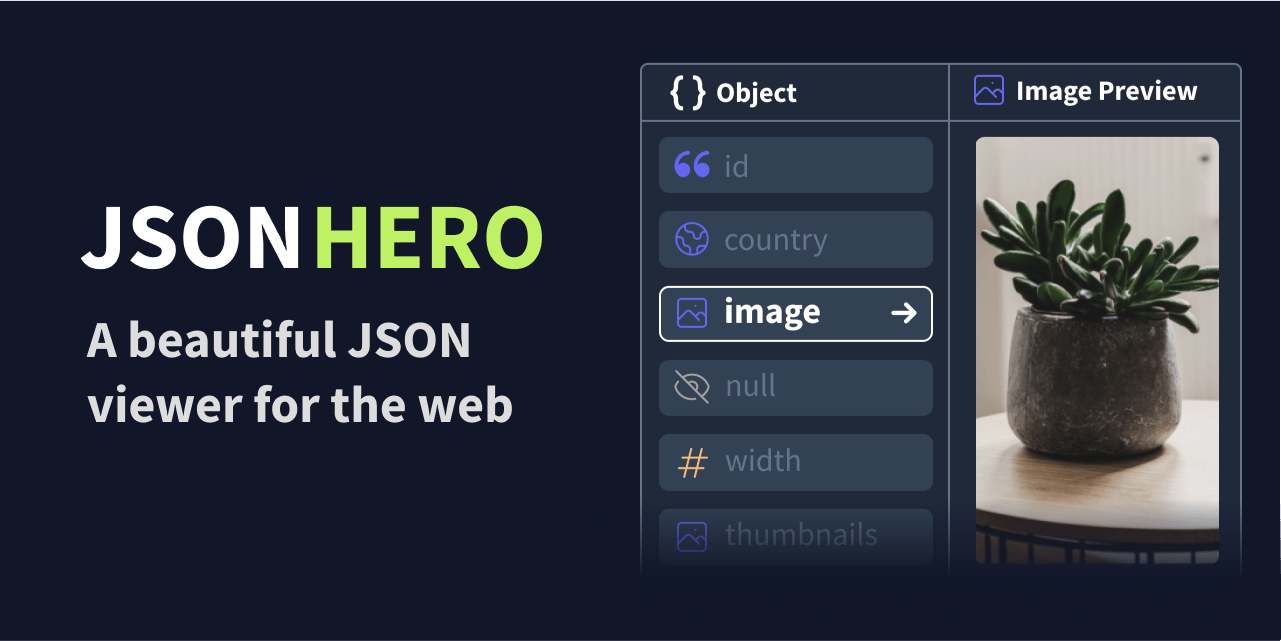

User reviews (0)