Website profiles · Technology insights · Alternatives

kakuro-puzzle.online

Play Kakuro Puzzle online free with daily, regular, and unlimited number crosswords. Learn Kakuro rules, clue sums, no-repeat runs, and strategy.

No paid content found Multilingual
Visit website
Profile views 1 Outbound visits 11 Normal
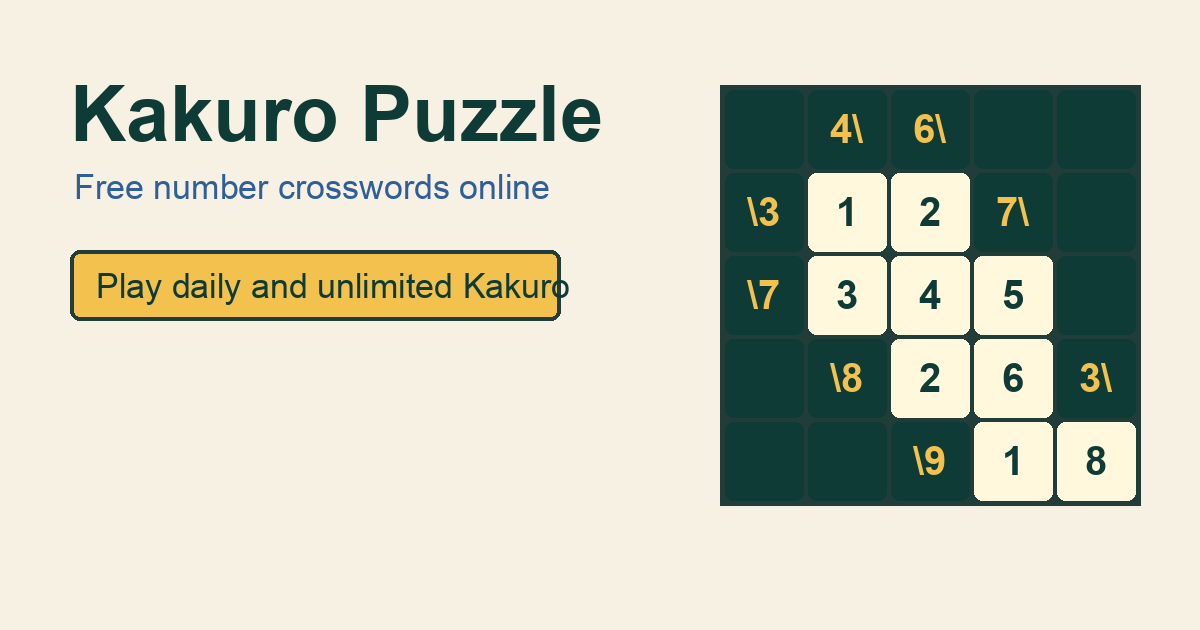
Kakuro Puzzle Full homepage screenshot

At a glance

Category
Education & Learning
Language
English
Paid-content signal
No paid content foundObserved
Registered
2026
Hosting
CloudflareInferred
HTTPS certificate trusted
PassedObserved
Last updated

Website review

This review may include AI-generated content and is not individually verified. Domain, certificate and other facts come from the observed data on this page.

What is Kakuro Puzzle?

Kakuro Puzzle is a free online number-crossword game: you fill every white cell with a digit from 1 to 9 so that each across and down run matches its clue sum, with no digit repeated inside a single run. Each white cell belongs to one across run and one down run, so a valid entry must satisfy both sums at once. Clues sit in black cells, with the lower-left triangle controlling the across run to its right and the upper-right triangle controlling the down run below it; some clue cells carry both numbers.

The site organizes play into three tracks: Regular (200 levels), Daily (five puzzles a day), and Unlimited (7x7 verified seeds), plus a Battle mode for 3, 5, or 8 puzzle challenges. The board offers a number pad, notes for marking candidates, and Undo, Hint, Check, and Reset controls, and it starts instantly without requiring an account, with Google sign-in offered later to save progress, best times, and daily wins.

Where the rules actually bite

  • Sums, not rows: a clue controls only the connected white cells until the next black cell or the board edge — not the whole line.
  • No repeats within a run: a two-cell clue of 4 must be 1+3, never 2+2. The same digit may appear elsewhere on the board in a different run.
  • Two-way constraint: every digit you enter must work for both its across and down clue, which is why notes and cross-checking matter more than speed.

A practical first move for a new solver: start with a short run whose sum has few legal splits (like a two-cell 3 or 4), enter one candidate, then check it against the crossing down clue before committing. Use Check sparingly — it reveals conflicts, but solving by logic rather than trial and error is the point of the format.

If you want to compare the format with other puzzle sites, Nikoli is the Japanese publisher long associated with Kakuro-style puzzles, and Puzzle-Nonograms covers a related logic-grid genre.

How do I solve a Kakuro puzzle without guessing?

Solve Kakuro by treating each white cell as constrained twice: it must fit the across sum and the down sum at the same time. Guessing usually means you skipped a cheap deduction earlier, so work the most constrained runs first and only enter a digit when it satisfies both directions.

A practical solving order

  1. Start with the shortest runs. Two-cell runs with extreme sums are nearly forced. A two-cell sum of 3 must be 1+2; a two-cell sum of 17 must be 8+9. Longer runs with very low or very high sums (like 3 cells summing to 6, or to 24) also have few legal combinations.
  2. List combinations, not digits. For each clue, write the sets of digits that can make that sum without repeats. Then cross off any digit that already appears elsewhere in the same run.
  3. Intersect across and down. A cell shared by an across run and a down run can only hold a digit that appears in both candidate sets. When the intersection is a single digit, it is solved.
  4. Use elimination, not assumption. If a digit must be used somewhere in a run but has only one possible cell, place it. If a cell cannot take a digit, remove it from your notes.
  5. Fill notes before filling cells. Marking candidates keeps you honest; entering digits early tends to create contradictions you then have to unwind.

A concrete example

Take a two-cell across run with clue 4 and a two-cell down run with clue 3 sharing one cell.

  • The across run (sum 4, no repeats) can only be 1+3.
  • The down run (sum 3, no repeats) can only be 1+2.
  • The shared cell must be in both sets, so it is 1. That forces the other across cell to 3 and the other down cell to 2.

That is the whole method in miniature: narrow each run, then intersect.

When you feel stuck

  • Recheck whether you allowed a repeated digit inside a run. Kakuro forbids repeats within a single run, but the same digit can appear elsewhere on the board in a different run.
  • Confirm which triangle controls which direction. On Kakuro Puzzle, the lower-left clue governs the across run to its right and the upper-right clue governs the down run below it; misreading this is a common source of false deductions.
  • Look for a run you have not fully enumerated. There is almost always a short or extreme-sum run you can tighten.
  • Use the site's notes and check features as a safety net rather than a substitute for logic: notes hold candidates, and a check reveals conflicts after you commit.

If you want a low-pressure place to practice this order, the site offers daily, regular, and unlimited modes, so you can drill short runs in easy levels before moving to harder grids.

What is the difference between Kakuro and a regular crossword?

Kakuro and a regular crossword both use a grid with black clue cells, but they ask for different kinds of answers. A crossword fills white cells with words; Kakuro fills them with digits 1–9, and each straight run of white cells must add up to the clue number attached to it.

The core differences

Regular crossword Kakuro
What you enter Letters forming words Digits 1–9
What the clue gives you A definition, pun or phrase A sum the run must reach
How answers are checked Word must exist in a dictionary Digits must total the clue, with no repeats in that run
Main skill Vocabulary and wordplay Arithmetic and elimination
Guessing A plausible word can be tried Each cell must satisfy both its across and down sum

The no-repeat rule is the detail newcomers most often miss. A two-cell run summing to 4 must be 1+3, never 2+2. The same digit may appear elsewhere on the board as long as it sits in a different run.

A second structural point: every white cell belongs to one across run and one down run at the same time. On Kakuro Puzzle the rules page describes clue cells as carrying an across clue in the lower-left triangle and a down clue in the upper-right, sometimes both. That dual constraint is what makes Kakuro feel closer to Sudoku-style deduction than to crossword solving.

A concrete example

Suppose a two-cell across run has the clue 3. The only legal pair is 1+2. If the down clue crossing the first cell is 11 over two cells, that cell must be one of 2–9, so it cannot be 1 — leaving 2 in the first cell and 1 in the second. A crossword solver would instead be scanning memory for a two-letter word matching a definition; a Kakuro solver is narrowing a small set of legal digit combinations.

Which to choose

Pick a crossword if you enjoy language, trivia and lateral definitions. Pick Kakuro if you prefer self-contained logic where no outside knowledge is needed and every answer is provable from the grid.

As a next step, start with a small grid and note the extreme sums before entering anything: two-cell runs of 3 or 16, and three-cell runs of 6 or 24, each have only one possible digit set.

How do the daily, regular, and unlimited Kakuro modes differ?

The three modes differ mainly in how much choice and pressure they give you: Daily serves a fixed set of puzzles for the day, Regular is a levelled progression, and Unlimited removes the level structure so you can keep generating fresh boards. On Kakuro Puzzle, the Daily mode is described as five puzzles for the day, Regular as 200 levels, and Unlimited as 7x7 verified seeds.

What each mode suits

Mode What the page describes Best for
Daily Five puzzles per day, with daily wins tracked A short routine; comparing your result with the same day's set
Regular 200 levels, starting at Level 1 Easy, with progress and best times saved Learning steadily and measuring improvement level by level
Unlimited 7x7 verified seeds, no fixed level path Practice, warm-ups, or solving without waiting for a new daily set

The trade-off is structure versus volume. Daily gives a shared, time-bound set but only five puzzles; Regular gives a long ladder but ties you to its sequence; Unlimited gives endless boards but less sense of a defined finish line. A separate Battle option for 3, 5, or 8 puzzle challenges is also listed, though it is not one of the three modes you asked about.

If you are new, start with Regular Level 1 and use the notes and hint tools until the clue-sum logic feels natural. Once you can solve without checking, switch to Daily for a timed routine, and use Unlimited when you want extra practice on 7x7 grids.

Can I use pencil marks or notes to track candidates in Kakuro?

Yes. Kakuro practically expects candidate tracking, and Kakuro Puzzle provides a notes function on its board for marking candidates in white cells before committing a digit.

How notes fit the rules

Every white cell belongs to one across run and one down run, and no digit may repeat within a single run. A candidate is only worth keeping if it can satisfy both sums. Notes let you record that narrowed set without filling the cell.

  • Use notes when a run has several legal splits — for example, a three-cell run summing to 8 could be 1+2+5 or 1+3+4, so mark the shared candidates rather than guessing.
  • Cross off as sums resolve — when a crossing run rules out a candidate, remove it from the notes in that cell.
  • Commit only when certain — enter the digit in the main cell once the notes in that cell have collapsed to one value.

A practical example

Take a two-cell across clue of 4. The only legal split is 1+3, so both cells carry notes {1, 3}. If the down clue through one of those cells is a two-cell sum of 5, its legal pairs are {1, 4} and {2, 3}. The intersection at the shared cell is 3, so that cell can be filled and the rest of the run follows.

Trade-off to keep in mind

Notes speed up hard puzzles but clutter easy ones; on a level-1 grid, scanning the clue sums directly is often faster than annotating every cell. The site's hint and check tools are better reserved for confirming a stuck position than for routine solving, since checking too early gives away conflicts you could have reasoned out.

What do the two numbers in a black clue cell mean?

In a black clue cell, the two numbers are two separate sums for two separate runs of white cells: the number in the lower-left triangle is the total for the across run to its right, and the number in the upper-right triangle is the total for the down run below it. Each white cell in the run must contain a digit from 1 to 9, and no digit can repeat within that single run.

On Kakuro Puzzle, the instructions describe exactly this layout: a clue cell can carry both numbers, meaning it starts one across sum and one down sum at the same time.

What to do with them

  • Trace each run separately. From the clue cell, follow the white cells to the right for the across clue, and downward for the down clue. Stop at the next black cell or the board edge.
  • Treat the two numbers as independent. The across total applies only to the across run, and the down total only to the down run. They are not added together.
  • Check the shared cell. The first white cell in each run belongs to both, so a digit is only valid if it fits the across total and the down total at once.

A quick example: if a clue cell shows 3 in the lower-left and 11 in the upper-right, the across run to the right must add to 3, and the down run below must add to 11. A two-cell across run of 3 can only be 1+2 (not 1+1, since repeats are barred), while an 11 in a longer down run has more combinations to weigh.

Next step: when a cell has two clue numbers, write candidate digits for the shorter or more constrained run first, then test them against the other run. This usually narrows the shared cell to one or two options.

Related questions

More questions →
Kakuro Puzzle Strategy and Tools on kakuro-puzzle.online

kakuro-puzzle.online supports a logic-first solving approach: use Notes to record candidate digits, cross-check each candidate against both its across and down clue sums, and rely on Check, Hint, and Undo to catch and recover from mistakes rather than guessing. The site's own guidance frames the board as "a crossword made from sums," and its rule set—digits 1–9, no repeats within a run, every white cell satisfying two clues—is what makes candidate tracking the core skill. These tools are available on the playable board; the page does not state any pricing or login requirement for gameplay, though it notes you can sign in with Google later to save progress, best times, and daily wins.

The solving loop the site describes

The page lays out a three-step method that maps directly onto the tools:

  1. Find the clue. Trace from a black clue cell into the connected white cells. Stop at the next black cell or the board edge—that run is the only group the clue controls.
  2. List legal digits. Use 1–9 only, with no repeats inside a run. A two-cell clue of 4 is 1+3, never 2+2.
  3. Cross-check before entering. Every white cell belongs to both an across run and a down run, so a candidate is only useful if it satisfies both sums at once.

The site also flags the three most common errors: treating a clue as a whole row, allowing a repeated digit inside a run, and forgetting that each white cell must satisfy two clues.

How each tool fits the strategy

Tool What it does When to use it
Notes Marks candidate digits in a cell After listing legal digits for a run, before committing
Check Reveals conflicts Only when you're ready—the page says to press it "only when you are ready to reveal conflicts"
Hint Assists when stuck When cross-checking stalls and you want to keep momentum
Undo Reverses entries After a wrong entry or a Check that exposed an error
Number pad Enters digits 1–9 For every confirmed entry

The board accepts normal Kakuro entries—you don't type equations or submit words.

A worked example from the site

The page's own walkthrough shows the cross-check in action: a yellow 3 clue on the left points to two white cells beside it. Those cells must add to 3 without repeating, so the only legal pair is 1+2. The instruction is to tap the first highlighted cell and press 1. From there, the second cell's value is constrained by its down clue as well—which is exactly why you check both sums before entering.

Practical habits that follow from the rules

  • Start with the most constrained runs. Short runs with low or high sums (like the 3 above, or a two-cell 16, which can only be 7+9) have the fewest legal combinations.
  • Treat Notes as scratch work, not answers. A candidate that satisfies the across sum but not the down sum should be eliminated, not entered.
  • Use Check sparingly. Because it reveals conflicts rather than confirming correctness, leaning on it repeatedly can turn a logic puzzle into trial and error.
  • Prefer Undo over Reset for single mistakes; Reset clears the board.

Where this fits in the site's modes

The same board and tools apply across the site's modes—Regular (200 levels), Daily (5 puzzles today), Unlimited (7x7 verified seeds), and Battle (3, 5, or 8 puzzle challenges)—with a level selector from 1 to 9 and a status bar showing filled cells, time, best time, and issues. The page does not detail differences in tool availability between modes, so treat the strategy above as the baseline for all of them.

How to Use Ahrefs for Your First SEO Audit: A Step-by-Step Tutorial

If you're new to Ahrefs and want to run your first SEO audit, the fastest path is: open Site Explorer, enter your target URL, review the Overview for a health snapshot, then dig into Organic Keywords, Top Pages, and Site Audit to find specific problems. From there, build a short prioritized to-do list instead of trying to fix everything at once.

This tutorial walks through that workflow using a realistic starting scenario, explains what the numbers mean, and shows how to turn findings into actions.

Before You Start: Pick a Narrow Scope

A common beginner mistake is auditing an entire large website on day one. The reports become overwhelming, and you can't tell which issues matter.

Instead, choose one of these starting points:

  • A single important page (your homepage or a key product/service page)
  • A small site (under ~50 pages, e.g., a personal blog or small business site)
  • One section of a bigger site (e.g., /blog/)

For this tutorial, assume you're auditing a small business site with about 30 pages. The same steps scale up later.

You'll need an Ahrefs account to follow along. Ahrefs offers paid plans, and pricing and feature limits change over time, so check the current Pricing page for what's included in each tier before committing.

Step 1: Enter Your Target in Site Explorer

Site Explorer is Ahrefs' core tool for analyzing any website or URL.

  1. Open Site Explorer from the top navigation.
  2. In the search box, paste your domain (e.g., example.com).
  3. Choose the Exact URL or Domain mode depending on scope. For a full-site view, use Domain or Prefix; for a single page, use Exact URL.
  4. Press Enter.

You'll land on the Overview report. Don't try to absorb everything — focus on four numbers first.

Reading the Overview Snapshot

Metric What it tells you How to use it
Ahrefs Rank (AR) Relative strength of the site's backlink profile vs. others in the database Useful for comparing against competitors, not as a standalone goal
Organic traffic Estimated monthly visits from search A rough trend indicator, not exact analytics
Organic keywords Estimated number of keywords the site ranks for Shows breadth of visibility
Backlinks / Referring domains Total links and unique sites linking to you Referring domains matter more than raw backlink count

Important caveat: Ahrefs' traffic and keyword numbers are estimates based on its own data. They won't match Google Search Console or your analytics exactly. Treat them as directional, not absolute.

Step 2: See What You Already Rank For

Go to Organic Keywords in the left sidebar. This shows queries where your site appears in search results.

Sort by Traffic (descending) to see which pages bring the most estimated visitors. Then look for:

  • Keywords ranking in positions 4–15 — these are often the easiest wins. A small content or on-page improvement can push them onto page one.
  • Keywords with high volume but low position — potential opportunities if the topic is relevant.
  • Irrelevant keywords — if you rank for something off-topic, it may signal thin or mismatched content.

Write down 5–10 of the position 4–15 keywords. These become your first optimization targets.

Step 3: Find Your Best and Weakest Pages

Open Top Pages. This ranks your URLs by estimated organic traffic.

Look for two things:

  1. Your top performers — understand what topics and formats work. Can you create more content like this?
  2. Pages with traffic but poor rankings — these may need on-page fixes (title, headings, internal links).

If a page gets zero traffic and targets a topic you care about, it's a candidate for a rewrite or consolidation.

Step 4: Run a Technical Site Audit

Now move to Site Audit. This crawls your site and flags technical and on-page issues.

  1. Click Site Audit → New project.
  2. Enter your domain and set crawl settings (default is usually fine for a small site).
  3. Start the crawl and wait for it to finish.

Once complete, you'll see a Health Score and a list of issues grouped by category.

Which Issues to Fix First

Not all issues are equal. Prioritize in this order:

Priority Issue type Why it matters
1 Broken links (404s) Bad for users and crawl efficiency
2 Pages blocked from indexing They can't rank at all
3 Missing or duplicate title tags Directly affects click-through and relevance
4 Slow-loading pages Affects experience and rankings
5 Thin content Low value to users and search engines

Ignore low-impact warnings (like minor meta description length) until the big items are handled.

Step 5: Turn Findings Into a To-Do List

You now have raw data. Convert it into a short, actionable list. Example:

  1. Fix 3 broken links found in Site Audit.
  2. Rewrite title tags on 5 pages with duplicate titles.
  3. Improve 4 pages ranking in positions 6–12 by adding missing subtopics and internal links.
  4. Remove or update 2 thin pages with no traffic.

Keep the list to 5–10 items max for your first audit. Finishing a short list beats starting a long one.

Common Beginner Mistakes

  • Chasing every red flag. Site Audit flags many minor issues. Fix what affects rankings and users first.
  • Trusting estimates as exact numbers. Ahrefs data is modeled, not measured from your analytics.
  • Auditing a huge site too early. Start small to learn the interface.
  • Ignoring search intent. A page can be technically perfect but still fail if it doesn't match what searchers want.
  • Forgetting to re-crawl. After fixes, run Site Audit again to confirm improvements.

Where to Go Next

Once your first audit is done:

  • Compare with competitors using Site Explorer's Competing Domains and Content Gap reports.
  • Track keyword rankings over time with Rank Tracker.
  • Explore backlink opportunities in the Backlinks and Link Intersect reports.
  • Set up recurring Site Audit crawls so new issues surface automatically.

Your first audit isn't about perfection — it's about building a repeatable habit: enter a target, read the key reports, pick the highest-impact fixes, and act. Do that once a month and your site's health compounds.

What Are the Key Kakuro Rules for Sums, Runs, and No Repeats?

Kakuro is a number crossword: fill every white cell with a digit from 1 to 9 so that each across run matches its clue sum, each down run matches its clue sum, and no digit repeats inside a single run. The three rules to internalize are clue direction (lower-left triangle = across, upper-right = down), sum matching, and no repeats within a run — digits may repeat elsewhere on the board as long as they belong to different runs. On kakuro-puzzle.online you enter digits directly on the board with the number pad; there are no equations to type and no words to submit.

Rule 1: Read the clue direction correctly

Each black clue cell can hold one or two numbers, and their position tells you which run they control.

Clue position Controls Direction
Lower-left triangle The run to its right Across
Upper-right triangle The run below it Down
Both triangles filled One across sum and one down sum starting at the same cell Both

To trace a run, start at the black clue cell and follow the connected white cells until another black cell or the board edge stops you. That straight line is the only group the clue governs — a clue never applies to a whole row or column beyond its own run.

Rule 2: Match the sum exactly, using 1–9 only

Every white cell takes a single digit from 1 through 9. The digits in a run must add up to the clue number exactly. The site's own walkthrough makes the constraint concrete: a two-cell clue of 3 must be 1+2 (in either order), because 2+2 would repeat a digit and 3 alone would need a third cell.

The same logic rules out the most common beginner error: a two-cell clue of 4 is 1+3, never 2+2. If you catch yourself writing a pair of identical digits to hit a sum, the entry is wrong by definition.

Rule 3: No repeats inside a run — but repeats across runs are fine

The no-repeat rule is scoped to a single run, not the whole board. A digit can appear many times on the grid as long as the copies sit in different across or down runs. This is what separates Kakuro from Sudoku-style thinking: you are not tracking "where has 7 gone," you are tracking "can 7 satisfy both the across sum and the down sum at this cell."

Why every cell is a two-constraint problem

Every white cell belongs to exactly one across run and one down run. A candidate digit is only useful if it works for both sums simultaneously. Before entering a number, check it against the across clue and the down clue at once — a digit that fits one but not the other is a dead end.

What a solved board looks like

A board is complete only when all four conditions hold:

  1. Every white cell is filled.
  2. Every across run equals its clue.
  3. Every down run equals its clue.
  4. No digit repeats within any single run.

If any one of these fails, the puzzle is not solved — even if the grid looks full.

Applying the rules on kakuro-puzzle.online

The site's guided first step shows the workflow: a yellow 3 clue on the left points to two white cells, which must sum to 3 without repeating, so you tap the first highlighted cell and press 1. From there:

  • Select a white cell on the board, then enter a digit with the number pad.
  • Use notes to pencil in candidates when a cell has several legal digits.
  • Press Check only when ready — it reveals conflicts rather than solving for you.
  • Use Hint, Undo, and Reset as recovery tools when a run goes wrong.

The board accepts standard Kakuro entries only; you never type sums or submit answers as text.

Common mistakes to avoid

  • Treating a clue as a full row or column. Only the contiguous white run next to the clue counts.
  • Allowing a repeated digit inside a run to make a sum work, such as 2+2 for a clue of 4.
  • Ignoring the second constraint. Entering a digit that satisfies the across sum but breaks the down sum.
  • Assuming a digit is "used up" board-wide. Repeats are legal across different runs.
  • Checking too early. Check flags conflicts; it does not validate a partially built board as correct.

Once these three rules are automatic, most Kakuro progress comes from spotting sum combinations that have few legal digit sets — the puzzle is designed to be solved by logic rather than guessing.

What Is Kakuro Puzzle (kakuro-puzzle.online)?

Kakuro Puzzle at kakuro-puzzle.online is a free browser-based number crossword site where you fill white cells with digits 1–9 so each across and down run matches its clue sum, with no repeated digit inside a single run. You can start playing instantly without downloading anything; signing in with Google is optional and is what saves your progress, best times, and daily wins.

What you can play

The site organizes play into four modes, so you can pick based on how much time and challenge you want:

Mode What it offers Good for
Regular 200 levels, starting at Level 1 (Easy) Working through a graded progression
Daily 5 puzzles per day A short daily habit
Unlimited 7x7 verified seeds Open-ended practice
Battle 3, 5, or 8 puzzle challenges Competing on a set of puzzles

The board itself is a standard Kakuro grid: black clue cells with numbers in their triangles, and white cells you fill in. The interface includes a number pad, notes for marking candidates, undo, hint, check, and reset, plus a timer and a filled-cell counter (for example, "0 / 4 filled" at the start of Level 1).

How a turn works

  1. Find the clue. A number in the lower-left triangle of a black cell controls the across run to its right; a number in the upper-right triangle controls the down run below it. Some cells carry both, starting one across sum and one down sum at once.
  2. List legal digits. Only 1–9, and never the same digit twice in one run — so a two-cell clue of 4 must be 1+3, not 2+2.
  3. Cross-check. Every white cell belongs to both an across run and a down run, so a digit is only useful if it satisfies both sums.

The site's own walkthrough uses a small example: a yellow 3 pointing at two white cells means those two cells add to 3 without repeating, so you tap the first highlighted cell and enter 1.

Rules that trip people up

Most mistakes come from three habits the site calls out directly: treating a clue as if it covered a whole row, allowing a repeated digit within a run, and forgetting that each cell must satisfy two clues. A digit may appear more than once on the board as long as the repeats are in different runs.

When this site fits your needs

Choose it if you want to start a Kakuro puzzle immediately in a browser, want a structured level path alongside daily and unlimited options, or want to try competitive play. Skip it if you need offline play or downloadable puzzle files — nothing on the page indicates either. Progress saving depends on the optional Google sign-in, so if you play without signing in, don't expect your times and daily wins to persist.

How to Play Kakuro on kakuro-puzzle.online

Kakuro on kakuro-puzzle.online is a number crossword: fill every white cell with a digit from 1 to 9 so that each across run and each down run adds up to its clue, with no digit repeated inside a single run. You play by selecting a white cell, entering digits with the on-screen number pad, and using notes when you want to mark candidates. The board accepts normal Kakuro entries — you do not type equations or submit words. The site offers Regular (200 levels), Daily (5 puzzles today), and Unlimited (7x7 verified seeds) modes, plus a Battle mode with 3, 5, or 8 puzzle challenges.

The rules you actually need

Four rules cover almost every mistake:

  • A clue controls one straight run. A clue in the lower-left triangle of a black cell controls the across run to its right; a clue in the upper-right triangle controls the down run below it. Some black cells carry both numbers and start one across sum and one down sum at the same time. A run ends at the next black cell or the board edge.
  • Digits are 1–9 only. No zeros, no multi-digit entries.
  • No repeats within a run. A two-cell clue of 4 is 1+3, not 2+2. The same digit can appear elsewhere on the board as long as it belongs to a different run.
  • Every white cell serves two clues. Each cell sits in one across run and one down run, so a candidate is only useful if it can satisfy both sums at once.

A solved board has every white cell filled, every across run equal to its clue, every down run equal to its clue, and no repeated digit inside any single run.

Step by step: your first puzzle

  1. Find a clue and trace its run. Start from a black clue cell and follow the connected white cells until another black cell or the board edge stops you. That run is the only group the clue controls.
  2. List the legal digit combinations. Use digits 1–9 with no repeats. Small sums are the easiest entry point: a two-cell clue of 3 can only be 1+2, and a two-cell clue of 4 can only be 1+3.
  3. Cross-check before entering. For each candidate digit, ask whether it also fits the crossing run's sum. A digit that works across but breaks the down sum is not a candidate.
  4. Enter digits and mark uncertainty with notes. Select a white cell, press a digit on the number pad, and use the Notes tool to record candidates you have not committed to.
  5. Use Check only when ready. The Check button reveals conflicts; pressing it early gives away progress you could have found by logic.
  6. Verify at the end. Confirm every white cell is filled, every run matches its clue, and no run contains a repeated digit.

The site's own walkthrough uses a concrete example: a yellow 3 on the left points to the two white cells beside it, which must add to 3 without repeating — so you tap the first highlighted cell and press 1.

Reading the board

Element What it means
Black cell, lower-left triangle Sum of the across run to its right
Black cell, upper-right triangle Sum of the down run below it
Black cell with both numbers Starts one across sum and one down sum simultaneously
White cell Holds one digit from 1–9; belongs to one across and one down run

Modes and progression

  • Regular — 200 levels, starting at Level 1 (Easy). The interface shows filled-cell count (e.g., 0 / 4 filled), a timer, best time, and an issues counter.
  • Daily — 5 puzzles today, with daily wins tracked.
  • Unlimited — 7x7 verified seeds for open-ended practice.
  • Battle — 3, 5, or 8 puzzle challenges.

You can start instantly without an account; signing in with Google later saves progress, best times, and daily wins.

Common sticking points

  • Treating a clue as a whole row. A clue stops at the next black cell — it never spans the full grid width.
  • Allowing repeats inside a run. This is the most frequent rule error; recheck any run where you entered the same digit twice.
  • Ignoring the crossing clue. Entering a digit that satisfies the across sum but breaks the down sum creates a conflict you will have to undo.
  • Guessing instead of deducing. The site frames Kakuro as solved by logic rather than guessing; when stuck, return to the shortest runs and the smallest sums, which have the fewest legal combinations.

Quick reference

  • Digits: 1–9, no repeats within a run.
  • Each white cell must satisfy both its across and down clues.
  • Tools: number pad, Notes, Undo, Hint, Check, Reset.
  • Start with two-cell runs and low sums; they constrain candidates fastest.

Website Overview

Page metadata, canonical configuration and social previews work together to provide more consistent search and sharing presentation.

Domain and Registration

The domain was registered less than a year ago and has limited historical evidence to assess. Transfer-protection status is present, helping reduce the risk of unauthorized domain transfers. The registrar is NameCheap, Inc., a widely used domain service provider. The domain uses the common .online extension, which is not an independent safety signal.

DNS and Email

Nameservers are provided by Cloudflare, indicating managed DNS hosting. MX records point to the Cloudflare Email Routing email service. No CNAME was found; the observed records resolve directly to addresses. SPF and DMARC are configured. DKIM status is unknown. TXT records include verification markers for Google. Such markers may also remain after a service stops being used.

TLS and Certificates

The public key uses EC with 256 bits. The server supplied a complete certificate chain. No organization name is present in the certificate; the available fields are consistent with domain validation. The certificate was issued within the Google Trust Services cloud or CDN ecosystem. The certificate's total validity is about 90 days, consistent with a short renewal cycle.

HTTP and Browser Security

The checked browser-security headers were not detected, leaving fewer explicit browser-side safeguards. No X-Powered-By header was found, reducing one common source of backend fingerprinting information. The cf-ray response header indicates a CDN or caching proxy in the delivery path. No obvious internal addresses or debug information were found in the headers. The Server header identifies cloudflare without an exact version.

Technology Stack Analysis

The public page identifies Next.js, Cloudflare without precise versions, leaving fewer clues for version-specific scanning.

Search and Social Sharing

Twitter Card metadata is configured. JSON-LD includes Product or Offer data, potentially supporting eligible product search features. The page declares 16 language or regional alternatives using hreflang. The title has 50 characters, within a common display range. A meta description is present, with 145 characters.

Hosting and Email

DNSCloudflare
HostingCloudflare
EmailCloudflare Email Routing
Approximate IP geolocation (inferred; a CDN or proxy may differ from the origin server) Location unknown Inferred 104.21.52.100

Registration details

RDAP / WHOIS

RegistrarNameCheap, Inc.
Registered2026-06-16
Expires2027-06-16
Domain statusclient transfer prohibited
Nameserverslee.ns.cloudflare.com、liberty.ns.cloudflare.com
DNSSECunsigned

DNS records

DNS

TypeNameValueTTLPriority
Akakuro-puzzle.online104.21.52.100300—
Akakuro-puzzle.online172.67.198.16300—
AAAAkakuro-puzzle.online2606:4700:3037::6815:3464300—
AAAAkakuro-puzzle.online2606:4700:3037::ac43:c610300—
MXkakuro-puzzle.onlineroute3.mx.cloudflare.net3008
MXkakuro-puzzle.onlineroute2.mx.cloudflare.net30034
MXkakuro-puzzle.onlineroute1.mx.cloudflare.net30077
NSkakuro-puzzle.onlinelee.ns.cloudflare.com86400—
NSkakuro-puzzle.onlineliberty.ns.cloudflare.com86400—
TXTkakuro-puzzle.onlinegoogle-site-verification=Ws4L-74JqPOnlhLnfAspIeYIatG2xqF0Rm7qM8_BgIs300—
TXTkakuro-puzzle.onlinev=spf1 include:_spf.mx.cloudflare.net ~all300—
TXTkakuro-puzzle.onlineyandex-verification: 9abdb8d5596906d1300—
DMARC_dmarc.kakuro-puzzle.onlinev=DMARC1; p=reject;300—

TLS and certificates

TLS / SSL

AssessmentNormal configuration
Supported protocolsTLSv1.2、TLSv1.3
Negotiated protocolTLSv1.3
Certificate subjectkakuro-puzzle.online
IssuerGoogle Trust Services
Valid until2027-01-10T19:46 · Remaining when checked: 79 days
Verification detailsCertificate trust: Passed · Hostname match: Passed

HTTP response headers

HTTP

HeaderValue
content-typetext/html; charset=utf-8
cache-controlno-store, must-revalidate
servercloudflare

Identified technologies

Next.jsCloudflare

Pages, Search and Sharing

Meta descriptionPlay Kakuro Puzzle online free with daily, regular, and unlimited number crosswords. Learn Kakuro rules, clue sums, no-repeat runs, and strategy.
Canonical URLhttps://kakuro-puzzle.online/
LanguageEnglish (default) · Multilingual
Twitter Cardsummary_large_image
All bots 1 allowed · 2 disallowed
  • Allow/
  • Disallow/api/
  • Disallow/admin/

User reviews (0)

  • No reviews yet.