Website profiles · Technology insights · Alternatives

kawaiihoshi.com

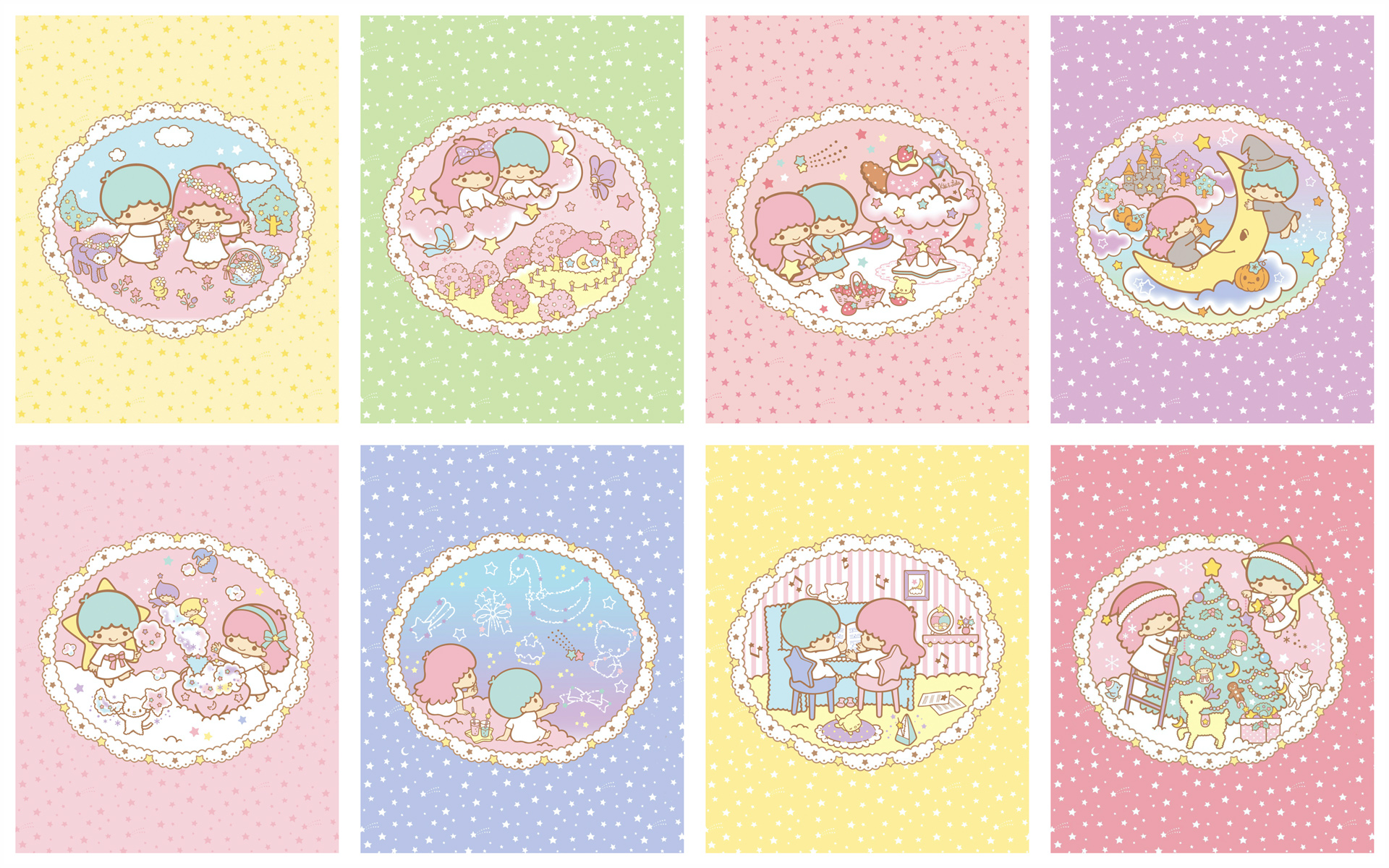
Kawaii Hoshi, hundreds of the best cute wallpaper & cute backgrounds for desktop pcs, mobile & tablet devices. Hello Kitty, Sanrio, Peach & Goma, Kuromi & more!

No paid content found
Visit website
Profile views 8 Outbound visits 12 Normal
Kawaii Hoshi ♥︎ Cute Wallpapers & Kawaii Backgrounds ♥︎ Full homepage screenshot

At a glance

Category
Stock Photos
Language
English
Paid-content signal
No paid content foundObserved
Registered
2022
Hosting
CloudflareInferred
HTTPS certificate trusted
PassedObserved
Last updated

Website review

This review may include AI-generated content and is not individually verified. Domain, certificate and other facts come from the observed data on this page.

What is Kawaii Hoshi?

Kawaii Hoshi is a wallpaper site focused on cute, kawaii-style backgrounds for desktop PCs, phones and tablets. Its collection leans on characters and motifs like Hello Kitty, Sanrio, Kuromi, and Peach & Goma, alongside animals and other charming imagery. The site describes its wallpapers as curated from a mix of free wallpaper sites and cute image resources, so it acts more as a friendly gallery than a single artist's portfolio.

What you'll find there

  • Device-specific wallpapers: desktop, mobile and tablet versions are presented as separate categories.
  • Character-themed sets: Peach & Goma appears repeatedly, with themed wallpapers such as Sakura Field, Donuts, and Love Heart.
  • A guestbook-style message board where visitors request characters, colors, or subjects they'd like to see added.

Who it suits

If you want a quick, low-effort way to make a phone or laptop feel more playful, this is a practical stop — especially if you already like Sanrio-style characters. It is less suited to someone who needs a consistent, licensed art collection for commercial use, since the site says its images come from a range of sources rather than one original creator.

A useful next step

Before downloading, decide on your screen's orientation and resolution, then pick the matching desktop or mobile version rather than stretching a single image. If a favorite character is missing, the message board is the natural place to ask — visitors there have already requested axolotls, anime backgrounds, and more purple options, and the site's format suggests requests are visible to whoever maintains the collection.

For a broader range of cute character wallpapers, Sanrio is the official source for its own characters, which matters if you want images with clear licensing.

How do I download and set a kawaii wallpaper on my phone or tablet?

Pick a wallpaper from the site's collection, download the image file, then set it through your device's Photos/Gallery or Settings app. The steps differ slightly by phone type, but the workflow is the same everywhere.

Kawaii Hoshi organizes wallpapers by character and theme, with sections such as Peach & Goma and a mix of cute characters and animals, and its wallpapers are labeled for desktop, mobile and tablet use. That labeling matters: a desktop-sized image cropped to a phone screen often cuts off the character's face or key details.

Basic steps

  1. Open the wallpaper page you like on Kawaii Hoshi.
  2. Tap and hold the image (or use the download button if one is shown) and choose Download image / Save to Photos.
  3. Open your Photos or Gallery app and find the saved image.
  4. Use the share/menu option and choose Use as wallpaper, or go to Settings → Wallpaper and select it from your library.
  5. Choose whether to apply it to the lock screen, home screen, or both, then adjust the crop and confirm.

On iPhone, the same flow works through Settings → Wallpaper → Add New Wallpaper → Photos. On most Android phones, long-pressing the home screen and choosing Wallpapers is the quickest route.

Practical tips

  • Match the aspect ratio. Phone screens are tall and narrow; tablets are closer to square or 4:3. A wallpaper made for a tablet will usually crop badly on a phone, and vice versa.
  • Mind the crop preview. Before confirming, drag the image so the main subject (a character's face, for example) sits in the visible area rather than behind the clock or app icons.
  • Keep a copy. Save the original file in a folder so you can re-crop later without hunting for the page again.
  • Check image quality. Cute illustrations with flat colors and clean lines tend to look sharp even at moderate resolution; detailed art can look soft when stretched to a large tablet screen.

If you're choosing between several options, start with one labeled for your device type, set it on the lock screen first to see how it looks behind the clock, and only then apply it to the home screen.

Which kawaii wallpaper categories or characters are available on Kawaii Hoshi?

Kawaii Hoshi organizes its wallpapers around cute characters and themes rather than formal categories. From the page evidence, the clearest named character collection is Peach & Goma, with individual wallpapers such as Peach & Goma Bread + Coffee Dreams, Peach & Goma Sakura Field, Peach & Goma in Donuts, Peach & Goma Feed Me, Peach & Goma Love Heart, and Peach & Goma Eating Noodle Nom Nom. The site description also names Hello Kitty, Sanrio, and Kuromi as characters covered. Broader themes mentioned include lovable animals and charming characters, and the page presents the collection as curated from free wallpaper sites and other cute image resources. Formats are split for desktop PCs, mobile phones, and tablets, with some wallpapers labeled as desktop + mobile.

H3 Practical next step If you want a specific character, start with the Peach & Goma listings, since those are the most concretely named on the page. If you want Hello Kitty, Sanrio, or Kuromi, use the site's own collection rather than assuming every character has its own separate category page. For requests not yet covered, the Message Board guestbook shows visitors asking for additions such as axolotls, anime backgrounds, and more purple options, which suggests it is the right place to check for community requests. For a phone and desktop set that matches, look for wallpapers explicitly marked desktop + mobile instead of downloading separate images and hoping the crop works.

For a broader kawaii wallpaper search, you can also compare with WallpaperCave or Pinterest, but Kawaii Hoshi's advantage is that its selection is already filtered toward cute characters and the Peach & Goma style rather than general wallpaper browsing.

Can I request specific cute characters or themes for new wallpapers?

Yes. Kawaii Hoshi runs a Message Board guestbook where visitors ask for characters and themes, and the page shows requests being posted publicly, so it is the natural place to ask. One visitor, AXOLOTL FRIENDSS, used it to request axolotls, popular Japanese anime, and more purple backgrounds; another, Luna, wrote that she found the site while hunting cute, high-quality wallpapers for phone, tablet and PC and loved Peach & Goma. A request is a suggestion, not an order, so treat it as a nudge rather than a guaranteed addition.

How to make a request more likely to be noticed

  • Name the exact character or theme, plus the device: "Kuromi for iPad lock screen" is clearer than "more cute stuff."
  • Mention the style or colour you want, since the collection already leans on characters like Hello Kitty, Sanrio, Kuromi, and Peach & Goma.
  • Keep it short and specific; the board already carries long, enthusiastic posts.
  • Check the existing collection first so you are asking for a genuine gap.

What to expect

The site describes its wallpapers as curated from free wallpaper sites and other cute image resources, so new additions depend on what the curator can find or adapt rather than being drawn to order. If you need a specific character for a specific screen size right now, browse the current categories and pick the closest match instead of waiting.

If you want to add your voice, open the Message Board and post your request there.

Are the wallpapers on Kawaii Hoshi free to use for personal devices?

Yes—Kawaii Hoshi presents its wallpapers as a free collection for personal devices. The site describes itself as offering "hundreds" of cute wallpapers and backgrounds for desktop PCs, mobile phones and tablets, and it states that the collection is curated from a range of sources, including free wallpaper websites and other cute image resources. Nothing on the page suggests a paywall, account requirement or download fee, and the message board comments from visitors read like ordinary users sharing personal favourites—Luna, for example, writes that she was looking for cute, high-quality wallpapers for her phone, tablet and PC and finally found them here.

What "free to use" covers on this site

  • Downloading and setting images as your own device background: this is clearly the intended use.
  • Personal, non-commercial use: the framing is personal devices—phones, tablets, desktop PCs.
  • No signup mentioned: the page invites you to "come on in, browse our collection," not to register.

Where to be careful

  • The site says its collection is "carefully curated from a range of sources," which means some images may originate elsewhere. For a personal lock screen or desktop, that is normally fine. For anything commercial—a product, an ad, a monetised channel, or a client project—you would want to trace the original source and its licence rather than assume the wallpaper itself is freely licensed.
  • Characters such as Hello Kitty, Sanrio, Kuromi, and Peach & Goma are branded properties. Personal use as a device background is one thing; redistributing, printing or selling images of them is another matter entirely.
  • If you plan to re-upload a wallpaper to your own site or social account, treat that as a separate question from setting it on your phone.

A practical next step Start with the themed galleries that match your device—for instance, the Peach & Goma sets are offered in desktop and mobile formats, so you can pick the aspect ratio that fits rather than cropping a wide image down to a phone screen. If you need something for a commercial project, use this site for inspiration and then look for a wallpaper under an explicit open licence such as Unsplash or Pexels, where the terms are stated up front. For purely personal customisation, Kawaii Hoshi is a reasonable first stop, and the guestbook shows the site does take requests—one visitor asked for axolotls, anime backgrounds and more purple options, which is a useful route if the current selection does not quite fit your taste.

How can I find wallpapers that fit my screen size or resolution?

Kawaii Hoshi is organized around device type rather than resolution filters. Its own headings promise wallpapers for "desktop pcs, mobile & tablet devices," and its featured sets (Peach & Goma, Kuromi, Sanrio, Hello Kitty) are presented as separate desktop and mobile downloads. So the practical approach is to start from the device category, then match the image's aspect ratio to your screen.

A quick way to decide

  • Phone or tablet: pick the mobile/tablet version of a set. Portrait images survive a vertical screen; a desktop crop usually loses the character's face or the edges of the scene.
  • Laptop or monitor: pick the desktop version. Wide images crop badly on a tall phone screen, and a phone wallpaper stretched to a monitor looks soft.
  • Ultrawide or unusual ratios: expect to crop. Look for images with open space at the edges rather than a centred subject filling the frame.
  • Two-in-one or foldable: a tablet-oriented image is usually the safer starting point because it tolerates both orientations better than a phone-only crop.

Matching by resolution, not just labels

Check your actual screen resolution before downloading (on Windows: Settings → System → Display; on macOS: System Settings → Displays; on Android or iOS the spec is in your device's settings or manual). Then compare it with the image's pixel dimensions. A "desktop" wallpaper that is smaller than your screen will be scaled up and look blurry; one much larger is fine, since downscaling stays sharp. Aspect ratio matters more than raw size: a 16:9 image fits a standard widescreen monitor with no cropping, while 16:10 and 21:9 screens will trim or letterbox.

If you can't find an exact fit

Crop deliberately rather than letting the operating system guess. On phones, set the wallpaper in your gallery app and pinch to position the subject where you want it. On desktop, use the built-in "Fill" or "Fit" option and preview before applying. If a favourite set only comes in one format, a free editor can extend the canvas with a matching background colour instead of cropping into the artwork.

Where to look beyond one site

Kawaii Hoshi leans on curated character art and fan-favourite mascots, so its strength is style, not search filters. If you need resolution-specific browsing, general wallpaper libraries with size filters are more efficient: WallpaperAccess, Wallhaven and Unsplash all let you narrow by dimensions or orientation, though their cute-character selection is thinner. For official Sanrio artwork, Sanrio is the primary source.

Next step: note your screen's exact pixel size, then browse Kawaii Hoshi by device category and download the version closest to that ratio — and if a set only exists in the other format, test the crop on a single image before committing to a whole collection.

Related questions

More questions →
What Kinds of Cute Wallpapers and Characters Can I Find on Kawaii Hoshi?

Kawaii Hoshi is a curated wallpaper site for desktop PCs, phones, and tablets, built around kawaii (cute) culture. If you want Hello Kitty, Sanrio, Kuromi, Peach & Goma, or general adorable-animal backgrounds in one place, it's aimed at you. The site describes its collection as gathered from a range of sources, including free wallpaper websites and other cute image resources, so it works as a browsing hub rather than an original art store.

The main wallpaper themes

The site's own description and headings point to a few clear categories:

  • Character wallpapers — Hello Kitty, Sanrio, Kuromi, and similar mascot-style characters.
  • Peach & Goma series — a recurring set of themed scenes rather than a single image.
  • Cute animals — the site mentions "lovable animals" alongside characters.
  • General kawaii backgrounds — playful, pastel-leaning designs for people who just want a cute look without a specific character.

What the Peach & Goma collection includes

Peach & Goma appears to be one of the site's most developed series. Named wallpapers visible on the page include:

Wallpaper Scene
Peach & Goma Bread + Coffee Dreams Bakery/coffee theme
Peach & Goma Sakura Field Cherry blossom field
Peach & Goma in Donuts Donut setting
Peach & Goma Feed Me Feeding-themed cute scene
Peach & Goma Love Heart Hearts, available for mobile + desktop
Peach & Goma Eating Noodle Nom Nom Noodle-eating scene

Several of these are labeled for both desktop and mobile, so you can match a phone lock screen and a computer background to the same character.

Who it suits — and who it doesn't

Good fit if you:

  • Want a single place to browse multiple cute franchises instead of hunting across sites.
  • Like mascot characters and pastel, playful art.
  • Need wallpapers sized for phone, tablet, and desktop rather than one device only.

Probably not the right fit if you:

  • Need original, licensed artwork with clear commercial rights — the site states its collection is curated from other free wallpaper and image sources, so treat it as a discovery gallery.
  • Want a specific character the site doesn't currently carry. Visitor requests on the message board (for example, axolotls, anime backgrounds, and more purple designs) suggest coverage is still growing and not exhaustive.

How to use it

  1. Open the site and scan the wallpaper sections for a theme or character you like.
  2. Pick an image and check whether it's marked for desktop, mobile, or both.
  3. Download and set it as your device background.
  4. If something you want is missing, the Message Board guestbook is where visitors post requests — the page shows 89 entries across multiple pages, and requests for new characters and color themes are common there.

One practical note: because the wallpapers are curated from outside sources, image quality and resolution can vary between entries. Check the preview on your actual device before committing to it as a permanent background.

Are the Wallpapers on Kawaii Hoshi Free, and Where Do They Come From?

Kawaii Hoshi describes its wallpaper collection as "carefully curated from a range of sources, including free wallpaper websites and other cute image resources." The site itself does not present any pricing, subscription, or paid-download mechanism in the available information, so there is no indication that you need to pay to browse or use the wallpapers. That said, "free to access on the site" is not the same as "free of copyright," and the site does not publish per-image license details — so if you plan to reuse an image beyond personal wallpaper use, treat the source as unverified.

What the Site Says About Its Sources

Kawaii Hoshi's own description of its collection is the clearest statement available:

  • Wallpapers are curated from a range of sources, explicitly including free wallpaper websites and other cute image resources.
  • The collection is organized and selected to showcase "the charm and playfulness of kawaii culture."
  • Content spans desktop PCs, mobile phones, and tablets, with categories such as Peach & Goma, Sanrio characters, Hello Kitty, Kuromi, and general cute animals.

This means Kawaii Hoshi functions as an aggregator and curator rather than (based on the available information) an original studio producing every image. The site does not list individual photographers, illustrators, or original uploaders per wallpaper in the material available.

Is There Any Cost?

No pricing signals appear anywhere in the site information: no price keywords, no payment links, no checkout or subscription platforms. The site presents itself purely as a browsing destination — "come on in, browse our collection, and add a touch of kawaii to your life."

What this supports:

Question What the available information shows
Is there a stated fee to browse? No fee mentioned
Is there a stated paid download tier? No paid tier mentioned
Are downloads described as free? The sources are described as free wallpaper sites, but the site does not label its own downloads "free"
Is a login required? Not mentioned either way

Because login and pricing are simply not addressed, don't assume the site is guaranteed free-and-open in every respect — only that nothing in the available information suggests a paywall.

The Copyright Question You Should Actually Worry About

This is the practical gap. The site says images come from free wallpaper websites and other cute image resources, but it does not state a license for each image, and it does not name the original creators per wallpaper.

That creates a real distinction:

  • Personal use — setting an image as your own desktop, phone, or tablet background — is the use case the site is built around, and is the lowest-risk scenario.
  • Reuse — reposting, printing, selling, or using an image in a project, video, or product — carries risk you cannot resolve from Kawaii Hoshi alone, because the chain back to the original rights holder isn't documented.

If you need an image for anything beyond your own device, the safer path is to trace it back to the original source (the free wallpaper site or character rights holder it came from) and check that source's terms. Character-based wallpapers — Sanrio, Hello Kitty, Kuromi, and similar — involve brand-owned characters, so fan-made or aggregated versions of those are typically not licensed for commercial reuse regardless of where you found them.

How to Use the Site in Practice

  1. Pick your device category — the site separates desktop, mobile, and tablet wallpapers, so start by matching the format to your screen.
  2. Browse by character or theme — collections are grouped around characters and motifs (Peach & Goma, Sanrio characters, cute animals), which is faster than scrolling everything.
  3. Download and set as wallpaper — the intended use is personal device decoration.
  4. Before reusing anywhere else, identify the original source and check its terms. If you can't identify it, don't reuse it publicly.

A Note From the Guestbook

The site's message board (89 entries at the time of the available snapshot) shows what users actually come for: one visitor wrote that they had been "looking for a place to find cute and HQ wallpapers for my phone, my tablet and pc" and finally found it, specifically praising the Peach & Goma set. Another asked for axolotls, popular Japanese anime, and more purple backgrounds — a reminder that the collection is curated and finite, so a specific character or color you want may not be there yet.

Bottom Line

Kawaii Hoshi presents itself as a free-to-browse curation of cute wallpapers drawn from free wallpaper sites and other cute image resources, with no pricing or payment mechanism indicated. Use it confidently for personal device wallpapers. For any other use, the site's lack of per-image licensing means you should verify the original source yourself — especially for character-based designs.

What Is Kawaii Hoshi? A Guide to the Cute Wallpaper Site

Kawaii Hoshi is a curated wallpaper site for people who want cute, kawaii-style backgrounds on a desktop PC, phone, or tablet. It gathers images from free wallpaper sites and other cute image sources into one browsable collection, with themes like Hello Kitty, Sanrio, Peach & Goma, and Kuromi. It's worth a look if you want a single place to find kawaii wallpapers without hunting across multiple sites — and it's not the right fit if you need original, exclusive artwork or advanced search filters.

What you'll find on Kawaii Hoshi

The site organizes its collection around cute characters and themes rather than a complex category system. From the homepage and its headings, the visible content includes:

  • Character and theme wallpapers — Peach & Goma appears prominently, with individual sets such as Bread + Coffee Dreams, Sakura Field, in Donuts, Feed Me, Love Heart, and Eating Noodle Nom Nom.
  • Sanrio-related characters — the site's own description names Hello Kitty, Sanrio, and Kuromi among its subjects.
  • Device coverage — wallpapers are offered for desktop PCs, mobile phones, and tablets, and some sets (like Peach & Goma in Donuts and Love Heart) are labeled as desktop + mobile.
  • A message board — a guestbook where visitors leave comments and requests, currently showing 89 entries across multiple pages.

The site describes its collection as "carefully curated from a range of sources, including free wallpaper websites and other cute image resources," covering everything from lovable animals to charming characters.

Who it's for

Kawaii Hoshi suits two main groups:

  1. Casual users who just want a cute background for a phone, tablet, or PC and don't want to dig through generic wallpaper aggregators.
  2. Kawaii enthusiasts who specifically want character-driven art (Sanrio, Peach & Goma, Kuromi) rather than abstract or photographic backgrounds.

It's less suited to anyone who needs high-resolution professional design assets, exclusive original art, or filtering by resolution, color, or orientation — none of those features are described in the site's content.

What visitors say

The guestbook gives a sense of how people actually use the site. One commenter (Luna) wrote that she was looking for a place to find "cute and HQ wallpapers for my phone, my tablet and pc" and finally found it, adding that she loves Peach and Goma. Another (Mary A) thanked the site for sharing the wallpapers. A third asked for axolotls, popular Japanese anime backgrounds, and more purple options — a useful signal that the collection doesn't cover every request, and that the message board doubles as a request channel.

How to use it

  1. Open kawaiihoshi.com.
  2. Browse the wallpaper sets shown on the homepage, or scroll to themed entries like the Peach & Goma series.
  3. Pick the version that matches your device — desktop, mobile, or tablet — where the set offers separate sizes.
  4. Download or save the image, then set it as your background through your device's normal wallpaper settings.
  5. If what you want isn't there, leave a request on the message board; other visitors have used it exactly this way.

Things to keep in mind

  • Sourcing is aggregated, not original. The site states its wallpapers come from free wallpaper websites and other cute image resources. If you plan to reuse an image beyond personal wallpaper use, check the original source's terms.
  • No pricing or account details are stated on the pages reviewed here, so don't assume anything about registration or cost either way — just check when you arrive.
  • Coverage is character-focused. If you want landscapes, minimalism, or anime outside the listed characters, the guestbook request above suggests you may not find it immediately.
How to Find Wallpapers for Your Desktop, Phone, or Tablet on Kawaii Hoshi

Kawaii Hoshi is built specifically for three screen types: desktop PCs, mobile phones, and tablets. The site states that its collection is curated for all three, and several individual wallpapers — particularly the Peach & Goma series — are labeled as "Desktop + Mobile," meaning one design is offered in more than one format. To find a wallpaper for your device, browse the collection, pick a design, and choose the version that matches your screen. There is no account requirement mentioned on the site, and no pricing information is provided, so treat access and download terms as unconfirmed until you check the page yourself.

What the site actually offers

Kawaii Hoshi describes itself as a home for "cute wallpaper & cute backgrounds for desktop pcs, mobile phone & tablet devices." The collection is curated from a range of sources, including free wallpaper websites and other cute image resources, and covers subjects from lovable animals to well-known characters. The site's own description names Hello Kitty, Sanrio, Peach & Goma, and Kuromi among the featured themes.

That matters for device selection because character-based wallpaper sets are often released in multiple aspect ratios. If a design exists for both desktop and mobile, you don't have to crop a wide image down to a narrow phone screen and lose the composition.

Step-by-step: finding the right wallpaper for your device

  1. Identify your device type first. Decide whether you need a desktop, phone, or tablet wallpaper before you start browsing. The site organizes its pitch around these three categories, so knowing your target narrows what you look at.
  2. Browse the wallpaper collection. The main "Cute Wallpaper & Cute Backgrounds" section is where designs are listed. Skim titles for device hints — for example, "Peach & Goma in Donuts Desktop + Mobile Wallpaper" tells you both formats exist.
  3. Check whether a design has a device-specific version. Titles that say "Desktop + Mobile" or "Mobile + Desktop" are your signal that the same artwork is available in more than one layout. Titles that name only one device are likely intended for that screen type.
  4. Open the wallpaper you want. Selecting an entry takes you to the individual wallpaper, where you can view it before deciding.
  5. Save the image to your device. Download or save the file using your browser or device's standard image-saving method, then set it as your background through your operating system's wallpaper settings.
  6. Verify the fit. After applying it, check that key parts of the image — faces, characters, text — aren't cut off by your screen's aspect ratio or by icons and widgets on your home screen.

Matching wallpaper to screen type

Device What to look for Why it matters
Desktop PC Designs labeled "Desktop," or wide-format artwork Desktop screens are landscape; a portrait phone image will stretch or leave empty bars
Mobile phone Designs labeled "Mobile," or entries with a mobile version Phone screens are tall and narrow, so a wide desktop image loses its edges when cropped
Tablet Either version, depending on orientation Tablets sit between the two; check whether your tablet is used in portrait or landscape before choosing

If a wallpaper is marked "Desktop + Mobile," you can use it on a tablet too — just expect some cropping depending on your tablet's orientation.

Characters and themes you can search for

The site's own description and page content point to these recurring themes:

  • Peach & Goma — the most visible series on the page, with multiple entries including "Bread + Coffee Dreams," "Sakura Field," "in Donuts," "Feed Me," "Love Heart," and "Eating Noodle Nom Nom." Several of these are explicitly labeled as desktop and mobile versions.
  • Hello Kitty and Sanrio characters — named in the site description as part of the collection.
  • Kuromi — also named in the site description.
  • Lovable animals — the site describes its range as covering "lovable animals" alongside characters.

If you're hunting for something specific, the message board is worth a look: visitors have used it to request themes. One guestbook entry asks for axolotls, popular Japanese anime backgrounds, and more purple options, which suggests the site's audience treats the board as a place to ask for additions.

Common snags and how to handle them

The design you love only comes in one format. If a wallpaper is listed for desktop only, you can still try it on a phone, but expect heavy cropping. Rotating or zooming the image during setup can help you keep the most important part of the artwork centered.

You can't tell the resolution from the thumbnail. Thumbnails don't tell you how sharp an image will look on a high-resolution screen. Open the full wallpaper and check it at full size before committing, especially for a large desktop monitor or a high-density tablet display.

You want a theme that isn't there. The guestbook shows other visitors requesting specific characters and colors. Posting a request is a reasonable route if you can't find what you want — but there's no stated guarantee that requests get fulfilled.

You're unsure about usage rights. The site says its collection is curated from free wallpaper websites and other cute image resources, but it doesn't spell out licensing terms for every image. If you plan to use a wallpaper somewhere beyond your own device background, check the source before doing so.

A quick decision guide

  • Just want something cute for your phone right now? Open the collection, look for a "Mobile" or "Desktop + Mobile" title, and save it.
  • Setting up a new desktop? Filter your browsing toward wide-format or "Desktop" entries, and favor the Peach & Goma series since several of those are confirmed to have desktop versions.
  • Want one matching look across all your devices? Look specifically for "Desktop + Mobile" wallpapers — those are the ones designed to work on more than one screen type from a single design.
  • Can't find your favorite character? Check the message board to see what others have requested, and add your own request if the theme is missing.
How to Leave Feedback or Request New Wallpapers on Kawaii Hoshi

Kawaii Hoshi collects cute wallpapers and backgrounds for desktop PCs, phones, and tablets, and it gives visitors a public place to respond: the Message Board, described on the site as a guestbook. If you want to say thanks, ask for a character or theme that is missing, or just read what other visitors are hoping for, that board is where it happens. The site does not publish a separate contact form or support email in the material available here, so the Message Board is the visible feedback channel.

Where the Message Board lives

The Message Board appears as its own section on the site, alongside wallpaper categories such as Peach & Goma Wallpaper and Mikka's Blog. It works like a guestbook: entries are listed in order, with a page navigation showing 1 2 3 4 5 ... 9 → and a total count of 89 entries at the time of the snapshot.

Each entry shows:

  • A display name chosen by the visitor
  • A date and time
  • The comment text
  • A Permalink link to that individual entry

What visitors actually post there

The board is used for three main things, and seeing real examples makes it easier to judge whether your own request fits.

Requests for new content. One visitor asked for axolotls and "popular Japanese anime," plus more purple backgrounds, explaining that it is hard to find "ACTUALLY cute axolotls or nice looking anime backgrounds." That is the clearest template for a request: name the subject, name the color or style, and say why the existing options fall short.

Thanks and general feedback. Several entries are short appreciations — "I loved all the wallpapers," "Thank you for sharing these wallpapers! They are so kawaii," and "i love it :3." These do not ask for anything, but they show the tone of the board.

Stating what you were looking for. One visitor wrote that they wanted cute, high-quality wallpapers for phone, tablet, and PC, found the site, and shared it with friends, adding that they love Peach and Goma. This kind of post doubles as feedback about which characters are landing well.

How to post a request that is easy to act on

There is no published form field list or moderation policy in the available material, so the practical approach is to write a comment the way the existing entries do.

  1. Open the Message Board from the site's navigation.
  2. Choose a display name. Existing posters use anything from a plain first name to decorative symbol-heavy handles, so there is no evident naming rule.
  3. Write your comment. For a request, be specific about the subject and the format. Saying "more purple backgrounds for mobile" is more useful than "more wallpapers."
  4. Submit and check the listing. New entries appear in the guestbook list, and each one gets its own permalink you can copy if you want to point someone to your post.

A request that names a character, a color, and a device type covers the three things the site organizes around — characters like Hello Kitty, Sanrio, Kuromi, and Peach & Goma; visual style; and desktop versus mobile or tablet.

What to expect after you post

The board is a guestbook, not a ticketing system. Nothing in the available material promises a reply, a timeline, or that a requested wallpaper will be made. The axolotl and anime request sits publicly on the board as a visible suggestion, which is the realistic outcome: your request joins a list that the site and other visitors can read.

Two practical notes:

  • Requests are public. Your display name and comment are visible to anyone browsing the board, and each entry has a permalink.
  • Dates on the board run into 2026, so the guestbook is actively accumulating entries rather than being a closed archive.

If the Message Board is not what you need

The site's stated purpose is curating cute wallpapers from a range of sources, including free wallpaper websites and other cute image resources. If your goal is simply to find something rather than to ask for it, browsing the wallpaper sections directly — including the Peach & Goma sets and the blog — is faster than waiting on a board post. Use the Message Board when you specifically want to be heard: to thank the site, to flag a gap in the collection, or to add your name to a request that other visitors have already made.

Website Overview

Identifiable technologies and additional version or configuration signals make the service easier to fingerprint, which may help targeted scanners narrow their checks. Page metadata, canonical configuration and social previews work together to provide more consistent search and sharing presentation.

Domain and Registration

Transfer-protection status is present, helping reduce the risk of unauthorized domain transfers. The domain has about 4 years of registration history; its current configuration provides more context than age alone. The registrar is NameCheap, Inc., a widely used domain service provider. The domain uses the common .com extension, which is not an independent safety signal.

DNS and Email

Nameservers are provided by Cloudflare, indicating managed DNS hosting. MX records point to the mailchannels.net email service. No CNAME was found; the observed records resolve directly to addresses. SPF and DMARC are configured. DKIM status is unknown. TXT records include verification markers for Google. Such markers may also remain after a service stops being used.

TLS and Certificates

The public key uses EC with 256 bits. The server supplied a complete certificate chain. No organization name is present in the certificate; the available fields are consistent with domain validation. The certificate was issued within the Google Trust Services cloud or CDN ecosystem. The certificate's total validity is about 90 days, consistent with a short renewal cycle.

HTTP and Browser Security

The checked browser-security headers were not detected, leaving fewer explicit browser-side safeguards. No X-Powered-By header was found, reducing one common source of backend fingerprinting information. The cf-ray response header indicates a CDN or caching proxy in the delivery path. No obvious internal addresses or debug information were found in the headers. The Server header identifies cloudflare without an exact version.

Technology Stack Analysis

The public page identifies WordPress 7.1.2, jQuery, Google Analytics, Cloudflare, with exact versions exposed for 1 technologies. These details can narrow vulnerability checks, although exposure alone is not a vulnerability.

Search and Social Sharing

The Generator tag identifies WordPress 7.1.2, making the publishing system easier to fingerprint. Twitter Card metadata is configured. JSON-LD includes Organization data, helping describe the organization as an entity. The title has 55 characters, within a common display range. A meta description is present, with 160 characters.

Hosting and Email

DNSCloudflare
HostingCloudflare
Emailmailchannels.net
Approximate IP geolocation (inferred; a CDN or proxy may differ from the origin server) Location unknown Inferred 104.21.31.96

Registration details

RDAP / WHOIS

RegistrarNameCheap, Inc.
Registered2022-08-18
Expires2027-08-18
Domain statusclient transfer prohibited
Nameserversaida.ns.cloudflare.com、woz.ns.cloudflare.com
DNSSECunsigned

DNS records

DNS

TypeNameValueTTLPriority
Akawaiihoshi.com104.21.31.96300—
Akawaiihoshi.com172.67.176.46300—
AAAAkawaiihoshi.com2606:4700:3033::6815:1f60300—
AAAAkawaiihoshi.com2606:4700:3037::ac43:b02e300—
MXkawaiihoshi.commx1.mailchannels.net3000
MXkawaiihoshi.commx2.mailchannels.net3000
NSkawaiihoshi.comaida.ns.cloudflare.com86400—
NSkawaiihoshi.comwoz.ns.cloudflare.com86400—
TXTkawaiihoshi.comgoogle-site-verification=4TSqhRx8SEmoZiieSPQPFBU6A2EPAdprfY0FgSBXa-8300—
TXTkawaiihoshi.comgoogle-site-verification=c6lNjyN0dqfls1_VKDE88QXB72DUwHoAKoeDBAt6APg300—
TXTkawaiihoshi.comgoogle-site-verification=rD3tcGcsVBvIZcMz_F-NBlzflcbc3D2iILf3WaacpNo300—
TXTkawaiihoshi.comv=spf1 mx include:netblocks.dreamhost.com include:relay.mailchannels.net -all300—
DMARC_dmarc.kawaiihoshi.comv=DMARC1; p=none; rua=mailto:[email protected]300—

TLS and certificates

TLS / SSL

AssessmentNormal configuration
Supported protocolsTLSv1.2、TLSv1.3
Negotiated protocolTLSv1.3
Certificate subjectkawaiihoshi.com
IssuerGoogle Trust Services
Valid until2026-12-12T23:30 · Remaining when checked: 73 days
Verification detailsCertificate trust: Passed · Hostname match: Passed

HTTP response headers

HTTP

HeaderValue
content-typetext/html; charset=UTF-8
cache-controlmax-age=0
servercloudflare

Identified technologies

WordPress 7.1.2jQueryGoogle AnalyticsCloudflare

Pages, Search and Sharing

Meta descriptionKawaii Hoshi, hundreds of the best cute wallpaper & cute backgrounds for desktop pcs, mobile & tablet devices. Hello Kitty, Sanrio, Peach & Goma, Kuromi & more!
Canonical URLhttps://kawaiihoshi.com/
LanguageEnglish (default)
Twitter Cardsummary_large_image
All bots 1 allowed · 1 disallowed
  • Allow/wp-admin/admin-ajax.php
  • Disallow/wp-admin/

Recent Updates

  • Website images
  • Screenshots

User reviews (0)

  • No reviews yet.