
 简体中文
简体中文 English
Website review
This review may include AI-generated content and is not individually verified. Domain, certificate and other facts come from the observed data on this page.
What is linkring?
linkring is a paid link-in-bio page service. You get one small public page that gathers your links, images and short sections behind a single URL, with your own domain included and no ads or linkring branding on the page. It costs US$5 a month or US$50 a year, and the page is built to stay under 10 KB of HTML with no script.
The pitch is deliberately narrow: not a website builder, not a newsletter platform, just one page that loads fast and looks like you. Editing happens on the page itself — you pick a palette, give a project the spotlight, and arrange links. Sign-in is by emailed link rather than a password.
H3 What separates it from a typical link-in-bio tool
- Your own domain is part of the deal, not an upsell.
- No ads and no service branding on your published page.
- Export is built in: you can take your content back as JSON in a documented format, plus the static files the CDN serves, and host them anywhere.
- If you stop paying, the published page stays online and your domain keeps resolving; the editor goes read-only until you resubscribe.
H3 Who it suits, and who it doesn't
It fits a designer, writer, freelancer or hobbyist who wants one tidy hub for a handful of links and projects, cares about page weight, and dislikes being locked in. It is a poor fit if you need a blog, a shop, contact forms, or anything beyond a single page — and the US$5 is a recurring cost for something a static host could serve free, if you are willing to build and maintain it yourself.
H3 A practical next step
Before subscribing, list the five links you would actually put on the page and check whether one page is enough. Then compare the export promise against your own fallback: if linkring disappeared tomorrow, could you host the exported files yourself? The site's own pricing page is at linkring. For a free alternative with a similar single-page idea, see Carrd, and for a general-purpose static host to pair with an export, Netlify.
How does linkring keep its pages under 10 KB?
Linkring keeps pages small by making the renderer itself the constraint, not by compressing images or minifying after the fact. The page content says the renderer is "held to" a budget: under 10 KB of HTML, with a cap of at most 134 (the excerpt cuts off there, likely a limit on some resource count or size). That is an architectural decision — the generator only emits a fixed, minimal set of markup and styles, so a page can't grow past the budget no matter how much you add.
In practice this means the page is plain HTML and CSS with no JavaScript, and the visual design is deliberately narrow: one page, a small palette, a handful of link blocks. You choose from preset structures rather than free-form layout, which is why the output stays predictable.
What this buys you
- Fast loads on slow connections and old phones, since there's no script to download or run.
- Fewer things to break — no third-party widgets, no ad scripts.
- Easy portability: the export is static files, so the page works on any host.
The trade-off
You give up flexibility. If you want embedded video players, custom fonts, animations, or interactive forms, a sub-10 KB no-script page won't do it. Linkring is for people whose "link in bio" is genuinely a list of links and a short identity, not a mini-website.
Practical next step
If you're weighing it against a general site builder, test with your real content: count how many links, images, and text blocks you actually need. If that fits a single simple page, a lightweight no-script option like linkring is a reasonable fit; if you need embeds or multiple pages, look at a conventional host instead.
What happens to my link-in-bio page if I stop paying for linkring?
If you stop paying, your published link-in-bio page stays online and your custom domain keeps resolving. The editor switches to read-only until you resubscribe, so you can't make changes in the meantime, but visitors won't see a broken page or a parked domain.
That's a deliberate trade-off: you lose editing and any ongoing service, but not your public presence or your domain's function. It suits someone who might pause a subscription temporarily — a freelancer between projects, for example — without wanting their bio link to go dark.
What to check before you rely on it
- Export first if you're leaving for good. linkring says export returns everything you put in, as JSON in a documented format and as the static files the CDN serves, which you can host anywhere. Doing this before you cancel gives you a fallback that doesn't depend on the subscription.
- Confirm your domain registration separately. The statement covers the page staying online and the domain resolving, but where the domain itself is registered and renewed is a separate matter worth verifying in your account.
- Expect analytics to stop updating. The editor going read-only implies no new data collection or changes; treat your analytics history as frozen rather than live.
If you're weighing alternatives, compare how each handles a lapsed subscription: some free tiers keep pages up with branding, while paid tools often take pages offline. Carrd and Linktree are common points of comparison for link-in-bio pages.
Can I export my linkring page and host it somewhere else?
Yes. linkring is built so you can take your page with you: the export hands back everything you put in, both as JSON in a documented format and as the static files the CDN serves, and those files can be dropped on any host. Nothing of linkring's is left in the exported page, so you are not locked into their infrastructure to keep it online.
What that actually gets you
- A static page you can upload to any web host, object storage bucket, or static-site service.
- Your content in a documented JSON format, so you can re-import, migrate, or rebuild it elsewhere.
- Your own domain keeps working, because you own it and the export is a normal page.
The trade-off to weigh
The exported page is the page, not the editor. Once you host it yourself, you lose the on-page editing, the palette controls, and the analytics history that linkring tracks for you. You would be maintaining the files yourself from then on. For someone who wants a low-effort bio page, staying subscribed is simpler; for someone who wants full control or is leaving the service, the export is a genuine exit rather than a hostage situation. Note also that if you stop paying, linkring says your published page stays online and your domain keeps resolving, with the editor going read-only until you return — so exporting is a choice, not an emergency measure.
Next step
If self-hosting appeals, decide first where the files will live. A static host such as Netlify or Cloudflare Pages can serve plain HTML files directly, and GitHub Pages works if you want the source in a repository. Test the export on a subdomain before pointing your main domain at it, so you can confirm the page renders as expected.
How does linkring's $5 per month price compare to other link-in-bio tools?
Linkring's $5/month price sits at the low end of paid link-in-bio tools, and its distinguishing feature is not the number itself but what the number includes: a custom domain, no ads, no linkring branding, and a full export of your page as static files. Most competitors reach a similar price only after you accept branding on the free tier or pay extra for a domain.
linkring states one flat price — US$5/month or US$50/year — with everything included and no upgrade tiers. The page also says that if you stop paying, your published page stays online and your domain keeps resolving, while the editor goes read-only.
How it compares by pricing model
| Tool | Typical pricing shape | What the cheap tier usually withholds |
|---|---|---|
| linkring | One flat paid tier, everything included | Nothing advertised as held back |
| Linktree | Free tier plus paid subscription | Branding removal, analytics, custom domain |
| Beacons | Free tier plus paid subscription | Branding removal, some integrations, domain |
| Carrd | Free tier plus cheap paid plans | Custom domain, forms, some embeds |
| Bio.link | Free tier plus paid subscription | Branding removal, analytics, domain |
Exact prices for the other tools change often, so check their own pricing pages rather than relying on a comparison table. The structural difference is more stable: linkring has no free tier, so you are paying from day one, but you are also not being upsold later.
Who this suits
- A designer or freelancer who wants one link in an email signature or Instagram bio, with their own domain and no visible third-party branding.
- Someone who dislikes subscriptions that gate features — the "no upgrade dance" framing means the feature set does not expand behind a paywall.
- A person who wants an exit — the export is documented JSON plus the static files the CDN serves, so the page can move to any host.
Who should look elsewhere
- Anyone who needs a free tier to test the format before paying. Linktree, Beacons and Carrd all offer one.
- People who want built-in commerce, email capture or tipping. Linkring describes a single page of links and images, not a storefront.
- Teams or multi-page sites. This is one page per subscription.
A practical next step
List the features you would actually use — custom domain, analytics history, image hosting, export — then compare the total monthly cost of getting all of them on each tool, not the headline price. If a competitor charges $5 but adds a domain fee, the real comparison changes. Linkring's claim is that $5 covers the whole list; verify that against your own list before deciding.
For a concrete scenario: if you are a freelance illustrator who wants yourname.com pointing at a page of links to your shop, portfolio and newsletter, linkring's single price covers the domain and removes branding. If you also want to sell prints directly from that page, you would still need a separate store, which is true of most link-in-bio tools at this price.
Do I need a password to sign in to linkring?
No. linkring uses email sign-in links instead of passwords. You enter your email address, receive a sign-in link, and click it to get into the editor. The page describes this as "No password. A sign-in link by email, and you are in."
What that means in practice
- Nothing to remember or store in a password manager for this service.
- Anyone with access to your email inbox can sign in as you, so the security of your email account effectively becomes the security of your linkring page. A strong, unique password and two-factor authentication on your email provider matter more here than they would on a password-based service.
- Sign-in links usually expire after a short window; if yours stops working, request a new one rather than hunting for an old email.
A quick decision check
If you mainly want to add a new link or tweak your page from your phone while travelling, an email link is convenient — no typing a long password on a small keyboard. If you share an inbox with someone else, or use an email account you don't fully control, that convenience cuts the other way.
Next step: before you claim a name, make sure the email address you plan to use is one you'll still control in a year, and that it's protected with two-factor authentication. To get started, visit linkring.
 Cloudflare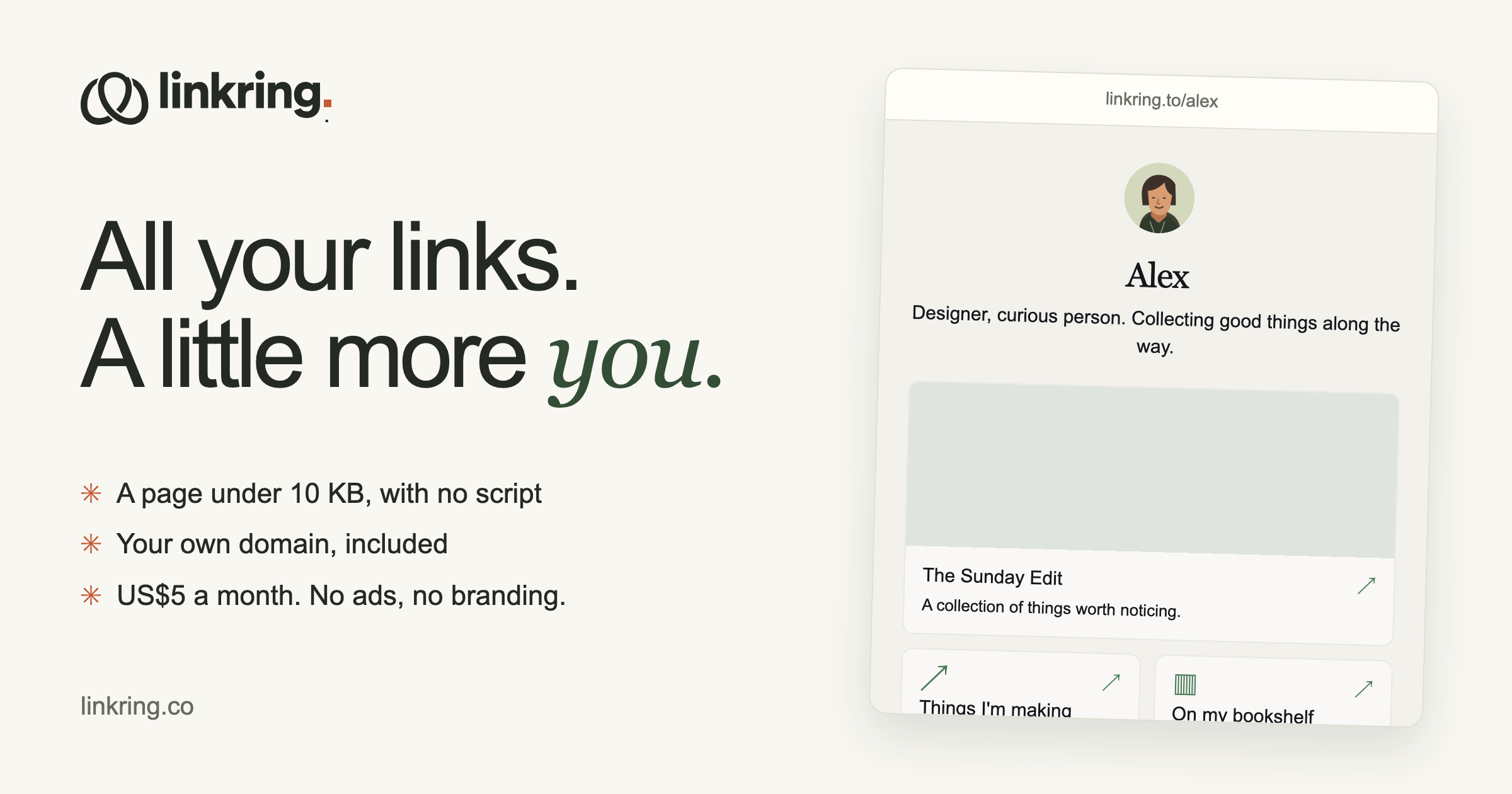
User reviews (0)